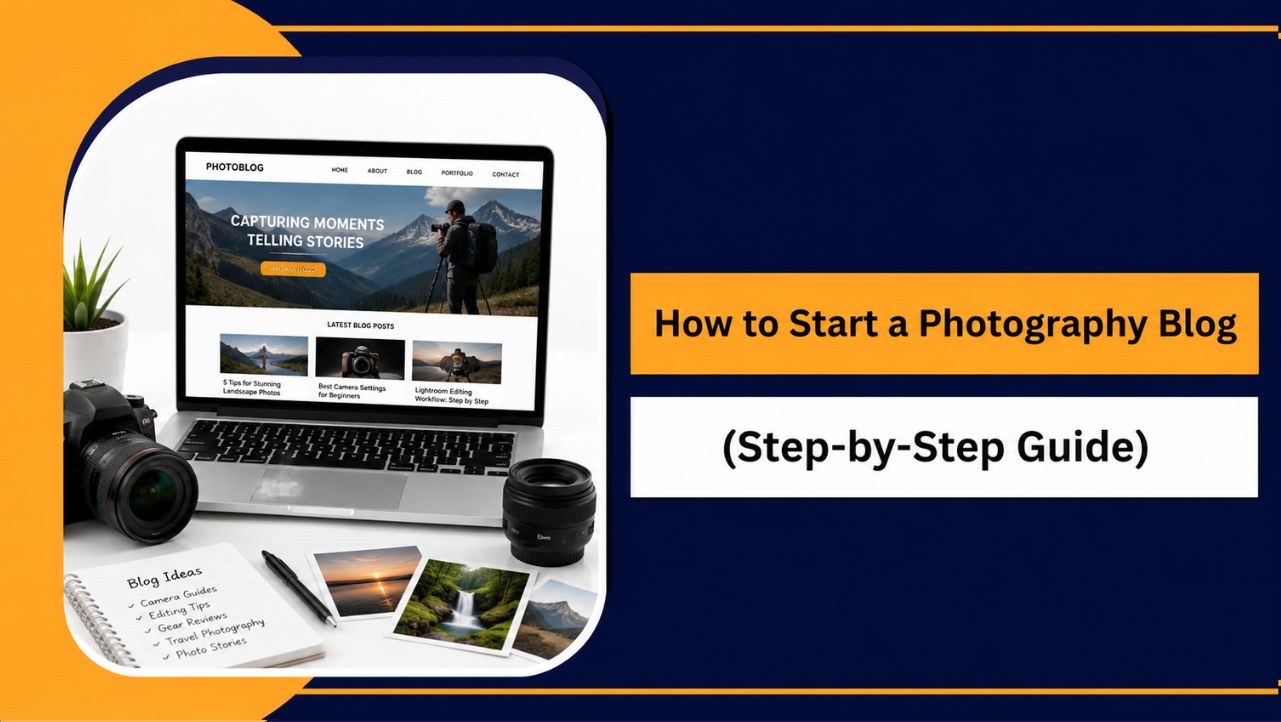
If you enjoy capturing moments and want to share your creativity with a wider audience, starting a photography blog can be one of the best decisions you make. It gives you a space to showcase your work and build something you truly own.
You don’t need to be a professional photographer or have years of experience to get started. Many successful photography bloggers began exactly where you are right now, learning consistently while sharing their experiences and improving over time.
My suggestion is to focus on sharing what you know, documenting your photography journey, and creating content that genuinely helps others. With consistency and the right approach, your blog can become a valuable platform that supports your creative and professional aspirations.
What Is a Photography Blog?
A photography blog is a website where photographers share visual content, educational resources, personal experiences, and industry insights related to photography. It serves as a central platform to display your portfolio, publish articles, and establish your presence within the photography community.

Unlike social media platforms that focus on short term engagement, a photography blog allows you to create long lasting content that readers can discover through search engines. You have complete control over your website’s design, content, and monetization opportunities.
Photography blogs can cover various topics depending on your interests and expertise.
| Type of Photography Blog | Examples of Content |
| Photography Portfolio | Showcase your best photographs and projects |
| Photography Tutorials | Camera settings, composition, and shooting techniques |
| Gear Reviews | Cameras, lenses, tripods, and accessories |
| Photo Editing Guides | Lightroom and Photoshop tutorials |
| Travel Photography | Destination guides and photography experiences |
| Wildlife Photography | Nature photography tips and field experiences |
| Business Photography | Client management and photography business advice |
Whether your goal is to share your passion, attract photography clients, teach others, or generate income online, a photography blog provides a professional platform to achieve those objectives.
Why Start a Photography Blog in 2026?
Starting a photography blog in 2026 offers much more than simply publishing photos online. It gives you an opportunity to build authority in your niche, showcase your expertise, connect with potential clients, and create multiple income opportunities while maintaining complete ownership of your content.
| Benefit | Why It Matters |
| Showcase Your Portfolio | Display your best photography work professionally. |
| Build an Online Presence | Establish yourself within your photography niche. |
| Attract Potential Clients | Generate inquiries for photography services. |
| Share Your Knowledge | Help others through tutorials and guides. |
| Improve Photography Skills | Teaching and consistent practice improve expertise. |
| Create Income Opportunities | Monetize through affiliates, ads, and digital products. |
| Own Your Platform | Maintain full control over your content and audience. |
| Build Long Term Authority | Grow credibility as your blog expands. |
What You Need Before Starting a Photography Blog
Before setting up your photography blog, having a few essentials in place will make the process much smoother. The good news is that you don’t need advanced technical skills or expensive equipment to get started.
Choose a Photography Niche
Instead of trying to cover every photography topic, focus on an area you genuinely enjoy and can consistently create content around. A clear niche helps attract the right audience and establishes your expertise.
Popular photography niches include:
- Portrait Photography
- Wedding Photography
- Travel Photography
- Wildlife Photography
- Landscape Photography
- Street Photography
- Food Photography
- Product Photography
- Mobile Photography
- Photography Tutorials
Get a Domain Name
Your domain name is your blog’s online identity. Choose something memorable, easy to spell, and relevant to photography.
Examples include:
- FocusFramePhotography.com
- ThroughMyLensBlog.com
- CaptureMomentsDaily.com
Choose Reliable Hosting
Hosting is where your website files are stored and made accessible to visitors. Since photography websites often contain high quality images, choosing reliable hosting is essential for speed, performance, and security.
For most beginners, WordPress Hosting is the best option because it simplifies website management and offers beginner friendly features.
However, some photographers may eventually require more advanced solutions:
- WordPress Hosting: Best for beginners and most photography blogs.
- VPS Hosting: Suitable for photographers managing multiple websites or experiencing growing traffic.
- Dedicated Servers: Ideal for large photography businesses, agencies, or websites handling significant resource demands.
Starting with WordPress Hosting allows you to grow without unnecessary complexity, while VPS and Dedicated Server options provide scalability when your requirements increase.
Use WordPress
WordPress powers a large percentage of websites worldwide because it’s flexible, beginner friendly, and highly customizable.
Benefits include:
- Easy content management
- Thousands of themes and plugins
- Strong SEO capabilities
- Excellent scalability
- No coding knowledge required
Plan Your Content
Preparing a few article ideas before launching your website helps maintain consistency.
You could start with:
- Photography tutorials
- Camera buying guides
- Editing workflow tips
- Portfolio showcases
- Photography mistakes to avoid
- Location guides
- Gear reviews
Stay Consistent and Patient
Building a successful photography blog takes time. Focus on publishing valuable content regularly, improving your skills, and helping your audience. Consistency often matters more than perfection.
With these essentials ready, you’ll have a strong foundation to start building your photography blog confidently.
How to Start a Photography Blog (Step-by-Step Guide)
Starting a photography blog may seem complicated initially, but the process becomes much easier when broken into manageable steps. By following the right approach, you can create a professional website that showcases your work, attracts readers, and supports your long term goals.
Step 1: Choose Your Photography Blog Niche
One of the biggest mistakes new photography bloggers make is trying to cover every photography topic at once. Focusing on a specific niche helps you attract the right audience, establish authority, and create content more consistently.
A clear niche also improves your SEO efforts because search engines can better understand your website’s primary focus. As your blog grows, you can gradually expand into related photography topics.
Popular Photography Blog Niches
| Photography Niche | Best For |
| Portrait Photography | Portrait photographers and beginners |
| Wedding Photography | Wedding professionals |
| Travel Photography | Travelers and adventure enthusiasts |
| Landscape Photography | Nature photographers |
| Wildlife Photography | Wildlife and conservation photographers |
| Street Photography | Urban and documentary photographers |
| Food Photography | Food bloggers and businesses |
| Product Photography | E-commerce photographers |
| Mobile Photography | Smartphone photography enthusiasts |
| Photography Tutorials | Educators and beginners |
How to Choose the Right Niche
When selecting your niche, consider the following questions:
- What type of photography do you genuinely enjoy?
- Which topics can you consistently write about?
- Is there an audience interested in these topics?
- Can this niche support future monetization opportunities?
For example, if you regularly photograph weddings and enjoy teaching others, a wedding photography blog featuring tutorials, gear recommendations, and business tips could be an excellent choice.
Remember, your niche doesn’t have to remain permanent. Many successful photography blogs start with a focused topic before expanding into broader categories as their audience grows.
Step 2: Research Topics Your Audience Is Searching For
After choosing your niche, the next step is understanding what your target audience wants to learn. Creating content based on real search demand increases your chances of attracting readers through search engines.
Instead of publishing articles solely based on assumptions, focus on topics that photographers actively search for online. This approach helps you create content that provides genuine value while improving your visibility in search results.
Understand Your Audience
Think about who you’re creating content for.
Ask yourself:
- Are they beginner photographers?
- Do they want camera buying advice?
- Are they looking for editing tutorials?
- Do they need business tips for photography clients?
- Are they interested in specific photography styles?
Understanding your audience helps you publish content that addresses their actual needs.
Use Free Research Tools
Several free tools can help identify content opportunities:
- Google Autocomplete: Discover popular photography related searches.
- People Also Ask: Find common questions users ask.
- Google Trends: Identify growing photography topics.
- Pinterest: Explore trending photography ideas.
- Reddit Communities: Learn about challenges photographers face.
- YouTube Search Suggestions: Discover tutorial topics viewers want.
Photography Blog Content Ideas
| Content Type | Example Topics |
| Tutorials | Beginner camera settings guide |
| Gear Reviews | Best cameras for travel photography |
| Editing Guides | Lightroom editing workflow |
| Photography Tips | Composition techniques for beginners |
| Portfolio Posts | Recent photography projects |
| Comparison Articles | Mirrorless vs DSLR cameras |
| Location Guides | Best photography spots in your city |
When planning your content, focus on one important question:
“Will this article genuinely help photographers solve a problem or improve their skills?”
If the answer is yes, you’re creating content that benefits both your readers and your long term blog growth.
Now that you know what content to create, the next step is setting up your photography blog with a domain name and reliable hosting.
Step 3: Get a Domain Name and WordPress Hosting
Once you’ve decided what type of photography content you want to create, it’s time to set up the foundation of your blog. This involves choosing a domain name and reliable hosting to make your website accessible online.
Choose a Domain Name for Your Photography Blog
Your domain name is your website’s address on the internet. It plays an important role in branding, so choose something memorable, easy to spell, and relevant to photography.
When choosing a domain name:
- Keep it short and simple.
- Make it easy to pronounce and remember.
- Avoid numbers and hyphens.
- Choose a name that allows future growth.
- Use photography related words only if they fit naturally.
Examples:

- FocusFramePhotography.com
- ThroughMyLensBlog.com
- CaptureMomentsDaily.com
Take your time with this decision because your domain name becomes part of your online identity.
What Is WordPress Hosting?
Hosting is the service that stores your website files and makes them available to visitors around the world.
Think of it this way:
- Domain Name: Your website’s address.
- Hosting: The home where your website lives.
For photography blogs, choosing quality hosting is especially important because image heavy websites require good performance to provide a smooth browsing experience.
Reliable hosting helps with:
- Faster image loading speeds.
- Better website security.
- Consistent uptime and reliability.
- Automatic backups.
- Improved visitor experience.
Why We Recommend YouStable WordPress Hosting
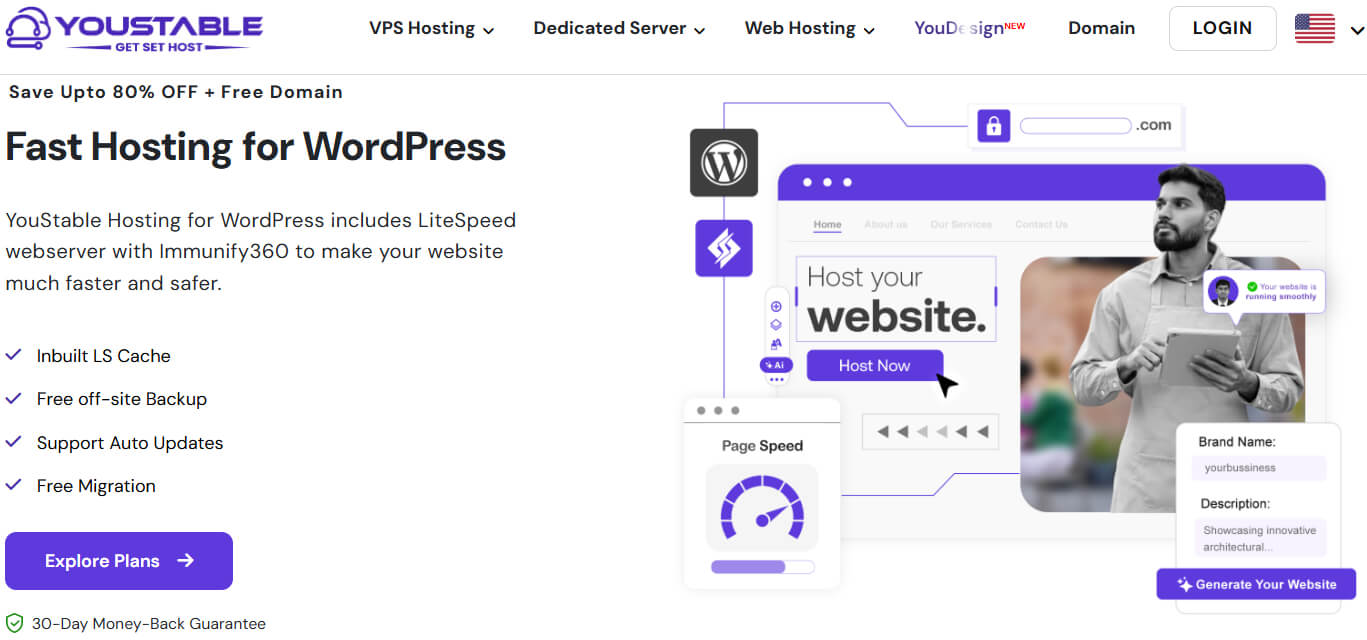
For most beginners, YouStable WordPress Hosting offers an excellent balance of affordability, performance, and ease of use. It simplifies the setup process while providing features that photography blogs benefit from.
Benefits of YouStable WordPress Hosting
| Feature | Benefit for Photography Blogs |
| Free Domain for 1 Year* | Helps reduce initial costs. |
| LiteSpeed Web Server | Improves website speed and image delivery. |
| NVMe SSD Storage | Faster file access and better performance. |
| Free SSL Certificate | Protects visitor data and improves trust. |
| Free Off Site Backups | Keeps your photography content safe. |
| One Click WordPress Installation | Launch your website quickly. |
| AI Optimized Caching | Enhances overall website speed. |
| Imunify360 Protection | Provides advanced security features. |
| Unmetered Bandwidth | Supports increasing website traffic. |
| 24/7 Expert Support | Assistance whenever you need help. |
Which YouStable Plan Should You Choose?
| Plan | Best For | Pricing |
| DaStart | New photography bloggers launching their first website. | $0.62/month |
| DaProfessional ⭐ | Growing photography blogs needing more resources and a free domain. | $1.25/month |
| DaElite | High traffic photography websites and agencies. | $2.31/month |
For most beginners, the DaProfessional Plan is often the best choice because it includes a free domain for one year, supports multiple websites, and provides additional resources as your blog grows.
When Should You Consider VPS Hosting or Dedicated Servers?
While WordPress Hosting is ideal for most photography blogs, some users may eventually require more powerful hosting solutions.
VPS Hosting
A Virtual Private Server (VPS) is suitable if:
- Your photography blog experiences significant traffic growth.
- You manage multiple photography websites.
- You require greater control over server resources.
- You run resource intensive applications alongside WordPress.
Dedicated Servers
A Dedicated Server may be appropriate if:
- You operate a photography agency website.
- Your site handles extremely high visitor volumes.
- You need maximum performance and customization.
- You require dedicated resources without sharing them with other users.
Most photography bloggers can confidently begin with WordPress Hosting and upgrade later if their requirements change.
How to Buy YouStable WordPress Hosting (Step-by-Step)
- Visit the YouStable WordPress Hosting page.
- Click Explore Plans to view available options.
- Choose the hosting plan that best suits your needs.
- Claim your free domain for one year if eligible.
- Create your YouStable account.
- Select your preferred billing cycle.
- Review your order details carefully.
- Complete the payment process securely.
- Access your hosting dashboard and begin setting up WordPress.
Pro Tip: If you prefer an even faster setup process, you can also explore YouStable’s AI Website Builder solution to create your website with minimal manual configuration.

With your domain and hosting ready, the next step is installing WordPress and preparing your photography blog for launch.
Step 4: Install WordPress on Your Hosting Account
After purchasing your hosting plan and domain name, the next step is installing WordPress. The process is straightforward, and with YouStable’s one click WordPress installer, you can set up your photography blog within a few minutes without any technical expertise.
How to Install WordPress on YouStable
- Log in to your YouStable Client Area.
- Open your hosting control panel from the dashboard.
- Locate the WordPress Installer or Softaculous Apps Installer.
- Click Install WordPress.
- Select the domain name you want to use for your photography blog.
- Enter your website details, including:
- Site Name
- Admin Username
- Strong Password
- Admin Email Address
- Review the installation settings carefully.
- Click Install and wait for the process to complete.
- Once finished, you’ll receive your WordPress login URL.
Access Your WordPress Dashboard
You can log in to your website using: yourdomain.com/wp-admin
Enter the administrator username and password you created during installation to access your WordPress dashboard.
Why WordPress Is a Great Choice for Photography Blogs
WordPress is one of the most popular website platforms because it offers flexibility and ease of use without requiring coding knowledge.
Some benefits include:
- Beginner friendly interface
- Thousands of customizable themes
- Extensive plugin library
- SEO friendly structure
- Excellent scalability as your blog grows
- Strong community support
Once WordPress is installed, you officially have a live photography website. The next step is configuring a few essential settings to improve security, usability, and search engine visibility before publishing your first post.
Step 5: Configure Essential WordPress Settings
Before designing your photography blog or publishing content, it’s important to adjust a few basic WordPress settings. These small changes help improve SEO, security, and overall user experience.
Important Settings to Configure
| Setting | What You Should Do |
| Site Title & Tagline | Add your photography blog name and description. |
| Time Zone | Set the correct location for accurate publishing times. |
| Permalinks | Choose Post Name for SEO-friendly URLs. |
| Search Engine Visibility | Ensure search engines can index your website. |
| User Profile | Update your name, bio, and profile information. |
| SSL Certificate | Verify that HTTPS is active on your website. |
| WordPress Updates | Keep WordPress, themes, and plugins updated. |
| Default Content | Remove sample posts, pages, and comments. |
Set SEO Friendly Permalinks
Navigate to: Settings → Permalinks
Select: Post Name
This creates cleaner URLs such as: yourdomain.com/best-camera-for-beginners
instead of: yourdomain.com/?p=123
SEO friendly URLs are easier for both users and search engines to understand.
Enable HTTPS Security
Most YouStable hosting plans include a free SSL certificate. Make sure your website uses: https://yourdomain.com
rather than: http://yourdomain.com
SSL encryption improves website security and builds visitor trust.
Keep Everything Updated
Regular updates help maintain performance and security.
Make it a habit to update:
- WordPress Core
- Themes
- Plugins
This simple practice helps prevent vulnerabilities and ensures compatibility across your website.
With these essential settings configured, your photography blog is now ready for customization. The next step is choosing a professional WordPress theme that showcases your photography beautifully while maintaining excellent performance.
Step 6: Choose a Professional Theme for Your Photography Blog
Your WordPress theme controls how your photography blog looks and how visitors experience your content. Since photography websites rely heavily on visuals, choosing the right theme is important for showcasing your work professionally while maintaining fast loading speeds.
Although many themes look impressive, prioritize performance, usability, and customization over flashy designs.
What Should You Look for in a Photography Theme?
Before installing a theme, consider these factors:
- Mobile Friendly Design: Many visitors browse photography websites using smartphones and tablets. Your theme should automatically adjust to different screen sizes and provide a smooth experience across all devices.
- Fast Loading Speed: Photography blogs often include high resolution images, which can slow down websites. A lightweight theme helps maintain fast loading times and improves user experience.
- Portfolio Support: Choose a theme that allows you to display galleries, portfolios, and featured photography projects professionally.
Easy Customization
Look for themes that let you customize:
- Colors
- Typography
- Headers
- Homepage layouts
- Navigation menus
- Portfolio sections
This flexibility allows you to create a website that reflects your personal photography style.
SEO Friendly Structure
A well coded theme supports better search engine performance and complements your SEO efforts.
Best WordPress Themes for Photography Blogs
| Theme | Best For | Why It’s Recommended |
| Astra | Beginners | Lightweight, fast, and highly customizable |
| Kadence | Performance focused websites | Excellent speed and flexibility |
| GeneratePress | SEO conscious bloggers | Clean code and strong performance |
| Blocksy | Creative photographers | Modern layouts and customization |
| Neve | Portfolio websites | Fast loading with beautiful starter templates |
All of these themes offer free versions that are suitable for launching your photography blog.
Our Recommendation for Beginners
If you’re starting your first photography blog, Astra is an excellent choice.
It offers:
- Fast loading performance
- Mobile responsive layouts
- Portfolio friendly starter templates
- Easy customization options
- Compatibility with popular plugins
- Excellent SEO foundations
Most importantly, it allows beginners to build professional websites without feeling overwhelmed.
How to Install a WordPress Theme
Installing a theme takes only a few minutes.
Step 1: Access the Themes Section
From your WordPress Dashboard:
- Navigate to Appearance → Themes
- Click Add New Theme
Step 2: Search for Your Preferred Theme
Use the search bar to find your desired theme, such as:
- Astra
- Kadence
- GeneratePress
- Blocksy
- Neve
Step 3: Install the Theme
Click Install next to your selected theme.
WordPress will automatically download and prepare it for activation.
Step 4: Activate the Theme
After installation:
- Click Activate
- Visit your website to preview the design
Your new theme is now live.
Customize Your Photography Blog
To personalize your website:
Navigate to: Appearance → Customize
Common customization options include:
- Uploading your logo
- Choosing brand colors
- Adjusting typography
- Setting homepage sections
- Creating navigation menus
- Configuring portfolio layouts
Take time to create a clean and professional design that keeps the focus on your photography.
Prioritize Reader Experience
As a photography blogger, your images should stand out without overwhelming visitors.
When designing your website:
- Use simple, easy to read fonts.
- Avoid cluttered layouts.
- Maintain sufficient white space.
- Keep navigation intuitive.
- Optimize images for faster loading.
A clean design often performs better than one overloaded with unnecessary visual effects.
Common Mistakes to Avoid
Many beginners make these mistakes when choosing a theme:
- Selecting themes based only on appearance.
- Using heavy themes with unnecessary features.
- Frequently switching themes after launching.
- Ignoring mobile responsiveness.
- Prioritizing effects over performance.
Choosing a fast, reliable, and user friendly theme from the beginning creates a better experience for both visitors and search engines.
With your theme installed, your photography blog is starting to take shape. The next step is installing essential WordPress plugins to improve your website’s SEO, speed, security, and functionality.
Step 7: Install Essential WordPress Plugins
One of WordPress’s biggest advantages is its plugin ecosystem. Plugins allow you to add powerful features to your photography blog without writing code.
However, installing too many plugins can negatively impact performance. Focus only on plugins that genuinely improve your website.
Essential Plugins for Photography Blogs
| Plugin | Purpose |
| Rank Math SEO | Optimize content for search engines |
| LiteSpeed Cache | Improve website speed and caching |
| WPForms | Create contact forms easily |
| UpdraftPlus | Back up your website regularly |
| Wordfence Security | Protect against security threats |
| ShortPixel | Compress images for faster loading |
| Envira Gallery | Create professional photo galleries |
| Smush | Optimize image files automatically |
Rank Math SEO
Rank Math helps improve your website’s search visibility.
Key benefits:
- Optimize title tags and meta descriptions
- Generate XML sitemaps
- Add schema markup
- Improve on page SEO
- Monitor SEO settings easily
LiteSpeed Cache
Photography websites often contain large image files. LiteSpeed Cache improves loading speeds through advanced caching and optimization.
Benefits include:
- Faster page loading
- Better Core Web Vitals
- CSS and JavaScript optimization
- Improved user experience
If you’re using YouStable WordPress Hosting, LiteSpeed Cache integrates exceptionally well with LiteSpeed servers.
WPForms
Every professional photography blog should include a contact page.
WPForms allows visitors to:
- Request photography services
- Submit inquiries
- Ask questions
- Discuss collaborations
The free version works well for most beginners.
UpdraftPlus
Your photography content is valuable. Regular backups protect your website from unexpected issues.
UpdraftPlus helps you:
- Schedule automatic backups
- Restore your site quickly
- Store backups securely
Wordfence Security
Security should never be overlooked.
Wordfence provides:
- Firewall protection
- Malware scanning
- Login security enhancements
- Suspicious activity monitoring
ShortPixel and Smush
Photography websites rely heavily on images. These plugins optimize image files without significantly reducing quality.
Benefits include:
- Faster loading speeds
- Improved SEO performance
- Better user experience
- Reduced bandwidth usage
Avoid Installing Too Many Plugins
Before adding a new plugin, ask yourself:
- Is this functionality necessary?
- Is the plugin actively maintained?
- Does another plugin already provide this feature?
A streamlined plugin setup improves performance and reduces compatibility issues.
Keep Plugins Updated
Regularly update your plugins to:
- Improve security
- Fix bugs
- Maintain compatibility
- Enhance performance
Remove plugins you no longer use to keep your website efficient.
At this stage, your photography blog has a strong technical foundation. The next step is creating essential pages that every professional photography website should include before publishing content.
Step 8: Create Important Pages for Your Photography Blog
Before publishing blog posts, it’s important to create a few essential pages that help visitors understand who you are, what you offer, and how they can contact you. These pages also improve your website’s professionalism and credibility.
Essential Pages Every Photography Blog Should Have
| Page | Why It Matters |
| About Page | Introduce yourself and your photography journey. |
| Contact Page | Allow visitors and potential clients to reach you. |
| Privacy Policy | Explain how visitor data is handled. |
| Disclaimer | Clarify the information shared on your website. |
| Affiliate Disclosure | Maintain transparency if using affiliate links. |
| Portfolio Page | Showcase your best photography work. |
| Services Page | Highlight photography services you offer. |
| Start Here Page | Guide new visitors to important content. |
About Page
Your About page helps readers connect with the person behind the blog.
Include:
- Your photography background
- Areas of specialization
- Why you started the blog
- What readers can expect
- A professional photo of yourself
Keep it authentic and conversational.
Contact Page
A contact page makes it easy for visitors, brands, and potential clients to reach you.
You can include:
- Contact form
- Professional email address
- Social media profiles
- Business inquiry details
Plugins like WPForms make creating contact forms simple.
Privacy Policy and Disclaimer
These pages are important for legal compliance and transparency.
A Privacy Policy explains:
- What information you collect
- How cookies are used
- Third party services integrated with your website
A Disclaimer clarifies that information shared on the blog is for educational purposes.
Affiliate Disclosure
If you recommend photography equipment using affiliate links, disclose this relationship clearly.
Transparency helps build trust with your audience and ensures compliance with affiliate program requirements.
Portfolio Page
For photographers, a portfolio page is one of the most important sections of the website.
Showcase:
- Your best photographs
- Different photography styles
- Featured projects
- Recent work
Focus on quality rather than quantity.
Services Page
If you offer photography services, create a dedicated page outlining:
- Types of photography services
- Pricing information (optional)
- Service locations
- Booking process
- Frequently asked questions
This page can help convert visitors into clients.
Start Here Page
As your content grows, a Start Here page helps new visitors quickly find valuable resources.
You can feature:
- Popular tutorials
- Photography guides
- Recommended equipment
- Beginner resources
These essential pages create a professional first impression and improve the overall user experience. Once they’re ready, it’s time to publish your first photography blog post and start sharing your expertise.
Step 9: Publish Your First Photography Blog Post
Publishing your first article is an exciting milestone. Many beginners delay this step because they believe everything needs to be perfect, but the most important thing is simply getting started.
Focus on creating helpful content that provides value to your readers.
First Photography Blog Post Ideas
If you’re unsure where to begin, consider these topics:
- Beginner photography tips everyone should know
- Best camera settings for new photographers
- Essential photography equipment recommendations
- Lightroom editing workflow for beginners
- Common photography mistakes and how to avoid them
- Behind the scenes of a recent photoshoot
- Your personal photography journey
- Portfolio highlights and project showcases
Choose topics you feel confident discussing and can genuinely help readers understand.
Tips for Writing Great Photography Articles
Use High Quality Images
Photography blogs rely heavily on visuals.
Ensure your images are:
- Sharp and clear
- Properly optimized for web use
- Relevant to the article topic
Avoid uploading excessively large image files that may slow down your website.
Share Personal Experiences
Readers appreciate authenticity.
Include:
- Lessons you’ve learned
- Challenges you’ve faced
- Real world photography examples
- Practical insights from your experience
This strengthens trust and improves EEAT signals.
Structure Content Clearly
Improve readability by using:
- Headings and subheadings
- Short paragraphs
- Bullet points
- Tables where appropriate
Well structured content is easier to read and understand.
Focus on Helping Readers
Before publishing, ask yourself: Will this article help someone become a better photographer?
If the answer is yes, you’re moving in the right direction.
Publish Consistently
You don’t need to publish daily.
Choose a schedule you can realistically maintain, such as:
- One post per week
- Two posts per month
- One in depth tutorial every month
Consistency matters more than frequency.
Don’t Wait for Perfection
Every successful photography blogger started with a first post.
Your writing, photography, and website will naturally improve over time. The key is to start publishing and continue learning through experience.
With your first article live, the next step is optimizing your photography blog for SEO so readers can discover your content through search engines.
Step 10: Optimize Your Photography Blog for SEO
Creating valuable content is important, but optimizing your photography blog for search engines helps readers actually find it. Basic SEO practices can improve your visibility in Google and attract consistent organic traffic over time.
Essential SEO Tips for Photography Blogs
| SEO Practice | Why It Matters |
| Keyword Research | Helps target topics readers are searching for. |
| Optimize Titles and Meta Descriptions | Improves search visibility and click-through rates. |
| Use Proper Headings | Makes content easier to understand for users and search engines. |
| Optimize Image Alt Text | Helps images rank in search results and improves accessibility. |
| Internal Linking | Encourages visitors to explore related content. |
| Improve Website Speed | Enhances user experience and SEO performance. |
| Mobile Optimization | Ensures your site works well across all devices. |
| Build EEAT Signals | Strengthens credibility and trustworthiness. |
Optimize Your Images for SEO
Since photography blogs rely heavily on visuals, image optimization is especially important.
Best practices include:
- Compress images before uploading.
- Use descriptive file names such as sunset-landscape-photography.jpg.
- Add relevant alt text to every image.
- Choose modern image formats when possible.
- Avoid uploading unnecessarily large files.
Optimized images improve both loading speed and search visibility.
Use Keywords Naturally
Include relevant keywords within:
- Titles
- Headings
- Introduction paragraphs
- Image alt text
- Meta descriptions
Focus on readability rather than keyword repetition. Write for people first and search engines second.
Strengthen Internal Linking
Link to related articles throughout your website to help visitors discover additional content.
For example, you can connect posts about:
- Camera buying guides
- Lightroom tutorials
- Photography tips
- Gear reviews
If your website expands, you can also naturally link readers to hosting resources, including WordPress Hosting for beginners or VPS Hosting and Dedicated Servers for photographers managing high traffic websites.
Improve Website Speed
Fast loading websites provide a better user experience and often perform better in search results.
To improve speed:
- Optimize images regularly.
- Use caching plugins like LiteSpeed Cache.
- Choose reliable hosting.
- Minimize unnecessary plugins.
For image-heavy websites like photography blogs, hosting performance plays a major role in maintaining fast load times.
Build Trust and Authority
Search engines value websites that demonstrate expertise and credibility.
You can strengthen EEAT signals by:
- Sharing your photography experience.
- Including author information.
- Publishing original photography work.
- Providing accurate recommendations.
- Updating content regularly.
SEO is a long term strategy. Consistently publishing helpful content and following these best practices can help your photography blog attract more readers over time.
Step 11: Promote Your Photography Blog
Publishing great content is only part of the process. Promoting your photography blog helps you reach new readers, grow your audience, and establish your presence within the photography community.
Effective Ways to Promote Your Photography Blog
| Promotion Method | Why It Works |
| Drives traffic through visual discovery. | |
| Showcases photography and builds engagement. | |
| Facebook Groups | Connects with photography communities. |
| Email Marketing | Encourages repeat visitors. |
| SEO | Generates long term organic traffic. |
| YouTube Shorts and Reels | Expands your reach through video content. |
| Networking | Builds relationships with other photographers. |
| Content Repurposing | Maximizes the value of existing content. |
Share Your Content on Pinterest
Pinterest functions more like a search engine than a traditional social network.
Create attractive pins for:
- Photography tutorials
- Editing guides
- Portfolio showcases
- Camera recommendations
Optimized pins can continue driving traffic for months.
Build an Instagram Presence
Instagram complements photography blogs naturally.
Share:
- Behind the scenes content
- Editing workflows
- Recent photoshoots
- Portfolio highlights
Use Instagram to encourage followers to visit your blog for detailed guides and resources.
Start Building an Email List
Email marketing gives you direct access to your audience without relying on social media algorithms.
Offer incentives such as:
- Photography checklists
- Editing presets
- Free photography guides
Regular newsletters help maintain engagement with your readers.
Collaborate With Other Photographers
Networking within the photography community can create new opportunities.
Consider:
- Guest posting
- Expert roundups
- Podcast appearances
- Collaborative projects
These activities help expand your reach and build authority.
Focus on Long Term Growth
Many successful photography blogs grow steadily rather than overnight.
Focus on:
- Publishing consistently
- Improving your content quality
- Engaging with your audience
- Learning from performance data
Small improvements made consistently often produce meaningful results over time.
With traffic beginning to grow, the next step is understanding how your photography blog can generate income through multiple monetization strategies.
Step 12: Monetize Your Photography Blog
A photography blog can become more than a creative outlet. As your audience grows, it can also create multiple income opportunities. The key is to prioritize helping your readers first and treat monetization as a natural extension of the value you provide.
Popular Ways to Monetize a Photography Blog
| Monetization Method | How It Works |
| Affiliate Marketing | Recommend cameras, lenses, and photography tools. |
| Display Advertising | Earn through ad networks as traffic grows. |
| Sponsored Content | Partner with photography brands and companies. |
| Sell Lightroom Presets | Offer editing presets to your audience. |
| Digital Products | Create photography guides and courses. |
| Photography Services | Attract clients through your blog. |
| Stock Photography | License and sell your images online. |
| Membership Communities | Provide exclusive educational content. |
Affiliate Marketing
Photography equipment often involves significant purchasing decisions, making affiliate marketing a natural fit.
You can recommend:
- Cameras
- Lenses
- Tripods
- Camera bags
- Editing software
- Online photography courses
Always disclose affiliate relationships and recommend products you genuinely trust.
Offer Photography Services
Your blog can serve as a portfolio that attracts potential clients.
You might offer:
- Portrait sessions
- Wedding photography
- Commercial photography
- Product photography
- Event coverage
Clear service pages and contact forms make it easier for clients to reach you.
Sell Digital Products
Digital products provide scalable income opportunities.
Examples include:
- Lightroom presets
- Photography eBooks
- Editing tutorials
- Composition guides
- Online workshops
These resources can help your audience while generating additional revenue.
Display Advertising
As your traffic grows, display ads can create passive income.
Common options include:
- Google AdSense
- Mediavine
- Raptive
Keep in mind that premium ad networks often require specific traffic thresholds.
Set Realistic Expectations
Photography blogging is rarely a quick way to make money.
Growth depends on:
- Consistent publishing
- High quality content
- SEO efforts
- Audience trust
- Long term commitment
Many successful photography bloggers begin earning gradually as their audience expands.
Focus on Value First
The strongest monetization strategies are built on trust.
Prioritize:
- Honest recommendations
- Helpful tutorials
- Authentic experiences
- Reader satisfaction
When readers trust your expertise, monetization opportunities become much more effective.
At this point, you’ve learned how to build, grow, and monetize your photography blog. Before concluding, let’s look at some common mistakes that new photography bloggers should avoid.
Common Mistakes to Avoid When Starting a Photography Blog
Starting a photography blog is exciting, but avoiding a few common mistakes can save you time and help your website grow more effectively. Focus on consistency, providing value, and improving gradually rather than aiming for perfection from the beginning.
| Mistake | How to Avoid It |
| Choosing a Broad Niche | Focus on a specific photography category initially. |
| Ignoring SEO | Learn basic SEO practices from the start. |
| Uploading Large Images | Optimize images before publishing. |
| Publishing Inconsistently | Follow a realistic content schedule. |
| Choosing Poor Hosting | Use reliable hosting that supports image-heavy websites. |
| Monetizing Too Early | Build trust and audience first. |
| Comparing Yourself to Others | Focus on your own progress and growth. |
| Neglecting Website Backups | Regularly back up your content and images. |
| Overloading Plugins | Install only essential plugins. |
| Giving Up Too Soon | Stay patient and continue improving. |
Remember, successful photography blogs aren’t built overnight. Consistently creating helpful content and refining your skills can lead to steady growth over time.
Looking for More Blogging Ideas? Explore These Helpful Guides:
FAQs
Can I start a photography blog without being a professional photographer?
Yes, you can start a photography blog even if you’re a beginner. Many successful photography bloggers began by documenting their learning journey, sharing practical experiences, and helping others who were at a similar skill level. u003cbru003eu003cbru003eReaders often appreciate authentic insights and real world experiences more than perfection. As your photography skills improve, your blog can naturally evolve alongside your expertise.
What type of content performs best on a photography blog?
The most successful photography blogs usually combine educational and experience based content that genuinely helps readers improve their skills.u003cbru003eu003cstrongu003ePopular content ideas include:u003c/strongu003eu003cbru003eu003cstrongu003e• u003c/strongu003ePhotography tutorials and camera setting guidesu003cbru003eu003cstrongu003e• u003c/strongu003ePhoto editing tips using Lightroom or Photoshopu003cbru003eu003cstrongu003e• u003c/strongu003eCamera, lens, and gear reviewsu003cbru003eu003cstrongu003e• u003c/strongu003eBehind the scenes photoshoot experiencesu003cbru003eu003cstrongu003e• u003c/strongu003ePhotography mistakes beginners should avoidu003cbru003eu003cstrongu003e• u003c/strongu003ePortfolio showcases and project breakdownsu003cbru003eExperimenting with different content formats can help you understand what resonates most with your audience.
How often should I publish content on my photography blog?
There is no fixed publishing schedule that guarantees success. The most important factor is consistency rather than frequency. For most beginners, publishing one high quality article each week or a few in depth posts every month is a practical approach. Maintaining a schedule you can sustain long term often leads to better results than publishing frequently and stopping altogether.
Can a photography blog help me get photography clients?
Yes, a photography blog can become a valuable tool for attracting potential clients by showcasing your expertise and portfolio. To improve your chances of generating inquiries, focus on:u003cbru003eu003cstrongu003e• u003c/strongu003eDisplaying your best photography work through portfolio pagesu003cbru003eu003cstrongu003e• u003c/strongu003eSharing helpful tutorials and real world experiencesu003cbru003eu003cstrongu003e• u003c/strongu003eCreating a clear services page with contact informationu003cbru003eu003cstrongu003e• u003c/strongu003ePublishing content optimized for local and photography related searchesu003cbru003eOver time, a well maintained blog can strengthen your credibility and help potential clients trust your work before reaching out.
Conclusion
Starting a photography blog is one of the most effective ways to showcase your work, share your expertise, and build a meaningful presence online. By choosing the right niche, creating valuable content, and staying consistent, you can develop a website that grows alongside your photography journey.
You don’t need to have years of experience or expensive equipment to begin. Focus on helping your audience, improving your skills, and publishing content regularly. Small efforts made consistently often lead to significant results over time.
If you’re ready to launch your photography blog, reliable hosting can simplify the process considerably. YouStable WordPress Hosting provides beginner friendly features, one click WordPress installation, and a free domain for one year on eligible plans, making it easier to start building your photography website with confidence.
As your website expands, VPS Hosting and Dedicated Server solutions can support your future growth needs.