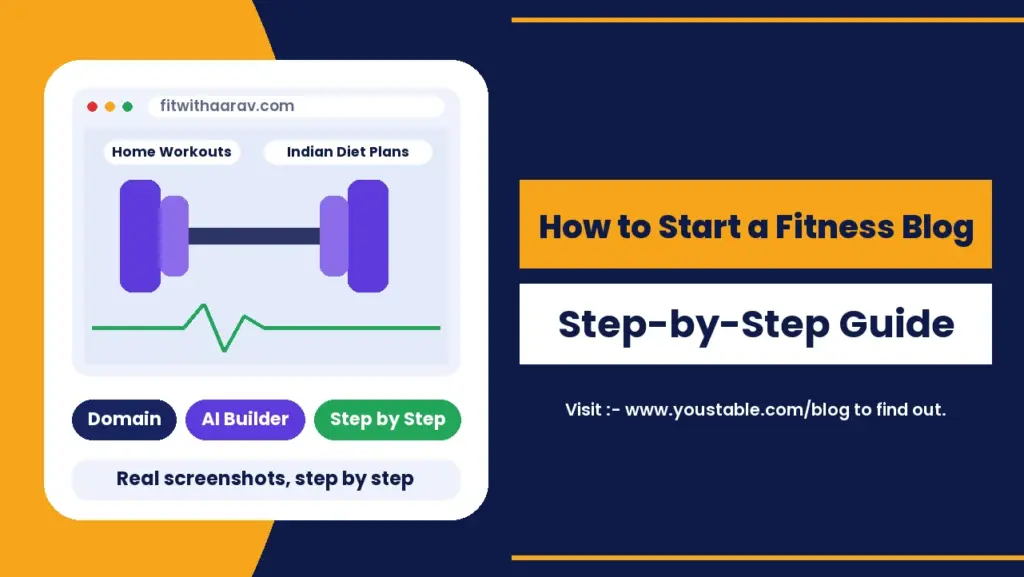
To start a fitness blog, pick a specific fitness niche and reader, choose a brandable name, register a domain, get WordPress hosting, build the site with an AI WordPress builder or by hand, add credibility pages, then publish safe, practical workout and nutrition content on a steady schedule. The technical setup takes an afternoon. What makes a fitness blog grow is trust: clear advice, honest credentials and content that solves one problem at a time.
This guide is written for fitness blogging for beginners. It shows how to start a fitness blog step by step with real screenshots of the setup, a first-year cost breakdown in rupees, fitness blog ideas that work in India, how to build the whole site automatically with an AI WordPress website builder, a seasonal content calendar, and the trust, speed, monetization and security steps that most guides leave out.
What Is a Fitness Blog?
A fitness blog is a website that publishes workout routines, training guides, nutrition advice, healthy recipes, progress stories and product reviews for a specific audience. The best health and fitness blogs do not try to cover everything. They help one type of reader, such as busy office workers, new mothers or first-time gym members, reach one clear goal.
Why Start a Fitness Blog in 2026?
- Demand never goes away: people search for workouts, diet plans and weight loss help every single month, with big spikes around the new year and before summer.
- Short videos need a home base: reels and shorts bring attention, but a blog is where you publish the full plan, keep readers and collect email subscribers.
- India-specific content is still thin: many fitness articles assume Western food, gyms and climates. Vegetarian protein plans, home workouts for small flats and festive-season guides are underserved.
- Many ways to earn: affiliate links, display ads, digital workout plans, brand collaborations and online coaching.
- A portfolio for trainers and dietitians: a blog proves your expertise to future clients far better than a bio on a social profile.
How Much Does It Cost to Start a Fitness Blog in India?
If you want to start a fitness blog in India, the first-year cost is smaller than a quarterly gym membership. Here is a realistic budget for a self-hosted WordPress fitness blog:
| Item | Cost | Notes |
|---|---|---|
| Domain name | Free for the first year | Included with eligible WordPress hosting plans |
| WordPress hosting | From ₹119/mo | 3-year term with a free domain; ₹59/mo plan without one |
| AI website builder | Included | 5 AI site generations on the DaProfessional and DaElite plans |
| SSL certificate | Free | Included with hosting |
| WordPress, theme and plugins | Free to start | Premium versions are optional |
| Camera and mic | ₹0 to start | A phone, a tripod and window light are enough for workout demos |
For a full breakdown of optional extras, see our guide on the cost to start a blog in India.
How to Start a Fitness Blog in 2026: Step-by-Step
Step 1: Choose Your Niche From These Fitness Blog Ideas
Fitness is one of the most crowded topics online, so a broad blog about getting fit will struggle. Combine a specific reader with a specific goal. Home workouts for busy professionals, or vegetarian muscle building for college students, is far easier to rank and far easier to remember. Use the fitness blog ideas below as a starting point.
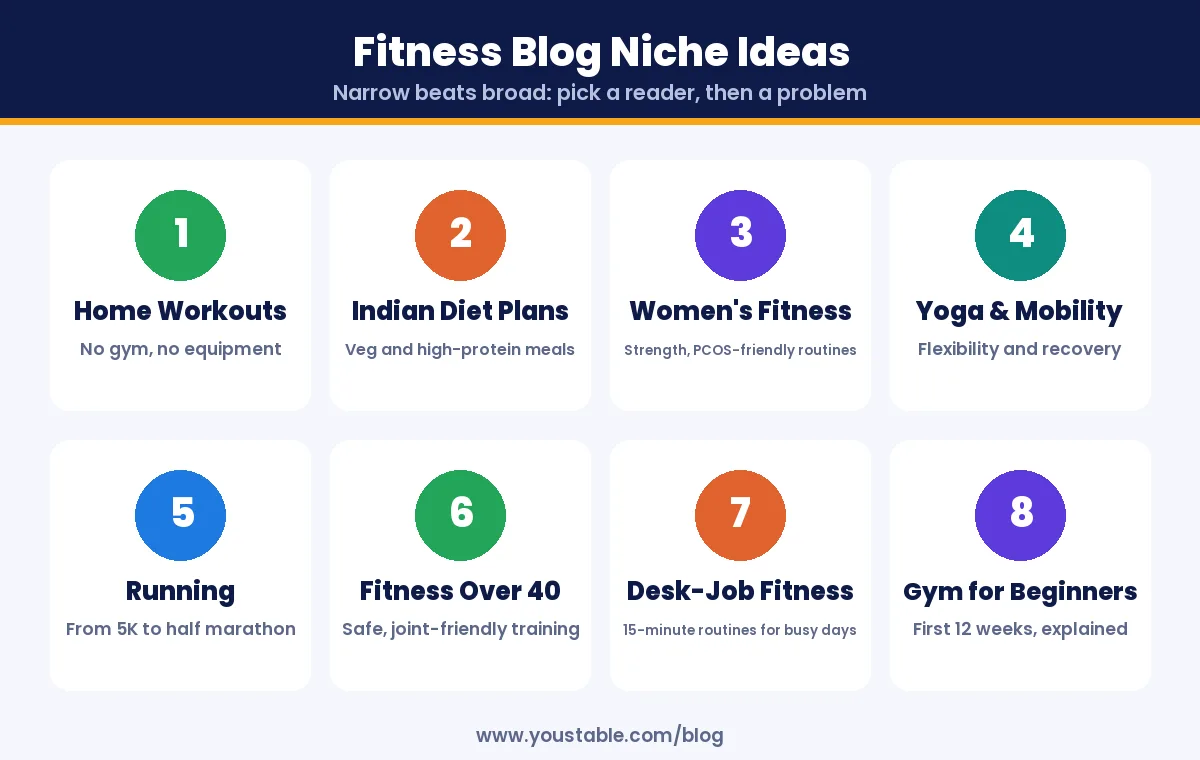
| Fitness Blog Niche | Ideal Reader | Example Post Idea |
|---|---|---|
| Home workouts | People without gym access | 20-minute full-body workout for a small flat |
| Indian diet plans | Vegetarians who want more protein | High-protein vegetarian breakfasts under ₹50 |
| Women’s fitness | Women starting strength training | Beginner dumbbell plan for women, week by week |
| Yoga and mobility | Desk workers with stiff backs | 10 stretches to do after a long workday |
| Running | New runners | Couch to 5K plan for Indian summers |
| Fitness over 40 | Adults returning to exercise | Joint-friendly strength routine for beginners over 40 |
| Desk-job fitness | IT and office professionals | 15-minute routines to fit around office hours |
| Gym for beginners | First-time gym members | Your first 12 weeks at the gym, explained |
Pro tip
Before you commit, type your niche idea into a search box followed by words like for beginners, at home or vegetarian, and note the autocomplete suggestions. If you can turn those suggestions into 30 article titles you would genuinely enjoy writing, the niche has enough depth. If you run out at ten, narrow the audience or widen the goal slightly.
Step 2: Pick a Brandable Fitness Blog Name
- Make it personal or outcome-led: your name plus a fitness word, or a phrase that hints at the result readers want.
- Do not box yourself in: a name tied to one diet or one exercise becomes awkward when your content grows.
- Avoid medical claims in the name: words that promise a cure or guaranteed weight loss hurt trust.
- Check the matching social handles on the platforms where you will post workout clips.
Our walkthrough uses fitwithaarav as the example. It is short, sounds like a real coach and still fits if the blog later covers nutrition or sleep.
Step 3: Get a Domain Name and WordPress Hosting
A fitness blog needs two things to go live: a domain, which is your address, and hosting, which is where your pages, images and workout videos are served from. Fitness readers often browse on phones between sets or on mobile data, so choose WordPress hosting with NVMe storage, server-level caching and a free SSL certificate to keep pages loading quickly.
3.1 Search for your fitness blog domain name
Open a domain registration page, type your blog name in the search box and click Search.
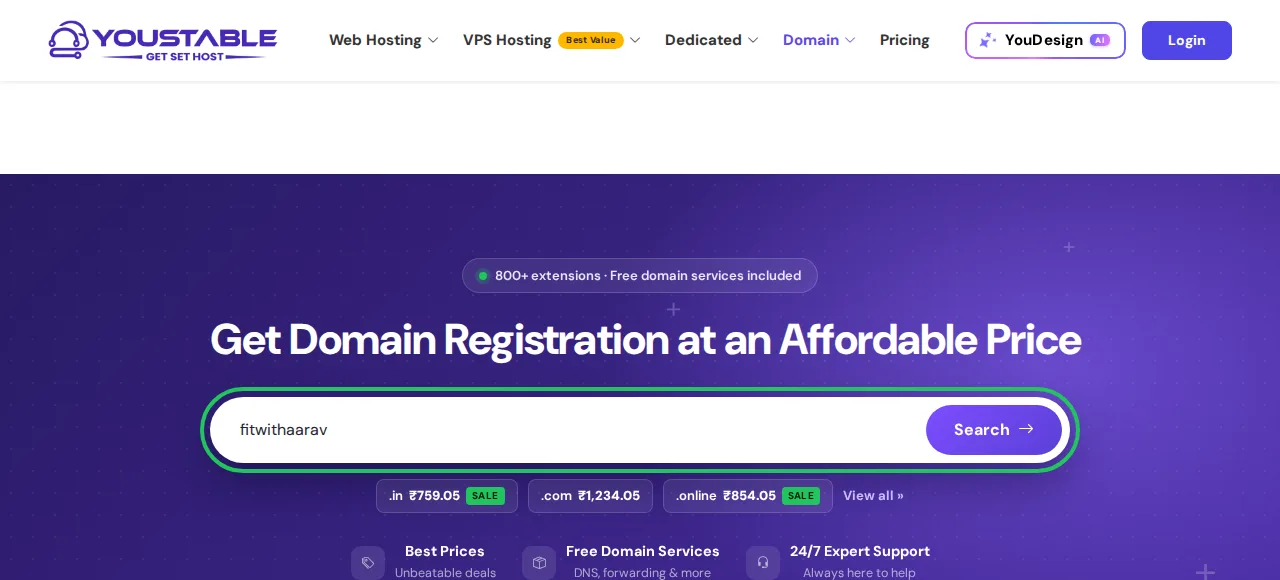
3.2 Confirm the domain is available
If the name is free, you will see a confirmation like the one below. A .com suits a global audience, while .in tells readers and search engines that your fitness content is made for India.

You could buy the domain on its own here, but you can usually claim it free for the first year with a hosting plan in the next step.
3.3 Choose a WordPress hosting plan
Compare the WordPress hosting plans. For a new fitness blog, the middle plan is the practical pick: it includes a free domain, room for up to 25 websites and 5 AI site generations, which you will use in Step 4 to build the blog automatically.
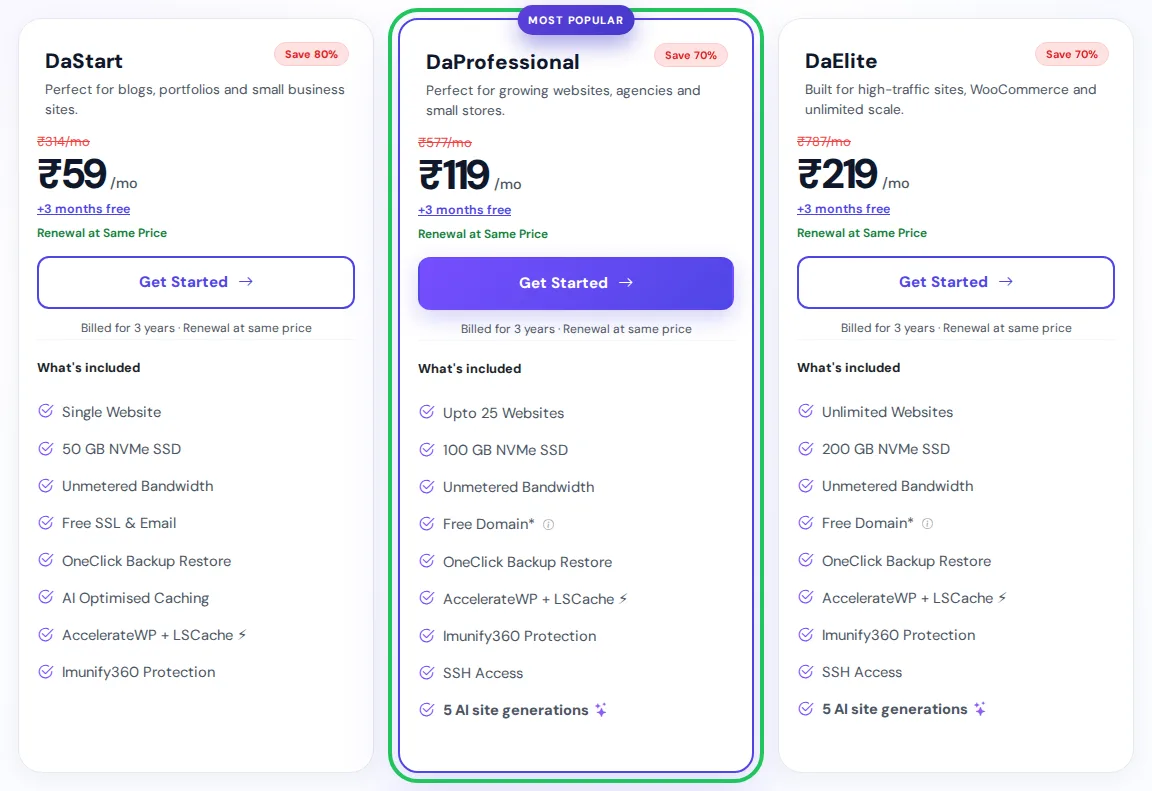
| Plan | Best For | Key Features | Price (3-year term) |
|---|---|---|---|
| DaStart | One blog, domain already owned | 1 website, 50 GB NVMe, free SSL | ₹59/mo |
| DaProfessional | New fitness bloggers | Up to 25 websites, 100 GB NVMe, free domain, 5 AI site generations | ₹119/mo |
| DaElite | Video-heavy or high-traffic fitness sites | Unlimited websites, 200 GB NVMe, free domain, 5 AI site generations | ₹219/mo |
3.4 Register your free domain with the plan
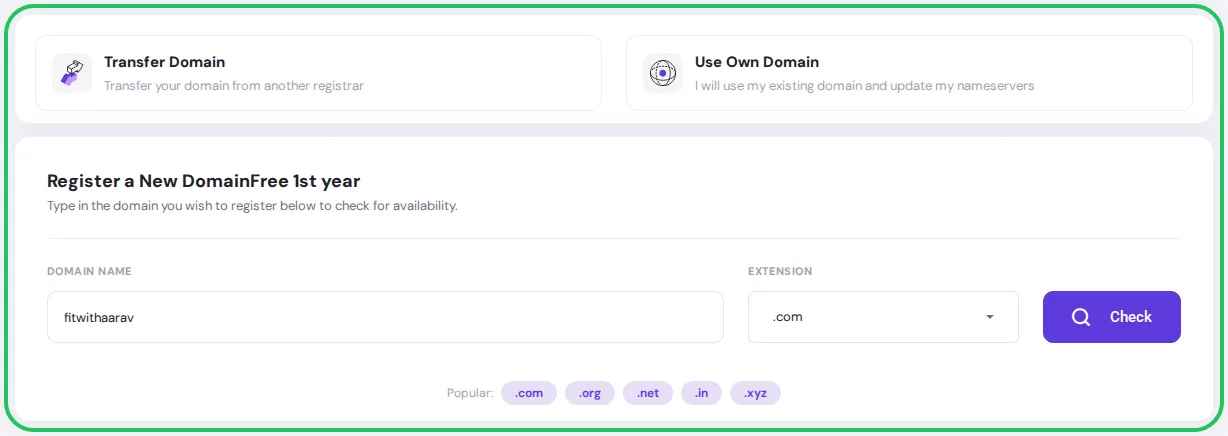
On the domain screen that follows, pick Register a New Domain, enter fitwithaarav or your own name, choose .com or .in and press Check. If you already own a domain, choose Use Own Domain instead and point its nameservers to your hosting later.
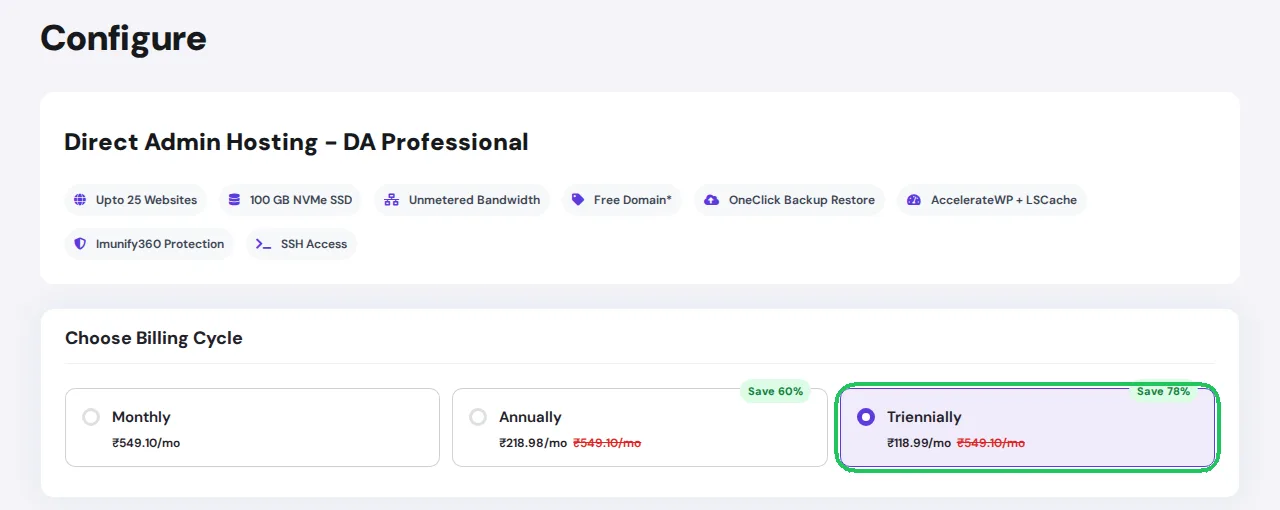
3.5 Choose your billing cycle
Think of the billing cycle like a gym membership: the longer you commit, the lower the monthly rate. In our test checkout, 36 months of DaProfessional came to ₹4,283.55, or ₹5,054.59 after 18% GST, about the cost of one month at many city gyms, for three full years of hosting plus the domain.
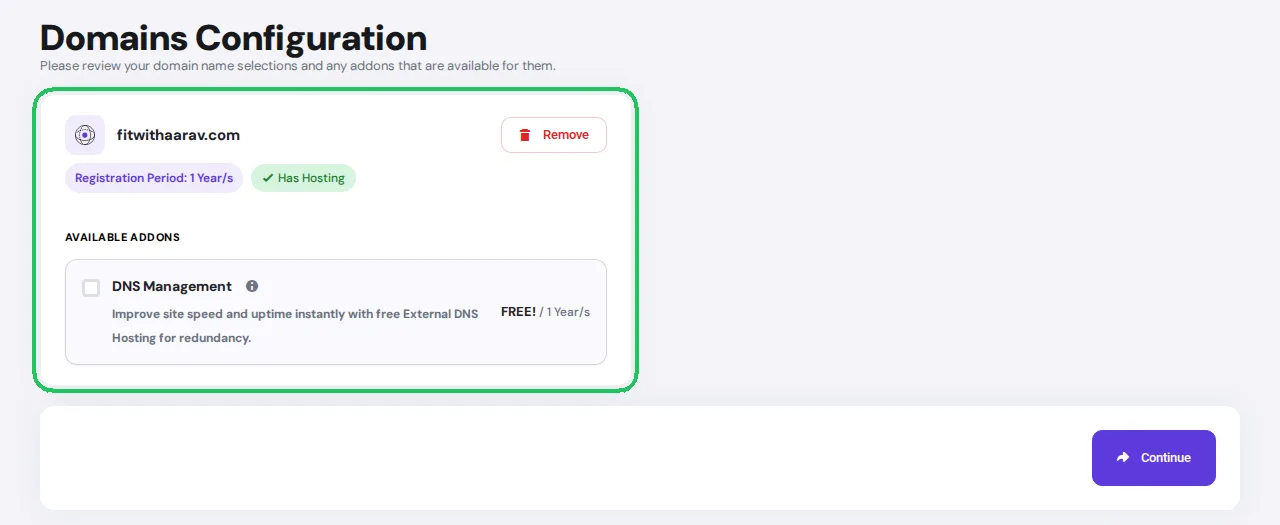
3.6 Review your domain and complete checkout
Check the spelling of your domain on the configuration screen, continue to checkout, create your account and pay. Hosting is usually active within minutes, and your login details arrive by email.
Pro tip
Register the domain in your own name and with an email address you will keep for years, not a work or college email. Fitness blogs often turn into coaching businesses, and you do not want ownership of your brand tied to an inbox you might lose access to.
Step 4: Build Your Fitness Blog Automatically or Manually
This is the step where how to start a fitness blog stops being theory. Once hosting is active, you have two routes. Both end with a normal WordPress site that you own and can edit freely, so pick the one that matches how much time you want to spend on setup.
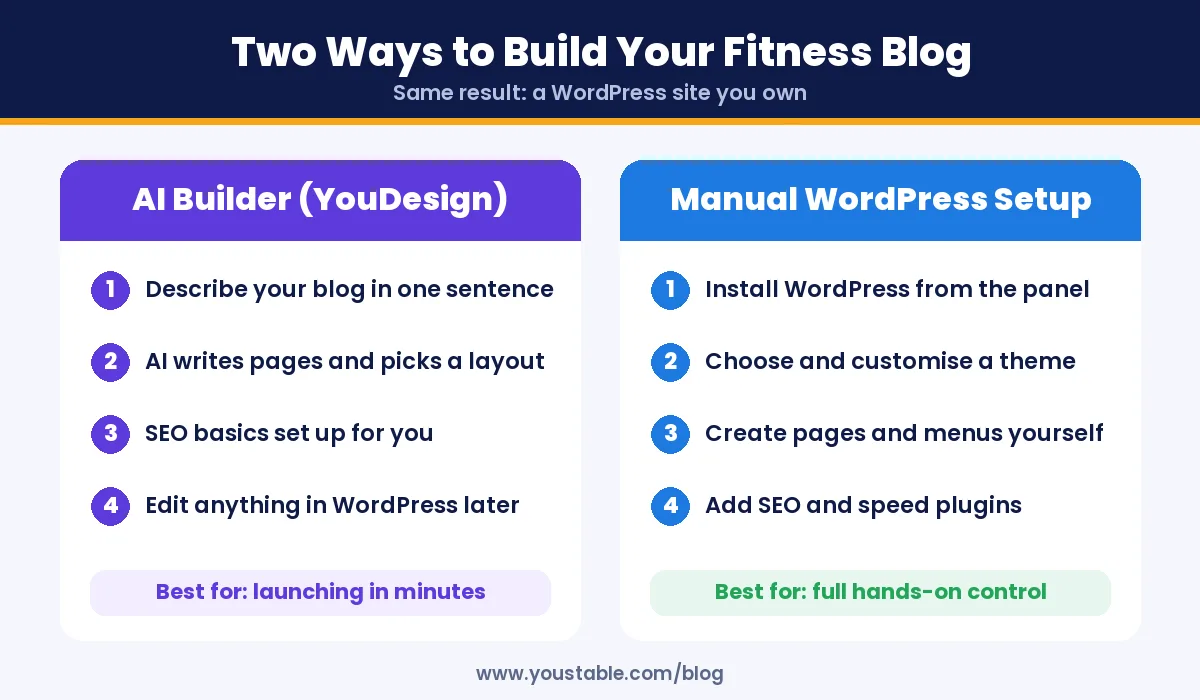
Option A: Build it automatically with YouDesign, the AI WordPress website builder
If you would rather spend your time on workouts and writing than on layouts, YouDesign builds the first version of your fitness blog for you. You describe the site in plain language, and it writes the starter copy, lays out every page and sets up basic SEO, then hands you a real WordPress site instead of a locked-in page builder.
- Describe your fitness blog: type a single clear sentence in the Describe the website you need box. You have up to 2,000 characters if you want to add detail.
- Click Build this site: the AI generates the pages, design and starter content.
- Review and edit: replace sample text and images with your own photos, credentials and voice.
- Publish: the site goes live on your domain, ready for your first posts.
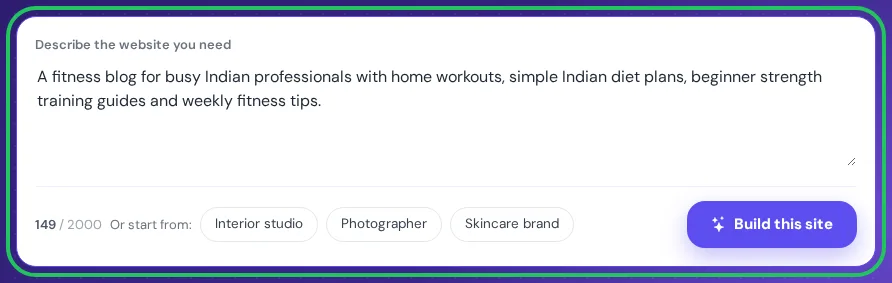
Here is the prompt used above, which you can adapt to your own niche:
A fitness blog for busy Indian professionals with home workouts, simple Indian diet plans, beginner strength training guides and weekly fitness tips.Pro tip
A strong AI builder prompt names three things: who the reader is, what content they come for and the tone you want. Compare a fitness blog with a friendly fitness blog for new mothers with 15-minute home workouts, postpartum-safe routines and simple vegetarian recipes. The second prompt produces menus, headings and starter pages that already match your niche, so you spend less time rewriting.
AI-written starter copy is a draft, not your final voice. For a fitness blog in particular, rewrite any health statements in your own words, add your real qualifications and remove anything you cannot personally stand behind. For a deeper walkthrough, read how to build a WordPress website using an AI website builder.
Option B: Install WordPress manually
Prefer to start a fitness blog in India the manual way? Inside the hosting panel, find the app installer, pick WordPress and point it at fitwithaarav.com or your own domain. Give the blog its name, create an admin login that cannot be guessed, add an email you check daily and start the install, which finishes in about a minute. Our guide on how to install WordPress in DirectAdmin shows each screen.
Step 5: Configure WordPress and Add Must-Have Pages
- Permalinks: set them to Post name so URLs read like fitwithaarav.com/home-workout-for-beginners.
- Timezone: set it to Kolkata so scheduled posts publish when your readers are awake.
- Categories: create four or five, such as Workouts, Nutrition, Recipes, Guides and Progress Stories.
- About page: your story, why you started, and any certifications or degrees with the issuing body.
- Medical disclaimer: state that your content is general information and readers should consult a doctor before starting a new exercise or diet plan.
- Privacy policy, affiliate disclosure and contact page: these build trust with readers, brands and ad networks.
Step 6: Choose a Fast, Clean Theme
Pick a lightweight theme with a readable font, good spacing and a clean mobile layout. Fitness posts are long and full of tables, sets and reps, so readability matters more than flashy animations. Look for a theme that supports a sticky table of contents and wide tables on mobile, and use one accent colour consistently for buttons and links.
Step 7: Install Only the Plugins You Need
| Purpose | What It Does for a Fitness Blog |
|---|---|
| SEO plugin | Titles, meta descriptions, sitemaps and FAQ schema |
| Caching plugin | Serves pages fast on mobile data |
| Recipe card plugin | Structured recipes with macros, prep time and servings |
| Table of contents | Lets readers jump straight to the workout or meal plan |
| Email signup forms | Grows a list for weekly plans and challenges |
| Security plugin | Login protection and malware scanning |
Every extra plugin adds code to load, so stop at what you actually use. Our list of top WordPress security plugins helps you choose the protection layer.
Step 8: Build Trust Before You Chase Traffic
Learning how to start a fitness blog the right way means earning trust early. Search engines treat health and fitness as Your Money or Your Life topics, which means advice that could affect someone’s wellbeing is held to a higher standard. You do not need to be a doctor to run a fitness blog, but you must be honest about your experience and careful with claims.
- Show who wrote it: an author box with your training background, certification and years of experience.
- Write from experience: your own progress photos, logs and lessons are things no generic article can copy.
- Stay in your lane: do not diagnose injuries or prescribe for medical conditions; advise readers to see a professional.
- Avoid miracle promises: skip headlines like lose 10 kg in 10 days. They damage trust and attract the wrong readers.
- Get expert review for sensitive topics: ask a registered dietitian or physiotherapist to review posts on diabetes, PCOS, pregnancy or injuries, and credit them on the page.
Pro tip
Add a short line under the title of every health post that says who wrote it, who reviewed it and when it was last checked. It takes ten seconds, reassures readers that the advice is current and makes it easy for you to spot which older posts are due for a refresh.
Step 9: Plan Content Around What Readers Search For
Anyone researching how to start a fitness blog eventually asks what to write. Start with questions your ideal reader actually asks. Look at the search suggestions and related questions on results pages, read comments under fitness videos, and check seasonal interest in Google Trends. Then mix these content formats:
| Content Type | Why It Works | Example |
|---|---|---|
| Workout plans | Saved and revisited weekly | 4-week beginner home workout plan |
| Diet and meal plans | High search demand in India | 1,800-calorie vegetarian meal plan |
| Healthy recipes | Easy to share and pin | Paneer bhurji wrap with macros |
| Exercise how-tos | Answers one precise question | How to do a push-up with correct form |
| Honest reviews | Helps readers before they buy | Resistance bands tested for 60 days |
| Progress stories | Builds connection and trust | What 6 months of morning walks changed |
| Myth busters | Earns shares and links | Does eating rice at night cause weight gain? |
Step 10: Write Your First 10 Fitness Posts
A common question about how to start a fitness blog is how many posts you need at launch. Launch with ten useful posts rather than one. A good mix is four workout plans, three nutrition posts, two exercise how-tos and one personal story. Give every workout post the same scannable structure so readers can follow it on a phone in the middle of a session:
- Who it is for and what equipment is needed.
- A warm-up of five to ten minutes.
- The workout table with exercise, sets, reps and rest.
- Form cues and easier or harder variations for each move.
- A cool-down and how to progress next week.
Pro tip
Put the workout itself in a real table, not in an image. Tables are readable on any screen, can be copied into a notes app, and give search engines text they can understand. Save images for form demonstrations, where a picture genuinely explains more than words.
Step 11: Add Workout Videos and Images the Right Way
Exercise form is easier to show than describe. Upload your demo videos to a video platform and embed them in posts instead of uploading large video files to WordPress, which slows your site and uses storage. Our guide shows how to embed a YouTube video in WordPress.
- Convert photos to WebP and resize them to the width your theme actually displays.
- Use descriptive file names such as goblet-squat-form.webp.
- Write alt text that describes the movement, which also helps visually impaired readers.
- Lazy load videos so the page text appears instantly.
Step 12: Follow a Seasonal Fitness Content Calendar
If you start a fitness blog in India, reader interest follows a predictable rhythm. Publish four to six weeks before each peak so your posts are indexed when readers start searching.
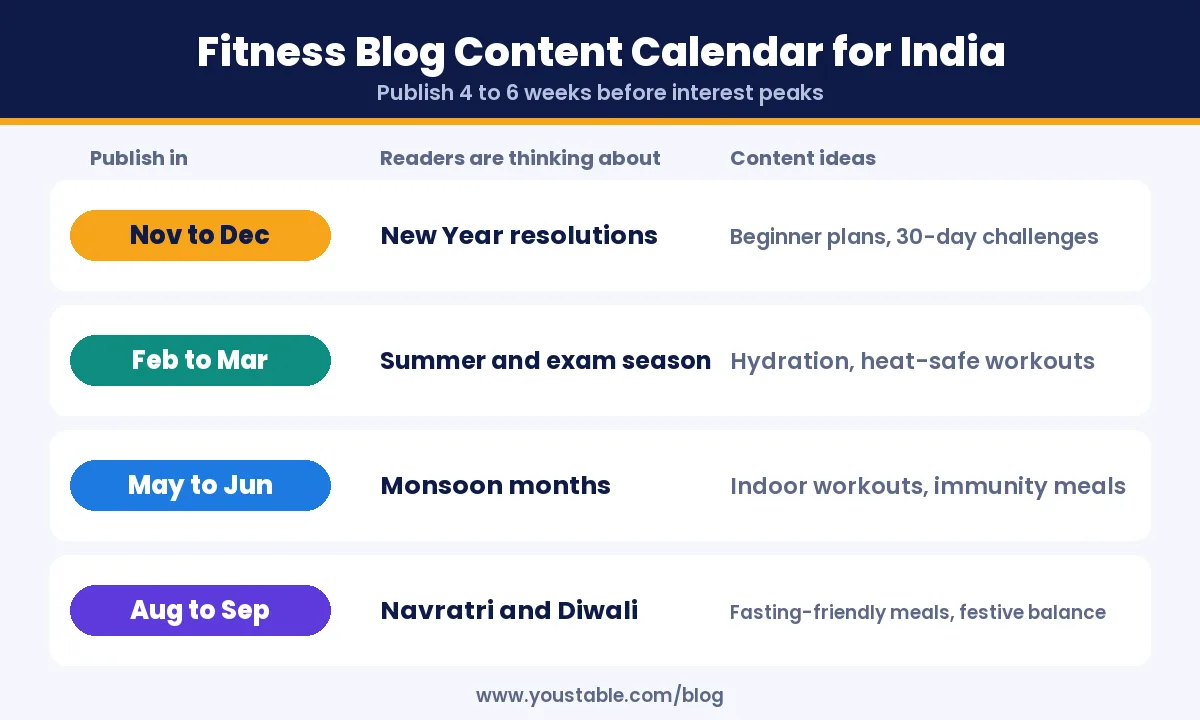
| Publish In | Reader Focus | Content Ideas |
|---|---|---|
| November to December | New year resolutions | Beginner plans, 30-day challenges, habit trackers |
| February to March | Summer heat and exam season | Hydration guides, early-morning workouts, study-break stretches |
| May to June | Monsoon months | Indoor workouts, seasonal meal ideas |
| August to September | Navratri and Diwali | Fasting-friendly meals, staying active through the festive season |
Step 13: Promote Your Fitness Blog
- Short videos with a reason to click: show one exercise in a reel, and keep the full plan on your blog.
- Email list from day one: offer a free printable workout plan in exchange for an email address.
- Visual search: tall recipe and workout graphics perform well on pin-based platforms.
- Local partnerships: guest posts for gyms, yoga studios and running groups bring targeted readers.
- Search performance: connect Google Search Console to see which queries already bring visitors and improve those posts first.
Step 14: Make Money From a Fitness Blog
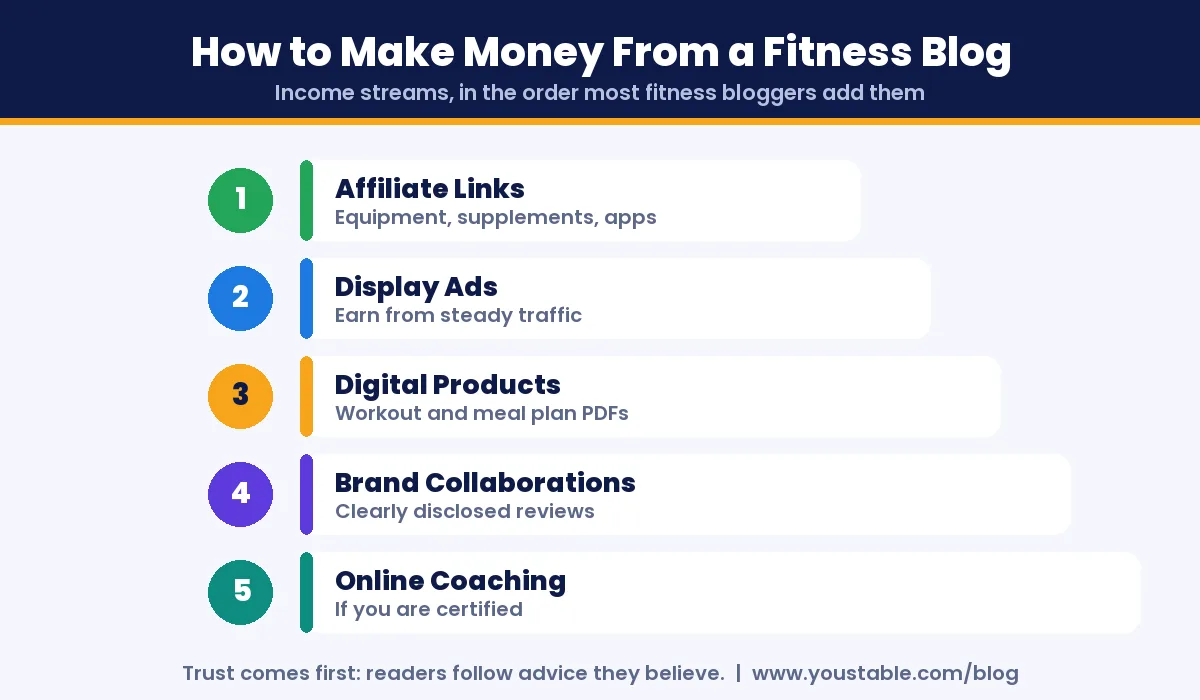
- Affiliate links: earn a commission on equipment, activewear, fitness apps and supplements you have actually used.
- Display ads: ad networks pay based on traffic once your blog has a steady audience.
- Digital products: workout plan PDFs, meal plans and challenge guides.
- Brand collaborations: sponsored reviews and campaigns, always clearly labelled.
- Online coaching: personalised plans and check-ins, if you hold a relevant certification.
Most people who make money from a fitness blog combine two or three of these streams rather than relying on one. Indian creators are expected to disclose paid partnerships and affiliate relationships clearly under the influencer advertising guidelines of the Advertising Standards Council of India. Be especially careful with supplements: never promise medical results, and only recommend products you would give a family member. If affiliate income is your main goal, read how to create an affiliate marketing website.
Pro tip
Your first income usually comes faster from a small digital product than from ads. Once a workout post gets steady visitors, turn it into a printable 4-week version with a progress tracker. Readers who already trust the free plan are the people most likely to buy the paid one.
Step 15: Keep Your Fitness Blog Fast, Secure and Backed Up
- Watch your speed: image-heavy recipe and workout posts slow down over time. Recheck page speed every few months and follow our checklist to fix a slow WordPress site.
- Automatic backups: keep daily backups and one copy off the server. Our guide explains how to back up your website safely.
- Strong logins: unique passwords and two-factor authentication for every admin account.
- Regular updates: keep WordPress, your theme and plugins current.
Hosting with one-click backup restore and server-level malware protection means a bad plugin update costs you minutes, not months of content.
Common Mistakes When You Start a Fitness Blog
- Being too broad: fitness for everyone attracts no one in particular.
- Copying generic Western plans: Indian readers need advice that fits their food, budget, climate and schedule.
- Making health claims you cannot back up: it risks readers’ safety and your credibility.
- Hiding who you are: anonymous fitness advice is hard to trust.
- Uploading raw videos and photos: large files make pages slow on mobile data.
- Publishing AI text without editing: use AI to build and draft, but the advice, examples and voice must be yours.
- Quitting too early: most fitness blogs take several months of steady publishing before search traffic builds.
Exploring other niches too? See our step-by-step guides on how to start a travel blog and how to start a book blog, or begin with the basics in how to start a blog for beginners.
FAQs
How to start a fitness blog with no experience?
Choose a narrow fitness niche you practise yourself, register a domain, get WordPress hosting, build the site with an AI WordPress builder or a one-click WordPress install, add an About page and a medical disclaimer, then publish ten practical posts. Share your own journey honestly and you do not need to be an expert to begin.
How much does it cost to start a fitness blog in India?
You can start a self-hosted fitness blog for a few hundred rupees a month. WordPress hosting starts from ₹119 per month on a 3-year term with a free domain for the first year, and WordPress, a basic theme and essential plugins are free.
Can I build a fitness blog automatically with AI?
Yes. An AI WordPress website builder such as YouDesign creates the pages, layout and starter content from a one-sentence description of your blog. You then edit the text, add your own photos and credentials, and keep full control because the result is a normal WordPress site.
Do I need a certification to start a fitness blog?
No certification is legally required to write about your own fitness journey, but certifications build trust and are important if you offer coaching or detailed nutrition advice. Always add a medical disclaimer and avoid giving advice on medical conditions.
What are the best fitness blog ideas for beginners?
Good starting ideas include home workouts for busy professionals, vegetarian high-protein diet plans, beginner strength training for women, yoga for desk workers, couch to 5K running plans and fitness for people over 40.
How do fitness bloggers make money?
Fitness bloggers earn through affiliate links for equipment and apps, display ads, digital products such as workout and meal plans, disclosed brand collaborations and online coaching. Most income starts after several months of consistent publishing.
How often should I post on a fitness blog?
One to two well-researched posts a week is a sustainable pace for most beginners. Consistency matters more than volume, and updating your best posts every few months helps them keep ranking.
Conclusion
Now you know how to start a fitness blog step by step: choose a focused niche and reader, pick a brandable name, set up your domain and WordPress hosting, build the site automatically with an AI WordPress builder or by hand, earn trust with honest credentials, and publish practical workouts and meal plans on a seasonal calendar. Protect it with backups, and the blog keeps working for you long after each post goes live.
The hardest workout is the first one, and the same is true for blog posts. Get your domain and hosting ready today, let the AI builder handle the setup if you prefer, and publish the one workout you know better than anyone else.