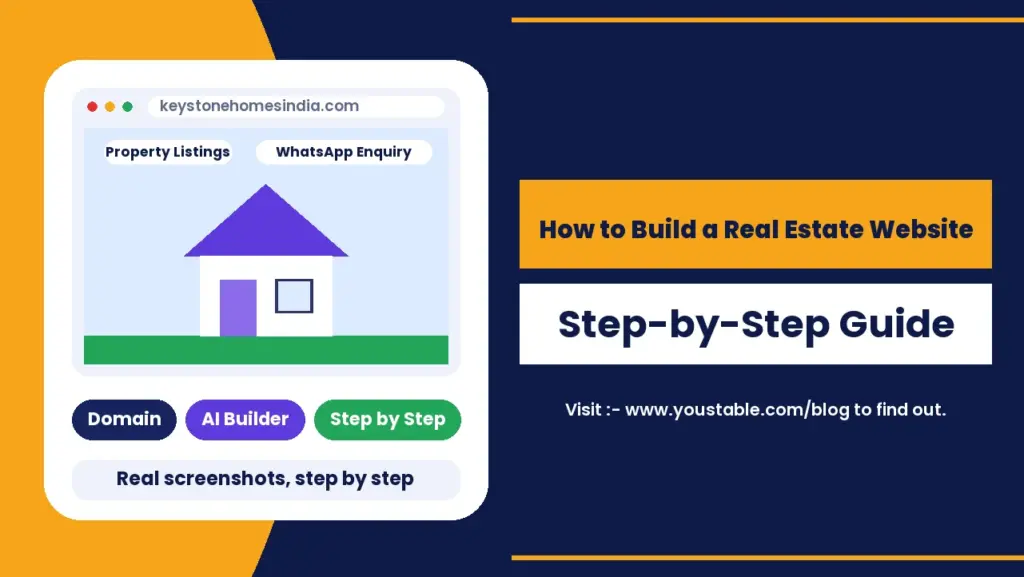
To build a real estate website, plan the core pages buyers need, register a domain, get WordPress hosting, build the site with an AI website builder or a property listing plugin, structure each listing with photos, price and location, then make it effortless for a visitor to contact you by form, call or WhatsApp. The setup can be done in an afternoon. What actually brings in buyers is how fast you reply once someone sends that first enquiry.
This guide covers how to build a real estate website in India step by step, with real screenshots of the setup, a cost breakdown in rupees, building it automatically with an AI WordPress website builder, structured data for property listings, the RERA disclosure rule most guides skip, and the lead-handling details that decide whether an enquiry turns into a sale.
What Does a Real Estate Website in India Need to Do?
Anyone researching how to build a real estate website eventually lands on this one truth: it exists to do one job well: turn a browsing visitor into an enquiry. Everything else, the design, the photos, the blog, supports that single outcome. Before you build anything, picture the two people who will actually use the site: someone scrolling listings on their phone during a commute, and someone who has already decided and just needs your phone number.
Why Build a Property Listing Website in 2026?
- Buyers search before they call: most property searches start online, often on a phone, well before a buyer contacts an agent directly.
- You own the lead: a listing on a property portal is one of hundreds on that page, while your own site puts your brand and your contact details in front of every visitor.
- Portals change their rules: a listing portal can alter pricing or visibility overnight, while your own domain and content stay yours.
- Local search traffic is winnable: area-specific guides and listings can rank for searches that broad national portals rarely target in detail.
- Credibility for a growing agency: a real website, not just a social media page, signals to buyers that you are an established business.
Real Estate Website Cost in India: What to Budget For
Real estate website cost worries keep many agencies from starting at all, but a self-hosted WordPress site costs far less than most expect, especially if you start lean and add features as you grow.
| Item | Cost | Notes |
|---|---|---|
| Agency domain (.com or .in) | Free in the first year | Included on the plans below when you register through them |
| WordPress hosting | From ₹119/mo | 3-year term with a free domain; ₹59/mo plan without one |
| AI website builder | Included | 5 AI site generations on the DaProfessional and DaElite plans |
| SSL certificate | Free | Included with hosting |
| Property listing plugin | Free to start | Premium versions add advanced search filters and agent dashboards |
| Professional photos | Varies per shoot | The highest-impact ongoing cost once you have a few listings |
How to Build a Real Estate Website in 2026: Step-by-Step
Step 1: Plan Your Real Estate Website Pages
Planning is where a real estate website India project either gets built right or has to be redone later. A clear structure matters more than a long page count. Start with these, in this order, and expand once each one has real content.
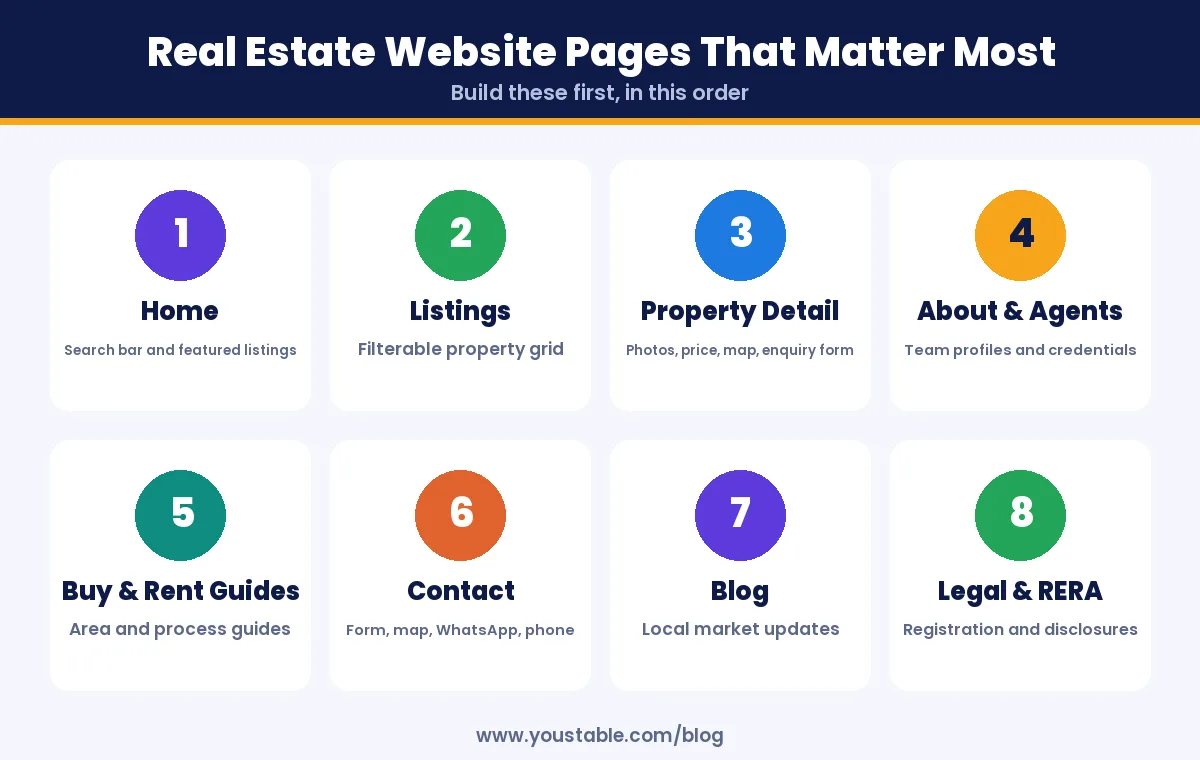
| Page | What It Should Answer |
|---|---|
| Home | What do you sell, where, and how do I search right now? |
| Listings | What is available, filtered by budget, location and type? |
| Property detail | Price, size, photos, location and how to enquire? |
| About and agents | Who am I trusting with a major purchase? |
| Buy and rent guides | What should I know before I commit? |
| Contact | How do I reach a real person quickly? |
Pro tip
Before writing a single page, list the five questions buyers ask you most often in person or on a call. Those five questions usually map directly onto your most important pages and FAQ entries, and they tell you far more about what to build than copying another agency’s site structure.
Step 2: Choose a Name and Check the Domain
- Use your real brand or agency name rather than a generic term, since buyers will search for you by name once they trust you.
- Keep it easy to say over a phone call, since many enquiries start with someone reading your domain aloud from a signboard or a referral.
- Avoid locking in one city or locality if you plan to expand beyond it later.
- Match your social handles so your brand looks consistent wherever a buyer finds you first.
In this guide we use the example name keystonehomesindia, which stays flexible across cities and property types.
Step 3: Get a Domain Name and WordPress Hosting
A real estate website carries heavy photo galleries and, eventually, hundreds of listings, so the two choices here matter more than usual. Your domain is the address buyers remember, and hosting has to keep property pages loading fast on mobile data, since a slow listing page is one of the easiest ways to lose an enquiry. Pick a hosting plan with NVMe storage, server-level caching and a free SSL certificate built in.
3.1 Search for your real estate website domain name
Head to a domain registration page and type your brand name into the search box.
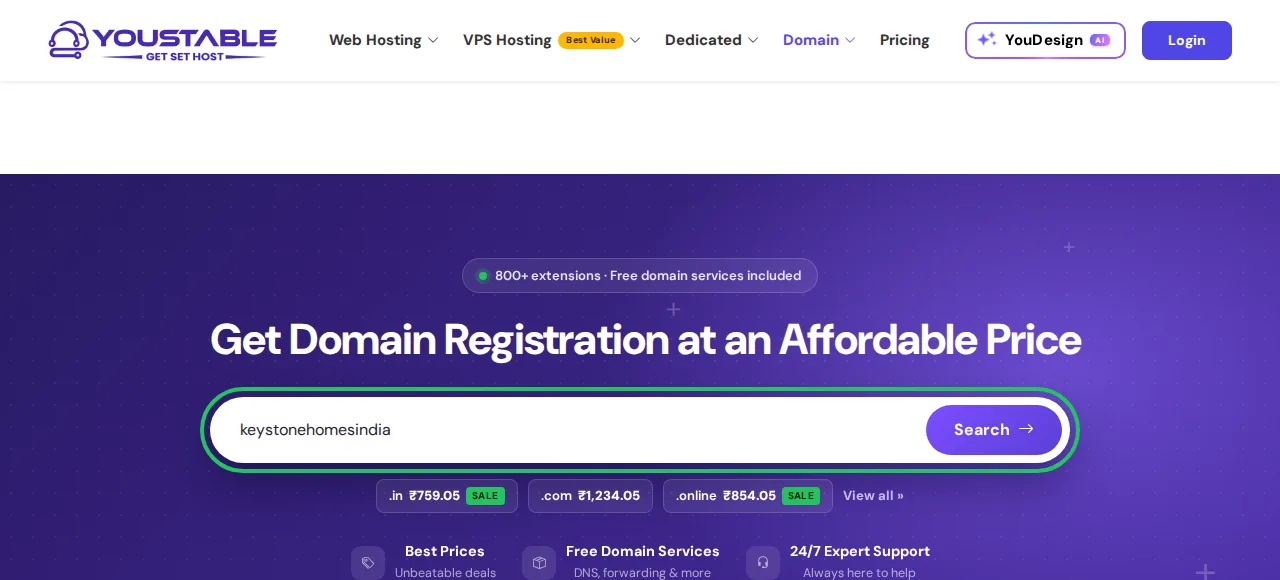
3.2 Confirm the domain is available
A green tick like the one below means the name is still up for grabs. A .com works for a brand with wider ambitions, while a .in signals to local buyers that you operate in India.

You can register this domain on its own, but it is usually cheaper bundled with a hosting plan, which the next step covers.
3.3 Choose a WordPress hosting plan
Compare the WordPress hosting plans. For a growing agency, the middle plan is a practical starting point: it bundles a free domain, room for up to 25 websites if you later launch a separate site per project or city, and 5 AI site generations for Step 4.
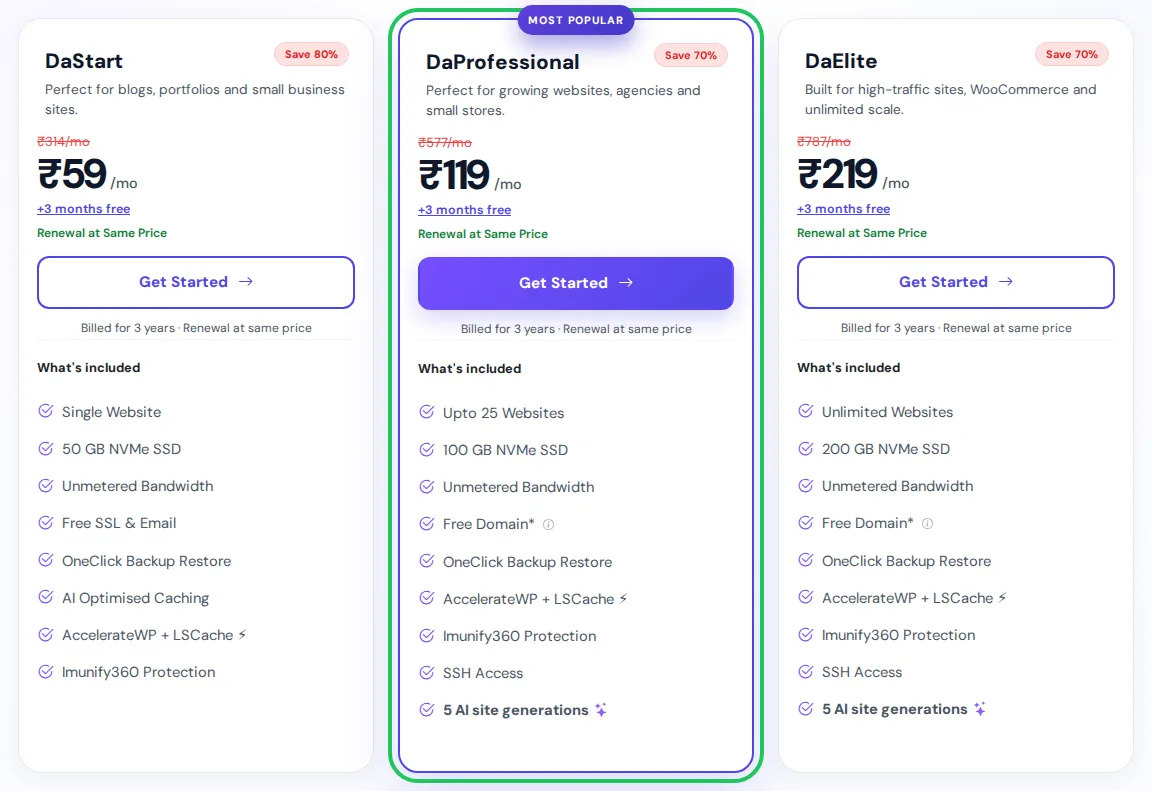
| Plan | Best For | Key Features | Price (3-year term) |
|---|---|---|---|
| DaStart | One agent, one site, domain already owned | 1 website, 50 GB NVMe, free SSL | ₹59/mo |
| DaProfessional | Growing agencies and new sites | Up to 25 websites, 100 GB NVMe, free domain, 5 AI site generations | ₹119/mo |
| DaElite | Large listing catalogues and multi-city sites | Unlimited websites, 200 GB NVMe, free domain, 5 AI site generations | ₹219/mo |
3.4 Register your free domain with the plan
Once a plan is chosen, pick Register a New Domain, enter your agency name, choose an extension and hit Check. If you already own the domain, select Use Own Domain on this same screen instead.
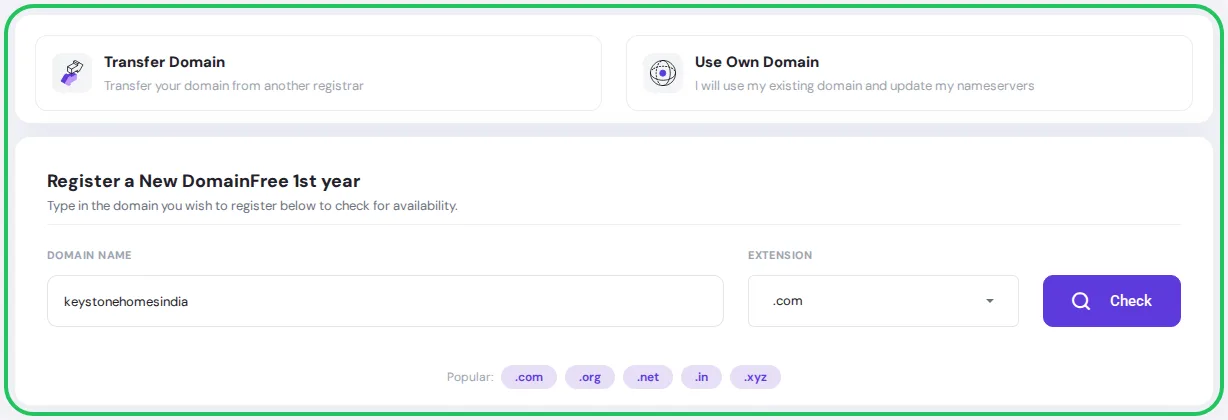
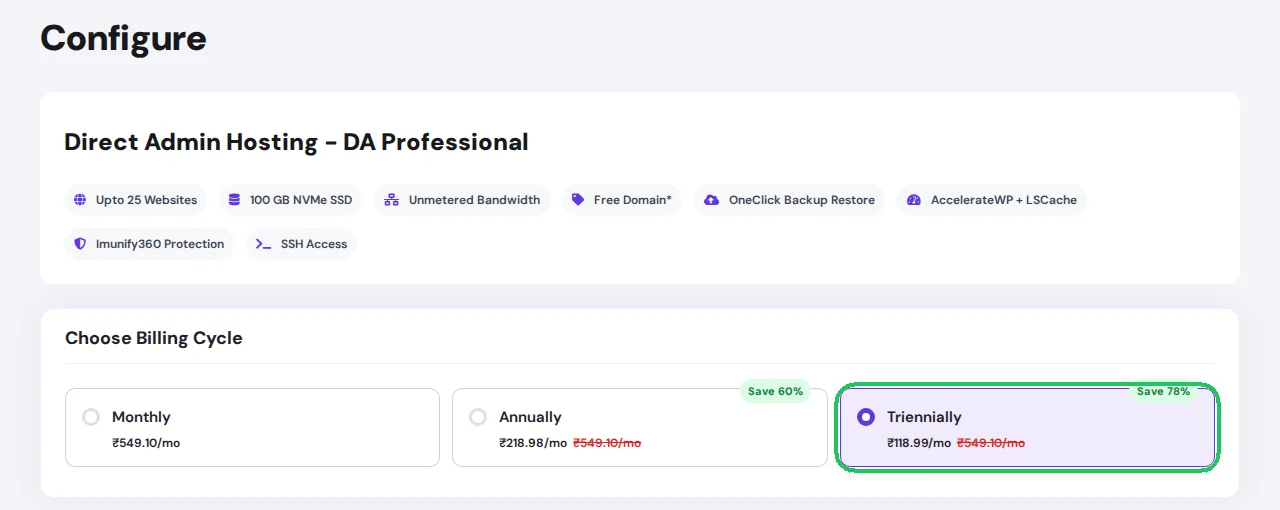
3.5 Choose your billing cycle
A longer billing cycle lowers the monthly rate considerably, which suits a budget agencies usually plan once a year. In our test run, picking the 3-year term on DaProfessional brought the rate down to ₹118.99 a month, ₹4,283.55 total before tax for all three years, and ₹5,054.59 once 18% GST is included.
3.6 Review your order and complete checkout
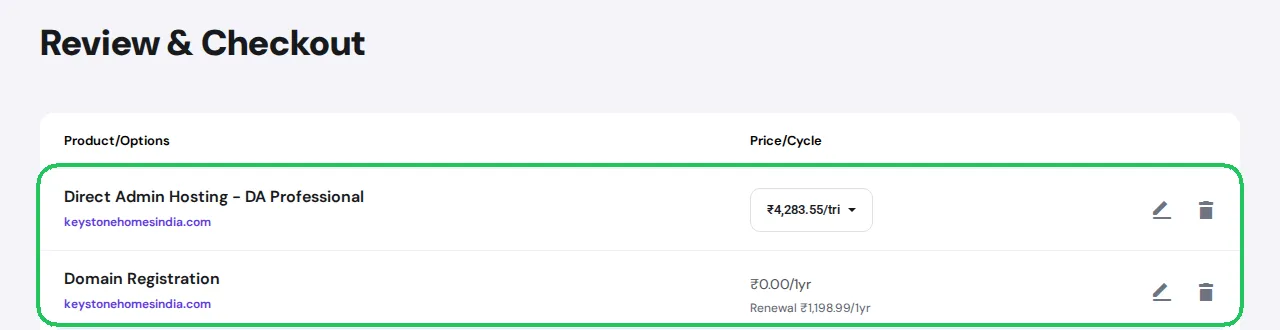
On this screen, the hosting line and the domain line sit side by side, and the domain shows as ₹0.00 for year one once the free-domain offer is applied. Check the spelling here before you move on, then complete payment and set up your account. Hosting is usually active within minutes.
Pro tip
Register the domain under the agency’s own email address, not one person’s personal inbox. Real estate businesses often outlive the staff who set them up, and a domain tied to someone who has since left makes a future renewal or transfer far harder than it needs to be.
Step 4: Build Your Real Estate Website Automatically or Manually
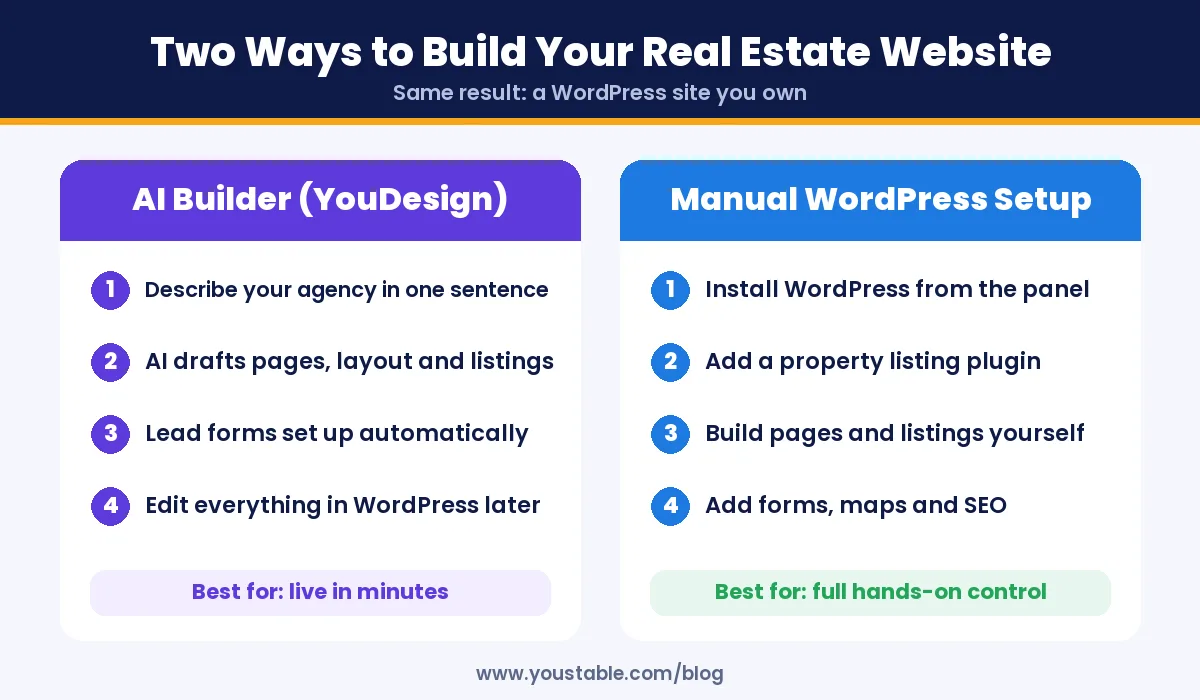
This is the step where how to build a real estate website stops being theory. With hosting ready, pick the path that matches your time. Both end in a normal WordPress site you fully control.
Option A: Have YouDesign Draft Your Listings Site
YouDesign can generate your agency’s homepage, listing pages and contact structure from a single description, so you spend your first week gathering real listings instead of laying out pages.
- Describe your real estate business: the Describe the website you need box takes up to 2,000 characters, enough to mention your city, property types and tone.
- Click Build this site: the AI generates the layout and starter content.
- Replace sample listings with your real properties, photos and prices.
- Publish: the site is live, with the contact details ready for your first real enquiry.
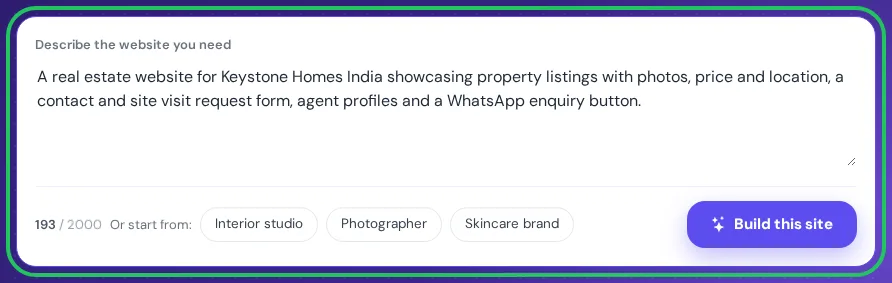
Adapt the prompt below to your own agency and city:
A real estate website for Keystone Homes India showcasing property listings with photos, price and location, a contact and site visit request form, agent profiles and a WhatsApp enquiry button.Pro tip
Name your city or locality and the property types you actually sell in the prompt, such as a real estate website for 2 and 3 BHK apartments in Pune’s eastern suburbs. A specific prompt produces listing categories and filters that already match your inventory, instead of generic ones you would have to rebuild.
Treat the generated site as a starting shell. Every listing’s price, availability and legal details must be verified against your records before publishing, since buyers act on this information directly. Our separate guide on how to build a WordPress website using an AI website builder walks through the builder step by step.
Option B: Install WordPress and a listing plugin manually
Prefer to build every page yourself? Open the one-click installer in your hosting control panel, install WordPress, then add a property listing plugin from the plugin directory to handle listing fields, search filters and a map view. The WordPress side of that is covered in our guide to install WordPress in DirectAdmin.
Step 5: Structure Every Listing on Your Property Listing Website
Good structure is what separates a real estate website people trust from one they scroll past. A consistent listing format helps buyers compare properties quickly and helps search engines understand your pages. Give every listing the same fields:
- Price and transaction type: sale or rent, stated clearly near the top.
- Location: locality, city and a map, not just a city name.
- Size and configuration: built-up area, carpet area and BHK or room count.
- Photos in a consistent order: exterior, living area, bedrooms, kitchen, bathrooms, then amenities.
- Possession status: ready to move, under construction with an expected date, or resale.
- A single, obvious enquiry action on every listing, not buried below a long description.
Most property listing plugins also add structured data to each listing automatically, using schema.org’s RealEstateListing format, which helps search engines display price and location details directly in results. Confirm this is turned on rather than assuming it is.
Step 6: Add the RERA Disclosures Your Listings Need
Under Section 11 of the Real Estate (Regulation and Development) Act, 2016, promoters and agents must prominently display the project’s RERA registration number in their advertisements and promotional material, and several states, including Maharashtra and Tamil Nadu, have extended this requirement to websites and social media specifically. The exact placement and format rules vary by state regulator, so confirm the current requirement for your state’s RERA before you publish any project listing, rather than copying a format you saw elsewhere.
- Display the RERA registration number on every page that advertises a registered project.
- Link to your state’s RERA website where your rules require it, so buyers can verify the registration themselves.
- Keep a legal and disclaimer page covering your brokerage details and any project-specific disclosures.
- Update disclosures when a project’s status changes, since an outdated registration detail can cause more harm than a missing one.
Pro tip
Keep a single master document listing every project’s RERA number and expiry details, then pull from that one source whenever you add or update a listing. Agencies that type the number fresh into each page are the ones most likely to have it go stale on an old listing nobody remembers to check.
Step 7: Make It Effortless to Contact You
No real estate website cost is well spent if a ready buyer cannot find your number. A visitor who has to hunt for your phone number often leaves instead of searching for it. Most property enquiries in India now arrive by phone call or WhatsApp rather than a web form alone, so design around that habit.
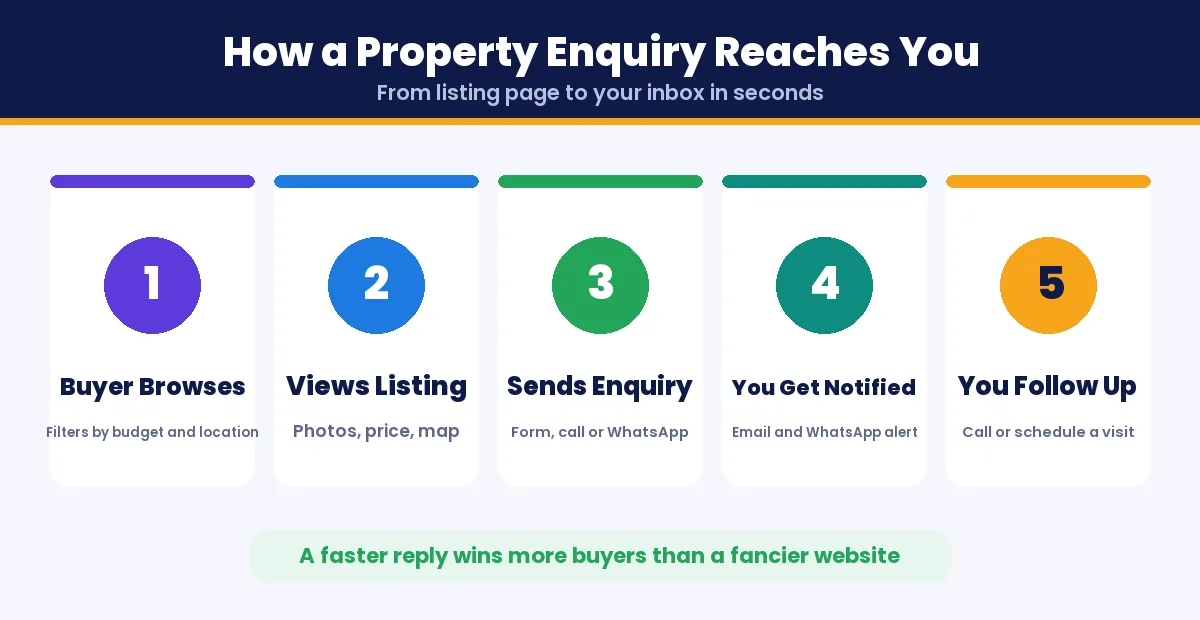
- A WhatsApp button on every listing, pre-filled with the property name so you know which listing the enquiry is about.
- A short enquiry form, asking only for name, number and the question, not a long qualification survey.
- A visible phone number, not hidden behind a contact page link.
- Instant notifications to your email and phone the moment a form is submitted, so follow-up happens within minutes, not hours.
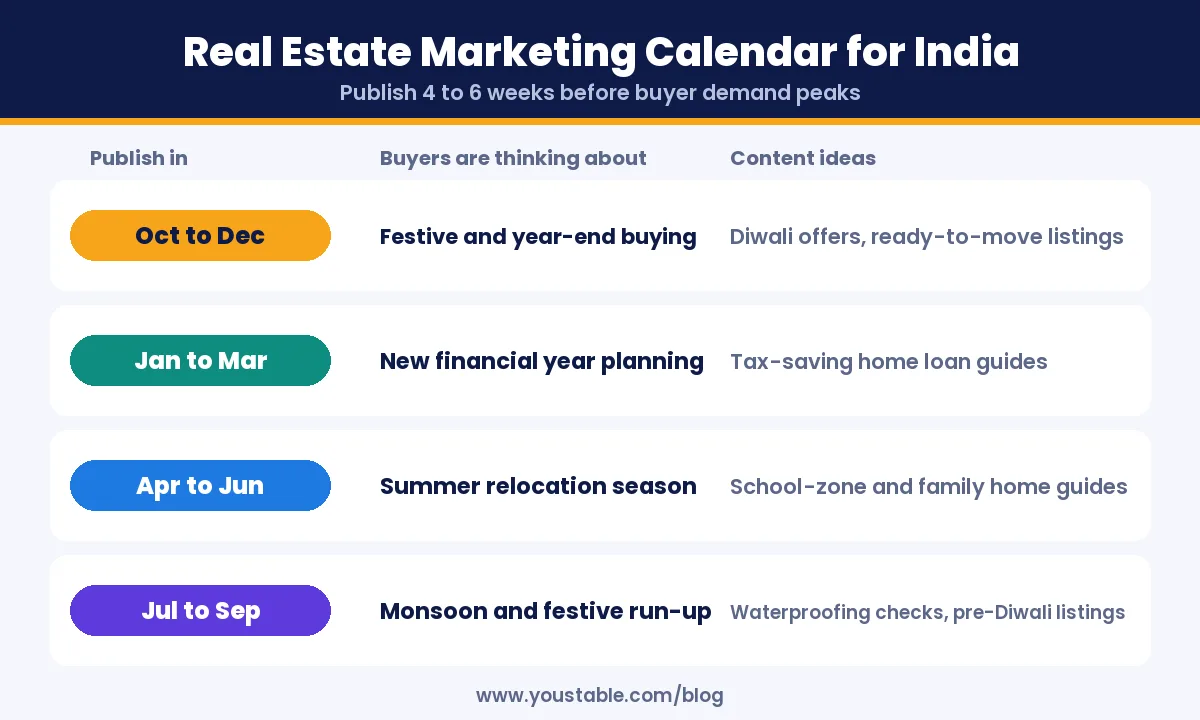
Step 8: Follow a Seasonal Content Calendar
A real estate website India audience actually uses follows local buying seasons, not a generic calendar. Buyer activity in India follows predictable seasons. Publish content four to six weeks ahead of each one.
| Publish In | Buyers Are Thinking About | Content Ideas |
|---|---|---|
| October to December | Festive and year-end buying | Diwali offers, ready-to-move listings |
| January to March | New financial year planning | Home loan and tax-saving guides |
| April to June | Summer relocation season | School-zone and family home guides |
| July to September | Monsoon and festive run-up | Waterproofing checks, pre-Diwali listings |
Step 9: Promote Your Real Estate Website
- Claim your Google Business Profile and keep your service areas and contact details current.
- Short property walkthrough videos, linked from the listing page to the full details and contact option.
- Area guides that answer real questions, such as commute times or nearby schools, which bring in search traffic beyond your current listings.
- An email list for buyers who are not ready yet, so new listings reach them before they go searching again.
- Track what converts: connect Google Search Console to see which listings and guides bring enquiries, and update the ones that already perform.
Step 10: Keep Your Site Fast, Secure and Backed Up
- Compress every photo before uploading, since full-size camera images are one of the most common causes of a slow listing page.
- Automatic backups with a copy kept off the server, since years of listing data and enquiry records live here. For the full walkthrough, see how to back up your website safely.
- If pages feel slow, work through our checklist to fix a slow WordPress site.
- Strong admin passwords and two-factor authentication, since a compromised site can expose buyer contact details.
Common Mistakes When You Build a Property Listing Website
- Listing properties with no price or vague pricing, which pushes serious buyers toward sites that are upfront.
- Uploading unoptimised photos that make every listing page slow to load.
- Leaving old listings live long after a property has sold or rented out.
- Skipping RERA disclosures on registered projects, which is both a compliance risk and a trust signal buyers increasingly check.
- Hiding the contact option behind too many clicks or a long qualification form.
- Treating the website as a one-time project instead of updating it as listings change.
Building a different kind of business website? See our guides on how to make a church website and how to start a t-shirt business.
FAQs
How do I create a real estate website for free?
You cannot run a fully free real estate website long term, but the cheapest realistic route is WordPress hosting from about ₹119 a month on a 3-year term, which includes a free domain, plus a free property listing plugin. The ongoing cost is mainly the hosting itself.
What is the best WordPress plugin for a real estate website?
A dedicated property listing plugin is the standard choice, since it adds listing fields, search filters, a map view and structured data automatically. Compare a few based on how many listings you expect and whether you need agent login accounts.
Do real estate websites in India need IDX or MLS integration?
No. IDX and MLS are US-specific systems tied to American multiple listing services, and India has no direct equivalent. Indian real estate websites instead manage listings directly through a property listing plugin or, for larger portals, a custom listings database.
Is a RERA registration number required on a real estate website?
Under the RERA Act, 2016, promoters and agents must prominently display the RERA number of a registered project in advertisements, and several states have extended this to websites and social media. Rules on exact placement vary by state, so confirm the current requirement with your state RERA authority.
Can I build a real estate website with AI?
Yes. An AI WordPress website builder such as YouDesign can generate the layout, pages and starter content of a real estate website from a short description of your agency. You should still verify the price, availability and legal details of every listing before publishing.
How much does a real estate website cost in India?
A self-hosted WordPress real estate website can start from about ₹119 a month on a 3-year hosting term, which includes a free domain. Costs rise mainly with premium plugin features, professional photography and any custom development work.
How do I get more enquiries from my real estate website?
Make the contact action obvious on every listing, add a WhatsApp button pre-filled with the property name, reply within minutes of an enquiry, and keep listings and prices current. A fast reply usually converts better than a more elaborate design.
Conclusion
Now you know how to build a real estate website, and how to run it as a working property listing website, step by step: plan the pages buyers actually need, set up your domain and WordPress hosting, build the site with an AI builder or a listing plugin, structure every listing consistently, get your RERA disclosures right and make contacting you effortless.
The setup takes an afternoon; the website keeps working only if every listing and every enquiry gets handled as carefully as the build itself.
Your first listing does not need a perfect website around it, only a working one. Get your domain and hosting sorted today, publish the property you can describe best, and let real enquiries tell you what to improve next.