To set up a nonprofit .org website, choose a clear .org domain, host it on reliable WordPress hosting with a free SSL certificate, build a simple site with a mission page, programs, a donation page, a volunteer form and a transparency page, connect a payment method that donors trust, and back it up so supporters never find an empty page. A basic nonprofit site can be live in a day. What turns visitors into donors is how quickly they understand your cause and how safe your donation page feels.
This tutorial shows how to set up a nonprofit website with YouStable, from picking the domain to taking the first donation. It covers a cost breakdown in rupees, which plan fits a small NGO, how to build the site with an AI builder or by hand, the pages donors look for, the Indian paperwork details that most guides skip (80G, 12A and FCRA), and the security and backup steps that protect your donor data.
What Does a Nonprofit Website Need to Do?
A nonprofit website has three jobs. It must explain your cause in a few seconds, prove that your organisation is genuine, and make it easy to give, volunteer or get in touch. A visitor who lands on your site from a social post or a news mention decides quickly. If the mission is unclear or the donate button is hard to find, they leave.
Think about the two people who will use the site: a first-time visitor deciding whether to trust you, and a regular supporter who just wants to donate again in under a minute. Build for both.
Why Choose a .org Domain for a Nonprofit?
The .org extension has long been associated with charities, foundations, community groups and other non-commercial organisations. Visitors read it as a signal of purpose, which helps when you ask strangers for money or time. Anyone can register a .org domain, so it does not prove you are a registered charity. Your registration numbers and reports on the site do that. It simply fits your mission better than a commercial extension.
- Trust: a .org address looks natural for a cause and is widely recognised by donors.
- Clarity: short names like
yourcause.orgare easy to say at events and print on leaflets. - No lock-in to a country: useful if your supporters are spread across India and abroad.
- Pairs well with a .in: you can also register the .in version and point it to your main site.
How Much Does It Cost to Set Up a Nonprofit Website in India?
A small nonprofit can run a professional website for the cost of a domain and a hosting plan. Here is a realistic first-year budget, using current prices from our plan pages:
| Item | Cost | Notes |
|---|---|---|
| Nonprofit .org domain | ₹0 for the first year with DaProfessional or DaElite | The free domain covers .org. At checkout the renewal showed as ₹1,546.99 a year. Without a free-domain plan, the .org page lists ₹199 for the first year on a 3-year term |
| WordPress hosting | From ₹59/mo on a 3-year term | DaStart suits one simple site. DaProfessional is ₹119/mo, and DaElite is ₹219/mo |
| AI website builder | Included | 5 AI site generations on the DaProfessional and DaElite plans |
| SSL certificate | Free | Required so the donation page shows the secure padlock |
| Donation plugin | Free to start | Core features are free. Payment gateways charge their own fee per donation |
| Backups and security | Included | Weekly backups and Imunify360 protection come with the hosting |
DaProfessional and DaElite include a free domain for the first year, and at checkout the free offer listed .com, .org, .in, .xyz, .cfd and .co.in, so your .org can be free in year one. DaStart does not include a free domain. See the free domain page for the plans that qualify, and compare plans on our WordPress hosting page.
Ready to Start Your Nonprofit Website?
Get fast NVMe WordPress hosting with free SSL, weekly backups and 24/7 chat, ticket and email support. Call support is available Mon to Sat, 9:00 AM to 5:30 PM IST.
How to Set Up Your Nonprofit .org Website: Step by Step
Step 1: Define Your Mission, Audience and Goal
Before you touch a tool, write three sentences: who you help, what you do and what you want a visitor to do next. That last line decides the whole site. If your main goal is donations, the donate button leads. If it is volunteers, a sign-up form leads. If it is awareness, stories and reports lead.
Pro tip
Write your mission in plain words that a 12-year-old could repeat. Avoid phrases like empower, holistic and sustainable ecosystem. Specific beats lofty: We provide school kits to 500 children in rural Maharashtra every year is stronger than a paragraph of buzzwords.
Step 2: Choose and Check Your .org Domain Name
Pick a name that is short, easy to spell and close to your organisation name. Avoid hyphens and numbers, which are hard to say aloud. Before you buy, search for it on social platforms, so your handle and domain match. Also check that no similar organisation already uses it, which can confuse donors.
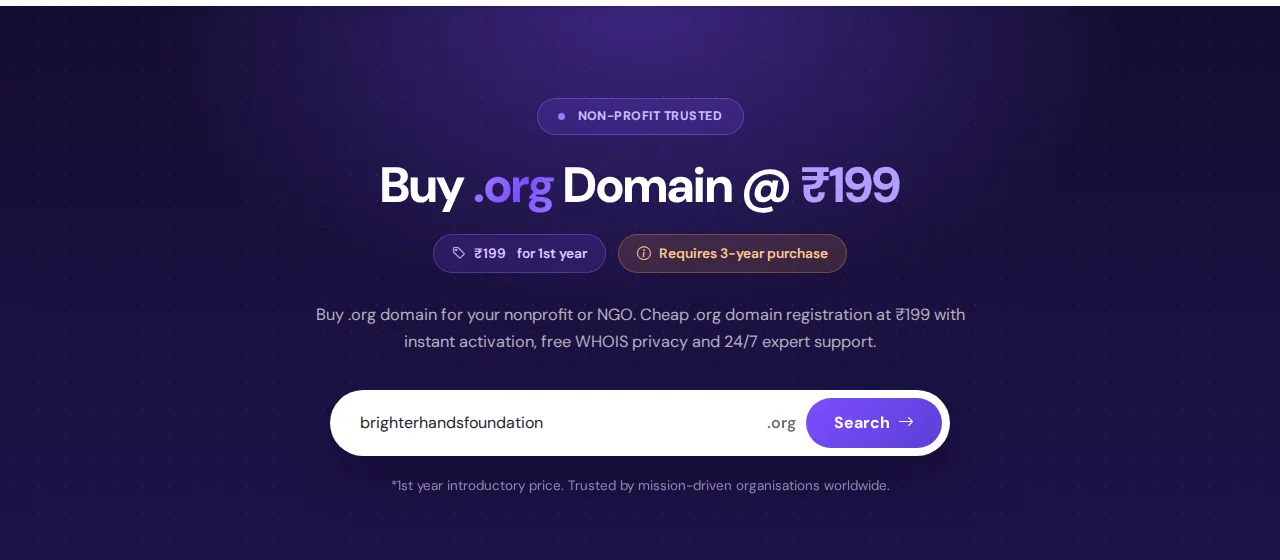
Open the .org registration page, type your name and click Search. If the name is taken, try adding your city or a word that describes your work, such as yourcausefoundation.org. If you have a name in mind but are not sure, our AI name generator can suggest options.
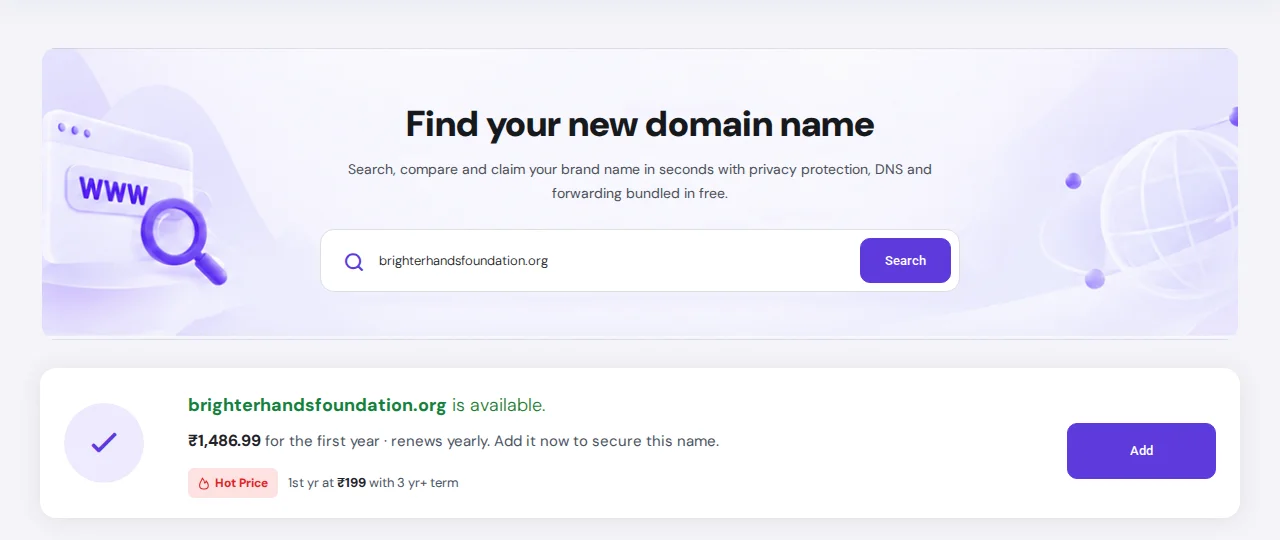
A free name shows a confirmation like this one, with the first-year price. Buying a .org on its own costs more than the free year that comes with DaProfessional or DaElite, so most nonprofits register it together with hosting in Step 3.
Step 3: Pick a WordPress Hosting Plan
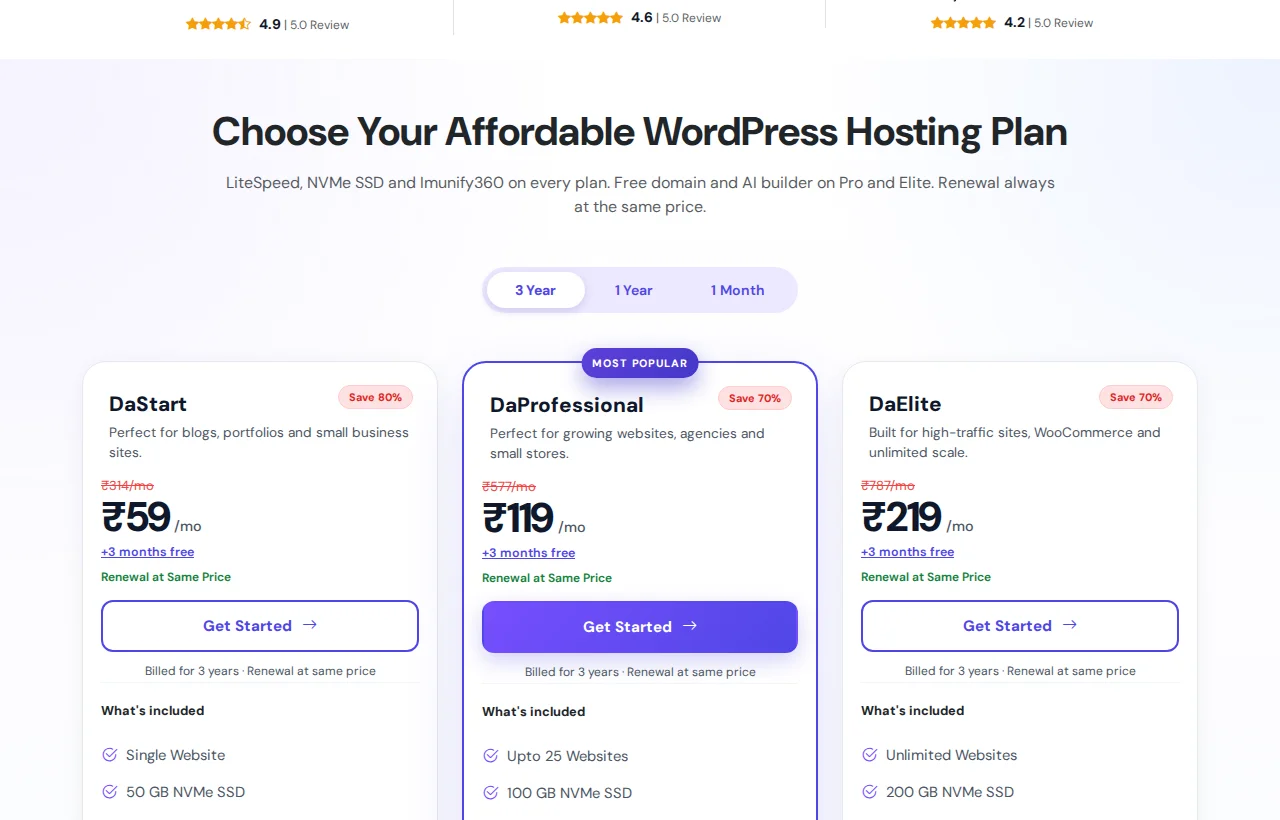
Nonprofit sites are content sites with a donation form, so WordPress hosting is a good fit. It handles the pages, the blog, the forms and the donation plugin without developer help. Choose a plan by how many sites and how much support you need:
| Plan | Best for | Key features | Price (3-year term) |
|---|---|---|---|
| DaStart | One small NGO site, domain registered separately | 1 website, NVMe SSD, free SSL | ₹59/mo |
| DaProfessional | Growing nonprofits with a campaign site | Up to 25 websites, 100 GB NVMe, free .org domain for year one, 5 AI site generations | ₹119/mo |
| DaElite | Large organisations and busy fundraising seasons | Unlimited websites, 200 GB NVMe, free domain, 5 AI site generations | ₹219/mo |
A single-site charity can start on DaStart and register the .org separately. Choose DaProfessional if you want the free .org domain, the AI builder for the first version of the site, or separate sites for campaigns, chapters or events.
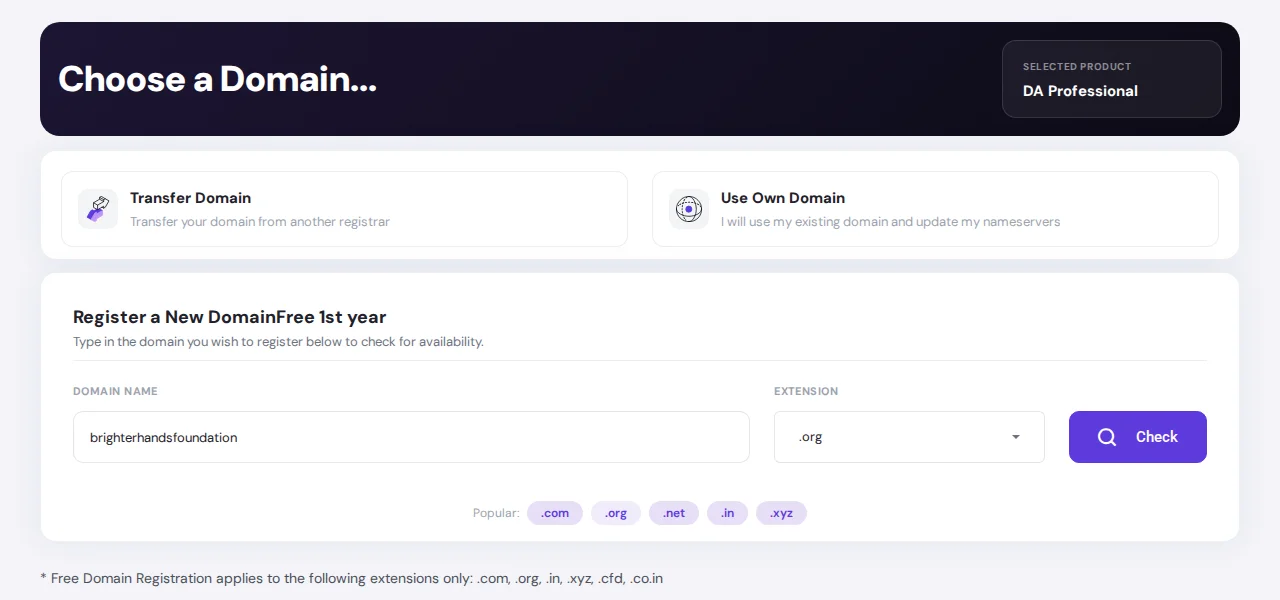
3.1 Register your .org domain with the plan. After you choose a plan, select Register a New Domain, type your name, pick .org as the extension and click Check. If a domain already belongs to you, choose Use Own Domain instead.
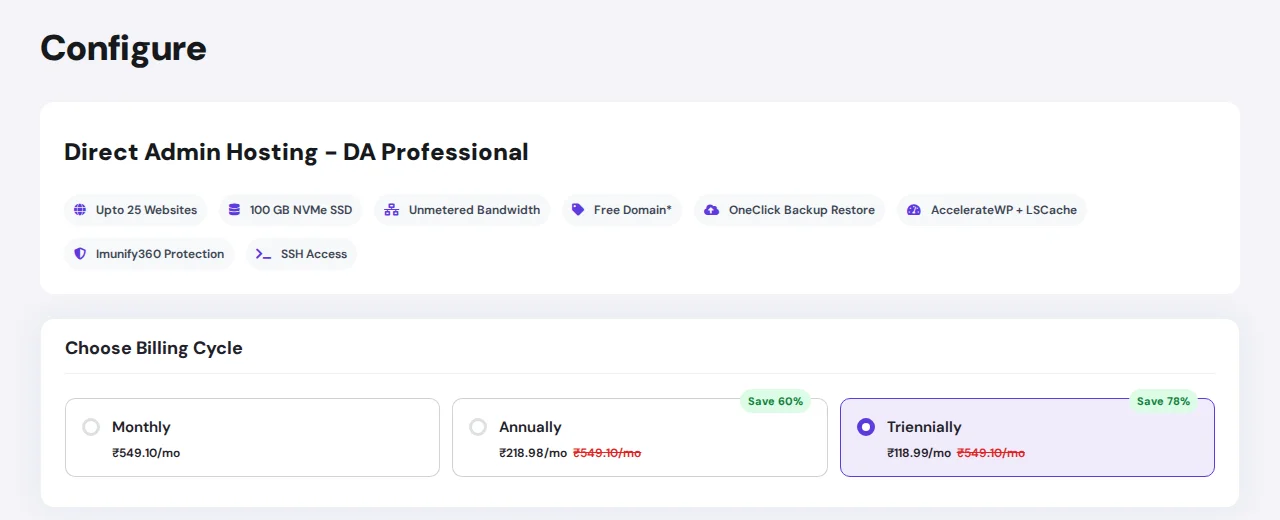
3.2 Choose your billing cycle. A longer cycle lowers the monthly rate. When we ran this checkout, the 3-year term on DaProfessional showed ₹118.99 a month, which came to ₹4,283.55 for three years before tax and ₹5,054.59 after 18% GST.
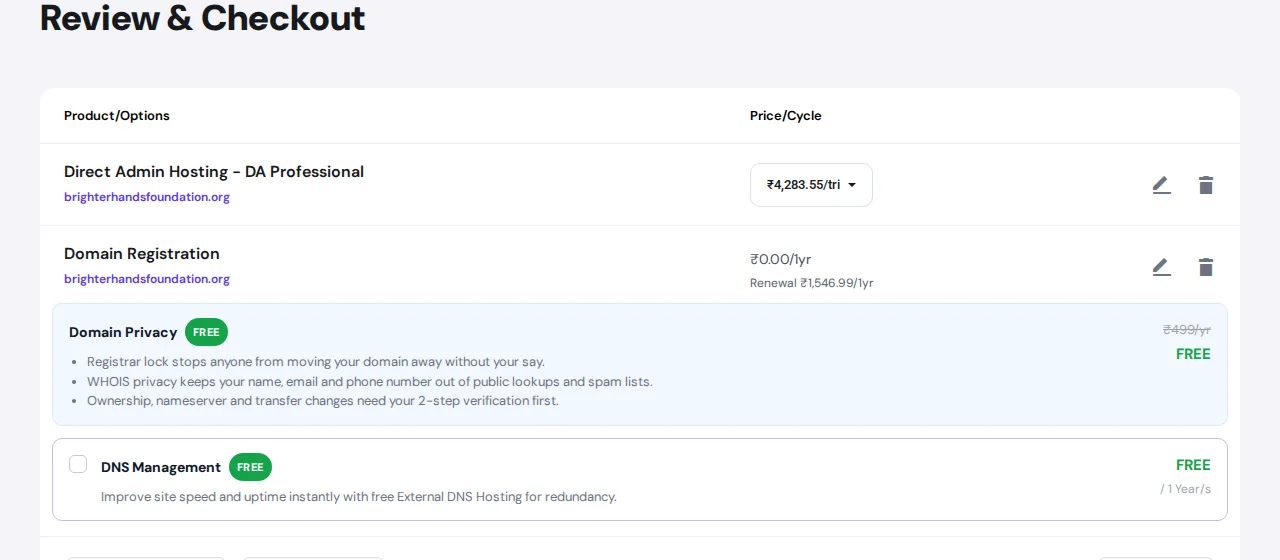
3.3 Review your order. The review screen lists hosting next to the .org domain, which shows ₹0.00 for the first year, with free domain privacy included. Double-check the spelling, then continue to create your account and pay. Most orders activate within a few minutes.
Pro tip
Register the domain and hosting with an email address that belongs to the organisation, not a volunteer’s personal inbox. When volunteers change, the account should not leave with them. Keep the login details with at least two trustees.
Step 4: Point Your .org Domain and Install WordPress
After the order is active, connect your domain to the hosting if you registered it separately, then install WordPress from the control panel with one click. Set the site title to your organisation name, create a strong admin password and use an email address you check daily. Then switch on the free SSL certificate so the site loads on https://, which donors expect to see before they pay.
Step 5: Build the Site With an AI Builder or by Hand
You have two routes, and both end in a normal WordPress site you fully control.
Option A: Let the AI builder create the first version. Describe your organisation in a few lines: who you help, where you work, your programs and the pages you want. The YouDesign AI builder generates a layout and starter pages, which you then edit with your real text, photos and numbers. Our guide on how to build a WordPress website using an AI website builder walks through the process.
Option B: Build it yourself. Pick a lightweight WordPress theme made for nonprofits or a clean multipurpose one, then create each page with the block editor. This takes longer but gives you full control over the look.
A starting prompt you can adapt:
A nonprofit website for a charity called Your Cause Foundation that supports children’s education in rural India, with a home page, about us, programs, impact stories, donate, volunteer, annual reports and contact page, in a warm and trustworthy tone with a clear donate button.
Step 6: Create the Pages Donors Look For
Keep the menu short. Eight pages cover almost every nonprofit:
| Page | What to include | Why donors care |
|---|---|---|
| Home | Mission in one line, one photo, donate and volunteer buttons, three impact numbers | First impression in five seconds |
| About | Your story, founders, trustees and team with photos | People give to people they can see |
| Programs | What you do, where and for whom, with real numbers | Shows how donations are used |
| Donate | Amount buttons, a simple form, secure payment, receipt details | The page that turns visits into funds |
| Volunteer | Short sign-up form and the roles you need | Builds your community |
| Impact and reports | Annual reports, audited accounts, stories and photos | Proves results and builds trust |
| Transparency | Registration number, PAN, 12A and 80G details, FCRA status if applicable | Genuine organisations show this openly |
| Contact | Address, phone, email and a map | Shows you are reachable |
Add a privacy policy and a refund or donation policy as well. Indian donors increasingly look for them, and payment gateways often ask for these pages during approval.
Step 7: Set Up Donations Donors Can Trust
Install a donation plugin such as GiveWP or a similar tool, create a donate form with a few preset amounts and a custom amount field, and connect a payment gateway. In India, UPI, cards and net banking are the options most donors use, so choose a gateway that supports them, and look at the rules for recurring monthly donations. If you accept foreign donations, you need to be registered under FCRA first.
- Keep the form short: name, email, amount and payment. Every extra field loses donors.
- Offer monthly giving: a recurring option lifts the value of each supporter.
- Send an instant receipt: an automatic email with your organisation name and registration details.
- Show 80G clearly: if you have 80G registration, say so next to the donate button, because it lets Indian donors claim a deduction.
- Test the whole flow with a small real donation before you announce the site.
Tax registrations such as 12A, 80G and FCRA have their own eligibility rules, so confirm the details with a chartered accountant before you publish them.
Step 8: Add Trust Signals and Tell Real Stories
Donors give when they believe the money will be used well. Put proof where they will see it: a one-line impact statement on the home page, photos from your own events, short beneficiary stories shared with permission, your annual report as a PDF, and the names of your trustees. Avoid stock photos where you can, because real images feel more honest.
Pro tip
Put your biggest number on the home page in large text, for example 1,200 meals served this year, and link it to the impact page. One clear number is remembered, while a paragraph of statistics is skipped.
Step 9: Make the Site Fast, Mobile-Friendly and Findable
Most donors will open your site on a phone. Check every page on a small screen, compress your images and keep the donate button visible without scrolling. If pages feel slow, our guide on how to fix a slow WordPress site lists the common causes.
For search, give each page one clear topic, write a short description for it, and add your city or region to the About and Programs pages. Create a Google Business Profile if you have a physical office. Eligible nonprofits can also apply for programs that offer free search advertising, which require a secure site and clear mission content.
Step 10: Protect Donor Data and Back Up the Site
A nonprofit site holds names, emails and sometimes donation records, so treat security as part of the mission. Keep WordPress, the theme and plugins updated, use strong passwords with two-factor login, and install only the plugins you truly need. Your YouStable plan includes free SSL, weekly backups and malware protection, and you can add your own backups before big campaigns. Read our guide to backing up your website safely for a simple routine.
Also publish a privacy policy that explains what you collect and why. Handling donor details carefully is both good practice and a legal expectation under India’s data protection law.
Common Mistakes When Setting Up a Nonprofit Website
- Hiding the donate button: it should be visible on every page, especially on mobile.
- No proof of legitimacy: missing registration numbers and reports make cautious donors leave.
- Too many pages and options: a cluttered site hides the one action you want.
- Slow, heavy images: large photos from a camera can make pages crawl on mobile data.
- Using a personal email for the account: access gets lost when a volunteer leaves.
- Never testing the donation flow: a broken form quietly loses every gift.
- No backups: a hacked or broken site during a campaign is costly, and avoidable.
FAQs
How do I create a nonprofit website for free?
You cannot run a fully free site long term, but a nonprofit can start cheaply: WordPress hosting from ₹59 a month on a 3-year term, a .org domain that is free for the first year on DaProfessional or DaElite, and free tools such as WordPress and a donation plugin. The ongoing cost is mainly hosting and the domain renewal.
Is a .org domain only for registered nonprofits?
No. Anyone can register a .org domain, so it does not prove an organisation is a registered charity. Show your registration details on a transparency page to build trust.
Is the .org domain free with hosting?
On DaProfessional and DaElite, the first-year registration of a .org was free at checkout, and renewal is charged at the standard rate after that. DaStart does not include a free domain.
Which WordPress plan is best for a small NGO?
DaStart at ₹59 a month on a 3-year term is enough for one simple site. Choose DaProfessional at ₹119 a month if you want the AI builder, a free .org domain for the first year, or up to 25 websites for campaigns.
Can AI build a nonprofit website?
Yes. An AI builder can create the layout and starter pages from a description of your organisation. You then add your real photos, numbers and stories, because donors trust genuine content.
How do I accept donations on my nonprofit website?
Install a donation plugin, create a form with preset amounts, and connect a payment gateway that supports UPI, cards and net banking. Test it with a small real donation before launch. Accepting foreign donations needs FCRA registration.
Do I need an SSL certificate for a donation page?
Yes. SSL encrypts the data donors enter and shows the padlock that visitors look for before paying. It is included free with YouStable hosting.
What pages should a nonprofit website have?
At minimum: Home, About, Programs, Donate, Volunteer, Impact and reports, Transparency and Contact, plus a privacy policy.
How long does it take to set up a nonprofit website?
The technical setup takes a few hours, and a basic site can be live in a day. Writing honest content and collecting photos usually takes longer than the setup itself.
Conclusion
A nonprofit website does not need a big budget. It needs a clear mission, a trustworthy .org address, a few honest pages, a simple and secure way to give, and regular care. Get the domain and hosting in place first, build the pages donors look for, test the donation flow, and keep backups running. For a rough idea of other website costs, see our guide on how much it costs to build a website.
Launch Your Nonprofit .org Website Today
Register your .org domain, choose a WordPress plan and go live with free SSL, weekly backups and 24/7 support, so your cause reaches more people.