The top programming tutorials in 2026 are freeCodeCamp, The Odin Project and Harvard’s CS50 for free learning, and Codecademy, Udemy, Coursera and Frontend Masters for paid, structured courses. Free tutorials are now good enough to take you from zero to job ready. Paid tutorials mostly add structure, guided feedback and recognised certificates, which help if you learn better with a clear path and accountability.
Most lists stop at naming websites. This guide goes further: it compares the top programming tutorials side by side, picks the best tutorial for each language and career goal, gives you a 90-day learning roadmap, a ladder of projects to build, and shows how to put your finished projects online so employers and clients can actually see them.
Top Programming Tutorials at a Glance
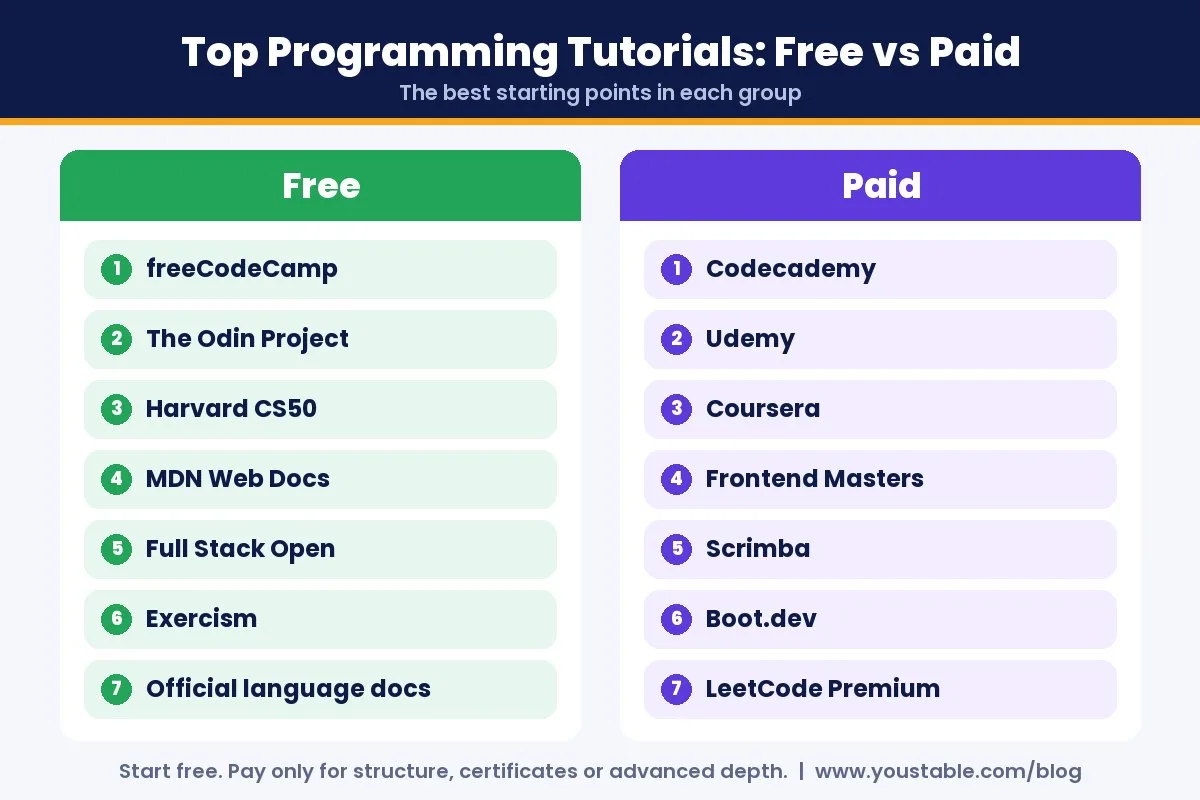
| Tutorial | Free or Paid | Best For | Level |
|---|---|---|---|
| freeCodeCamp | Free | Complete beginners, free certificates | Beginner to intermediate |
| The Odin Project | Free | Full stack web development with real projects | Beginner to job ready |
| Harvard CS50 | Free to audit, paid certificate | Computer science foundations | Beginner |
| MDN Web Docs | Free | HTML, CSS and JavaScript reference | All levels |
| Full Stack Open | Free | React, Node.js and modern JavaScript | Intermediate |
| Exercism | Free | Practice exercises with mentoring | All levels |
| Codecademy | Freemium, subscription | Guided, in-browser lessons | Beginner |
| Udemy | Paid per course | Specific skills and frameworks | All levels |
| Coursera | Free to audit, paid certificates | University and company certificates | All levels |
| Frontend Masters | Subscription | Deep, expert-led JavaScript courses | Intermediate to advanced |
| Scrimba | Freemium, subscription | Interactive frontend screencasts | Beginner to intermediate |
| Boot.dev | Freemium, subscription | Backend development with Python and Go | Beginner to intermediate |
| LeetCode | Freemium, subscription | Coding interview preparation | Intermediate to advanced |
| W3Schools | Free, paid extras | Quick syntax lookups and short examples | Beginner |
| Official language docs | Free | Python, Go and Rust from the source | All levels |
Pricing models change often, so the table shows whether each tutorial is free, freemium, subscription or pay per course rather than a price that may already be out of date. Always check the current plan before you pay.
How We Chose the Top Programming Tutorials
A long list of links does not help anyone learn. Every tutorial here had to pass five tests:
- You write real code: exercises or projects, not just videos to watch.
- Clear structure: a path from one lesson to the next, so you never wonder what to study next.
- Up to date: content that reflects how programming is actually done today.
- Honest cost: free tutorials that are genuinely free, and paid tutorials that clearly add value.
- Proven outcomes: large communities of learners who used them to land jobs or ship projects.
Best Free Programming Tutorials
You can become a capable developer without spending a rupee. These free programming tutorials are the strongest starting points, and they are also the top programming tutorials for beginners overall.
1. freeCodeCamp: Best Free Path for Beginners
freeCodeCamp is a nonprofit with a long, structured curriculum covering responsive web design, JavaScript, Python, data analysis and more. You learn by writing code directly in the browser, then complete certification projects. The certificates are free, and the community forum is one of the friendliest places to ask beginner questions.
Best for: complete beginners who want a free, step-by-step path and a certificate at the end.
2. The Odin Project: Best for Becoming a Web Developer
The Odin Project is a free, open source curriculum that teaches full stack web development the way working developers learn: by setting up a real development environment, using Git and building projects from scratch. It offers a JavaScript path and a Ruby on Rails path. It is harder than in-browser courses, which is exactly why its graduates tend to be job ready.
Best for: learners who want a portfolio of real projects rather than a certificate.
3. Harvard CS50: Best for Computer Science Foundations
CS50 is Harvard’s introduction to computer science, free to audit online. It starts with Scratch and C, then moves through algorithms, memory, data structures, Python, SQL and web basics. It is challenging, but it teaches how computers actually work, which makes every language you learn later easier. A verified certificate is available for a fee.
Best for: beginners who want deep fundamentals, not just syntax.
4. MDN Web Docs: Best Free Reference for Web Development
MDN Web Docs is the most trusted reference for HTML, CSS and JavaScript. Beyond documentation, it includes a structured learning area for beginners. You will keep coming back to MDN for years, long after you finish any course.
5. Full Stack Open: Best Free Course for Modern JavaScript
Full Stack Open, from the University of Helsinki, teaches React, Node.js, Express, MongoDB, GraphQL and TypeScript through hands-on exercises. It assumes you already know basic programming, so it is an ideal second step after freeCodeCamp or CS50.
6. Exercism: Best Free Practice Platform
Exercism gives you coding exercises in dozens of languages, with optional free mentoring from experienced developers who review your solutions. It is perfect for building fluency in a language once you know the basics.
7. Official Language Tutorials: Best for Learning From the Source
Many languages ship excellent free tutorials written by their own creators: the official Python Tutorial, A Tour of Go and The Rust Programming Language book are all free and accurate. They are often more reliable than third-party courses because they are maintained alongside the language itself.
Best Paid Programming Tutorials
Paid programming courses are worth it when they save you time, keep you accountable or give you a certificate employers recognise. These are the best programming tutorials you can pay for, and they consistently deliver.
8. Codecademy: Best Guided Experience
Codecademy teaches through short, interactive lessons in the browser, with no setup needed. The free tier covers basics, while paid plans unlock career paths, quizzes, projects and certificates. It is one of the gentlest ways to start coding.
9. Udemy: Best for Specific Skills on a Budget
Udemy sells individual courses on almost every language, framework and tool. Courses are bought once and kept for life, and frequent sales make them affordable. Quality varies, so pick highly rated, recently updated courses with lots of hands-on projects.
10. Coursera: Best for Recognised Certificates
Coursera hosts courses from universities and large technology companies. Many courses can be audited for free, while certificates and professional programs are paid. It is a strong choice if a recognised credential matters for your career or job applications.
11. Frontend Masters: Best for Going Beyond Beginner
Frontend Masters offers in-depth workshops taught by experienced engineers, covering JavaScript, TypeScript, React, Node.js and performance. It is not for day-one beginners, but it is one of the best ways to move from junior to confident developer.
12. Scrimba: Best Interactive Frontend Learning
Scrimba uses interactive screencasts: you can pause the video at any moment and edit the instructor’s code directly. It has free courses and a paid plan for full career paths in frontend development.
13. Boot.dev: Best for Backend Developers
Boot.dev focuses on backend development with Python, Go and SQL, using a game-like system of levels and challenges. Course content can be read for free, while the paid plan unlocks interactive exercises and projects.
14. LeetCode: Best for Coding Interviews
LeetCode is the standard place to practise data structures and algorithms for technical interviews. The free tier includes thousands of problems, while the premium plan adds company-specific questions and detailed solutions.
15. W3Schools: Best for Quick Syntax Lookups
W3Schools offers short, simple explanations with a try-it editor for web languages, Python, SQL and more. It is free to use, with paid certificates available. Treat it as a quick reference rather than a full learning path.
Free vs Paid Programming Tutorials: Which Should You Choose?
| Factor | Free Tutorials | Paid Tutorials |
|---|---|---|
| Cost | Nothing | One-time fee or monthly subscription |
| Content quality | Excellent at the top end | Excellent to average, varies by course |
| Structure | Good, but you manage your own pace | Usually more guided |
| Feedback | Community forums and volunteer mentors | Reviews, quizzes and sometimes direct support |
| Certificates | Some free certificates | More widely recognised certificates |
| Best for | Self-motivated learners on a budget | Learners who want speed and accountability |
The smartest approach for most people is to start with free programming tutorials. Pay only when you hit a specific need, such as a recognised certificate, an advanced topic or the motivation that comes from having money on the line.
Best Programming Tutorials by Language
If you already know which language you want to learn, start with the top programming tutorials built for it:
| Language | Best Free Tutorial | Best Paid Option |
|---|---|---|
| Python | Official Python Tutorial, CS50 Python | Codecademy or Coursera Python courses |
| JavaScript | freeCodeCamp, MDN, The Odin Project | Frontend Masters, Scrimba Pro |
| Java | University of Helsinki Java Programming MOOC | Highly rated Udemy Java courses |
| C and C++ | Harvard CS50 for C | Coursera C++ specialisations |
| Go | A Tour of Go | Boot.dev Go courses |
| Rust | The Rust Programming Language book | Udemy Rust courses |
| SQL | CS50 SQL, freeCodeCamp databases | Coursera database courses |
| PHP | Official PHP manual and W3Schools | Udemy Laravel courses |
Which Programming Language Should a Beginner Learn First?
For most beginners, Python or JavaScript is the best first language. Python reads almost like English and is used for automation, data and AI. JavaScript runs every website and lets you see results in the browser instantly. Pick the one that matches what you want to build, and stick with it until you finish your first real project.
Top Programming Tutorials by Career Goal
- Web developer: freeCodeCamp, then The Odin Project, then Full Stack Open.
- Backend developer: CS50 for fundamentals, then Boot.dev for Python, Go and SQL.
- Data analyst or AI engineer: the official Python Tutorial, CS50 Python, then data and machine learning courses on Coursera.
- Mobile developer: learn JavaScript and React first, then move into React Native, or follow the official Android and Swift tutorials.
- Interview preparation: LeetCode and Exercism alongside a solid data structures course.
A 90-Day Roadmap Using the Top Programming Tutorials
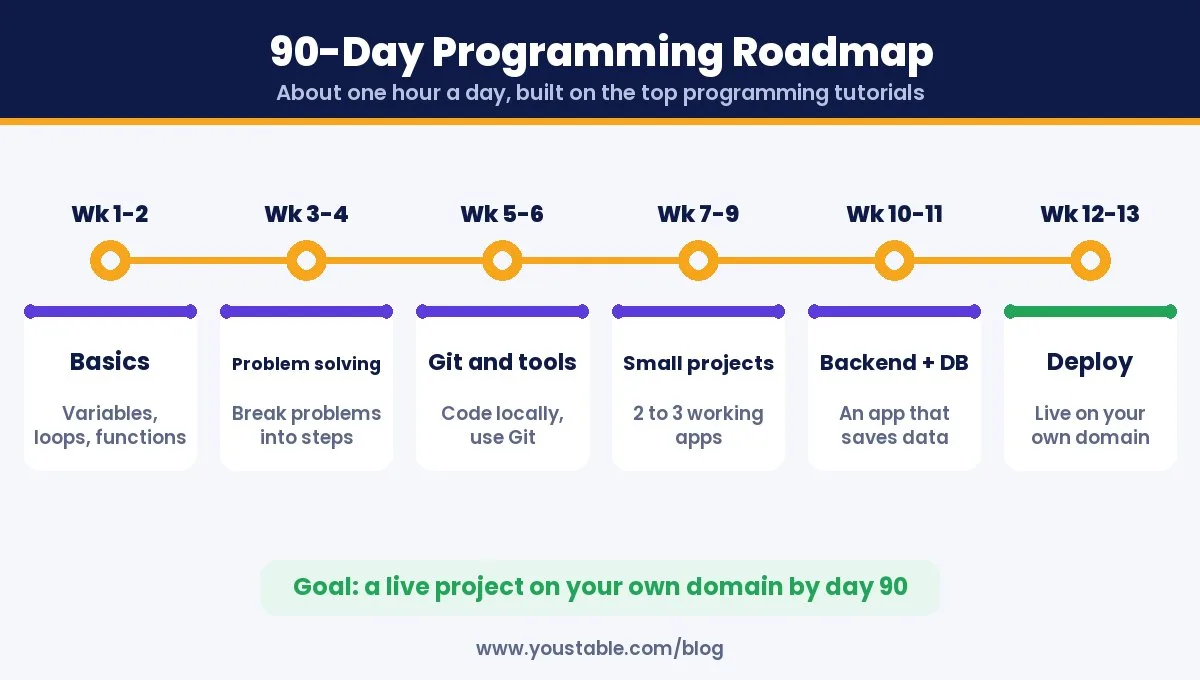
Even the top programming tutorials work best when you follow a plan. Here is a realistic 90-day roadmap for a beginner who can study about an hour a day:
| Weeks | Focus | Tutorial to Use | Outcome |
|---|---|---|---|
| 1 to 2 | Programming basics | freeCodeCamp or Codecademy | Variables, loops, functions |
| 3 to 4 | Problem solving | CS50 first weeks, Exercism | Break problems into steps |
| 5 to 6 | Git and tools | The Odin Project foundations | Code on your own machine, use Git |
| 7 to 9 | Build small projects | The Odin Project or Scrimba | Two or three working projects |
| 10 to 11 | Backend and databases | Full Stack Open or Boot.dev | An app that saves data |
| 12 to 13 | Deploy and share | A small Linux server or VPS | A live project on your own domain |
If you need to learn Git along the way, start with our guide to installing Git on Windows and Mac, then connect it to GitHub securely by adding SSH keys to your GitHub account.
10 Projects to Build While Following Programming Tutorials
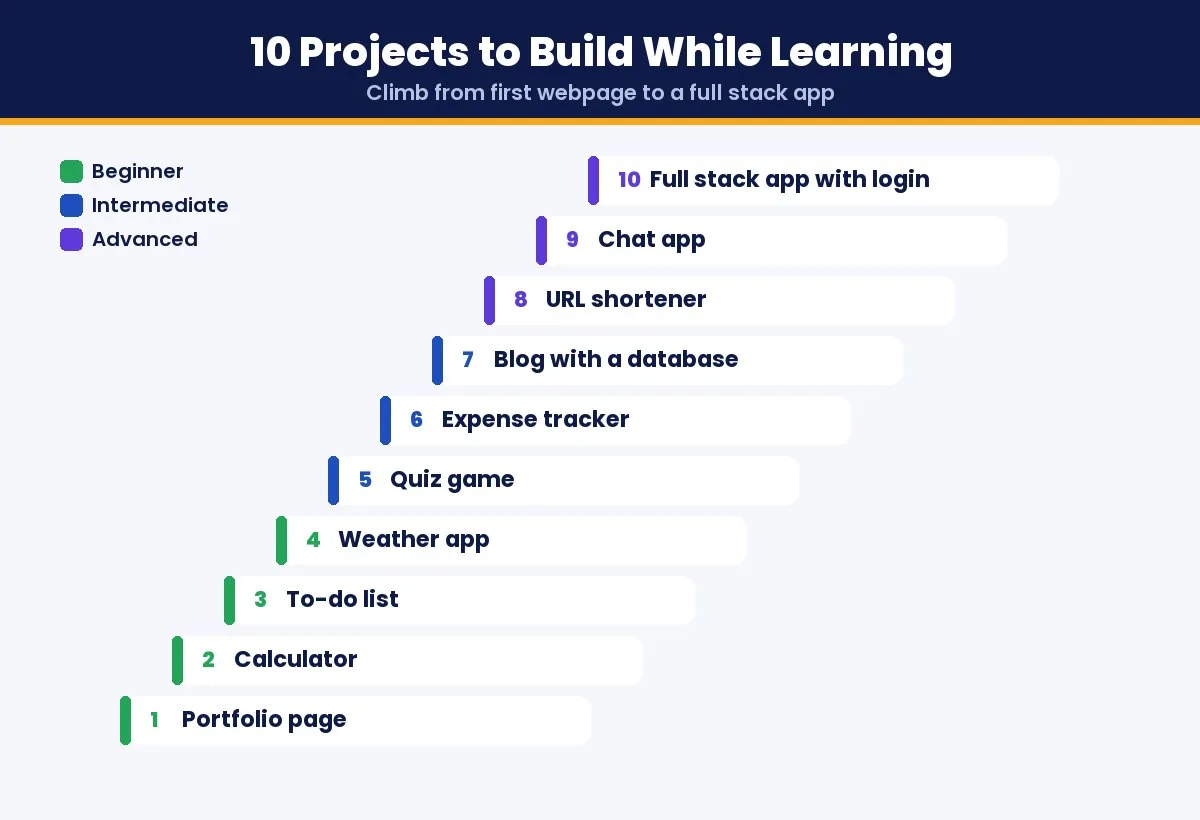
Watching even the top programming tutorials teaches you to recognise code. Building projects teaches you to write it. Work through this ladder from top to bottom:
- Personal portfolio page: HTML and CSS, your first live website.
- Calculator: JavaScript events and basic logic.
- To-do list: adding, editing and saving items in the browser.
- Weather app: calling a public API and showing live data.
- Quiz game: state, scoring and timers.
- Expense tracker: forms, totals and simple charts.
- Blog with a database: your first backend with users and posts.
- URL shortener: routing, databases and redirects.
- Chat app: real-time updates with WebSockets.
- Full stack app with login: authentication, a database and deployment to a live server.
Push every project to GitHub. By the end of the ladder, you have a portfolio that proves your skills far better than a list of completed courses.
Notice where the ladder changes. Projects 1 to 6 run happily in a browser or on free static hosting. From project 7 onward, your code needs a database that is always available, a backend process that keeps running after you close your laptop, and for the chat app, WebSocket connections that stay open. That is usually the moment learners discover their app only works on localhost.
How to Avoid Tutorial Hell
Tutorial hell is the trap of finishing course after course without being able to build anything on your own. Even the top programming tutorials cannot save you from it unless you change how you use them:
- Follow the 1:2 rule: for every hour of tutorial, spend two hours building something without it.
- Change the project: after finishing a tutorial project, rebuild it with a new feature the instructor never covered.
- Read error messages: debugging on your own is where real learning happens.
- Finish one path: jumping between courses feels productive but resets your progress every time.
- Ship something: a live project, even a small one, teaches more than ten unfinished ones.
Put Your Projects Online: The Step Most Tutorials Skip
Almost every list of top programming tutorials ends before the most important step: putting your work online. A project running on your laptop does not impress anyone. A live link on your own domain does. Deploying also teaches skills employers value, such as servers, environment variables, databases and SSL.
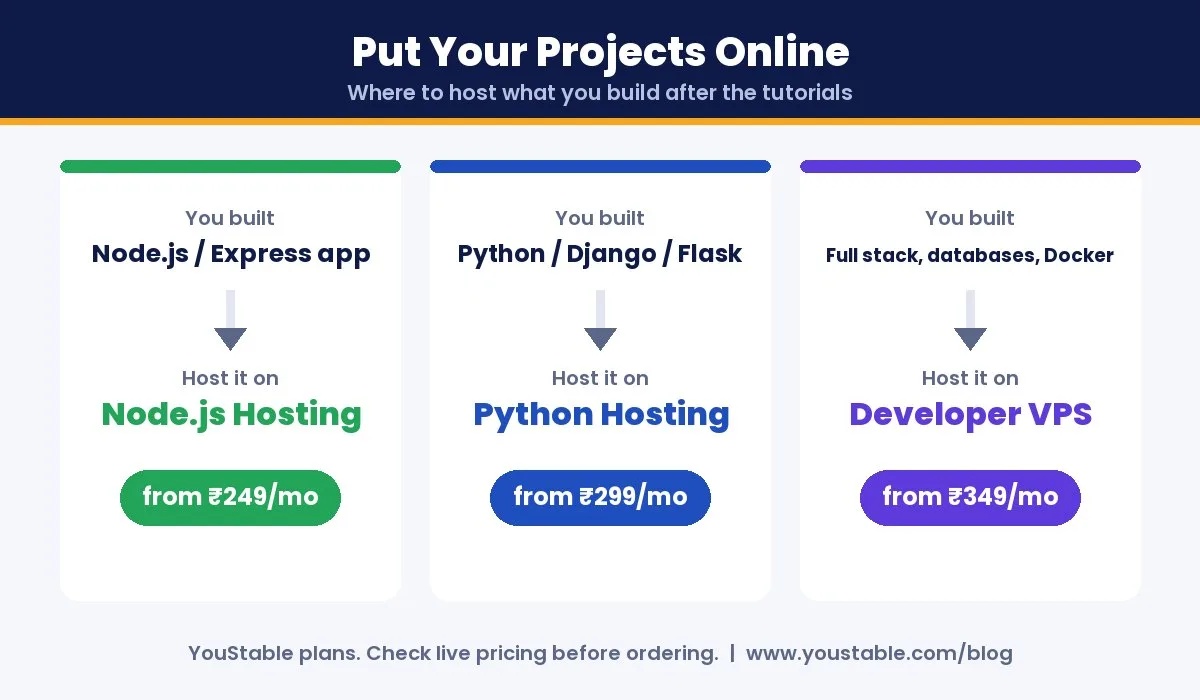
| What You Built | Where to Host It | Starting Price |
|---|---|---|
| Node.js or Express app | Node.js hosting | ₹249/mo |
| Python, Django or Flask app | Python hosting | ₹299/mo |
| Full stack app, databases, Docker | Developer VPS | ₹349/mo |
Follow our step-by-step guides to deploy a Node.js app on an Ubuntu VPS, deploy a Django app on a VPS or deploy a MERN app on a VPS.
Why Learners Outgrow Simple Hosting
Static sites and simple apps are easy to host almost anywhere. The trouble starts when the top programming tutorials lead you to the projects that matter most for a portfolio, and the same problems come up again and again:
| Problem You Hit | What Actually Fixes It |
|---|---|
| App works on localhost but nowhere else | A server you control, with the same runtime you used locally |
| Backend stops when the request ends | Long-running processes managed by tools like PM2 or systemd |
| Chat app needs WebSockets | Open ports and persistent connections |
| Tutorial uses Docker | Root access to install and run containers |
| Each project needs its own setup | One server hosting several apps on separate subdomains |
| Interviews ask about Linux and SSH | Hands-on experience managing a real server |
Every fix in that table points to the same thing: a small virtual server with full root access. It is also the closest thing to how real companies run software, which is why learning on one pays off twice. You build your portfolio and practise the deployment skills job descriptions ask for.
A Practical Setup for Your Portfolio Projects
You do not need a large server. A developer VPS with 1 CPU and 4 GB RAM is enough to run several small portfolio apps side by side, and YouStable’s entry plan starts at ₹349 a month. Here is how learners typically use one:
- One server, many projects: host your Node.js API, Django app and React frontend on separate subdomains, each with its own SSL certificate.
- Any language your tutorials use: Node.js, Python, PHP, Go, Java, Rust or Docker containers all run on the same machine.
- Real deployment workflow: push to GitHub and deploy automatically with GitHub Actions or GitLab CI, exactly as teams do at work.
- Safe experiments: keep separate dev and production environments, and take a snapshot before trying something risky so you can roll back.
- Linux practice: pick Ubuntu, Debian, AlmaLinux or Rocky Linux and learn SSH, users, permissions and logs on a server you own.
One honest note: you do not need a server in your first weeks. Free programming tutorials and your own computer cover the basics, and move to a VPS once your projects need a backend, a database or a public link to share with employers.
Tips to Get the Most From Programming Tutorials for Beginners
- Type every line yourself: copy and paste skips the learning.
- Keep a learning log: write down what you learned and what confused you each day.
- Study at a fixed time: one focused hour daily beats one long weekend session.
- Explain concepts out loud: if you can teach it simply, you understand it.
- Join a community: forums and study groups keep you motivated when progress feels slow.
- Use AI assistants carefully: ask them to explain errors and concepts, but write the solution yourself.
- Practise on a real server: deploying even one project to a Linux VPS teaches more about how software runs than any video on the topic.
FAQs
What are the top programming tutorials for beginners?
freeCodeCamp, Harvard CS50 and The Odin Project are the top free programming tutorials for beginners. Codecademy is a good paid option if you prefer short, guided lessons in the browser.
Can I learn programming for free?
Yes. Free programming tutorials such as freeCodeCamp, The Odin Project, CS50, MDN Web Docs and official language tutorials can take you from beginner to job ready without paying anything.
Are paid programming courses worth it?
Paid courses are worth it when they give you something free tutorials do not, such as a recognised certificate, expert feedback, advanced topics or the accountability that helps you finish.
Which programming language should I learn first?
Python and JavaScript are the best first languages for most beginners. Python is easy to read and great for automation, data and AI, while JavaScript powers every website.
How long does it take to learn programming?
With about an hour a day, most beginners can build simple projects in around three months. Becoming job ready usually takes six months to a year of steady practice and building projects.
How do I avoid tutorial hell?
Spend more time building than watching, change tutorial projects by adding your own features, finish one learning path instead of jumping between courses, and put your projects online.
Where should I host my coding projects?
Simple static projects can go almost anywhere. Once your projects have a backend, a database or WebSockets, a small developer VPS lets you host all of them on one server with your own domain, which makes your portfolio far stronger.
Do I need a VPS to learn programming?
Not at the start. Free tutorials and your own computer are enough for the basics. A VPS becomes useful when you build backend projects, want to practise Linux and deployment, or need a live link to share with employers.
Final Verdict
The top programming tutorials in 2026 make it possible to learn to code for free: start with freeCodeCamp or CS50, move to The Odin Project or Full Stack Open, and practise with Exercism and LeetCode. Add paid courses from Codecademy, Udemy, Coursera or Frontend Masters only when you need more structure, a certificate or advanced depth.
Whichever tutorials you choose, finish what you start, build real projects and put them online. When your projects grow beyond the browser, a small developer VPS gives you one place to host them all and the server skills employers look for.