Many people think building a website always costs thousands of dollars, but that is not completely true. The real cost mainly depends on what type of website you want to create and how advanced your requirements actually are.
If you only want a blog, portfolio, or small business website, you can start with a very affordable budget using beginner friendly hosting, WordPress, and ready made website tools without complicated development work.
This article will help you understand the real website building cost in 2026, including domain pricing, hosting, website design, maintenance, development expenses, and practical ways to reduce unnecessary website costs smartly.
What Affects Website Cost in 2026?
Website cost in 2026 mainly depends on your website type, features, design quality, hosting performance, and security requirements. A simple blog costs much less than an advanced business website or online store because larger websites require better infrastructure and functionality.
Major Factors That Increase Website Cost
- Website Type: Blogs, business websites, stores, and custom platforms require different technologies and resources.
- Features and Functionality: Booking systems, payments, AI tools, and dashboards increase setup and maintenance costs.
- Website Design Quality: Premium themes and custom UI/UX design increase branding and development expenses.
- Hosting Performance: Faster hosting improves SEO, security, stability, and overall user experience significantly.
- Website Maintenance: Regular updates, backups, security monitoring, and optimization create long term website expenses.
Average Website Cost in 2026
Website cost mainly depends on what type of website you actually want to build. If your goal is only to create a simple blog, portfolio, or personal website, the overall cost can stay quite affordable.
But if you want an online store, business platform, membership website, or custom web application, the budget naturally becomes much higher because those websites require stronger hosting, better security, advanced features, and more development work.
For example, a beginner website may only require:
- Basic hosting
- A domain name
- Simple design
- Essential plugins
But larger websites usually require:
- Faster hosting infrastructure
- Advanced security protection
- Payment systems and integrations
- Ongoing maintenance and support
- Custom functionality and scalability
That is why website pricing can range from a very small yearly budget to thousands of dollars for advanced business projects.
Average Website Pricing
| Website Type | What You Usually Get | Estimated Cost |
| Personal Blog | Basic hosting, domain, simple design, essential plugins | $40–$200/year |
| Portfolio Website | Professional pages, galleries, personal branding sections | $50–$300/year |
| Small Business Website | SEO setup, contact forms, fast hosting, security tools | $100–$800/year |
| eCommerce Website | Products, payments, inventory, checkout functionality | $300–$10,000+ |
| Custom Website or Web App | APIs, dashboards, automation, advanced custom systems | $5,000–$100,000+ |
Now think about your own goal for a moment.
Do you simply want to publish content online?
Do you want customers to contact your business?
Do you want to sell products or create a custom platform?
The more advanced your website becomes, the more resources it usually requires for:
- Hosting performance
- Security protection
- Development work
- Website maintenance
- Scalability and traffic growth
Because of this, a small personal website may cost only a few dollars per month, while large business platforms and custom web applications can require a much bigger long-term investment.
Domain Name Cost in 2026
Before your website can go live, you first need a domain name. Many beginners think buying hosting is enough, but without a domain name, people cannot easily find your website online.
Think of a domain name as your website’s address on the internet. Just like every house has its own address, every website also needs a unique domain name so visitors can open it directly from their browser.
For example:
- google.com
- amazon.com
- yourbusiness.com
A professional domain name helps:
- Build trust
- Improve branding
- Make your website easier to remember
- Create a professional online identity
Without a proper domain name, your website may look unprofessional or difficult for users to find.
Average Domain Pricing
Domain pricing mainly depends on the extension you choose. Some domain extensions are cheaper, while premium and highly popular domains usually cost more.
Here is a realistic overview of current domain pricing:
| Domain Extension | Best For | Average Price |
| .com | Businesses, blogs, and professional websites | $10–$20/year |
| .net | Tech websites and online businesses | $12–$25/year |
| .org | Organizations, communities, and nonprofits | $10–$20/year |
| .in | Indian businesses and local websites | $8–$20/year |
According to the latest pricing currently visible on YouStable:
- .xyz domains start around $2.99
- .info domains start around $5.99
- .co.in domains start around $6.99
- .online domains start around $8.99
- .com domains start around $13.99
- .in domains start around $8.99
- .us domains start around $9.99
- .uk domains start around $13.99
Domain prices may change depending on:
- Domain popularity
- Availability
- Ongoing offers
- Renewal pricing
Premium domain names usually cost more because they are:
- Short and simple
- Brand focused
- Easy to remember
- Easier to type
- More professional looking
For most websites, .com is still considered the best option because it is globally trusted and recognized by users everywhere.
How to Choose the Right Domain Name
Choosing the right domain name is extremely important because it becomes part of your brand identity for years.
A good domain name should:
- Be short and simple
- Easy to type correctly
- Easy to remember
- Match your business or website topic
- Avoid numbers and hyphens
For example, if someone hears your domain name once, they should easily remember it later without confusion.
Complicated domain names often create:
- Typing mistakes
- Branding problems
- Lower trust
- Poor memorability
That is why most successful websites use clean and simple domain names that users can remember easily.
How to Buy a Domain Name from YouStable
Buying a domain name is now very beginner friendly. You no longer need technical knowledge to register a professional domain.
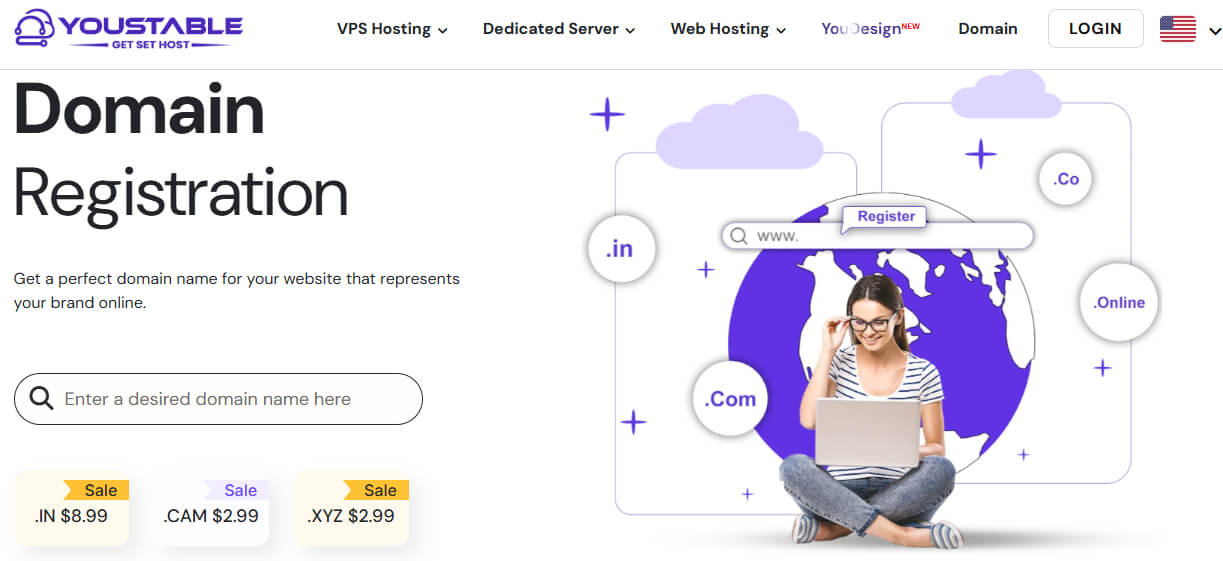
You can easily buy a domain from YouStable by following these simple steps:
- Visit the official domain registration page: YouStable Domain Registration
- Search for your preferred domain name.
- Choose a domain extension like:
.com
.in
.us
.uk
.net
.org - Add the domain to your cart and complete payment securely.
- Manage your domain directly from the dashboard after purchase.
The entire process usually takes only a few minutes.
Free Domain with YouStable WordPress Hosting Plans
One important thing many beginners do not know is that some YouStable WordPress hosting plans already include a free domain for one year. This helps reduce first year website setup costs significantly because you do not need to buy the domain separately.
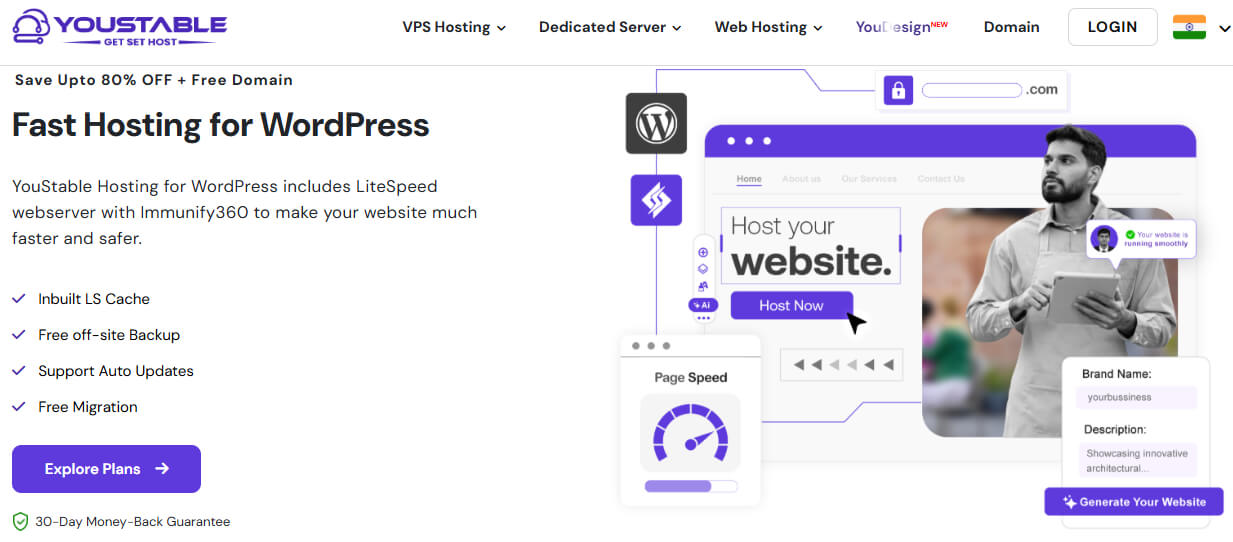
According to the latest WordPress hosting offers currently available on: YouStable WordPress Hosting
selected hosting plans include:
- Free domain for one year
- Free SSL certificate
- Free business email
- One click backup restore
- LiteSpeed optimization
- AI optimized caching
- Imunify360 security protection
- Free migration support
Current WordPress hosting pricing includes:
| Hosting Plan | Best For | Starting Price |
| DaStart | Beginners and single websites | $0.62/month |
| DaProfessional | Businesses and multiple websites | $1.25/month |
| DaElite | Agencies and high capacity websites | $2.31/month |
Higher plans like DaProfessional and DaElite also include a free domain for one year, which is especially useful for:
- Beginners
- Bloggers
- Startups
- Small businesses
This makes it easier to launch a professional website without spending a huge budget initially.
Web Hosting Cost in 2026
After buying a domain name, the next important thing you need is web hosting. Many beginners think a domain name is enough, but without hosting, your website cannot actually go live on the internet.
Web hosting stores all your website files, images, databases, and content on a server so visitors can access your website anytime online.
Think of it like this:
- Your domain name is your website address
- Your hosting is the actual space where your website lives
Without hosting, your website simply cannot function properly online.
Good hosting is extremely important because it directly affects:
- Website speed
- SEO performance
- Security
- Reliability
- User experience
Poor hosting may look cheap initially, but it can later create serious problems such as:
- Slow loading pages
- Website downtime
- Poor Google rankings
- Lost visitors
- Lower sales and conversions
That is why choosing reliable hosting is one of the most important investments for any website.
Shared Hosting Cost
Shared hosting is one of the most affordable hosting options available. In this hosting type, multiple websites share the same server resources, which helps reduce overall cost.
Average shared hosting pricing usually starts around: $2–$8/month
Shared hosting is best for:
- Beginners
- Blogs
- Portfolio websites
- Small business websites
- Startup projects
Most beginners choose shared hosting because it is:
- Affordable
- Easy to manage
- Beginner friendly
- Good enough for low traffic websites
If you are creating your first website, shared hosting is usually the smartest starting option.
WordPress Hosting Cost
WordPress hosting is specially optimized for WordPress websites. It is designed to improve performance, security, and website management specifically for WordPress users.
Average WordPress hosting pricing usually starts around: $3–$15/month
WordPress hosting benefits include:
- Better website performance
- Easy WordPress setup
- Automatic optimization
- Improved security
- Faster loading speed
- Better caching systems
This type of hosting is ideal for:
- Blogs
- Business websites
- News websites
- Portfolio websites
- Small online stores
According to the latest pricing available on YouStable WordPress hosting plans currently start around:
| Hosting Plan | Best For | Starting Price |
| DaStart | Beginners and single websites | $0.62/month |
| DaProfessional | Businesses and multiple websites | $1.25/month |
| DaElite | Agencies and larger websites | $2.31/month |
These plans currently include features such as:
- NVMe SSD storage
- LiteSpeed web servers
- Free SSL certificates
- Free business email
- AI optimized caching
- One click backup restore
- Imunify360 security protection
- Unmetered bandwidth
Some higher plans also include:
- Free domain for one year
- Free website migration
- Advanced performance optimization
This helps beginners launch websites at a much lower initial cost.
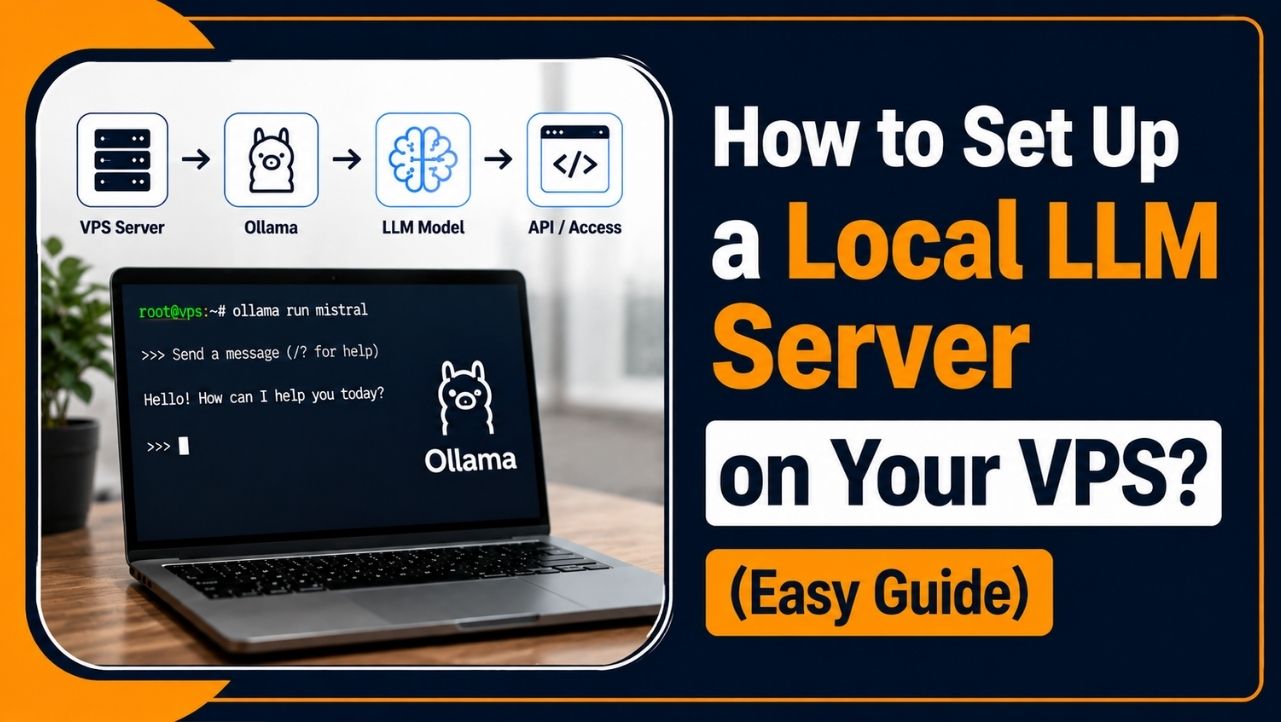
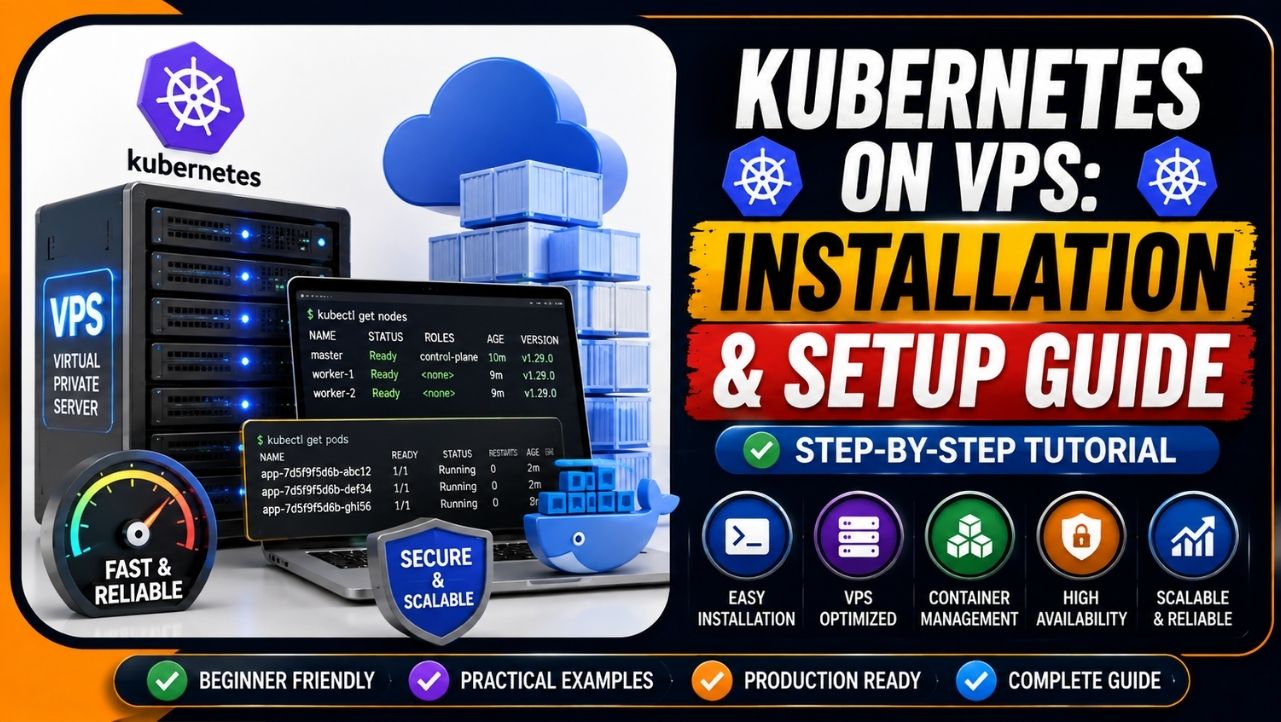
VPS Hosting Cost
VPS hosting stands for Virtual Private Server hosting. Unlike shared hosting, VPS hosting provides dedicated resources, which improves performance and stability significantly.
Average VPS hosting pricing usually starts around: $10–$80/month
VPS hosting provides:
- Dedicated server resources
- Better scalability
- Improved website speed
- Higher performance
- Better security control
VPS hosting is best for:
- Growing websites
- Medium traffic businesses
- Developers
- Online stores
- Expanding projects
Many businesses upgrade to VPS hosting once their traffic starts growing because shared hosting may become too limited over time.
You can explore VPS hosting plans here: YouStable VPS Hosting
Cloud Hosting Cost
Cloud hosting uses multiple connected servers together instead of relying on a single physical server. This improves scalability, uptime, and performance.
Average cloud hosting pricing usually starts around: $15–$150/month
Cloud hosting is best for:
- High traffic websites
- Large businesses
- eCommerce platforms
- Scalable applications
- Enterprise projects
Cloud hosting helps websites handle sudden traffic spikes much more efficiently compared to basic hosting plans.
Dedicated Server Hosting Cost
Dedicated server hosting is one of the most powerful hosting solutions available because the entire server is dedicated to a single user or business.
Dedicated hosting pricing usually starts around: $80–$500+/month
Dedicated servers are best for:
- Enterprise websites
- Large eCommerce stores
- High traffic applications
- Advanced business platforms
- Large databases and applications
Dedicated hosting provides:
- Maximum performance
- Full server control
- Better customization
- Advanced security
- High scalability
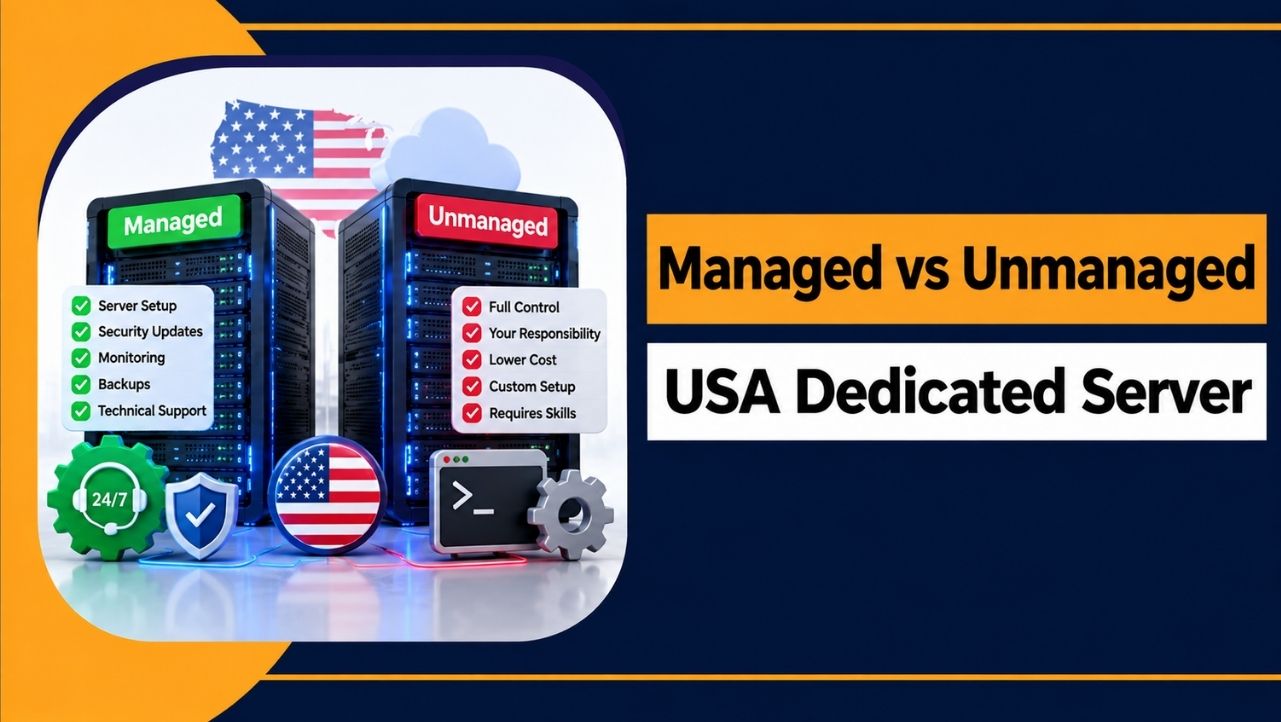
This type of hosting is mainly used by businesses with very large websites and heavy traffic requirements.
You can explore dedicated server plans here: YouStable Dedicated Servers
Which Hosting Type Is Best for Beginners?
If you are creating your first website, shared hosting or WordPress hosting is usually the best option because it is:
- Affordable
- Easy to manage
- Beginner friendly
- Cost effective
You do not need expensive hosting immediately if your website is still new.
As your traffic and business grow, you can later upgrade to:
- VPS hosting
- Cloud hosting
- Dedicated servers
This approach helps save money while still giving your website room to grow later.
Current Hosting Features
Modern hosting providers now offer many advanced features that were previously available only on expensive plans.
Common hosting features in 2026 include:
- LiteSpeed web servers
- NVMe SSD storage
- AI optimization
- Free SSL certificates
- Backup systems
- Malware protection
- Security monitoring
- One click installations
Many hosting providers like YouStable now also include:
- AI optimized caching
- Free migration support
- Imunify360 security
- Free business email
- Automatic backups
These features help improve:
- Website speed
- SEO performance
- Security
- User experience
- Website reliability
How to Buy Hosting from YouStable
Buying hosting has become very beginner friendly and usually takes only a few minutes.
You can buy hosting by following these steps:
- Visit the official hosting website: YouStable Official Website
- Open the hosting section and choose:
• Shared hosting
• WordPress hosting
• VPS hosting
• Dedicated servers - Select a hosting plan based on your website needs and traffic requirements.
- Register a new domain or connect your existing domain name.
- Complete payment securely.
- Install WordPress or your preferred platform using one click installation.
Most modern hosting providers now make the entire setup process extremely simple, even for complete beginners with no technical experience.
Website Platform Cost in 2026
The platform you choose for your website also affects total website cost significantly. Some platforms are beginner friendly and affordable, while others require higher monthly fees, advanced customization, or professional development work.
Before building a website, it is important to understand which platform actually matches your goals, budget, and technical requirements.
Some people only need:
- A simple blog
- A portfolio website
- A drag and drop website builder
While others may need:
- Full customization
- Advanced SEO control
- eCommerce functionality
- Scalable business infrastructure
That is why website platform pricing can vary a lot depending on what you want to build.
WordPress Website Cost
WordPress remains one of the most popular website platforms globally because it provides an excellent balance between affordability, flexibility, and scalability.
Millions of websites use WordPress because it offers:
- Easy customization
- Strong SEO friendliness
- Large plugin ecosystem
- Flexible design options
- Better long term scalability
A beginner WordPress website usually costs around: $50–$300/year
This usually includes:
- Shared or WordPress hosting
- Domain name
- Free or premium theme
- Basic plugins
WordPress is especially popular for:
- Blogs
- Business websites
- Portfolio websites
- News websites
- Small online stores
One major advantage of WordPress is that beginners can start affordably and later upgrade features as the website grows.
Website Builder Platform Cost
Website builders are designed mainly for beginners who want to create websites quickly without handling technical setup manually.
Popular website builders include:
- Wix
- Squarespace
Average website builder pricing usually starts around: $10–$50/month
Website builders are popular because they provide:
- Drag and drop editors
- Ready made templates
- Beginner friendly setup
- Hosting included
- Simple website management
These platforms are useful for:
- Portfolio websites
- Small business websites
- Personal websites
- Beginners with no technical knowledge
However, website builders may provide:
- Less flexibility
- Limited customization
- Higher long term costs
- Less advanced SEO control
compared to WordPress websites.
Shopify Website Cost
Shopify is one of the most popular eCommerce platforms used for online stores. It is specially designed for selling products online and managing eCommerce operations easily.
Average Shopify pricing usually starts around: $29–$299/month
Shopify provides:
- Product management
- Secure payment systems
- Inventory management
- Shipping tools
- eCommerce automation
It is commonly used for:
- Online stores
- Dropshipping businesses
- Product based businesses
- Growing eCommerce brands
However, additional Shopify costs may include:
- Premium apps
- Paid themes
- Transaction fees
- Marketing tools
This can increase total website expenses over time.
Custom Website Platform Cost
Custom websites are fully developed from scratch based on specific business requirements. These websites provide maximum flexibility and advanced functionality but are also the most expensive option.
Custom website development usually requires:
- Developers
- Designers
- Backend systems
- APIs and integrations
- Database management
- Advanced security setup
Custom platforms are commonly used for:
- Enterprise businesses
- SaaS platforms
- Large marketplaces
- Advanced web applications
- Custom business systems
Because everything is built specifically for the project, pricing can easily range from: $5,000–$100,000+
depending on complexity and features.
Which Website Platform Is Best in 2026?
The best website platform depends completely on your goals, budget, and technical needs.
For most beginners:
- WordPress offers the best balance between flexibility, affordability, and scalability.
For simple drag and drop websites:
- Wix and Squarespace are easier to use.
For online stores:
- Shopify works well for many eCommerce businesses.
If you want:
- Better SEO control
- More customization
- Lower long term cost
- Greater scalability
then WordPress is usually the smarter long term option for most website owners.
Create a Website Using YouStable AI Website Builder
Creating a website using YouDesign AI is designed to be simple, fast, and beginner friendly. You do not need coding knowledge, developers, or complicated website setup to launch your website online.
Step 1: Visit the YouDesign AI Website Builder
First, open the official YouStable YouDesign AI Website Builder page and choose a suitable website builder plan based on your needs.
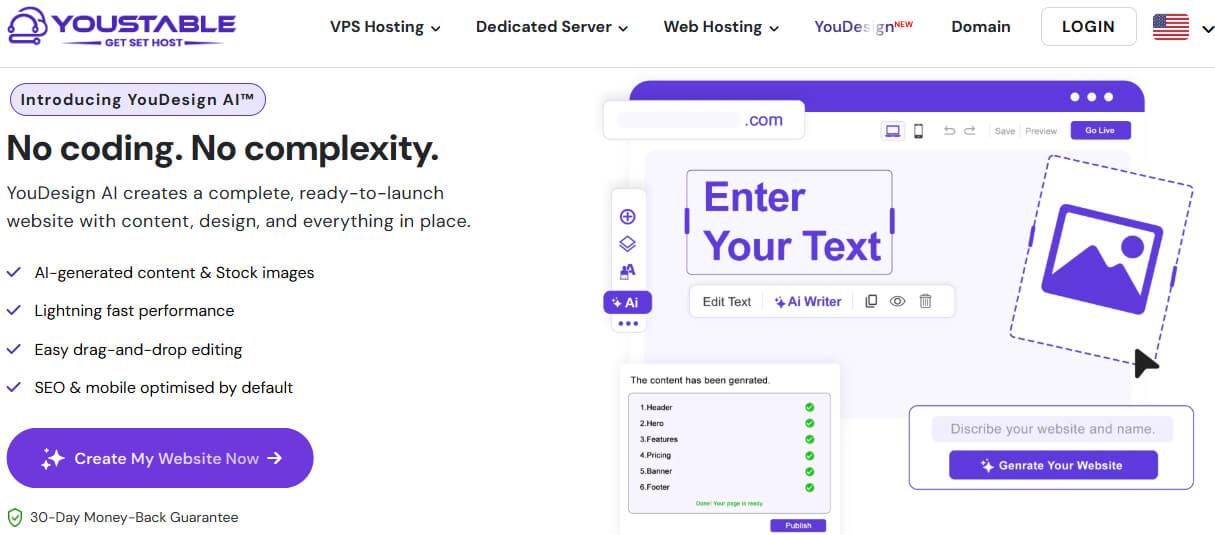
Step 2: Enter Your Website or Business Details
After selecting a plan, enter basic information such as:
- Business or Website Name: Helps the AI create branding and website identity properly.
- Website Category: Allows AI to understand what type of website you want to create.
- Services or Topics: Helps generate relevant website sections and content automatically.
- Basic Business Details: Gives AI better understanding for creating a professional website structure.
The AI uses this information to understand what type of website you want to create.
Step 3: Let the AI Generate Your Website
Once you submit your details, the AI automatically starts generating:
- Homepage Layout: Creates a professional homepage design based on your website category automatically.
- Website Sections: Adds important sections like services, contact, about, and business information properly.
- Basic Website Content: Generates beginner friendly website text and content structure automatically.
- Mobile Friendly Design: Optimizes website layout properly for mobile phones and smaller screen devices.
- Professional Structure: Creates organized pages and navigation for better user experience and website appearance.
This process usually takes only a few minutes.
If you want a detailed step by step tutorial, you can also learn how to build a WordPress website using AI website builder tools easily.
Step 4: Customize Your Website Design
After the website is generated, you can easily customize:
- Colors: Change website colors to match your brand identity and design preferences properly.
- Text: Edit website headings, paragraphs, and content based on your business requirements easily.
- Images: Replace default images with your own business, products, or branding visuals professionally.
- Pages: Add, remove, or manage website pages depending on your website structure and goals.
- Layout Sections: Rearrange sections and customize page structure using drag and drop editing tools.
using drag and drop editing without coding knowledge.
Step 5: Add Important Website Pages
Before publishing, make sure your website includes important pages such as:
- Home Page: Introduces your website, business, services, and important visitor information clearly online.
- About Page: Helps visitors understand your business, experience, background, and brand story professionally.
- Contact Page: Allows customers and visitors to contact your business directly through website forms.
- Services or Products Page: Displays your services, products, pricing, or business offerings professionally online.
- Blog Section: Helps publish content regularly for SEO growth, traffic, and audience engagement later.
This helps your website look more professional and complete.
Step 6: Connect Your Domain Name
Now connect your custom domain name so visitors can access your website professionally online.
Some YouStable plans also include a free domain for one year, which helps reduce initial website setup cost.
Step 7: Publish Your Website Online
Once everything looks good, simply publish your website. Your website will become live and accessible online for visitors around the world.
For most beginners, bloggers, startups, and small businesses, YouDesign AI makes website creation much faster, easier, and more affordable compared to traditional website development.
Website Design Cost in 2026
Website design is one of the first things people notice when they open your website. Even before reading your content or services, visitors already start judging whether your website looks professional and trustworthy or not.
That is why website design plays a major role in overall website cost.
If your website looks outdated, slow, or poorly designed, many users may leave within seconds.
But a clean and professional design helps:
- Build trust
- Improve branding
- Increase engagement
- Create better first impressions
- Improve conversions and sales
The good thing is that you do not always need an expensive custom design in the beginning. The right option depends on your goals, budget, and website type.
Free Templates vs Premium Themes
Most beginners usually start with free templates because they are simple, affordable, and easy to use.
Free themes work well for:
- Personal blogs
- Portfolio websites
- Beginner projects
- Small startup websites
However, free templates often provide:
- Limited customization
- Basic layouts
- Fewer advanced features
- Less unique design
That is why many website owners later upgrade to premium themes.
Premium themes usually provide:
- Better website design
- More customization options
- Advanced functionality
- Professional layouts
- Improved mobile responsiveness
Average premium theme pricing usually ranges around: $30–$200
For most beginners, a good premium theme is often enough to create a professional looking website without spending thousands of dollars on custom design.
Custom Website Design Pricing
If you want a completely unique website built specifically for your brand, then custom website design becomes necessary.
Unlike ready made templates, custom design is created from scratch based on:
- Your business identity
- Brand colors
- User experience goals
- Website functionality
- Customer behavior
Custom website design usually costs around: $300–$20,000+
depending on:
- Website size
- Design complexity
- Number of pages
- Interactive features
- Business requirements
Large businesses and brands often invest more in custom design because they want:
- Stronger branding
- Better user experience
- Higher conversion rates
- Unique website appearance
Freelancer vs Agency Website Design Cost
Many people also get confused between hiring a freelancer and choosing a web design agency.
Freelancers are usually better for:
- Small projects
- Budget friendly websites
- Basic website setup
- Personal websites
Freelancers are often cheaper because a single person handles most of the work.
Web design agencies are usually better for:
- Branding projects
- Large business websites
- Enterprise websites
- Advanced UI/UX projects
Agencies usually provide:
- Dedicated teams
- Better project management
- More professional workflows
- Advanced design strategy
However, agencies are also significantly more expensive compared to freelancers.
If you are starting small, hiring a freelancer or using premium themes is often the more practical option initially.
What Increases Website Design Cost?
Many beginners wonder why some websites cost only a few hundred dollars while others cost thousands.
The answer mainly depends on design complexity and customization requirements.
Website design costs usually increase because of:
- Custom UI/UX Design: Creating unique layouts and user experiences specifically for your brand.
- Advanced Animations: Interactive effects, motion graphics, and dynamic visual elements increase development work.
- Branding Work: Professional branding requires custom colors, typography, logos, and visual consistency planning.
- Interactive Design: Advanced user interactions and dynamic elements require additional design and coding effort.
- Custom Graphics: Unique illustrations, icons, banners, and visual assets increase overall design expenses.
The more customized and visually advanced your website becomes, the higher the overall design cost usually gets.
Website Development Cost in 2026
Website development cost mainly depends on how complex your website functionality is. A simple website with basic pages usually costs much less than a custom platform with advanced features, automation systems, and integrations.
Many beginners think website design and website development are the same thing, but both are different.
- Website design focuses on appearance and user experience.
- Website development focuses on functionality and technical systems.
For example:
- Login systems
- Payment gateways
- Dashboards
- APIs
- Membership systems
all require development work behind the scenes.
The more advanced your website functionality becomes, the higher your development cost usually gets.
Freelancer Website Development Pricing
Many beginners and small businesses prefer hiring freelancers because they are usually more affordable for smaller projects.
Freelancers commonly charge around: $15–$100/hour
Pricing mainly depends on:
- Experience level
- Technical skills
- Project complexity
- Country and location
Freelancers are usually a good option for:
- Small business websites
- Portfolio websites
- Blog setup
- Minor customizations
- Budget friendly projects
If your website only needs basic functionality, hiring a freelancer can help reduce overall development costs significantly.
Web Development Agency Pricing
Web development agencies are usually more expensive because they often provide complete teams instead of a single developer.
Agency pricing may range around: $1,000–$100,000+
depending on:
- Website complexity
- Number of features
- Development time
- Business requirements
- Scalability needs
Agencies are usually better for:
- Enterprise businesses
- Large eCommerce websites
- SaaS platforms
- Custom business systems
- Advanced web applications
Agencies often provide:
- Professional project management
- Dedicated developers
- UI/UX designers
- Testing teams
- Ongoing support
This improves project quality but also increases overall cost significantly.
Custom Website Development Cost
Custom website development is one of the most expensive options because everything is built specifically for your business requirements instead of using ready made systems.
Custom development often includes:
- Backend systems
- Databases
- APIs
- Custom dashboards
- Advanced functionality
- Security systems
Unlike WordPress or website builders, custom websites require much more planning, coding, testing, and maintenance.
That is why custom website development can easily cost: $5,000–$100,000+
depending on project size and complexity.
Large businesses usually prefer custom development because it provides:
- Full flexibility
- Better scalability
- Advanced customization
- Complete development control
Features That Increase Development Cost
Many beginners wonder why some websites cost only a few hundred dollars while others cost thousands.
The answer usually depends on the features included in the project.
Some advanced features that significantly increase website development cost include:
- APIs and Integrations: Connecting payment systems, CRMs, third party apps, and external platforms requires additional development work.
- AI Tools: AI chatbots, automation systems, and AI generated functionality increase technical complexity significantly.
- Custom Dashboards: User dashboards, admin panels, and analytics systems require advanced backend development.
- Automation Systems: Automated workflows, notifications, and advanced business processes increase coding requirements.
- Membership Platforms: Subscription systems, login functionality, and protected content require stronger security and backend infrastructure.
The more advanced and customized your website becomes, the more development time, testing, and technical expertise it requires.
Additional Website Costs in 2026
Many beginners only calculate domain and hosting costs while building a website. But after the website goes live, several additional expenses may appear depending on your website features, growth, and business requirements.
These extra costs are not always mandatory initially, but they often become important as your website traffic and functionality increase over time.
Premium Plugins and Extensions
Premium plugins help add advanced functionality, better security, and professional website optimization features.
Premium plugins are commonly used for:
- SEO Optimization: Improve search engine rankings, metadata control, and website visibility on Google.
- Security Protection: Protect websites from malware attacks, hacking attempts, and suspicious online activity.
- Website Backups: Automatically create recovery copies to protect important website data safely.
- Speed Optimization: Improve loading performance, Core Web Vitals, and overall website responsiveness significantly.
- Advanced Forms: Create professional contact forms, booking forms, and customer inquiry systems easily.
- eCommerce Features: Add payment systems, product management, and advanced online store functionality smoothly.
Premium plugins usually cost around: $20–$300/year
SEO Tool Costs
Professional SEO tools help website owners improve rankings, traffic, and search engine visibility effectively.
SEO tools commonly help with:
- Keyword Research: Find popular search terms users type on Google regularly online.
- Competitor Analysis: Analyze competitor websites, rankings, backlinks, and SEO growth strategies properly.
- Website Audits: Detect SEO problems, technical errors, and optimization issues affecting rankings.
- Backlink Monitoring: Track website backlinks and monitor link building performance continuously over time.
- SEO Performance Tracking: Measure keyword rankings, traffic growth, and search engine visibility improvements accurately.
Professional SEO tools often use monthly subscription pricing models.
Security and Backup Costs
Website security becomes extremely important once your website starts getting regular traffic and customer data.
Additional security costs may include:
- Malware Protection: Detect and remove harmful files, viruses, and website security threats automatically.
- Firewall Security: Block suspicious traffic and unauthorized access attempts before causing website damage.
- Automatic Backups: Create scheduled backup copies for faster website recovery during emergencies safely.
- Security Monitoring: Monitor websites continuously for hacking attempts and unusual suspicious activity online.
Advanced security tools may increase yearly website expenses depending on your website size and traffic.
Business Email Costs
Professional business email addresses help websites look more trustworthy and business focused professionally.
Business email services commonly include:
- Custom Email Address: Create branded emails like [email protected] for professional communication purposes.
- Email Storage: Store important business emails securely with larger cloud based mailbox storage capacity.
- Spam Protection: Filter unwanted emails, spam messages, and harmful phishing attempts automatically online.
- Collaboration Tools: Allow teams to share calendars, contacts, files, and communication systems efficiently.
Some hosting providers include free business email with hosting plans, helping reduce additional setup costs.
AI Chatbot and Automation Costs
AI tools help businesses automate customer support, communication, and repetitive website tasks efficiently.
Common AI automation features include:
- AI Chatbots: Automatically answer customer questions and provide instant website support continuously online.
- Automated Replies: Send instant responses to inquiries, forms, and customer support messages automatically.
- Lead Generation Tools: Capture visitor information and improve customer conversion opportunities more effectively.
- Workflow Automation: Automate repetitive business processes and reduce manual website management workload significantly.
Most AI tools now use monthly subscription pricing models depending on usage and functionality.
Marketing and Analytics Tool Costs
Marketing and analytics tools help businesses track website growth and improve customer engagement strategies.
Common marketing tools include:
- Email Marketing Software: Send newsletters, promotions, and automated customer email campaigns professionally.
- Analytics Platforms: Track visitor activity, traffic sources, and website performance insights accurately online.
- CRM Systems: Manage customer relationships, leads, inquiries, and sales communication efficiently from one dashboard.
- Visitor Tracking Tools: Analyze user behavior, engagement patterns, and conversion performance across website pages.
Advanced marketing platforms may require monthly or yearly subscription costs depending on business requirements.
Website Maintenance Cost in 2026
Many beginners think website expenses end after the website goes live, but every website requires ongoing maintenance to stay secure, fast, updated, and stable long term.
Without regular maintenance, websites can slowly develop:
- Security vulnerabilities
- Slow loading speed
- Broken functionality
- SEO issues
- Poor user experience
That is why website maintenance becomes an important long term expense for every website owner.
Here is a realistic overview of common website maintenance costs in 2026:
| Maintenance Type | What It Includes | Average Cost |
| Domain Renewal | Yearly renewal of your domain name registration | $10–$25/year |
| Hosting Renewal | Renewal of shared, WordPress, VPS, or cloud hosting plans | $30–$500+/year |
| Plugin & Theme Renewal | Premium plugin updates, support, and theme renewals | $20–$300/year |
| Security Maintenance | Malware protection, firewall security, monitoring, and backups | $20–$500+/year |
| Speed Optimization | Caching tools, CDN services, and performance optimization | $20–$300/year |
| Technical Support & Management | Developer support, maintenance, troubleshooting, and updates | $50–$5,000+/year |
Domain Renewal Cost
A domain name is not a one time purchase because domains require yearly renewal to remain active online.
Domain renewal pricing usually depends on:
- Domain extension
- Registrar pricing
- Premium domain value
- Renewal offers
Most standard domains usually renew around: $10–$25/year
If the domain expires, your website and business email may stop working properly.
Hosting Renewal Cost
Hosting also requires regular renewal depending on your billing cycle and hosting type.
Hosting renewal pricing usually ranges around: $30–$500+/year
Pricing mainly depends on:
- Hosting type
- Website traffic
- Server resources
- Performance requirements
Shared hosting is usually cheaper, while VPS, cloud, and dedicated hosting cost much more.
Plugin and Theme Renewal Cost
Many premium plugins and themes require annual renewal for updates and technical support.
Premium plugin and theme renewals usually cost around: $20–$300/year
Renewals commonly include:
- Security updates
- New features
- Compatibility improvements
- Technical support
Without updates, outdated plugins can create security and performance issues.
Website Security Maintenance Cost
Security maintenance helps protect websites from malware attacks, hacking attempts, and data loss.
Advanced security maintenance usually costs around: $20–$500+/year
Security maintenance may include:
- Malware monitoring
- Firewall protection
- Backup systems
- Security scanning
- Recovery protection
Business websites and online stores usually invest more heavily in website security.
Website Speed Optimization Cost
Website speed optimization improves:
- Performance
- Core Web Vitals
- User experience
- SEO rankings
Optimization tools and services usually cost around: $20–$300/year
These tools may include:
- CDN services
- Advanced caching
- Image optimization
- Performance monitoring
Faster websites often rank better and improve customer engagement.
Technical Support and Website Management Cost
Many businesses hire developers or technical teams for ongoing website maintenance and support.
Technical management pricing may range around: $50–$5,000+/year
depending on:
- Website complexity
- Support requirements
- Update frequency
- Developer expertise
Technical support commonly includes:
- Website updates
- Error fixing
- Security monitoring
- Troubleshooting
- Performance maintenance
Large business websites and eCommerce platforms usually spend much more on ongoing technical support.
How to Reduce Website Building Costs
Building a professional website does not always require a huge budget. Many beginners overspend because they purchase expensive hosting, advanced features, or custom development before they actually need them.
The smarter approach is starting with essential tools first and upgrading gradually as your website traffic and business grow over time.
Some practical ways to reduce website building costs include:
- Start with Shared or WordPress Hosting: Beginner hosting is usually enough for blogs and small business websites initially.
- Use Ready Made Themes: Premium themes reduce expensive custom design and frontend development costs significantly.
- Avoid Unnecessary Features Initially: Extra tools and integrations increase development, maintenance, and hosting expenses quickly.
- Choose WordPress for Flexibility: WordPress provides affordable customization, scalability, and lower long term website costs overall.
- Use AI Website Builders: Tools like YouStable YouDesign AI help reduce setup and design expenses.
- Choose Hosting with Free Features: Some hosting plans include free domain, SSL, email, backups, and security protection together.
- Upgrade Gradually Later: Increase hosting and advanced features only when website traffic and business growth require them.
- Check Renewal Pricing Carefully: Introductory offers may look cheaper, but renewal costs are often higher later.
FAQs
How much does it cost to build a basic website in 2026?
A basic website like a blog, portfolio, or small personal website usually costs around $40–$300 per year depending on hosting, domain name, themes, and additional features.
Is WordPress cheaper than custom website development?
Yes, WordPress is usually much cheaper for most beginners and businesses because it uses ready-made themes, plugins, and easier website management compared to fully custom development.
Which hosting type is best for beginners?
For most beginners, shared hosting or WordPress hosting is usually the best option because it is:
• Affordable
• Beginner friendly
• Easy to manage
• Good for low traffic websites
• Suitable for blogs and small businesses
As your website grows later, you can upgrade to VPS or cloud hosting easily.
Can I build a website without coding?
Yes, modern AI website builders and drag and drop platforms now allow beginners to create websites without coding knowledge. Tools like YouStable YouDesign AI help users generate website layouts, content sections, and designs automatically.
What are the hidden website costs many beginners forget?
Many beginners only calculate domain and hosting expenses, but websites may also require additional costs such as:
• Plugin renewals
• Security tools
• Website backups
• SEO tools
• Marketing software
• Hosting upgrades
• Technical maintenance
These long term expenses usually increase gradually as the website grows.
Conclusion
Building a website is no longer as complicated or expensive as many beginners think. The total cost mainly depends on what type of website you want to create, how advanced your features are, and how much customization your project actually requires.
A simple blog or portfolio website can start with a very small budget, while online stores, business platforms, and custom web applications naturally require more investment because of hosting, security, scalability, and development needs.
The good thing is that modern hosting providers, AI website builders, WordPress tools, and beginner friendly platforms have made website creation far more affordable today. Even without coding knowledge, beginners can now launch professional websites using reliable hosting, ready made themes, and AI powered website builders much faster than before.
For most beginners, the smartest approach is starting simple with:
- A professional domain name
- Reliable hosting
- Basic SEO setup
- Essential website features
and upgrading gradually later as traffic and business growth increase. This helps avoid unnecessary expenses while still allowing your website to scale properly over time.
If you want flexibility, better long term control, and affordable website management, WordPress remains one of the best website platforms for most users. And if you want an easier beginner friendly setup, platforms like YouStable YouDesign AI can help reduce website setup complexity and initial development costs significantly.
At the end of the day, building a successful website is not about spending the most money. It is about choosing the right tools, the right hosting, and the right setup based on your actual goals, budget, and long term growth plans.