To start a travel blog, choose a focused travel niche, pick a memorable name, register a domain, get WordPress hosting, install WordPress, set up a fast photo-friendly theme, then publish genuinely useful trip guides on a steady schedule. With the right setup you can have a professional travel blog live in a single afternoon, and the real work after that is creating content that helps people plan their trips.
Written for travel blogging for beginners, this guide walks you through how to start a travel blog step by step, with real screenshots of the setup process, an honest cost breakdown in rupees, travel blog ideas that work in India, a seasonal content calendar, and the photo speed, SEO, monetization and security steps most guides skip.
What Is a Travel Blog?
A travel blog is a website where you share destination guides, itineraries, budgets, tips and stories from your trips. The most successful travel blogs are not online diaries. If you start a travel blog today, aim to answer the questions travellers search for, such as how to reach a place, where to stay, what it costs, the best time to visit and what to skip.
Why Start a Travel Blog in 2026?
- People still research trips on search engines: detailed itineraries and budget breakdowns keep bringing readers for years.
- You own your audience: social media reach can disappear overnight, while your blog and email list stay yours.
- Multiple ways to earn: affiliate bookings, display ads, brand collaborations and digital guides.
- A portfolio for opportunities: tourism boards, hotels and travel brands look for creators with a real website.
- India is full of underserved topics: countless towns, treks, food trails and weekend getaways still lack good, detailed guides.
How Much Does It Cost to Start a Travel Blog in India?
If you want to start a travel blog in India, the cost is far less than most people expect. Here is a realistic first-year budget for a self-hosted WordPress travel blog:
| Item | Cost | Notes |
|---|---|---|
| Domain name | Free for the first year | Included with eligible WordPress hosting plans |
| WordPress hosting | From ₹119/mo | 3-year term with a free domain; ₹59/mo plan without one |
| SSL certificate | Free | Included with hosting |
| WordPress software | Free | Open source |
| Theme and plugins | Free to start | Premium versions are optional |
| Camera | ₹0 to start | A modern phone camera is enough |
Prices are before GST and were correct at the time of writing; check the current plans before you buy. Everything else, such as premium themes, a better camera or paid tools, can wait until your travel blog starts earning.
What You Need Before You Start a Travel Blog
- A clear idea of the kind of travel you want to write about
- A blog name and a matching domain
- WordPress hosting that handles photo-heavy pages well
- A phone or camera for photos, and a laptop for writing
- A few hours a week to write consistently
How to Start a Travel Blog in 2026: Step-by-Step
Step 1: Choose Your Niche From These Travel Blog Ideas
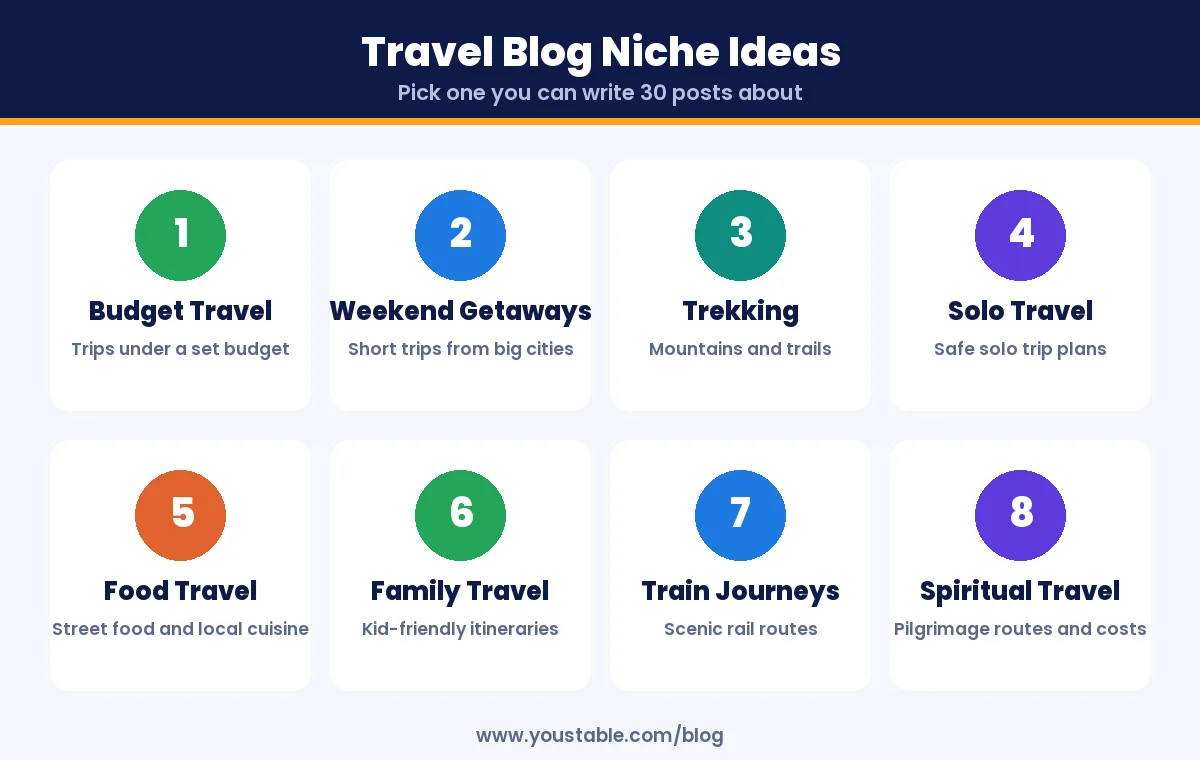
The first decision when you start a travel blog is your niche. General travel blogs compete with huge publishers. A focused niche helps you rank faster and build a loyal audience. Pick the kind of travel you genuinely do and can write about repeatedly.
| Travel Blog Niche | Example Post Ideas |
|---|---|
| Budget travel in India | 3 days in Rishikesh under ₹5,000 |
| Weekend getaways | Best weekend trips from Bengaluru by car |
| Trekking and mountains | Kedarkantha trek guide for first-timers |
| Solo and women’s travel | Safe solo trip plan for Meghalaya |
| Food travel | Street food trail in Old Delhi |
| Family travel | Kid-friendly 5-day Kerala itinerary |
| Train journeys | Most scenic train routes in South India |
| Pilgrimage and spiritual travel | Char Dham route, costs and timings |
Use these travel blog ideas as a starting point. A quick test: if you can list 30 post ideas for a niche in ten minutes, it has enough depth to build a travel blog around.
Step 2: Pick a Memorable Travel Blog Name
- Keep it short and easy to spell so people remember it after hearing it once.
- Avoid locking yourself in: a name like “Goa Diaries” becomes a problem when you start writing about Ladakh.
- Avoid numbers and hyphens: they are easy to mistype.
- Check social handles: matching names on Instagram, YouTube and Pinterest make branding consistent.
In this guide we use the example name roamwithriya, a personal, flexible name that works for any destination.
Step 3: Get a Domain Name and WordPress Hosting
To start a travel blog that loads fast and looks professional, you need two things: a domain and hosting. Your domain is your blog’s address, and hosting is where your posts and photos live. Travel blogs are image-heavy, so choose WordPress hosting with fast NVMe storage, server-level caching and a free SSL certificate. That combination keeps photo-rich pages loading quickly, which matters for both readers and search rankings.
3.1 Search for your travel blog domain name
Go to a domain registration page, type your blog name into the search box and click Search.
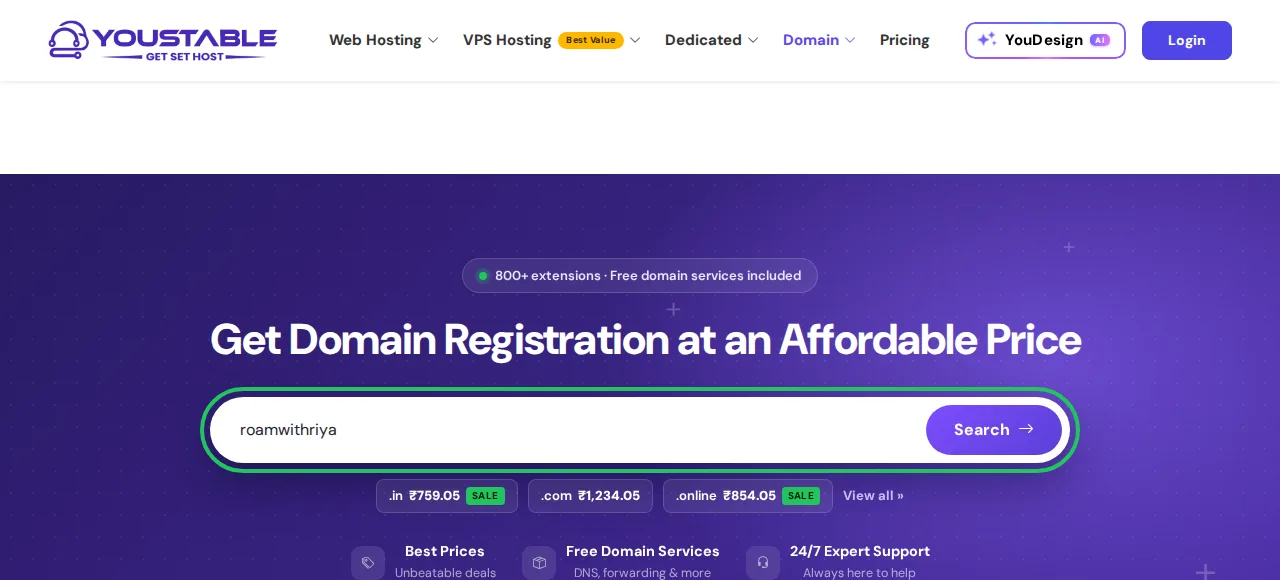
3.2 Confirm the domain is available
If your name is available, you will see a confirmation like the one below. A .com works well for an international audience, while .in signals an India focus. If your first choice is taken, try a small variation rather than adding hyphens or numbers.

You can buy the domain on its own here, but it is usually cheaper to claim it free with a hosting plan in the next step.
3.3 Choose a WordPress hosting plan
Open the WordPress hosting plans and compare them. For a new travel blog, the middle plan is a sensible choice because it includes a free domain for the first year and room for up to 25 websites if you later start a second blog.
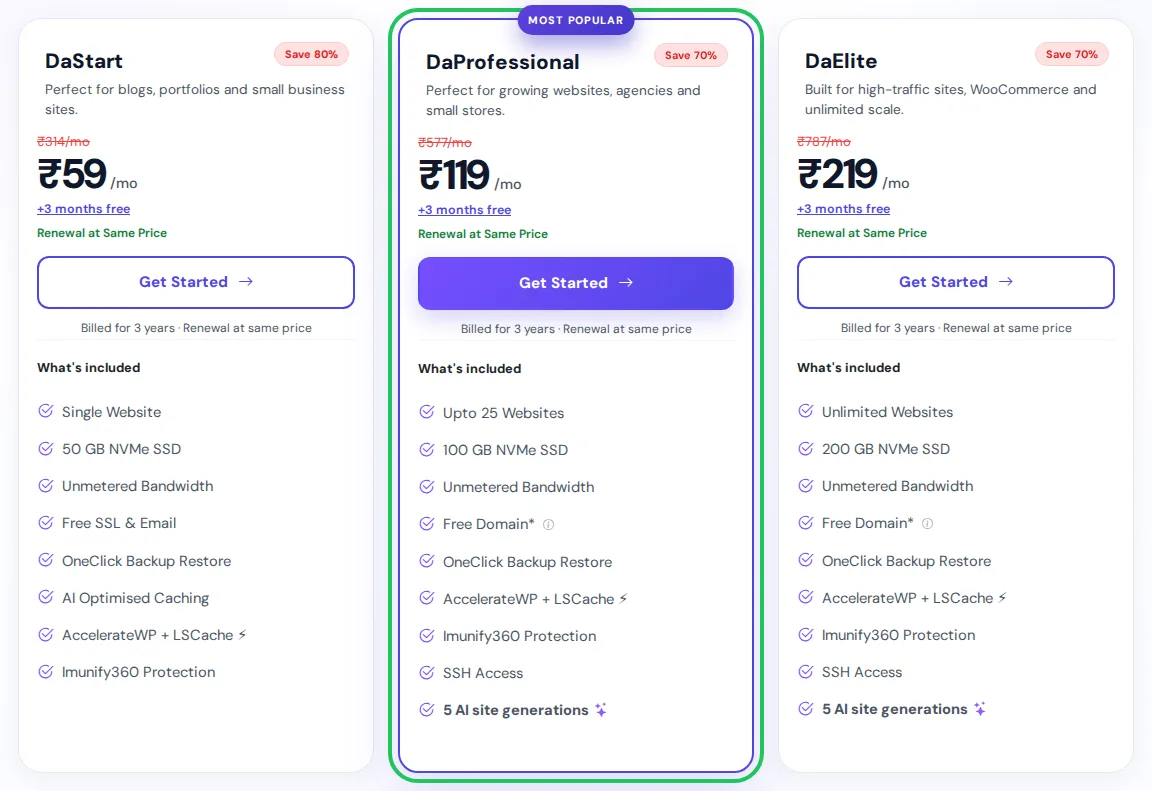
| Plan | Best For | Key Features | Price (3-year term) |
|---|---|---|---|
| DaStart | One blog, own domain already | 1 website, 50 GB NVMe, free SSL | ₹59/mo |
| DaProfessional | New travel bloggers | Up to 25 websites, 100 GB NVMe, free domain | ₹119/mo |
| DaElite | High-traffic travel sites | Unlimited websites, 200 GB NVMe, free domain | ₹219/mo |
3.4 Register your free domain with the plan
After choosing a plan, you are asked to choose a domain. Select Register a New Domain, type your blog name, pick the extension and click Check. The free domain applies to .com, .org, .in, .xyz, .cfd and .co.in. If you already own a domain, choose Use Own Domain instead.
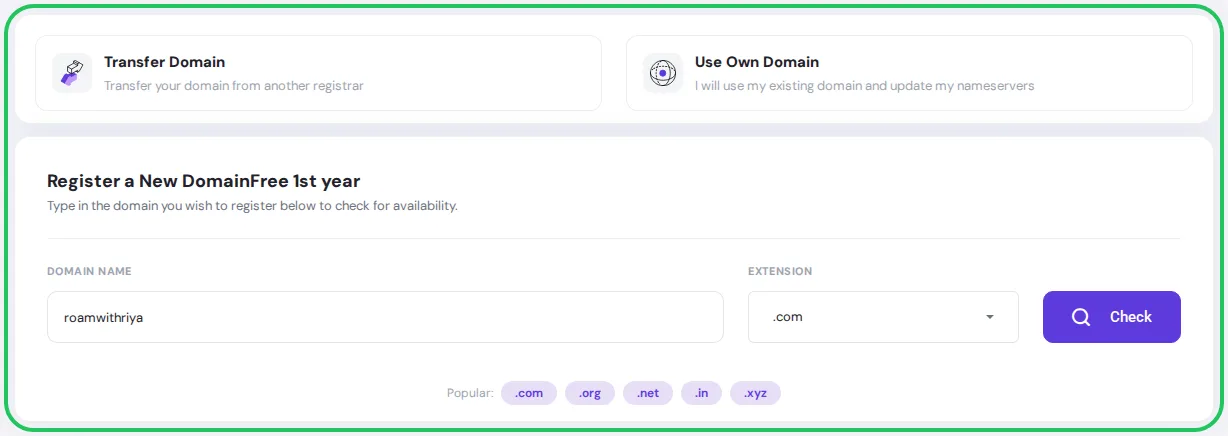
3.5 Choose your billing cycle
Next you choose how long to pay for. Longer terms cost less per month, so the 3-year term gives the lowest monthly rate. At the time of writing, the DaProfessional plan on a 3-year term came to ₹4,283.55 plus 18% GST, a total of ₹5,054.59 paid upfront for three years of hosting with the free domain.
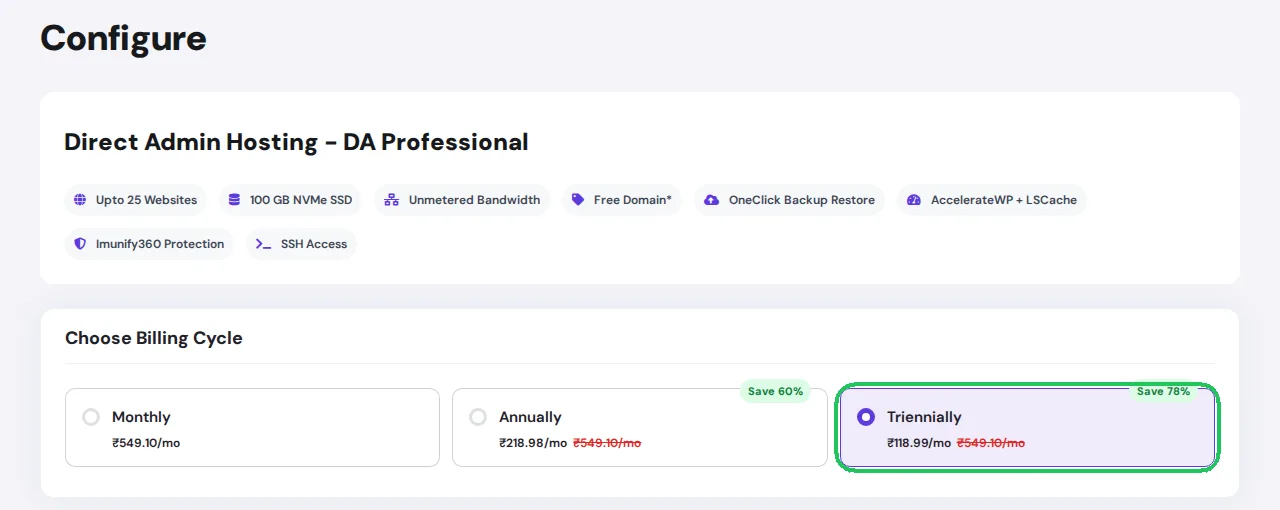
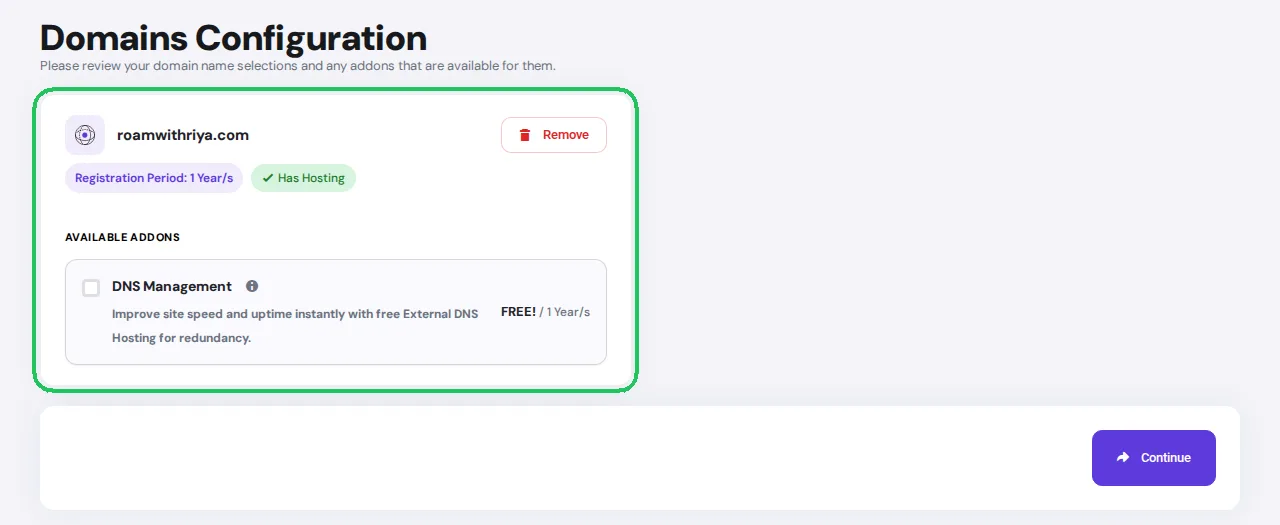
3.6 Review your domain and complete checkout
Confirm your domain on the domain configuration screen. Check that the spelling is right, then continue to checkout, create your account and pay. Your hosting account is usually ready within minutes, and login details arrive by email.
If you bought your domain somewhere else, follow our guide to connect a domain and hosting bought separately.
Step 4: Install WordPress
Log in to your hosting control panel, open the one-click app installer, choose WordPress and select your domain. Enter your blog title, an admin username that is not “admin”, a strong password and your email, then click Install. Within a minute you can log in at yourdomain.com/wp-admin.
Step 5: Configure Essential WordPress Settings
- Permalinks: set them to Post name so your URLs read like roamwithriya.com/kerala-itinerary.
- Timezone: set it to Kolkata so scheduled posts go live at the right time.
- Site title and tagline: make the tagline say what your travel blog covers.
- Delete sample content: remove the default post, page and comment.
- Check HTTPS: make sure your site opens with the padlock and https in the address.
Step 6: Choose a Fast, Photo-Friendly Theme
Travel blogs live on big photos, so pick a lightweight theme with clean layouts, wide featured images and good mobile design. Free themes such as Astra, Kadence and GeneratePress are fast and include ready-made blog designs. Avoid heavy themes packed with sliders and animations, as they slow down every page.
Step 7: Install Essential Plugins
| Purpose | Example Plugin | Why a Travel Blog Needs It |
|---|---|---|
| SEO | Rank Math | Titles, meta descriptions, sitemaps, FAQ schema |
| Speed and caching | LiteSpeed Cache | Fast pages and image optimisation on LiteSpeed servers |
| Spam protection | Akismet | Blocks spam comments |
| Contact form | WPForms or Contact Form 7 | Lets brands and readers reach you |
| Backups | UpdraftPlus | An extra copy of your posts and photos |
Keep the list short. Every extra plugin adds code to every page, and a lean travel blog loads faster on mobile data in the hills.
Step 8: Create Important Pages
- About: who you are, how you travel and why readers should trust your advice.
- Start Here: your best guides grouped by destination or trip type.
- Contact: a simple form, plus your email for collaborations.
- Privacy Policy: required once you use analytics, comments or forms. WordPress includes a starter template.
- Affiliate Disclosure: a short note explaining that you may earn a commission from some links, at no extra cost to readers.
Step 9: Optimise Your Travel Photos for Speed
Photos are the heart of a travel blog and also the biggest reason travel blogs load slowly. Most guides skip this step, but it makes a huge difference to readers and rankings:
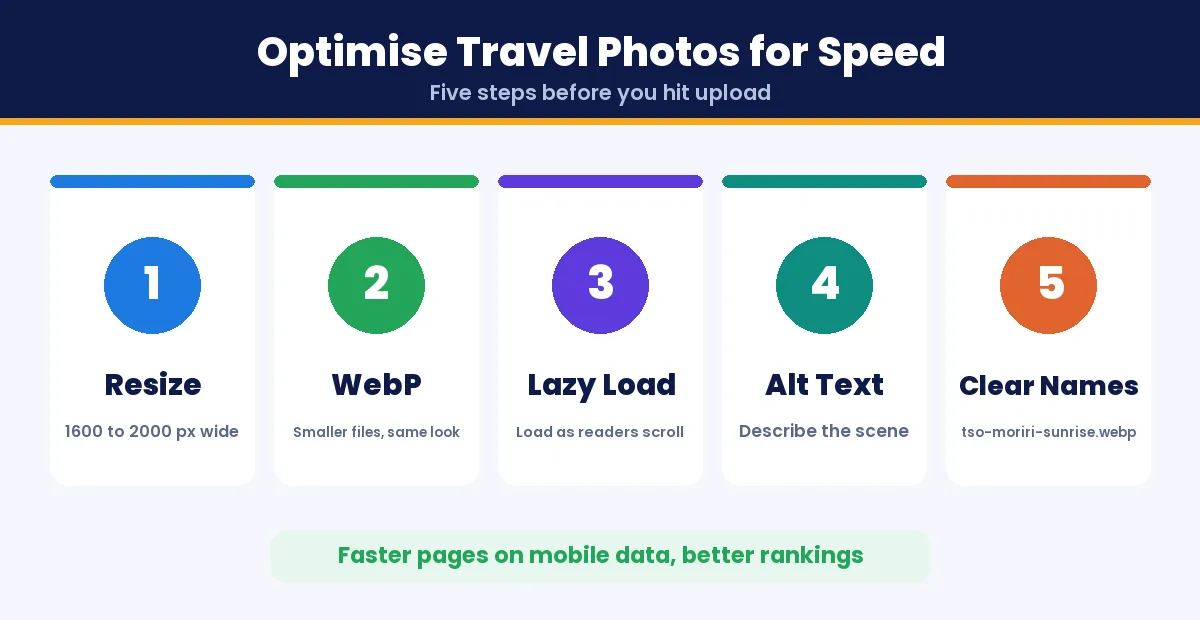
- Resize before uploading: about 1600 to 2000 pixels wide is plenty for a blog, instead of 6000-pixel camera originals.
- Use WebP: WebP images are much smaller than JPEGs at similar quality.
- Lazy load images: photos lower on the page load only when readers scroll to them.
- Write descriptive alt text: “sunrise over Tso Moriri lake in Ladakh” helps image search and accessibility.
- Name files clearly: tso-moriri-sunrise.webp instead of IMG_4821.jpg.
Step 10: Write Your First Travel Blog Posts
Start with 5 to 10 posts before you promote your travel blog. Turn your best travel blog ideas into these first posts so new visitors find enough to explore. These formats work especially well:
- Day-by-day itineraries: 3 days in Udaipur, 7 days in Sikkim.
- Budget breakdowns: exactly what a trip cost, with real numbers.
- How to reach guides: trains, flights, buses and road routes.
- Where to stay: areas and stays for different budgets.
- Best time to visit: month-by-month weather and crowds.
Include your own photos, practical details such as timings, costs and permits, and update posts when prices or rules change. Fresh, first-hand detail is what makes a travel blog stand out.
Step 11: Plan a Seasonal Content Calendar
Travel searches follow the seasons. Publish guides one to two months before people plan those trips so your posts are indexed and ranking in time:
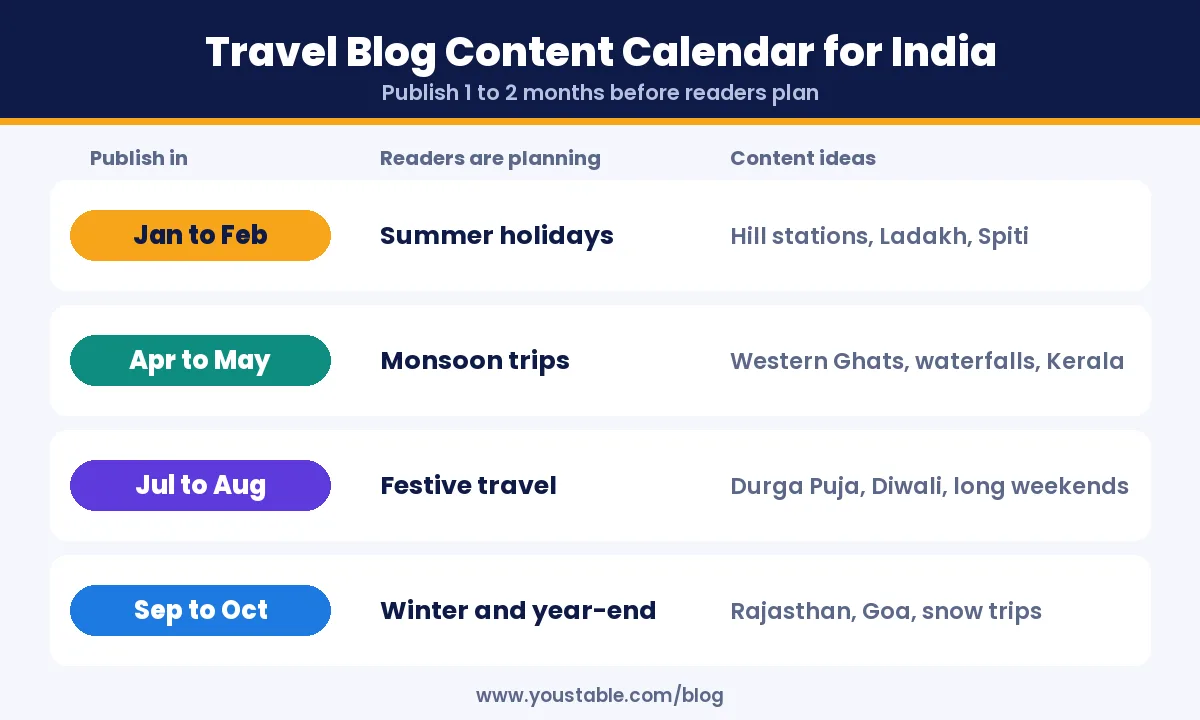
| Publish In | Readers Are Planning | Content Ideas |
|---|---|---|
| January to February | Summer holidays | Hill stations, Ladakh and Spiti road trips |
| April to May | Monsoon trips | Western Ghats, waterfalls, Kerala in the rains |
| July to August | Festive season travel | Durga Puja, Diwali getaways, long weekends |
| September to October | Winter and year-end trips | Rajasthan, Goa, beaches, snow destinations |
Step 12: Optimise Your Travel Blog for SEO
- Target specific searches: “Spiti valley itinerary 7 days” is easier to rank for than “Spiti valley”.
- Answer questions in headings: how to reach, best time to visit, cost, where to stay.
- Add FAQs: they can appear directly in search results.
- Link your posts together: connect each itinerary to related guides on the same region.
- Use large, original photos: they help your posts appear in Google Discover and image search.
- Try Web Stories: short, tappable visual stories that can surface in search and Discover.
Step 13: Promote Your Travel Blog
- Pinterest: one of the best traffic sources for travel blogs, because travel pins keep getting saved for months.
- Instagram and YouTube Shorts: short videos from your trips that point back to the full guide.
- Email newsletter: start collecting emails from day one with a free checklist or itinerary.
- Travel communities: answer questions in forums and groups, and share your guide only where it genuinely helps.
Step 14: Make Money From a Travel Blog
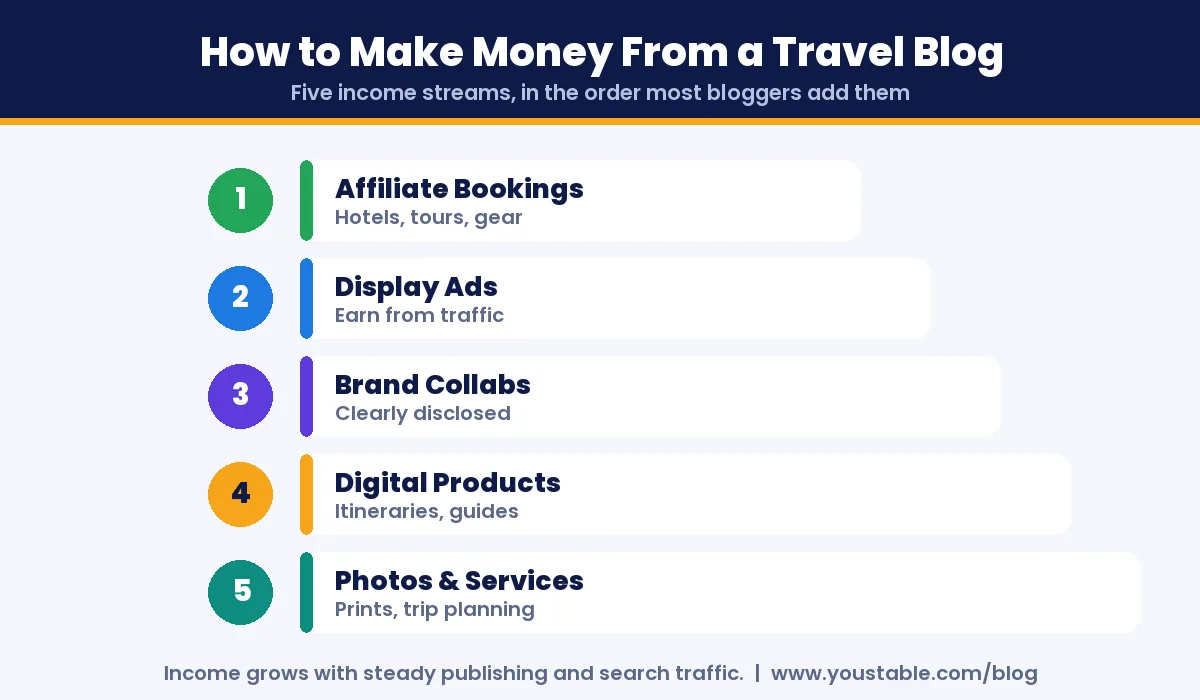
- Affiliate bookings: earn a commission when readers book hotels, tours or travel gear through your links.
- Display ads: ad networks pay based on traffic once your blog grows.
- Brand and tourism collaborations: sponsored trips and hotel reviews, always clearly disclosed.
- Digital products: printable itineraries, packing lists and destination ebooks.
- Photography and services: sell photos or offer trip-planning help.
If you want to make money from a travel blog, be patient: most travel blogs earn little in the first few months. Income usually follows steady publishing and growing search traffic, so focus on useful content first.
Step 15: Protect Your Travel Blog With Backups and Security
Your travel blog will hold years of photos and stories, so protect it from the start:
- Turn on automatic backups and keep at least one copy off the server.
- Use strong, unique passwords and two-factor authentication for your admin account.
- Update WordPress, themes and plugins regularly.
- Use public Wi-Fi carefully: avoid logging in to your dashboard on unsecured hotel or cafe networks without protection.
Good hosting helps here too: plans with one-click backup restore and server-level malware protection save you when something goes wrong while you are on the road.
Common Mistakes When You Start a Travel Blog
- Writing a diary instead of a guide: readers want answers, not just your memories.
- Uploading huge photos: unoptimised images make pages slow on mobile.
- Being too broad: “travel” alone is hard to rank for, while a clear niche is not.
- Posting irregularly: a steady schedule beats bursts of activity.
- Ignoring old posts: outdated prices and timings lose trust and rankings.
- Relying only on social media: build search traffic and an email list you control.
Want ideas for other blog types? See our guides on how to start a photography blog and how to start a book blog.
FAQs
How do I start a travel blog with no experience?
Pick a travel niche you know, register a domain, get WordPress hosting, install WordPress and publish five to ten genuinely useful guides. You do not need technical or writing experience, only consistency and first-hand detail.
How much does it cost to start a travel blog in India?
You can start a self-hosted travel blog for a few hundred rupees a month. WordPress hosting starts from ₹119 per month on a 3-year term including a free domain for the first year, while WordPress itself, a basic theme and essential plugins are free.
Can I start a travel blog for free?
Free blogging platforms exist, but they limit your design, show their own branding and make it hard to earn money. A self-hosted WordPress blog on your own domain looks more professional and gives you full control.
Do travel bloggers make money?
Yes. Travel bloggers earn through affiliate bookings, display ads, brand collaborations and digital products. Income usually takes several months to build and grows with search traffic.
What should I write about on my travel blog?
Start with itineraries, budget breakdowns, how to reach guides, where to stay and best time to visit posts for places you know well. These answer the questions travellers search for most.
How often should I post on a travel blog?
One or two detailed posts a week is a strong pace for a new travel blog. Consistency matters more than volume, and updating older posts counts as well.
Conclusion
Now you know how to start a travel blog step by step: choose a focused niche, pick a flexible name, set up your domain and WordPress hosting, keep your photos fast, publish practical guides on a seasonal calendar and protect your work with backups. The setup takes an afternoon; the results come from showing up week after week with genuinely useful travel advice.
Your first trip guide is the hardest one to publish. Get your domain and hosting sorted today, write about a place you know well, and let your travel blog grow one helpful post at a time.