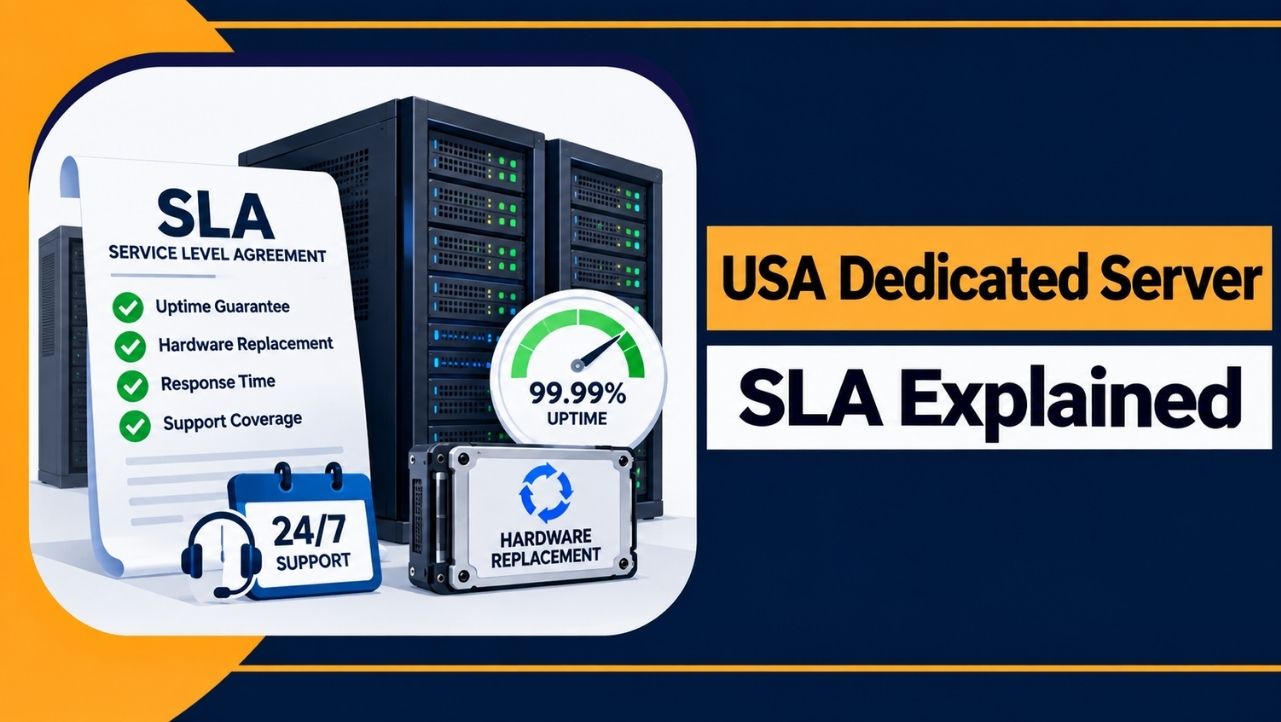
A USA dedicated server SLA defines the service level a hosting provider promises to maintain.
It also explains what happens if the provider fails to meet those promises.
An SLA should clearly state the uptime guarantee, how uptime is measured, what counts as downtime and what compensation is available.
What a USA Dedicated Server SLA Actually Means
SLA full form is Service Level Agreement.
It is a written part of the hosting contract that defines the service level the provider must maintain and the compensation available if the provider does not meet the agreed terms.
An SLA is part of the hosting agreement, not just a marketing statement. Its terms apply when the provider fails to meet the promised service level.
A dedicated server SLA should clearly define four things:
- The guaranteed uptime percentage
- How uptime is measured
- What counts as downtime
- What compensation is available
If the provider fails to meet the SLA requirements, the customer may qualify for a remedy. This is usually a service credit applied to the hosting bill rather than cash compensation for lost sales.
The uptime percentage is only one part of the SLA. The exact terms depend on how the provider defines and measures uptime.
What Those Uptime Percentages Really Mean
Hosting providers offer different uptime guarantees, such as 99.9%, 99.99%, or 99.999%. These percentages may look similar, but they allow very different amounts of downtime.
| Uptime SLA | Tier | Max downtime per year | Max downtime per month |
| 99.9% | Three nines | 8 hours 46 minutes | About 43 minutes |
| 99.99% | Four nines | 52 minutes 36 seconds | About 4 minutes 23 seconds |
| 99.999% | Five nines | 5 minutes 16 seconds | About 26 seconds |
Each additional nine reduces the allowed downtime by roughly ten times. Moving from 99.9% to 99.99% requires a significant increase in engineering and cost.
Note: A single, non-redundant dedicated server can realistically operate around 99.9% uptime. A 99.99% uptime guarantee on one standalone server should be reviewed carefully.
The uptime percentage is only useful when you know what it measures. This is where SLA terms can limit the actual coverage.
What Uptime Actually Covers
The uptime percentage does not always cover the entire server being reachable. Many providers define uptime more narrowly.
Check the uptime definition carefully.
Providers often guarantee network and power availability at the data-center level. This means their routers, switches, and power systems must remain available.
Some providers also guarantee server availability or data-center availability, which provides broader coverage. Ping-based checks are commonly used to measure uptime.
However, your operating system crash, application failure, or incorrect configuration usually does not count as provider downtime.
Planned and emergency maintenance are also commonly excluded from downtime calculations.
| Please Remember: A high uptime percentage that only covers the network does not guarantee that your actual server will remain online. The guarantee should match the service layer your business depends on. |
Uptime covers the connection, while the physical server is covered by a separate guarantee. This guarantee applies when the server hardware fails.
Hardware Replacement Guarantees Explained
A dedicated server is a physical machine. Drives, memory, power supplies, and motherboards can fail. A hardware replacement guarantee defines how quickly the provider will replace a failed component.
- Some providers offer 2-hour hardware replacement, while 4-hour replacement terms are also common in the United States market.
- Some providers can complete hardware replacements in 30 to 60 minutes when spare parts are available on-site.
Check when the replacement time starts. Most contracts start counting when the provider identifies the hardware failure, not when the support ticket is submitted.
The guarantee usually covers the CPU, memory, disks, motherboard, and network card. It typically does not cover RAID array rebuilds, operating system reloads, or data restoration from backups.
| Tip: Ask for the hardware replacement time in writing and confirm that it applies 24/7. A 2-hour guarantee has limited value if it only applies during business hours. |
Hardware replacement time and support response time are separate. They should not be treated with the same guarantee.
Response Time vs Resolution Time
24/7 support means the provider offers support at any time. Check what the support SLA covers and how quickly the provider must respond.
Response time is how quickly a support representative acknowledges your issue. Resolution time is how quickly the issue is actually fixed.
These are different measurements.
A one-hour response guarantee means someone responds to your ticket within one hour. Your server may still remain offline while the provider works on the issue or obtains replacement parts.
SLA-backed support connects these response times to the hosting contract. If the provider misses the agreed response time, it may trigger a service credit.
If the provider misses these guarantees, the next important detail is the compensation provided under the SLA.
What You Get When the SLA Is Broken
SLA compensation does not usually cover revenue lost because of downtime.
The standard remedy is a service credit, which is deducted from a future invoice. Common structures provide credits equal to three to ten times the excess downtime.
Service credits usually have a maximum limit. A common cap is 50% to 100% of the monthly server fee.
Compensation is usually not automatic. You must submit a claim within a specific period, often 5 to 30 days after the incident.
Use third-party monitoring logs from services such as UptimeRobot or Pingdom to support your claim. Timestamped external monitoring provides evidence of the downtime.
| Disclaimer: Most hosting SLAs limit compensation to the service fee. They usually do not cover lost sales, lost customers, or reputation damage. Backups and redundancy should be planned separately. |
SLA exclusions can prevent compensation even when the advertised uptime guarantee appears strong.
SLA Exclusions You Must Read
An SLA is also defined by its exclusions. These exclusions can limit the coverage provided by the uptime guarantee.
Common exclusions in USA dedicated server contracts include:
- Scheduled maintenance: Planned maintenance announced by the provider usually does not count as downtime.
- Customer-caused issues: Problems caused by your code, operating system, or configuration are usually excluded.
- DDoS and malicious attacks: Providers may respond to these incidents, but they usually do not provide a fixed resolution time.
- Force majeure: Natural disasters, war, and other events outside the provider’s control are usually excluded.
- Billing suspension: Unpaid invoices can cancel SLA protection.
Check where the provider’s responsibility ends and where the customer’s responsibility begins. This determines whether the provider is responsible when an issue occurs.
How to Compare USA Dedicated Server SLAs Before You Buy
Two providers can offer the same uptime percentage but provide different levels of protection. The SLA terms determine the actual coverage.
Check the following points before buying:
- Downtime definition: Does it cover your server or only network availability?
- Measurement method: Check ping tests, monitoring intervals, and who maintains the monitoring logs.
- Hardware terms: Check covered components, replacement time, and 24/7 coverage.
- 100% network uptime claims: Check how the service credit is calculated.
- Compensation: Check the credit multiplier, maximum limit, and claim deadline.
- Exclusions: Check how broad the exclusions are and what they remove from the SLA coverage.
A clearly written 99.9% SLA can provide better protection than a vague 99.99% SLA with extensive exclusions.
FAQs
What does a dedicated server SLA guarantee?
It defines a specific uptime level, a hardware replacement time, and service credits if the provider fails to meet these terms. It covers service quality, not lost revenue.
Is 99.9% or 99.99% uptime better for a dedicated server?
For a single standalone server, a clearly defined 99.9% guarantee can be more realistic. A 99.99% guarantee on a single non-redundant server may be difficult to achieve.
How fast should failed hardware be replaced?
A 2-hour hardware replacement time or faster is recommended, with 24/7 coverage. Premium USA providers may replace failed parts within 30 to 60 minutes.
Does the SLA pay for lost business?
No. SLA remedies are usually limited to service credits, often capped near the monthly service fee. Backups and redundancy are needed to protect against lost sales.
When does the hardware replacement clock start?
A: It usually starts when the provider identifies the hardware failure, not when the support ticket is submitted. Confirm the exact start time in the SLA.
Are SLA credits paid automatically?
Usually not. A claim must be submitted within the stated period, along with monitoring evidence when required.
Conclusion
A USA dedicated server SLA defines the uptime guarantee, hardware replacement terms, exclusions, and available service credits.
Before purchasing, review the provider’s SLA and check each term carefully.
Choose a provider whose written guarantees match your required uptime and hardware protection. Keep separate backups to protect your data and service.