Running a Windows VPS gives you full control over your server, but with that control also comes responsibility. A VPS server connected to the internet can become a target for cyber threats if it is not properly secured. Attackers often scan servers looking for weak passwords, open ports, outdated software, or misconfigured settings.
Many businesses and developers in India use Windows VPS servers to host websites, run applications, manage databases, or create remote desktop environments. Because these servers handle important data and services, security should always be a priority.
The good news is that securing a Windows VPS does not always require complex configurations. By following a few essential security practices, you can significantly reduce the risk of unauthorized access, malware infections, and server misuse.
Below are ten practical tips that help keep your Windows VPS secure and stable.
What Is a Windows VPS?
A Windows VPS (Virtual Private Server) is a virtual machine created on a physical server using virtualization technology. Each VPS receives its own dedicated resources such as CPU cores, RAM, storage, and bandwidth.
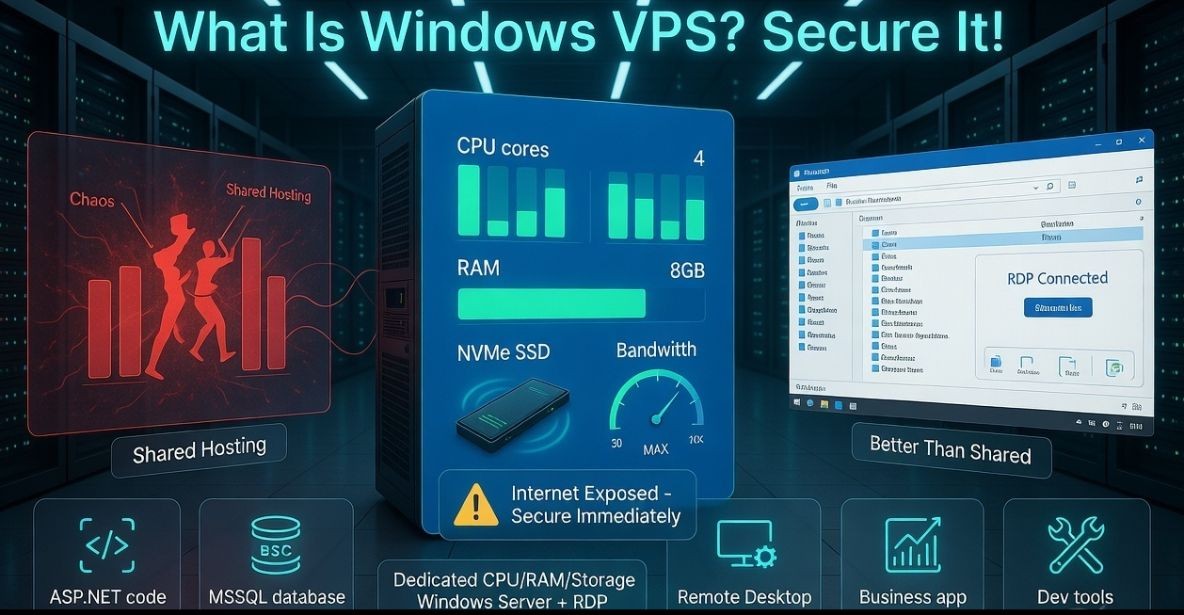
Unlike shared hosting, where multiple websites share the same environment, a VPS operates as an independent server. When the server runs the Microsoft Windows Server operating system, it is called a Windows VPS.
Users typically access their Windows VPS through Remote Desktop Protocol (RDP), which allows them to control the server remotely just like a normal Windows computer.
Windows VPS servers are widely used for:
- Hosting ASP.NET websites
- Running Microsoft SQL Server databases
- Remote desktop work environments
- Business applications
- Development and testing
Because VPS servers are accessible through the internet, they must be secured properly to prevent unauthorized access.
Why Windows VPS Security Is Important
A poorly secured server can expose sensitive information, disrupt services, or even allow attackers to use your server for malicious activities.
Some common threats targeting VPS servers include:
- Brute force login attempts
- Malware infections
- Unauthorized remote access
- Data theft
- Resource abuse by attackers
Taking basic security precautions can prevent many of these problems and keep your server environment stable.
1. Use Strong Administrator Passwords
Weak passwords are one of the most common causes of server breaches. Attackers often use automated tools that try thousands of password combinations in an attempt to gain access.
To protect your server, always create a strong administrator password.
A secure password should:
- Contain uppercase and lowercase letters
- Include numbers and special characters
- Be at least 12 characters long
- Avoid common words or predictable patterns
Using a password manager can also help generate and store complex passwords securely.
2. Change the Default RDP Port
By default, Windows Remote Desktop uses port 3389. Because this port is widely known, attackers frequently target it when scanning servers.
Changing the default RDP port can reduce the number of automated attack attempts.
After changing the port, users will need to specify the new port number when connecting through Remote Desktop. This small adjustment adds an extra layer of protection.
3. Enable and Configure Windows Firewall
Windows Firewall is an essential security feature that helps control incoming and outgoing network traffic.
A properly configured firewall should:
- Allow only necessary ports
- Block unknown connections
- Restrict suspicious network activity
For example, if your server only needs RDP access and web hosting ports, you can limit access to those specific ports while blocking everything else.
4. Install Windows Updates Regularly
Operating system updates often contain security patches that fix vulnerabilities discovered by developers.
If a server runs outdated software, attackers may exploit these vulnerabilities to gain access.
Regularly installing updates for:
- Windows Server
- Security patches
- Installed applications
helps keep your server protected against known security risks.
5. Disable Unnecessary Services
Every running service on a server creates a potential entry point for attackers. If a service is not required, it should be disabled.
Examples of services that may not be necessary include:
- Unused network services
- Default applications that are not required
- Legacy system components
Reducing the number of active services decreases the server’s attack surface.
6. Enable Two Factor Authentication (2FA)
Two factor authentication adds an additional layer of security beyond passwords.
With 2FA enabled, users must provide a second verification step when logging in. This may include:
- Authentication apps
- One time verification codes
- Security tokens
Even if someone obtains the server password, they will not be able to access the server without the second authentication factor.
7. Restrict RDP Access by IP Address
If you always access your VPS from a fixed location, you can restrict RDP access to specific IP addresses.
This means only approved IP addresses can connect to the server through Remote Desktop.
This method significantly reduces unauthorized login attempts because attackers cannot connect unless their IP address is allowed.
8. Install Antivirus and Malware Protection
Malware can enter servers through uploaded files, compromised websites, or insecure applications.
Installing antivirus or malware protection software helps detect and remove suspicious files before they cause damage.
Windows Defender, which is included with Windows Server, provides basic malware protection and can be combined with additional security tools for better protection.
9. Create Regular Server Backups
Even with strong security practices, unexpected issues can occur. Hardware failures, software errors, or cyber attacks may lead to data loss.
Regular backups allow you to restore your server quickly if something goes wrong.
A good backup strategy includes:
- Automatic daily or weekly backups
- Storing backups in a separate location
- Periodically testing backup restoration
Backups are essential for maintaining business continuity.
10. Monitor Server Activity and Logs
Monitoring server logs helps identify unusual activity before it becomes a serious issue.
Administrators should regularly review:
- Login attempts
- System error logs
- Network activity
- Resource usage
Early detection of suspicious behavior allows you to respond quickly and prevent further damage.
Choose a Reliable Windows VPS Provider
Server security also depends on the quality of the hosting infrastructure. Reliable hosting providers invest in secure data centers, network monitoring, and DDoS protection.
When choosing a Windows VPS provider, look for features such as:
- NVMe SSD storage
- Secure data center infrastructure
- DDoS protection
- Stable network connectivity
- Technical support availability
Many developers and businesses prefer YouStable Windows VPS hosting because it provides stable infrastructure, secure environments, and optimized servers designed for Windows based workloads.
Best Practices for Long Term VPS Security
In addition to the security tips above, maintaining long term server security requires continuous monitoring and good management practices.
Some recommended practices include:
- Creating separate user accounts instead of using the administrator account for daily tasks
- Limiting access privileges for users
- Monitoring server performance regularly
- Keeping software updated
- Storing backups securely
These practices help maintain a secure and reliable server environment.
FAQs
Is Windows VPS secure?
Yes, a Windows VPS can be secure when configured properly with strong passwords, firewalls, updates, and monitoring.
What is the most common security risk for VPS servers?
Weak passwords and exposed remote access ports are among the most common security risks.
Do hosting providers secure VPS servers automatically?
Hosting providers secure the physical infrastructure, but server level security settings must be managed by the VPS user.
Can a Windows VPS be hacked?
Any internet connected server can be targeted, but proper security configuration significantly reduces the risk.
Conclusion
A Windows VPS provides powerful hosting capabilities, but it must be protected with proper security measures. Simple steps such as using strong passwords, enabling firewalls, installing updates, and monitoring server activity can significantly improve server protection.
By following these ten essential security tips, VPS users can reduce the risk of cyber threats and maintain a stable hosting environment. Combining these practices with a reliable hosting provider such as YouStable Windows VPS Server helps ensure that your server remains secure, reliable, and ready to support modern applications and websites.