

When businesses move to a Windows VPS, they often focus on CPU cores, RAM, and bandwidth. Storage type is just as important. The kind of SSD used inside a server directly affects loading speed, application response time, and overall server stability.
Many hosting providers offer two storage options for VPS servers: NVMe SSD and regular SATA SSD. Both are faster than traditional hard drives, but their performance difference can significantly impact how smoothly your websites, databases, and applications operate. Understanding this difference helps businesses choose the right VPS environment for reliable performance.
What Is Windows VPS Hosting?
A Windows VPS (Virtual Private Server) is a virtual server that runs on a physical machine but operates independently with its own dedicated resources.
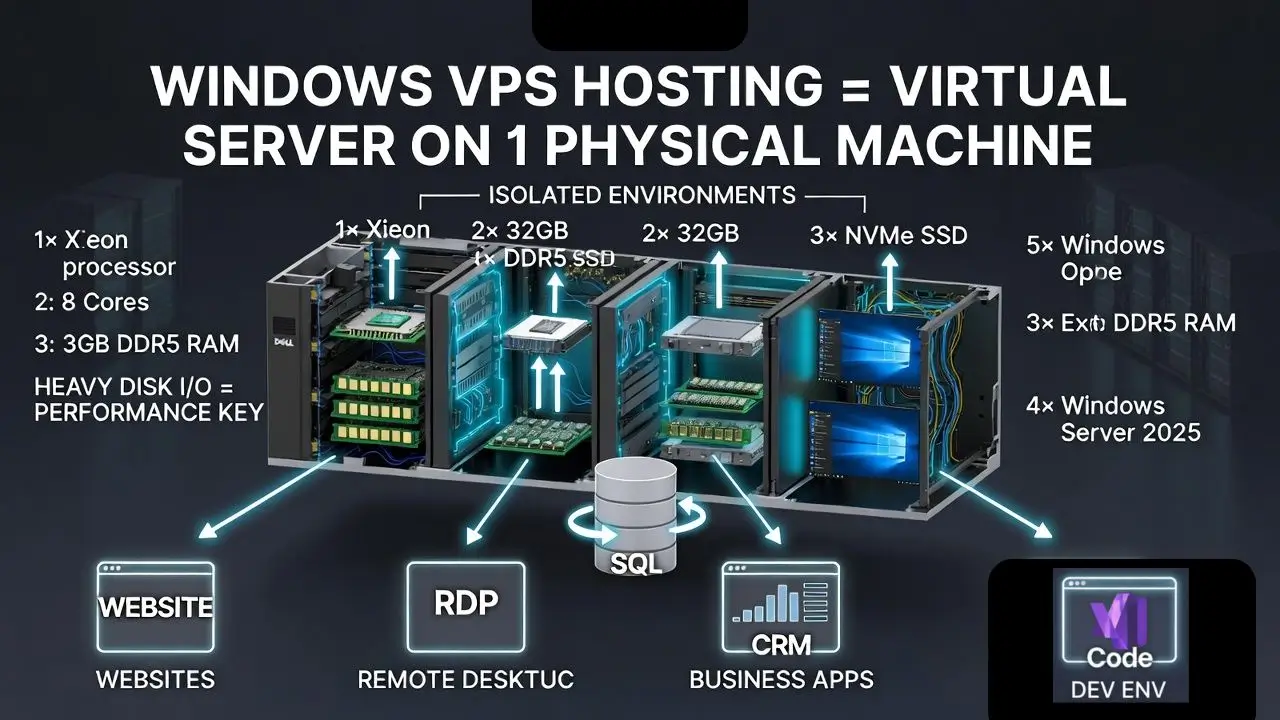
It uses virtualization technology to divide a powerful server into multiple isolated environments.
Each VPS typically includes:
- Dedicated CPU resources
- Allocated RAM
- Storage space
- Its own operating system
A Windows VPS runs Windows Server, which makes it ideal for users who rely on Microsoft technologies.
Common uses include:
- Hosting websites and web applications
- Running business software
- Remote desktop access using RDP
- Software development environments
- Database servers
Since these workloads rely heavily on disk input and output operations, the type of storage used inside the VPS plays a major role in overall performance.
What Is a Regular SSD (SATA SSD)?
A regular SSD usually refers to a SATA SSD. These drives replaced traditional hard disk drives (HDDs) in many servers because they provide much faster performance and improved reliability.
SATA SSDs connect to servers using the SATA (Serial ATA) interface, which was originally designed for hard drives. Although SSD technology improved speed dramatically compared to HDDs, the SATA interface itself limits how fast data can move.
Typical SATA SSD characteristics include:
- Average read speeds around 500–600 MB per second
- Faster boot times than HDDs
- Lower power consumption
- Reliable performance for general workloads
Because they are more affordable, many VPS hosting providers still offer SATA SSD storage in entry level plans.
What Is NVMe SSD?
NVMe SSD stands for Non Volatile Memory Express, a storage protocol created specifically for modern flash storage devices. Instead of using the older SATA interface, NVMe drives connect through PCIe (Peripheral Component Interconnect Express) lanes directly to the server’s motherboard.
This direct connection removes many of the limitations that affect SATA SSDs.
Typical NVMe SSD characteristics include:
- Read speeds between 3000 and 7000 MB per second
- Significantly lower latency
- Ability to process thousands of parallel commands
- Much faster response time for server workloads
Because of these advantages, many modern data centers now use NVMe storage in high-performance VPS and cloud servers.
NVMe SSD vs Regular SSD: Key Differences
| Feature | NVMe SSD | Regular SSD (SATA) |
| Interface | PCIe | SATA |
| Typical Speed | 3000–7000 MB/s | 500–600 MB/s |
| Latency | Very low | Higher than NVMe |
| Parallel Processing | High | Limited |
| Performance for VPS workloads | Excellent | Good |
The most noticeable difference is data transfer speed. NVMe drives can process data several times faster than SATA SSDs, which helps servers handle heavy workloads more efficiently.
How Storage Type Affects Windows VPS Performance
Storage speed affects many everyday server tasks. Even if a VPS has powerful CPU and RAM resources, slow storage can create performance bottlenecks.
Here are a few areas where storage speed matters:
- Application Startup: Business applications hosted on a Windows VPS load faster when stored on NVMe drives.
- Database Performance: Databases frequently read and write large amounts of data. Faster storage improves query processing and reduces delays.
- File Transfers: Uploading or downloading files, backups, and media content becomes significantly faster with NVMe storage.
- Server Boot Time: Windows Server installations boot more quickly when the operating system runs on NVMe storage.
- Multitasking Workloads: When multiple applications run at the same time, NVMe drives handle high input/output operations more efficiently than SATA SSDs.
Why NVMe SSD Matters for Your Business
For many businesses, faster storage translates directly into better performance and user experience.
Benefits of NVMe storage include:
- Faster Website Loading: Websites hosted on NVMe powered servers often load faster because data retrieval happens more quickly.
- Improved Application Performance: Business tools, CRM systems, and web apps respond faster with low latency storage.
- Better Handling of Traffic: NVMe drives manage high numbers of requests without slowing down the server.
- Faster Backup and Data Processing: Large data backups and file processing tasks complete more quickly on NVMe storage.
These improvements help businesses maintain reliable digital services and better customer experiences.
When a Regular SSD Windows VPS Is Still Enough
Although NVMe storage provides higher performance, regular SSD VPS plans are still suitable for many situations.
SATA SSD VPS may work well for:
- Small personal websites
- Low traffic blogs
- Development or testing environments
- Lightweight business applications
- Small portfolio sites
In these cases, the performance difference may not be noticeable enough to justify higher costs.
When You Should Choose an NVMe Windows VPS
Certain workloads benefit significantly from NVMe storage.
NVMe Windows VPS is usually the better choice for:
- High traffic websites
- Online stores with many transactions
- Database driven applications
- Remote desktop workstations
- Software development platforms
- Data intensive business tools
These environments frequently perform large numbers of read and write operations, which NVMe drives handle much more efficiently.
Cost Difference: NVMe VPS vs SATA SSD VPS
NVMe based VPS servers often cost slightly more than SATA SSD plans. The price difference mainly comes from:
- Higher performance hardware
- Faster storage infrastructure
- Improved data center technology
However, the increased performance can justify the cost for businesses that rely heavily on server speed and reliability.
Real Performance Example
Consider a scenario where two VPS servers run the same website and database application.
A SATA SSD VPS may load the website in about 1.5 to 2 seconds, depending on server configuration.
The same application on an NVMe VPS could reduce loading time significantly because data requests are processed faster. Database queries and file operations also complete more quickly.
This difference becomes even more noticeable when multiple users access the server at the same time.
How to Choose the Right Storage for Your VPS
Choosing the right storage for your VPS is important because storage speed directly affects how fast your website, applications, and databases work. When you are selecting a Windows VPS hosting in India, it helps to first think about how you will actually use the server. A few simple questions can help you decide whether standard SSD storage is enough or if faster NVMe storage will provide better performance.
Before choosing your VPS storage, consider these points:
- Expected website traffic – If your website receives many visitors, faster storage helps handle requests smoothly.
- Type of applications – Data heavy applications or software tools usually perform better with faster storage.
- Database usage – Websites that rely on databases benefit from quicker read and write speeds.
- Budget – SATA SSD plans are more affordable, while NVMe storage offers higher performance.
- Future growth – If you expect your platform to grow, choosing faster storage now can support future workloads.
For businesses planning long term growth or running data intensive platforms, NVMe storage often becomes the better choice because it provides faster data access and improved performance under heavy workloads.
Is NVMe SSD better than SATA SSD for Windows VPS?
Yes, NVMe SSD is generally better for Windows VPS environments because it offers much faster read and write speeds, lower latency, and better handling of heavy workloads. This helps websites, applications, and databases run more smoothly compared to SATA SSD storage.
Does NVMe storage improve VPS performance?
NVMe storage can significantly improve VPS performance. Faster data transfer speeds allow applications to load quicker, databases to process queries faster, and servers to handle multiple tasks more efficiently.
When is SATA SSD enough for a Windows VPS?
SATA SSD storage can still work well for smaller projects such as personal websites, low traffic blogs, testing environments, or lightweight applications where extremely high performance is not required.
Why do many modern VPS providers use NVMe SSD?
Many modern VPS providers use NVMe SSD because it delivers higher speed, lower latency, and better performance for data intensive workloads. This makes NVMe storage ideal for high traffic websites, business applications, and database driven platforms.
Conclusion
Both SATA SSD and NVMe SSD storage provide faster performance than traditional hard drives. However, NVMe technology offers significantly higher speeds, lower latency, and better handling of intensive server workloads.
For businesses running modern websites, applications, and databases on a Windows VPS, NVMe storage can improve responsiveness, reduce delays, and support higher levels of traffic.
While SATA SSD plans remain suitable for smaller projects, NVMe based VPS servers are generally the stronger option for demanding business environments.




