Your Laravel application may work smoothly during development, but production servers create completely different challenges. Slow loading speeds, failed queues, downtime, security risks, and unstable performance usually appear when the server environment is configured incorrectly for real traffic.
So, what actually keeps a Laravel production server fast, secure, and stable under growing workloads? Proper VPS optimization, Redis caching, HTTPS security, queue workers, database tuning, and monitoring systems all work together to maintain reliable application performance continuously.
You will learn how to configure a secure Laravel production environment properly using practical VPS hosting methods. From server setup and Laravel optimization to scaling, caching, security hardening, and performance management, every important step is explained clearly and simply.
What Is a Laravel Production Environment?
A Laravel production environment is the live server setup where real users access your application. Unlike local development environments, production servers prioritize:
- Security
- Stability
- Performance
- Scalability
- Monitoring
- Reliability
In development mode, Laravel enables debugging tools, detailed error reporting, and flexible configurations for developers. In production, these settings must be optimized and secured to prevent vulnerabilities and performance bottlenecks.
A properly configured production server typically includes:
| Component | Purpose |
| Nginx or Apache | Web server |
| PHP-FPM | PHP processing |
| MySQL or MariaDB | Database management |
| Redis | Caching and queue handling |
| Supervisor | Queue worker management |
| SSL Certificates | Secure HTTPS encryption |
| Firewall | Server security |
| Monitoring Tools | Performance tracking |
Why VPS Hosting Is Best for Laravel Applications
Laravel applications perform far better on VPS hosting because VPS servers provide dedicated resources, stronger security, and complete configuration control.
Unlike shared hosting, where multiple websites compete for the same CPU, RAM, and storage resources, VPS hosting gives Laravel applications a more stable and optimized environment for handling production traffic, database operations, caching, and background processes efficiently.
1. Full Root Access
VPS hosting gives developers complete server level control, which is extremely important for configuring Laravel production environments properly.
VPS Hosting Allows Full Control Over
- PHP versions and extensions
- Redis installation
- Queue workers and Supervisor
- Firewall configuration
- OPcache optimization
- Nginx and database tuning
- Custom server security settings
This flexibility helps developers optimize Laravel applications for better speed, stability, and scalability.
2. Better Performance
Shared hosting environments often slow down Laravel applications because resources are shared among many users. VPS hosting provides isolated resources, resulting in more stable performance under production workloads.
Performance Benefits of VPS Hosting
- Faster response times
- Improved database performance
- Better concurrent request handling
- Lower server latency
- Stable performance during traffic spikes
| Hosting Type | Resource Availability | Performance Quality |
| Shared Hosting | Shared resources | Moderate |
| VPS Hosting | Dedicated resources | High |
| Dedicated Server | Fully isolated hardware | Enterprise Level |
3. Improved Security
Laravel applications frequently store important business and customer information, making server security a critical factor.
Laravel Applications Commonly Store
- User accounts
- API credentials
- Payment information
- Business databases
- Customer records
A VPS environment offers stronger isolation, custom firewall configuration, secure SSH access, and advanced security hardening compared to shared hosting platforms.
4. Easier Scalability
As application traffic grows, VPS hosting makes scaling much easier without requiring major infrastructure changes.
VPS Scaling Features
- RAM upgrades
- CPU scaling
- NVMe storage expansion
- Dedicated Redis servers
- Load balancing
- Multiple application servers
This makes VPS hosting ideal for:
- SaaS platforms
- eCommerce websites
- Business applications
- High traffic APIs
- Membership platforms
5. Why YouStable VPS Hosting Works Well for Laravel
Choosing the right VPS provider plays a major role in Laravel production performance and reliability. Platforms like YouStable provide several features that work particularly well for Laravel hosting environments.
Important Features for Laravel Hosting
- NVMe SSD storage
- Full root access
- Scalable VPS plans
- Fast server performance
- DDoS protection
- Multiple data center options
- Affordable long term pricing
These features help Laravel applications maintain strong performance, better uptime stability, and reliable scalability under production workloads.
Minimum Server Requirements for Laravel in 2026
Laravel continues evolving alongside modern PHP technologies, so using updated server software and a stable operating system is essential for security, compatibility, and long term performance.
A properly configured Laravel server helps improve application speed, database efficiency, queue processing, caching performance, and overall production stability. Choosing the right operating system also simplifies package management, server maintenance, and future upgrades.
Recommended Operating Systems
The following Linux distributions are considered the most reliable choices for Laravel production hosting:
- Ubuntu 24.04 LTS
- Ubuntu 22.04 LTS
- Debian 12
- AlmaLinux 9
Among these, Ubuntu remains the most widely preferred option for Laravel hosting because of its strong compatibility with modern PHP versions, extensive documentation, and large developer community support.
Why Ubuntu Is Popular for Laravel Hosting
- Large community support
- Frequent security updates
- Better package availability
- Strong Laravel ecosystem compatibility
- Easier server management
- Stable long term support releases
| Operating System | Main Advantage | Best Use Case |
| Ubuntu LTS | Wide Laravel compatibility | Most Laravel projects |
| Debian 12 | Excellent stability | Secure production servers |
| AlmaLinux 9 | Enterprise level reliability | Business applications |
Recommended Software Stack
Choosing the right software stack is extremely important for building a secure, stable, and high-performance Laravel production environment.
Modern Laravel applications rely on multiple technologies working together for faster request handling, database performance, caching, queue management, frontend asset compilation, and server optimization.
Using updated software versions also improves security, compatibility, and long term scalability while reducing performance bottlenecks and deployment issues in production environments.
| Software | Recommended Version | Primary Purpose |
| PHP | PHP 8.3 or newer | Laravel application runtime |
| Laravel | Latest stable release | Application framework |
| Nginx | Latest stable version | High-performance web server |
| MySQL | MySQL 8+ | Database management |
| MariaDB | MariaDB 11+ | Alternative database engine |
| Redis | Redis 7+ | Cache and queue handling |
| Composer | Latest version | PHP dependency management |
| Node.js | Node.js 22 LTS | Frontend asset compilation |
Recommended VPS Specifications
Proper server resources help Laravel applications handle traffic efficiently, improve database speed, process queues reliably, and maintain consistent production performance under workloads.
| Project Type | Recommended VPS Resources | Best Use Case |
| Small Laravel Website | 2 GB RAM, 1 vCPU, 40 GB SSD | Blogs and business websites |
| Medium Business Application | 4 GB RAM, 2 vCPU, 80 GB NVMe | APIs and company platforms |
| SaaS Platform | 8 GB RAM, 4 vCPU, 160 GB NVMe | Multi user SaaS applications |
| High Traffic Platform | 16 GB+ RAM, 8+ vCPU, NVMe Storage | Enterprise level Laravel projects |
Important VPS Features
- NVMe SSD storage
- Dedicated CPU resources
- Scalable RAM upgrades
- Root access
- DDoS protection
- Automated backups
For Laravel production hosting, scalable VPS infrastructure from YouStable VPS Hosting helps maintain stable performance, strong uptime reliability, and better scalability during growing traffic workloads.
Initial Server Setup for Laravel Production
The initial server setup is extremely important for Laravel production security, stability, and performance. Proper server configuration helps protect applications from unauthorized access, improves reliability, and creates a stable environment for handling production traffic efficiently.
1. Update the Server
Always update system packages immediately after deploying the VPS server.
sudo apt update && sudo apt upgrade -yThis Update Installs
- Security patches
- Kernel updates
- Performance improvements
- Latest package versions
| Update Type | Purpose | Benefit |
| Security Updates | Fix vulnerabilities | Better server protection |
| Kernel Updates | Improve system stability | Reduced crashes |
| Package Updates | Install latest software | Better compatibility |
2. Create a New Sudo User
Avoid using the root account for regular server management because it increases security risks.
adduser laraveladmin
usermod -aG sudo laraveladmin
This creates a separate administrative user with sudo privileges for safer server management.
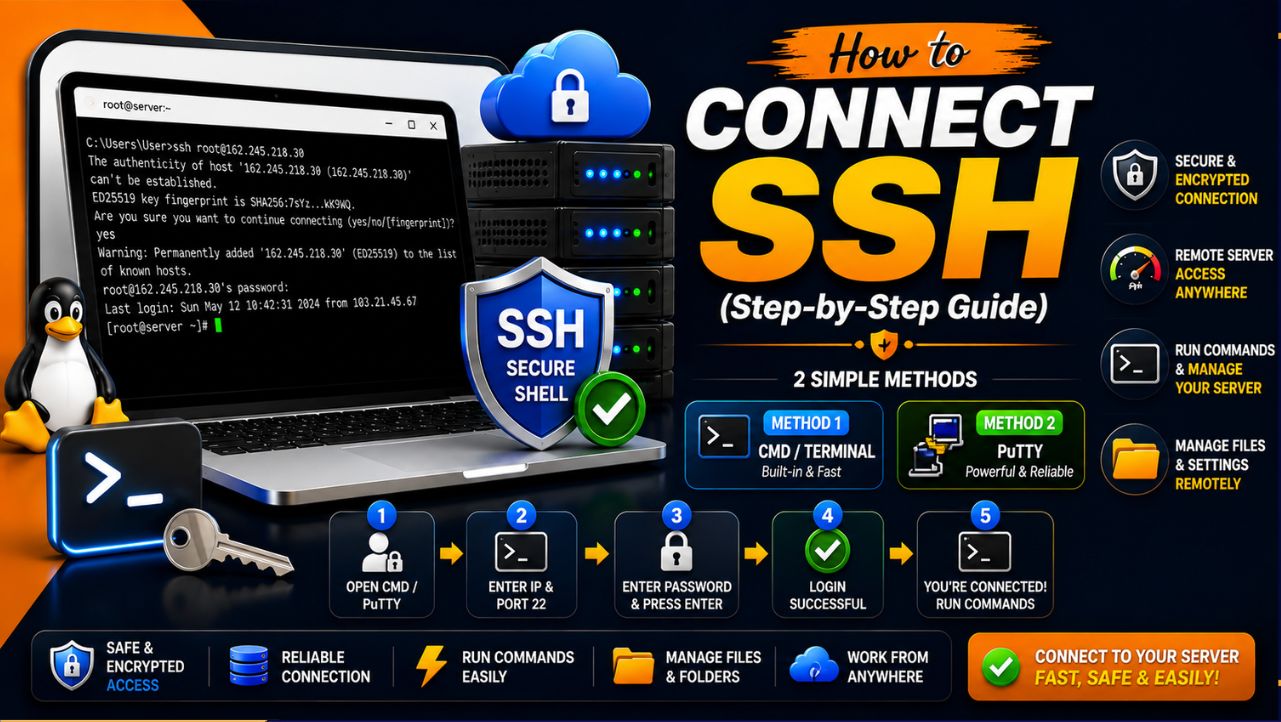
3. Configure SSH Key Authentication
Password based SSH logins are vulnerable to brute force attacks, making SSH keys a much safer authentication method.
Generate SSH Keys Locally
ssh-keygenCopy the SSH Key to the Server
ssh-copy-id laraveladmin@server-ip| Authentication Method | Security Level | Recommended |
| Password Login | Moderate | No |
| SSH Key Authentication | High | Yes |
| Root Password Login | Weak | Never |
4. Disable Root Login
Disabling direct root login reduces the risk of unauthorized server access significantly.
Edit SSH Configuration
sudo nano /etc/ssh/sshd_configChange This Setting
PermitRootLogin noRestart SSH Service
sudo systemctl restart sshThis additional security layer helps protect Laravel production servers from common attack attempts and unauthorized access.
Installing the Laravel Production Stack
Installing the correct Laravel production stack is essential for application speed, stability, security, and scalability. A properly optimized server environment helps Laravel applications handle database queries, caching, queue processing, and high traffic workloads more efficiently.
1. Install Nginx
Nginx is widely preferred for Laravel production hosting because it handles concurrent traffic efficiently while using fewer server resources.
sudo apt install nginx -yBenefits of Nginx
- Lower memory usage
- Better scalability
- Faster static file delivery
- Improved reverse proxy handling
| Feature | Advantage | Benefit |
| Lightweight Architecture | Uses fewer resources | Better server performance |
| Reverse Proxy Support | Efficient request handling | Improved scalability |
| Static File Delivery | Faster asset loading | Better user experience |
2. Install PHP and Extensions
Laravel requires multiple PHP extensions for database handling, caching, API communication, and application processing.
sudo apt install php8.3 php8.3-fpm php8.3-mysql php8.3-xml php8.3-mbstring php8.3-curl php8.3-zip php8.3-bcmath php8.3-redis -yThese extensions help Laravel support:
- Database operations
- Redis caching
- API requests
- Queue processing
- File handling
3. Install Composer
Composer is Laravel’s dependency manager used for installing and updating PHP packages.
curl -sS https://getcomposer.org/installer | php
sudo mv composer.phar /usr/local/bin/composer| Tool | Purpose | Importance |
| Composer | PHP dependency management | Required for Laravel packages |
| PHP-FPM | PHP request processing | Improves performance |
| Redis Extension | Cache and queue support | Faster application handling |
4. Install MySQL
MySQL is one of the most commonly used database systems for Laravel applications.
sudo apt install mysql-server -ySecure MySQL Installation
sudo mysql_secure_installationThis improves:
- Database security
- Password protection
- Access control
- Production stability
5. Install Redis
Redis improves Laravel performance by handling caching, sessions, and queue processing more efficiently.
sudo apt install redis-server -yRedis Benefits for Laravel
- Faster cache performance
- Better queue processing
- Improved session management
- Reduced database workload
Redis is especially useful for high traffic Laravel applications, APIs, SaaS platforms, and eCommerce websites.
Configuring Laravel for Production
Proper Laravel production configuration improves application security, performance, and stability. Production environments should disable debugging features, optimize cached configurations, and secure sensitive environment settings to ensure faster request handling and safer deployment under real world traffic workloads.
1. Set Production Environment
Inside the .env file:
APP_ENV=production
APP_DEBUG=false
Disabling debug mode prevents sensitive server and application information from being exposed publicly.
2. Generate Application Key
Laravel uses an application key for encryption and session security.
php artisan key:generate| Configuration | Purpose | Benefit |
| APP_ENV=production | Enables production mode | Better optimization |
| APP_DEBUG=false | Disables error exposure | Improved security |
| Application Key | Encryption security | Secure sessions |
3. Optimize Laravel Configuration
Laravel provides built in optimization commands for faster application performance.
php artisan config:cache
php artisan route:cache
php artisan view:cache
These commands reduce application boot time, improve response speed, and lower server workload during higher traffic conditions.
Setting Proper File Permissions
Proper file permissions are important for Laravel production security and stability. Incorrect permissions can expose sensitive files, break application functionality, or create security vulnerabilities. Laravel production servers should allow only required directories to remain writable while protecting core application files from unauthorized access.
Recommended Laravel File Permissions
sudo chown -R www-data:www-data /var/www/laravel
sudo chmod -R 755 /var/www/laravel
sudo chmod -R 775 storage bootstrap/cache| Directory | Recommended Permission | Purpose |
| storage | 775 | Writable Laravel storage |
| bootstrap/cache | 775 | Cache and compiled files |
| Application Files | 755 | Secure application access |
Avoid using 777 permissions because they allow unrestricted access and can create major security risks on production Laravel servers.
Configuring Nginx for Laravel
Proper Nginx configuration improves Laravel application performance, security, and request handling efficiency. Nginx is widely preferred for Laravel production hosting because it handles concurrent traffic efficiently while delivering faster static file performance with lower server resource usage.
Example Laravel Nginx Server Block
server {
  listen 80
  server_name example.com;
  root /var/www/laravel/public;
  index index.php;
  location / {
      try_files $uri $uri/ /index.php?$query_string;
  }
  location ~ \.php$ {
      include snippets/fastcgi-php.conf;
      fastcgi_pass unix:/run/php/php8.3-fpm.sock;
  }
  location ~ /\.ht {
      deny all;
  }
}
Enable Nginx Configuration
sudo ln -s /etc/nginx/sites-available/laravel /etc/nginx/sites-enabled/Test Nginx Configuration
sudo nginx -tRestart Nginx Service
sudo systemctl restart nginx| Nginx Feature | Purpose | Benefit |
| try_files | Handles Laravel routing | Cleaner URLs |
| PHP-FPM Support | Processes PHP requests | Better performance |
| deny all | Blocks hidden file access | Improved security |
Securing Laravel VPS Hosting
Security is one of the most important parts of Laravel production deployment because production servers often handle sensitive user data, authentication systems, payment processing, APIs, and business information.
A properly secured Laravel VPS server helps reduce unauthorized access, brute force attacks, malware risks, and data exposure vulnerabilities.
Configure Firewall
Ubuntu UFW firewall helps restrict unnecessary network access and protects the server from unauthorized connections.
sudo ufw allow OpenSSH
sudo ufw allow 'Nginx Full'
sudo ufw enable
These rules allow:
- SSH access for server management
- HTTP and HTTPS traffic for websites
- Better network-level security protection
Install Fail2Ban
Fail2Ban helps protect Laravel VPS servers against brute force login attempts by automatically blocking suspicious IP addresses.
sudo apt install fail2ban -y| Security Tool | Purpose | Benefit |
| UFW Firewall | Restricts network access | Better server protection |
| Fail2Ban | Blocks malicious login attempts | Reduced brute force attacks |
| SSH Security | Protects remote access | Safer server management |
Enable HTTPS
HTTPS encryption protects sensitive communication between users and the Laravel application.
HTTPS Helps Protect
- Login credentials
- Payment information
- API communication
- User sessions
- Sensitive form submissions
Modern browsers and search engines also prioritize HTTPS enabled websites because encrypted connections improve user trust, privacy, and overall website security.
How To Enable HTTPS With Let’s Encrypt
Let’s Encrypt provides free SSL certificates that help secure Laravel production websites using HTTPS encryption. Enabling HTTPS improves website security, protects sensitive user data, increases browser trust, and helps modern search engines treat the website as secure and reliable.
Install Certbot
Certbot automates SSL certificate installation and renewal for Nginx servers.
sudo apt install certbot python3-certbot-nginx -yGenerate SSL Certificate
Run the following command to generate and configure the SSL certificate automatically.
sudo certbot --nginxCertbot automatically:
- Installs SSL certificates
- Configures HTTPS
- Adds automatic renewal settings
- Redirects HTTP traffic to HTTPS
Verify SSL Auto Renewal
Let’s Encrypt certificates expire every 90 days, so automatic renewal is important.
sudo systemctl status certbot.timer| SSL Feature | Purpose | Benefit |
| HTTPS Encryption | Secures data transfer | Better user security |
| Automatic Renewal | Prevents certificate expiry | Continuous HTTPS protection |
| HTTP to HTTPS Redirect | Forces secure connections | Improved browser trust |
HTTPS is strongly recommended for all Laravel production servers, especially websites handling logins, APIs, payment systems, and customer information.
Laravel Queue Setup for Production
Laravel queues help process time consuming tasks in the background instead of delaying user requests. Proper queue configuration improves application speed, reduces server load, and creates a smoother user experience for production Laravel applications handling higher traffic workloads.
Common Laravel Queue Tasks
- Email sending
- Notifications
- Image processing
- Payment operations
- Data imports and exports
Configure Queue Connection
Inside the .env file:
QUEUE_CONNECTION=redisRedis is widely preferred for Laravel production queues because it delivers faster processing and better scalability.
Install Supervisor
Supervisor keeps Laravel queue workers running continuously in the background.
sudo apt install supervisor -yExample Supervisor Configuration
[program:laravel-worker]
process_name=%(program_name)s_%(process_num)02d
command=php /var/www/laravel/artisan queue:work redis --sleep=3 --tries=3
autostart=true
autorestart=true
numprocs=2
user=www-data
redirect_stderr=true
stdout_logfile=/var/www/laravel/worker.log| Queue Component | Purpose | Benefit |
| Redis Queue | Background job processing | Faster application performance |
| Supervisor | Keeps workers active | Improved reliability |
| Queue Workers | Process async tasks | Reduced request delays |
Proper queue setup is especially important for Laravel SaaS platforms, APIs, eCommerce websites, and applications handling large numbers of background tasks.
Laravel Cache Optimization for Faster Performance
Laravel cache optimization improves application speed, reduces database load, and helps production servers handle higher traffic more efficiently. Proper caching reduces repeated processing tasks and allows Laravel applications to deliver faster response times with lower server resource usage.
Important Laravel Cache Types
- Configuration cache
- Route cache
- View cache
- Redis cache
- Application data cache
Optimize Laravel Caches
Run the following optimization commands:
php artisan config:cache
php artisan route:cache
php artisan view:cache
php artisan optimize
These commands help:
- Reduce application boot time
- Improve request processing speed
- Lower server workload
- Improve production performance
Configure Redis Cache
Inside the .env file:
CACHE_DRIVER=redis
SESSION_DRIVER=redis
Redis is widely recommended for Laravel production caching because it delivers faster in memory data processing compared to file based caching systems.
| Cache Method | Purpose | Performance Benefit |
| Config Cache | Caches configuration files | Faster application loading |
| Route Cache | Caches Laravel routes | Reduced routing overhead |
| Redis Cache | In memory caching | Faster response times |
Proper Laravel cache optimization is especially important for APIs, SaaS platforms, eCommerce websites, and high traffic Laravel production environments.
Database Optimization for Laravel
Database optimization is extremely important for Laravel production performance because inefficient queries and poor database configuration can slow down applications significantly. Proper database optimization improves query speed, reduces server load, and helps Laravel applications handle higher traffic more efficiently.
Important Laravel Database Optimization Methods
- Database indexing
- Query optimization
- Redis query caching
- Connection optimization
- Removing unnecessary queries
Optimize Laravel Database Queries
Laravel applications should avoid unnecessary database requests by using:
- Eager loading
- Query indexing
- Cached queries
- Optimized relationships
Example of eager loading:
$users = User::with('posts')->get();This reduces excessive database queries and improves application response speed.
Enable MySQL Query Optimization
Important MySQL optimization areas include:
- Proper indexing
- Query caching
- Optimized table structure
- Slow query monitoring
| Optimization Method | Purpose | Performance Benefit |
| Database Indexing | Faster data searching | Improved query speed |
| Eager Loading | Reduces repeated queries | Lower database workload |
| Redis Query Cache | Stores frequently used data | Faster response times |
Proper database optimization is especially important for Laravel APIs, SaaS platforms, eCommerce websites, dashboards, and applications handling large amounts of dynamic data.
Scaling Laravel Applications on VPS Hosting
As Laravel applications grow, server infrastructure must scale properly to maintain performance, uptime stability, and fast response times. Production Laravel applications handling increasing traffic, background jobs, APIs, and database activity require scalable VPS resources and optimized server architecture.
Vertical Scaling
Vertical scaling improves server performance by increasing existing VPS resources.
Vertical Scaling Includes
- RAM upgrades
- CPU upgrades
- Storage expansion
- Faster NVMe storage
Vertical scaling is commonly suitable for:
- Medium traffic websites
- Business applications
- Growing SaaS platforms
- Laravel APIs
| Scaling Type | Infrastructure Method | Best Use Case |
| Vertical Scaling | Upgrade existing server resources | Growing Laravel projects |
| Horizontal Scaling | Use multiple servers | High traffic applications |
| Redis Clustering | Distributed cache system | Enterprise level scalability |
Horizontal Scaling
Horizontal scaling distributes application traffic across multiple servers for better performance and reliability.
Horizontal Scaling Architecture
- Load balancers
- Dedicated database servers
- Redis clusters
- Multiple application servers
This architecture is commonly used for:
- Large SaaS applications
- Enterprise platforms
- High traffic APIs
- Large eCommerce websites
Proper Laravel production scaling helps applications maintain stable performance, lower downtime risk, and better reliability during traffic spikes and long term growth.
Monitoring and Performance Management
Monitoring and performance management help maintain Laravel production stability, uptime, and application speed. Continuous monitoring allows developers to detect server issues, failed services, high resource usage, and performance bottlenecks before they affect users or business operations.
Important Areas to Monitor
- CPU usage: High CPU usage may slow Laravel request processing and reduce server performance during traffic spikes.
- RAM usage: Insufficient memory can crash queue workers, database services, and background Laravel processes unexpectedly.
- Disk space: Low storage space can interrupt backups, logs, cache generation, and application deployments.
- Queue workers: Failed queue workers may stop emails, notifications, payment processing, and background task execution.
- Database performance: Slow database queries can increase response times and overload Laravel production servers under traffic.
- Server uptime: Regular uptime monitoring helps detect outages quickly and reduces unexpected downtime risks.
| Monitoring Tool | Purpose | Benefit |
| Laravel Horizon | Queue monitoring | Better queue visibility |
| Netdata | Real time server monitoring | Faster issue detection |
| Grafana | Performance analytics | Advanced monitoring insights |
Regular monitoring helps Laravel production servers maintain better reliability, faster performance, improved uptime stability, and quicker problem resolution during high traffic workloads.
Backup and Disaster Recovery Planning
Backup and disaster recovery planning help protect Laravel production applications from accidental data loss, server failures, cyberattacks, and unexpected outages. Regular backups and recovery strategies improve business continuity, reduce downtime risks, and help restore applications quickly during emergencies.
Important Laravel Backup Areas
- Database backups
- Application files
- Environment configuration files
- SSL certificates
- Server configuration files
Recommended Backup Practices
- Schedule automatic daily backups
- Store backups on remote servers
- Test backup restoration regularly
- Keep multiple backup copies
- Encrypt sensitive backup files
| Backup Type | Purpose | Benefit |
| Database Backup | Protects application data | Faster recovery |
| File Backup | Saves Laravel application files | Prevents data loss |
| Remote Backup Storage | Stores backups externally | Better disaster protection |
Proper backup and disaster recovery planning are extremely important for Laravel SaaS platforms, APIs, eCommerce websites, and business applications handling critical customer and operational data.
Common Laravel Production Setup Mistakes
Many Laravel production issues occur because of incorrect server configuration, weak security practices, or missing performance optimization. Avoiding common deployment mistakes helps improve application stability, security, scalability, and long term production reliability.
Common Laravel Production Mistakes
- Leaving APP_DEBUG=true enabled exposes sensitive server and application error information publicly.
- Using file based caching on high traffic applications can slow Laravel performance significantly under heavy workloads.
- Running queue workers without Supervisor may cause background jobs to stop unexpectedly after server interruptions.
- Ignoring database indexing increases query execution time and overloads Laravel production database servers.
- Using 777 file permissions creates serious security vulnerabilities and unauthorized file access risks.
- Skipping HTTPS configuration weakens application security and reduces browser trust for production websites.
| Mistake | Potential Problem | Recommended Solution |
| APP_DEBUG enabled | Sensitive error exposure | Disable debug mode |
| No Redis caching | Slower application performance | Configure Redis |
| Missing Supervisor | Queue worker failures | Use Supervisor management |
Avoiding these production mistakes helps Laravel VPS hosting environments maintain stronger security, better scalability, faster response times, and improved uptime stability.
Best Practices for Maintaining Laravel Production Servers
Proper Laravel server maintenance helps maintain security, performance, uptime stability, and long term scalability. Regular monitoring, updates, and optimization reduce unexpected downtime, security vulnerabilities, and performance issues in Laravel production environments.
Keep Software Updated
Regularly updating server software helps protect Laravel production servers from vulnerabilities, compatibility issues, and performance problems.
Important Components to Update
- PHP
- Laravel
- Composer packages
- Linux packages
- Redis
- MySQL
| Maintenance Area | Purpose | Benefit |
| Software Updates | Fix security vulnerabilities | Better server protection |
| Laravel Updates | Improve framework stability | Better compatibility |
| Database Updates | Improve database performance | Faster query handling |
Use Staging Environments
Staging environments allow developers to test updates, deployments, and configuration changes safely before applying them to live production servers.
This helps:
- Prevent deployment failures
- Detect compatibility issues
- Reduce production downtime
- Improve deployment reliability
Monitor Failed Jobs
Failed queue jobs can interrupt important Laravel background processes and affect application functionality.
Failed Jobs May Affect
- Notifications
- Payment systems
- Email delivery
- Background processing tasks
Regular queue monitoring helps Laravel production applications maintain stable background task execution and better operational reliability.
FAQs
1. Which VPS hosting is best for Laravel?
A VPS provider with NVMe storage, root access, scalable resources, strong uptime, and security protection works best for Laravel. YouStable VPS Hosting is suitable for Laravel projects because it offers scalable infrastructure, SSD/NVMe performance, and affordable plans for production environments.
2. Is Nginx better than Apache for Laravel?
Nginx is generally preferred for Laravel production hosting because it handles concurrent traffic more efficiently and uses fewer server resources.
3. How much RAM does Laravel need?
Small Laravel projects can run on 2 GB RAM VPS servers, but production applications with Redis, queues, and higher traffic usually perform better with 4 GB RAM or more.
4. Why is Redis important for Laravel?
Redis improves:
• Cache speed
• Queue performance
• Session handling
• Database query efficiency
It significantly reduces server load in high traffic environments.
5. Should I use managed or unmanaged VPS hosting?
Managed VPS hosting is better for beginners because the hosting provider handles server maintenance and security. Unmanaged VPS hosting provides more flexibility for advanced users and developers.
6. How often should Laravel production servers be updated?
Security updates should be installed regularly, ideally every week or immediately after critical vulnerabilities are announced.
Conclusion
A strong Laravel production setup is much more than simply deploying your application on a VPS server. Real production stability depends on proper server optimization, Redis caching, queue workers, HTTPS security, database tuning, monitoring systems, and scalable infrastructure working together efficiently behind the scenes.
When your Laravel production environment is configured correctly, your application becomes faster, more secure, more stable, and better prepared for growing traffic and long term scalability. Even small optimization improvements can significantly improve uptime stability, response speed, server efficiency, and overall user experience.
If you want reliable Laravel production performance, choosing the right VPS infrastructure also plays a major role. Platforms offering Laravel VPS hosting with scalable resources, NVMe storage, root access, and strong server performance can help Laravel applications handle production workloads more efficiently as traffic continues growing.