LiteSpeed on Linux server refers to running LiteSpeed Web Server or OpenLiteSpeed on a Linux-based OS to deliver websites and APIs with high performance, low resource usage, and built-in caching/security. It’s a drop-in replacement for Apache with .htaccess support, HTTP/2/3 (QUIC), PHP LSAPI, and LSCache to accelerate WordPress, WooCommerce, and dynamic apps.
If you’re exploring LiteSpeed on Linux server for faster websites, this guide explains how it works, why it’s faster than Apache or Nginx in many scenarios, and how to install, configure, and tune it—from a hosting provider’s perspective.
I’ll also share practical tips learned from managing thousands of WordPress and WooCommerce sites.
What is LiteSpeed Web Server?
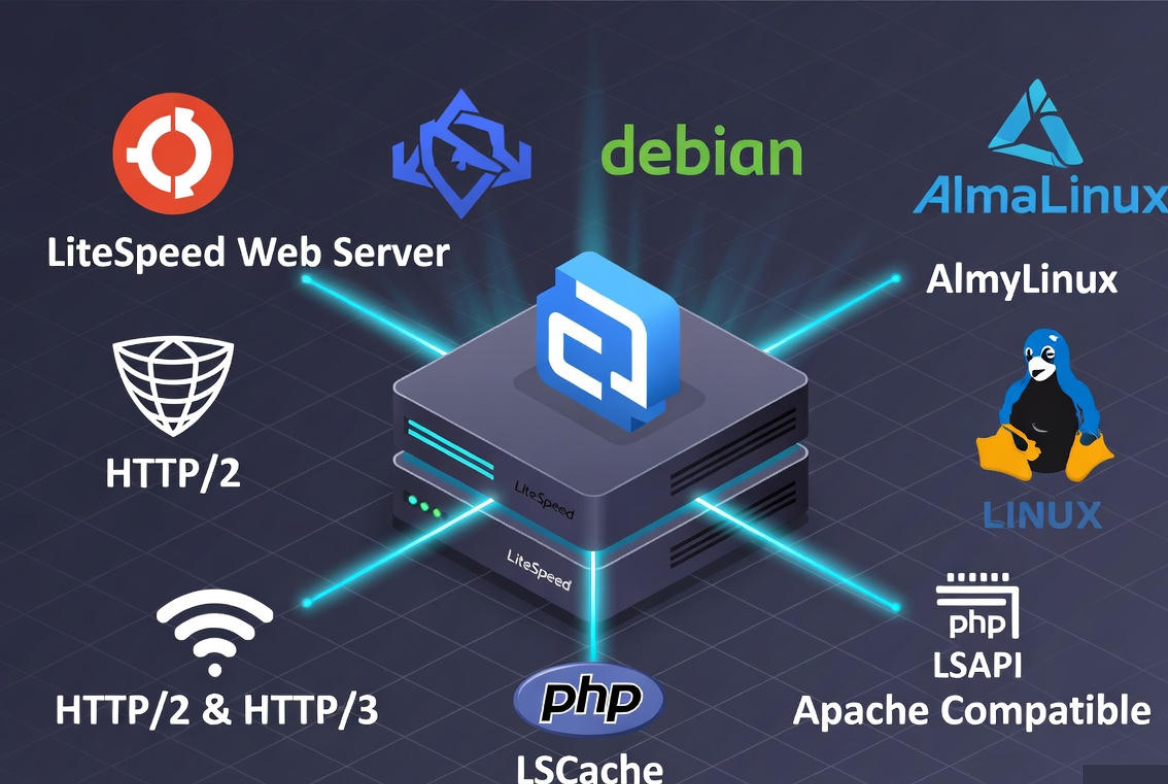
LiteSpeed Web Server (LSWS) is a commercial, event-driven web server known for exceptional concurrency and low CPU/RAM usage. OpenLiteSpeed (OLS) is its open-source variant. Both speak HTTP/1.1, HTTP/2, and HTTP/3 (QUIC), support TLS 1.3, and integrate tightly with PHP via LSAPI for lower latency than PHP-FPM under heavy load.
Enterprise vs OpenLiteSpeed
LiteSpeed Enterprise is a licensed, drop-in Apache replacement with full .htaccess and mod_security compatibility, cPanel/DirectAdmin/Plesk integration, and advanced features for shared hosting. OpenLiteSpeed is free and very fast, but has some .htaccess differences and focuses on virtual host-level configs. For cPanel-based hosting at scale, Enterprise is ideal; for standalone VPS/VMs, OLS is excellent.
How It Achieves Speed
LiteSpeed’s event-driven architecture (epoll/kqueue) handles massive concurrency efficiently. PHP runs through LSAPI, which reduces context switching and improves request throughput vs PHP-FPM. With LSCache page/object caching, ESI (Edge Side Includes), Brotli/Gzip compression, and smart connection handling, it keeps TTFB low even under spikes.
Why Choose LiteSpeed on a Linux Server
- Performance: Often outperforms Apache and matches or surpasses Nginx on dynamic workloads, especially PHP-heavy sites.
- Compatibility: Apache-style configuration, .htaccess support (Enterprise), and mod_security rules make migrations easier.
- HTTP/3 and QUIC: Faster, more reliable delivery on flaky mobile networks with 0-RTT and improved congestion control.
- Security: Built-in anti-DDoS features, connection throttling, reCAPTCHA, WAF via mod_security, and strict TLS.
- Resource Efficiency: Lower memory footprint and CPU usage per concurrent connection.
- WordPress Acceleration: LSCache plugin adds full-page caching, image optimization, object caching, and crawler.
LiteSpeed vs Apache vs Nginx: Practical Comparison
Apache vs LiteSpeed
- Configuration: LiteSpeed Enterprise is a drop-in replacement; it reads Apache vhosts and .htaccess rules, reducing migration risk.
- Concurrency: LiteSpeed’s event-driven model scales better than Apache’s process/thread-based MPMs under high load.
- PHP Handling: LSAPI generally offers lower latency than PHP-FPM behind Apache.
- Shared Hosting: LSWS has mature cPanel/CloudLinux integration, per-user limits, and isolation.
Nginx vs LiteSpeed
- Static Delivery: Both are very fast; LiteSpeed shines on mixed static/dynamic stacks (WordPress, Laravel).
- Config & Features: LiteSpeed provides .htaccess (Enterprise) and direct LSCache for application-level caching; Nginx often relies on FastCGI cache and external modules.
- HTTP/3: Both support HTTP/3, but LiteSpeed’s QUIC implementation is mature and battle-tested in hosting environments.
- Ease of Use: LiteSpeed’s WebAdmin console and LSCache plugins streamline common tasks for site owners.
Prerequisites and Compatibility
- Supported OS: Ubuntu, Debian, AlmaLinux, Rocky Linux, RHEL, CloudLinux.
- Control Panels: cPanel/WHM, DirectAdmin, Plesk (best with Enterprise).
- Hardware: 1–2 vCPU and 1–2 GB RAM for small sites; 4–8 vCPU and 8–16 GB RAM for busy WooCommerce.
- Firewall: Open ports 80/TCP, 443/TCP, and optionally 443/UDP for QUIC. Restrict the WebAdmin port to your IP.
- Kernel and Time: Keep system clock synced (chrony or systemd-timesyncd) for TLS/OCSP and logs.
Install LiteSpeed on Linux Server
Install OpenLiteSpeed on Ubuntu/Debian
# Add repo and install
sudo apt update
sudo apt install -y curl software-properties-common
curl -s https://repo.litespeed.sh | sudo bash
sudo apt install -y openlitespeed

# Set WebAdmin password and start
sudo /usr/local/lsws/admin/misc/admpass.sh
sudo systemctl enable --now lsws

# Allow ports (example using UFW)
sudo ufw allow 80/tcp
sudo ufw allow 443/tcp
sudo ufw allow 443/udp   # QUIC/HTTP/3
sudo ufw allow 7080/tcp  # WebAdmin (limit to your IP in production)
Install OpenLiteSpeed on RHEL/AlmaLinux/Rocky
sudo dnf install -y epel-release curl
curl -s https://repo.litespeed.sh | sudo bash
sudo dnf install -y openlitespeed

sudo /usr/local/lsws/admin/misc/admpass.sh
sudo systemctl enable --now lsws

# Firewalld example
sudo firewall-cmd --permanent --add-service=http
sudo firewall-cmd --permanent --add-service=https
sudo firewall-cmd --permanent --add-port=443/udp
sudo firewall-cmd --permanent --add-port=7080/tcp
sudo firewall-cmd --reload
Install LiteSpeed Enterprise (cPanel/DirectAdmin)
For cPanel/WHM servers, install the LiteSpeed plugin and switch from Apache to LSWS. You’ll need a LiteSpeed license key. The installer migrates Apache configs, preserving vhosts and .htaccess behavior.
# cPanel/WHM example
bash <(curl -Ss https://get.litespeed.sh)

# Follow prompts to select "LiteSpeed Web Server Enterprise"
# Then use WHM > Plugins > LiteSpeed Web Server to switch from Apache.
Quick Configuration Checklist
Map Listeners and Virtual Hosts
By default, OpenLiteSpeed serves a demo site on port 8088. Create listeners on 80/443 and map them to your virtual hosts. Configure domains (server names), document roots, and enable Index FollowSymLinks as needed to align with your app’s .htaccess rules.
Enable HTTP/3 (QUIC) and TLS 1.3
Once you have a valid certificate (Let’s Encrypt or your CA), turn on QUIC and modern ciphers. You can do this in the WebAdmin GUI or via config files.
# Example snippet for a listener with QUIC enabled
listener SSL-Listener {
  address                  *:443
  secure                   1
  quicEnable               1
  sslProtocol              23                 # TLSv1.2 + TLSv1.3
  sslCiphers               ECDHE+AESGCM:TLS_CHACHA20_POLY1305:TLS_AES_256_GCM_SHA384
  ocspStapling             1
}
Install PHP via LSAPI
Use LiteSpeed’s packages for multiple PHP versions (lsphp). Choose the version your application supports and configure handlers in WebAdmin.
# Ubuntu/Debian
sudo apt install -y lsphp81 lsphp81-common lsphp81-curl lsphp81-mysql lsphp81-xml lsphp81-zip

# RHEL family
sudo dnf install -y lsphp81 lsphp81-common lsphp81-mysqlnd lsphp81-xml lsphp81-zip
Security Hardening
- Restrict WebAdmin to your IP, change the default port, and enforce strong credentials.
- Enable mod_security with a reputable ruleset (e.g., OWASP CRS) and tune to reduce false positives.
- Turn on reCAPTCHA for abusive endpoints, connection throttling, and request rate limiting.
- Enable HSTS, OCSP stapling, and modern TLS ciphers; prefer ECDSA certificates where supported.
- Use CloudLinux or cgroups for per-user limits on shared servers; isolate PHP pools by site.
WordPress on LiteSpeed: LSCache Best Practices
LSCache is the secret weapon for WordPress performance. It’s not just page caching; it also handles image/WebP optimization, CSS/JS minify, critical CSS, browser cache, ESI for fragments, and smart crawlers to pre-warm cache. On WooCommerce, it respects cart, checkout, and user session rules automatically.
- Install “LiteSpeed Cache” plugin from the WordPress repository.
- In Dashboard > LiteSpeed Cache > Cache, enable Cache and set Mobile Cache if using mobile-specific themes.
- Use QUIC.cloud services for critical CSS and image optimization where applicable.
- Enable Object Cache (Redis or Memcached) and set a reasonable TTL; LSCache complements object caches.
- Exclude admin, cart, checkout, and personalized endpoints from page cache.
# Example .htaccess snippets added by LSCache (simplified)
RewriteEngine On
RewriteCond %{REQUEST_METHOD} ^HEAD|GET$
RewriteCond %{HTTP_COOKIE} !comment_author|wordpress_[a-f0-9]+|wp-postpass|wordpress_logged_in
RewriteCond %{REQUEST_URI} !/wp-admin/|/cart/|/my-account/|/checkout/
RewriteRule (.*) - [E=Cache-Control:max-age=3600]
Tip: Use the LSCache Crawler during off-peak hours to warm critical pages. Monitor hit/miss ratios in the plugin’s dashboard and adjust TTLs based on content update frequency.
Benchmarking and Monitoring
- Server Metrics: Use top/htop, vmstat, iostat to watch CPU, memory, and I/O. Monitor load average during traffic spikes.
- Network/Ports: ss -tnlp to confirm 80/443 listeners and QUIC on 443/UDP.
- LiteSpeed Logs: Review /usr/local/lsws/logs/error.log and access.log for bottlenecks, 5xx errors, and cache status.
- WebAdmin: Real-time stats show requests per second, cache hits, and worker utilization.
- Load Tests: Use wrk/hey or k6 with conservative concurrency to compare with and without LSCache.
Tuning Tips from Real-World Hosting
- Connection Limits: Set max connections conservatively to prevent RAM exhaustion under Layer 7 floods.
- PHP Workers: Match PHP LSAPI workers to CPU cores and traffic; avoid oversubscription that causes context thrashing.
- Static Offload: Serve static assets via a CDN; let LiteSpeed focus on dynamic requests and TLS termination.
- Brotli: Enable Brotli for text assets; keep Gzip as a fallback for older clients.
- Cache First: Prioritize page cache rules and exclude personalized content; cache-control headers matter.
Common Pitfalls and Troubleshooting
- Apache Port Conflicts: Stop/disable Apache before binding LiteSpeed to 80/443.
sudo systemctl stop apache2 httpd
sudo systemctl disable apache2 httpd
sudo systemctl enable --now lsws- 403/404 After Migration: Check file ownership (www-data/nobody/lsadm), document root paths, and follow symlinks. On SELinux, set proper contexts or use setenforce 0 to test.
- .htaccess Differences on OLS: Some complex rewrite rules need moving into vhost context. Validate with a minimal ruleset and add back incrementally.
- Mixed Content: After enabling HTTPS, force HTTPS and HSTS; update site URLs in WordPress and purge cache.
- QUIC Not Working: Ensure 443/UDP is open and verify quicEnable is on; test with curl –http3 or browser devtools.
When YouStable Makes Sense
If you prefer managed performance, YouStable offers LiteSpeed-powered hosting with CloudLinux isolation, Imunify360 security, cPanel integration, and pre-configured LSCache for WordPress/WooCommerce. We tune QUIC, TLS, and PHP LSAPI for you, so you can focus on growth while we handle uptime, updates, and optimization.
FAQs:
Is OpenLiteSpeed free and production-ready?
Yes. OpenLiteSpeed is free and fast, used widely in production on VPS and cloud instances. For shared hosting and full .htaccess compatibility or panel integration (cPanel/Plesk), LiteSpeed Enterprise is recommended.
Can I replace Apache with LiteSpeed on cPanel?
Absolutely. Install the LiteSpeed cPanel plugin, provide a valid license, and switch from Apache via WHM. Your existing Apache vhosts and .htaccess rules are respected, minimizing migration friction.
Does LiteSpeed support HTTP/3 and QUIC out of the box?
Yes. Enable QUIC on your HTTPS listener, open UDP/443 in your firewall, and use a valid TLS certificate. Most modern browsers will negotiate HTTP/3 automatically for eligible connections.
How much RAM do I need for WordPress on LiteSpeed?
For a small site, 1–2 GB RAM is fine. For busy WooCommerce stores with LSCache and Redis, plan 4–8 GB+. Traffic patterns, plugins, and PHP worker counts ultimately drive memory needs—monitor and adjust.
Is LSCache better than Redis, or do they work together?
They complement each other. LSCache handles page-level caching and front-end optimization, while Redis/Memcached accelerates database-driven fragments and sessions. Many of the fastest WordPress stacks use both together on LiteSpeed.