

System calls in operating system are the controlled entry points that let user programs request services from the kernel, such as creating processes, reading files, using the network, or allocating memory. They switch execution from user mode to kernel mode safely, perform the requested work, and return results (or errors) back to the application.
If you’ve ever wondered how a program opens a file, talks to the network, or spawns another process, the answer is almost always the same: system calls. In this guide, we’ll explain system calls in an operating system simply, show how they work behind the scenes, and give practical examples you can try.
As a hosting professional, I’ve traced thousands of production workloads. Understanding system calls helps you troubleshoot slow I/O, reduce latency, and harden servers. Let’s break it down in plain language with accurate, real world insights.
What Are System Calls?
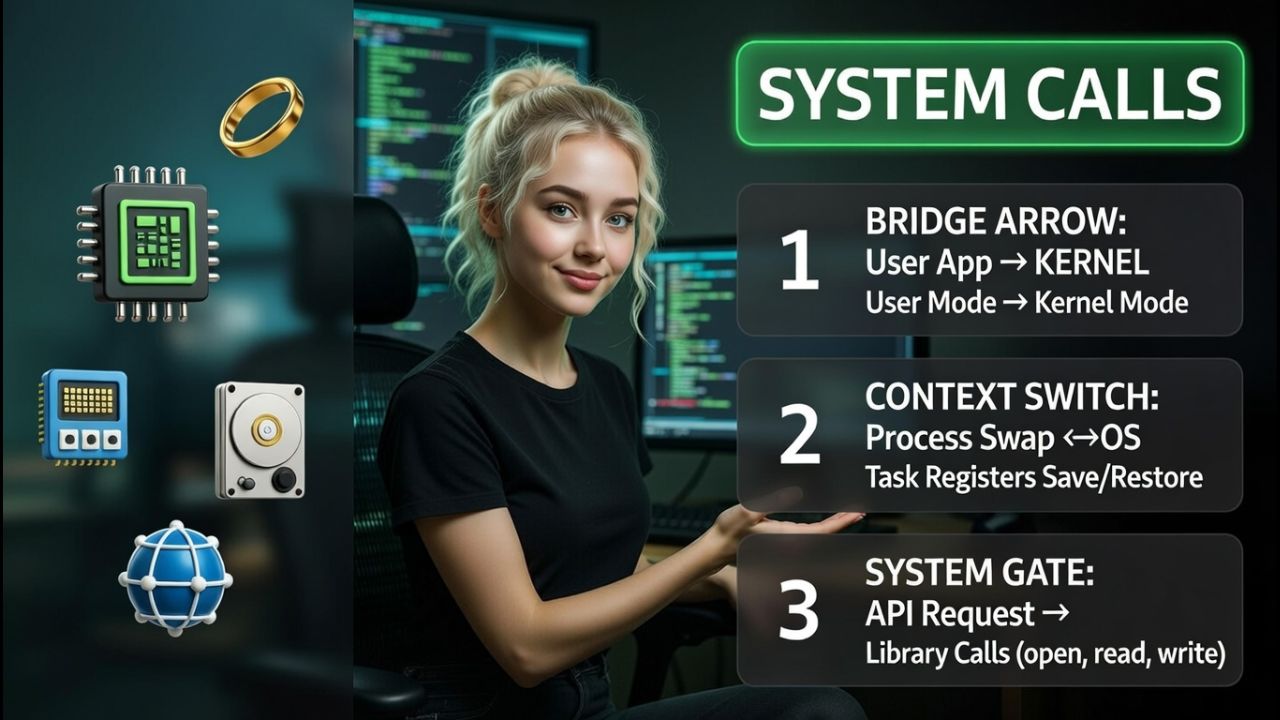
A system call (syscall) is a function like interface that transfers control from an application (user mode) to the kernel (kernel mode) to access protected resources: CPU, memory, storage, and devices.
User applications can’t touch hardware directly; they must ask the kernel via system calls, which ensures stability, security, and resource control.
How System Calls Work: Step-by-Step
Although your code calls a high level function like open() or read(), the actual system call happens via a carefully managed path. Here’s the simplified flow:
- Application calls a standard library function (e.g., glibc’s
openin Linux or Win32 API on Windows). - The library prepares arguments and invokes a special CPU instruction (like
syscallorint 0x80on x86) to trap into the kernel. - The CPU switches from user mode to kernel mode and jumps to the system call handler.
- The kernel validates permissions, copies parameters from user space, and performs the requested operation (e.g., read from disk).
- Results and a return code are copied back; the CPU switches to user mode, and execution returns to your program.
That “trap” instruction and mode switch are what make system calls more expensive than a normal function call, which never leaves user mode. But the safety and resource management are worth the cost.
Types of System Calls in Operating System
Most operating systems group system calls by what they do. On Unix like systems (Linux, macOS, BSD), categories typically include:
1) Process Control
- Create/execute:
fork(),vfork(),execve() - Terminate:
exit(),_exit() - Signals:
kill(),sigaction() - Wait:
wait(),waitpid()
2) File and Directory I/O
- Open/close:
open(),close() - Read/write:
read(),write(),pread(),pwrite() - Metadata:
stat(),fstat(),lstat(),chmod(),chown() - Directories: mkdir(), rmdir(), rename(), unlink()
3) Device Management
ioctl()for device specific operationsmount(),umount()
4) Memory Management
mmap(),munmap()for memory mappingbrk(),sbrk()(legacy heap growth)mprotect()to change memory permissions
5) Interprocess Communication (IPC) and Networking
- Pipes/queues:
pipe(), POSIX message queues - Shared memory/semaphores:
shmget(),semop(), POSIXshm_open() - Sockets:
socket(),bind(),connect(),accept(),send(),recv(),sendfile()
6) Information and Time
getpid(),getuid(),getgid()gettimeofday(),clock_gettime()uname()for system information
System Call vs Function Call vs API
- Function call: Normal call within your program or library; stays in user mode; very fast; no kernel involvement.
- System call: Enters the kernel; provides secure access to hardware/OS services; slower than a function call due to context switch.
- API: A higher level interface that may wrap one or more system calls (e.g., C standard library, Win32). You often call an API; it performs or avoids a syscall depending on state and caching.
Example: Calling printf() may buffer output in user space. Only when the buffer flushes does it call write(), which is the actual system call that reaches the kernel.
Practical Examples (Linux)
Here’s a minimal C program that uses file I/O system calls. It opens a file, writes text, and reads it back. This demonstrates open, write, lseek, and read at the system call layer.
#include <fcntl.h>
#include <unistd.h>
#include <string.h>
#include <errno.h>
#include <stdio.h>

int main(void) {
    int fd = open("demo.txt", O_CREAT | O_RDWR, 0644);
    if (fd < 0) { perror("open"); return 1; }

    const char *msg = "Hello, syscall world!\n";
    ssize_t n = write(fd, msg, strlen(msg));
    if (n < 0) { perror("write"); return 1; }

    if (lseek(fd, 0, SEEK_SET) < 0) { perror("lseek"); return 1; }

    char buf[128] = {0};
    n = read(fd, buf, sizeof(buf)-1);
    if (n < 0) { perror("read"); return 1; }

    printf("Read back: %s", buf);
    close(fd);
    return 0;
}
You can observe system calls with strace (Linux) to see what the program is actually doing at runtime:
# Compile and run with syscall tracing
gcc -O2 demo.c -o demo && strace -o trace.log ./demo
# View the trace
sed -n '1,60p' trace.log
On macOS, use dtruss or sudo fs_usage. On BSD/Illumos, use truss. On Windows, use Process Monitor (ProcMon) from Sysinternals.
Performance, Security, and Reliability
Performance Tips
- Batch and buffer: Reduce the number of syscalls. Use buffering for writes; read in larger blocks.
- Use the right primitives: Prefer
sendfile()for file to socket copies; usereadv()/writev()to gather/scatter I/O; useepoll/kqueuefor many sockets. - Avoid needless metadata calls: Cache results of
stat()if possible. - Zero copy where possible: Memory mapped I/O (
mmap()) can cut copies for large sequential reads.
Security Considerations
- Least privilege: Processes should run as non root whenever possible; use Linux capabilities (
CAP_NET_BIND_SERVICE, etc.) instead of full root. - Syscall filtering:
seccompon Linux can restrict which system calls a process may use, reducing attack surface. - MAC frameworks: SELinux or AppArmor profiles further confine what files and devices a process can access.
- Validate inputs: The kernel validates, but your app must too; sanitize paths, sizes, and user provided data.
Reliability and Error Handling
- Check return values religiously; most syscalls return
-1on error and seterrno(EACCES,ENOENT,EINTR, etc.). - Handle partial I/O:
read()andwrite()may transfer fewer bytes than requested. - Be robust to
EINTR: Restart syscalls, or use flags that avoid interruption when available.
System Calls Across Operating Systems
- Linux: Rich POSIX-like syscall set; stable ABI for glibc; tools like
strace,perf,seccomp,eBPF. - Windows: Applications typically use the Win32 API; actual NT system calls are different and not officially documented as a stable interface.
- macOS/BSD: Similar to Unix semantics; system calls are stable but often accessed via libc wrappers; tools include
dtruss,ktrace.
Portability tip: Target standard APIs (POSIX on Unix like OSs, Win32 on Windows) rather than raw syscalls. Your code will be more portable and maintainable.
Real World Use Cases in Hosting and Cloud
- Web servers: Heavy use of
accept(),epoll()/kqueue(),sendfile()for efficient static file serving. - Databases: Careful
fsync()/fdatasync()usage to ensure durability;mmap()for page caches. - Containers: Linux namespaces and cgroups rely on syscalls to isolate processes; tools like Docker or containerd orchestrate these.
- Observability:
strace, eBPF, and perf events help find slow syscalls, permission issues, and unexpected I/O paths.
At YouStable, we optimize hosting stacks with kernel aware tuning, smart I/O strategies, and observability. Whether you run WordPress or custom apps, performance often comes down to choosing the right system calls and reducing overhead at scale.
How to Inspect and Learn From System Calls
- Linux:
strace -f -tt -T -o trace.log <cmd>for timing;ltracefor library calls; eBPF tools (bcc,bpftrace) for advanced tracing. - macOS:
sudo dtruss -f <cmd>orsudo fs_usagefor filesystem activity. - Windows: Process Monitor (ProcMon) for file, registry, and network; Windows Performance Recorder for deeper traces.
Tip: Start by tracing a single request path (e.g., a WordPress page load). Identify excessive stat(), small read() calls, or repeated opens. Caching and batching can cut total syscalls dramatically.
Best Practices Checklist
- Use high level APIs when possible; drop to raw syscalls only for performance critical paths.
- Minimize syscall count via buffering and batching.
- Prefer asynchronous or event driven I/O for many connections.
- Harden with least privilege, syscall filtering, and MAC policies.
- Instrument with
strace/eBPF/ProcMon to verify behavior under load.
FAQs
What is a system call with a simple example?
A system call is how a program requests a service from the OS kernel. Example: read(fd, buf, nbytes) asks the kernel to copy data from a file descriptor into your buffer. If successful, it returns the number of bytes read; on error, it returns -1 and sets errno.
How is a system call different from a function call?
A function call runs entirely in user mode and is very fast. A system call switches to kernel mode using a special CPU instruction, which is slower but necessary to access protected resources like files, sockets, and devices.
Why are system calls relatively slow?
They require a mode switch, parameter validation, potential context switches, and interaction with hardware or kernel subsystems. Each step adds overhead. You can mitigate this by batching operations, using vectored I/O, or leveraging zero copy techniques.
Are system calls the same on Linux, Windows, and macOS?
No. Each OS has its own syscall numbers and semantics. To write portable applications, use standardized APIs (POSIX on Unix like systems, Win32 on Windows) rather than raw platform specific syscalls.
How can I list or trace system calls on my system?
On Linux, use strace to trace and ausyscall --dump to list numbers by architecture. On macOS, use dtruss. On Windows, use Process Monitor to observe file, registry, and network operations exposed by system calls.
Conclusion
System calls in operating system form the secure bridge between applications and hardware. Mastering them improves performance tuning, debugging, and security hardening.
If you want hosting that respects the kernel’s limits and leverages its strengths, YouStable’s optimized servers and managed WordPress environments are built with syscall aware best practices from the ground up.




