

Fail2ban on Linux server is an intrusion-prevention tool that monitors logs, detects repeated authentication failures or malicious patterns, and automatically bans offending IPs by updating the firewall (iptables, nftables, UFW, or firewalld). It reduces SSH brute-force, web login abuse, and mail auth attacks with customizable “jails,” filters, and ban policies.
Why Fail2ban Matters on a Linux Server
When you put a Linux server online, it becomes a target for bots scanning SSH, Nginx/Apache, MySQL, and mail services. Fail2ban provides an automated defense: it watches log files, identifies abusive IPs using regulr expressions, and temporarily blocks them using your system firewall.
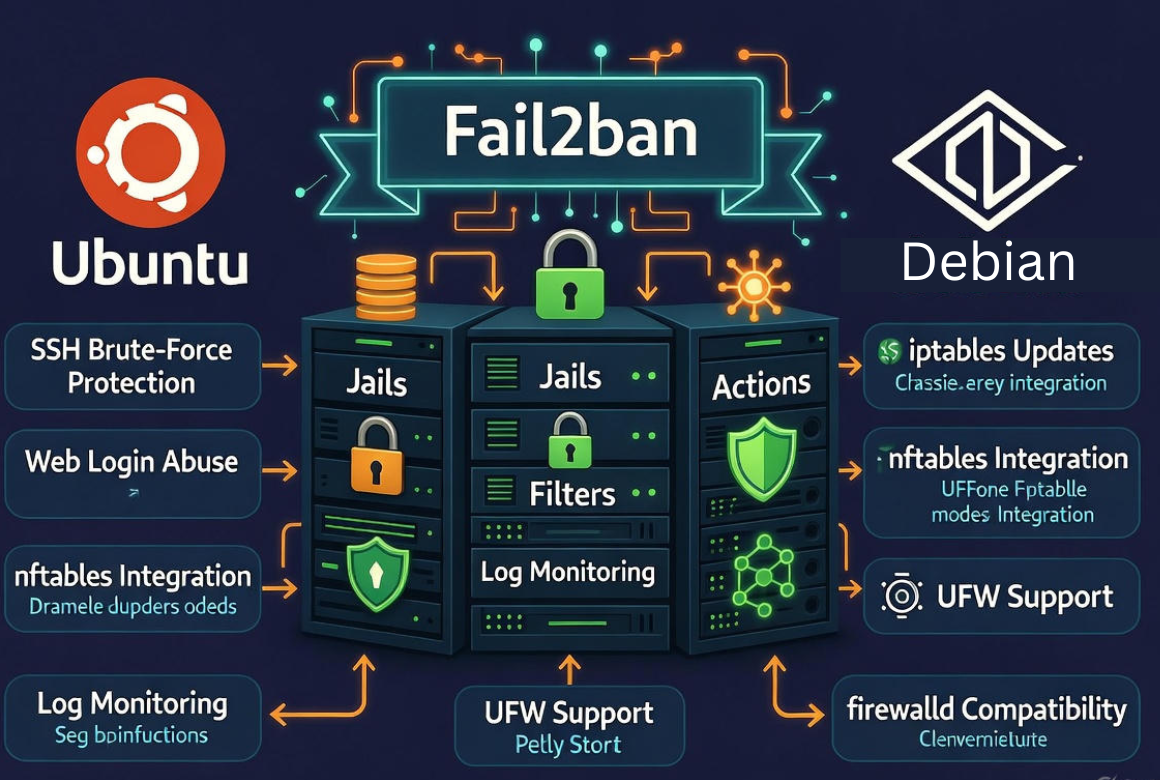
It’s lightweight, easy to configure, and a must-have baseline for server security.
How Fail2ban Works (Plain-English Overview)
Fail2ban uses three core building blocks: jails, filters, and actions. A jail defines what to protect (e.g., SSH), the filter defines how to detect bad behavior in logs, and the action defines how to ban the offender (e.g., add an iptables/nftables rule). Once an IP exceeds maxretry within findtime, it’s banned for bantime.
Key Concepts and Files
1. Jails
Jails connect a log source and a filter to a ban action. Each service you protect (sshd, nginx, postfix, dovecot, vsftpd) typically has a dedicated jail. Jails can have unique thresholds, ban durations, and whitelists.
2.Filters
Filters are regular expressions that match malicious log lines. They live in /etc/fail2ban/filter.d/. Many filters ship by default (e.g., sshd.conf, nginx-http-auth.conf) and you can create your own for custom apps.
3.Actions
Actions define how to ban/unban an IP. Common actions include iptables, nftables, firewalld, and UFW. They live in /etc/fail2ban/action.d/. Some actions also send email or trigger scripts for notifications.
4. Backends
Fail2ban can read from plain log files or from the systemd journal. On modern distros, using backend = systemd is fast and reliable because it reads directly from the journal.
Install Fail2ban (Ubuntu/Debian, RHEL/CentOS/Rocky/Alma)
Ubuntu/Debian
sudo apt update
sudo apt install fail2ban -y
sudo systemctl enable --now fail2ban
sudo systemctl status fail2ban
RHEL/CentOS/Rocky/Alma
sudo dnf install epel-release -y
sudo dnf install fail2ban -y
sudo systemctl enable --now fail2ban
sudo systemctl status fail2ban
By default, Fail2ban ships with a safe baseline for SSH on many systems, but it’s best practice to create your own jail.local to override defaults.
Quick-Start Configuration (Recommended SSH Protection)
Create or edit /etc/fail2ban/jail.local and add a secure baseline. This protects SSH, enables the systemd backend, and sets aggressive but reasonable retry thresholds:
[DEFAULT]
# Use systemd journal where available
backend = systemd
# Whitelist your office/home IPs and private ranges if appropriate
ignoreip = 127.0.0.1/8 ::1
# 10-minute search window, 5 failures => ban
findtime = 10m
maxretry = 5
# Start with a 1 hour ban; escalate using bantime.increment below
bantime = 1h
# Use incremental bans on repeat offenders
bantime.increment = true
bantime.factor = 2
bantime.formula = bantime * (1 + failures)
# Choose your firewall action (adjust to your stack)
banaction = iptables-multiport
# Alternatives: nftables, ufw, firewallcmd-rich-rules

[sshd]
enabled = true
port = ssh
logpath = %(sshd_log)s
filter = sshd
maxretry = 5
findtime = 10m
bantime = 1h
Reload Fail2ban to apply changes:
sudo systemctl reload fail2ban
# or
sudo fail2ban-client reload
Protecting Web Servers (Nginx/Apache) and WordPress
Hardening SSH is the first step. Next, cover HTTP authentication, WordPress login, and common scanner patterns. The following examples use built-in filters and a custom filter for noisy scanners:
Enable Nginx HTTP Auth and Bad Bots
[nginx-http-auth]
enabled = true
port = http,https
filter = nginx-http-auth
logpath = /var/log/nginx/error.log
maxretry = 3
findtime = 10m
bantime = 2h

# Optional: block repeated 404 scans (custom filter below)
[nginx-404-scan]
enabled = true
port = http,https
filter = nginx-404-scan
logpath = /var/log/nginx/access.log
maxretry = 20
findtime = 10m
bantime = 2h
Create /etc/fail2ban/filter.d/nginx-404-scan.conf:
[Definition]
failregex = <HOST> - - \[.*\] "GET .*" 404
ignoreregex =
# Adjust if your log format differs
Apache HTTP Auth
[apache-auth]
enabled = true
port = http,https
filter = apache-auth
logpath = /var/log/apache2/error.log
maxretry = 3
bantime = 2h
For WordPress, combine Fail2ban with strong passwords, 2FA, and a WAF. You can also parse wp-login.php failures via the web server logs or a plugin that writes to syslog.
Mail, FTP, and Other Common Jails
If your server runs mail or FTP, enable these jails and point them to correct logs:
- Postfix auth abuse:
[postfix]with/var/log/maillogor journal - Dovecot IMAP/POP brute-force:
[dovecot] - vsftpd or pure-ftpd:
[vsftpd],[pure-ftpd] - Recidive (repeat abusers across jails):
[recidive]jail
[recidive]
enabled = true
logpath = /var/log/fail2ban.log
findtime = 1d
maxretry = 5
bantime = 7d
Using Different Firewalls: iptables, nftables, UFW, firewalld
Match the banaction to your firewall stack:
- iptables:
banaction= iptables-multiport - nftables:
banaction= nftables - UFW (Ubuntu):
banaction= ufw - firewalld (RHEL):
banaction = firewallcmd-rich-rules
Only use one firewall frontend at a time to avoid conflicts (e.g., don’t run UFW and firewalld together). After changing banaction, reload Fail2ban.
Monitoring, Testing, and Unbanning
Check Status
sudo fail2ban-client status
sudo fail2ban-client status sshd
Test Filters with Real Logs
# Test a filter against a log file
sudo fail2ban-regex /var/log/auth.log /etc/fail2ban/filter.d/sshd.conf

# On RHEL-like systems
sudo fail2ban-regex /var/log/secure /etc/fail2ban/filter.d/sshd.conf
Unban or Ban Manually
# Unban an IP from a specific jail
sudo fail2ban-client set sshd unbanip 203.0.113.10

# Temporarily ban an IP
sudo fail2ban-client set sshd banip 203.0.113.10
Best-Practice Settings (From Real-World Hosting)
- Use systemd backend on modern distros for reliability and speed.
- Enable incremental bans to slow repeat offenders without permanently blocking legitimate users who mistype passwords.
- Set
findtimeto 10–15 minutes andmaxretryto 4–6 for SSH; start withbantime1 hour and let recidive handle repeat attackers. - Whitelist fixed office VPN IPs with
ignoreipto avoid accidental lockouts. - Harden SSH beyond Fail2ban: change the SSH port if appropriate, disable password auth in favor of keys, and enable 2FA for privileged accounts.
- For Nginx/Apache, log in combined format and ensure error/access logs are rotated properly so Fail2ban has a continuous view.
- Keep filters up to date; custom apps often need custom filters.
Limitations and How to Build a Stronger Security Stack
- Fail2ban is not a DDoS solution. Use a CDN/WAF, rate-limiting at the web server, and network-level mitigation for volumetric attacks.
- It reacts after bad behavior is logged. For high-risk systems, add proactive controls: allowlists, VPN gateways, and MFA.
- False positives can occur with overly broad filters. Always test with
fail2ban-regexand monitor the jail logs. - On containerized environments, ensure host-level logs are accessible or run Fail2ban on the host where firewalls are managed.
Troubleshooting Tips
- If bans don’t appear, verify the correct banaction for your firewall and confirm the firewall service is running.
- If no matches occur, check that the log path is correct and the filter’s regex matches your log format.
- If Fail2ban restarts clear bans, that’s expected; Fail2ban re-applies new bans as it detects events. Recidive helps with persistent attackers.
- Use
journalctl -u fail2banand/var/log/fail2ban.logto diagnose issues.
Where Managed Security Helps
If you’d rather not hand-tune filters and firewall policies, a managed hosting provider can help. At YouStable, our engineers deploy Fail2ban with hardened defaults, integrate it with your chosen firewall (UFW, nftables, firewalld), and monitor jails proactively alongside WAF/CDN security—so you get layered protection without the guesswork.
Complete Example: Secure SSH, Nginx, and Recidive
[DEFAULT]
backend = systemd
ignoreip = 127.0.0.1/8 ::1
findtime = 10m
maxretry = 5
bantime = 1h
bantime.increment = true
bantime.factor = 2
banaction = nftables  # use iptables-multiport, ufw, or firewallcmd-rich-rules if preferred

[sshd]
enabled = true
port = 22
filter = sshd
logpath = %(sshd_log)s

[nginx-http-auth]
enabled = true
port = http,https
logpath = /var/log/nginx/error.log

[nginx-404-scan]
enabled = true
port = http,https
filter = nginx-404-scan
logpath = /var/log/nginx/access.log
maxretry = 20
bantime = 2h

[recidive]
enabled = true
logpath = /var/log/fail2ban.log
findtime = 1d
maxretry = 5
bantime = 7dFAQ‘s
1. Is Fail2ban necessary on a Linux server?
Yes. Any Internet-facing server attracts brute-force and credential-stuffing attempts. Fail2ban provides automated, low-overhead blocking for SSH, web, and mail services, reducing attack surface and log noise. It’s a best-practice baseline even if you also use a WAF or CDN.
2. Does Fail2ban stop DDoS attacks?
No. Fail2ban is not designed for volumetric DDoS mitigation. It’s effective against repeated auth failures and application-layer abuse patterns. Use network-layer protection, a CDN/WAF, and web server rate-limiting to complement Fail2ban.
3. How do I whitelist or ignore trusted IPs?
Add trusted addresses to ignoreip in /etc/fail2ban/jail.local, such as your VPN or office IP. Example: ignoreip = 127.0.0.1/8 ::1 203.0.113.5. Reload Fail2ban afterward to apply changes.
4. Which firewall should I use with Fail2ban: iptables, nftables, UFW, or firewalld?
Use the native tool for your distro and preference: nftables on modern Linux, iptables for legacy systems, UFW on Ubuntu for simplicity, and firewalld on RHEL-based distros. Set banaction accordingly and avoid running multiple firewall frontends simultaneously.
5. What are good SSH bantime, findtime, and maxretry values?
A solid starting point: maxretry = 5, findtime = 10m, bantime = 1h, with bantime.increment = true and the recidive jail enabled. This balances lockout risk with strong deterrence for bots and repeat offenders




