The top 10 best Windows dedicated servers in the USA for 2026 deliver high core CPUs, NVMe storage, 10 Gbps networking, and licensed Windows Server 2019/2022/2025 under SPLA. Pick managed plans for updates and monitoring, or unmanaged for full control.
The leaders below offer U.S. data centers, DDoS protection, rapid provisioning, and optional SQL Server. Compare by cores, RAM, bandwidth, uptime SLA, and support scope to match enterprise workloads, RDP apps, and Windows hosting.
Choosing a Windows dedicated server in the USA isn’t just about raw cores or storage. It’s about predictable performance for .NET apps, RDP usage, ERP/CRM, MSSQL, and compliance ready hosting with consistent support.
This guide ranks the top 10 providers for 2026 and shows how to pick the right CPU family, RAM, disk layout, and network profile. You’ll also learn pricing signals, Windows licensing details, and security best practices to run production workloads with confidence.
How to Choose the Best Windows Dedicated Server in USA 2026
Windows servers thrive on balanced CPU, RAM, disk, and network resources. Match hardware, licensing, and management to your app profile and uptime needs.
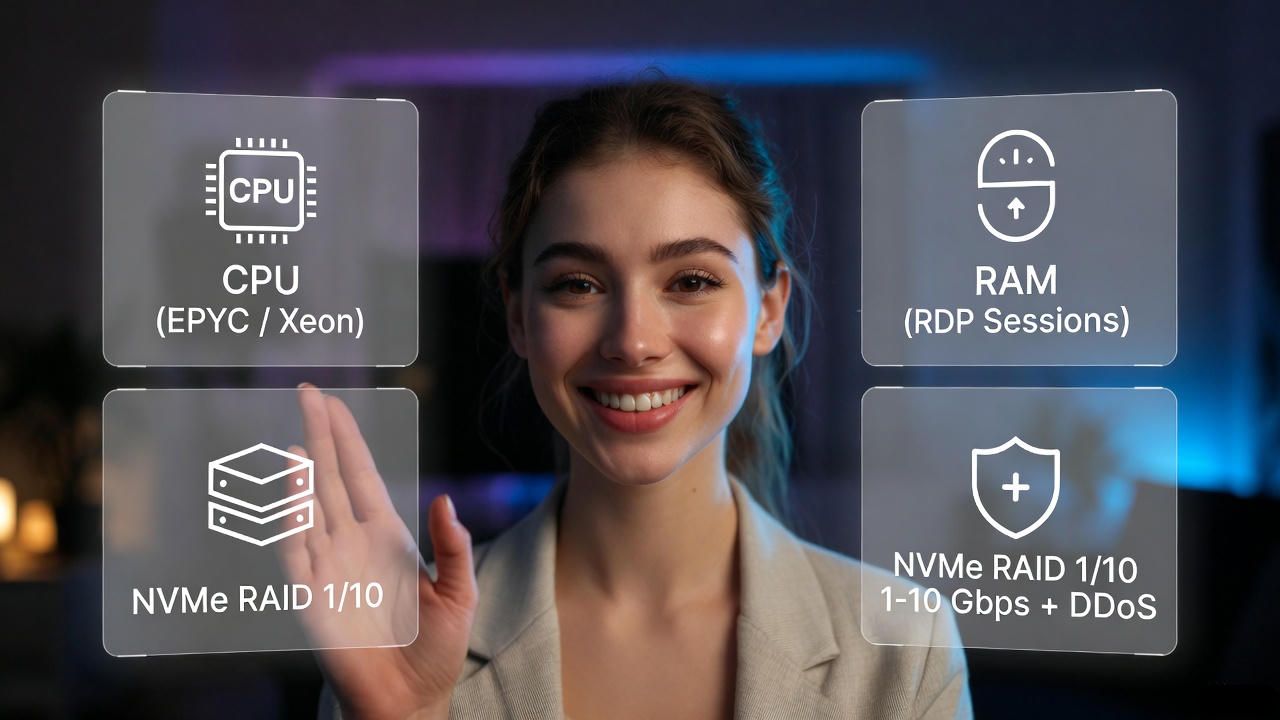
Start by mapping your workload: is it RDP heavy, IIS/.NET, MSSQL OLTP, file serving, or virtualization with Hyper‑V? For SQL, prioritize high single‑thread performance (e.g., AMD EPYC “Genoa” or Intel Xeon Scalable) and fast NVMe RAID 1/10.
For many concurrent RDP sessions, favor more RAM, more cores, and 10 Gbps NICs. Decide between managed (patching, monitoring, hardening) and unmanaged (DIY), and confirm Windows Server SPLA licensing and optional SQL Server SAL.
- Hardware: Latest gen EPYC/Xeon, ECC RAM, NVMe RAID 1/10, 1–10 Gbps with DDoS protection.
- Licensing: Windows Server 2019/2022/2025 SPLA; verify RDS, CALs, MSSQL licensing options.
- Management: Managed SLAs for patching, AV/EDR, backups; unmanaged for full control.
- Network: U.S. regions close to users (East/West/Midwest) for lower latency and compliance.
- Security: DDoS, WAF/IIS hardening, credential vaulting, MFA for RDP, encrypted backups.
- Support: 24×7 U.S capable NOC, 30–60 min response on criticals, transparent runbooks.
- Contracts: Clear upgrade paths, IP allocation, remote hands, and migration assistance.
10 Best Windows Dedicated Server in USA 2026, Feb
We ranked providers by hardware value, network reach, SLA, and Windows expertise.
Each summary includes pricing signals, use cases, and feature highlights.
1. YouStable
Best for: Balanced price to performance Windows hosting with managed options
Price: From $109–$199/mo (typical entry), custom quotes for high core or 10 Gbps

YouStable focuses on practical, production ready Windows dedicated servers tuned for .NET, MSSQL, and RDP stacks. Expect modern AMD EPYC/Intel Xeon configurations, ECC RAM, and NVMe RAID that hold up under transactional loads. Managed plans include OS patching, proactive monitoring, IIS hardening, and optional SQL Server licensing through SPLA, making it straightforward to deploy business apps without juggling multiple vendors.
The U.S. footprints and peering deliver low‑latency delivery across major metros. YouStable’s strength is transparent configurations and upgrade paths—adding RAM, extra NVMe, or 10 Gbps is predictable and quick. Teams running remote desktops, ERP, CRM, or high‑availability web stacks will value strong SLAs and responsive support. As a hosting provider, we’ve migrated and tuned thousands of Windows workloads, emphasizing reliability over headline specs.
Key Features Of YouStable
- Modern EPYC/Xeon CPUs sized for .NET and SQL throughput – Latest gen cores deliver high single thread and multi thread gains for real world IIS and OLTP.
- NVMe RAID 1/10 for consistent IOPS under load – Sustained low latency reads/writes keep MSSQL, indexing, and backups fast during peak traffic.
- Managed Windows with SPLA and hardening – Monthly licensing, patch orchestration, RDP lockdowns, and baselines reduce security toil.
- 10 Gbps ready networking with DDoS filters – Scalable NICs and scrubbing centers protect uptime during volumetric and L7 events.
- SQL Server options and backup strategy built in – Add MSSQL editions, VSS aware backups, and offsite retention without extra vendors.
- Fast scaling via RAM, disks, and IP allotments – Predictable upgrades avoid replatforming and keep maintenance windows minimal.
- Migration assistance and runbook documentation – Guided cutovers, performance tuning, and clear SOPs for operations continuity.
Pros
- Strong managed Windows posture, NVMe first builds, responsive scaling.
- SQL Server options and built in backup Strategies.
Cons
- Ultra budget seekers may find cheaper bare metal elsewhere.
2. HostGator
Best for: SMBs upgrading from shared/reseller to a managed Windows dedicated box
Price: From ~$139–$249/mo depending on CPU and managed scope

HostGator’sWindows dedicated offerings target growing businesses needing predictable managed help. Their appeal is a familiar panel driven experience, bundled support, and flexible billing. While not the bleeding edge of bare‑metal performance, the platform is serviceable for IIS apps, remote desktops, and Windows based CMS/e‑commerce when paired with NVMe or SSD upgrades and ample RAM.
U.S. data centers provide decent coverage, with standard DDoS protections and rapid setup times. For organizations migrating from cPanel/Plesk shared environments into Windows dedicated, HostGator reduces complexity. Be mindful of specific SLAs and included management tasks—clarify what’s covered (patching, backups, security) to avoid surprises during growth spurts or busy seasons.
Key Features Of HostGator
- Plesk friendly managed Windows environment – Simplifies site, IIS, and mailbox operations for small teams with limited admin time.
- Reasonable U.S. coverage for SMB latency – Balanced routing and standard DDoS protections maintain uptime during normal spikes.
- Upgrade paths for RAM and storage tiers – Start small and scale as transaction counts or RDP users grow.
- Familiar billing and support workflows – Predictable ticketing, phone/chat options, and core tasks handled by staff.
- Decent entry price for managed Windows – Lower barrier for teams leaving shared hosting for dedicated control.
Pros
- Easy onboarding, Plesk support, approachable pricing for SMBs.
- Solid for moderate IIS and RDP usage with upgrades.
Cons
- Not the fastest hardware stack compared to niche bare metal vendors.
3. Bluehost
Best for: Agencies hosting Windows sites, staging, and low friction managed ops
Price: Typically starts ~$149–$249/mo; confirm Windows licensing scope

Bluehost is known for WordPress, but also fields Windows capable dedicated servers for agencies maintaining .NET sites, landing pages, and mixed stacks. The core draw is turnkey management and familiar tooling. With SSD/NVMe options and Plesk, you can spin up IIS sites quickly, isolate clients, and standardize backups without building a custom Windows baseline from scratch.
For heavier data workloads or high concurrency MSSQL, ensure you select higher core counts and NVMe RAID. Bluehost’s value is predictable support and ecosystem integrations rather than custom hardware tweaks. It suits agencies and SMB teams wanting low operational burden, with the option to scale resources as traffic or client count expands.
Key Features Of Bluehost
- Plesk and IIS for fast site provisioning – Spin up Windows sites, HTTPS, mail, and app pools with familiar controls.
- Managed updates and monitoring coverage – Reduce toil with scheduled patching and platform checks for uptime.
- SSD/NVMe options for better responsiveness – Keep page loads snappy and backups timely under light to moderate load.
- Agency friendly account management – Consolidate billing and support across multiple client servers.
- Reasonable on ramps for Windows growth – Upgrade RAM/storage as client portfolios and traffic rise.
Pros
- Low friction management, Plesk support, simple scaling.
- Good fit for agency workflows and light MSSQL.
Cons
- Not targeted at extreme performance or custom network needs.
4. Liquid Web
Best for: Mission critical Windows, high SLAs, premium managed support
Price: From $199–$399+/mo; premium for managed SLAs and add-ons

Liquid Web is a premium choice when uptime and expert Windows support matter more than price. Expect high‑end hardware, aggressive monitoring, and runbooks that accommodate enterprise change control. Managed Plesk, Windows Server under SPLA, and optional MSSQL licensing make it straightforward to run production IIS/ASP.NET and database workloads with stringent response time expectations.
Network quality, security posture, and compliance help are standout points. If you need custom firewalling, backup topologies, replication, or consultation on licensing, it’s available. The trade‑off is cost: you’re paying for white‑glove support, which is often justified for healthcare, finance, or SaaS teams that need consistent, audited operations.
Key Features Of Liquid Web
- Premium managed Windows with deep SLAs – 24×7 engineers, rapid response, and documented procedures for stability.
- Enterprise hardware and NVMe first storage – Consistent IOPS, redundant components, and high throughput for MSSQL.
- Advanced security and compliance options – Firewalls, DDoS, hardening, change control, and audit friendly operations.
- Backup, DR, and replication strategies – Tailored RPO/RTO with offsite retention and testable recovery drills.
- Consultative scaling and licensing clarity – Guidance on SQL/RDS CALs to fit budget and concurrency targets.
Pros
- Best in class managed Windows and SLAs.
- Strong security, DR options, and advisory support.
Cons
- Higher price than mass market hosts for similar base specs.
5. UltaHost
Best for: Value driven Windows dedicated with fast provisioning and NVMe
Price: Often $99-$199/mo; confirm Windows SPLA in quoted price

UltaHost competes on value while still offering Windows ready bare metal with NVMe and strong base bandwidth. It’s attractive for startups and dev teams needing quick go‑live and decent single‑thread performance for .NET APIs or microservices fronted by IIS. Bundled DDoS protection and modern CPUs make it viable for production if you don’t require premium managed layers.
Choose managed Windows if you want patching and proactive eyes. Otherwise, the unmanaged route is suitable for teams comfortable with Group Policy, Defender for Endpoint, and IIS hardening. As traffic grows, UltaHost’s upgrade options for RAM, NVMe, and bandwidth keep scaling predictable, especially when paired with MSSQL tuned for NVMe throughput.
Key Features Of UltaHost
- Value first NVMe and DDoS included plans – Solid foundation for IIS and MSSQL without premium pricing.
- Modern EPYC/Xeon deployments for .NET – High IPC cores suit web APIs, services, and RDP concurrency.
- Managed or unmanaged Windows choice – Pick patching and monitoring level that fits team skills and budget.
- Rapid provisioning and clear upgrades – Get online fast, then add RAM/disks as telemetry dictates.
- Multiple U.S. locations for latency control – Place workloads near users or region specific compliance needs.
Pros
- Compelling price to performance with NVMe.
- Agile provisioning and straightforward scaling.
Cons
- Managed scope may be lighter than premium providers.
6. InterServer
Best for: Flexible month to month Windows dedicated with strong network
Price: From $109-$229/mo; competitive for customizable builds

InterServer is known for straightforward pricing and flexible terms, including monthly commitments, which suits projects and seasonal workloads. Their Windows capable dedicated servers offer ample bandwidth and IP options, with SSD/NVMe upgrades for faster database and backup operations. If you prefer to manage your own Windows baseline, InterServer provides a stable substrate without heavy managed premiums.
For RDP farms or IIS clusters, InterServer’s network and peering help sustain consistent throughput. Add DDoS protection and MFA backed RDP to harden access. They’re a logical pick for dev/test, bursty campaigns, or SMB production apps where cost control and quick resource changes matter more than white‑glove managed services.
Key Features Of InterServer
- Month to month flexibility on bare metal – Spin up Windows hosts without long contracts or overcommitment.
- SSD/NVMe options for database speed – Keep MSSQL and backups responsive during growth sprints.
- Generous bandwidth and IP allocations – Useful for RDP/user segmentation and service separation.
- DIY friendly Windows deployments – Ideal for admins comfortable with hardening and patch orchestration.
- Responsive network with U.S. peering – Stable performance for distributed users and edge services.
Pros
- Flexible billing, solid network, good value.
- Customizable for specific Windows roles.
Cons
- Managed coverage is limited versus premium hosts.
7. Hosting.com
Best for: Enterprises seeking legacy friendly Windows hosting and consultation
Price: Custom quotes; expect premium for enterprise support and compliance

Hosting.com, historically associated with enterprise hosting, caters to organizations migrating legacy Windows apps that require careful change control and compliance. If you need consultative onboarding, documentation, and coordinated cutovers with vendor teams, their model fits. They emphasize reliability, security layers, and support workflows more than bargain pricing or headline hardware specs.
Expect Windows SPLA licensing, RDS/RDP considerations, and optional MSSQL integration alongside backups and DR. Clarify data center locations, peering, and SLAs relevant to your auditors. While cost is higher than commodity hosts, the value lies in enterprise process alignment, predictable runbooks, and reduced operational risk for critical, older Windows workloads.
Key Features Of Hosting.com
- Enterprise onboarding and migration planning – Detailed runbooks, change windows, and test plans reduce production risk.
- Compliance minded Windows operations – Support for policy controls, logging, and documentation for audits.
- SPLA licensing for Windows and MSSQL – One vendor for licensing, hosting, and support coordination.
- Backup and DR designs with validation – RPO/RTO targets backed by regular recovery tests and reports.
- Security baselines and network options – DDoS, firewalling, access controls, and segmentation guidance.
Pros
- Enterprise processes, documentation, and SLAs.
- Suits legacy Windows and compliance heavy teams.
Cons
- Premium pricing; may be overkill for SMB workloads.
8. Hostwinds
Best for: Cost conscious Windows bare metal with strong customization
Price: Often $99-$179/mo base; add Windows SPLA and NVMe as needed

Hostwinds offers aggressively priced dedicated servers with broad customization. It’s a fit for admins who want to pick CPU, RAM, storage layout, and networking profiles precisely and then layer on Windows licensing. With NVMe and higher core options, it can handle substantial IIS and MSSQL traffic if you correctly size RAM and disk arrays for your transaction mix.
Teams comfortable with Windows hardening can wring maximum value here. As traffic scales, consider 10 Gbps uplinks, mixed NVMe+SSD tiers for hot/cold data, and offsite backups. With proper configuration, Hostwinds can underpin robust RDP farms, mid‑size SaaS, or Windows APIs that benefit from reliable single‑thread performance and speedy storage.
Key Features Of Hostwinds
- Aggressive pricing for customizable builds – Start low and tune hardware precisely for Windows roles.
- NVMe and 10 Gbps options for scale – Keep latency predictable as concurrency and payloads grow.
- DIY friendly for Windows admins – Retain full control over Group Policy, patching, and security tooling.
- Generous IPv4/IPv6 availability – Useful for multi tenant RDP and service isolation by IP.
- Rapid scaling of RAM and disks – Expand capacity without replatforming or lengthy change windows.
Pros
- Strong value and flexibility; good network options.
- Ideal for experienced Windows administrators.
Cons
- Managed support scope is lighter than premium peers.
9. HostPapa
Best for: Small teams wanting approachable managed Windows hosting
Price: Typically ~$129–$219/mo; validate what managed tasks include

HostPapa positions dedicated servers for smaller teams stepping into Windows without deep admin experience. Expect a friendly control panel approach, helpful onboarding, and reasonable hardware for moderate IIS sites, RDP access, and line‑of‑business apps. It’s a good bridge between shared/ VPS and full enterprise dedicated, with an emphasis on clarity and support accessibility.
If you plan to run heavier SQL workloads, opt for NVMe and larger RAM footprints. Confirm backup cadence, restore tests, and the scope of managed patching. For many small businesses, HostPapa’s blend of hand‑holding and sensible defaults can reduce risk during the first dedicated server deployment.
Key Features Of HostPapa
- Guided managed Windows experience – Lower learning curve for first time dedicated server adopters.
- Reasonable hardware with NVMe options – Smooth performance for SMB IIS and light MSSQL tasks.
- Clear support channels and onboarding – Human help when setting up RDP, Plesk, and security.
- Upgrade paths as needs grow – Add RAM/disks to support more users and transactions.
- Safe defaults and patch schedules – Reduce exposure with routine updates and monitoring.
Pros
- Beginner friendly managed posture
- Good for first Windows dedicated deployments.
Cons
- Limited appeal for high scale or custom network needs.
10. TMDHosting
Best for: Developers needing quick Windows setups with helpful support
Price: Often ~$109–$199/mo; windows licensing and NVMe may add costs

TMDHosting provides Windows capable dedicated servers with a developer friendly tilt. Provisioning is quick, and support is approachable for troubleshooting IIS/Plesk tasks, SSL, and email. For API services, internal dashboards, or smaller SaaS components, the platform offers enough horsepower—especially with NVMe RAID—to deliver reliable performance without premium costs.
As you scale, refine monitoring (PerfMon and ETW), enable MFA on RDP, and consider 10 Gbps uplinks for content or sync heavy apps. TMDHosting’s balance suits teams focused on building features rather than spending weeks designing Windows baselines, while still allowing room to tune for MSSQL and caching.
Key Features Of TMDHosting
- Developer friendly Windows provisioning – Get IIS and Plesk online quickly for staging and production.
- NVMe RAID for responsive workloads – Improve page times, API latency, and backup windows.
- Supportive troubleshooting for SMB teams – Human help for certificates, mail, and app pool tuning.
- Scalable networking options – Upgrade bandwidth as traffic and data sync needs rise.
- Accessible pricing and clear add-ons – Understand costs for Windows SPLA and MSSQL upfront.
Pros
- Quick to value for dev teams; good NVMe choices.
- Support is approachable and practical.
Cons
- Not targeted at advanced enterprise compliance or bespoke networks.
At a Glance Recommendations by Use Case
Map your workload type to a provider profile for faster decisions.
Choose managed depth and hardware according to concurrency and risk.
- Premium managed and high SLA: Liquid Web, YouStable
- Best value for admins: Hostwinds, InterServer, UltaHost
- Agency/SMB friendly managed: Bluehost, HostGator, HostPapa
- Enterprise process/compliance: Hosting.com
- Developer speed and support: TMDHosting
Performance, Sizing, and Real World Scenarios
Right size CPU, RAM, and NVMe for your target RPS and user concurrency. Test with production like data, then tune IIS, MSSQL, and caching.
For IIS/.NET APIs doing 500–2,000 RPS, start with 16–32 cores (EPYC/Xeon), 64–128 GB RAM, and NVMe RAID 1/10. For MSSQL OLTP, optimize for low latency: NVMe mirrored pairs, TempDB on dedicated NVMe, and at least 128 GB RAM.
RDP farms scale on cores and RAM plan 1-2 GB per concurrent user, and ensure GPU options if apps are graphics‑heavy. Always baseline with PerfMon counters (Processor Queue, Page Life Expectancy, Disk sec/Read/Write) and SQL Wait Stats.
- IIS tuning: Enable HTTP/2, tweak app pool recycling, and set output caching for static assets.
- MSSQL: Use memory optimized tempdb files, proper MAXDOP, and sized log files to avoid autogrowth.
- Backups: VSS aware snapshots, offsite retention, and regular restore testing for RPO/RTO assurance.
- Networking: Consider 10 Gbps for data sync, BI exports, or heavy file serving.
- Observability: PerfMon, ETW, SQL DMVs, and synthetic checks to spot regressions early.
Windows Licensing, Security, and Compliance 2026
Licensed Windows under SPLA simplifies monthly compliance and audits. Harden RDP, patch OS/apps, and document controls for regulators.
Most hosts provide Windows Server 2019/2022/2025 via SPLA, billed monthly per core. Add RDS SALs for Remote Desktop and MSSQL per-core licensing as needed. Security baselines include disabling legacy ciphers, enforcing NLA, MFA for RDP jump hosts, and restricting RDP by IP.
Use Defender for Endpoint or an EDR, centralize logs (Windows Event Forwarding), and encrypt offsite backups. For HIPAA/PCI/SOC needs, ensure attestation, data center audits, and documented incident response.
- Credential hygiene: Local admin rotation, LAPS, and PAM for privileged access.
- Network: Geo/IP ACLs, VPN to jump servers, and separate admin VLANs where possible.
- Patching: Monthly OS/SQL cadence; emergency patch windows for critical CVEs.
- Monitoring: SIEM integration and threshold alerts on auth failures and service restarts.
- Backups: 3‑2‑1 rule with immutable or air-gapped copies for ransomware resilience.
Pricing Signals and Total Cost of Ownership
Compare base hardware, SPLA add-ons, and managed scope to gauge TCO. Budget for backups, bandwidth upgrades, and IP blocks as you scale.
Entry Windows dedicated pricing in the U.S. starts around $99–$199/mo for basic bare metal and $149–$399+ for managed plans. Add per‑core Windows and MSSQL licensing, RDS SALs, and backup storage.
10 Gbps networking, DDoS plans, and additional IPv4 can materially change monthly costs. The least expensive server can be the most costly if it lacks NVMe, monitoring, and tested backups prioritize reliability components over headline CPU counts.
FAQs
Which Windows Server version should I choose in 2026?
Pick Windows Server 2022 for maturity and long support, or 2025 for newer features if your apps are certified. Keep 2019 only for legacy compatibility needs and plan an upgrade path.
How much RAM and CPU do I need for MSSQL?
For mid size OLTP, start with 16–32 cores and 128–256 GB RAM on NVMe RAID. Size upward based on query concurrency, memory grants, and measured waits like PAGEIOLATCH and WRITELOG.
Is managed Windows hosting worth the extra cost?
Yes, if you lack in‑house admins or need SLAs for patching, monitoring, and incident response. Managed plans reduce downtime risk and often include hardening, backups, and licensing guidance.
Do I need RDS CALs for Remote Desktop usage?
For multi user RDP sessions beyond admin access, you need RDS licensing. Confirm per user versus per device needs and ensure your host provides SPLA or supports your licensing model.
What storage layout is best for SQL Server?
Use NVMe RAID 1/10, isolate TempDB on fast volumes, and pre size data and log files. Consider separate NVMe sets for logs and TempDB to minimize contention during heavy writes.
How important is 10 Gbps networking?
Critical for heavy file serving, BI exports, backups, and east‑west sync. For typical web apps, 1–2.5 Gbps is fine, but 10 Gbps future‑proofs bursty or data‑intensive workflows.
Can I virtualize with Hyper‑V on a dedicated server?
Yes. Ensure enough cores, RAM headroom, and NVMe IOPS for multiple VMs. Verify Windows Datacenter or appropriate licensing if you plan to run many Windows guest VMs.
Conclusion
Define your workload, then balance CPU, RAM, NVMe, and network against managed coverage and licensing. For premium managed SLAs, consider Liquid Web or YouStable. For admin led value, Hostwinds, InterServer, and UltaHost are compelling.
SMBs and agencies do well with Bluehost, HostGator, or HostPapa; enterprises align with Hosting.com. Size for today, but plan for bursts invest in NVMe, backups, and DDoS. The right U.S. Windows dedicated partner turns stability and speed into your competitive edge.