Blogging still works when you treat it as an asset, not a weekend hobby. This guide shows beginners exactly how to go live and grow with confidence.
If you’re wondering how to start a blog in 2026, you’re in the right place. Search remains the web’s backbone, and blogs power sustainable visibility across Google, social platforms, and email.
Here you’ll learn the exact steps from picking a niche to your first publish, WordPress setup, Core Web Vitals, SEO basics, and early growth using a workflow that’s realistic for beginners yet scalable for serious creators.
By the end, you’ll have a live, secure, and fast WordPress blog, a simple content plan, and the confidence to publish consistently. You’ll also understand which tools matter, what you can skip, and how to avoid slow, costly mistakes most beginners make.
11 Essential Steps to Launch a Blog
Use this 3 minute checklist to see the journey before you take the first step.
You can launch in a day, then learn and refine without breaking your live site.
- Choose your niche, blog name, and audience.
- Plan a simple content strategy and 10-20 post ideas.
- Choose the right blogging platform (WordPress.org is best).
- Select a fast, mobile first theme.
- Prep images and a consistent visual style.
- Create a staging site to test safely.
- Buy hosting and your domain.
- Install WordPress via one click installer.
- Customize your blog and create essential pages.
- Write and publish your first post.
- Promote your post and build traffic with SEO and social.
Before You Start: What You Need (Beginner Checklist)
Gather these pieces once and you’ll avoid rework and technical bottlenecks later.
Keep it lean: quality hosting, clean theme, and a focused plugin set win long term.
- Domain name: Short, brandable, and easy to say. Prefer .com if available; .co, .io, or relevant country TLDs are fine.
- Reliable web hosting: Look for PHP 8.2+, HTTP/3, Brotli, server level caching, daily backups, malware scanning, and a staging tool.
- Self hosted WordPress (WordPress.org): Full control, best SEO, unlimited monetization.
- SEO friendly theme: Lightweight, responsive, and optimized for Core Web Vitals.
- Essential plugins: SEO, analytics, image optimization, caching (if not server provided), backups, and forms.
- Realistic startup cost: Expect $60-$200 for year one (domain + entry hosting); higher for managed WordPress or VPS.
How Long Does it Take to Start a Blog?
Time to launch depends on your tooling and comfort with WordPress basics. Launch quickly, then iterate. Progress beats perfection every single time.
- 2-4 hours: Technical setup (domain, hosting, WordPress install, theme, core plugins).
- 1-2 days: Design tweaks, essential pages, and your first post (1,200-2,000 words).
- Ongoing: One post per week for 8-12 weeks to build topical authority and traction.
Why Starting a Blog is Still Powerful in 2026
AI didn’t kill blogs; it rewarded helpful, experience driven content and fast sites. Blogs create durable search equity, capture email leads, and outlast platform shifts.
- Free organic traffic: Evergreen posts compound via search, internal links, and shares.
- Authority and trust: Demonstrate real expertise with tutorials, case studies, and reviews.
- Compounding assets: One great post can rank, earn links, and feed future posts for years.
- Full ownership: Unlike social platforms, your blog isn’t at the mercy of feed algorithms.
- Repurposing engine: Turn posts into newsletters, threads, Reels/Shorts, and carousels.
Step 1: Choose Your Blog Niche, Name & Audience
Clarity here saves months later; it informs your content, design, and monetization. Pick a niche you can write about for a year and that searchers actually care about.
Beginner Focus
- Pick a clear niche: “Budget home coffee” beats “lifestyle.” Aim for focus plus depth.
- Choose a brandable name: Short, pronounceable, and easy to spell. Avoid hyphens and numbers.
- Define your reader: Who are they? What problem do you solve? What outcomes do they want?
- State your blog’s purpose: Teach, review, inspire, or document a journey—then commit.
Growth Focus (Optional)
- Define 3-5 content pillars: e.g., Guides, Reviews, Recipes, and Gear for a food blog.
- Research language and intent: Read SERPs, People Also Ask, forums, Reddit, and YouTube comments.
- Tie content to income: Map posts to affiliate programs, services, or future digital products.
Clarity beats perfection. You can rebrand later; getting started builds data and momentum.
Step 2: Plan a Simple Content Strategy
A plan prevents blank page paralysis and keeps your publishing cadence consistent. Think “small bets”: publish, measure, refine, and double down on what works.
Beginner Approach
- Choose 3-5 categories: These mirror your pillars and shape navigation.
- Brainstorm 10-20 posts: Use PAA, autocomplete, and competitor gaps for ideas.
- Blog first workflow: Draft → edit → add images → internal links → publish → promote.
Growth Approach
- Create pillar posts: 2,000-3,500 word guides targeting broad, evergreen topics.
- Map reader journey: Awareness (how to), consideration (comparisons), decision (reviews).
- Plan internal links: Each new post links to a pillar and 2-3 related articles.
Plan once, publish consistently. Momentum compounds faster than perfect strategy.
Step 3: Choose the Right Blogging Platform
Your platform controls ownership, SEO, speed, and monetization flexibility.
For long term growth and income, self hosted WordPress is the professional choice.
Platform Comparison
- WordPress.org (recommended): Open source, self hosted, unlimited customization.
- WordPress.com: Hosted service with limits unless on higher priced plans.
- Wix: Easy design, decent SEO, closed ecosystem, higher long term costs.
- Squarespace: Polished templates, simpler stack, fewer SEO and dev options.
- Blogger: Free but dated, limited control and portability.
Why WordPress.org Wins
- Full ownership: Your content, your database, your backups, your rules.
- Best SEO control: Clean URLs, sitemaps, schema, and performance tuning.
- Unlimited customization: Themes, plugins, and code access when you outgrow basics.
- Monetization freedom: Ads, affiliates, memberships, services, and courses on your terms.
If you’re serious about growth and income, choose WordPress.org from day one.
Step 4: Choose a Fast, SEO Friendly WordPress Theme
Your theme affects Core Web Vitals, usability, and how Google and users perceive you.
Pick lightweight now to avoid painful re‑themes when traffic starts to climb.
Beginner Setup
- Lightweight & responsive: Favor clean, accessible themes with minimal scripts.
- Clean design: Clear typography, spacious line height, and no cluttered carousels.
- Easy customization: Works well with the WordPress Site Editor and pattern library.
Advanced Insights
- Core Web Vitals: Aim for LCP < 2.5s, CLS < 0.1, INP < 200ms on mobile.
- Parent vs child theme: Use a child theme if you plan custom templates or code.
- Scalability: Ensure compatibility with schema, multilingual, and ecommerce plugins.
Speed plus simplicity drives rankings and conversions; avoid heavy multipurpose themes.
Step 5: Use Images That Build Trust & Improve SEO
Clear visuals increase dwell time, explain steps, and make your brand memorable.
Original photos beat generic stock, especially for tutorials and reviews.
Why Visuals Matter
Images guide scannability, anchor featured snippets, and drive shares on Pinterest and social. They also influence E‑E‑A‑T by proving first hand work: screenshots, process photos, and results.
Practical Tips
- Shoot with your phone: Use natural light, stable framing, and consistent backgrounds.
- Optimize: Convert to WebP, compress to <150 KB where possible, and serve responsive sizes.
- Write alt text: Describe the image function, not just keywords (accessibility matters).
- Pinterest friendly: Create 1000×1500 pins with clear titles and branding.
Authentic, optimized images build trust and SEO; perfection is optional, clarity is not.
Step 6: Set Up a Staging Site (Your Safety Net)
A staging site is a private clone where you can test changes with zero risk. It prevents downtime, broken pages, and SEO issues during theme or plugin tweaks.
Beginner Explanation
- What it is: A separate environment to test design, plugins, and updates safely.
- Why it matters: Mistakes happen; staging lets you learn without breaking the site.
- How to use: Make changes → review → push to live when ready.
SEO & Growth Benefits
- No indexing risks: Staging stays private; your live site remains clean for Google.
- Better quality: You can proof layouts, performance, and accessibility.
- Stress free learning: Experiment with Gutenberg patterns and navigation in peace.
Learn fast and ship safely by testing in staging before you publish to your live site.
Step 7: Choose Hosting & Domain (Your Blog’s Foundation)
If your blog loads slowly or goes offline again and again, will people trust it?
Of course not. And Google won’t either.
That’s why hosting and domain are not just technical things. They are the foundation of your blog.
So, What Does Hosting Actually Do?
Hosting is the place where your blog lives. It stores your website files and database and delivers them to visitors when someone opens your site.
Good Hosting Means:-
- Faster loading pages
- Better Core Web Vitals
- Strong security
- Smooth WordPress performance
A modern hosting stack should support PHP 8.2+, server-level caching, HTTP/3, Brotli compression, and daily backups. These things reduce loading time, especially on mobile.
Which Type of Hosting Should a Beginner Choose?
You don’t need anything complicated at the start.
- Shared Hosting – best for beginners and low budgets
- Managed WordPress Hosting – faster, easier, and less technical work
- VPS/Cloud – only when traffic grows and you need control
For most beginners, shared or managed WordPress hosting is more than enough.
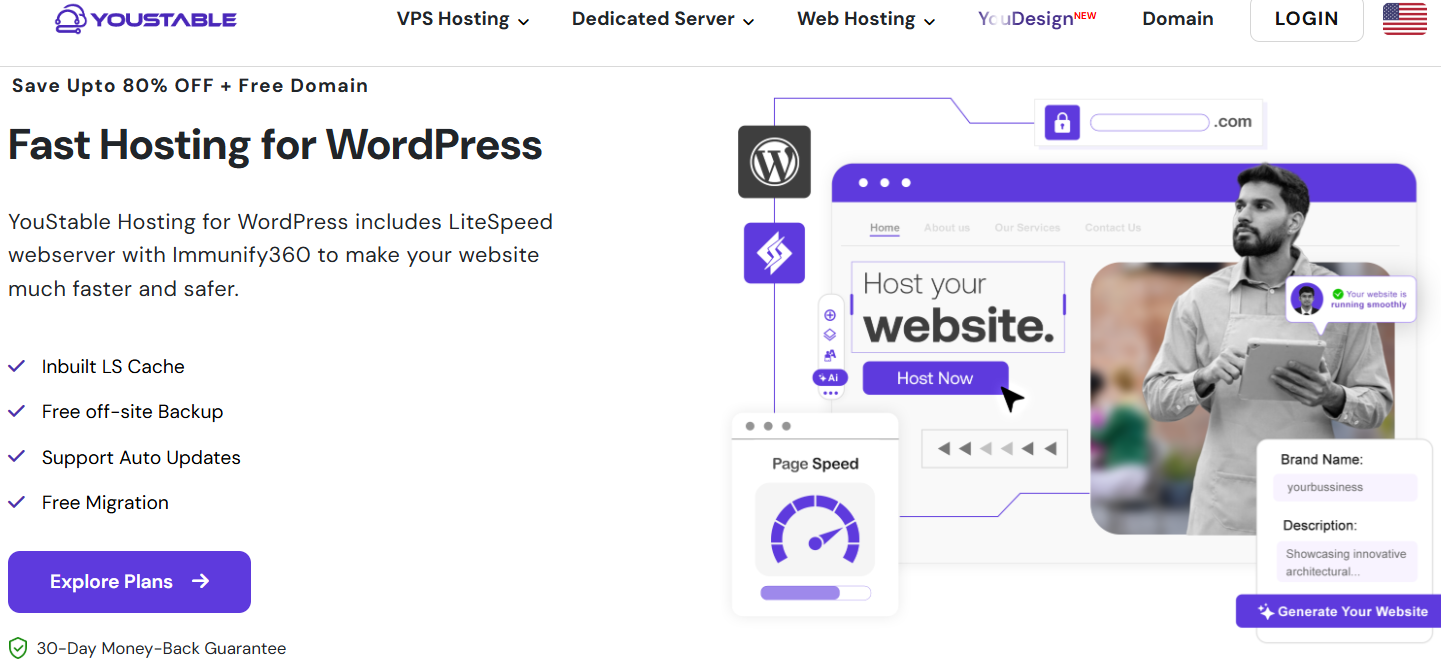
Why I Recommend Starting with YouStable
Now you might be thinking, “Okay, but where should I buy hosting and my domain safely?”
This is where YouStable makes things simple for beginners.
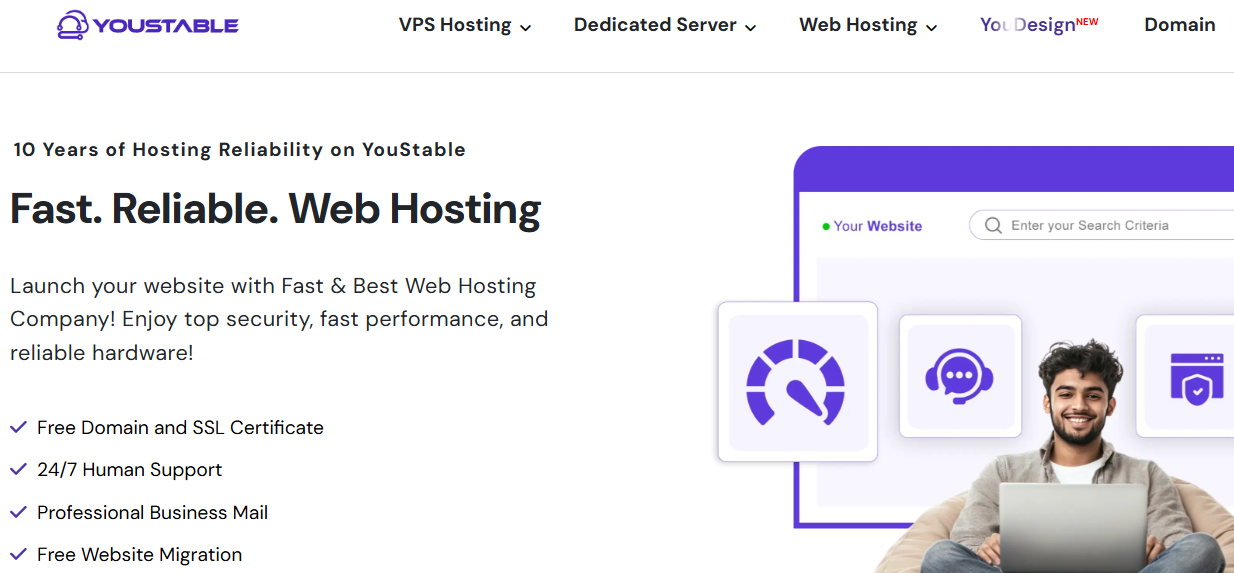
With YouStable, you get:-
- WordPress optimized hosting
- One click WordPress installation
- Free SSL certificate
- Daily backups and malware scanning
- Staging site to test changes safely
- Helpful support that understands WordPress
You don’t have to deal with confusing setups or technical headaches.
| YouStable WordPress Hosting Plans & Pricing Table in 2026 | ||||
|---|---|---|---|---|
| Plans Name | Websites | Storage | Bandwidth | Monthly Pricing |
| DaStart | 1 | 50GB NVMe SSD | Unmetered | $0.65/mo |
| DaProfessional | 25 | 100GB NVMe SSD | Unmetered | $1.31/mo |
| DaElite | Unlimited | 200GB NVMe SSD | Unmetered | $2.42/mo |
Buying Your Domain with YouStable
Here’s how beginners usually do it:-
- Choose a WordPress hosting plan on YouStable
- Search and register your domain (.com is a safe choice)
- Complete checkout
- Open the control panel
- Install WordPress with one click
- Enable SSL (HTTPS)
- Your blog is live and secure
No manual DNS stress. No guesswork.
How Much Does a Domain Cost?
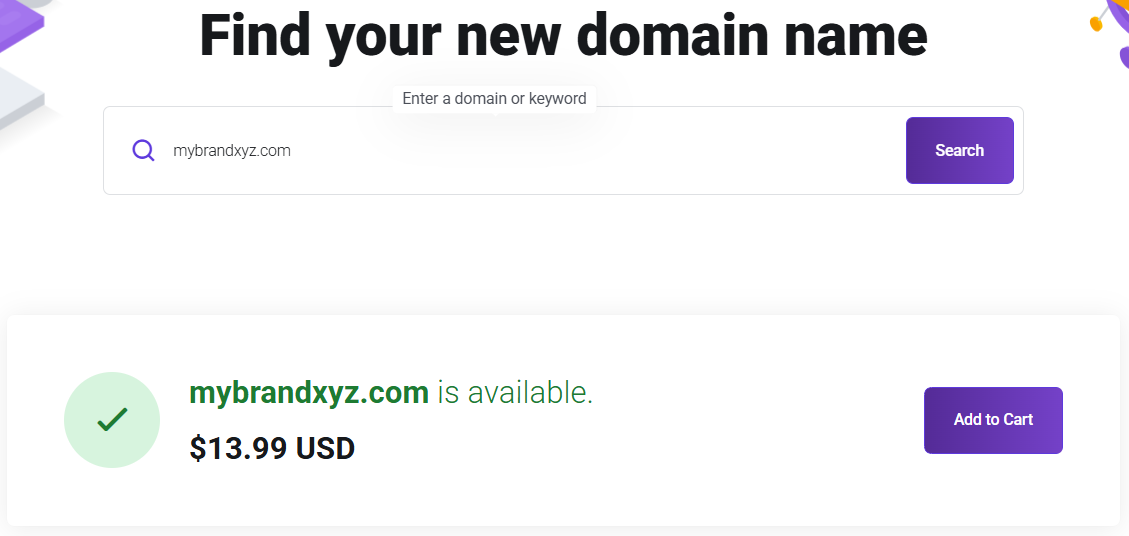
- .com domain: usually $10-$15 per year
- Other extensions vary
Keep your domain short, clean, and brandable. Avoid numbers and hyphens.
Basic Security You Should Never Skip
- Enable SSL (HTTPS)
- Use strong passwords and 2FA
- Turn on automatic backups
- Keep WordPress and plugins updated
These small steps protect your site and your hard work.
Why Hosting Quality Matters For SEO
Fast hosting improves TTFB, uptime, and Core Web Vitals.
That helps Google crawl your site better and improves rankings and conversions, especially on mobile.
Cheap hosting can slow you down. Good hosting helps you grow.
If you’re serious about blogging, start with reliable hosting and a clean domain setup. It saves time, money, and stress later and lets you focus on writing and growing your blog with confidence.
Step 8: Install WordPress & Access Your Dashboard
This part is fast: modern hosts offer one click installers with secure defaults.
Once installed, you’ll manage everything from the WordPress dashboard.
- Install WordPress: From your hosting panel, select your domain, set admin email, and choose HTTPS.
- Login: Visit yoursite.com/wp admin, enter your credentials, and bookmark the page.
- Dashboard overview: Posts, Pages, Appearance (themes), Plugins, Settings, and Tools are your core menus.
You’re officially a blogger now time to shape the site and publish your first content.
Step 9: Customize Your Blog & Create Essential Pages
These pages build trust and guide users; they’re also common SEO entry points.
Keep the design clean, mobile first, and easy to navigate with two level menus max.
Essential Pages
- Homepage: Clear promise, featured categories, recent posts, and a simple opt‑in.
- About: Your story, credibility, and how the blog helps readers. Add a photo for trust.
- Contact: Form plus email. Include basic guidelines for collaboration or pitches.
- Privacy Policy: Required for analytics and forms. Many plugins can generate a base page.
- Blog page: Use a clean grid or list with featured images and readable excerpts.
Plugins (Start Lean)
- SEO: Titles, meta descriptions, sitemaps, schema, and index controls.
- Analytics: Connect Google Analytics 4 and Search Console for performance insights.
- Image optimization: Auto convert to WebP and compress on upload.
- Backup: Daily backups with one click restore. Store copies offsite.
- Forms: Lightweight contact form with spam protection.
A professional setup builds reader trust and sets the stage for steady SEO growth.
Step 10: Write & Publish Your First Blog Post
Start with a problem you can solve today; aim for clarity over cleverness. Use headings, short paragraphs, and images to make scanning effortless on mobile.
Beginner Formula
- Pick a searchable topic: Confirm demand via Google autocomplete and PAA questions.
- Write a clear intro: State the problem, promise the outcome, and preview the steps.
- Structure: Use H2/H3 sections, bullet lists, and screenshots for key steps.
- Close strong: Add a call to action (subscribe, comment, or read a related guide).
SEO Boost (Optional)
- Title and meta: Include the main phrase naturally and promise a specific benefit.
- Internal links: Point to a pillar post and 2-3 related posts for depth.
- Keywords: Use semantically related terms; avoid stuffing. Write like a human.
Publish first, polish later. Speed of learning and iteration beats waiting for perfect.
Step 11: Promote Your Blog & Grow Traffic
Promotion turns posts into traffic; consistency turns traffic into authority.
Focus on one primary channel first; master it before you add more.
Beginner Focus
- One keyword per post: Target a distinct search intent each time.
- Helpful content wins: Answer fully, show steps, and include your own examples.
- Share smartly: Pinterest, relevant Facebook groups, and your personal LinkedIn.
Growth Focus
- SEO structure: Topic clusters and internal links to concentrate authority.
- Content length: Write to satisfy intent; 1,200-2,500 words is common for how tos.
- FAQs: Add schema style Q&A to capture featured snippets and PAA visibility.
Recap
Traffic follows consistent publishing, smart promotion, and intent matched answers.
How to Make Money Blogging in 2026
Monetization is easier when you solve valuable problems and own qualified traffic.
Build trust first; reliable income follows audience, not the other way around.
- Display ads: Simple to start; scale with traffic. Balance RPM with user experience.
- Affiliate marketing: Recommend tools you use; include comparisons and tutorials.
- Digital products: Checklists, templates, presets, or niche ebooks for quick wins.
- Online courses: Teach a transformation with structured lessons and worksheets.
- Services: Coaching, done for you, or consulting for faster income early on.
- Sponsored content: Collaborate with brands once you have audience fit and stats.
- Partnerships: Co‑create products, bundles, or events with complementary creators.
Layer monetization gradually. Start with affiliates and an email list, then add products once you understand your audience’s biggest pains.
FAQs
Is blogging still worth it in 2026 with all the AI content?
Yes. Google prioritizes experience backed, helpful content and fast, secure sites. If you publish original guides, show your process with images, and optimize Core Web Vitals, a blog remains one of the best assets for durable traffic and income.
How much does it cost to start a WordPress blog?
Expect $60-$200 for year one with a basic shared or entry managed plan plus a .com domain. Managed WordPress, VPS, or premium themes/plugins increase costs but can save time and deliver better performance as you grow.
How many posts do I need before launching?
Launch with one strong post and a content plan. Publishing weekly for 8-12 weeks builds topical authority faster than waiting to stockpile drafts that no one can read yet.
u003cstrongu003eWhat’s the ideal blog post length for SEO in 2026?u003c/strongu003e
Write to satisfy intent. Many how tos land between 1,200-2,500 words, while comparisons and pillar guides can exceed 3,000. Depth, clarity, structure, and originality matter more than word count alone.
Do I need coding skills to run a WordPress blog?
No. Modern themes, the Site Editor, and plugins cover most needs. Basic HTML/CSS can help polish details, but it’s optional for launching and growing a successful blog.
When should I start monetizing my blog?
Focus on helpful content and list building first. Add affiliates early where relevant, then layer ads and your own products once traffic and email subscribers show consistent growth.
Conclusion
Starting a blog for beginners in 2026 is not complicated when you follow the right steps in the right order. The biggest success factor is simple: treat your blog like a long term asset, not something you work on only when you feel motivated. When you choose a clear niche, set up WordPress properly, pick fast hosting, and build your site with clean design and strong fundamentals, you create a blog that is ready for growth from day one.
The best part is you don’t have to be perfect before launching. You can publish your first post, learn from real data, improve your writing, and refine your SEO slowly as you go. Focus on consistency, create helpful content that solves real problems, and keep your site fast, secure, and user friendly. Over time, your posts can bring free traffic, build trust, and open multiple income opportunities like affiliate marketing, ads, and digital products.
Now your next step is simple: launch your blog, publish your first post, & stay consistent for the next 8-12 weeks. That’s where the real momentum starts.
Beginner Friendly Blogging Guides by Country
- How to Start a Blog in India
- How to Start a Blog in Pakistan
- How to Start a Blog in Nepal
- How to Start a Blog in Singapore
- How to Start a Blog in Vietnam
- How to Start a Blog in South Africa
- How to Start a Blog in Nigeria
- How to Start a Blog in Kenya
- How to Start a Blog in Tanzania
- How to Start a Blog in Zimbabwe
- How to Start a Blog in Canada
- How to Start a Blog in Ireland