Building a WordPress website can feel confusing at the beginning. There are themes to choose, plugins to install, and many settings to understand. When you are just starting, all of this can slow you down and make website creation feel difficult.
This is where an AI website builder makes things easier. Instead of doing everything manually, you only share a few basic details about your website. The AI takes care of the layout, pages, and design, so your website starts coming together quickly.
As you read further, each step shows how a WordPress website can be built in a simple and practical way using an AI website builder. Everything stays under your control, and you can shape the website exactly the way you want.
What is an AI Website Builder for WordPress?
An AI website builder is a smart tool that automatically creates a WordPress website using the basic details you provide. It builds the site structure, pages, and layout for you, so you don’t have to start from scratch.
It works directly with WordPress or through your hosting provider. After setup, your website functions like a normal
WordPress site, allowing you to edit content, customize design, and grow your website over time.

How AI Website Builders Work with WordPress
AI website builders work in a very simple and structured way. They guide you step by step and handle most of the technical work automatically, so you can focus on your website idea instead of setup tasks.
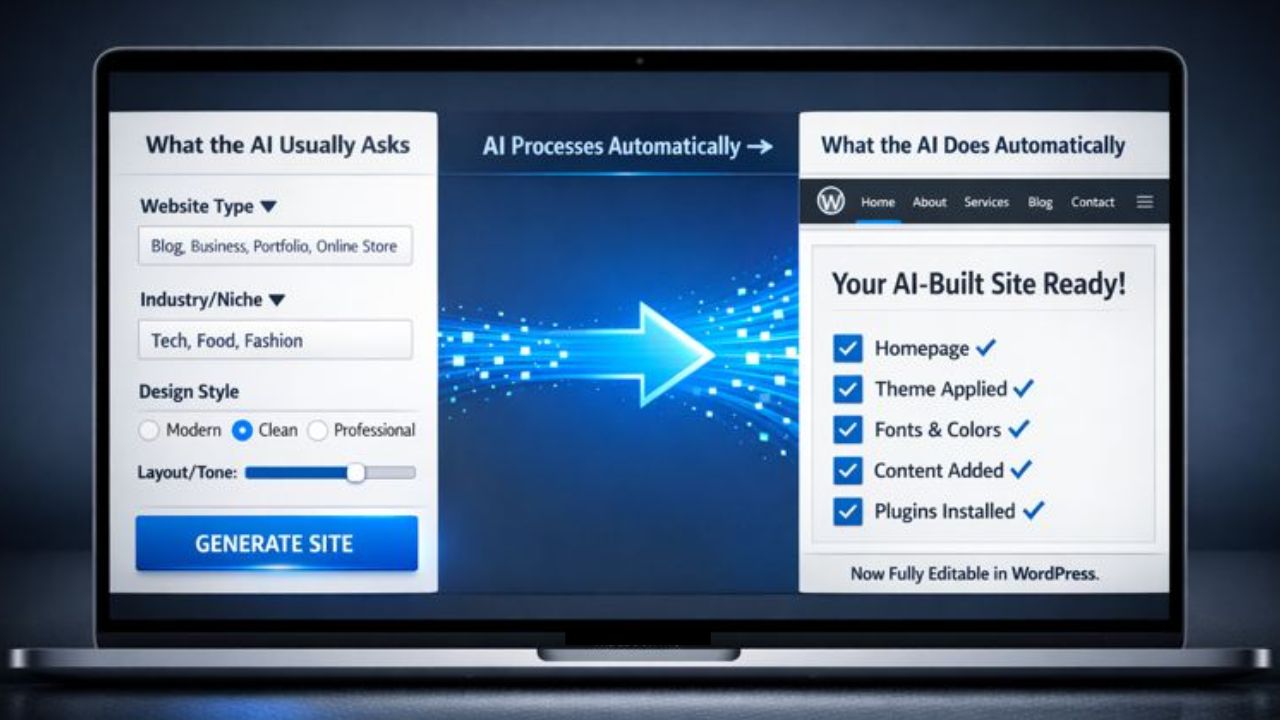
First, the AI builder collects a few basic details about your website. These inputs help the AI understand what type of website you want and how it should look.
What the AI Usually Asks You
- Type of website, such as blog, business, portfolio, or online store
- Industry or niche your website belongs to
- Design style preference, like modern, clean, or professional
- Basic branding choices, including layout and visual tone
What the AI Does Automatically
- Creates a homepage and other essential pages
- Chooses a suitable WordPress theme
- Applies fonts, colors, and page layout
- Adds sample or AI generated content
- Installs basic plugins needed for the website
Once this process is complete, everything becomes editable inside WordPress. You can customize the design, change content, and expand your website anytime you want.
Requirements to Build a WordPress Website Using AI
Building a WordPress website with an AI website builder is much easier than most people think. You do not need technical knowledge, coding skills, or design experience. The entire process is made simple so that even beginners can start without confusion.
With the right hosting and a few basic details, your website can be created in minutes using AI.
Basic Requirements
To get started, you only need a few essential things:
1. Domain Name (Your Website Address)
A domain name is the address of your website on the internet, such as yourwebsite.com. This is what people type in their browser to visit your site.
Good news:
If you buy hosting from YouStable, you get a free domain name included with the hosting plan. This means you don’t need to purchase the domain separately, which helps you save money and time.
2. WordPress Hosting With AI Website Builder Support
You need WordPress hosting that supports an AI website builder. This hosting stores your website files and provides the AI tool that automatically creates your website layout, pages, and design.
Why choose YouStable hosting?
- WordPress optimized hosting
- Built in AI website builder (YouDesign AI)
- Free domain with hosting
- Free SSL certificate
- Beginner friendly control panel
This makes YouStable a great choice for users who want to build a WordPress website easily using AI.
3. Basic Website Information
Before starting the AI setup, you should have a basic idea of your website, such as:
- Website purpose (blog, business, portfolio, etc.)
- Niche or industry
- Simple description of what your website is about
These details help the AI builder create a website that matches your goals.
Skills Required
You do not need any advanced skills to build a WordPress website using AI:
- No coding skills required
- No design knowledge needed
- No technical experience necessary
The AI website builder handles the website structure, layout, and design automatically. After that, WordPress gives you full control to edit content, add pages, install plugins, and grow your website at your own pace.
Step by Step Guide to Build a WordPress Website Using AI Website Builder
This step by step guide shows how to create a WordPress website easily using an AI website builder. Each step is explained in a simple way, from buying hosting to launching your website. Even beginners can follow this guide without technical knowledge and build a complete website quickly.
Step 1. Buy Hosting With AI WordPress Website Builder
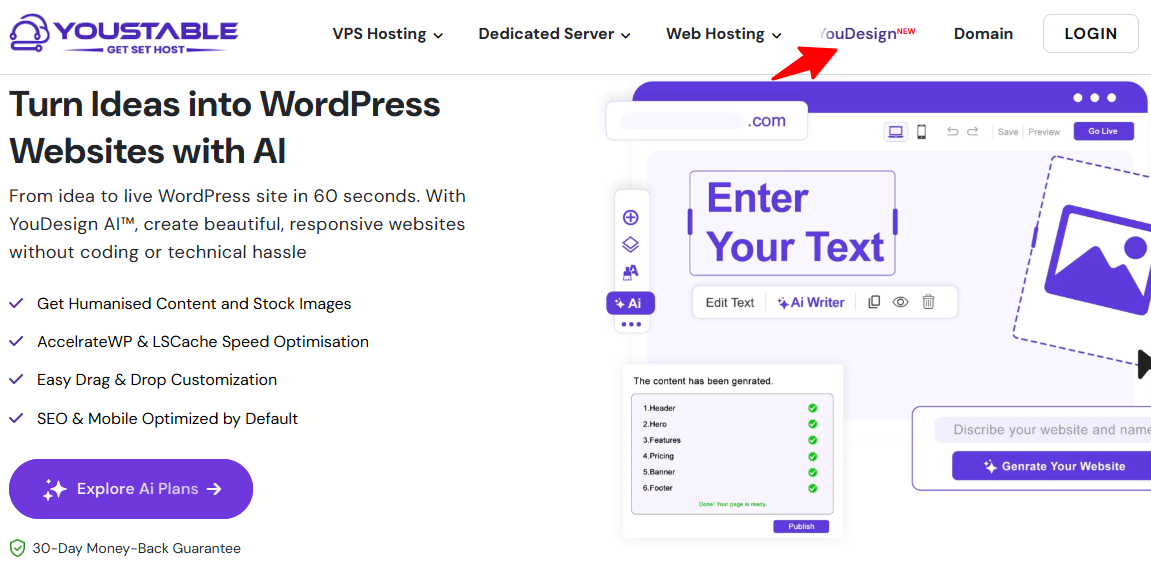
The first step is to purchase a WordPress hosting plan that includes an AI website builder. This hosting will store your website files and provide the tools needed to create your site using AI.
What You Need to Do in This Step
- Select a Hosting Plan
Choose a hosting plan that supports WordPress and includes an AI website builder. Pick a plan based on your website needs, such as a blog, business website, or portfolio.
2. Fill in Your Account Details
Enter your basic information such as name, email address, and password. Make sure the email address is correct because all hosting details will be sent there.
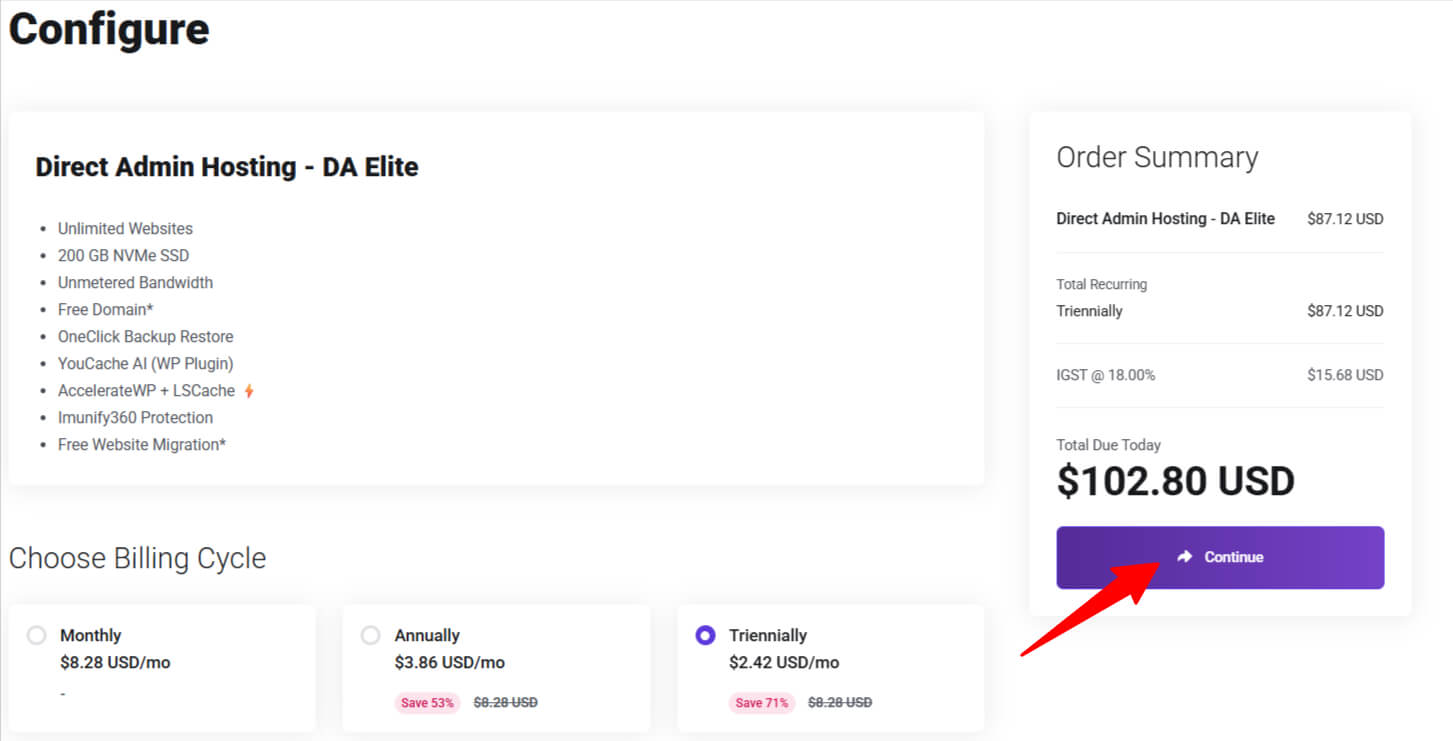
3. Check Details Before Checkout
Before making the payment, review all the details carefully. Confirm the selected plan, domain option (if included), and billing period.
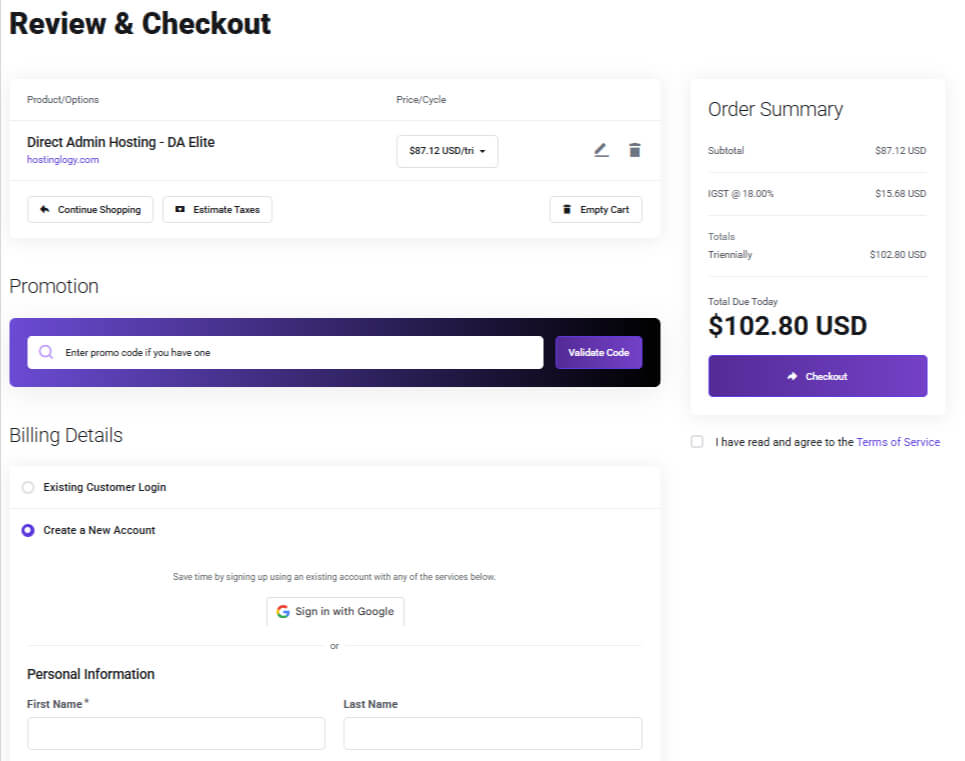
After completing the purchase, you will receive an email at the address you provided. This email contains your cPanel or DirectAdmin login details, which you will use to log in to your hosting account.
Step 2: Log In to your Hosting Control Panel
Once you receive the hosting email, log in to your hosting control panel.
How this step works:
- Open the email sent by your hosting provider
- Click on the cPanel or DirectAdmin login link
- Enter your username and password
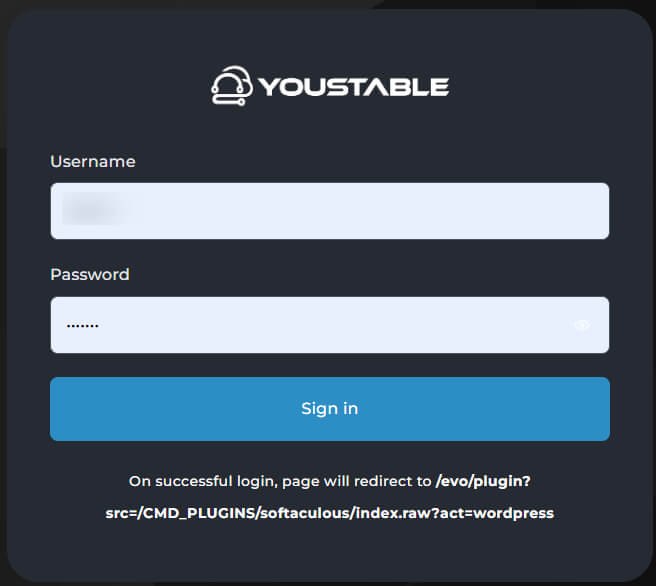
Step 3: Find WordPress in Softaculous Apps Installer
After logging in to the control panel, scroll down to the Softaculous Apps Installer section. Here, you will see the WordPress option. Click on WordPress, then select the Install option to start installing WordPress on your domain.
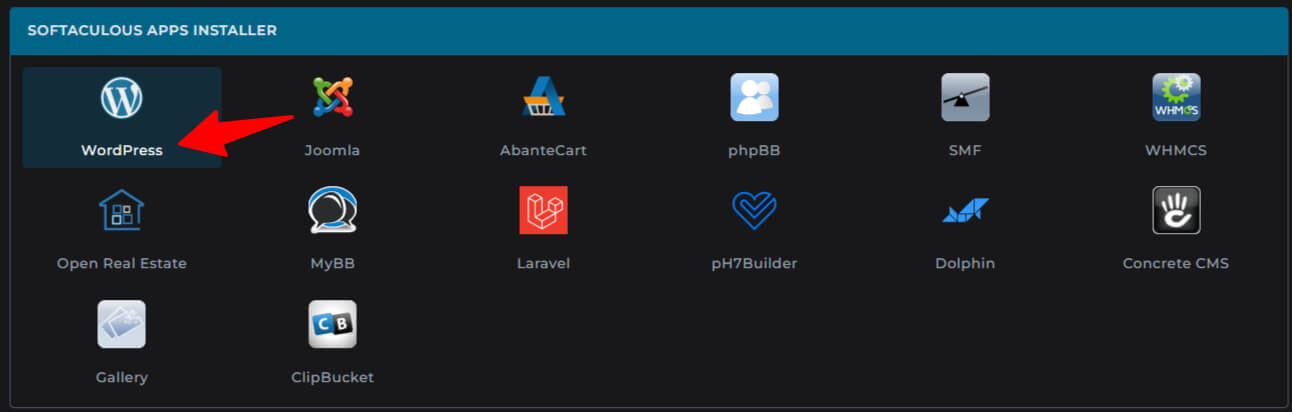
Step 4: Install WordPress and Enable YouDesign AI
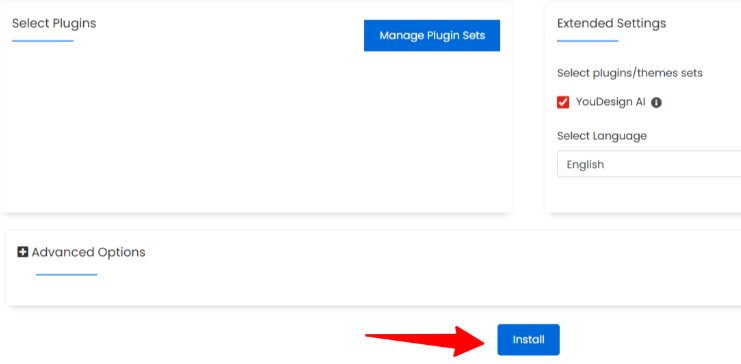
On the WordPress installation page, scroll down to view the setup options. Carefully fill in all the required details and recheck the information. Make sure to select the YouDesign AI option, as this allows the website to be created using AI. After that, click Install to continue.
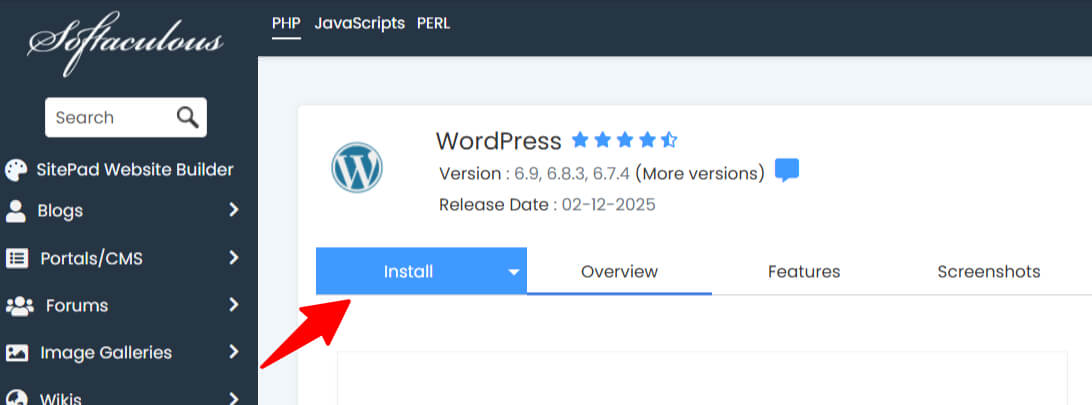
Step 5: Select Domain and Leave Directory Empty
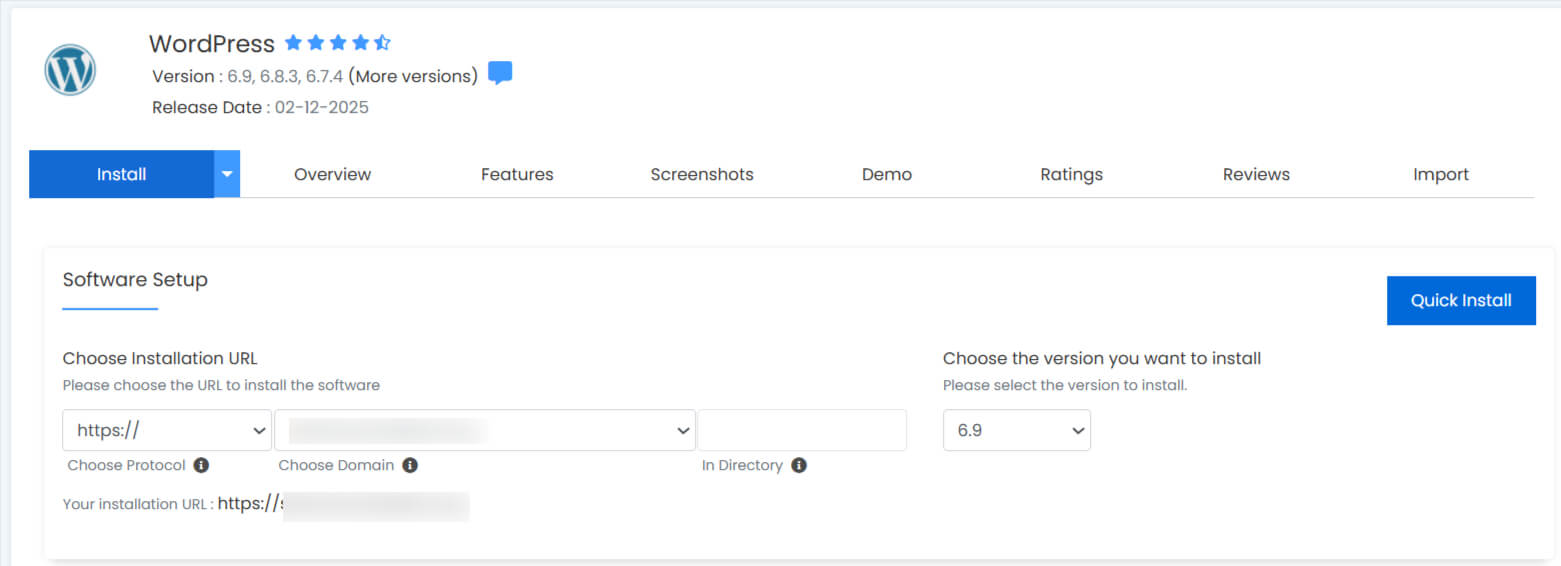
Now, in the Choose Domain section, enter your domain name in lowercase letters and leave the Directory field empty.
Step 6: Enter Website Details and Admin Account Information
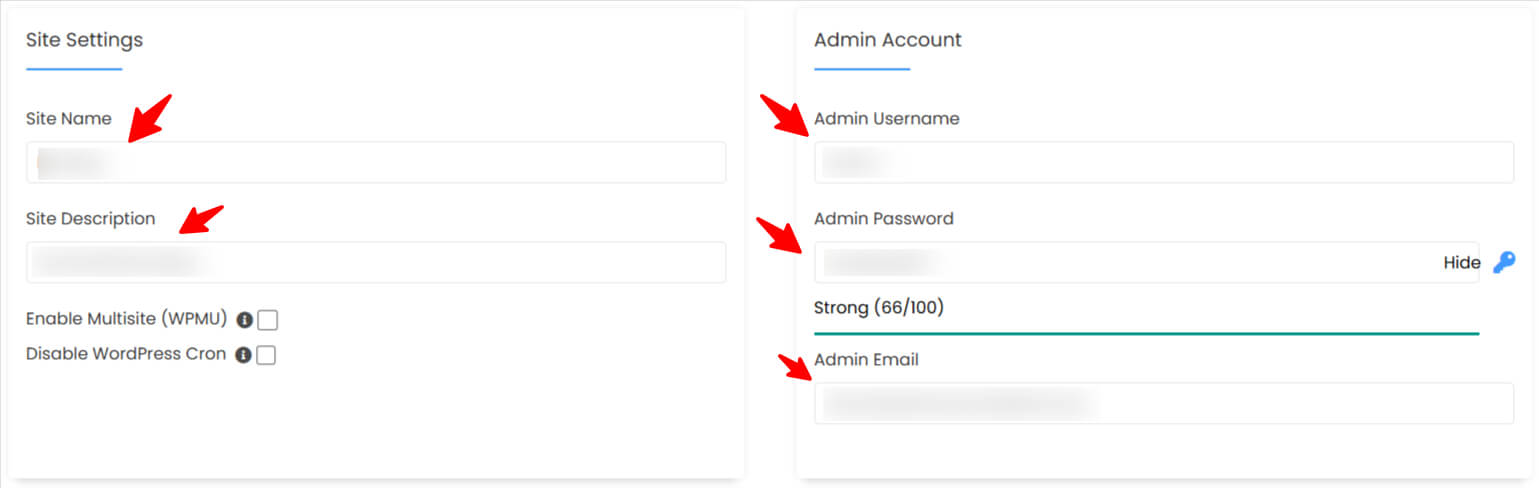
In the Site Name field, enter the name of your website. Then, add a short and clear description in the Site Description field. In the Admin Account section, choose an Admin Username, create a strong Admin Password, and enter your active email address in the Admin Email field.
Step 7: Enable YouDesign AI and Install WordPress
Now, select the YouDesign AI option to enable AI website creation. After filling in all the details, carefully recheck the information, then click Install to continue.
Step 8: Wait for WordPress Installation to Complete
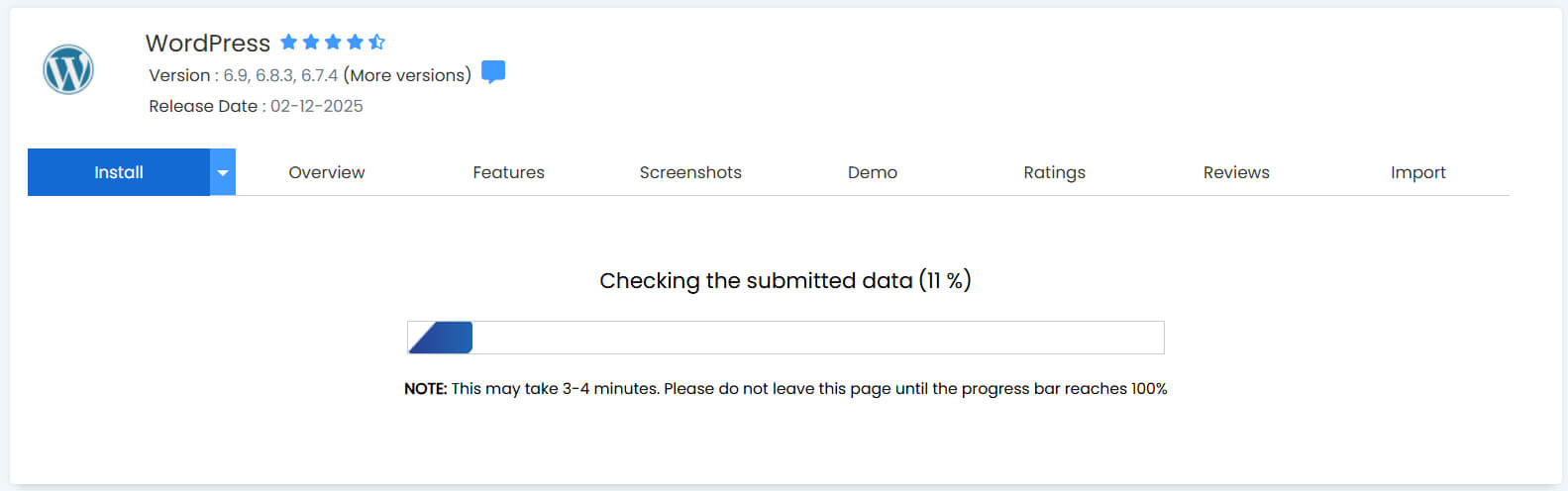
The installation process usually takes 1 to 2 minutes to complete.
Step 9: WordPress Installation Completed Successfully
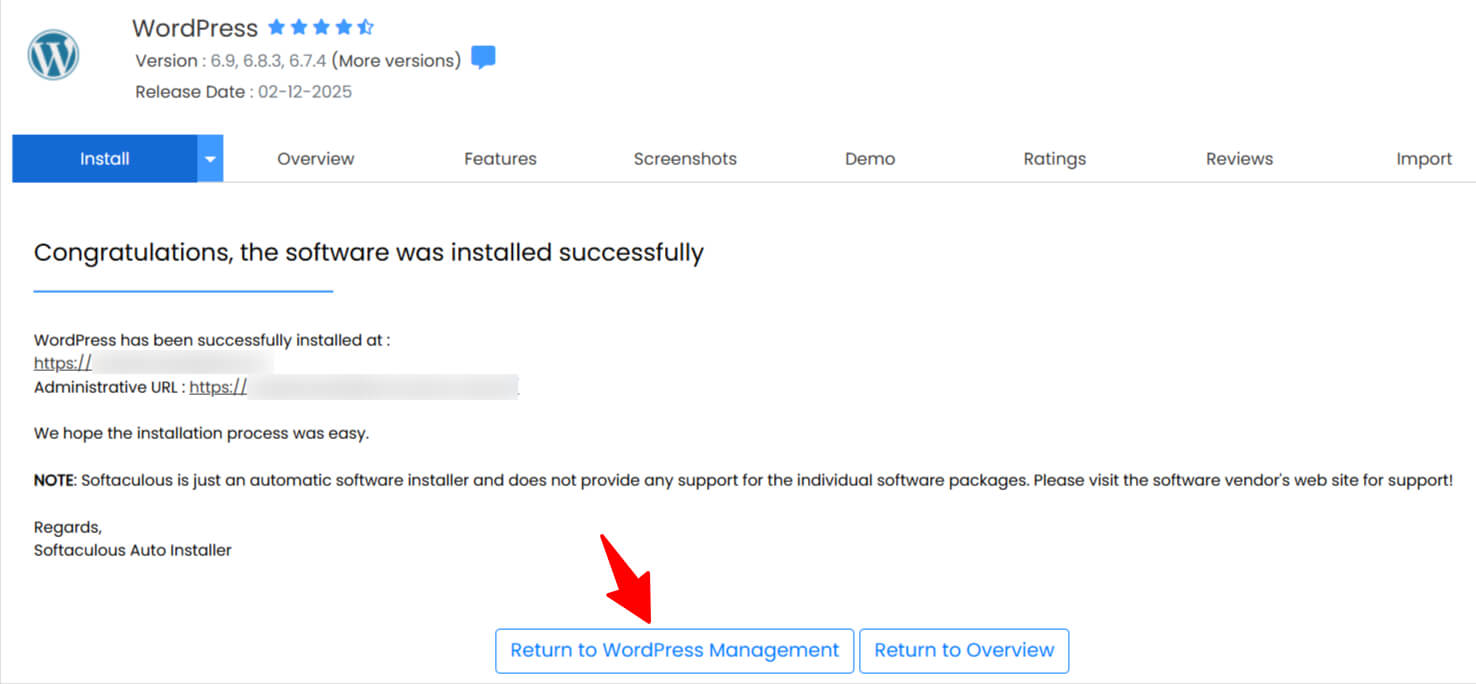
Your WordPress installation is now complete. Scroll down and click on the Return to WordPress Management option to continue.
Step 10: Log In to WordPress Admin Dashboard
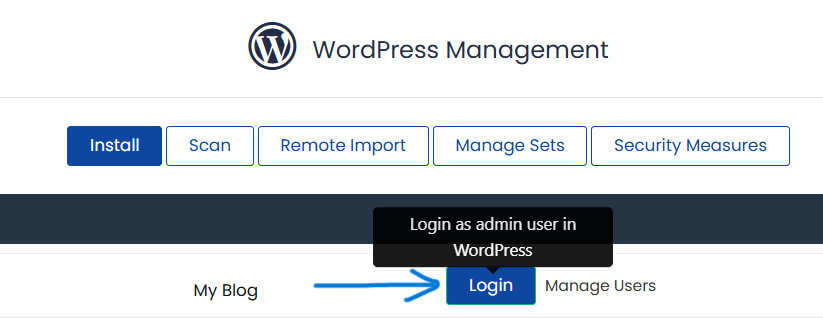
Now, click on Login and sign in using the same admin username and password you created during the installation process.
Step 11: Enter Basic Website Details to Start AI Setup
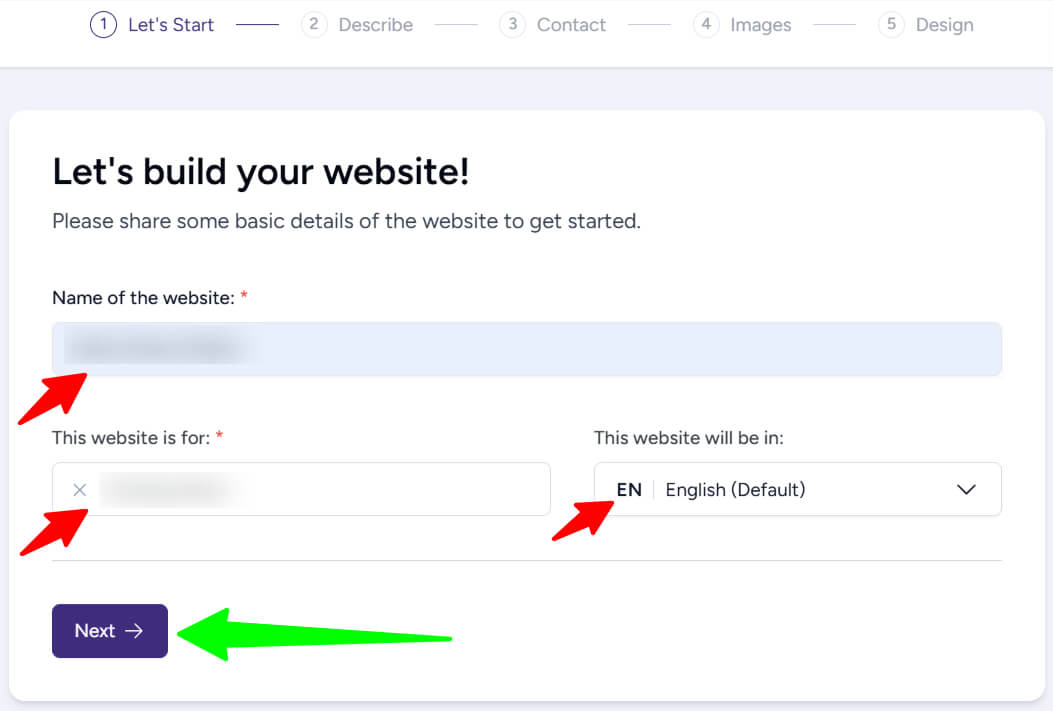
After logging in, you will see this screen. To create your website using AI, fill in the two required options and then click Next.
Step 12: Add a Short Description of Your Website
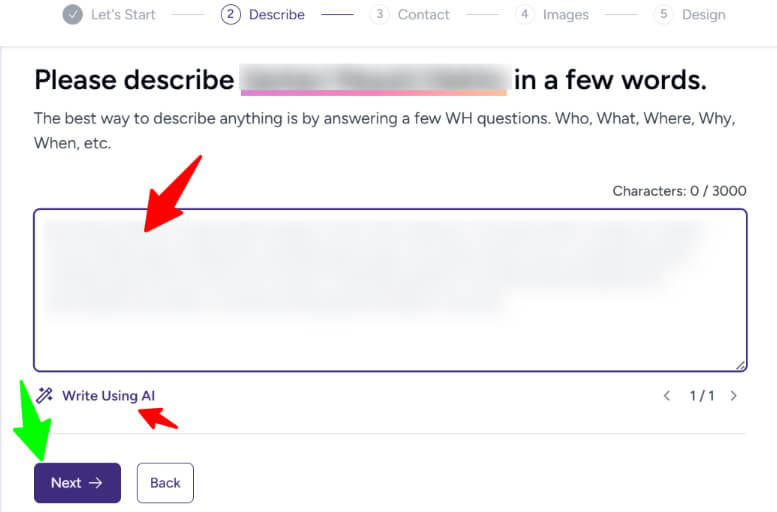
After clicking Next, you will be asked to add a short description of your website. Describe your website clearly, or use the Write Using AI option to automatically generate a description based on your website’s purpose. Then, click Next to continue.
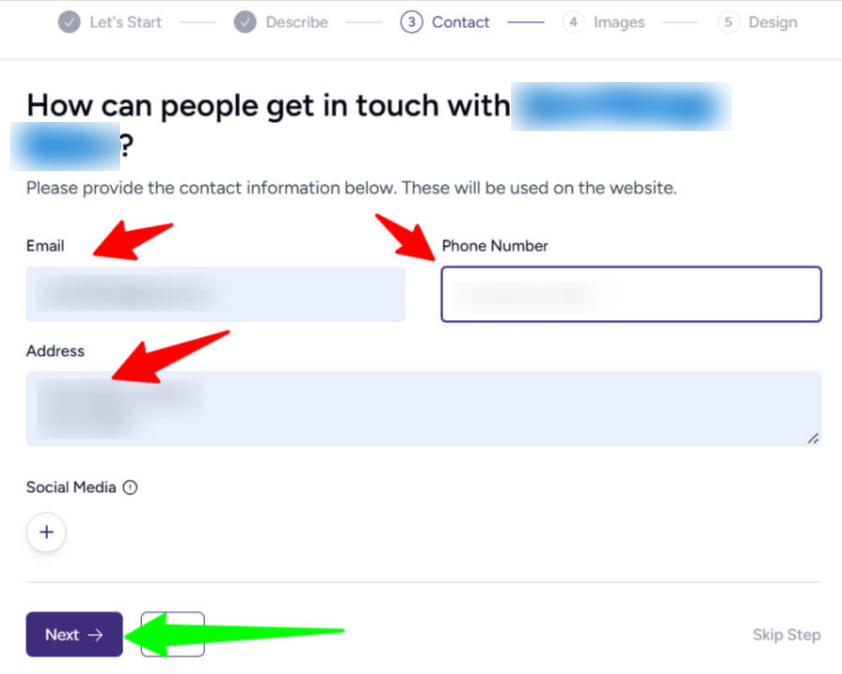
Step 13: Add Contact Information for Your Website
After clicking Next, you will see the Contact section. Here, enter your email address, phone number, and address so visitors can easily contact you. Then, click Next to continue.
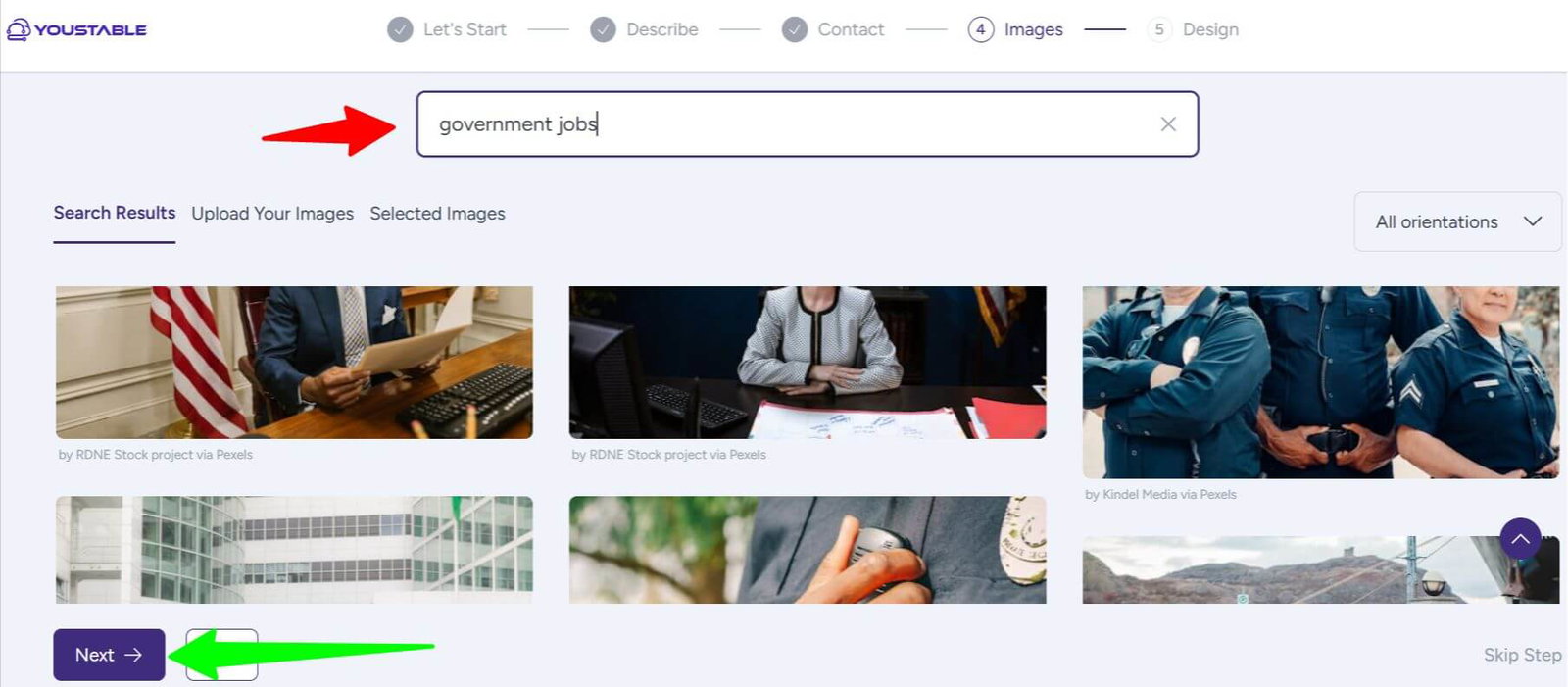
Step 14: Select Images for Your Website
After clicking Next, you will be asked to select images for your website. Search for images related to your website or niche and select them with one click. Choose as many images as you need, then click Next to continue.
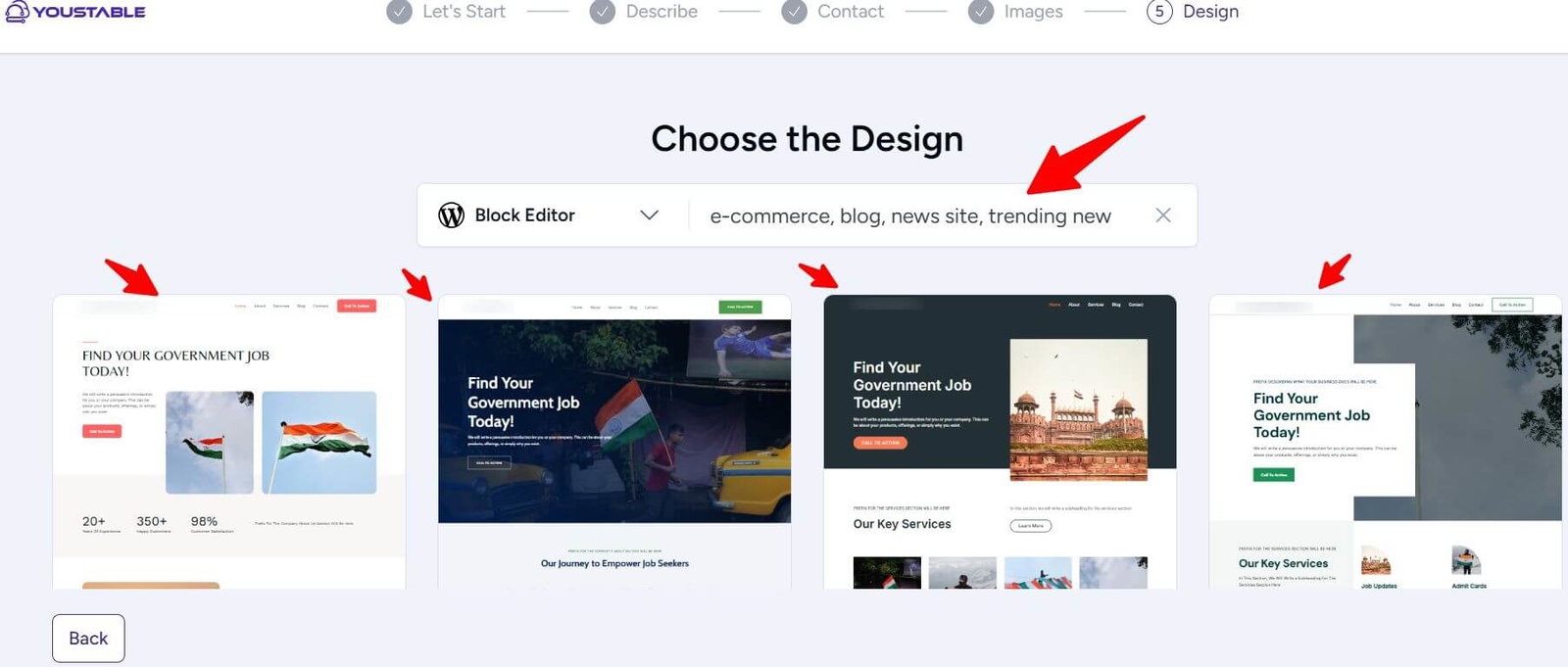
Step 15: Choose a Website Design Layout
After clicking Next, multiple website design options will appear. Select the design that you like the most to continue.
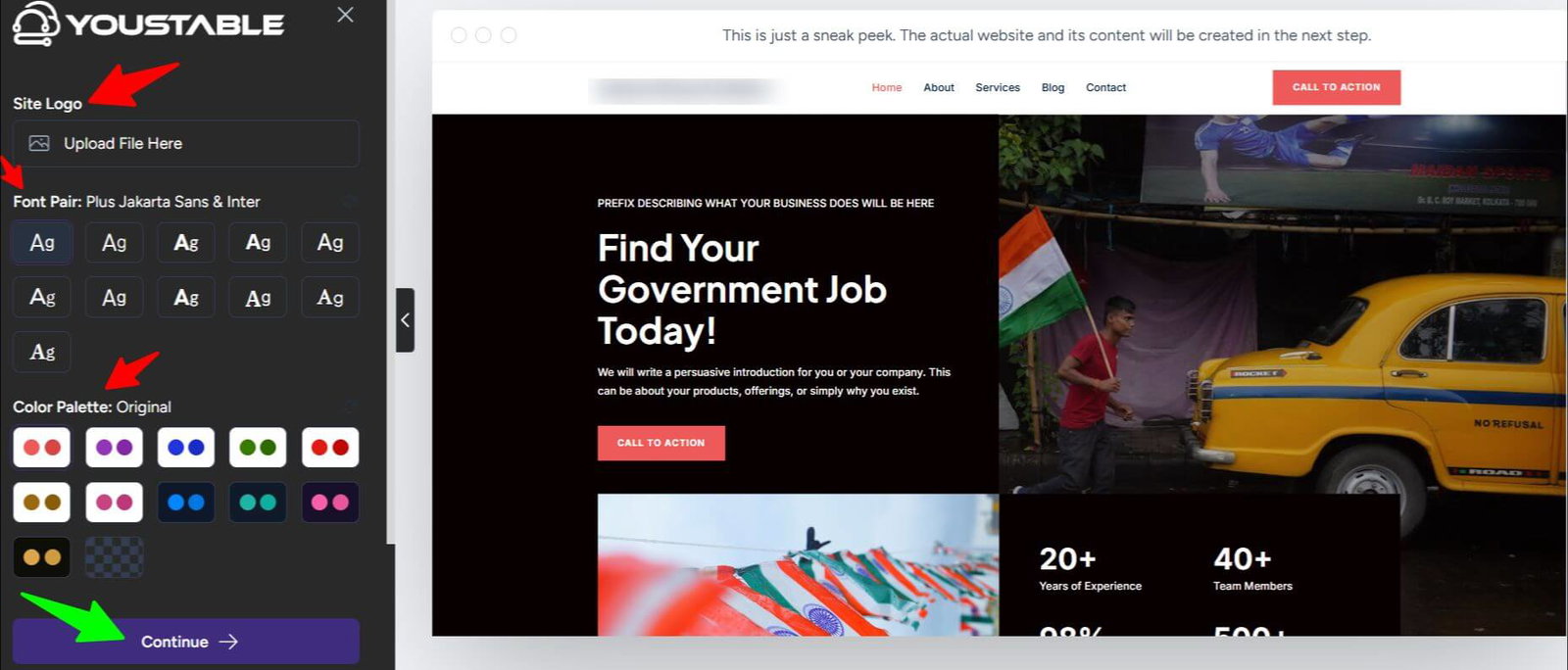
Step 16: Customize Website Logo, Fonts, and Colors
Next, you will be able to choose your website logo, font style, and color scheme. After making your selections, click Continue to proceed.
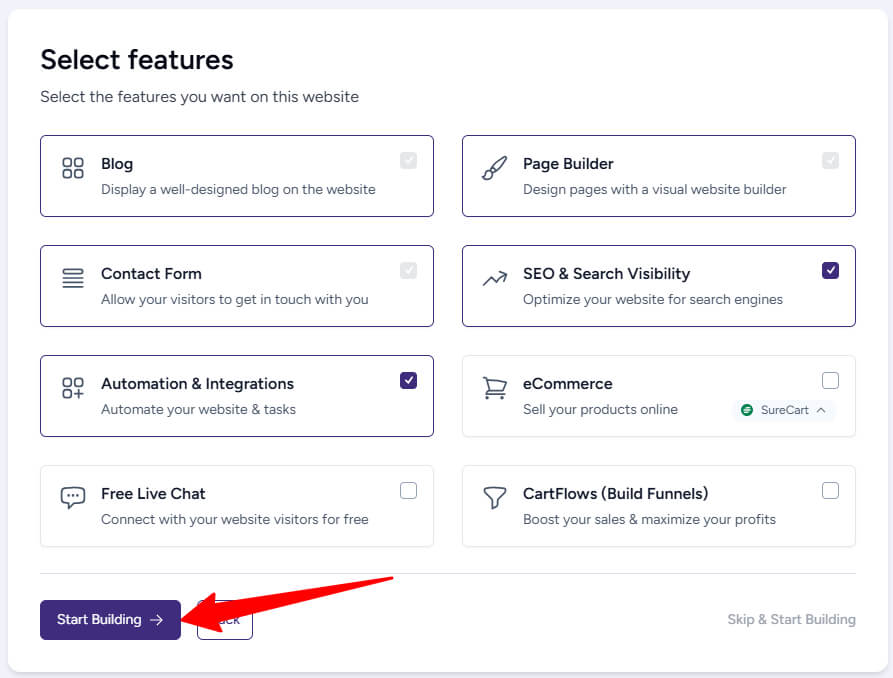
Step 17: Select Website Features and Start Building
Now, click on Start Building to begin creating your website.
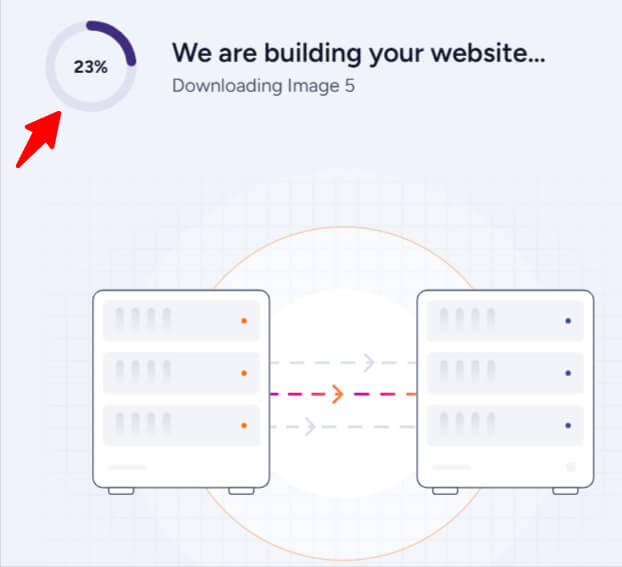
Step 18: AI is Building Your Website
This process will take about 2 to 3 minutes, and your website will be created automatically.
Step 19: Your Website is Ready to Use
Your website is now ready. Click See Your Website to view your live site, or click Visit Dashboard to access the WordPress dashboard and manage your website.

5 Advantages of Using an AI Website Builder with WordPress
Using an AI website builder with WordPress makes website creation easier, faster, and more beginner friendly. It removes the technical complexity that often slows people down and helps you focus on launching your website with confidence.
Advantages
- Faster website creation – Your website can be created within minutes instead of days or weeks
- No technical learning curve – You don’t need coding, design, or development knowledge
- Professional looking design – AI selects clean layouts, fonts, and colors that look polished
- Fewer setup mistakes – Automated setup reduces common errors during installation
- Full WordPress control after setup – You can customize, expand, and manage your site freely
Because of these benefits, AI website builders are ideal for quick, clean, and stress free WordPress website launches.
Limitations of AI Website Builders
AI website builders are very helpful, but they do have some limitations. Understanding these points helps you set the right expectations before using an AI builder.
Common Limitations
- Limited design customization at first – AI layouts are pre-structured and may feel restrictive initially
- AI generated content needs manual editing – Text and images often require personal touches for accuracy and originality
- Less flexibility for advanced users – Experienced developers may find AI tools too basic
The good news is that these limitations are not permanent. Once the initial setup is complete, you can use WordPress customization tools, plugins, and themes to overcome these issues and fully shape your website.
AI Website Builder vs Traditional WordPress Setup
Both AI website builders and traditional WordPress setups are used to create websites, but they follow very different approaches. AI builders focus on speed and simplicity, while traditional WordPress offers deeper control and flexibility.
The table below clearly explains the key differences to help you choose the right option based on your needs.
| Feature | AI Website Builder | Traditional WordPress Setup |
| Setup Time | Websites can be created within minutes using automated setup. | Takes more time due to manual theme selection and configuration. |
| Skill Required | Designed for beginners with no technical or coding knowledge. | Requires learning WordPress basics, themes, and plugins. |
| Design Process | AI automatically generates layouts, pages, and styling. | Users manually design pages using themes and builders. |
| Customization | Limited at first but can be expanded later in WordPress. | Offers full control over design and functionality. |
| Best For | Ideal for quick launches, beginners, and small projects. | Best for advanced users and complex, long term projects. |
Who Should Use an AI Website Builder for WordPress?
An AI website builder for WordPress is designed for users who want to create a website quickly without dealing with technical complexity. It is especially useful when ease of use and fast setup are more important than advanced customization.
AI website builders are best suited for:
- Beginners who have no prior experience with WordPress, coding, or website design
- Small business owners who want a professional online presence without hiring developers
- Bloggers who want to focus on content instead of technical setup
- Freelancers who need to build websites quickly for themselves or clients
- Quick project launches, such as landing pages, portfolios, or temporary websites
Overall, an AI website builder is ideal when speed, simplicity, and a smooth setup process matter more than deep technical control.
Is an AI Built WordPress Website Good for Long Term Use?
Yes, an AI built WordPress website is suitable for long term use. The AI website builder is mainly used to speed up the initial setup, but after creation, your website works like a regular WordPress site.
Once the website is created, you can easily:
- Add new plugins for extra features and functionality
- Publish unlimited blog posts and pages
- Improve SEO by optimizing content and settings
- Redesign pages or change layouts whenever needed
The AI builder helps you launch the website quickly, while WordPress provides the flexibility, scalability, and control required for long term growth and ongoing improvements.
FAQs
Do I need coding knowledge to build a WordPress website using an AI website builder?
No, you do not need any coding knowledge at all. AI website builders are created specifically for beginners. You only need to answer a few basic questions about your website, and the AI takes care of design, layout, and setup. All editing can be done using simple tools inside WordPress.
Can I customize my website after the AI builder creates it?
Yes, you can fully customize your website after it is created. Once the AI setup is complete, your site works like a normal WordPress website. You can edit text, change images, add new pages, install plugins, and even redesign layouts whenever you want.
Is an AI built WordPress website good for SEO?
Yes, an AI built WordPress website can be good for SEO if optimized properly. Most AI builders create clean layouts, proper heading structures, and mobile friendly designs. You can further improve SEO by editing content, adding meta titles and descriptions, and using WordPress SEO plugins.
How much time does it take to build a WordPress website using AI?
In most cases, an AI website builder can create a complete WordPress website within a few minutes. The exact time depends on your inputs and customization level, but it is much faster than building a website manually from scratch.
Can I add plugins and new features later?
Yes, you can add unlimited plugins and features later. AI builders only help with the initial setup. After that, you have full access to the WordPress plugin ecosystem, allowing you to add contact forms, SEO tools, security features, caching, and more.
Is an AI website builder suitable for business websites?
Yes, AI website builders are suitable for business websites, especially for small and medium businesses. They help create professional looking websites quickly, including pages like services, about, and contact. Businesses can later expand functionality as their needs grow.
Will my website depend on the AI builder forever?
No, your website does not permanently depend on the AI builder. The AI builder is mainly used to create the initial structure. After setup, your website runs on WordPress like any other site, and you can manage, edit, or redesign it without using the AI tool again.
Conclusion
Building a WordPress website no longer needs to feel complicated or technical. With the help of an AI website builder, anyone can create a professional website without coding skills, design experience, or technical knowledge. The AI handles the initial setup, structure, and layout, making the process simple and time saving.
At the same time, WordPress gives you full freedom to customize your website, add new features, improve SEO, and grow your content over time. This combination allows you to launch your website quickly while still having complete control for long term success.
If you have any confusion or want to know more about building a WordPress website using an AI website builder, feel free to ask in the comments. I’ll be happy to help.