The best Linux distros for hosting in 2026 are Ubuntu Server 24.04 LTS, Debian 12, AlmaLinux 9, Rocky Linux 9, and CloudLinux OS 8/9. They offer long term support, predictable security updates, strong ecosystem support (control panels, web stacks, cloud images), and hardened defaults that keep production servers stable, fast, and secure for years.
Choosing the best Linux distros for hosting can make or break your uptime, performance, and security. In 2026, LTS stability, patch cadence, and compatibility with hosting software (cPanel, Plesk, WordPress, Docker, Kubernetes) matter more than ever. Below is a research backed guide that compares the top server distributions, when to use each, and how to deploy them with confidence. Ubuntu Server remains the easiest of these to start with, and an Ubuntu VPS server gets you the LTS release without manual install.
How to choose a Linux distro for hosting in 2026
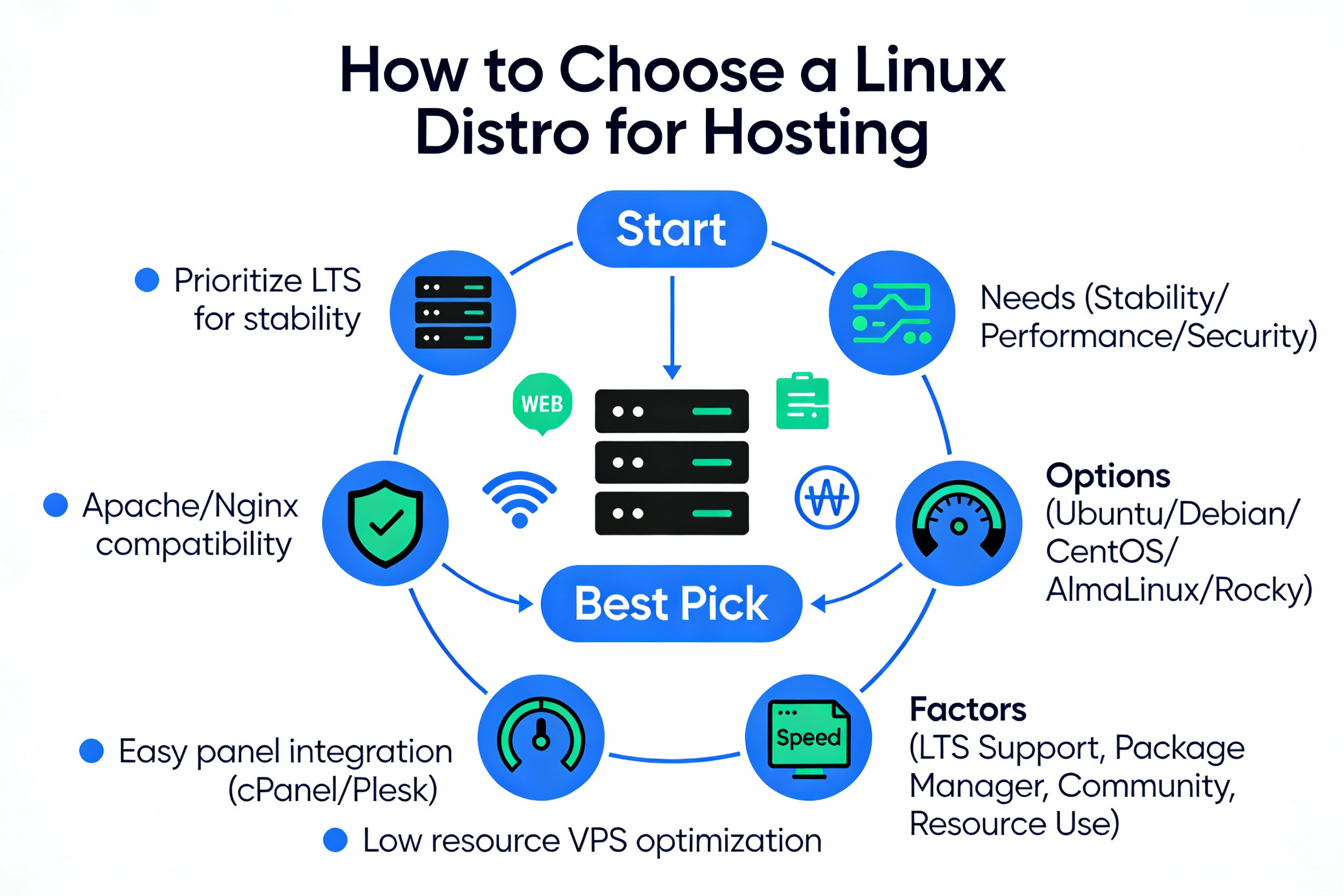
Before picking a distro, align your choice with workload, lifecycle, and tooling. These criteria will help you avoid costly re-installs and migrations later.
- Support lifecycle and EOL: Prefer 5–10 years of support (LTS). Example: Ubuntu 24.04 LTS (to 2029 standard), AlmaLinux/Rocky 9 (to 2032).
- Security model: SELinux (RHEL derivatives), AppArmor (Ubuntu), timely CVE patches, kernel hardening.
- Control panel compatibility: cPanel/WHM, Plesk, DirectAdmin. Always confirm the vendor’s latest OS matrix.
- Package ecosystem: APT (Ubuntu/Debian) vs DNF/YUM (Alma/Rocky/CloudLinux). Consider how fast you get new PHP, NGINX, MariaDB.
- Cloud images and tooling: Ready made images on AWS/Azure/GCP, cloud init, and automation (Ansible, Terraform).
- Performance and tuning: Kernel defaults, TCP stack, filesystem (XFS/ext4), and systemd resource management.
- Use case fit: Shared hosting vs enterprise apps vs container/K8s workloads vs compliance heavy environments.
Top Linux distros for web hosting in 2026(ranked and explained)
1) Ubuntu Server 24.04 LTS (Noble Numbat)
Best for: WordPress/VPS hosting, developers, containerized apps, modern stacks (NGINX, Node.js, Python, Redis). Ubuntu 24.04 LTS delivers five years of standard support (with optional 10 year ESM), strong cloud image availability, and AppArmor based confinement out of the box.
- Pros: Huge ecosystem, frequent security updates, great docs, smooth cloud-init, strong Docker/Kubernetes tooling.
- Cons: Faster moving packages can surprise conservative teams; some enterprise panels prioritize RHEL like distros.
- Control panel notes: Broad Plesk and DirectAdmin support; cPanel supports specific Ubuntu LTS releases verify current versions before deploying in production.
Why it ranks first: In 2026, Ubuntu’s balance of stability and modern tooling, plus ubiquitous cloud support, makes it a top pick for most general purpose hosting and developer led teams.
2) AlmaLinux 9
Best for: cPanel/WHM servers, enterprise LAMP/LEMP stacks, and teams seeking RHEL compatibility without vendor lock in. AlmaLinux 9 tracks RHEL 9 with community governance and security updates through 2032.
- Pros: SELinux enforced by default, long lifecycle, excellent compatibility with enterprise tooling, strong panel support.
- Cons: Slightly slower access to newest software versions than Ubuntu/Debian (mitigate with vendor repos or SCLs).
- Control panel notes: cPanel/WHM, Plesk, and DirectAdmin offer robust support on RHEL clones check their latest matrices.
Why it ranks second: If you host shared environments or rely on cPanel/WHM, AlmaLinux 9 is a safe, stable, and future proof base OS.
3) Rocky Linux 9
Best for: Organizations that prefer community driven RHEL rebuilds with a transparent, reproducible build pipeline. Like AlmaLinux, Rocky Linux 9 inherits RHEL 9’s lifecycle and stability.
- Pros: Enterprise grade reliability, SELinux, strong community, long support window to 2032.
- Cons: Similar to AlmaLinux conservative packages; use approved vendor repositories for newer PHP/NGINX.
- Control panel notes: Excellent compatibility with major hosting panels and server tools.
Why it ranks third: A great alternative to AlmaLinux, especially if your standards or clients prefer Rocky’s governance model and ecosystem.
4) Debian 12 “Bookworm”
Best for: Minimalist VPS setups, high stability app hosting, and admins who want predictable, low noise updates. Debian 12 emphasizes stability and ships with conservative defaults ideal for production.
- Pros: Rock solid stability, lean base install, easy automation, strong documentation.
- Cons: Older package versions by default; newer stacks often require backports or vendor repos.
- Control panel notes: Plesk and DirectAdmin support Debian versions; confirm current release coverage (Debian 12) before rollout.
Why it ranks fourth: If you value simplicity, resource efficiency, and predictable updates for VPS fleets, Debian remains a fantastic choice.
5) CloudLinux OS 8/9
Best for: Shared hosting providers who need per-tenant resource isolation and maximum stability. CloudLinux OS (commercial, RHEL-compatible) adds LVE, CageFS, and PHP selector purpose built for multi tenant cPanel hosting.
- Pros: Superior isolation for noisy neighbor control, hardened defaults, enterprise support options.
- Cons: License cost; best used where multi tenant density and stability matter.
- Control panel notes: De facto standard OS for high density shared cPanel hosting.
Why it ranks fifth: Nothing beats CloudLinux for shared hosting stability and tenant isolation it’s worth the license if you run dense cPanel servers.
Honorable mentions: Oracle Linux 9 and container optimized OS
Oracle Linux 9 is a solid RHEL-compatible choice, especially on Oracle Cloud (Ksplice live patching, UEK option). For container native hosting, Fedora CoreOS, Flatcar Container Linux, and AWS Bottlerocket are excellent for Kubernetes worker nodes, but they are specialized and not aimed at traditional cPanel/Plesk hosting.
At a glance comparison (support, panels, ideal use)
| Distro | Support Window | Control Panel Fit | Package Mgr | Ideal Use |
|---|---|---|---|---|
| Ubuntu 24.04 LTS | To 2029 (ESM 2036) | Plesk, DirectAdmin, cPanel (check versions) | APT | WordPress/VPS, dev stacks, Docker/K8s, cloud first |
| AlmaLinux 9 | To 2032 | cPanel/WHM, Plesk, DirectAdmin | DNF/YUM | Shared hosting, enterprise |
| Rocky Linux 9 | To 2032 | cPanel/WHM, Plesk, DirectAdmin | DNF/YUM | RHEL-compatible deployments |
| Debian 12 | Through 2028 (LTS) | Plesk, DirectAdmin | APT | Minimal VPS, stable apps |
| CloudLinux OS 8/9 | Tracks RHEL | cPanel/WHM (best fit) | DNF/YUM | High density shared hosting |
Note: Always verify current support matrices for cPanel, Plesk, and DirectAdmin before provisioning; vendors adjust OS coverage over time.
Which distro should you choose? Use case recommendations
cPanel/WHM shared hosting
- Best pick: AlmaLinux 9 or Rocky Linux 9
- Premium option: CloudLinux OS 8/9 for tenant isolation and stability
- Why: SELinux, long lifecycle, excellent cPanel compatibility
Plesk hosting (WordPress, WooCommerce, mail)
- Best pick: Ubuntu 24.04 LTS, AlmaLinux 9, or Debian 12 (confirm current Plesk OS list)
- Why: Strong package ecosystems with easy PHP/NGINX/Apache management
Developer centric VPS, APIs, and modern stacks
- Best pick: Ubuntu 24.04 LTS or Debian 12
- Why: Rapid access to toolchains, package availability, clean automation (cloud-init, Ansible)
Enterprise RHEL compatible apps and compliance
- Best pick: AlmaLinux 9 or Rocky Linux 9
- Why: ABI compatibility with RHEL, SELinux, long support window, predictable patching
Kubernetes and container native hosting
- Best pick: Ubuntu 24.04 LTS (control plane or general nodes), Fedora CoreOS/Flatcar/Bottlerocket (worker nodes)
- Why: Immutable or minimal OS for containers, easy upgrades, and reduced configuration drift
Performance and security settings that matter more than the logo
Once you pick a solid LTS distro, real world performance and security hinge on configuration and maintenance:
- Web stack: Use PHP-FPM with NGINX or tuned Apache MPM; enable OPcache and HTTP/2/3 (QUIC).
- Kernel/network tuning: Adjust net.core and net.ipv4 sysctl values, TCP backlog, and file descriptor limits.
- Storage & filesystem: XFS or ext4 for general hosting; consider NVMe backed volumes for database heavy sites.
- TLS & crypto: Modern ciphers, HSTS, OCSP stapling; automate renewals with Let’s Encrypt/ACME clients.
- Isolation: Chroot/jails, containers, or CloudLinux LVE/CageFS for shared environments.
- Patch hygiene: Automate security updates and reboot coordination; consider live patching where supported.
- Observability: Centralized logs (journal/syslog), metrics (Node Exporter), APM for bottlenecks, WAF/CDN in front.
Quick start: LEMP install snippets (Ubuntu, Alma/Rocky, Debian)
These commands install a minimal NGINX + PHP-FPM + MariaDB stack, suitable for testing or as a baseline. Harden and tune before production.
Ubuntu 24.04 LTS
sudo apt update && sudo apt -y upgrade
sudo apt -y install nginx php-fpm php-mysql mariadb-server
sudo systemctl enable --now nginx mariadb php8.3-fpm

# Secure MariaDB (interactive)
sudo mysql_secure_installation

# Basic firewall
sudo ufw allow 'Nginx Full' && sudo ufw enable
AlmaLinux 9 / Rocky Linux 9
sudo dnf -y update
sudo dnf -y install epel-release
sudo dnf -y install nginx php-fpm php-mysqlnd mariadb-server
sudo systemctl enable --now nginx mariadb php-fpm

# Secure MariaDB (interactive)
sudo mysql_secure_installation

# FirewallD
sudo firewall-cmd --permanent --add-service=http
sudo firewall-cmd --permanent --add-service=https
sudo firewall-cmd --reload
Debian 12
sudo apt update && sudo apt -y upgrade
sudo apt -y install nginx php-fpm php-mysql mariadb-server
sudo systemctl enable --now nginx mariadb php8.2-fpm

# Secure MariaDB (interactive)
sudo mysql_secure_installation

# UFW
sudo ufw allow 'Nginx Full' && sudo ufw enable
Migrating from legacy CentOS or older LTS versions
If you’re still on CentOS 7/8 or an older LTS, plan a migration to AlmaLinux 9 or Rocky Linux 9 (for cPanel/enterprise) or Ubuntu 24.04 LTS (for general hosting). Prefer fresh installs with data/app migration over in place upgrades to minimize risk.
- Inventory apps and dependencies; confirm availability on the target OS and repositories.
- Stage a rehearsal migration in a non production environment; validate performance and backups.
- For RHEL family upgrades, investigate project tools like ELevate/Leapp, but be cautious fresh builds are safer.
- Use zero downtime strategies: reverse proxy cutovers, blue/green hosts, or database replication with controlled switchover.
What we recommend at YouStable (practical defaults)
Based on thousands of server deployments and audits:
- General purpose VPS/WordPress: Ubuntu 24.04 LTS for speed, ecosystem, and easy automation.
- cPanel/WHM shared hosting: AlmaLinux 9 or Rocky Linux 9; add CloudLinux OS if you run dense, multi tenant servers.
- Minimalist, stable stacks: Debian 12 where you want quiet, predictable updates and small footprints.
YouStable can provision these distros on NVMe powered VPS or dedicated servers with hardened baselines, offsite backups, and a free migration review. If you’re unsure, ask us for a quick workload assessment and we’ll map the right OS to your application and growth plan.
FAQs
Which Linux is best for web hosting in 2026?
For most users: Ubuntu 24.04 LTS, AlmaLinux 9, Rocky Linux 9, Debian 12, and CloudLinux OS. Pick Ubuntu or Debian for developer centric VPS; Alma/Rocky (or CloudLinux) for cPanel and enterprise LAMP/LEMP hosting.
Is Ubuntu or CentOS better for hosting now?
CentOS Linux is discontinued; use RHEL compatible replacements. For cPanel/enterprise, choose AlmaLinux 9 or Rocky Linux 9. For general purpose hosting and fast moving stacks, Ubuntu 24.04 LTS is an excellent, widely supported choice.
Which Linux works best with cPanel?
AlmaLinux 8/9 and Rocky Linux 8/9 are the safest bets. cPanel also supports specific Ubuntu LTS releases. Always confirm the current cPanel OS support matrix before deployment to avoid surprises.
What’s the best Linux for WordPress hosting?
Ubuntu 24.04 LTS with NGINX, PHP-FPM, and MariaDB is a strong default. If you want panel based management, Plesk on Ubuntu/AlmaLinux works well. For multi tenant shared hosting, CloudLinux on top of cPanel delivers better isolation.
Is Debian good for beginners?
Yes, Debian 12 is stable and predictable. Ubuntu, however, offers more beginner friendly guides and faster access to newer packages. If you’re starting out, Ubuntu may feel easier; Debian shines for admins who prefer minimalism.
Can I host on Arch or Fedora?
You can, but it’s not typical for long term hosting. Arch is rolling release (more change, more breakage risk). Fedora has a short lifecycle. For production stability, choose an LTS distro like Ubuntu, Debian, AlmaLinux, or Rocky Linux.
How long should my hosting OS be supported?
Target a minimum of five years of vendor security updates. Longer is better if you want fewer full rebuilds. Ubuntu LTS offers five years (extendable), Alma/Rocky 9 target 10 years, and Debian provides LTS coverage via the community.