Choosing the right hosting type is one of the most important decisions when launching or growing a website. Many website owners in India often start with shared hosting because it is affordable and simple to use. However, as a website grows and traffic increases, the limitations of shared hosting begin to appear. At that stage, many businesses start considering VPS hosting.
The real question is not simply which option is cheaper, but which hosting environment actually supports your website’s needs. Some websites only require basic hosting resources, while others need better performance, dedicated resources, and more control over the server.
Understanding the differences between Windows VPS hosting and shared hosting helps you choose the right solution for your website. Each hosting type has its own advantages depending on the size of the website, the technology used, and the expected traffic.
This guide explains how shared hosting and Windows VPS hosting work, their main differences, and which option is better for Indian websites based on real hosting requirements.
Understanding Web Hosting for Indian Websites
Every website needs a server to store its files and make them accessible to visitors through the internet. Web hosting providers offer different types of hosting environments depending on how much performance and control a website requires.
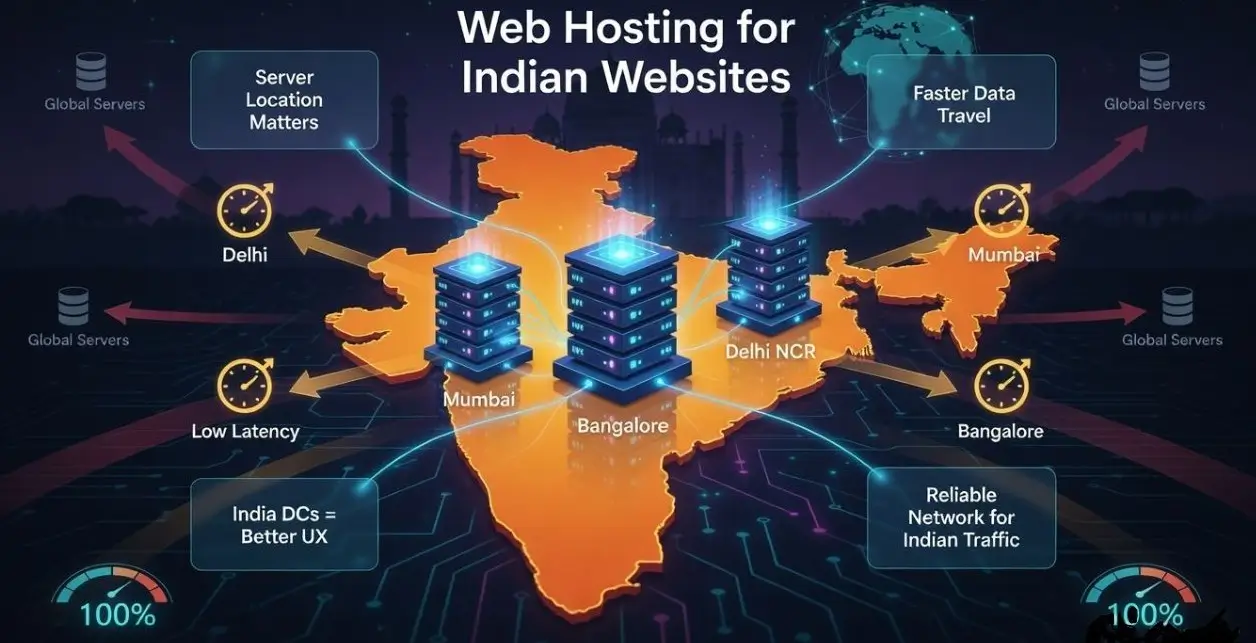
For websites targeting Indian users, hosting performance is influenced by several factors such as server location, network connectivity, and server resources. When a server is located closer to the website’s visitors, the data travels a shorter distance, which helps improve page loading speed and user experience.
This is why many businesses prefer hosting providers that offer reliable infrastructure and data centers suitable for Indian traffic.
What Is Shared Hosting?
Shared hosting is one of the most common and affordable hosting options. In this hosting environment, multiple websites are hosted on the same physical server and share the server’s resources.
These shared resources include:
- CPU processing power
- RAM memory
- Disk storage
- Network bandwidth
Because multiple users share the same server, the hosting provider manages the server environment and users typically access their hosting accounts through a control panel such as cPanel.
Shared hosting works well for websites that do not require high performance or advanced customization.
It is commonly used for:
- Personal blogs
- Portfolio websites
- Small business websites
- Startup websites with low traffic
The main advantage of shared hosting is its affordability and ease of use. However, since resources are shared among many users, performance can sometimes be affected if other websites on the same server consume excessive resources.
What Is Windows VPS Hosting?
Windows VPS hosting is a more powerful hosting solution that provides dedicated resources within a virtual server environment.
A VPS (Virtual Private Server) is created by dividing a physical server into multiple virtual servers using virtualization technology. Each VPS operates independently and receives its own dedicated resources such as CPU, RAM, storage, and bandwidth.
When a VPS runs the Microsoft Windows Server operating system, it is referred to as Windows VPS hosting. Users can access the server through Remote Desktop Protocol (RDP), which allows them to manage the server like a regular Windows computer.
Windows VPS hosting is commonly used for:
- ASP.NET website hosting
- Microsoft SQL Server databases
- Windows based business applications
- Remote desktop environments
- Software development and testing
Because the server resources are isolated, Windows VPS hosting offers better performance, greater control, and improved reliability compared to shared hosting.
Many developers and businesses in India upgrade to Windows VPS hosting from providers like YouStable when their websites or applications require more stability and dedicated resources.
Windows VPS vs Shared Hosting: Key Differences
Understanding the differences between these two hosting environments helps determine which option is more suitable for your website.
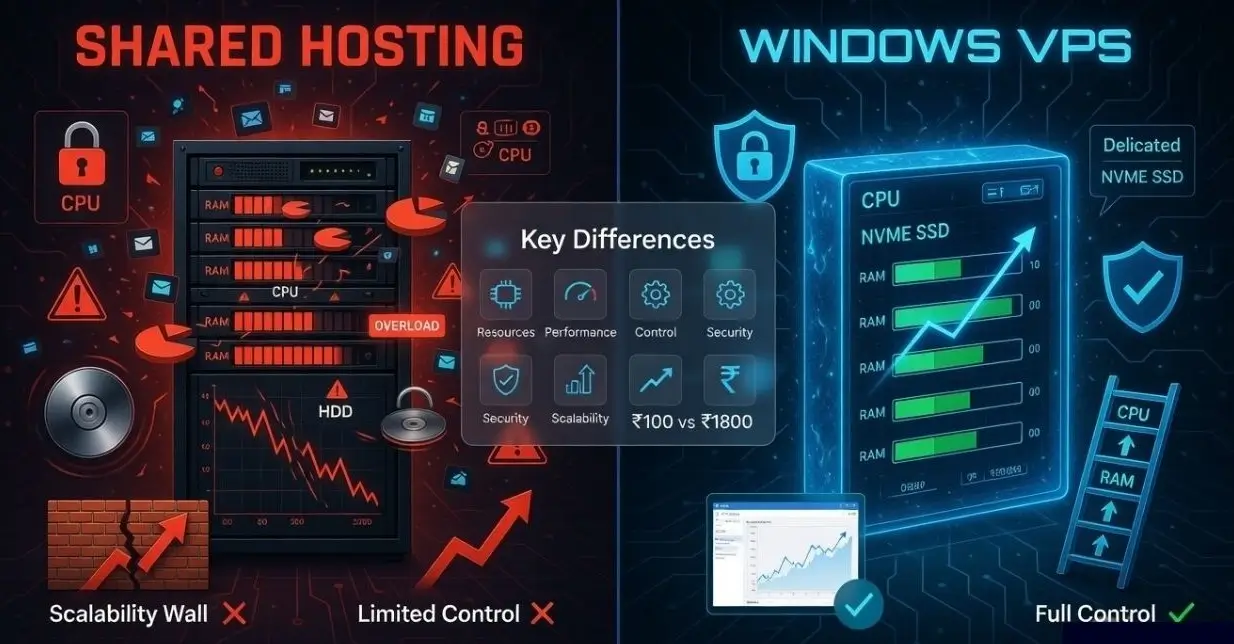
Resource Allocation
In shared hosting, server resources are distributed among many websites. If another website uses a large portion of the server resources, it can impact the performance of other websites on the same server.
In contrast, Windows VPS hosting provides dedicated resources. Each VPS receives its own CPU cores, RAM, and storage allocation, which ensures consistent performance.
Performance
Shared hosting performance may vary depending on server usage. If several websites on the server experience high traffic at the same time, server performance may slow down.
Windows VPS hosting offers more stable performance because resources are reserved for each VPS. This makes VPS hosting more suitable for growing websites or applications.
Control and Customization
Shared hosting users have limited control over server settings. They cannot install custom software or modify server configurations because the hosting provider manages the entire server.
Windows VPS hosting provides administrative access, allowing users to install software, configure the server environment, and manage applications directly.
Security
Since shared hosting environments host many websites on the same server, there is a small risk that security issues affecting one website could impact others.
Windows VPS hosting offers better security because each VPS operates in an isolated environment, reducing the chances of cross site vulnerabilities.
Scalability
Shared hosting plans typically have limited upgrade options. As website traffic grows, upgrading resources may not always be possible within the shared hosting environment.
Windows VPS hosting offers greater scalability. Resources such as CPU, RAM, and storage can be increased as the website grows.
Pricing
Shared hosting is usually the most affordable hosting option because server resources are shared among multiple users.
Windows VPS hosting costs more because it includes dedicated resources, virtualization infrastructure, and Windows Server licensing.
Windows VPS vs Shared Hosting: Quick Comparison
| Feature | Shared Hosting | Windows VPS |
| Resource Allocation | Shared among many users | Dedicated resources |
| Performance | Moderate | High |
| Server Control | Limited | Full administrative access |
| Security | Basic | Better isolation |
| Scalability | Limited | Easily scalable |
| Cost | Low | Higher |
When Shared Hosting Is the Right Choice
Shared hosting can be a good starting point for websites that have simple requirements.
It is suitable for:
- Personal blogs
- Small portfolio websites
- Small business websites
- New websites with low traffic
If a website does not require advanced server configuration or high processing power, shared hosting may be sufficient.
When Windows VPS Hosting Is the Better Choice
Windows VPS hosting becomes more suitable when websites require stronger performance and more control over the hosting environment.
Common situations where VPS hosting is beneficial include:
- Hosting ASP.NET applications
- Running Microsoft SQL Server databases
- Managing multiple websites
- Running Windows based business software
- Supporting websites with increasing traffic
For these workloads, many developers and businesses prefer Windows VPS hosting from providers like YouStable, which offer NVMe storage, modern server hardware, and scalable VPS plans suitable for performance focused websites.
Why Server Location Matters for Indian Websites
Server location plays a significant role in website performance. When a website’s server is located closer to its audience, data travels faster between the server and the visitor.
For websites targeting Indian users, hosting servers in Indian data centers can improve page loading speed and user experience.
Many hosting providers offer servers in locations such as:
- Mumbai
- Bangalore
- Delhi NCR
Reliable hosting platforms such as YouStable provide Windows VPS infrastructure optimized for Indian websites, which helps maintain stable connectivity and faster response times for local visitors.
Cost Comparison: Shared Hosting vs Windows VPS in India
Hosting prices vary depending on the resources included in each plan.
- Shared hosting plans in India typically cost between: ₹100 to ₹500 per month.
- Windows VPS hosting generally starts around: ₹1,800 per month and can increase depending on CPU cores, RAM capacity, storage size, and additional features.
The higher price of VPS hosting reflects the dedicated server resources, virtualization infrastructure, and Windows Server licensing included in the service.
Pros & Cons of Shared Hosting
Advantages
- Affordable hosting option
- Easy to manage for beginners
- Server maintenance handled by hosting provider
Disadvantages
- Limited server resources
- Restricted server configuration
- Performance may fluctuate
Pros & Cons of Windows VPS Hosting
Advantages
- Dedicated server resources
- Better performance and stability
- Full server control
- Supports Windows based applications
Disadvantages
- Higher hosting cost
- Requires basic server management knowledge
How to Decide Which Hosting Is Right for You
Selecting the right hosting option depends on the requirements of your website or application.
Consider the following questions:
- How much traffic does your website receive?
- Do you require Windows based applications such as ASP.NET or MSSQL?
- Do you need full administrative access to the server?
- What is your hosting budget?
If the website is small and has minimal traffic, shared hosting may work well initially. However, if your website or application requires better performance and flexibility, upgrading to Windows VPS hosting from providers like YouStable can offer a more reliable hosting environment.
Read Also: Learn How to Choose the Right Windows VPS Plan in India
Beginner Tips Before Choosing Hosting
If you are selecting hosting for the first time, consider these simple tips:
- Start with shared hosting if the website is small
- Upgrade to VPS as traffic grows
- Choose NVMe storage for faster performance
- Select hosting providers with reliable support
- Check uptime guarantees before purchasing
These steps can help avoid common hosting mistakes.
FAQs
Is Windows VPS faster than shared hosting?
Yes. Windows VPS hosting provides dedicated resources, which usually results in better and more stable performance compared to shared hosting.
Can I upgrade from shared hosting to VPS later?
Yes. Most hosting providers allow websites to upgrade from shared hosting to VPS hosting as traffic and resource requirements increase.
Is shared hosting suitable for beginners?
Yes. Shared hosting is simple to manage and affordable, which makes it a good starting point for beginners.
Do Indian websites benefit from Indian servers?
Yes. Hosting websites in Indian data centers can reduce latency and improve loading speed for users located in India.
Conclusion
Shared hosting is a practical option for beginners and small websites that require an affordable hosting solution. However, as websites grow and require better performance, scalability, and server control, Windows VPS hosting becomes a more suitable choice.
For businesses and developers running Windows based applications, choosing a reliable provider such as YouStable Windows VPS hosting can provide the stability, performance, and scalability required to support modern websites and applications.