

IPTables on Linux Server is the user space command line firewall that configures the kernel’s Netfilter packet filtering and NAT. It controls inbound, outbound, and forwarded traffic using tables, chains, and rules.
Admins define policies to accept, drop, reject, or log packets, enabling secure, stateful firewalling and port forwarding. Learning IPTables on Linux Server gives you fine grained control over network traffic.
In this guide, you’ll understand how IPTables works, which rules matter, how to safely configure a server firewall, and how to persist, test, and troubleshoot rules like a pro. The examples are beginner friendly but production grade.
What is IPTables and How Does it Work?
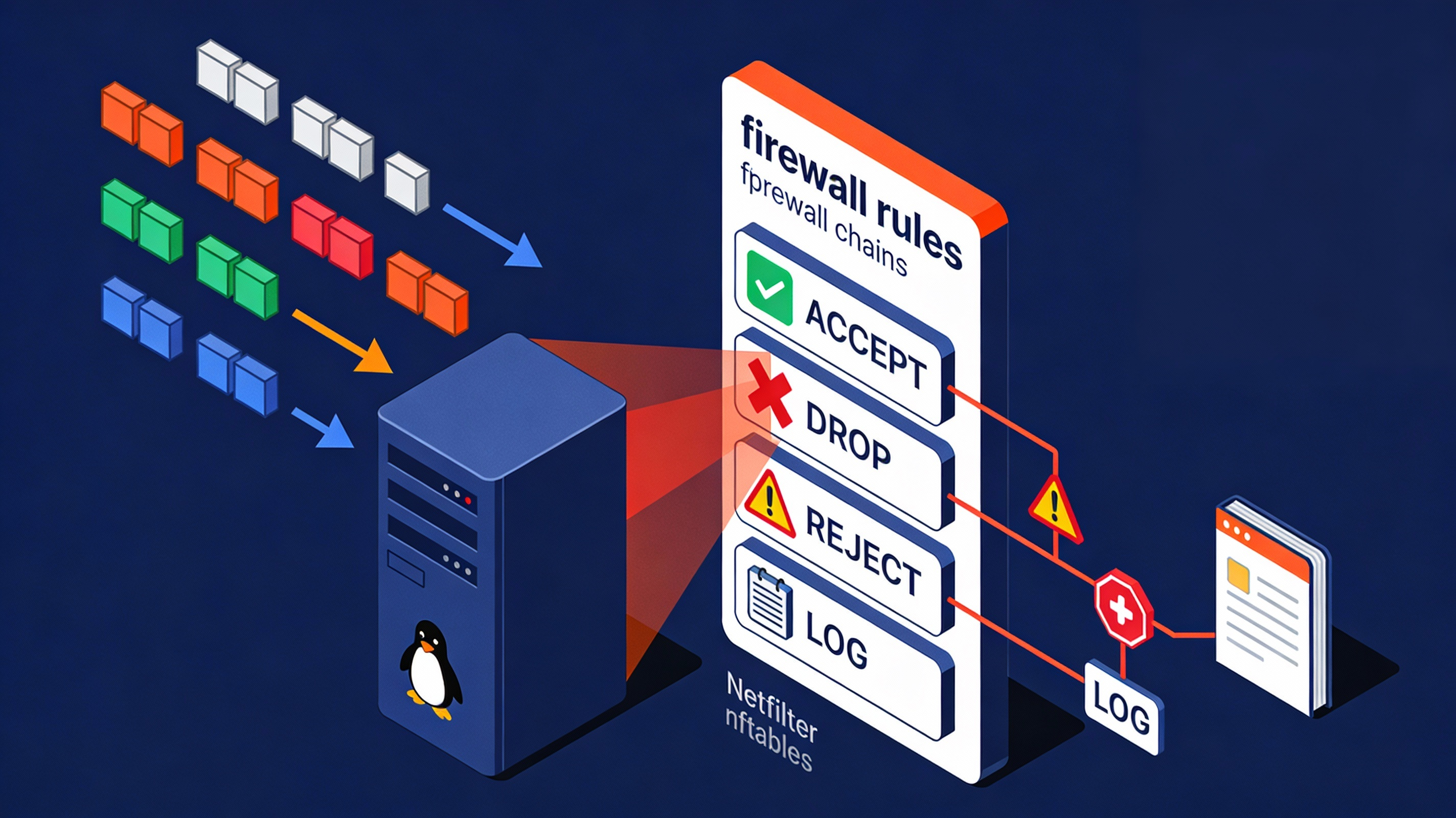
IPTables is the command line interface to Netfilter, the Linux kernel framework for packet filtering, NAT (Network Address Translation), and connection tracking.
With IPTables, you build rule lists that decide what to do with packets: allow (ACCEPT), deny silently (DROP), deny with notice (REJECT), or log for auditing (LOG).
Modern distributions often ship with nftables underneath. On those systems, iptables may be a compatibility wrapper (iptables-nft).
The concepts remain the same: packets are matched against ordered rules inside chains that belong to specific tables.
Architecture: Tables, Chains, Targets
Tables
IPTables organizes rules into tables that serve different purposes:
- filter: Default table for packet filtering (ALLOW, DENY).
- Chains: INPUT, FORWARD, OUTPUT.
- nat: Address translation for routing/port forwarding.
- Chains: PREROUTING, OUTPUT, POSTROUTING.
- mangle: Advanced packet alterations (TTL, DSCP, marks).
- raw: Exempt traffic from connection tracking (rarely needed).
- security: SELinux-related hooks (specialized environments).
Built-in Chains
- INPUT: Packets destined for the local server.
- OUTPUT: Packets originating from the local server.
- FORWARD: Packets routed through the server (gateways, routers, Kubernetes nodes).
- PREROUTING: Before routing decisions (common for DNAT/port forwarding).
- POSTROUTING: After routing decisions (common for SNAT/MASQUERADE).
Targets and Match Modules
- Core targets: ACCEPT, DROP, REJECT, LOG, RETURN.
- Match modules: -p tcp/udp/icmp, -s source, -d destination, –dport, –sport, -i interface, -o interface, -m state/conntrack, -m limit, -m hashlimit, and many more.
Order matters. IPTables evaluates rules top to bottom and stops at the first match. Keep your most specific and most frequently hit rules near the top for performance and clarity.
How Packets Flow Through Chains
- Incoming to server: PREROUTING (nat/mangle) → INPUT (filter) → local application.
- Outgoing from server: local application → OUTPUT (filter) → POSTROUTING (nat/mangle).
- Forwarded through server: PREROUTING → FORWARD (filter) → POSTROUTING.
Connection tracking makes IPTables stateful. Typical rules allow established and related packets through while new, unsolicited traffic is filtered. This is the backbone of a secure baseline.
Essential IPTables Commands and Syntax
Inspecting Rules
# List rules with counters, numeric output (no DNS lookups)
iptables -L -n -v

# Show rules in iptables-save format
iptables -S

# List rules in a specific table
iptables -t nat -L -n -v
Default Policies
# Set default policies (be careful not to lock yourself out)
iptables -P INPUT DROP
iptables -P FORWARD DROP
iptables -P OUTPUT ACCEPT
Default policy is the rule of last resort for a chain. A common secure baseline is DROP on INPUT and FORWARD, and ACCEPT on OUTPUT.
Adding, Inserting, Deleting Rules
# Append (-A) rule to end of chain
iptables -A INPUT -p tcp --dport 22 -j ACCEPT

# Insert (-I) at top (position 1)
iptables -I INPUT 1 -p tcp --dport 22 -j ACCEPT

# Check if a rule exists (-C)
iptables -C INPUT -p tcp --dport 22 -j ACCEPT

# Delete specific rule by specification (-D)
iptables -D INPUT -p tcp --dport 22 -j ACCEPT

# Flush all rules in a chain (use with caution)
iptables -F INPUT
Persisting Rules Across Reboots
IPTables changes are in-memory unless saved. Use your distro’s method to persist rules:
# Debian/Ubuntu
apt-get update && apt-get install -y iptables-persistent
# Save current rules interactively or run:
netfilter-persistent save
netfilter-persistent reload

# RHEL/CentOS/Alma/Rocky (legacy service)
service iptables save  # or
iptables-save > /etc/iptables/rules.v4
iptables-restore < /etc/iptables/rules.v4

# Generic
iptables-save > /root/iptables-$(date +%F).rules
On nftables-based systems, iptables commands may map to nft under the hood (iptables-nft). Persist with your distro’s nftables tooling if you migrate.
Common Use Cases and Secure Recipes
Start with a Safe Baseline
# Accept all traffic on loopback
iptables -A INPUT -i lo -j ACCEPT

# Allow established/related inbound
iptables -A INPUT -m conntrack --ctstate ESTABLISHED,RELATED -j ACCEPT

# Allow ICMP (ping) carefully
iptables -A INPUT -p icmp -m icmp --icmp-type echo-request -j ACCEPT

# SSH from trusted IP (replace 203.0.113.10)
iptables -A INPUT -p tcp -s 203.0.113.10 --dport 22 -m conntrack --ctstate NEW -j ACCEPT

# HTTP/HTTPS for web servers
iptables -A INPUT -p tcp --dport 80 -j ACCEPT
iptables -A INPUT -p tcp --dport 443 -j ACCEPT

# Default drop (set policies or add explicit drop/log rules)
iptables -A INPUT -j DROP
Open a Specific Port (e.g., 3306 for MySQL)
# Only allow from app server subnet
iptables -A INPUT -p tcp -s 10.0.0.0/24 --dport 3306 -m conntrack --ctstate NEW -j ACCEPT
Block an IP or Subnet
# Drop early for performance
iptables -I INPUT 1 -s 198.51.100.0/24 -j DROP
Rate Limit SSH to Slow Brute Force
# Allow up to 3 new SSH connections per minute per source IP
iptables -A INPUT -p tcp --dport 22 -m conntrack --ctstate NEW \
  -m hashlimit --hashlimit 3/min --hashlimit-burst 5 \
  --hashlimit-mode srcip --hashlimit-name ssh_limit -j ACCEPT

# Optionally log and drop excess attempts
iptables -A INPUT -p tcp --dport 22 -m conntrack --ctstate NEW -j LOG --log-prefix "SSH Ratelimit: "
iptables -A INPUT -p tcp --dport 22 -j DROP
Log Dropped Packets for Auditing
# Log before drop (tune rate to avoid floods)
iptables -A INPUT -m limit --limit 10/second --limit-burst 20 \
  -j LOG --log-prefix "IPT_DROP: " --log-level 4
iptables -A INPUT -j DROP

# View logs
journalctl -k | grep IPT_DROP
NAT: SNAT/MASQUERADE and Port Forwarding (DNAT)
# Outbound NAT for private LAN (gateway use case)
iptables -t nat -A POSTROUTING -o eth0 -j MASQUERADE
iptables -A FORWARD -i eth1 -o eth0 -m conntrack --ctstate NEW,ESTABLISHED,RELATED -j ACCEPT
iptables -A FORWARD -i eth0 -o eth1 -m conntrack --ctstate ESTABLISHED,RELATED -j ACCEPT

# Forward external port 8080 to internal server 10.0.0.10:80
iptables -t nat -A PREROUTING -i eth0 -p tcp --dport 8080 \
  -j DNAT --to-destination 10.0.0.10:80
iptables -A FORWARD -p tcp -d 10.0.0.10 --dport 80 -j ACCEPT
Remember to enable IP forwarding for routing use cases (sysctl net.ipv4.ip_forward=1) and configure return traffic accordingly.
Best Practices for Production Servers
- Start permissive, then tighten: Build rules with ACCEPT policies in a test window, verify services, then switch to DROP on INPUT and add only necessary allows.
- Don’t lock yourself out: When changing SSH rules, keep a live console or out-of-band access open. Test with a second session before closing the first.
- Allow stateful traffic: Always include ESTABLISHED,RELATED rules early in INPUT and FORWARD.
- Restrict admin ports: Limit SSH, RDP, database ports by IP or via VPN/bastion; consider moving SSH to a non-default port and using keys, not passwords.
- Separate IPv4 and IPv6: Mirror policies with ip6tables if IPv6 is enabled; don’t leave IPv6 wide open.
- Version control rules: Store iptables-save outputs in Git and document change rationale.
- Log thoughtfully: Use rate-limited logging to detect anomalies without flooding disks.
- Harden kernel: Combine IPTables with sysctl tunings, fail2ban, and timely updates.
IPTables vs firewalld, UFW, and nftables
When to Use Which
- IPTables: Maximum control and transparency; ideal for experienced admins, containers, specialized gateways.
- firewalld: Service/zone abstraction on RHEL-based systems; dynamic runtime changes; easier for common scenarios.
- UFW: Simplified interface on Ubuntu/Debian; great for quick host firewalls.
- nftables: Modern replacement for iptables; unified IPv4/IPv6, better performance and features; preferred on newer distros.
iptables-legacy vs iptables-nft
Many distributions default to iptables-nft (wrapper around nftables). To check or switch alternatives:
# Check which backend is used
iptables --version

# On Debian/Ubuntu to switch (requires root)
update-alternatives --config iptables
update-alternatives --config ip6tables
Do not mix legacy iptables rules with firewalld or nftables rules simultaneously. Choose one stack to avoid conflicts.
Troubleshooting and Verification
Validate Connectivity
- Use nc, curl, and telnet for ports; ping and traceroute for reachability.
- Check application binds (netstat -tulpn or ss -tulpn) to confirm services listen on expected IP/ports.
- Review counters with iptables -L -n -v; hit counts reveal which rules match.
Debug with Logs and Counters
# Zero counters, reproduce traffic, then re-check
iptables -Z
iptables -L -n -v

# Kernel messages (LOG target entries appear here)
journalctl -k -f

# Inspect connection tracking (install conntrack-tools)
conntrack -L | head
If you lose SSH after a change, use console/KVM access, flush INPUT temporarily (iptables -F INPUT), re-apply a known-good ruleset via iptables-restore, and persist once verified.
Managed Firewall and Hosting Help from YouStable
If you prefer a managed setup, YouStable’s VPS and Dedicated Servers ship with hardened templates, DDoS-ready networking, and 24/7 support. Our engineers can design IPTables or nftables rules tailored to your stack, implement safe rollouts, and monitor logs—so your apps stay online and secure.
FAQ’s – IPTables on Linux Server
Is IPTables stateful and what does ESTABLISHED,RELATED mean?
Yes. With connection tracking, IPTables recognizes flows. ESTABLISHED,RELATED allows return traffic for connections your server initiated or accepted. Always include this rule early to avoid blocking legitimate replies while still denying unsolicited inbound requests.
How do I list and export all my IPTables rules?
Use iptables -L -n -v to view counters and iptables -S for a script-like view. To export, run iptables-save > /root/iptables.rules. Restore later with iptables-restore < /root/iptables.rules. Repeat for IPv6 with ip6tables-save and ip6tables-restore.
What’s the difference between IPTables, firewalld, UFW, and nftables?
IPTables is low-level and very flexible. firewalld (RHEL) and UFW (Ubuntu) simplify management. nftables is the modern kernel framework replacing iptables with improved performance and unified IPv4/IPv6 handling. Choose one approach to avoid conflicts.
How can I open a port safely without locking myself out?
Keep an active console session, add the new allow rule first, test from a second terminal, then adjust default policies. For example, allow SSH and your service ports, verify access, and only then set INPUT policy to DROP. Persist changes after testing.
Do IPTables rules persist after reboot by default?
No. Persist them using iptables-persistent (Debian/Ubuntu), service iptables save (RHEL-family), or manual iptables-save/iptables-restore with systemd units. On nftables systems, configure nft rules and enable the nftables service.




