

Docker on a Linux server is a containerization platform that packages applications with all dependencies into isolated units called containers. To use it, install Docker Engine, pull images from a registry, run containers with the CLI or Compose, secure them with least privilege, and monitor performance. It improves portability, density, and deployment speed.
If you want to understand Docker on a Linux server without the jargon, this guide walks you from first principles to production-ready practices. We’ll cover how Docker works on Linux, installation on popular distributions, essential commands, Compose, security, performance tuning, monitoring, and troubleshooting—based on real hosting experience.
What is Docker and How it Works on Linux?
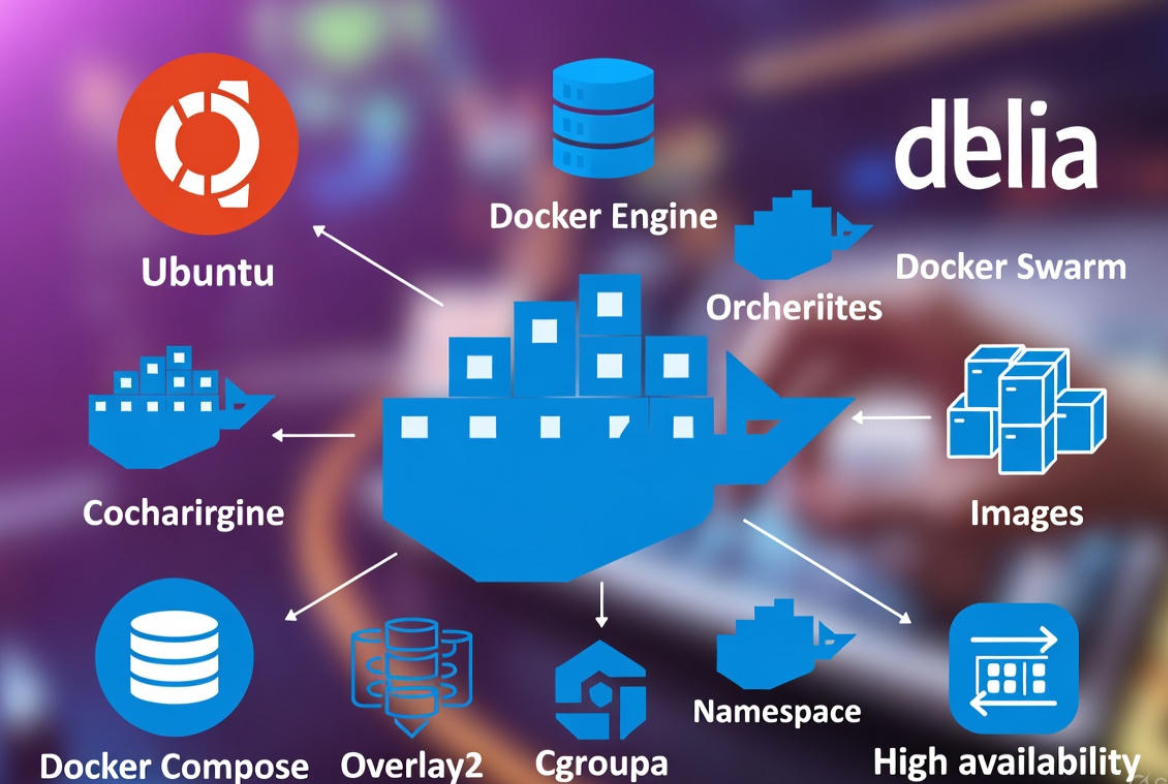
Docker is an open platform to build, ship, and run applications inside containers. On Linux, Docker leverages kernel features like namespaces and cgroups to isolate processes, control resources, and provide a lightweight alternative to traditional virtual machines.
Containers vs Virtual Machines
- Isolation layer: Containers share the host kernel; VMs run full guest OS kernels.
- Overhead: Containers start in milliseconds and use fewer resources; VMs take more memory/CPU.
- Portability: Container images are consistent across environments; VMs are heavier to move.
- Use cases: Containers excel for microservices and web apps; VMs suit strong isolation or mixed OS needs.
Core Building Blocks
- Images: Read-only templates (layered) that define your app and its dependencies.
- Containers: Running instances of images, with a writable layer.
- Docker Engine: The daemon (dockerd) and CLI that manage images/containers; uses containerd under the hood.
- Registry: A repository (e.g., Docker Hub or private) to store and pull images.
- Dockerfile: Script to build images deterministically.
- Docker Compose: YAML-based tool to define multi-container apps and dependencies.
Under the Hood on Linux
- Namespaces: pid, net, mnt, ipc, uts, and user isolate processes and resources.
- cgroups v2: Limit and account CPU, memory, PIDs, I/O.
- Storage driver: overlay2 is the default and most efficient for modern kernels.
- Networking: Default bridge (docker0), user-defined bridges, host mode, macvlan.
- Init/systemd: Docker runs as a systemd service; containers can be managed via systemd units if needed.
Prerequisites and Choosing a Linux Distro
- Kernel: Modern 5.x+ kernels with cgroups v2 and nf_tables recommended.
- Distros: Ubuntu LTS and Debian are beginner-friendly; AlmaLinux/Rocky for RHEL clones; Fedora for latest features.
- Storage: SSD/NVMe improves build and I/O performance for images and volumes.
- Firewall: Know how Docker interacts with iptables/nftables to avoid surprises.
- Access: Non-root user with sudo; optional rootless Docker for extra isolation.
Install Docker on Linux (Step-by-Step)
Ubuntu / Debian
sudo apt-get update
sudo apt-get install -y ca-certificates curl gnupg lsb-release
sudo install -m 0755 -d /etc/apt/keyrings
curl -fsSL https://download.docker.com/linux/ubuntu/gpg | sudo gpg --dearmor -o /etc/apt/keyrings/docker.gpg
echo \
  "deb [arch=$(dpkg --print-architecture) signed-by=/etc/apt/keyrings/docker.gpg] \
  https://download.docker.com/linux/ubuntu \
  $(. /etc/os-release && echo $VERSION_CODENAME) stable" | \
  sudo tee /etc/apt/sources.list.d/docker.list > /dev/null
sudo apt-get update
sudo apt-get install -y docker-ce docker-ce-cli containerd.io docker-buildx-plugin docker-compose-plugin
sudo systemctl enable --now docker
sudo usermod -aG docker $USER  # log out/in to apply
RHEL / CentOS Stream / AlmaLinux / Rocky
sudo dnf -y install dnf-plugins-core
sudo dnf config-manager --add-repo https://download.docker.com/linux/centos/docker-ce.repo
sudo dnf install -y docker-ce docker-ce-cli containerd.io docker-buildx-plugin docker-compose-plugin
sudo systemctl enable --now docker
sudo usermod -aG docker $USER  # log out/in to apply
Fedora
sudo dnf -y install dnf-plugins-core
sudo dnf config-manager --add-repo https://download.docker.com/linux/fedora/docker-ce.repo
sudo dnf install -y docker-ce docker-ce-cli containerd.io docker-buildx-plugin docker-compose-plugin
sudo systemctl enable --now docker
sudo usermod -aG docker $USER
Optional: Run Docker in rootless mode for stronger host isolation.
# Install prerequisites (Ubuntu example)
sudo apt-get install -y uidmap dbus-user-session slirp4netns
# As the non-root user:
dockerd-rootless-setuptool.sh install
# Then use: export DOCKER_HOST=unix:///run/user/$(id -u)/docker.sock
First 10 Docker Commands You’ll Use Daily
# Verify Docker works
docker run --rm hello-world

# Start Nginx
docker run -d --name web -p 80:80 nginx:alpine

# List, inspect, logs
docker ps
docker logs -f web
docker inspect web

# Exec into a container
docker exec -it web sh

# Stop and remove
docker stop web && docker rm web

# Images and cleanup
docker images
docker rmi <image_id>
docker system prune -af  # removes unused data
Build Your First Image and Use Docker Compose
Minimal Dockerfile (Python Example)
# Dockerfile
FROM python:3.12-slim
WORKDIR /app
COPY requirements.txt .
RUN pip install --no-cache-dir -r requirements.txt
COPY . .
# Drop privileges
RUN useradd -u 10001 -r -s /sbin/nologin appuser
USER 10001
EXPOSE 8000
CMD ["python", "app.py"]
Compose a Web + Database Stack
# docker-compose.yml (Docker Compose v2 uses `docker compose` command)
version: "3.9"
services:
  web:
    build: .
    ports:
      - "8000:8000"
    environment:
      - DATABASE_URL=postgresql://app:secret@db:5432/app
    depends_on:
      - db
    volumes:
      - .:/app
  db:
    image: postgres:16
    environment:
      - POSTGRES_USER=app
      - POSTGRES_PASSWORD=secret
      - POSTGRES_DB=app
    volumes:
      - pgdata:/var/lib/postgresql/data
volumes:
  pgdata:
# Build and start in background
docker compose up -d --build
# View status and logs
docker compose ps
docker compose logs -f
Persist Data with Volumes and Bind Mounts
- Volumes: Managed by Docker; best for databases and portability.
- Bind mounts: Map host directories into containers; ideal for development.
- Backups: Archive volumes to tarballs for simple offsite storage.
# Backup a named volume
docker run --rm -v pgdata:/data -v $(pwd):/backup alpine \
  tar czf /backup/pgdata_$(date +%F).tgz -C /data .
Networking Basics for Docker on a Linux Server
- Default bridge: Containers get private IPs; publish ports with -p host:container.
- User-defined bridge: Better service discovery and isolation.
- Host network: Highest performance, less isolation; use carefully.
- Reverse proxies: Nginx or Traefik route traffic to containers and handle TLS.
# Create an isolated network and attach containers
docker network create appnet
docker run -d --name api --network appnet my/api:latest
docker run -d --name proxy --network appnet -p 80:80 -p 443:443 nginx:alpine
Firewalls: Docker manages iptables/nftables rules automatically. If you use UFW, be aware Docker can bypass default policies. Apply allow/deny rules in the DOCKER-USER chain for global container filtering.
# Example: allow HTTP/HTTPS, then drop everything else (adjust interface)
sudo iptables -I DOCKER-USER -p tcp --dport 80 -j ACCEPT
sudo iptables -I DOCKER-USER -p tcp --dport 443 -j ACCEPT
sudo iptables -A DOCKER-USER -j DROP
Security Best Practices for Docker in Production
- Least privilege: Run as non-root inside containers (USER in Dockerfile). Avoid –privileged and mount only what you must.
- Capabilities: Drop all and add back only needed ones (e.g., NET_BIND_SERVICE).
- Read-only rootfs: Use –read-only and mount writable dirs explicitly.
- Resource limits: Constrain CPU, memory, and PIDs to contain abuse.
- Rootless mode: Consider for multi-tenant hosts.
- Secrets: Pass sensitive data via Docker secrets or environment injection from a vault.
- Image hygiene: Use slim base images, pin versions, and scan with tools like Trivy.
- Supply chain: Sign and verify images (Docker Content Trust/Cosign).
- Patch cadence: Rebuild images regularly to pick up base image security updates.
# Example: locked-down run
docker run -d --name web \
  --cap-drop=ALL --cap-add=NET_BIND_SERVICE \
  --read-only --tmpfs /tmp --pids-limit=200 \
  --memory=512m --cpus="1.0" --security-opt no-new-privileges \
  -p 80:8000 myorg/web:1.0
Monitoring, Logging, and Backups
- Logs: By default, Docker uses the json-file driver. For production, forward to journald, syslog, or a log collector (Fluentd/Vector).
- Metrics: Use cAdvisor and Prometheus/Grafana for container CPU, memory, I/O, and network metrics.
- Healthchecks: Add HEALTHCHECK in Dockerfile and have orchestrators restart unhealthy containers.
- Backups: Snapshot volumes, database dumps, and Compose files. Test restores.
# docker daemon logging to journald (daemon.json)
sudo mkdir -p /etc/docker
cat | sudo tee /etc/docker/daemon.json >/dev/null <<'JSON'
{
  "log-driver": "journald",
  "storage-driver": "overlay2"
}
JSON
sudo systemctl restart docker
Performance Tuning on Linux Servers
- Storage driver: Use overlay2 on ext4/xfs (without d_type disabled). Avoid devicemapper in loopback mode.
- Hardware: Prefer NVMe SSDs; allocate enough RAM for builds and caches.
- Build optimization: Multi-stage builds, .dockerignore, and layer caching save time and space.
- Kernel and sysctl: Keep kernel updated; tune vm.swappiness and file descriptors for high-conn apps.
- Limits: Set sensible –memory, –cpus, and –pids-limit to prevent noisy neighbors.
Real-World Use Cases and When Not to Use Docker
- Microservices and APIs: Fast deploys with blue/green strategies.
- Web stacks: Nginx + PHP-FPM or Node.js, proxied by Traefik, with Let’s Encrypt.
- CI/CD: Build, test, and ship consistent artifacts via registries.
- Cron/Workers: Queue consumers and scheduled jobs as isolated containers.
- Databases: Viable with persistent volumes and tuned I/O, but managed DBs may be simpler.
- Not ideal for: Apps needing kernel modules, full desktop UIs, or strict isolation bordering on VM-level security without extra controls.
Common Errors and Quick Fixes
- Permission denied on /var/run/docker.sock: Add your user to the docker group, log out/in, or use sudo.
- Cannot connect to Docker daemon: Ensure service is running (systemctl status docker); check rootless DOCKER_HOST.
- Port already in use: Find conflicts with
ss -tulpn | grep :80and stop the other service or change ports. - No space left on device:
docker system prune -af; move Docker data-root in/etc/docker/daemon.jsonand restart. - Firewall surprises: Use DOCKER-USER chain to enforce global rules; verify nftables vs iptables-legacy mode.
# Example: move Docker data-root to a larger disk
cat | sudo tee /etc/docker/daemon.json >/dev/null <<'JSON'
{
  "data-root": "/mnt/docker",
  "storage-driver": "overlay2"
}
JSON
sudo systemctl stop docker
sudo rsync -aHXS --numeric-ids /var/lib/docker/ /mnt/docker/
sudo systemctl start docker
FAQs:
Is Docker a virtual machine on Linux?
No. Docker uses the host Linux kernel and isolates processes with namespaces and cgroups. That’s why containers are lighter and faster than VMs, but they provide less isolation. For strong boundaries or different OS kernels, use VMs; for speed and density, use containers.
How do I install Docker on Ubuntu the right way?
Add the official Docker repository, install docker-ce, docker-ce-cli, containerd.io, and the Docker Compose plugin, then enable the service. Avoid outdated distro packages. After install, add your user to the docker group and relogin.
Should I run containers as root?
Prefer non-root users inside containers (USER in Dockerfile) and avoid –privileged. Consider rootless Docker for extra protection on shared hosts. Drop Linux capabilities, use read-only filesystems, and limit resources for defense-in-depth.
What is the difference between Docker and Docker Compose?
Docker is the engine and CLI to build and run a single container. Docker Compose orchestrates multi-container applications with a declarative YAML file, handling networks, volumes, dependencies, and environment configuration.
How do I back up Docker volumes safely?
Use per-service backup strategies. For databases, perform logical dumps (e.g., pg_dump, mysqldump) and/or filesystem snapshots when containers are quiesced. For general volumes, tarball the volume path via a throwaway container and store it offsite. Test restores regularly.




