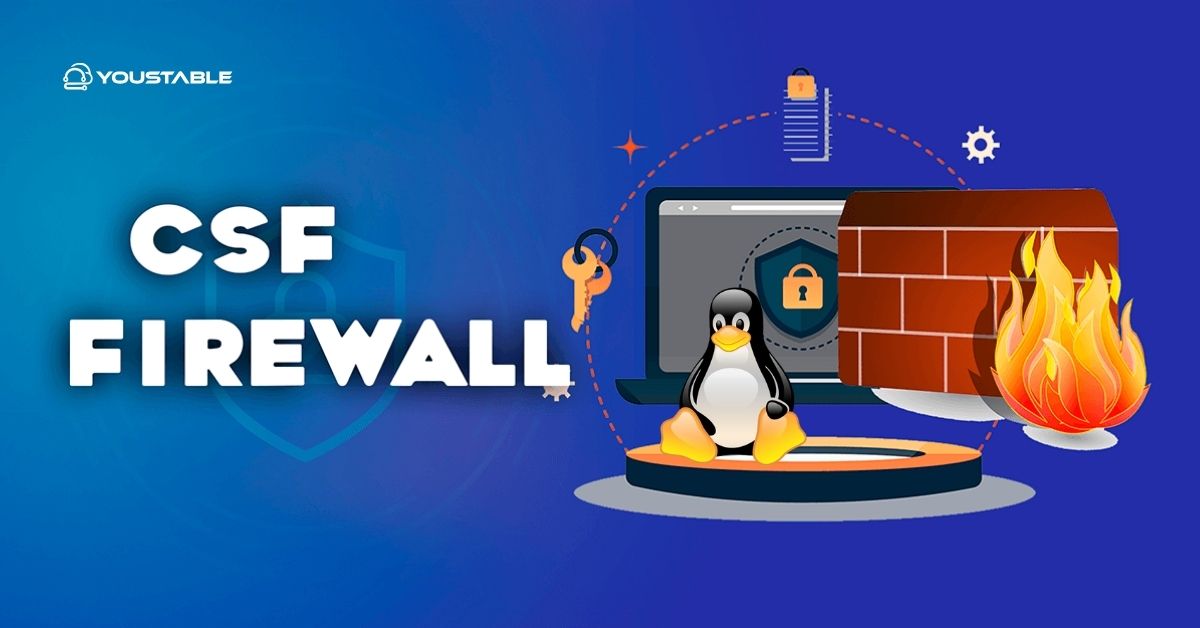
CSF (ConfigServer Security & Firewall) is a powerful Linux firewall suite that wraps iptables/nftables with easy commands and intrusion detection. To use CSF on a Linux server: install CSF, edit /etc/csf/csf.conf, set TESTING=0, open required ports, enable csf and lfd, then manage allow/deny lists and rate-limits with simple csf commands.
Securing internet-facing servers starts with a solid firewall. This guide explains how to use CSF Firewall on Linux Server from installation to hardening, using beginner-friendly steps backed by real hosting experience.
You’ll learn how to install CSF, configure ports, whitelist IPs, block attacks with LFD, and troubleshoot safely.
What is CSF and Why Use it?
CSF (ConfigServer Security & Firewall) is an advanced but user-friendly firewall and login/intrusion protection system for Linux servers. It uses iptables or nftables under the hood, adds smart defaults, and includes LFD (Login Failure Daemon) to monitor logs and automatically block suspicious activity.
How CSF Works
CSF manages kernel-level packet filtering (iptables or nftables) using a central configuration file and helper scripts. You don’t need to remember complex iptables syntax; you control access using readable options and simple commands like csf -a (allow) or csf -d (deny).
What LFD Adds
LFD scans authentication logs (SSH, mail, FTP, web) and network patterns. When it detects brute force attempts, floods, or anomalous processes, it can temporarily or permanently ban IPs, notify you, and enforce limits like connection tracking and port floods.
CSF vs UFW vs firewalld
UFW and firewalld are great for basic rules. CSF is ideal for servers needing integrated anti-bruteforce, rate limits, easy allow/deny lists, country filters, and extensive automation across web hosting stacks (cPanel, DirectAdmin, etc.).
Prerequisites and Compatibility
Before installing CSF, ensure you have:
- Root or sudo access on a Linux server (Ubuntu/Debian, RHEL/AlmaLinux/Rocky, CloudLinux)
- Perl and basic build tools (CSF uses Perl scripts)
- iptables/nftables kernel support (most distro kernels include this)
- Console access (in case you need to recover from firewall lockouts)
On systems running firewalld or UFW, disable them to avoid conflicts. CSF manages the firewall stack directly.
# Stop other firewalls (choose your distro's default)
sudo systemctl stop firewalld && sudo systemctl disable firewalld
sudo ufw disable
Install CSF on Linux (Ubuntu, Debian, RHEL, AlmaLinux, Rocky)
1) Install dependencies
# Ubuntu/Debian
sudo apt update
sudo apt install -y perl wget curl tar iptables

# RHEL/AlmaLinux/Rocky
sudo dnf -y install perl wget curl tar iptables
2) Download and install CSF
cd /usr/src
sudo curl -L -o csf.tgz https://download.configserver.com/csf.tgz
sudo tar -xzf csf.tgz
cd csf
sudo sh install.sh

# Verify kernel/module compatibility
sudo perl /usr/local/csf/bin/csftest.pl
If the test passes, CSF is installed and ready for configuration. The main config file is at /etc/csf/csf.conf. The main commands are csf (firewall) and lfd (daemon).
Initial CSF Configuration (Open Ports, Disable Testing)
Edit /etc/csf/csf.conf
By default, CSF starts in testing mode and will flush rules periodically. Change the following settings before enabling, and open only the ports you need.
sudo cp /etc/csf/csf.conf /etc/csf/csf.conf.bak
sudo nano /etc/csf/csf.conf

# Recommended baseline
TESTING = "0"
RESTRICT_SYSLOG = "3"
IPV6 = "1"                 # Set to "0" if you don't use IPv6

# Replace with your actual service ports
TCP_IN = "22,80,443"
TCP_OUT = "80,443,53"
UDP_IN = "53"
UDP_OUT = "53,123"

# Connection tracking and flood controls
CT_LIMIT = "100"
CT_INTERVAL = "30"
SYNFLOOD = "1"
PORTFLOOD = "22;tcp;5;300,80;tcp;200;5"
Notes:
- Keep SSH (22 or your custom SSH port) in
TCP_INto avoid lockout. PORTFLOODlimits new connections per time frame (helpful for SSH and HTTP floods).- Restrict
TCP_OUTto what you require (80/443/53 is a safe start).
Enable and Test CSF + LFD
After saving the config, enable CSF and start LFD. Keep your console session open until you verify access.
# Enable CSF and reload rules
sudo csf -e
sudo csf -r

# Start/enable LFD
sudo systemctl enable --now lfd

# List current rules (sanity check)
sudo csf -l
Open a second terminal and confirm you can SSH back in. If something goes wrong, you can quickly disable CSF:
# Disable CSF (flush rules)
sudo csf -x

# Re-enable when ready
sudo csf -e
Everyday CSF Commands (Allow, Deny, List)
- List rules:
csf -l - Search an IP in rules/logs:
csf -g 203.0.113.10 - Allow (whitelist) an IP:
csf -a 203.0.113.10 "Office IP" - Deny (block) an IP:
csf -d 203.0.113.55 "Abuse" - Remove from deny:
csf -dr 203.0.113.55 - Temporary allow/deny (e.g., 1 hour):
csf -tr 203.0.113.10 3600orcsf -td 203.0.113.55 3600 - View temp bans:
csf -t(clear all temp:csf -ta) - Reload after edits:
csf -r
You can also manage persistent lists via files:
/etc/csf/csf.allow— always allow (whitelist)/etc/csf/csf.deny— always deny (blacklist)/etc/csf/csf.ignore— ignore an IP/user from certain checks
Real-World Examples (Open a Port, Whitelist, Temporary Access)
Open a custom application port
# Example: allow inbound port 3000 for a Node.js app
sudo sed -i 's/^TCP_IN = .*/TCP_IN = "22,80,443,3000"/' /etc/csf/csf.conf
sudo csf -r
Whitelist your office IP
sudo csf -a 198.51.100.25 "Office IP"
sudo csf -r
Grant temporary access to a contractor
# Allow for 2 hours (7200 seconds)
sudo csf -tr 198.51.100.200 7200
Hardening with LFD (Brute Force & Abuse Controls)
LFD reads auth logs and automatically bans abusive IPs. Tune these common options in /etc/csf/csf.conf:
# SSH brute-force protection (ban after 5 failures)
LF_SSHD = "5"
LF_TRIGGER = "5"

# Permanent block after multiple temp bans
LF_PERMBLOCK = "1"
LF_PERMBLOCK_COUNT = "4"
LF_PERMBLOCK_INTERVAL = "86400"

# Connection tracking limit (per IP)
CT_LIMIT = "100"
CT_INTERVAL = "30"

# Process tracking (detect suspicious processes)
PT_USERPROC = "10"
These settings help neutralize SSH brute force, excessive connection usage, and malicious processes. Always test progressively; aggressive thresholds can block legitimate traffic during peaks.
Service Specific Ports (Web, Mail, DB, Panels)
Ensure your TCP_IN/UDP_IN include only what your stack needs. Common examples:
- Web: 80 (HTTP), 443 (HTTPS)
- SSH: 22 (or custom)
- DNS: 53 TCP/UDP
- Mail: 25, 465, 587 (SMTP), 993 (IMAPS), 995 (POP3S)
- MySQL/MariaDB: 3306 (restrict to internal/VPN only)
- Control panels (as applicable): cPanel 2083/2087, DirectAdmin 2222, Plesk 8443
If you run cPanel/DirectAdmin, CSF integrates well and may add a GUI plugin. Always confirm panel ports are allowed before disabling testing mode.
Advanced CSF Features (Use Carefully)
Country-level blocks (GeoIP)
CSF can block/allow by country codes, e.g.:
# Deny traffic from listed countries
CC_DENY = "CN,RU"

# Or allow only these (filter mode)
CC_ALLOW_FILTER = "US,GB"
GeoIP isn’t perfect (CDNs/VPNs can bypass it). Use it as an auxiliary control, not your only defense.
Rate-limit floods and port scans
Use PORTFLOOD to limit new connections per IP, and enable SYN flood protection. Combine with LFD triggers to contain bursts while minimizing false positives.
IPv6 and modern stacks
If your server has IPv6, set IPV6 = "1" and define v6 allow/deny lists. On newer distros using nftables via iptables, CSF works as long as csftest passes. Avoid running CSF alongside firewalld/UFW.
Troubleshooting & Recovery
Locked out after enabling?
Use console/DRAC/iLO/VNC to access the server. Then:
- Disable CSF:
csf -x - Edit
csf.confto include your SSH port inTCP_INand whitelist your IP incsf.allow - Re-enable:
csf -e && csf -r
Check logs and status
/var/log/lfd.log— LFD bans, triggers, login failures/var/log/messagesor/var/log/syslog— system messagescsf -g <IP>— find why an IP is blocked/allowed
Conflicts and edge cases
- firewalld/UFW: must be disabled to avoid rule conflicts.
- Docker: Docker manipulates iptables and NAT; review your published ports and test thoroughly. If possible, manage exposure via reverse proxies/load balancers.
- Cloud firewalls: If using AWS Security Groups, GCP VPC or similar, align CSF rules with upstream policies.
Best Practices for a Secure Linux Server with CSF
- Start in TESTING mode, verify access, then set
TESTING = "0". - Open only the ports you truly need; restrict outbound traffic.
- Whitelist trusted admin IPs; use temporary access for vendors.
- Tune LFD gradually; monitor
/var/log/lfd.logfor false positives. - Back up
csf.confbefore large changes; document your rules. - Combine CSF with strong SSH practices (keys, non-default port, no root login) and failover access.
Managed Option: Let YouStable Configure CSF for You
If you host with YouStable, our engineers can deploy and tune CSF/LFD on your Linux server, align it with your application stack, and monitor blocks 24/7. It’s a stress-free way to get a hardened firewall without spending hours on trial-and-error.
FAQs:
How do I install CSF firewall on Ubuntu or Debian quickly?
Update packages, install prerequisites, then download and run the installer:
sudo apt update && sudo apt install -y perl wget curl tar iptables
cd /usr/src && sudo curl -L -o csf.tgz https://download.configserver.com/csf.tgz
sudo tar -xzf csf.tgz && cd csf && sudo sh install.sh
sudo perl /usr/local/csf/bin/csftest.pl
What ports should I open in CSF for a typical web server?
Minimum: TCP_IN 22,80,443; TCP_OUT 80,443,53; UDP_IN 53 (if DNS), UDP_OUT 53,123. Add mail, database, and panel ports as required. Only open what you actively use.
How do I whitelist or block an IP in CSF?
Whitelist: csf -a 203.0.113.10 "Admin IP". Block: csf -d 203.0.113.55 "Abuse". For temporary rules: csf -tr <IP> <seconds> or csf -td <IP> <seconds>. Reload with csf -r if you edit config files.
Does CSF work with nftables and newer Linux releases?
Yes. Most modern distros use iptables-nft backends. If csftest.pl reports compatibility, CSF will operate normally. Do not run CSF alongside firewalld or UFW, as they will conflict.
CSF vs UFW vs firewalld: which should I choose?
Choose CSF if you want integrated firewall + intrusion prevention (LFD), easy allow/deny management, rate-limiting, and hosting-friendly features. UFW/firewalld are simpler for desktops or basic servers but lack CSF’s deep security automation out of the box.