When two powerful tools look similar, choosing the right one becomes difficult, especially when your workflow depends on performance and efficiency. OpenClaw and Claude Code may seem alike at first, but they solve completely different problems, and picking the wrong one can limit what you’re able to achieve.
This breakdown gives you a clear and practical understanding of how both tools actually work. You’ll see which one handles execution, which one supports development, and how to choose the right option based on your goals without any confusion.
What Is OpenClaw?
OpenClaw is an automation focused system built to handle workflows, process data, and execute tasks continuously without requiring constant manual input. It is mainly used in environments where background operations must run smoothly and consistently over long periods.
Instead of assisting with suggestions, OpenClaw performs real tasks in real time. It can manage multiple workflows at once while maintaining stable performance, making it suitable for backend systems, automation pipelines, and continuous processes that require reliability.
Key Features of OpenClaw
- Automatic workflow execution: Runs tasks and processes without manual intervention once configured
- Multi process handling: Manages multiple workflows simultaneously without performance drops
- Real time task execution: Performs operations instantly instead of only generating outputs
- Backend automation support: Suitable for server side tasks, data processing, and system operations
- Consistent and stable performance: Designed to run continuously without interruptions or slowdowns
Also Read: Benefits of Hosting OpenClaw on VPS
What Is Claude Code?
Claude Code is an AI powered coding assistant developed by Anthropic that helps developers write, understand, and improve code efficiently. It generates suggestions, explains logic clearly, and assists in debugging to simplify development tasks.
Unlike systems that execute workflows, Claude Code acts as a support tool during development. It runs through an AI interface, requiring no server setup, and helps developers create, optimize, and troubleshoot code with better speed and accuracy.
OpenClaw vs Claude Code: Quick Comparison
The difference between OpenClaw and Claude Code becomes clear when you compare how each one works in real usage. One focuses on executing tasks and automation, while the other is designed to assist with coding and development.
Comparison
| Feature | OpenClaw | Claude Code |
| Core Purpose | Automation and task execution | AI coding assistance |
| Functionality | Runs workflows and processes | Generates and explains code |
| Execution | Performs real time tasks | Provides suggestions only |
| Setup Requirement | Requires VPS and configuration | No setup, works via AI interface |
| Resource Usage | Depends on server (CPU, RAM) | Runs on AI infrastructure |
| Control Level | Full system level control | Limited to AI generated responses |
| Best Use Case | Automation, backend workflows | Coding, debugging, learning |
This comparison highlights that OpenClaw is built for execution and automation, while Claude Code is focused on assisting developers during coding tasks.
OpenClaw vs Claude Code: Key Differences Explained
At first glance, OpenClaw and Claude Code may appear similar, but their roles are completely different. One is designed to execute tasks and automate workflows, while the other focuses on assisting developers during coding. Understanding these differences helps you choose the right tool based on your actual workflow needs.
Purpose and Core Functionality
The core purpose of both tools defines how they should be used. This is where the biggest difference starts.
| Aspect | OpenClaw | Claude Code |
| Primary Role | Task execution and automation | AI coding assistance |
| Function | Runs workflows and processes | Generates and improves code |
| Dependency | Works independently after setup | Depends on user interaction |
OpenClaw is built for execution. Once configured, it continuously runs workflows, processes data, and handles tasks without requiring manual input.
Claude Code, on the other hand, is built for assistance. It helps developers write, understand, and optimize code, but it does not execute tasks or manage workflows on its own.
Execution vs AI Assistance
This is the most practical difference when it comes to real usage.
- OpenClaw focuses on execution:
- Runs tasks in real time
- Automates processes without interruption
- Handles multiple workflows simultaneously
- Maintains consistent performance over time
- Claude Code focuses on assistance:
- Generates code and suggestions
- Explains logic and fixes errors
- Helps in problem solving
- Requires user or external systems for execution
OpenClaw actively performs tasks, while Claude Code only supports the development process.
Resource Requirements and Setup
The way both tools operate directly affects their setup and resource requirements.
| Factor | OpenClaw | Claude Code |
| Setup Requirement | Requires VPS/server configuration | No setup required |
| Resource Usage | Depends on CPU, RAM, storage | Runs on AI infrastructure |
| Deployment | Needs environment setup | Works instantly via interface |
OpenClaw requires a properly configured VPS with enough CPU and RAM to ensure stable performance, especially for continuous automation.
Claude Code works instantly through an AI interface. There is no need to manage servers, hosting, or hardware.
Control and Flexibility
Control plays a major role when deciding between automation and assistance tools.
- OpenClaw provides full control:
- Manage and customize workflows
- Control execution processes
- Configure system level operations
- Adapt automation based on requirements
- Claude Code provides guided support:
- Assists with coding decisions
- Improves development speed
- Suggests optimizations
- Does not control execution or systems
OpenClaw gives you complete authority over how tasks are executed, while Claude Code helps you make better development decisions without direct system control.
Overall, OpenClaw is built for automation and real task execution, while Claude Code is designed to assist developers in coding, debugging, and improving productivity. Choosing the right one depends on whether your priority is execution or development support.
When to Use OpenClaw vs Claude Code
The choice depends on your specific needs, as both tools are designed for different types of work and usage scenarios.
Use OpenClaw When
OpenClaw is the better option when your goal is automation and continuous execution.
- Automating repetitive workflows
- Running background processes continuously
- Managing backend systems or data operations
- Requiring full control over execution
- Handling long running automation pipelines
Use Claude Code When
Claude Code is more suitable when your focus is on development and coding assistance.
- Writing or debugging code
- Understanding programming concepts
- Generating code efficiently
- Building or improving applications
- Receiving guidance during development
OpenClaw is ideal for executing automated workflows with full control over processes, while Claude Code is better suited for assisting with coding, debugging, and improving development efficiency.
Performance Comparison
Performance differs between OpenClaw and Claude Code because they operate in completely different environments. OpenClaw depends on VPS resources like CPU, RAM, and storage to execute real tasks and workflows, while Claude Code relies on AI response speed and accuracy for coding assistance, not execution.
Performance Overview
| Aspect | OpenClaw | Claude Code |
| Performance Basis | VPS resources (CPU, RAM, Storage) | AI response speed & accuracy |
| Execution | Runs real tasks and workflows | Does not execute tasks |
| Scalability | Scales with server resources | Scales with AI usage |
| Reliability | Depends on system stability | Depends on model consistency |
| Best For | Automation and task execution | Coding assistance and problem solving |
OpenClaw is ideal for real time automation and execution, while Claude Code is better suited for fast coding support and logical assistance.
Advantages and Limitations
Both OpenClaw and Claude Code offer strong capabilities, but their strengths and limitations depend on how you plan to use them. Understanding these differences helps you choose the right tool and avoid using it in the wrong context.
OpenClaw
OpenClaw is designed for executing automation workflows, providing full control and reliable performance in continuous task environments.
Advantages
- Executes real tasks and automation workflows
- Runs continuously without manual intervention
- Provides full control over system and configurations
- Suitable for backend operations and long running processes
Limitations
- Requires VPS setup and initial configuration
- Performance depends on CPU, RAM, and server resources
- Needs basic technical knowledge for management
Claude Code
Claude Code focuses on assisting developers by generating code, improving logic, and simplifying development without complex setup.
Advantages
- Easy to use with no setup required
- Quickly generates, debugs, and improves code
- Saves time during development tasks
- Helpful for learning and understanding programming concepts
Limitations
- Cannot execute real tasks or automation workflows
- Limited to AI generated suggestions and responses
- No control over system level operations
Which One Should You Choose?
Choosing between OpenClaw and Claude Code depends on your workflow and what you actually want to achieve. One is built for executing tasks automatically, while the other helps you write and improve code efficiently.
When OpenClaw Makes More Sense
- Automation tasks: OpenClaw is suitable for running workflows and handling tasks automatically without manual input.
- System control: It gives full control over processes, allowing you to manage and customize execution.
- Backend operations: Works well for continuous background tasks and long running processes.
When Claude Code Is the Better Fit
- Coding support: Claude Code helps generate code, debug issues, and improve development efficiency.
- Ease of use: It is simple to use and does not require any setup or server configuration.
- Learning and development: Useful for understanding logic and building applications more efficiently.
Side by Side Overview
| Use Case | Best Choice |
| Automation & workflows | OpenClaw |
| Backend task execution | OpenClaw |
| Code writing & debugging | Claude Code |
| Learning programming | Claude Code |
| Full system control | OpenClaw |
| Development assistance | Claude Code |
OpenClaw is better suited for executing automated processes with full control, while Claude Code is more effective for coding assistance and improving development productivity.
Can You Use OpenClaw and Claude Code Together?
Yes, OpenClaw and Claude Code can be used together, and combining them can make your workflow more efficient. Since both tools serve different purposes, they can complement each other instead of replacing one another.
You can use Claude Code to write scripts, create automation logic, or fix errors in your code. Once the logic is ready, OpenClaw can take over and execute those tasks continuously in a real environment.
- Use Claude Code to generate and improve code
- Use OpenClaw to execute workflows and automation
- Combine both for faster development and reliable execution
- Reduce manual effort while maintaining control over processes
This approach allows you to build smarter workflows while ensuring they run smoothly without interruptions.
Best Setup for OpenClaw
Setting up OpenClaw with the right environment is essential for maintaining consistent performance and smooth automation. Since it handles continuous tasks and multiple processes, a properly configured VPS ensures reliability, faster execution, and fewer interruptions over time.
A reliable option is best openclaw vps hosting by YouStable, which is designed for automation workloads with stable resources and flexible configurations. Plans currently start from $3.86/month, with discounts going up to 70% off, making it a cost effective choice for both beginners and advanced users.
Recommended Configuration
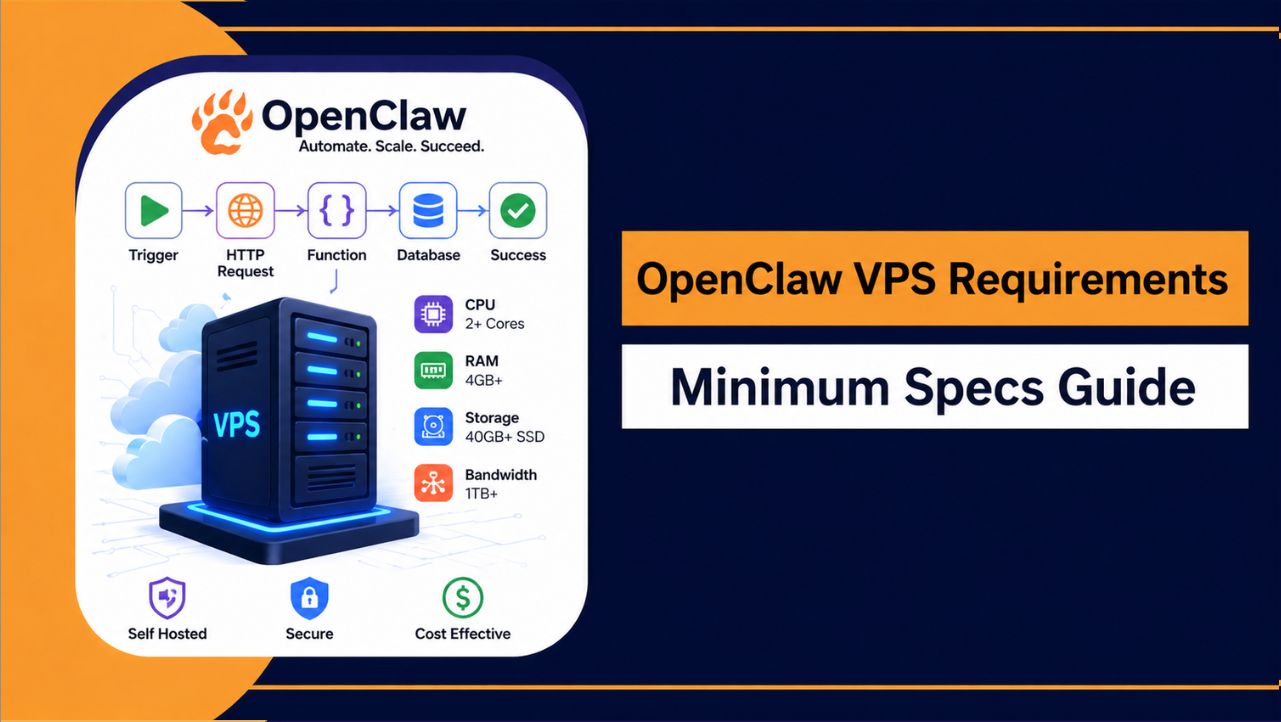
- RAM: Start with 8 GB for stable usage, upgrade to 16 GB for heavy workloads
- CPU: Minimum 2–4 cores to handle multiple processes efficiently
- Storage: NVMe SSD for faster data access and improved responsiveness
- Operating System: Ubuntu 20.04 or higher for better compatibility
- Scalability: Choose plans that allow easy resource upgrades as your workload grows
With the right setup, OpenClaw can run continuously without slowdowns, ensuring reliable automation and consistent task execution as your workload increases.
Also Read: Setup OpenClaw On VPS
FAQs
Can OpenClaw and Claude Code work together in real projects?
Yes, both tools can be used together effectively. Claude Code helps you create and refine code, while OpenClaw executes those workflows continuously, making automation more practical and reliable in real environments.
Which tool is better for long term automation tasks?
OpenClaw is clearly the better choice for long term automation. It is designed to run tasks continuously, manage multiple processes, and maintain stable performance without manual intervention.
Is Claude Code enough for backend automation?
No, Claude Code is not enough for backend automation. It can help write logic, but it cannot execute workflows or manage real time processes like OpenClaw does.
Does OpenClaw require technical knowledge to manage?
Yes, some basic technical knowledge is helpful, but once configured, OpenClaw runs smoothly and requires minimal ongoing effort, making it practical for long term usage.
Which is more cost effective: OpenClaw or Claude Code?
The cost depends on how you use them, but OpenClaw provides better long term value for automation:
• Claude Code: Easy to start, no setup required
• OpenClaw: Requires VPS but offers real execution capability
• Long term use: OpenClaw is more efficient for continuous automation
Conclusion
Choosing between OpenClaw and Claude Code becomes much clearer when you focus on how each tool performs in real scenarios. Both are powerful, but they are built for completely different purposes, and using the wrong one can limit your efficiency.
OpenClaw stands out when it comes to executing tasks, handling automation, and maintaining consistent performance over time. Claude Code, on the other hand, plays a strong supporting role in coding and development.
The right choice depends on your workflow, but for continuous execution and full control, OpenClaw offers a more practical and long term solution.