Automation tools are improving fast, but when workflows become complex, performance often drops and execution becomes unstable. Tasks slow down, processes break, and results become inconsistent, especially when everything depends on a limited setup without proper resources or stability.
Hosting OpenClaw on a VPS solves this by improving performance, stability, and scalability. It gives you dedicated resources, continuous execution, and a reliable environment, helping your automation run smoothly and handle complex workflows without interruptions.
What Happens When You Run OpenClaw Without VPS?
Running OpenClaw on a local system or a limited environment may work for basic tasks, but as workloads increase, performance starts becoming unstable.
Execution slows down, and workflows may not run consistently, especially when handling complex or multiple processes.
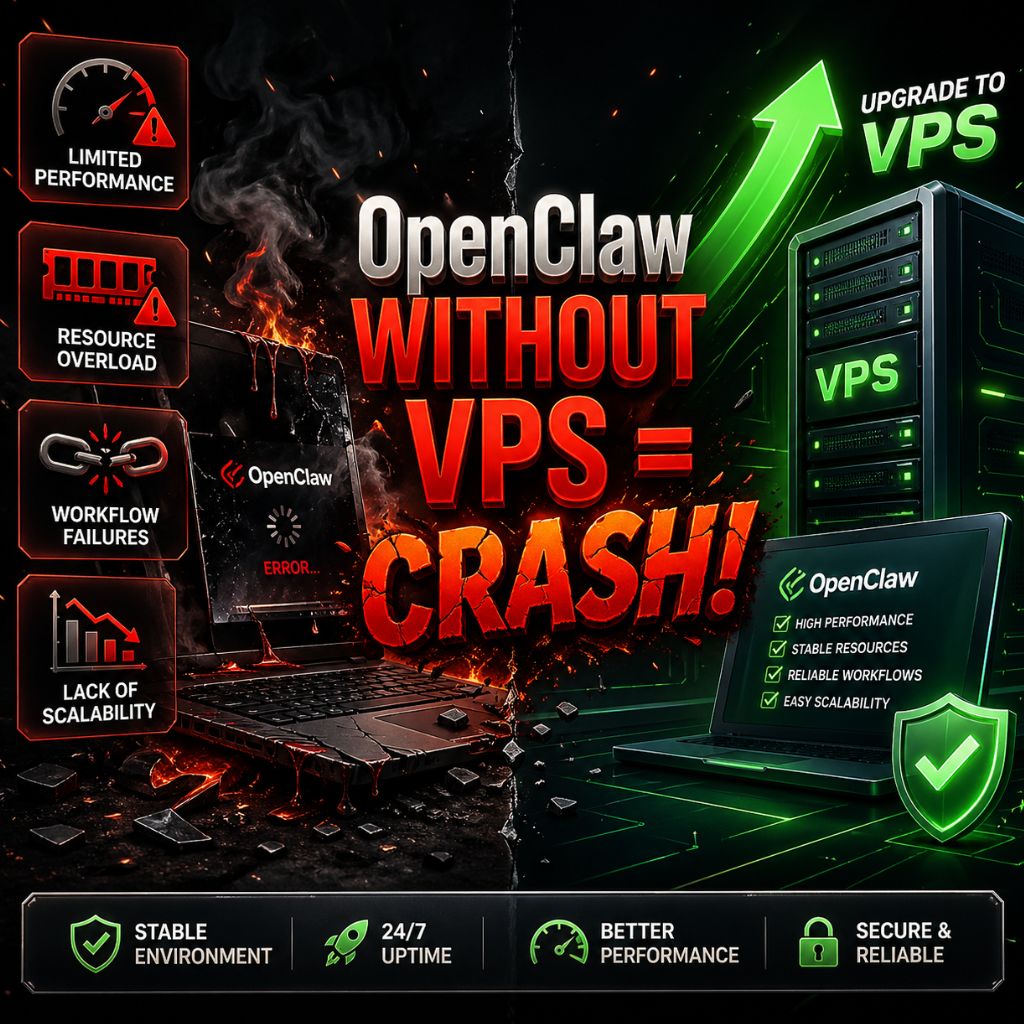
As automation grows, these limitations become more noticeable and directly affect efficiency and reliability.
Common Issues You May Face
- Limited Performance: Local systems often lack sufficient CPU power and RAM, which leads to slower processing and delayed execution
- Resource Overload: Running multiple workflows at the same time can quickly consume resources and cause system lag
- Workflow Failures: Tasks may stop midway or fail during heavy or continuous operations
- Lack of Scalability: Handling growth becomes difficult without upgrading hardware or changing the environment
Why VPS Is Important for OpenClaw
A VPS provides a stable and controlled environment where OpenClaw can run smoothly without interruptions. Unlike local setups, it ensures that system resources are consistently available, which improves overall performance and reliability.
This becomes especially important when handling continuous automation or large scale workflows, where stability and consistency matter the most.
Advantages of Using VPS
- Dedicated Resources: CPU and RAM are reserved for your tasks, ensuring consistent performance
- Better Stability: Workflows run smoothly without unexpected crashes or failures
- Full Control: You can configure the server environment based on your specific needs
- Continuous Execution: Automation runs 24/7 without depending on your local system
Top 6 Benefits of Hosting OpenClaw on VPS in 2026, Apr
Hosting OpenClaw on a VPS improves performance, stability, and reliability, especially when workflows become complex or run continuously.
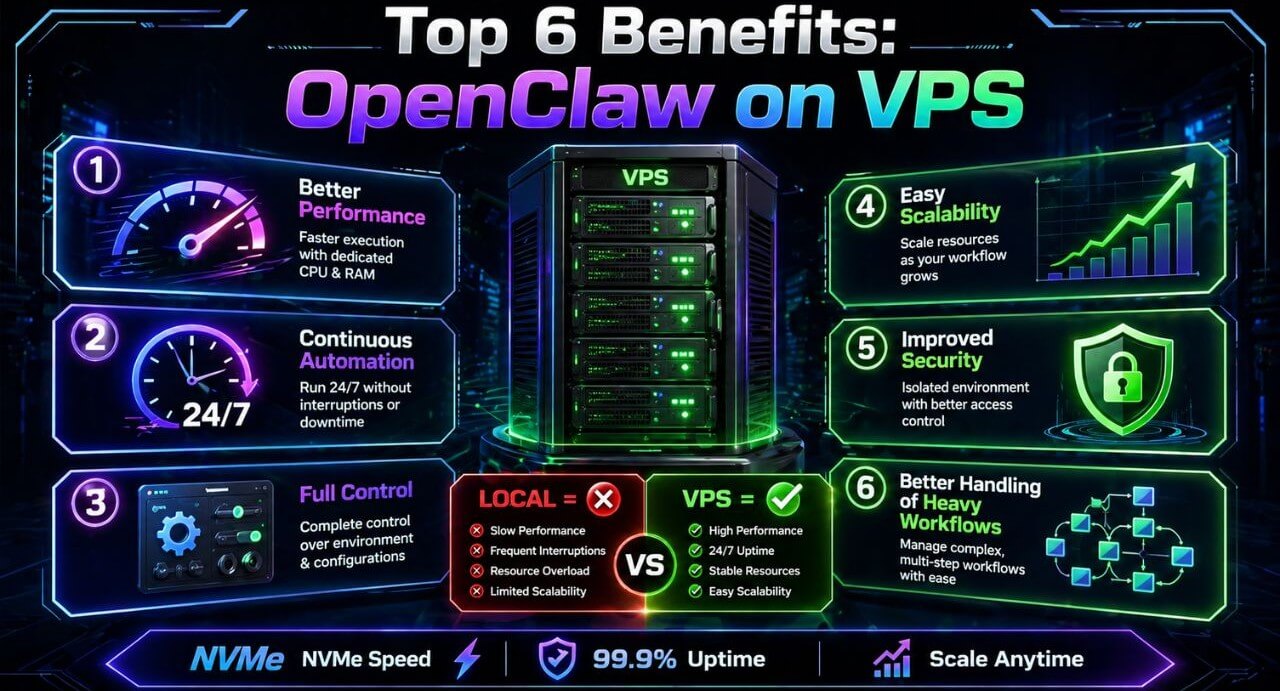
A dedicated environment ensures that automation runs smoothly without interruptions or resource limitations, which is important for real world usage.
1. Better Performance and Faster Execution
A VPS provides dedicated CPU and RAM, allowing OpenClaw to process tasks faster and more efficiently. This becomes clearly noticeable when multiple workflows run at the same time or when tasks require higher resources.
What improves here:
- Faster workflow execution
- Smooth multitasking
- Reduced lag in heavy operations
2. Stable and Continuous Automation
Automation workflows often require long running execution, and this is where a VPS makes a real difference. It runs independently of your local system, ensuring that tasks continue without interruptions or unexpected failures.
| Without VPS | With VPS |
| Depends on your device uptime | Runs 24/7 independently |
| Frequent interruptions | Continuous execution |
| Unstable long workflows | Reliable automation |
3. Full Control Over Environment
With a VPS, you get complete control over your server environment. You can configure the operating system, install required tools, and adjust settings based on your workflow requirements, which helps in achieving better performance and flexibility.
4. Easy Scalability
As automation grows, resource requirements also increase. A VPS allows you to scale without disrupting your existing setup, which makes it suitable for long term usage.
Scaling benefits:
- Upgrade CPU and RAM anytime
- Handle larger workflows easily
- No need to migrate systems
5. Improved Security and Isolation
A VPS provides an isolated environment where your workflows and data remain protected. This reduces the risk of interference and gives you better control over access and permissions.
| Without VPS | With VPS |
| Shared or exposed environment | Isolated environment |
| Limited control over security | Full access control |
| Higher risk of issues | More secure setup |
6. Better Handling of Complex Workflows
OpenClaw is designed for multi step and dynamic automation, and a VPS ensures that these workflows run smoothly even under heavy load. It can handle API integrations, background tasks, and continuous processes without breaking.
Minimum Requirements for OpenClaw VPS
Running OpenClaw efficiently on a VPS depends on having the right balance of CPU power, memory, and storage. For basic automation workflows, a moderate setup is enough, but as tasks become more complex, higher resources are required to maintain smooth performance and stability.
Recommended VPS Specifications
| Requirement | Minimum Setup | Recommended Setup |
| CPU | 4 Cores | 8+ Cores |
| RAM | 8GB | 16GB – 32GB |
| Storage | SSD (40–50GB) | NVMe SSD (faster performance) |
| Operating System | Linux (Ubuntu) | Latest Ubuntu Version |
| GPU (Optional) | Not Required | Recommended for large AI workloads |
When Should You Upgrade?
If you notice slower execution, delays in workflows, or issues while running multiple tasks, it usually means your current VPS resources are not enough. In such cases, upgrading CPU, RAM, or switching to NVMe storage can significantly improve performance and stability.
How to Choose the Best OpenClaw VPS Hosting?
Choosing the right VPS is important for maintaining stable performance and smooth automation workflows. The right setup ensures that OpenClaw runs efficiently without slowdowns, interruptions, or resource limitations, especially when handling continuous or complex tasks.
Factors to Consider
- Performance: Choose a VPS with a multi core CPU and sufficient RAM to handle automation workloads efficiently
- Storage: NVMe storage is preferred because it improves speed, reduces latency, and helps in faster data processing
- Scalability: Select a provider that allows easy upgrades so you can increase resources as your workload grows
- Server Location: A data center closer to your region helps reduce latency and improves response time
- Support: Reliable customer support ensures that any issues can be resolved quickly without affecting your workflows
For a reliable setup, providers like YouStable offer NVMe based VPS with stable performance, easy scalability, and a user friendly setup, making them suitable for running OpenClaw efficiently.
Why YouStable Is a Good Choice for OpenClaw VPS
Choosing the right VPS provider directly affects how well OpenClaw performs in real automation workflows. When tasks run continuously or involve multiple steps, you need a setup that stays fast, stable, and consistent without performance issues or interruptions.
YouStable offers an OpenClaw ready VPS environment with NVMe storage, full root access, and low latency infrastructure. For users looking for reliable OpenClaw VPS hosting, this setup improves execution speed, stability, and long term workflow performance.
Key Features That Make YouStable a Strong Choice
- OpenClaw Ready Environment: Pre-optimized setup reduces manual configuration and helps you start quickly
- High Speed NVMe Storage: Faster data access improves workflow execution and reduces delays
- Full Root Access: Complete control to configure your server based on your requirements
- Auto Restart on Failure: Ensures workflows continue even if unexpected issues occur
- 24/7 Human Support: Reliable assistance whenever you face setup or performance issues
Performance and Reliability Advantages
| Feature | What You Get |
| Uptime Guarantee | 99.99% uptime for continuous automation |
| Backup System | Weekly backups to prevent data loss |
| Security | DDoS protection and firewall security |
| Monitoring | Real time performance tracking |
| Scalability | Easy upgrade of CPU, RAM, and storage |
Why It Works Well for OpenClaw
Running OpenClaw requires a stable and consistent environment, especially for long running workflows and API based automation. YouStable’s VPS infrastructure is designed to handle continuous execution without interruptions, making it suitable for both beginners and advanced users.
It also supports Docker, multiple operating systems, and quick deployment, which helps in setting up automation workflows faster without unnecessary complexity.
Who Should Host OpenClaw on VPS
Hosting OpenClaw on a VPS is most useful when your automation tasks require consistent performance, stability, and the ability to handle complex workflows. While small tasks can run on a local system, a VPS becomes important as soon as reliability and scalability start to matter.
This setup is ideal for:
- Developers: Working on automation tools, APIs, or backend systems that require continuous execution and stable performance
- Businesses: Managing workflows like customer support, data processing, or internal operations without manual effort
- Automation Users: Handling repetitive or multi step tasks that need to run without interruptions
- SaaS Builders: Building platforms or services that rely on automation and require scalability as usage grows
If your workflows are simple and occasional, a local setup can work. But for continuous automation, better performance, and long term reliability, hosting OpenClaw on a VPS becomes a more practical and efficient choice.
Limitations of Using VPS for OpenClaw
While a VPS offers clear advantages for performance and stability, it also comes with a few limitations that you should understand before setting it up. These factors are not deal breakers, but they can affect how easily you get started and manage your environment.
Limitations to Consider
- Higher Cost Compared to Local Setup: Running a VPS involves a monthly cost, which may not be ideal if your automation needs are small or occasional
- Initial Setup Required: You need to configure the server, install dependencies, and set up the environment properly before running workflows
- Learning Curve for Beginners: If you are new to VPS or server management, it may take some time to understand configurations and workflow setup
- Maintenance Responsibility: You are responsible for updates, monitoring performance, and managing server resources
- Overkill for Simple Tasks: For basic or low frequency automation, a VPS may provide more resources than actually needed
Understanding these limitations helps you make a better decision based on your requirements. For continuous, large scale, or complex automation, the benefits of a VPS usually outweigh these challenges.
Also Read:
- Learn How to Setup OpenClaw On VPS
- OpenClaw Docker Setup Guide
- Learn How to Fix OpenClaw Not Working
- Top 7 Best VPS for OpenClaw
FAQs
1. Do you need a VPS to run OpenClaw?
No, you can run OpenClaw on a local system for basic tasks. But for better performance, stability, and continuous workflows, using a VPS is a more reliable option.
2. Why is VPS better for OpenClaw?
A VPS provides a stable and high-performance environment for automation.
• Better performance
• Stable execution
• Easy scalability
• Remote access
3. What are the minimum requirements for OpenClaw VPS?
For basic usage, 4 CPU cores, 8GB RAM, and SSD storage are enough. For better performance, 8+ cores, 16GB–32GB RAM, and NVMe storage are recommended.
4. Is YouStable good for OpenClaw VPS?
Yes, YouStable offers NVMe based VPS, stable performance, and easy scalability, making it a reliable choice for running OpenClaw efficiently.
Conclusion
If your workflows are simple, running OpenClaw on a local setup can work. But as soon as tasks become continuous or complex, performance issues, instability, and limitations start becoming noticeable.
Hosting OpenClaw on a VPS gives you better performance, stability, and control, which helps your automation run smoothly without interruptions. With the right setup and a reliable provider, you can handle complex workflows more efficiently and build systems that actually work consistently in real conditions.