The Linux file system is a hierarchical structure that organizes data into files and directories under a single root (/). It follows the Filesystem Hierarchy Standard (FHS), where system binaries, configurations, logs, devices, and user data live in defined locations. Understanding mount points, inodes, permissions, and common directories is essential for troubleshooting, performance, and security.
When you hear “Linux file system,” think of a consistent, predictable way to store and access everything on a Linux server: applications, configurations, logs, devices, and user data. In this guide, we’ll explain the Linux file system with practical examples, commands, and best practices from years of managing production servers and hosting environments.
What is the Linux File System?
Linux uses a single rooted directory tree that starts at / (root). All files, directories, and attached storage devices are accessed somewhere under this tree through mount points.
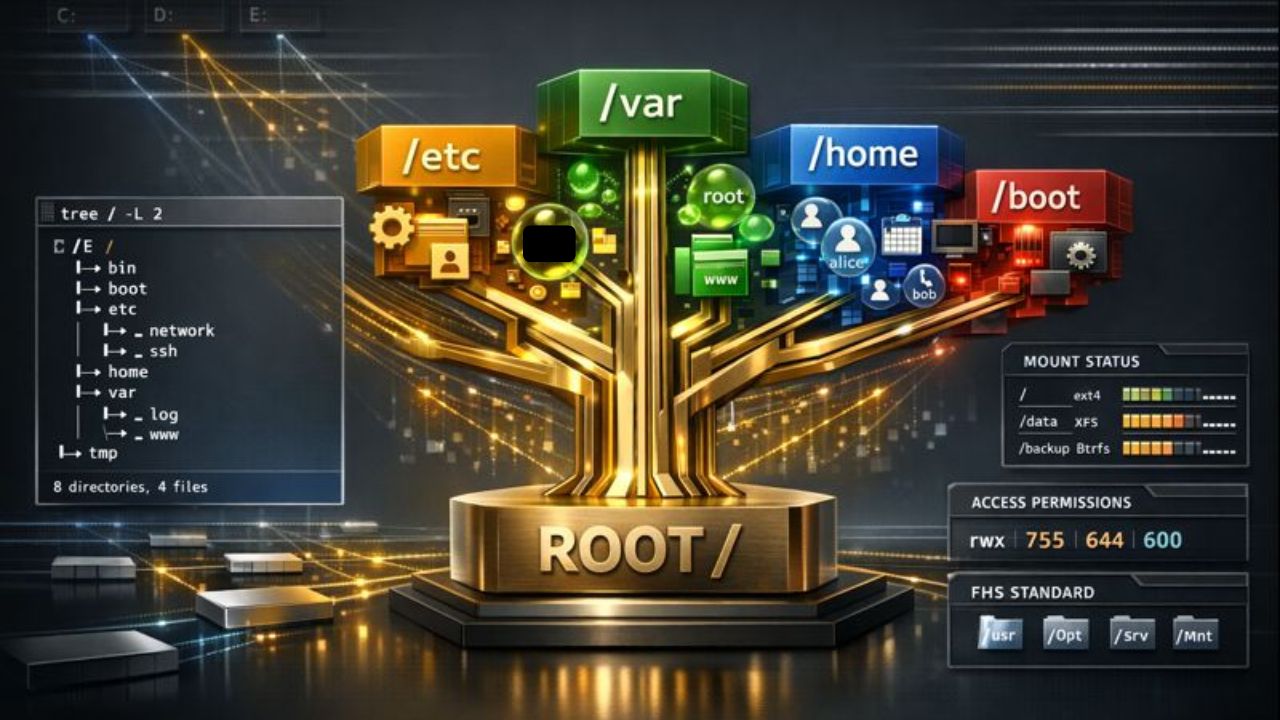
Unlike Windows (which uses drive letters), Linux unifies everything under one structure, making it consistent across local disks, network shares, and removable media.
Key concepts to know:
- FHS (Filesystem Hierarchy Standard): Defines where files should live.
- Inodes: Store file metadata (owner, permissions, timestamps, pointers to data).
- Mount points: Directories where file systems are attached.
- File types: Regular files, directories, links, devices, sockets, and pipes.
- Permissions: Read/write/execute rules for users, groups, and others.
Linux Directory Structure (FHS) Explained
The Filesystem Hierarchy Standard keeps Linux distributions consistent, so admins can predict where things live regardless of the distro.
/ (root)
The top of the tree. All other directories branch from here. Only root (the superuser) typically writes directly to /.
/bin and /sbin
Essential binaries needed for booting and repairing the system. /bin is for common user commands; /sbin is for system administration.
/etc
System wide configuration files. For example, network configs, service definitions, package manager settings, and /etc/fstab for mounts.
/home
User home directories, e.g., /home/alex. Store personal files and per user application settings (dotfiles).
/root
Home directory for the root user. Not to be confused with /.
/var
Variable data that changes frequently: logs (/var/log), mail, caches, queues, and databases. Critical for monitoring disk growth.
/tmp
Temporary files; often cleared on reboot. World writable but protected by sticky bit to prevent file hijacking.
/usr and /usr/local
/usr holds userland software and libraries installed by the distribution (/usr/bin, /usr/sbin, /usr/lib). /usr/local is for locally compiled or manually installed software to avoid conflicts with system packages.
/lib, /lib64
Shared libraries for binaries in /bin and /sbin. On 64 bit systems, you’ll also see /lib64 for 64 bit libs.
/boot
Kernel, initramfs, and bootloader files. Often a separate partition to ensure the system can boot even if other volumes have issues.
/dev
Device files representing hardware (e.g., disks, terminals). Linux treats devices as files, which simplifies I/O operations and tooling.
/proc and /sys
Virtual file systems exposing kernel and process info. /proc/cpuinfo, /proc/meminfo, and /sys for kernel device parameters.
/run
Runtime state information since boot: PID files, sockets, and other volatile data.
/mnt and /media
Standard mount points. /media is typically used for removable media (USB drives), while /mnt is for temporary mounts.
/opt and /srv
/opt for optional, third party software bundles. /srv for service data (e.g., web or FTP data), depending on admin preference.
File Types, Inodes, and Permissions
Inodes: The Metadata Backbone
An inode stores metadata: owner, group, permissions, timestamps, and data block pointers. Filenames are stored in directories and point to inodes; multiple names can reference the same inode (hard links).
# Inspect inode and metadata
stat /etc/hosts

# Count free/used inodes on a filesystem
df -i
Permissions and Ownership
Linux uses read (r), write (w), and execute (x) permissions for user, group, and others. Ownership is defined by a user and a group.
# View long listing with permissions
ls -l /var/log

# Change owner and permissions
sudo chown www-data:www-data /var/www/html/index.html
sudo chmod 640 /var/www/html/index.html
Hard Links vs Symbolic Links
Hard links point to the same inode (same data) and can’t span file systems. Symbolic links (symlinks) point to a pathname and can cross file systems.
# Create examples
ln fileA.txt fileA-hardlink.txt      # hard link
ln -s /var/log/nginx accesslog-link  # symlink

# Identify file types and links
ls -l
Partitions, File System Types, and Mount Points
A “file system” is a method of organizing data on a partition or volume. In Linux hosting, the most common types are ext4 and XFS, with Btrfs and ZFS used for snapshots and advanced features.
- ext4: Stable, widely supported, good performance and journaling. Great default.
- XFS: Excellent for large files and parallel I/O; common in enterprise Linux.
- Btrfs: Snapshots, checksums, subvolumes; requires careful tuning.
- ZFS: Robust integrity, snapshots, compression; typically managed outside the default kernel.
# List disks, partitions, and file systems
lsblk -f

# Show mounted file systems and usage
df -hT

# Mount a device
sudo mount /dev/sdb1 /mnt

# Make mounts persistent via /etc/fstab (example entry)
# UUID=xxxx-xxxx /var  xfs  defaults,noatime  0 2
Best practice on servers is to use separate file systems for /var (logs and databases), /home, and sometimes /tmp. This prevents a runaway log file from filling the entire system.
For scaling, Linux often uses LVM (Logical Volume Manager) to grow or snapshot volumes, and RAID for redundancy. Choose RAID-1/10 for performance and resilience on critical web and database servers.
Essential Commands to Explore the Linux File System
# Navigate
pwd
cd /var/log
cd -    # back

# List and inspect
ls -lah
tree -L 2 /etc  # may require 'sudo apt install tree'

# Space usage
df -h
du -sh /var/* | sort -h

# Find files
find /var/www -type f -name "*.php"
grep -R "DB_PASSWORD" /etc

# Identify file types
file /bin/bash
Practical Examples You’ll Use Daily
1) Inspecting System Logs
Logs live under /var/log. For web servers, Nginx logs are in /var/log/nginx and Apache in /var/log/apache2 or /var/log/httpd.
sudo tail -f /var/log/nginx/access.log
sudo journalctl -u nginx --since "1 hour ago"
2) Web Root Locations
By convention, sites live in /var/www. On cPanel-based servers, user sites live under /home/USERNAME/public_html.
sudo ls -lah /var/www
sudo ls -lah /home/USERNAME/public_html
3) Mounting a USB Drive
Attach the drive, find the device, and mount it to a directory.
lsblk
sudo mkdir -p /media/usb
sudo mount /dev/sdc1 /media/usb
sudo umount /media/usb
4) Finding Large Files When Disk Is Full
Target /var first (logs, caches, databases). Then prune or rotate logs safely.
sudo du -xhd1 /var | sort -h
sudo du -ah /var | sort -h | tail -n 50
sudo logrotate -f /etc/logrotate.conf
Security and Reliability Best Practices
- Principle of least privilege: Restrict write access. Avoid running services as root.
- Harden /tmp: Mount with
noexec,nosuid,nodevand use sticky bit on world writable directories. - Separate critical mounts: Isolate
/varand/hometo prevent full disk outages. - Enable SELinux/AppArmor: Confinement reduces blast radius for compromised services.
- Backups and snapshots: Use versioned backups; consider LVM/Btrfs/ZFS snapshots for fast rollback.
- Monitor disk and inode usage: Alert on thresholds to prevent service downtime.
# Example hardened /etc/fstab entries
tmpfs /tmp tmpfs rw,nosuid,nodev,noexec,mode=1777 0 0
UUID=xxxx-xxxx /var  xfs  defaults,noatime,nodev,nosuid 0 2
Common Pitfalls and How to Avoid Them
- Letting /var grow unchecked: Use log rotation and watch DB/caches. Consider separate
/var. - Mounting without noatime: Frequent access time writes hurt performance; use
noatimeunless you need it. - Misusing permissions: Avoid
777. Grant only what’s necessary to service users (e.g.,www-data). - No inode monitoring: Millions of tiny files can exhaust inodes before disk space; monitor with
df -i. - Ignoring backups: Snapshots are not backups. Keep offsite, tested backups.
Quick Reference: Paths and Patterns
- Absolute vs relative paths:
/etc/nginx/nginx.confvs../nginx.conf. - Hidden files: Start with
.(e.g.,.env), shown withls -a. - Globs: Wildcards like
*.log,**/*.php(with shells supporting globstar). - Environment variables:
$HOME,$PATH,$PWDinfluence command behavior.
FAQs
What is the Linux directory structure used for?
It organizes system binaries, libraries, configs, logs, devices, and user data in a predictable tree under /. Following FHS ensures tools and admins can consistently find files across distributions, improving manageability and portability.
Which Linux file system should I choose: ext4, XFS, Btrfs, or ZFS?
For most servers, ext4 and XFS are reliable defaults. Choose XFS for large file throughput, ext4 for broad compatibility. Btrfs and ZFS offer snapshots and integrity checks, but require more tuning and operational expertise.
What is an inode in Linux?
An inode stores file metadata (owner, permissions, timestamps, and data pointers). Filenames map to inodes. You can run out of inodes even with free space if there are too many small files, so track with df -i.
How do I permanently mount a disk in Linux?
Find the device UUID with blkid, create a mount point, and add an entry to /etc/fstab. Use safe options like defaults,noatime. Test with sudo mount -a to validate the configuration.
Where should I put website files on Linux?
By convention, /var/www is the web root. On cPanel servers, use /home/USERNAME/public_html. Ensure correct ownership (e.g., www-data or the cPanel user) and least privilege permissions.
Conclusion
Mastering the Linux file system directories, inodes, permissions, and mounts unlocks faster troubleshooting and safer, more scalable servers. If you’re deploying or migrating workloads, YouStable can help you choose the right file system, design partitions, and harden security so your sites run smoothly under real world load.