Are you thinking about starting a WordPress website but don’t want to spend too much on hosting?
You’ve probably seen hosting plans for $2–$3 per month and wondered, “Is this really enough for my website?”
Or maybe you’re worried that cheap hosting might slow down your site or affect your SEO.
The truth is simple: cheap WordPress hosting can be worth it, but only in the right situation.
In this article, we’ll break everything down clearly:
- What cheap WordPress hosting really means
- Its real pros & cons
- When it makes sense
- When you should avoid it
- And whether YouStable’s cheap WordPress hosting is a smart choice
Let’s start from the basics.
What Is Cheap WordPress Hosting?
Cheap WordPress hosting usually refers to shared hosting plans that cost between $2 to $5 per month (introductory pricing).
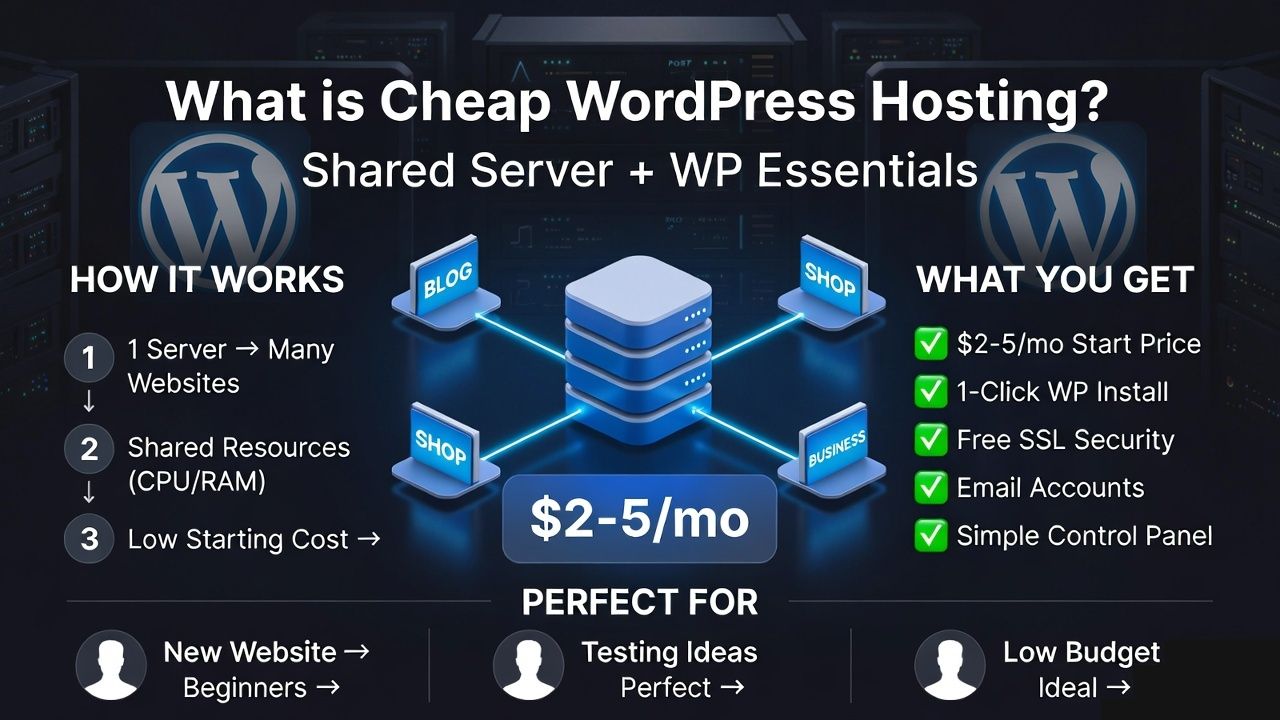
Here’s how it works:
- Your website shares one physical server with many other websites.
- CPU, RAM, and storage are shared between users.
- You get basic features like:
- One click WordPress installation
- Free SSL certificate
- Email accounts
- cPanel or a similar dashboard
This type of hosting is mainly designed for:
- Beginners
- Bloggers
- Students
- Portfolio websites
- Small local businesses
Cheap hosting does not automatically mean bad hosting. It simply means shared resources at a lower price.
Why Cheap WordPress Hosting Is So Popular
Cheap WordPress hosting is popular because it makes launching a website simple and affordable. Beginners especially prefer it for three main reasons:
1. Very Low Starting Cost
With introductory pricing, you can often launch a website for under $40 per year during the first term. This keeps the financial risk low while you learn and experiment.
2. Easy, Beginner Friendly Setup
Most plans include:
- One click WordPress installation
- Free SSL certificate
- Simple control panel (like cPanel)
- Automatic basic configuration
You do not need coding skills or server knowledge to get started.
3. Ideal for Testing New Ideas
Cheap hosting works well if you want to:
- Start a blog
- Try affiliate marketing
- Build a niche site
- Launch a small business website
It lowers the entry barrier. You can start small, grow gradually, and upgrade when your traffic increases.
Pros of Cheap WordPress Hosting
Let’s look at the real advantages.
1. Affordable Entry Point
The biggest benefit is cost. Beginners can start without heavy investment.
This reduces pressure when you’re still learning or experimenting.
2. Beginner Friendly Environment
Most cheap hosting plans include:
- cPanel access
- WordPress auto installer
- Email hosting
- Basic backups
- Basic security tools
Everything is simple and guided.
3. Good for Low Traffic Websites
If your site gets:
- Under 10,000 monthly visitors
- Mostly blog content
- Light plugins
Shared hosting can handle it smoothly.
4. Easy Upgrade Path
Most providers allow you to upgrade later to:
- VPS hosting
- Cloud hosting
- Managed WordPress hosting
You can grow as your traffic increases.
5. Bundled Features Included
Many budget hosting plans include:
- Free SSL
- Free domain (first year)
- Basic firewall protection
- Email accounts
This adds value for beginners.
Cons of Cheap WordPress Hosting
1. Shared Resources Can Slow Performance
Because you share server space:
- If another website consumes too many resources,
- Your website can slow down.
This is known as the “noisy neighbor” problem.
2. Limited Handling of Traffic Spikes
If your blog post suddenly goes viral:
- The server may struggle
- Your website may slow down
- In rare cases, it may temporarily go offline
Cheap hosting is not designed for heavy spikes.
3. Renewal Prices Are Higher
Intro price may look like:
- $2.99/month
But renewal can be:
- $8–$12/month
Always check renewal pricing before buying.
4. Fewer Advanced Features
Cheap hosting usually does not include:
- Staging environments
- Advanced caching systems
- Premium security layers
- Priority WordPress support
5. Basic Support Quality
Support is usually:
- Ticket based
- Slower during peak times
- General support (not WordPress experts)
When Cheap WordPress Hosting Is Worth It
Cheap WordPress hosting can be a smart choice, but only in the right situation. It works best when your website does not require heavy resources or advanced features.
It is worth considering if:
- You are starting your first blog and want a low risk entry point
- You are learning WordPress and practicing website building
- You run a personal portfolio or resume website
- Your website receives low to moderate traffic
- You are testing a niche idea or side project
- Your budget is limited and you want to minimize upfront costs
In these cases, shared resources are usually enough to handle your needs. You can focus on creating content and growing your website without worrying about high hosting expenses.
As your traffic increases or your website starts generating income, you can always upgrade to a more powerful hosting plan.
When Cheap Hosting Is NOT Worth It
You should avoid cheap hosting if:
- You run an eCommerce store
- Your website generates income
- You expect high traffic
- You run membership sites
- You need guaranteed uptime
If performance affects your revenue, invest in stronger hosting.
A Smart Cheap WordPress Hosting Option: YouStable
When choosing affordable hosting, the provider matters.
If you’re considering budget WordPress hosting, YouStable’s cheap WordPress hosting plans are worth looking at.
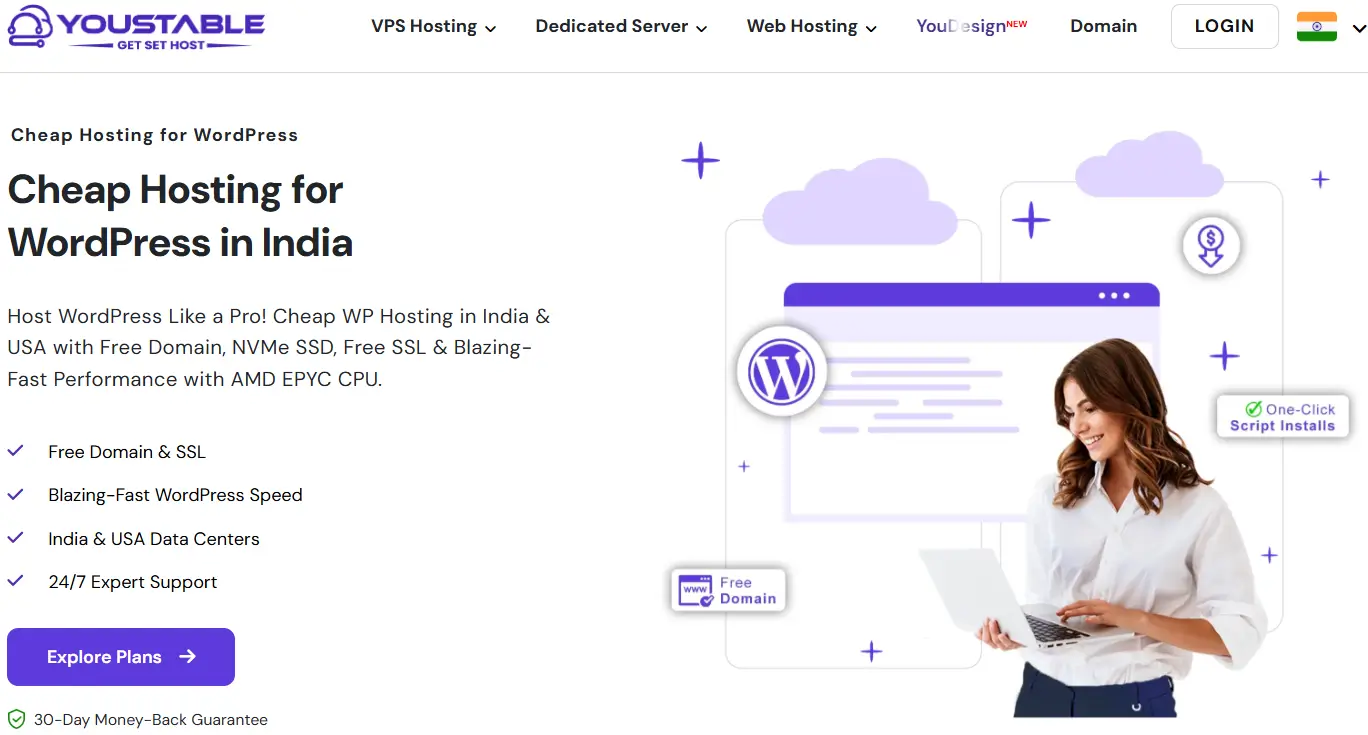
Here’s why:
- SSD storage for faster performance
- Free Domain & SSL certificate
- One click WordPress installation
- 24/7 customer support
- Beginner friendly dashboard
- Affordable introductory pricing
YouStable offers a balance between low cost and dependable performance. For new bloggers and small businesses, it provides stable hosting without unnecessary technical complexity.
If your goal is to start small but stay stable, YouStable can be a practical starting point.
Cheap Hosting vs Managed WordPress Hosting
Choosing between cheap shared hosting and managed WordPress hosting depends on your website goals, traffic level, and budget. Here’s a clear comparison to help you decide:
| Feature | Cheap Shared Hosting | Managed WordPress Hosting |
| Price | Low introductory cost | Higher monthly cost |
| Speed | Moderate performance | Fully optimized for WordPress |
| Security | Basic protection | Advanced security layers |
| Support | General hosting support | WordPress expert support |
| Backups | Limited or manual | Daily automatic backups |
| Scalability | Limited resources | Better handling of growth |
| Best For | Beginners, small blogs | Growing businesses, eCommerce |
Cheap hosting is ideal if you are starting small and want to keep costs low. Managed WordPress hosting costs more, but it provides stronger performance, better stability, and expert level support, especially important for revenue generating websites.
If your website is simple and low traffic, cheap hosting is enough. If performance directly affects income, managed hosting is the safer long term option.
Does Cheap Hosting Affect SEO?
Cheap hosting does not automatically harm your SEO. Search engines do not rank websites based on how much you pay for hosting.
What really matters is performance and reliability.
Here’s where hosting can indirectly impact SEO:
- Slow loading speed can hurt Core Web Vitals, which are part of Google’s ranking signals.
- Frequent downtime makes your site unavailable to users and search engine crawlers.
- High server response time (TTFB) can reduce crawl efficiency and affect user experience.
If your cheap hosting plan is stable, uses SSD storage, and delivers consistent uptime, your SEO performance will not suffer just because it is low cost.
On the other hand, if the server is overloaded, slow, or frequently offline, your rankings and user experience may decline.
It is not the price that affects SEO, it is the quality and stability of the hosting environment.
What Should Cheap Hosting Include at Minimum?
Cheap hosting can be affordable, but it should never compromise on the basics. Before you buy any low cost WordPress hosting plan, make sure it includes these essential features:
- SSD or NVMe storage for faster loading speed and better performance
- At least a 99.9% uptime guarantee to keep your website accessible
- Free SSL certificate to enable HTTPS security
- Latest supported PHP version for speed, security, and compatibility
- Basic security tools such as firewall protection or malware scanning
- Transparent renewal pricing with no hidden surprises
- Easy upgrade option so you can move to a higher plan as your traffic grows
These are not premium features, they are minimum requirements.
If a hosting provider cannot offer these basics, the low price is not worth the risk. Always focus on value and stability, not just the cheapest offer.
What Will You Actually Pay After the First Year?
Cheap WordPress hosting often looks very attractive at first glance. You may see pricing like:
- $2–$3 per month for the first year
- Free domain included
- Free SSL
But here’s what you should actually calculate.
If a plan costs $2.99 per month for 12 months, your first year total is about $36. After the introductory period ends, the renewal price may increase to $8–$12 per month. That means your second year could cost $100+ depending on the provider.
If a free domain was included, it usually renews separately after the first year. Domain renewal typically costs $10–$15 per year (or ₹800–₹1,200 in India).
So the smart way to evaluate cheap WordPress hosting is not by looking at “monthly intro price,” but by checking:
- Renewal rate
- Domain renewal cost
- GST or tax inclusion
- Backup or add-on charges
For example, when comparing affordable WordPress hosting options in India, many users look at providers like YouStable because they clearly separate introductory pricing from renewal pricing. The important thing is not the brand name, it’s whether pricing is transparent and clearly explained before checkout.
Always calculate at least a 2 year cost before making a decision.
Common Myths About Cheap WordPress Hosting
Myth 1: Cheap Hosting Means Poor Performance: Price alone does not decide performance. Server optimization, caching, and proper configuration matter more. A well managed shared hosting plan can handle small to medium websites smoothly.
Myth 2: You Must Start with Premium Hosting: Most successful blogs and small business websites start on shared hosting. Premium hosting becomes necessary only when traffic or revenue grows.
Myth 3: Cheap Hosting Cannot Rank on Google: Search rankings depend on speed, uptime, technical SEO, and content quality. If your hosting provides stable uptime and reasonable speed, affordable plans can still support good SEO performance.
The real rule is simple: Start affordable if your website is small. Upgrade when growth requires more resources.
FAQs
Can I upgrade from cheap WordPress hosting later?
Yes, most hosting providers allow easy upgrades from shared hosting to VPS, cloud, or managed WordPress hosting. You usually don’t need to rebuild your website. The provider migrates your data internally, so your files, database, and emails remain intact. Upgrading is recommended when your traffic grows or your website starts generating revenue.
How much traffic can cheap WordPress hosting handle?
Cheap shared hosting can typically handle up to 5,000–15,000 monthly visitors, depending on optimization, caching, and plugin usage. If your website uses lightweight themes and minimal plugins, performance remains stable. However, heavy traffic spikes or resource intensive plugins may require an upgrade to avoid slowdowns.
Is cheap WordPress hosting secure enough?
Basic cheap hosting plans include essential security features like free SSL, firewall protection, and malware scanning. For personal blogs and small websites, this level of security is usually sufficient. However, for eCommerce or high value websites, advanced security layers and managed protection are strongly recommended.
What is the biggest risk of cheap WordPress hosting?
The main risk is performance limitations due to shared resources. If another website on the same server consumes excessive CPU or RAM, your site may slow down. This is called the “noisy neighbor” effect. Choosing a reliable provider with proper resource management reduces this risk significantly.
Is It Worth It?
Yes, if you are just starting.
Cheap WordPress hosting is:
- Affordable
- Beginner friendly
- Good for low traffic websites
- Easy to manage
But it is not ideal for:
- High traffic websites
- Revenue critical platforms
- Advanced applications
Think of cheap hosting as a starting platform, not a permanent solution.
If your website is small and growing, it’s worth it.
If your income depends on speed and uptime, invest in better hosting.
Start smart. Grow wisely. Upgrade when needed.
That’s the balanced approach to WordPress hosting.