

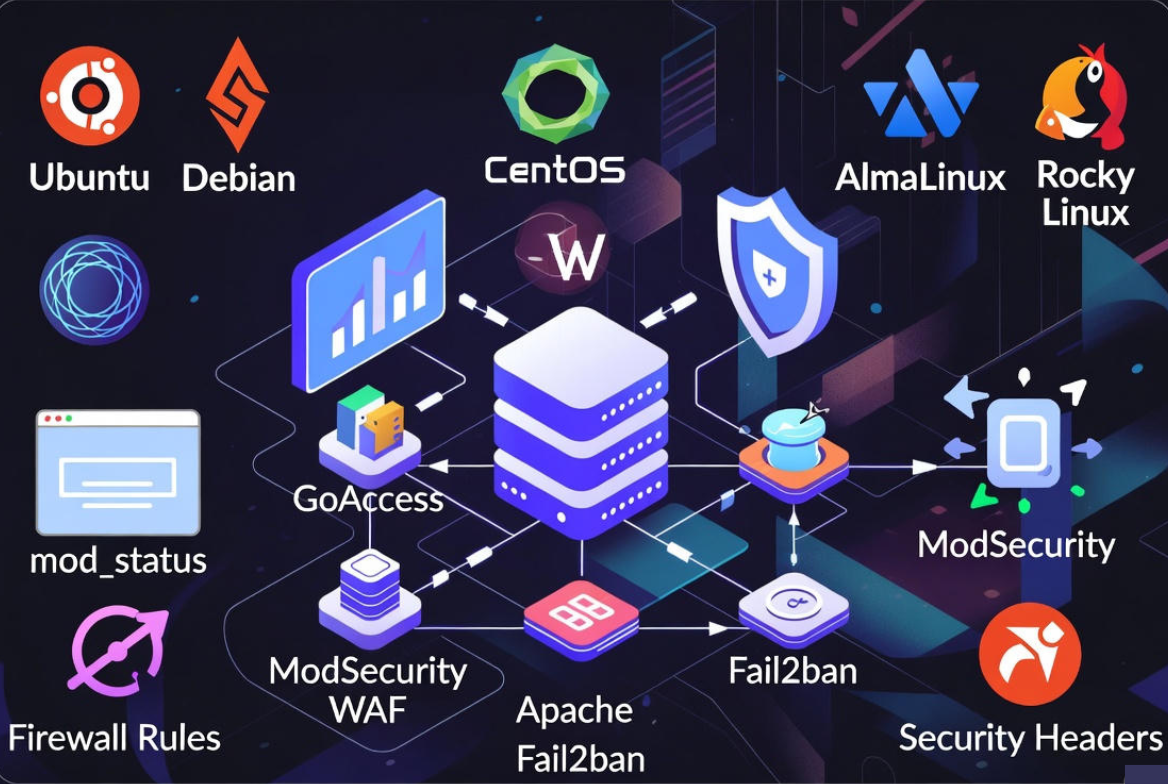
To monitor and secure Apache on a Linux server, track key metrics (requests, errors, latency), analyze access/error logs, and enable real-time status. Harden Apache with TLS/HTTPS, security headers, least-privilege permissions, a WAF (ModSecurity + OWASP CRS), firewall rules, and Fail2ban. Automate updates, alerts, and backups for continuous protection and uptime.
Monitoring and securing Apache on Linux is about vigilance plus hardening. In this guide, you’ll learn how to monitor Apache health, analyze logs, and apply practical security controls that defend against common web attacks.
Whether you manage one VPS or multiple production servers, these steps improve uptime, performance, and compliance.
What to Monitor in Apache (and Why it Matters)?
Before you secure Apache, you need visibility. Monitoring reveals early signs of abuse (brute force, scraping, DDoS), misconfigurations, or performance regressions. Focus on signals that map to user experience and security exposure.
Key Apache Metrics to Track
- Requests per second, throughput (KB/s), and concurrent connections
- Latency: response time percentiles (p50/p95/p99)
- Error rates: 4xx/5xx spikes, top URIs with errors
- Workers: busy/idle, scoreboard states (Waiting, Closing, etc.)
- Resource usage: CPU, memory, open files, process count
- Security signals: 401/403 bursts, 404 scans, unusual user-agents or geo
Enable mod_status for Real‑Time Insight
Apache’s mod_status exposes live traffic and worker status. Restrict access to trusted IPs.
# Ubuntu/Debian
sudo a2enmod status
sudo nano /etc/apache2/mods-available/status.conf

# RHEL/CentOS/AlmaLinux/Rocky
sudo nano /etc/httpd/conf.modules.d/00-status.conf

# Add inside a VirtualHost or global config
<Location /server-status>
   SetHandler server-status
   Require ip 127.0.0.1 ::1 10.0.0.0/8
   # Optional Basic Auth for extra safety
   AuthType Basic
   AuthName "Restricted"
   AuthUserFile /etc/apache2/.htpasswd
   Require valid-user
</Location>

# Enable and reload
sudo systemctl reload apache2   # Debian/Ubuntu
sudo systemctl reload httpd     # RHEL family
Then visit https://your-domain/server-status from an allowed IP.
Command‑Line Quick Checks
# Process, memory, and sockets
ps aux | grep -E "apache2|httpd"
ss -tlpn | grep :80
ss -tlpn | grep :443
top -o %CPU

# Service health and logs
sudo systemctl status apache2   # or httpd
sudo journalctl -u apache2 -f   # or -u httpd -f

# Error and access logs (paths vary by distro/site)
sudo tail -f /var/log/apache2/error.log
sudo tail -f /var/log/apache2/access.log
sudo tail -f /var/log/httpd/error_log
sudo tail -f /var/log/httpd/access_log
Analyze Logs and Spot Attacks
Logs show brute force attempts, scanners, and slowloris-style abuse. A simple analyzer like GoAccess gives instant insights.
# Install GoAccess
sudo apt -y install goaccess         # Debian/Ubuntu
sudo dnf -y install goaccess         # RHEL family (EPEL may be needed)

# Real-time dashboard in terminal
sudo goaccess /var/log/apache2/access.log --log-format=COMBINED

# Or generate an HTML report
sudo goaccess /var/log/apache2/access.log \
  --log-format=COMBINED \
  -o /var/www/html/report.html
System‑Level Monitoring for an Apache Host
Web performance depends on OS health. Watch CPU steal/wait, disk I/O, network saturation, and file descriptors.
Baseline Health Checks
vmstat 2 5
iostat -x 2 5
free -h
df -hT
ulimit -n
ss -s
For alerts and dashboards, pair node_exporter + apache_exporter with Prometheus and Grafana, or use Monit/Nagios/Zabbix for thresholds and notifications.
Apache Hardening: Essential Security Settings
Keep Packages Updated
# Debian/Ubuntu: unattended upgrades
sudo apt update && sudo apt -y upgrade
sudo apt -y install unattended-upgrades
sudo dpkg-reconfigure --priority=low unattended-upgrades

# RHEL family: automatic security updates
sudo dnf -y install dnf-automatic
sudo systemctl enable --now dnf-automatic.timer
Minimize and Audit Modules
Fewer modules = smaller attack surface. Disable what you don’t need.
# List loaded modules
apachectl -M

# Debian/Ubuntu disable example
sudo a2dismod autoindex status cgi

# RHEL family: comment out LoadModule lines in conf.modules.d/*.conf
Hide Version and Layout Details
# /etc/apache2/conf-available/security.conf (Debian/Ubuntu)
# /etc/httpd/conf.d/security.conf (RHEL family)
ServerSignature Off
ServerTokens Prod
Disable Directory Listing and Restrict Overrides
Prevent information leaks and risky per-directory overrides.
# Inside your vhost or global config
<directory /var/www/html>
   Options -Indexes
   AllowOverride None
   Require all granted
</directory>

# If you need symlinks, prefer:
Options +SymLinksIfOwnerMatch
Set Least Privilege File Permissions
# Ownership: owned by a deploy user and readable by web group
sudo chown -R deploy:www-data /var/www/html         # Debian/Ubuntu user:group example
sudo find /var/www/html -type d -exec chmod 750 {} \;
sudo find /var/www/html -type f -exec chmod 640 {} \;

# Avoid making the web user the owner; do not grant write unless necessary
TLS/HTTPS Done Right (Let’s Encrypt + Strong Ciphers)
Use HTTPS everywhere, redirect HTTP to HTTPS, and apply modern TLS settings. Certbot automates Let’s Encrypt certificates.
# Install Certbot
sudo apt -y install certbot python3-certbot-apache     # Debian/Ubuntu
sudo dnf -y install certbot python3-certbot-apache     # RHEL family (EPEL may be needed)

# Issue a cert and auto-configure Apache
sudo certbot --apache -d example.com -d www.example.com

# Strengthen TLS in your SSL vhost
SSLEngine on
SSLProtocol all -SSLv3 -TLSv1 -TLSv1.1
SSLCipherSuite TLSv1.2+ HIGH:!aNULL:!MD5:!3DES
SSLHonorCipherOrder on
SSLCompression off
SSLSessionTickets off

# Enforce HSTS (test first; then raise max-age)
Header always set Strict-Transport-Security "max-age=31536000; includeSubDomains; preload"
Add HTTP Security Headers
Headers reduce XSS, clickjacking, MIME sniffing, and data leakage risks.
# /etc/apache2/conf-available/security-headers.conf or a vhost
Header always set X-Frame-Options "SAMEORIGIN"
Header always set X-Content-Type-Options "nosniff"
Header always set Referrer-Policy "no-referrer-when-downgrade"
Header always set Permissions-Policy "geolocation=(), microphone=(), camera=()"
# Start with a report-only CSP, then enforce once stable
Header set Content-Security-Policy-Report-Only "default-src 'self'; img-src 'self' data:; object-src 'none'"
Deploy a WAF: ModSecurity + OWASP CRS
A Web Application Firewall blocks common attacks (SQLi, XSS, RFI). Start in DetectionOnly, then switch to blocking once false positives are tuned.
# Install ModSecurity and CRS
sudo apt -y install libapache2-mod-security2          # Debian/Ubuntu
sudo a2enmod security2
sudo systemctl reload apache2

# Enable OWASP Core Rule Set (paths may vary)
sudo git clone https://github.com/coreruleset/coreruleset /etc/modsecurity/crs
sudo cp /etc/modsecurity/modsecurity.conf-recommended /etc/modsecurity/modsecurity.conf
sudo sed -i 's/SecRuleEngine DetectionOnly/SecRuleEngine On/' /etc/modsecurity/modsecurity.conf
echo 'Include /etc/modsecurity/crs/crs-setup.conf' | sudo tee -a /etc/apache2/mods-enabled/security2.conf
echo 'Include /etc/modsecurity/crs/rules/*.conf' | sudo tee -a /etc/apache2/mods-enabled/security2.conf
sudo systemctl reload apache2
Rate Limiting & DoS Mitigation
Limit abusive clients and slowloris attacks with mod_evasive and sensible timeouts.
# Install mod_evasive
sudo apt -y install libapache2-mod-evasive     # Debian/Ubuntu
sudo a2enmod evasive && sudo systemctl reload apache2

# /etc/apache2/mods-available/evasive.conf (example)
<IfModule mod_evasive20.c>
   DOSHashTableSize 3097
   DOSPageCount 20
   DOSSiteCount 300
   DOSPageInterval 1
   DOSSiteInterval 1
   DOSBlockingPeriod 10
   DOSEmailNotify admin@example.com
   DOSLogDir /var/log/mod_evasive
</IfModule>

# Tighten server timeouts
Timeout 30
KeepAlive On
MaxKeepAliveRequests 100
KeepAliveTimeout 5
RequestReadTimeout header=20-40,MinRate=500 body=20,MinRate=500
Restrict Sensitive Endpoints
Lock down /server-status, admin panels, and staging areas with IP allowlists or Basic Auth.
<Location /server-status>
   Require ip 127.0.0.1 203.0.113.10
   AuthType Basic
   AuthName "Restricted"
   AuthUserFile /etc/apache2/.htpasswd
   Require valid-user
</Location>

# Create a user
sudo htpasswd -c /etc/apache2/.htpasswd admin
sudo systemctl reload apache2
Network Protection: Firewall, Fail2ban, SELinux/AppArmor
Firewall Rules (UFW or firewalld)
# UFW (Debian/Ubuntu)
sudo ufw allow 80,443/tcp
sudo ufw enable
sudo ufw status

# firewalld (RHEL family)
sudo firewall-cmd --permanent --add-service=http
sudo firewall-cmd --permanent --add-service=https
sudo firewall-cmd --reload
Ban Offenders with Fail2ban
Fail2ban reads logs and blocks abusive IPs automatically.
# Install
sudo apt -y install fail2ban           # Debian/Ubuntu
sudo dnf -y install fail2ban           # RHEL family
sudo systemctl enable --now fail2ban

# /etc/fail2ban/jail.local
[apache-auth]
enabled = true
port    = http,https
filter  = apache-auth
logpath = /var/log/apache2/error.log
maxretry = 5

[apache-badbots]
enabled = true
port    = http,https
filter  = apache-badbots
logpath = /var/log/apache2/access.log
maxretry = 10

[apache-noscript]
enabled = true
port    = http,https
filter  = apache-noscript
logpath = /var/log/apache2/error.log
maxretry = 5

# Activate and check
sudo systemctl restart fail2ban
sudo fail2ban-client status
sudo fail2ban-client status apache-auth
Enforce MAC with SELinux/AppArmor
Mandatory Access Control prevents web processes from touching files they shouldn’t.
# SELinux (RHEL)
getenforce
sudo setenforce 1                              # Enforce mode
sudo semanage fcontext -a -t httpd_sys_content_t "/var/www/html(/.*)?"
sudo restorecon -Rv /var/www/html

# AppArmor (Ubuntu)
sudo aa-status
sudo aa-enforce /etc/apparmor.d/usr.sbin.apache2
Continuous Security: Auditing, IDS, Backups, and Response
File Integrity Monitoring
Use AIDE or Wazuh/OSSEC to detect unauthorized changes to web roots, configs, and binaries.
sudo apt -y install aide                # or: sudo dnf -y install aide
sudo aideinit
sudo mv /var/lib/aide/aide.db.new /var/lib/aide/aide.db
sudo aide --check
Log Retention and Rotation
Ensure logs are rotated and retained for investigations and compliance.
# Example: /etc/logrotate.d/apache2 (Debian/Ubuntu)
"/var/log/apache2/*.log" {
    weekly
    rotate 12
    compress
    delaycompress
    missingok
    notifempty
    create 640 root adm
    sharedscripts
    postrotate
        [ -s /run/apache2.pid ] && /usr/sbin/apachectl graceful >/dev/null 2>&1 || true
    endscript
}
Backups and Restore Drills
Back up web roots, vhosts, TLS keys, and databases. Test restores regularly to verify RTO/RPO goals. Encrypt offsite backups and restrict access to backup stores.
Vulnerability Scanning and Patch Cadence
Run periodic scans with Nmap, Nikto, or OpenVAS against staging, then production. Patch Apache, PHP, and OS packages promptly and maintain a change log for auditability.
Performance Tuning That Improves Security
Use mpm_event and PHP‑FPM
Separate static serving from PHP execution to reduce process bloat and attack surface.
# Debian/Ubuntu
sudo a2dismod mpm_prefork php*
sudo a2enmod mpm_event proxy_fcgi setenvif
sudo a2enconf php*-fpm
sudo systemctl reload apache2

# RHEL family: use php-fpm and event MPM in /etc/httpd/conf.modules.d
Right Size Limits
Limit request sizes and concurrency to control resource abuse.
LimitRequestBody 10485760         # 10 MB
LimitRequestFields 100
LimitRequestFieldSize 8190
ServerLimit 256
MaxRequestWorkers 256
MaxConnectionsPerChild 10000
Recommended Monitoring Stack Examples
- Simple: mod_status + logrotate + GoAccess + UFW + Fail2ban
- Intermediate: Prometheus (node_exporter + apache_exporter) + Grafana, ModSecurity + OWASP CRS, Let’s Encrypt with HSTS
- Advanced: Wazuh/OSSEC, central logging (Elastic/Graylog), canary tokens, synthetic monitoring, blue/green deploys with pre-prod scans
How YouStable Helps
If you prefer not to manage this yourself, YouStable’s managed VPS and dedicated servers ship with pre-hardened Apache builds, proactive monitoring, ModSecurity + OWASP CRS, DDoS protection, and 24/7 incident response. We help you set sane defaults, automate renewals, and tune performance—so you can focus on your application.
Troubleshooting and Common Pitfalls
- Cert renewals failing: check cron/systemd timers and port 80 reachability for HTTP-01 challenges.
- WAF false positives: start in DetectionOnly, inspect /var/log/modsec_audit.log, and add targeted rule exclusions.
- High 5xx after deploys: tail error logs, verify file permissions, and roll back config with apachectl configtest + graceful restart.
- Slow responses: review upstream (PHP/DB), enable caching, and verify KeepAlive/MPM settings.
- Locked assets due to SELinux/AppArmor: adjust contexts/profiles rather than disabling MAC globally.
FAQ’s
1. How do I know if Apache is under attack?
Watch for spikes in 4xx/5xx, many requests from a single IP, unusual user-agents, or floods of POST requests. Check mod_status for maxed-out workers and use tail -f on access/error logs. GoAccess visualizes anomalies quickly; Fail2ban and mod_evasive can auto-block offenders.
2. What’s the safest TLS configuration for Apache today?
Follow Mozilla’s “Intermediate” recommendations: disable SSLv3/TLS 1.0/1.1, allow TLS 1.2+ with modern ciphers, and enable HSTS after testing. Use Let’s Encrypt via Certbot for automated renewals. Regularly recheck your config using SSL Labs to ensure an A or A+ grade.
3. Is ModSecurity enough to protect my site?
No single control is sufficient. Combine ModSecurity + OWASP CRS with hardened headers, least-privilege permissions, prompt patching, firewall rules, Fail2ban, and continuous monitoring. Security is a layered approach that reduces risk cumulatively.
4. How often should I rotate and retain Apache logs?
Weekly rotation with 8–12 weeks retention fits many teams; compliance or forensics may require longer. Compress rotated logs, ship them to a central SIEM if possible, and protect them from tampering with strict permissions and integrity checks.
5. How can I monitor Apache with Prometheus?
Deploy node_exporter for OS metrics and apache_exporter (or mod_status scraper) for HTTP metrics. Point Prometheus to those exporters, build Grafana dashboards for RPS, latency, 4xx/5xx, and worker states, and set alert rules for error spikes and saturation thresholds.




