So, you want to start a WordPress website but you do not want to spend too much money. Right?
Maybe you have checked a few hosting websites and now you are confused. Some plans look cheap at first, but then you see extra charges for domain, SSL, backups, and other features. It starts to feel complicated. You might even be asking yourself, “What do I actually need to get started?”
Here’s the simple truth: you do not need an expensive setup to launch a good WordPress website. You just need the right hosting plan, a free domain option, and a clear understanding of what is essential and what is not.
If you want a website that is secure, fast, and affordable from day one, you are in the right place. Let’s break it down clearly and make it simple.
What You Actually Need to Host a WordPress Website
Before spending money, understand what is truly required. You only need a few essential components to launch your website.

1. A Domain Name: This is your website address (for example, yoursite.com). Visitors type this into their browser to access your site.
2. Web Hosting: Hosting is the server where your website files and database are stored. It makes your site accessible online.
3. WordPress Software: WordPress itself is completely free. It is an open source content management system that allows you to build and manage your website without coding.
4. SSL Certificate: SSL enables HTTPS security, encrypting visitor data. Most hosting providers offer free SSL certificates powered by Let’s Encrypt.
Premium themes and plugins are optional. You can start with free tools and upgrade only when needed.
How Much Does It Really Cost to Host WordPress on a Budget?
When starting a WordPress website on a budget, knowing the real costs helps you plan better and avoid overspending on unnecessary tools.
Here’s a realistic general cost breakdown most beginners expect:
| Item | Budget Range |
| Domain Name | $8–15 per year (if bought separately) |
| Shared Hosting | $2–5 per month (intro price) |
| SSL Certificate | Free (Let’s Encrypt) |
| Theme | Free or $30–60 one time |
| Plugins | Mostly free |
Estimated first year cost: Around $40–70 with a typical budget hosting provider.
But here’s the important part, you can make your first year even cheaper and simpler by choosing a provider that bundles the domain and essential features together, so you don’t pay separately for many things beginners usually buy.
Save Even More with YouStable Cheap WordPress Hosting
Instead of paying for domain and hosting separately, YouStable’s Cheap Hosting for WordPress plans include key advantages that lower your real total cost:
What You Get With YouStable WordPress Hosting
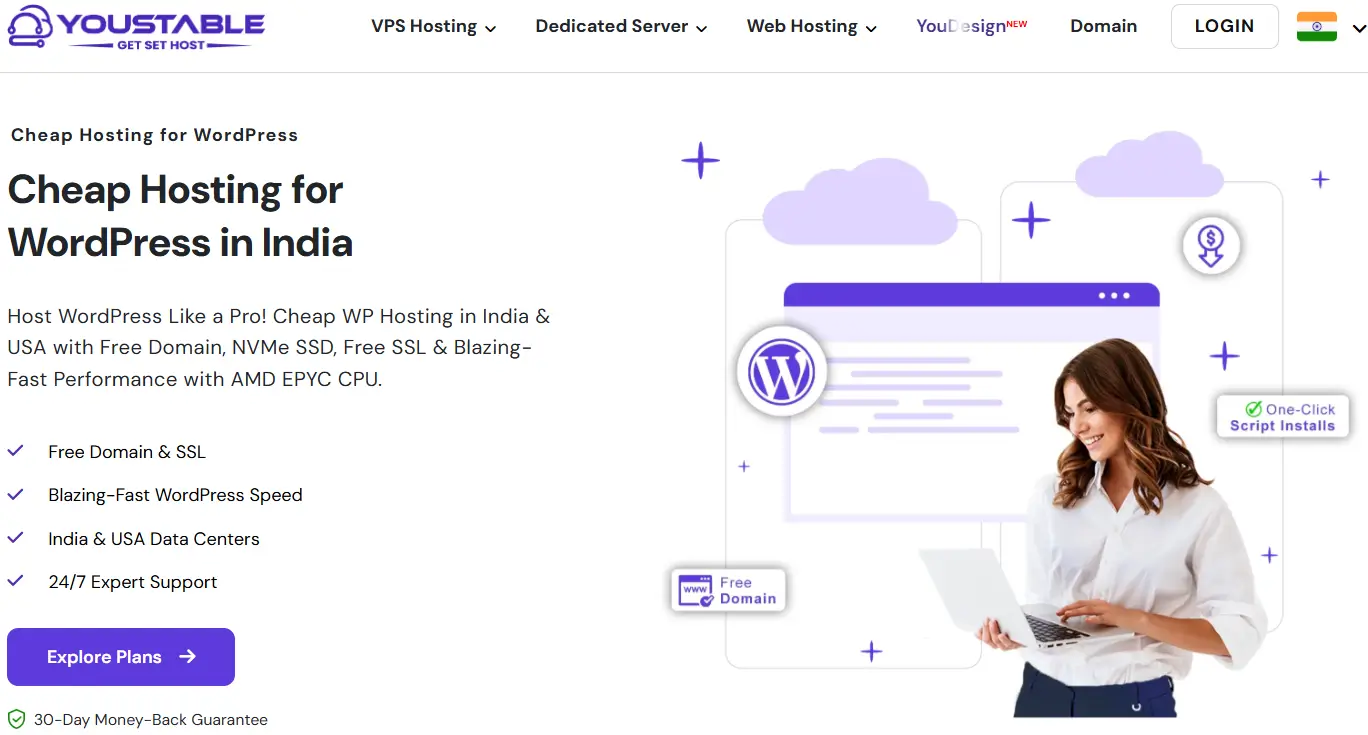
- Free Domain for the first year with eligible WordPress hosting plans, no separate purchase needed.
- Free SSL certificates for HTTPS security included.
- Fast NVMe SSD storage and LiteSpeed/optimized servers for better performance even on budget plans.
- One click WordPress installer to set up your site instantly.
- Daily backups, free migration, and 24/7 expert support.
- 24/7 Hindi/English support & UPI payment acceptance (makes setup easier for Indian users).
Because the domain comes free for the first year, that typical $8–15 domain cost is effectively eliminated, reducing your first year expenses and simplifying setup.
Step 1: Choose the Right Budget Hosting Type
For most beginners, shared WordPress hosting is the most affordable and practical choice. It keeps costs low while providing enough speed and reliability for blogs, small business sites, portfolios, and early stage online stores.
With YouStable’s WordPress hosting plans, you get:
- Hosting optimized specifically for WordPress
- NVMe SSD storage for better performance
- Free domain on select annual plans
- Free SSL and daily backups
- 99.99% uptime commitment
What to Avoid
- Extremely cheap hosts with poor support
- Hosts without SSL included
- Hosts not optimized for WordPress
What to Look For
- One click WordPress install
- Transparent renewal pricing
- Free domain + SSL
- Reliable support
Step 2: Buy a Budget WordPress Hosting Plan
To begin:
- Go to the YouStable Cheap Hosting for WordPress page and explore plans.
- Choose a plan that fits your needs (starter plans are perfect for blogs and small sites).
- Select an annual or multi year plan to get the free domain for one year.
- Complete payment UPI, cards, and other local payment methods are accepted.
Pro tip: Longer billing terms often come with better discounts, beginners should consider 1 year or 3 year plans to maximize savings.
Step 3: Register Your Free Domain
During checkout, YouStable gives you the option to select a domain included with your hosting, saving you the usual separate domain cost you’d incur elsewhere.
Domain selection tips:
- Keep it simple and brand focused.
- Avoid unnecessary hyphens or numbers.
- Prefer .com or .in for credibility.
Again, this domain is free for the first year, and renewal pricing applies after that.
Step 4: Install WordPress (One Click Method)
YouStable’s platform includes tools like Softaculous or auto installer for quick setup:
- Log in to your YouStable hosting dashboard.
- Find the WordPress installer option.
- Select your domain and install.
- Set admin username/password.
- Your WordPress site is ready in minutes.
Step 5: Enable Free SSL (HTTPS)
Security is essential, especially if you plan to collect data or sell products:
- YouStable includes free SSL certificates with hosting plans.
- Activate SSL via your dashboard and ensure your site loads with https://.
This protects your visitors and improves SEO trust signals.
Step 6: Choose a Lightweight Free Theme
Instead of buying an expensive premium theme right away, start with a free lightweight theme from the WordPress repository. Look for:
- Fast load times
- Mobile responsiveness
- Regular updates
You can upgrade later once your site grows.
Step 7: Install Essential Free Plugins Only
Keep plugins minimal for best performance. Essential free plugins typically include:
- SEO plugin
- Security plugin
- Cache plugin
- Backup plugin
Avoid multiple plugins with similar functionality.
Summary — Why YouStable Makes Budget Hosting Better
Choosing YouStable’s Cheap WordPress Hosting lets you:
✔ Save money with free domain + SSL included
✔ Get optimized WordPress performance with NVMe SSD & LiteSpeed
✔ Easy setup with one click installers
✔ Hindi support and local payment options
✔ Daily backups, free migration, and strong uptime promise
This setup cuts your total first year cost and simplifies the launch of your WordPress website compared to buying domain and hosting separately.
How to Keep WordPress Hosting Costs Low Long Term
Saving money does not stop after launching your website. Follow these practical steps:
- Monitor Renewal Pricing: Hosting companies offer low intro prices, but renewals can be higher. Set a reminder before renewal and compare plans if needed.
- Use a Free CDN: A free CDN like Cloudflare improves global speed and reduces server load, helping you stay on budget hosting longer.
- Optimize Images: Compress and resize images before uploading. Smaller images reduce bandwidth usage and improve loading speed.
- Limit Plugins: Install only essential plugins. Too many plugins increase CPU usage and slow down your site.
- Use Free Backups: Many hosts provide backups, or you can use free backup plugins instead of paying for premium services.
Smart management keeps your WordPress hosting affordable and stable long term.
Is Cheap WordPress Hosting Safe and Reliable?
Yes, cheap WordPress hosting can be safe and reliable, if you choose the right provider and follow basic security practices.
Modern budget hosting plans are no longer low quality by default. Many providers now include SSD or NVMe storage, free SSL certificates, malware protection, daily backups, and strong uptime guarantees even in affordable plans.
For example, YouStable offers WordPress hosting plans that include free SSL, NVMe storage, daily backups, and a 99.99% uptime commitment. When properly configured, this level of infrastructure is sufficient for most beginners and small business websites.
Cheap hosting is generally safe when:
- You choose a reputable hosting company
- Your plan supports the latest PHP and database versions
- You keep WordPress, themes, and plugins updated
- You enable HTTPS using SSL (often powered by Let’s Encrypt)
- You use strong passwords and minimal plugins
- You maintain regular backups
Budget hosting works well for:
- Blogs
- Portfolio websites
- Informational websites
- Small local business websites
However, it may not be ideal for:
- High traffic websites with heavy daily visitors
- Large eCommerce stores processing frequent transactions
- Resource intensive applications
Cheap WordPress hosting including options like YouStable, is safe and reliable for small to medium websites. As your traffic and revenue grow, upgrading to VPS or managed hosting ensures better scalability and performance.
When Should You Upgrade from Budget Hosting?
Budget hosting works well for beginners, but it is not designed for unlimited growth. You should consider upgrading when your website starts demanding more resources than shared hosting can comfortably provide.
Upgrade if you notice:
- Slow loading times even after optimization (caching, CDN, image compression already applied)
- Frequent traffic spikes that cause temporary downtime
- Server resource limits reached (CPU, RAM, or inode warnings in your hosting panel)
- Business revenue depends on uptime, such as eCommerce or lead generation sites
If your website performance directly affects income or user experience, moving to VPS or managed WordPress hosting becomes a smart investment. The good news is that you can migrate your website without losing content, as WordPress allows full backups and easy transfers.
Budget vs Premium Hosting (Quick Comparison)
| Feature | Budget Hosting | Premium Hosting |
| Price | Low | Higher |
| Performance | Suitable for beginners | High and consistent performance |
| Scalability | Limited resources | Easily scalable |
| Server Resources | Shared | Dedicated or isolated |
| Best For | New websites, blogs | Growing businesses, eCommerce |
Choosing the right hosting depends on your traffic, goals, and long term growth plans.
FAQs
What is the cheapest way to host a WordPress website?
The cheapest way to host a WordPress website is by choosing affordable shared WordPress hosting that includes a free domain and free SSL certificate. This reduces first year costs and avoids paying separately for essential features like security and installation tools.
Can I start a WordPress website for under $50 per year?
Yes, it is possible. If you choose a budget hosting plan with a free domain offer, your total first year cost can stay between $40–70 depending on the provider and plan duration.
Is free SSL really necessary for a WordPress website?
Yes. SSL encrypts data between your website and visitors. It improves security, builds trust, and is also a ranking factor in search engines. Most hosting providers include free SSL certificates powered by Let’s Encrypt.
Is shared WordPress hosting good for beginners?
Yes. Shared hosting is ideal for beginners, bloggers, students, and small business websites. It keeps costs low while providing enough performance for low to moderate traffic websites.
Do I need to buy a premium theme at the beginning?
No. WordPress offers many free, lightweight themes that are secure and mobile friendly. You can upgrade to a premium theme later when your website grows or needs advanced design features.
Can I migrate my WordPress website later if I change hosting?
Yes. WordPress websites can be migrated easily using backup plugins or hosting migration tools. You can switch from shared hosting to VPS or managed hosting without losing your content.
How do I choose a reliable budget WordPress hosting provider?
Look for:
• Free domain (at least first year)
• Free SSL certificate
• Transparent renewal pricing
• 99.9% or higher uptime guarantee
• One click WordPress installation
• Good customer support
For example, YouStable includes bundled features like a free domain, free SSL, optimized servers, and local payment options, which help reduce setup complexity and cost for beginners.
Conclusion
By now, you can clearly see that hosting a WordPress website on a budget is completely possible. You do not need expensive tools or complicated setups to get started. What you really need is a reliable hosting plan, a domain name, free SSL security, and a simple installation process.
When you choose a provider that bundles important features together, you save both money and time. For example, YouStable offers WordPress hosting plans that include a free domain for the first year, free SSL, optimized servers, and local payment options like UPI. This makes the setup easier, especially for beginners in India.
Start with a clean and lightweight setup. Focus on speed, security, and essential plugins only. As your traffic grows, you can upgrade your hosting smoothly without losing your content.
The key is not to wait for a perfect moment. Start smart, stay consistent, and build step by step. Your website journey begins with a simple, affordable decision today.