

Are you wanting to buy a .in domain name from YouStable? Good! It is an exciting step to take, but before you get there, one important process needs to be completed:
You need to complete your KYC to register for .in domain (Know Your Customer).
It requires you to complete verification, your name, Date of Birth, valid phone number, house number and more, in short, you need to verify 100% the proof of your identity before signing up for .in domain.
This ensures that the services are being used responsibly and securely by genuine users like you. At YouStable, completing your KYC is really simple.
What Is KYC for .in Domain?
KYC (Know Your Customer) is a verification process required before your .in domain can be fully activated. It is used to confirm your identity by checking your basic details such as your name, date of birth, phone number, and a valid government ID.
For .in domains, this verification is usually completed through DigiLocker, where your documents are securely fetched and verified online. This means you don’t need to upload documents manually, and the process remains quick and hassle free.
Once your KYC is completed successfully, your domain is linked to a verified identity. This ensures your .in domain stays active, secure, and ready to use without any restrictions.
Why KYC Is Required for .in Domain Registration
KYC is required for .in domain registration to make sure that every domain is connected to a real and verified person, which helps keep the entire system safe and reliable.
It plays an important role in:
- Preventing fake registrations, spam, and fraud activities
- Confirming clear ownership of the domain
- Ensuring domains are used in a responsible and legal way
- Reducing the risk of misuse or security issues
- Allowing smooth and quick activation of your domain
Once your KYC is successfully completed, your domain gets activated without any restrictions and you can use it normally.
Requirements for .in Domain KYC
To complete your .in domain KYC smoothly, you need to make sure that a few basic things are ready before starting the process:
- A valid DigiLocker account with updated documents
- Aadhaar card or any government approved ID
- Mobile number linked with your DigiLocker account
- Correct personal details (name, date of birth, email, phone number)
- Stable internet connection for quick verification
Make sure all your details match exactly with your DigiLocker records. Even a small mismatch can delay or fail your KYC process.
How to Do KYC for .in Domain (Step-by-Step Guide)
To ensure your KYC gets completed successfully during .in domain registration, please follow the step-by-step procedure given below.
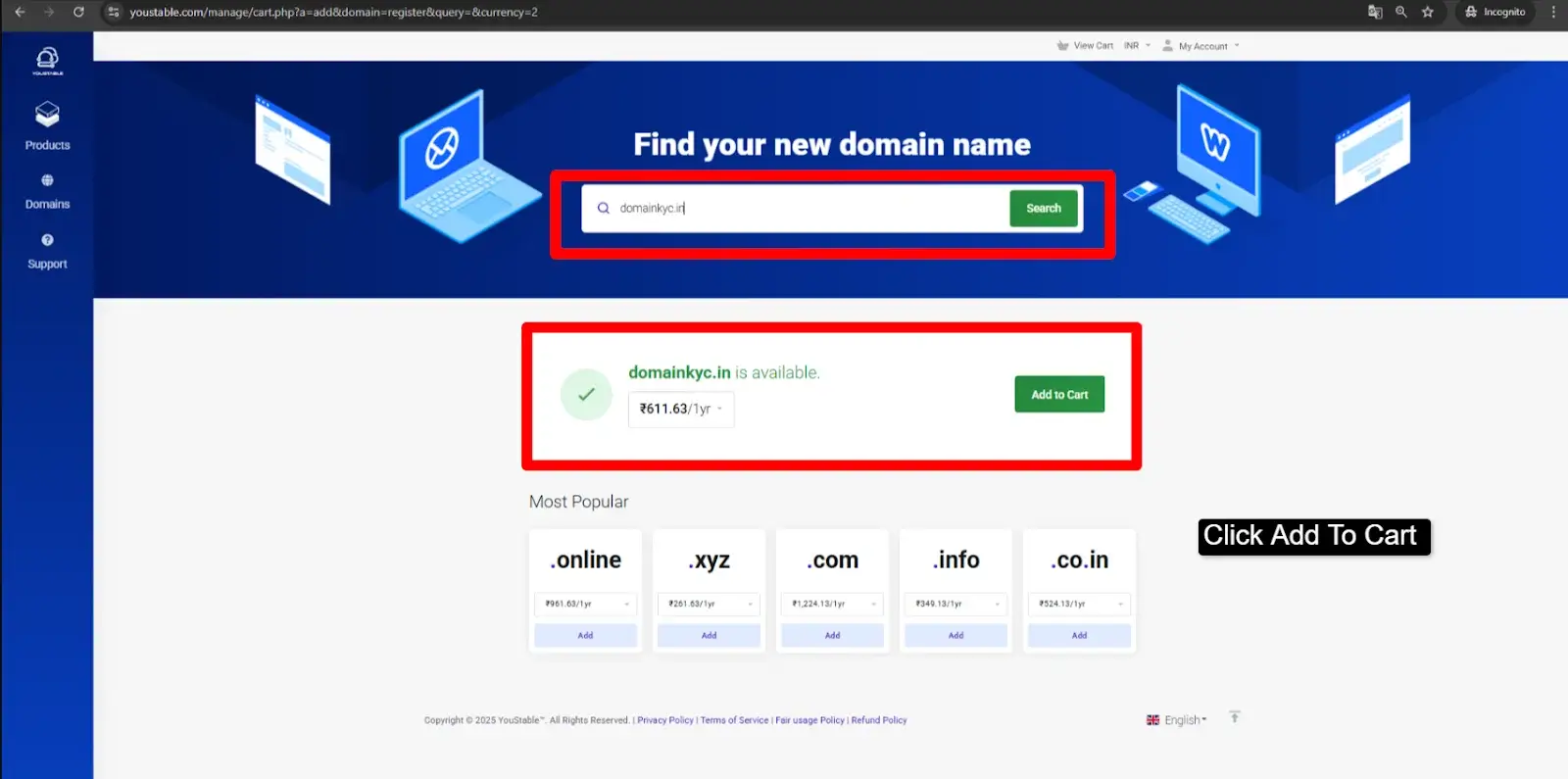
Step 1: Search a domain name for your business >> if the domain name is available, then press Click Add to Cart.
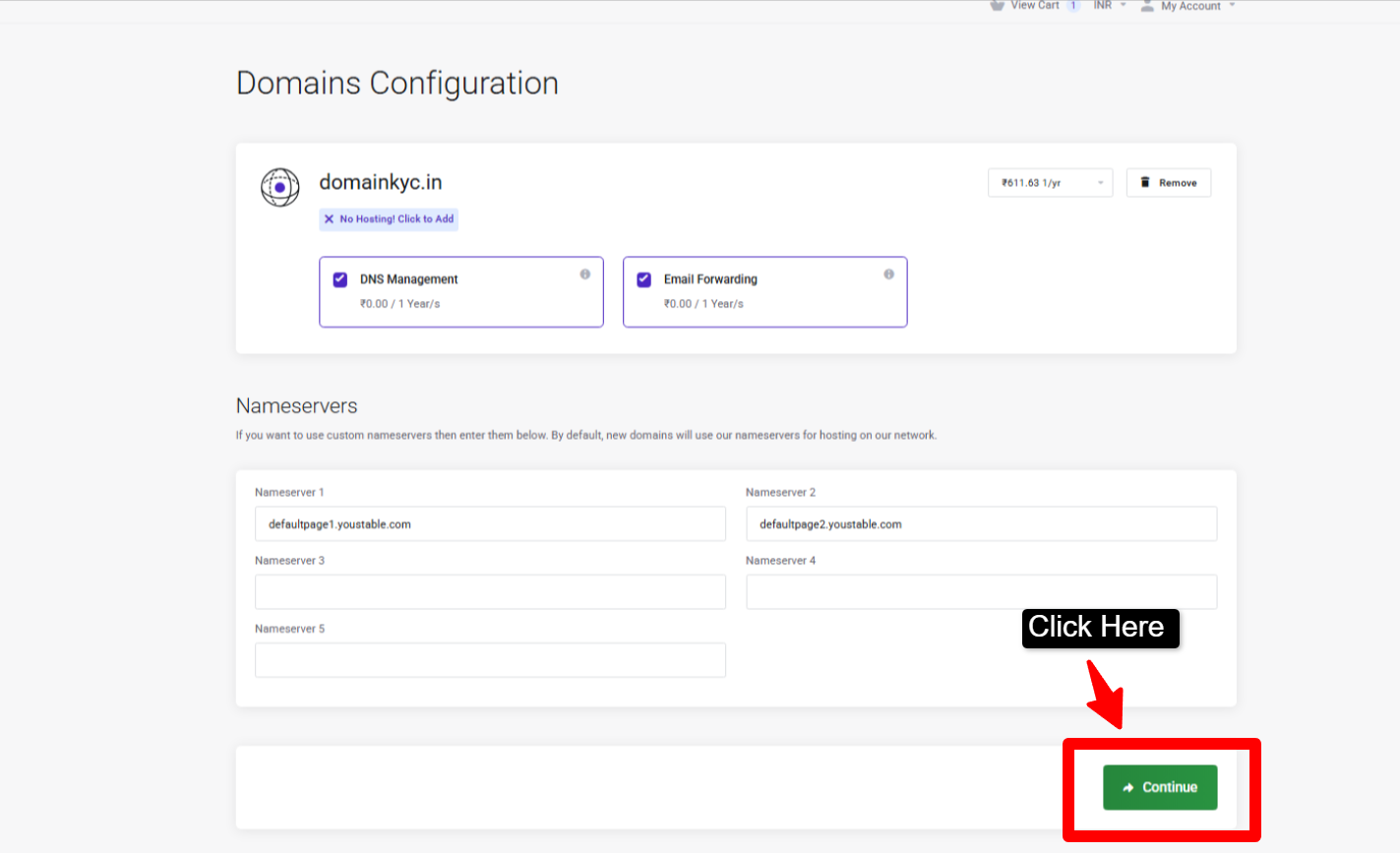
Step 2: Enable DNS management and Email Forwarding (that you get for free during .in domain registration) >> Click Continue to proceed with the domain registration process.
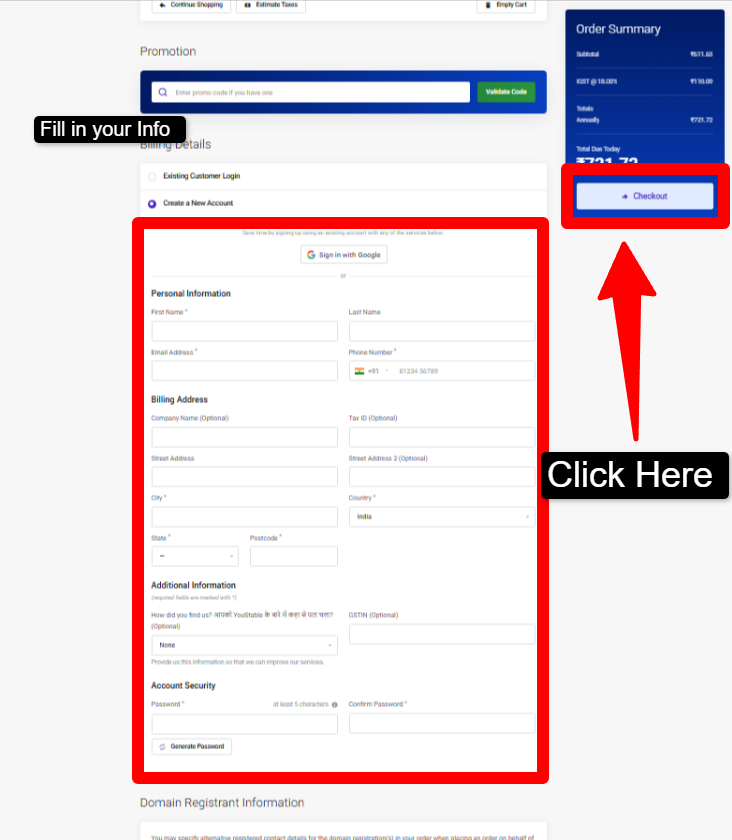
Step 3: Now, if you’re a new user, you need to add your details (Personal Information and Billing details) >> and if you’re an existing customer of YouStable, you simply need to login to your client area with your login id and password.
Note
- Please make sure that the details you enter during registration are exactly what appears in your DigiLocker account (even your email id & phone number should be the same).
- Ensure that your name and other required details are written with the correct capitalization. Example, if your name is Rohit, you need to enter Rohit not rohit
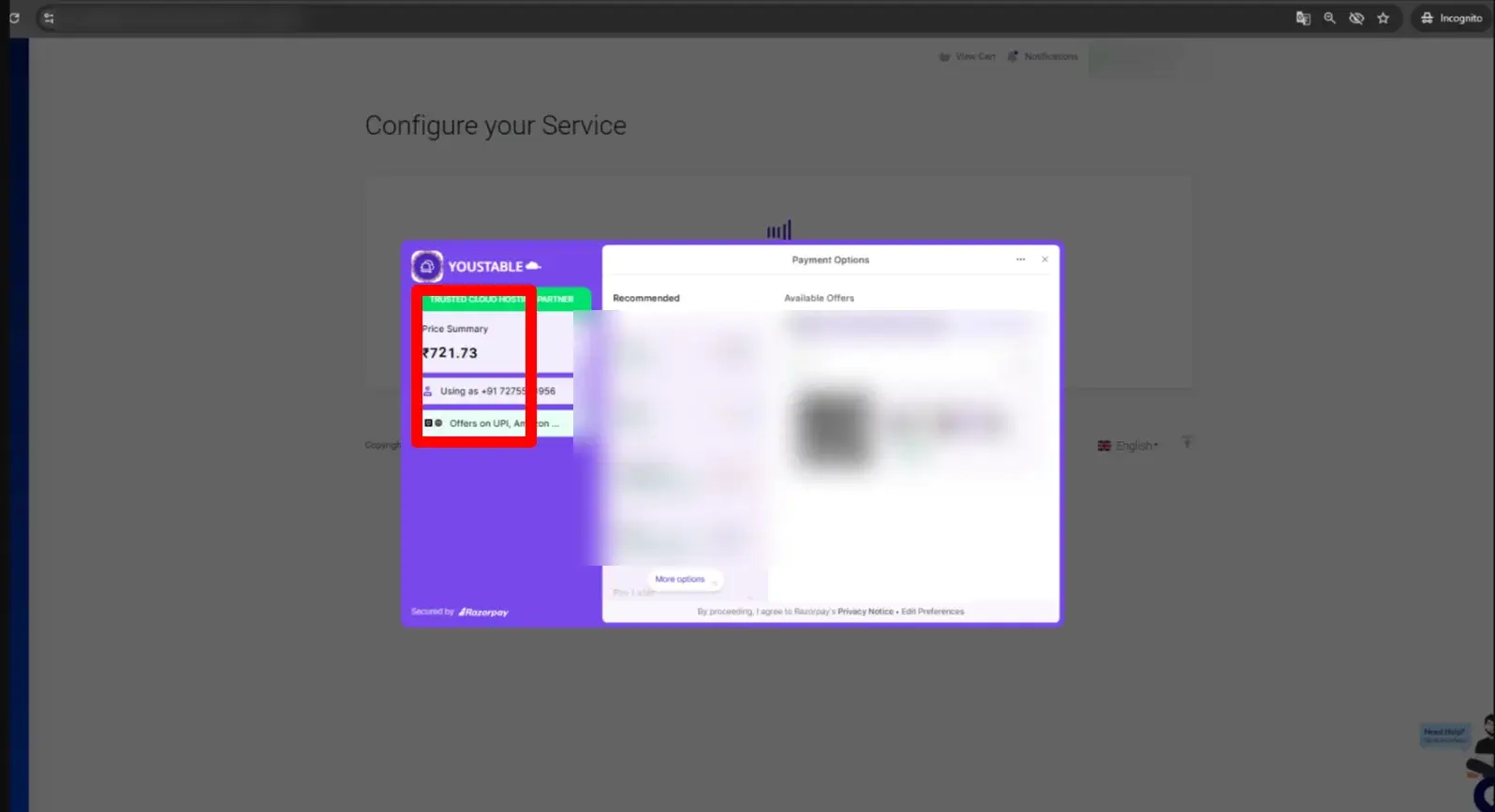
Step 4: Now make the payment for the .in domain >> You can do UPI by scanning the QR code or you can even make card payment as well.
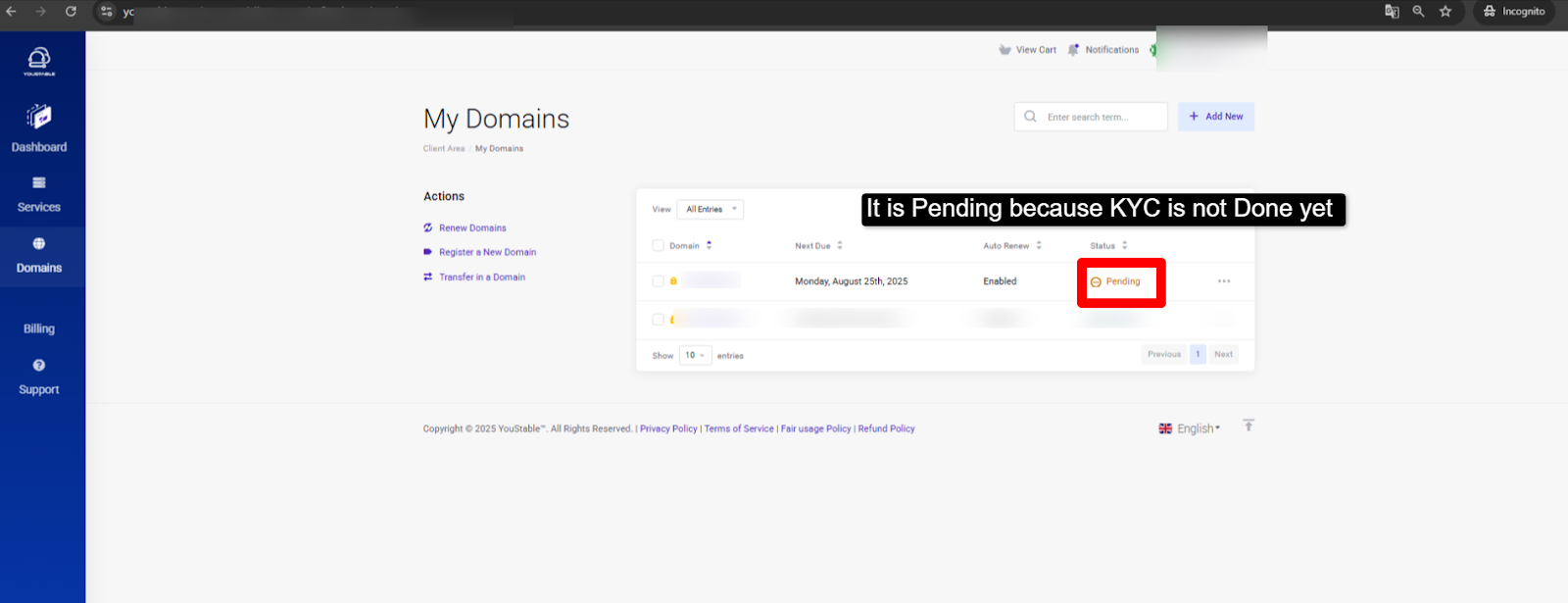
Step 5: As the payment is done >> You can see your domain registration status still shows PENDING (It is because without KYC your Domain remains inactive). So let’s proceed to complete the process.
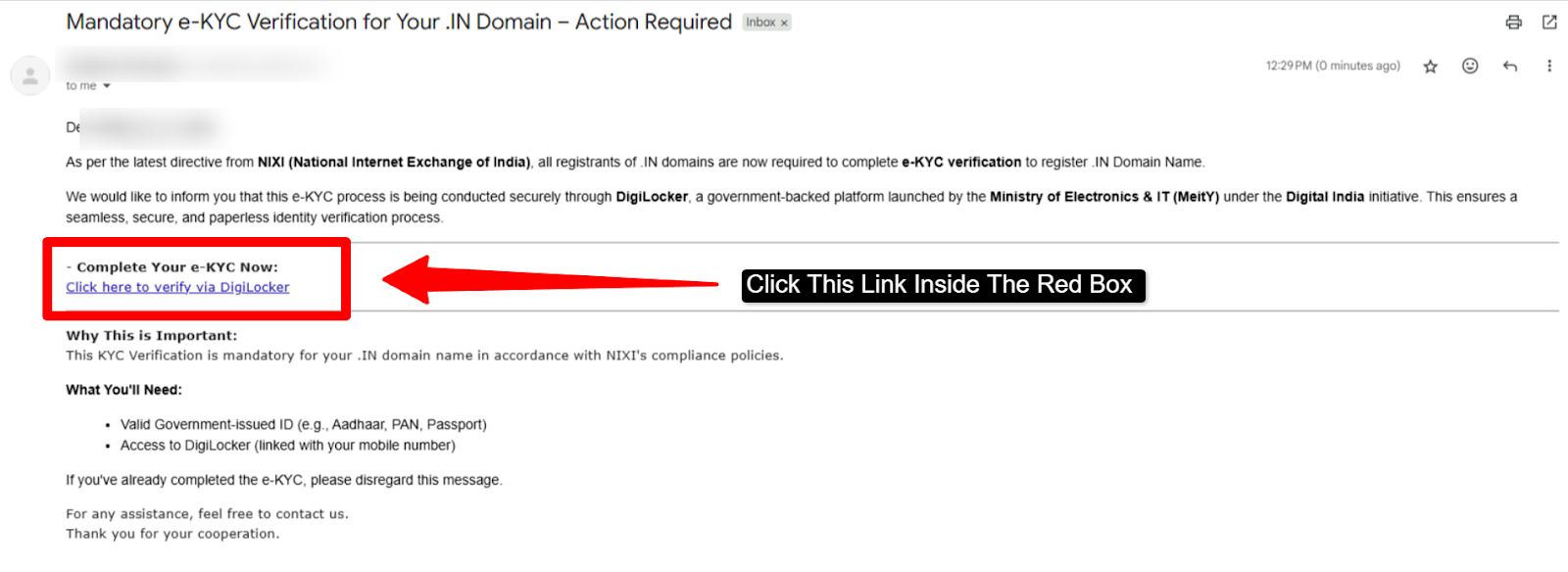
Step 6: Now, Go to your gmail account (same email that you’ve registered your .in domain with) >> You’ll get a KYC verification request mail >> please click the link provided under the heading “Complete Your e-KYC Now:”
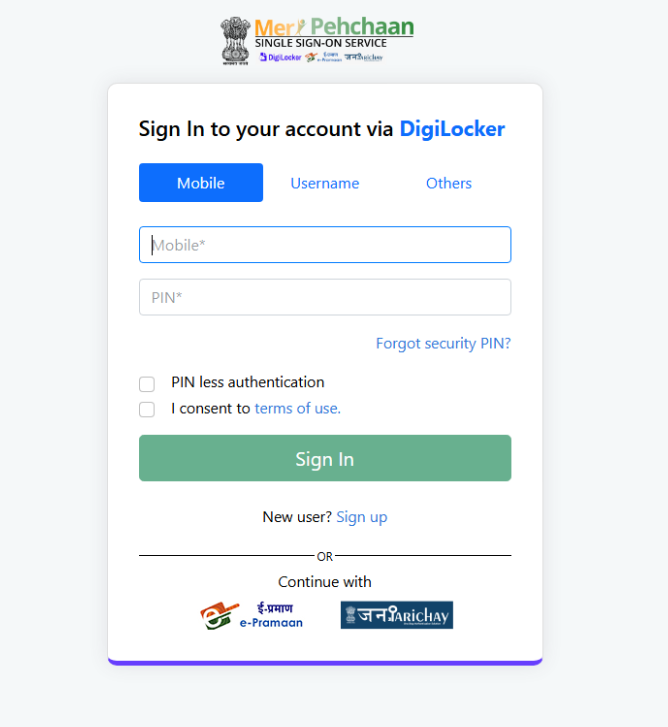
Step 7: As you click the link (which we’ve talked about in the Step 6) >> You’ll be re-directed to DigiLocker Sign In page >> You need to enter your: Mobile no + your Pin or Your username + your password >> Tick the checkbox >> Press the Sign in button
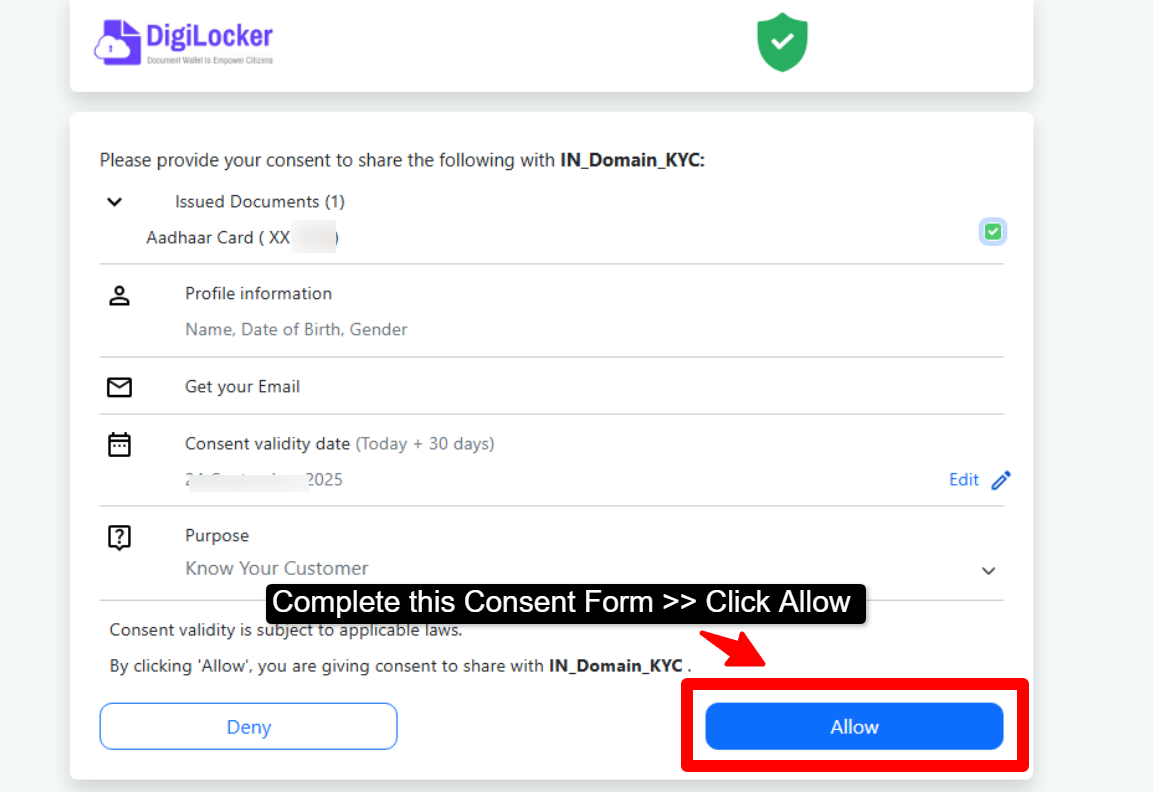
Step 8: After you Sign in to your DigiLocker account >> You need to provide your consent to share your valid documents for .in domain KYC >> Now, simply press the Allow button.
Step 9: Sit back and Relax now >> Your KYC is getting done for the .in domain. It’ll normally take around 5 to 10 mins time.
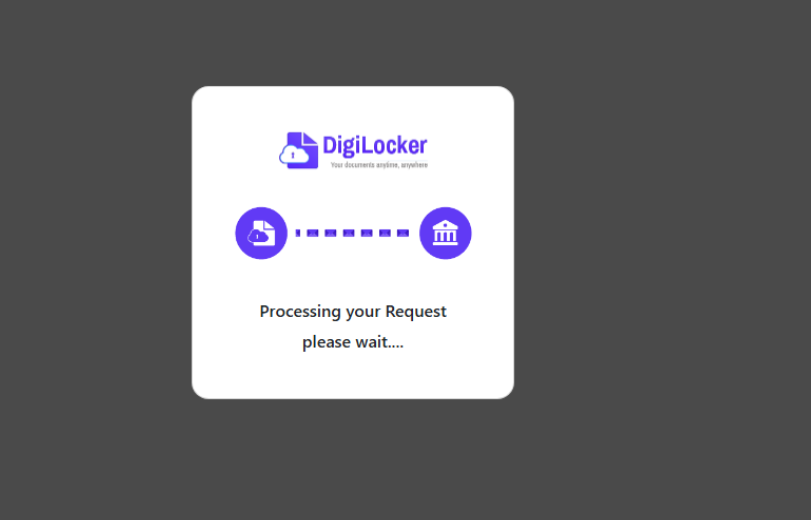
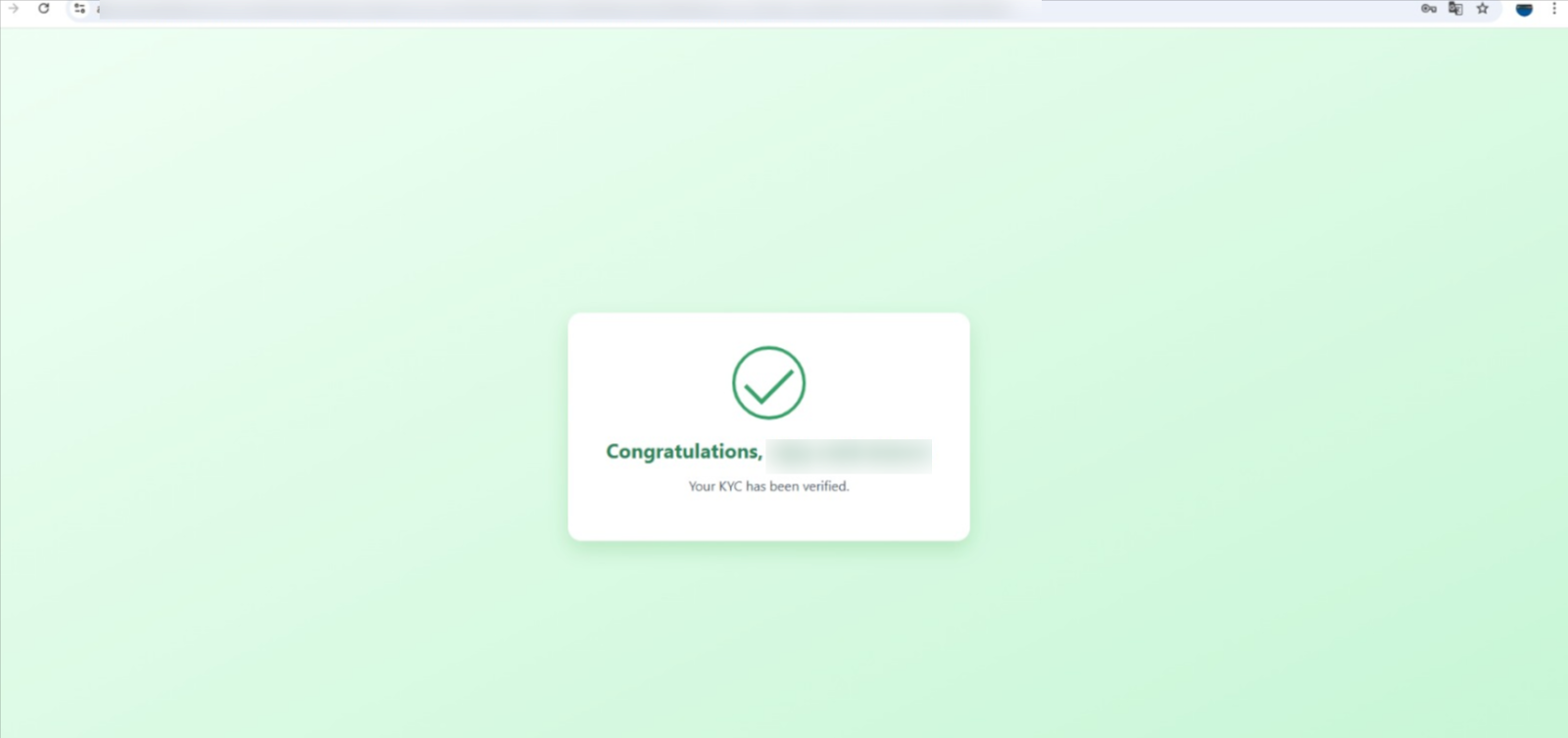
Step 10: Your KYC for the .in domain is done after all.
After completing KYC, you can start your website with Cheap WordPress Hosting with Free Domain for an easy, affordable, and smooth online setup experience.
How Long Does .in Domain KYC Take?
The KYC process for a .in domain is usually completed within 5 to 10 minutes after you verify your details through DigiLocker. Since the verification is done directly using official government records, the process is quick and automatic in most cases.
It’s important to note that KYC for .in domains is typically completed through DigiLocker only, as it provides secure and trusted identity verification.
If your DigiLocker account is active and your details are correct, your domain gets verified and activated without any delay. In rare cases, it may take a little longer due to system checks, but generally, the process is completed within a few minutes.
What Happens If KYC Is Not Completed?
If you do not complete your .in domain KYC, your domain will remain inactive and you won’t be able to use it properly. Even though the domain may show as registered, it will not function until the verification is done.
Because of this:
- Your domain will not get activated
- Your website will not open
- Email services linked to the domain will not work
- You may face restrictions in managing your domain
- In some cases, the domain registration can be canceled
That’s why it’s important to complete your KYC as soon as possible so your domain becomes fully active and ready to use without any issues.
FAQ’s
What is KYC?
KYC means Know Your Customer. It is a process where you verify your identity using valid government approved documents such as Aadhaar card, PAN card, or other ID proofs. Companies use KYC to confirm that the person creating an account is genuine and not using a fake identity.
What if my KYC is not done?
If your KYC is not completed, you may face issues when using the service. For example, you might not be able to register successfully, withdraw money, use all account features, or access certain benefits.
What benefits do I get after doing KYC successfully?
Once your KYC is done, you get full access to the platform without restrictions. This may include faster approvals, smooth transactions, more account features and special benefits like offers or bonuses. It also gives you peace of mind because your account is fully verified and safe from fraud.
What information is needed to do KYC?
To complete KYC, you generally need to provide some basic details such as your full name, date of birth, phone number, and a valid government ID like Aadhaar. In most cases, DigiLocker can be used to easily fetch and verify these documents online.
Do I need to update my DigiLocker to do KYC?
Yes! If you are using DigiLocker for KYC, make sure your DigiLocker account is active and has your updated documents, especially Aadhaar. An updated DigiLocker makes the KYC process smoother because the system can fetch your details directly from official sources without you having to upload anything manually.




