
"As a Web Development and SEO agency owner, I give YouStable an upper hand. Their managed servers backed by highest uptime & 24/7 support have boosted my business to greater heights."

Mohd. Zayeem Raza
SEO Agency Owner
Deploy semi-managed bare metal dedicated server hosting on Intel Xeon and AMD EPYC across India, the USA and Europe, with NVMe SSD storage and a 1 Gbps uplink as standard, scalable to 10 Gbps on request. Engineered for workloads that cannot afford downtime.
 Full root and admin access
NVMe SSD with daily backups
24/7 senior engineer support
99.9% uptime SLA
Full root and admin access
NVMe SSD with daily backups
24/7 senior engineer support
99.9% uptime SLA
setup fee

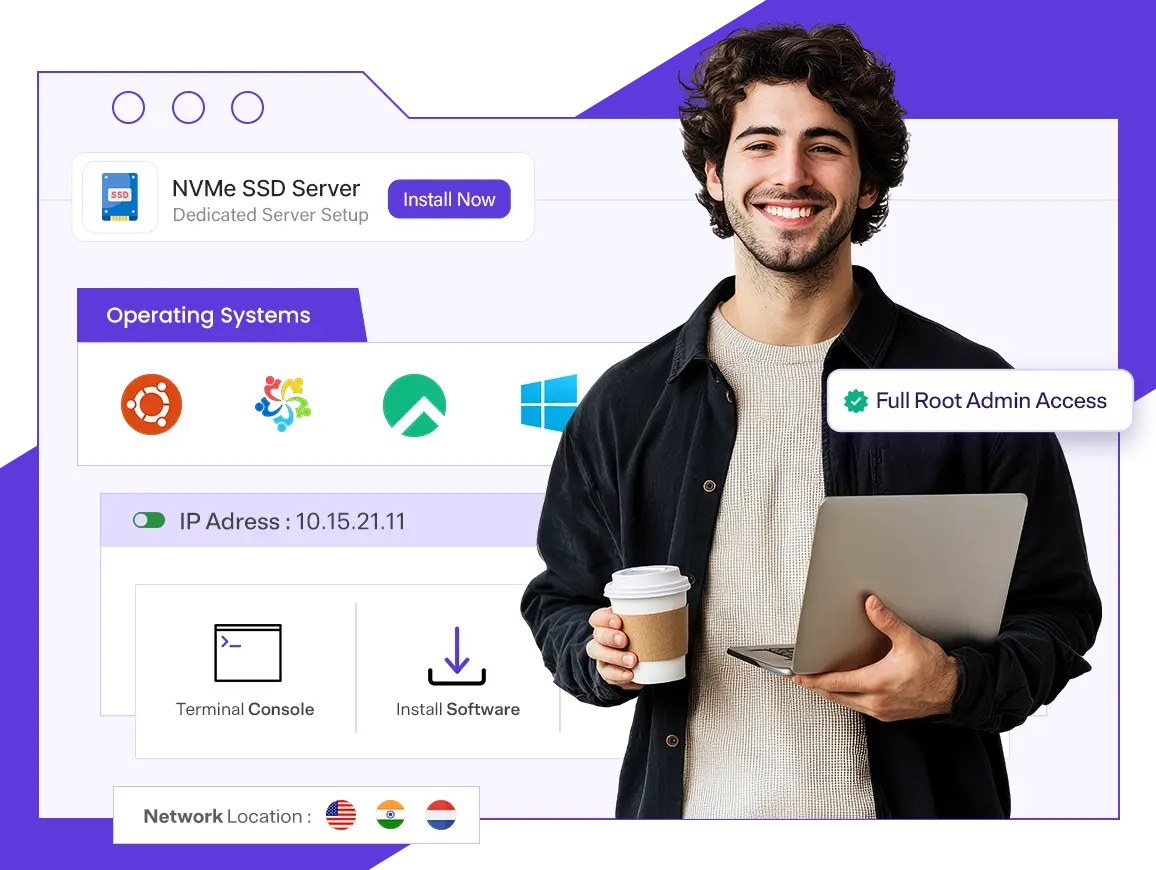



Transparent pricing on enterprise hardware. Every plan ships with free setup, full root access and a 99.9% uptime SLA.
Need a custom configuration? Our team will build a server around your workload.
| Server | Memory | Storage | Bandwidth | Price | Order |
|---|---|---|---|---|---|
| E3-1230v3-3.30Ghz 4 CPU | 32 GB DDR4 | 480 GB SSD | 10 TB/1 Gbps |
₹7,409
/mo
₹88,909 billed every 12 months
|
Configure Now |
| E3-123x v5/v6-3.2Ghz 4 CPU | 32 GB DDR4 | 480 GB SSD | 10 TB/1 Gbps |
₹9,784
/mo
₹1,17,409 billed every 12 months
|
Configure Now |
| E-2136-3.30Ghz 6 CPU | 32 GB DDR4 | 480 GB SSD | 10 TB/1 Gbps |
₹11,114
/mo
₹1,33,369 billed every 12 months
|
Configure Now |
| E-2286G - HEXA CORE-4.0Ghz 6 CPU | 32 GB DDR4 | 480 GB NVMe SSD | 10 TB/1 Gbps |
₹13,679
/mo
₹1,64,149 billed every 12 months
|
Configure Now |
| MOST POPULAR E5-2667v4-3.2Ghz 8 CPU | 32 GB DDR4 | 960 GB NVMe SSD | 10 TB/1 Gbps |
₹16,149
/mo
₹1,93,789 billed every 12 months
|
Configure Now |
| Ryzen 9 3900X (12c/24t) 12 CPU | 64 GB DDR4 | 960 GB NVMe SSD | 50 TB/1 Gbps |
₹15,959
/mo
₹1,91,509 billed every 12 months
|
Configure Now |
| AMD Ryzen 9 5900X (12c/24t) 12 CPU | 64 GB DDR4 | 960 GB NVMe SSD | 50 TB/1 Gbps |
₹17,954
/mo
₹2,15,449 billed every 12 months
|
Configure Now |
| 2x Intel Xeon E5-2620 v2 (12c/24t) 12 CPU | 64 GB DDR4 | 960 GB NVMe SSD | 50 TB/1 Gbps |
₹20,614
/mo
₹2,47,369 billed every 12 months
|
Configure Now |
| Intel Xeon E5-2683 v4 (16c/32t) 16 CPU | 64 GB DDR4 ECC | 960 GB NVMe SSD | 10 TB/1 Gbps |
₹26,219
/mo
₹3,14,629 billed every 12 months
|
Configure Now |
| Intel Xeon E5-2680 v3 (12c/24t) 12 CPU | 64 GB DDR4 | 960 GB NVMe SSD | 50 TB/1 Gbps |
₹22,324
/mo
₹2,67,889 billed every 12 months
|
Configure Now |
| AMD EPYC 7502P (32c/64t) 32 CPU | 256 GB DDR4 ECC* | 2×1.92 TB NVMe SSD | 50 TB/1 Gbps |
₹57,474
/mo
₹6,89,689 billed every 12 months
|
Configure Now |
Tell us the workload and our infrastructure team builds a custom dedicated server around it. You only pay for the hardware you actually use, with no overprovisioning and no hidden setup cost.
Request a Custom QuoteThree reasons teams move their dedicated servers to YouStable, and stay.
Hosting from India, the USA and Europe keeps latency low for your users and your data in the jurisdiction you choose.
The price listed is the price you pay, every billing cycle. No setup fee, no support paywall and no renewal hike your rate stays the same from day one.
You reach a real infrastructure engineer on live chat within minutes, not a script. Fast answers and hands-on fixes, any hour of the day or night.
Dedicated server hosting is a web hosting model where an entire physical server, including all CPU cores, RAM, NVMe storage, and bandwidth, is allocated to a single customer, with no other tenant sharing resources. Unlike shared hosting or VPS, there's no virtualization layer or resource contention, giving you full root access, custom OS and software choices, and hardware level isolation for consistent, high performance workloads.
This makes dedicated servers the preferred choice for resource intensive or compliance sensitive use cases. For example, a growing e-commerce platform running Magento with high traffic spikes during sales events would use a dedicated server to guarantee stable page load speeds and checkout performance, since shared infrastructure could throttle under load. Similarly, businesses handling sensitive data (fintech, healthcare) often choose dedicated hosting to meet security and compliance requirements that shared environments can't fully satisfy.
99.95%
Uptime SLA
1 Gbps
Uplink, 10 Gbps on request
Tier III/IV
Data Centers
24/7
Engineer Support
100%
Hardware Replacement Guarantee
No surprise invoices and no support tiers that gate the help you need. The management, security and performance features that keep production online come standard.
 Fully Customisable Builds
Choose Intel Xeon or AMD EPYC processors, your memory, NVMe storage and uplink, and we assemble a bare metal server sized exactly to the workload you run.
 Choice of Global Locations
Deploy in India, the USA or the Netherlands so your server sits close to your users, with low latency routes wherever your audience happens to be.
 Full Root and Remote Control
Complete root and administrator access plus out of band IPMI, iLO and KVM lets you reboot, reinstall and recover the server entirely on your own terms, any time of day.
 DDoS Protection and Firewall
Always on DDoS mitigation and a dedicated hardware firewall filter malicious traffic before it ever reaches the applications you run.
 99.9% Uptime SLA
A network operations team watches every server around the clock and acts on alerts in real time, backed by a measurable 99.9% uptime guarantee you can hold us to.
 Senior Engineers on Live Chat
Talk to a real infrastructure engineer, not a chatbot or a script. Reach our senior support team through live chat and tickets whenever a decision needs a fast answer.
Deploy a clean image in minutes or reinstall any time from your control panel. Every distribution below is fully supported, or bring your own ISO.

AlmaLinux
Enterprise, RHEL compatible

Rocky Linux
Stable, community built

Ubuntu
LTS, developer favourite

Debian
Rock solid and minimal

Windows Server
ASP.NET, RDP and MSSQL
Prefer a different OS? Custom ISO uploads are supported on all dedicated servers.
If your project has outgrown shared resources or a VPS in India, a dedicated server gives you the isolated performance and headroom to scale with confidence.
Serve millions of monthly visitors without throttling or noisy neighbours.
Keep checkout fast and reliable during peak sale events when latency costs revenue.
Train and serve models on consistent, high throughput dedicated hardware.
Run resource intensive web and backend applications with isolated CPU and NVMe.
Host multi tenant SaaS products on hardware that keeps performance steady for all.
Carve your bare metal into your own VMs and containers with complete control.
Process large datasets in real time with high memory bandwidth and storage speed.
Run big MySQL, PostgreSQL or MongoDB workloads with the IO heavy queries demand.
Host VoIP, streaming and messaging platforms that need stable, dedicated bandwidth.
Start lean and add managed power when you need it. Every add on is optional and billed only when you enable it.

Your choice of cPanel & WHM, Plesk or DirectAdmin, licensed and ready for point and click management.

One-click installer for 400+ applications including WordPress and Joomla.

Lightweight and efficient web hosting control panel with a low overhead footprint.
Run Windows Server OS with full RDP access and support for ASP.NET workloads.

Automated security suite with firewall, malware scanner and intrusion detection.

Versatile hosting control panel supporting both Windows and Linux environments.

High-performance web server delivering faster page loads and better concurrency.

Priority response and proactive semi-managed monitoring for your server.

Extra dedicated IPs for SSL termination, service isolation or custom routing.
Place your dedicated server in the region closest to your users. Local Tier III and Tier IV data centers cut round trip latency and keep data in the jurisdiction you choose.

Tier III and Tier IV facilities serving the whole of India with strong domestic and international routes.
View India servers
Premium, carrier dense US data centers with excellent connectivity to North America and beyond.
View USA servers
EU hosted via the Amsterdam internet exchange, with strict European data protection.
View Netherlands serversFor dedicated servers, match the hosting to the stage of your project. When isolation, control and consistent performance matter more than price, a dedicated server is the clear next step.
Lowest cost to start
Resources shared with others
No server management needed Best for: new and small sites finding their audience.
Explore Shared Hosting
Guaranteed virtual resources
Full root access
Scale up in minutes Best for: growing apps that need control without bare metal.
Explore VPS Hosting
Entire server, zero neighbours
Maximum, consistent performance
Hardware level control and security Best for: production traffic, compliance and demanding workloads.
View Dedicated PlansReal stories from 55K+ creators, founders and agencies who trust YouStable.
"As a Web Development and SEO agency owner, I give YouStable an upper hand. Their managed servers backed by highest uptime & 24/7 support have boosted my business to greater heights."
Mohd. Zayeem Raza
SEO Agency Owner
"I'm quite impressed with their customer support team, who helped me with an issue I was experiencing while uploading files."

Satish Kushwaha
YouTuber
"I registered with YouStable affiliate program and with their promotional material I was able to get started to earn passively."

Akash Singh Rajpoot
Affiliate Marketer
"The instant order activation let me start right away. Their support executive Ranjan is really helpful and always available."

Sahil Saini
Social Entrepreneur
"Consistent service. YouStable uptime has been impressive. My website has not experienced any noticeable downtime, and the performance has remained consistent."
"Support was quick and clear - great service! Thank you Sneha Tiwari from Technical Support."
"Great hosting service with good performance and quick support. The setup was smooth, and special thanks to Vishal for the helpful assistance and quick responses."
"Issues are resolved almost instantly. Vishal was of great help to us. Fully recommend YouStable over Hostinger."
"As a Web Development and SEO agency owner, I give YouStable an upper hand. Their managed servers backed by highest uptime & 24/7 support have boosted my business to greater heights."
Mohd. Zayeem Raza
SEO Agency Owner
"I'm quite impressed with their customer support team, who helped me with an issue I was experiencing while uploading files."
Satish Kushwaha
YouTuber
"I registered with YouStable affiliate program and with their promotional material I was able to get started to earn passively."
Akash Singh Rajpoot
Affiliate Marketer
"The instant order activation let me start right away. Their support executive Ranjan is really helpful and always available."
Sahil Saini
Social Entrepreneur
"Consistent service. YouStable uptime has been impressive. My website has not experienced any noticeable downtime, and the performance has remained consistent."
"Support was quick and clear - great service! Thank you Sneha Tiwari from Technical Support."
"Great hosting service with good performance and quick support. The setup was smooth, and special thanks to Vishal for the helpful assistance and quick responses."
"Issues are resolved almost instantly. Vishal was of great help to us. Fully recommend YouStable over Hostinger."
"Using YouStable for 3 years. Any kind of problem was resolved by the support team and as compared to others hosting fees is also decent."

Lakshya Poptani
Verified Client
"Youstable.com has been my go-to for 4 years. Fast, reliable hosting with zero downtime. Exceptional support, especially Isha!"

Akshay Lokhande
Domain Consultant
"The YouStable appears to excel in reliability. Their consistent uptime and responsive assistance contribute to a positive experience."

Sudhanshoo Wadekar
Business Owner
"Thanks for solving the Cloudflare connecting issue. Respected Priya Madam, thanks a lot. I always get quick replies with ultimate solutions, and Ranjeet sir guided me properly."
"Perfect hosting for growing businesses. YouStable offers a perfect balance between affordability and performance, with improved website speed, no downtime issues, and genuinely helpful support."
"YouStable is an excellent hosting provider with affordable pricing, great performance, and outstanding customer support. Their plans provide great value for money."
"Using YouStable for 3 years. Any kind of problem was resolved by the support team and as compared to others hosting fees is also decent."
Lakshya Poptani
Verified Client
"Youstable.com has been my go-to for 4 years. Fast, reliable hosting with zero downtime. Exceptional support, especially Isha!"
Akshay Lokhande
Domain Consultant
"The YouStable appears to excel in reliability. Their consistent uptime and responsive assistance contribute to a positive experience."
Sudhanshoo Wadekar
Business Owner
"Thanks for solving the Cloudflare connecting issue. Respected Priya Madam, thanks a lot. I always get quick replies with ultimate solutions, and Ranjeet sir guided me properly."
"Perfect hosting for growing businesses. YouStable offers a perfect balance between affordability and performance, with improved website speed, no downtime issues, and genuinely helpful support."
"YouStable is an excellent hosting provider with affordable pricing, great performance, and outstanding customer support. Their plans provide great value for money."
"Using YouStable for 3 years. Any kind of problem was resolved by the support team and as compared to others hosting fees is also decent."
Lakshya Poptani
Verified Client
"Youstable.com has been my go-to for 4 years. Fast, reliable hosting with zero downtime. Exceptional support, especially Isha!"
Akshay Lokhande
Domain Consultant
"The YouStable appears to excel in reliability. Their consistent uptime and responsive assistance contribute to a positive experience."
Sudhanshoo Wadekar
Business Owner
"Thanks for solving the Cloudflare connecting issue. Respected Priya Madam, thanks a lot. I always get quick replies with ultimate solutions, and Ranjeet sir guided me properly."
"Perfect hosting for growing businesses. YouStable offers a perfect balance between affordability and performance, with improved website speed, no downtime issues, and genuinely helpful support."
"YouStable is an excellent hosting provider with affordable pricing, great performance, and outstanding customer support. Their plans provide great value for money."
Our Trustpilot rating reflects verified customer satisfaction and hosting quality.

Ranked as the #1 hosting provider in India based on verified Google reviews.

HostAdvice experts rated us 9.6/10 for our industry-leading uptime and support.

Browse by location, processor, specialization or control panel to find the exact match for your project.
Got any other questions? Here's some of our popular ones.
Can't find what you're looking for? Our support team is here for you 24/7.
Contact Support