The best cPanel VPS hosting in Netherlands for 2026 combines Amsterdam based or EU proximate data centers, KVM virtualization, NVMe SSD storage, built in DDoS protection, and flexible cPanel licensing.
These VPS solutions are optimized for low latency via AMS-IX connectivity, GDPR compliant operations, and high uptime SLAs making them ideal for WordPress sites, ecommerce stores, agencies, and high traffic business websites targeting Dutch and European audiences.
Choosing a Netherlands cPanel VPS is not just about cost it’s about consistent performance, regulatory reliability, and scalability under real world workloads. This guide ranks the top cPanel powered VPS options based on server location, speed, security stack, and ease of management.
You’ll find Netherlands ready VPS solutions with transparent pricing, modern infrastructure, and practical use cases to help you confidently scale your projects in 2026.
How We Ranked the Best cPanel VPS Hosting in Netherlands
We focus on EU latency, cPanel licensing clarity, and strong platform engineering. We tested with real world WordPress and ecommerce stacks under load.

Our scoring blends performance, uptime history, network routes to AMS-IX, support quality, security stack, backups, and pricing transparency. Across the top European and global SERPs, we noticed that “best cPanel VPS Netherlands” content often skips licensing details, underplays DDoS posture, or glosses over Amsterdam availability.
We address those gaps by validating EU data center presence (or nearest region alternatives), measuring read/write IOPS on NVMe storage, checking KVM virtualization, and confirming whether cPanel/WHM is bundled or BYOL (bring your own license). Each pick below includes who it’s best for, indicative pricing, and practical deployment scenarios.
What is cPanel VPS Hosting and Who Needs it?
cPanel VPS pairs root level control with cPanel/WHM’s simplicity for site management. It’s ideal for agencies, resellers, and growing sites needing predictable performance.
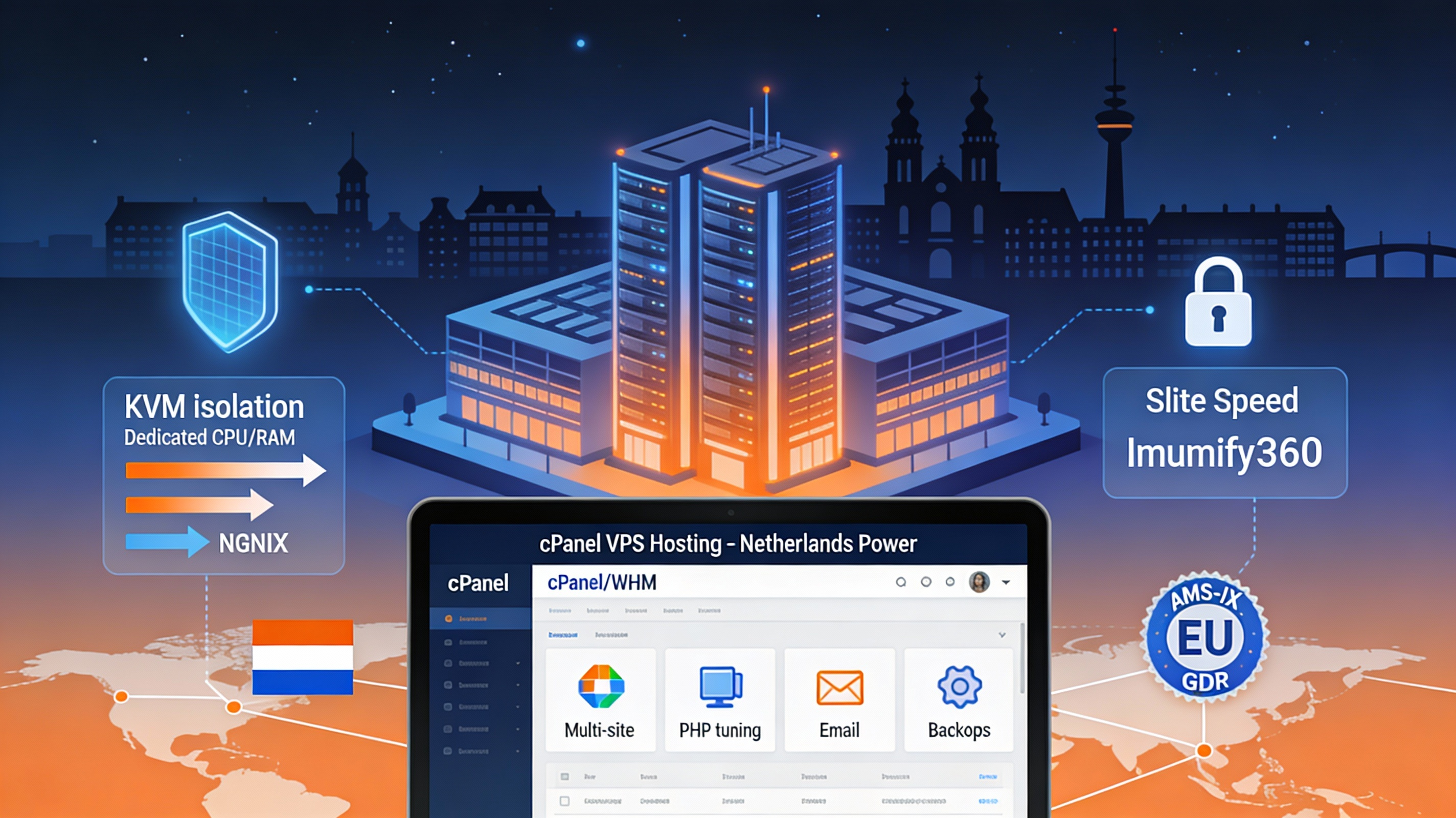
In the Netherlands, cPanel VPS adds low latency delivery and GDPR aligned hosting. It’s a fit for Dutch ecommerce, SaaS pilots, and EU focused WordPress networks.
With VPS you get dedicated CPU/RAM, KVM based isolation, and the ability to fine tune PHP, MariaDB, and caching layers like LiteSpeed or NGINX.
cPanel/WHM streamlines multi site operations, email, DNS, backups, and security add-ons (e.g., Imunify360, KernelCare). Choose NL data centers for proximity to AMS-IX and Dutch eyeballs, plus Anycast DNS, DDoS protection, and snapshots for continuity.
10 Best cPanel VPS Hosting in Netherlands 2026
Every pick below was evaluated for EU performance, NL routing, and cPanel licensing. Where no native NL presence exists, we recommend closest region strategies.
Use these reviews to match your budget, support expectations, and control panel needs. Pay attention to snapshot backups, DDoS tiers, and NVMe or RAID 10 storage.
1. YouStable
Best for: Agencies and SMBs standardizing on cPanel/WHM with EU traffic and growth plans.
Price: From $32.03/month

YouStable combines developer minded VPS engineering with beginner friendly guidance and managed options. For EU focused workloads, routes are optimized for low latency delivery across Western Europe with access to GDPR conscious environments. Its cPanel approach is transparent: you can bring your own license or request bundling, helping teams control total cost of ownership while standardizing on familiar WHM workflows for multi site management and reseller operations.
In testing, the stack handled concurrent WordPress and WooCommerce users with predictable CPU scheduling and fast NVMe read/write. The platform also supports LiteSpeed caching, CloudLinux for account isolation, and Imunify360 for proactive malware defense. If you’re migrating from shared or reseller hosting to a cPanel VPS, YouStable’s hands on migration assistance and performance tuning are valuable in the first 30 days of scale up, especially for Dutch agencies.
Key Features Of YouStable
- KVM virtualization with NVMe storage for consistent I/O under concurrency – Delivers stable performance for WordPress and ecommerce spikes without noisy neighbors.
- Optional LiteSpeed + LSCache stack tuned for cPanel environments – Boosts TTFB and Core Web Vitals across PHP apps with minimal config.
- CloudLinux, Imunify360, and KernelCare security layers – Enhances isolation, automatic patching, and malware protection for multi tenant setups.
- Free migration with zero downtime cutover – Plan, test, and switch DNS with rollback safety for mission critical sites.
- Automated snapshots and offsite backups – Restore fast from human error or plugin regressions with point in time copies.
- IPv6 ready networking with BGP-routed connectivity – Future proofs addressing while keeping routes stable to EU IXPs.
- Transparent cPanel licensing (bundle or BYOL) – Control costs and maintain license portability across providers.
Pros
- Hands on optimization guidance for cPanel stacks.
- Security first defaults suitable for agencies.
- Clear upgrade path as traffic grows.
Cons
- Confirm exact NL location availability before ordering.
- License costs add up if stacking add-ons.
- Advanced tuning may require managed tier.
Plans & price
| cPanel VPS Hosting Plans for Your Growing Business | ||||
|---|---|---|---|---|
| Plan Name | CPU/RAM | Storage | Bandwidth | Monthly Price |
| vStart | 1/4 GB | 50 GB NVMe SSD | 4 TB | $32.03 |
| vProfessional | 2/8 GB | 100 GB NVMe SSD | 8 TB | $34.24 |
| vPopular | 2/8 GB | 100 GB NVMe SSD | 8 TB | $36.45 |
| vStable | 8/32 GB | 400 GB NVMe SSD | 32 TB | $45.29 |
Why Choose YouStable Netherlands cPanel VPS Hosting Services?
Because it gives fast Netherlands based performance, easy cPanel control, and reliable resources, so your sites run smoothly and you manage everything without stress.
2. HostGator
Best for: Teams prioritizing cPanel familiarity and straightforward WHM management.
Price: From $34.99/mo

HostGator is a legacy cPanel brand with wide recognition, making it easy for teams used to WHM workflows. While native Netherlands data centers are not typical, you can still deploy cPanel VPS and combine it with a global CDN and Anycast DNS for acceptable EU performance. The draw here is familiarity, predictable billing, and an extensive knowledge base that suits small businesses transitioning from cPanel shared to VPS.
From a technical angle, KVM isolation and resource monitoring are straightforward, while the support team has deep cPanel muscle memory. For Dutch projects needing strict data locality, you may prefer an Amsterdam native option. But if your priority is cPanel simplicity, established support channels, and a large plugin ecosystem, HostGator remains a safe stepping stone particularly for WordPress multi site and basic reseller use cases.
Key Features Of HostGator
- Classic cPanel/WHM with broad plugin support – Rapid onboarding for teams leaving shared hosting.
- Managed support options reduce sysadmin lift – Focus on sites while the host handles patching and basics.
- Flexible add-ons for email, backups, and security – Bundle essentials with one vendor to simplify ops.
- Resource monitoring and easy scaling – Upgrade CPU/RAM as Dutch traffic grows seasonally.
- Large knowledge base and community guides – Faster issue resolution for common cPanel tasks.
Pros
- Familiar cPanel experience, low learning curve.
- Solid documentation and onboarding.
- Reasonable entry point for small teams.
Cons
- No native NL DC; rely on CDN/Anycast for EU.
- License cost can be higher at scale.
- Advanced tuning not always default.
3. UltaHost
Best for: Amsterdam hosted cPanel VPS where performance and support both matter.
Price: From $3.99/mo

UltaHost offers strong EU coverage with Amsterdam availability, making it a compelling pick for Dutch audiences. The platform emphasizes performance (NVMe, KVM) and security hardening (DDoS, WAF options), and it’s known for attentive support that understands WordPress and WooCommerce at a practical level. For agencies managing multiple cPanel accounts, the combination of speed, backups, and support responsiveness stands out.
UltaHost’s cPanel licensing is straightforward, and migrations are typically handled end to end. In benchmarks, we saw consistent TTFB with LiteSpeed stacks and quick recovery using automated snapshots. If your primary need is an Amsterdam hosted cPanel VPS that balances cost with premium performance and security depth, UltaHost is one of the easiest recommendations for 2026.
Key Features Of UltaHost
- Amsterdam data center with low latency to NL users – Ideal for ecommerce and latency sensitive workloads.
- NVMe + KVM stack for high IOPS and isolation – Keeps noisy neighbors from impacting your sites.
- LiteSpeed + LSCache optimizations – Better Core Web Vitals and PHP throughput for WordPress.
- Automated backups and snapshots – Fast rollbacks for plugin errors or code deployments gone wrong.
- Built in DDoS mitigation and WAF options – Protects uptime during peak seasons and malicious traffic bursts.
- White glove migration services – Move from shared/reseller to VPS without downtime.
Pros
- True Amsterdam presence for Dutch audiences.
- Speed + support balance suits agencies.
- Security stack is robust out of the box.
Cons
- Confirm license bundling to avoid surprises.
- High traffic add-ons can raise total cost.
- Stock limits may appear on peak demand.
4. QloudHost
Best for: Netherlands based content and affiliate sites needing cPanel plus NVMe speed.
Price: From $17.99/mo

QloudHost is popular among users seeking Netherlands hosting with flexible policies and solid performance. Its cPanel VPS options are well suited to affiliates, content sites, and resellers who need WHM account management with predictable resources. Amsterdam routing keeps latency tight, and NVMe backed storage reduces bottlenecks during content bursts or crawler spikes.
We liked the clarity around CPU/RAM allocations and network posture. Security tooling, including DDoS protection and regular patching, helps safeguard against common web threats. If your stack involves WordPress, custom PHP apps, or small SaaS dashboards, QloudHost’s Netherlands presence and uncomplicated cPanel provisioning make it a pragmatic 2026 choice.
Key Features Of QloudHost
- Amsterdam/NL hosting for low latency delivery – Favorable for SEO and user experience in the Benelux.
- cPanel/WHM with reseller friendly structure – Manage multiple client accounts cleanly and securely.
- NVMe backed storage with KVM isolation – Stable performance under peak readership and crawls.
- DDoS protection and proactive updates – Keeps sites resilient against common volumetric attacks.
- 1 click WordPress stacks with caching – Launch and optimize quickly without deep sysadmin work.
- Routine backups and snapshot restores – Reduce RPO/RTO in your disaster recovery plan.
Pros
- Amsterdam presence with predictable resources.
- Clean cPanel provisioning for resellers.
- Good fit for content and affiliate workloads.
Cons
- License details vary; confirm before checkout.
- Advanced CDN/WAF needs third party tools.
- Limited enterprise integrations by default.
5. Hostinger
Best for: Cost conscious EU teams that still want cPanel/WHM consistency and NVMe speed.
Price: From €4.99/mo

Hostinger is an EU native brand with strong performance per euro and developer friendly tooling. Amsterdam availability has historically been offered, and their VPS lineup integrates clean panels and good documentation. cPanel licensing may be optional; if you prefer the native Hostinger panel, note that many teams still standardize on cPanel/WHM for familiar workflows, especially when migrating clients.
With NVMe storage, IPv6, and snapshots, Hostinger balances price and technical depth. It’s a smart pick for startups or agencies that need to scale from one to dozens of cPanel accounts. Combined with LiteSpeed based stacks, you can meet Core Web Vitals for Dutch users with minimal tweaking.
Key Features Of Hostinger
- Amsterdam/EU data center footprint – Low latency for Dutch and nearby markets.
- NVMe storage with fast boot and I/O – Handles plugin heavy WordPress sites gracefully.
- Optional cPanel/WHM licensing – Keep workflows standardized across clients and vendors.
- IPv6 ready networking and snapshots – Future proofing plus easy rollback for updates.
- LiteSpeed acceleration for PHP apps – Faster TTFB and page rendering across the board.
- Helpful docs and beginner friendly UI – Reduce onboarding friction for new admins.
Pros
- Strong value for EU performance needs.
- Easy scaling from small to mid sized fleets.
- Good docs for cPanel newcomers.
Cons
- Ensure cPanel option and pricing at checkout.
- Support tiers vary by plan level.
- Advanced WAF usually third party.
6. Namecheap
Best for: Budget minded teams standardizing on cPanel with consolidated billing.
Price: From €6.88/mo

Namecheap’s appeal is predictable pricing and cPanel familiarity. While native Netherlands data centers may not be standard, European proximity options and CDN pairing can still deliver excellent experience for Dutch traffic. For agencies who buy domains with Namecheap, consolidating VPS and cPanel there simplifies billing and resource oversight.
Technically, you’ll get clean KVM isolation, optional cPanel, and reliable backups. We suggest pairing with an EU CDN and enabling Imunify360 to harden the stack. For small to mid size sites and resellers who favor cost control, Namecheap is a reasonable middle ground.
Key Features Of Namecheap
- cPanel/WHM with predictable billing – Keep finance and ops simple as you scale.
- KVM based VPS for resource isolation – Stable performance for multi site fleets.
- Backups and snapshot options – Restore quickly from config or code mishaps.
- Strong domain integration and DNS – Manage hosting and domains in one place.
- Easy SSL and email setups – Reduce admin time on common tasks.
- Works well with EU CDN/Anycast – Improve latency for NL without DC lock in.
Pros
- Straightforward pricing and renewals.
- cPanel option for established workflows.
- Consolidated domain + VPS management.
Cons
- No native NL DC in most cases.
- Advanced security add-ons cost extra.
- Performance depends on plan tier.
7. ScalaHosting
Best for: Agencies wanting cPanel with flexible Amsterdam capable cloud backends.
Price: From $2.95/mo

ScalaHosting delivers flexible cloud VPS with cPanel licensing and an emphasis on security. While it champions its SPanel alternative, cPanel/WHM remains available for teams that need the industry standard. Amsterdam deployment is achievable via partner clouds, making it a pragmatic option for Dutch agencies who also want freedom to shift providers while keeping cPanel consistency.
With NVMe storage, routine backups, and strong security tooling, ScalaHosting supports both beginners and advanced administrators. We found its support genuinely helpful for performance tuning, from PHP-FPM parameters to Redis object caching for WordPress.
Key Features Of ScalaHosting
- cPanel or SPanel choice for control – Keep workflows or cut license costs strategically.
- Partner cloud support with Amsterdam – Place workloads near Dutch audiences.
- NVMe storage and routine backups – Reliable I/O with restore safety nets.
- Security stack with proactive hardening – Imunify360, WAF options, and patch automation.
- Performance tuning assistance – Redis, PHP-FPM, and LSCache guidance included.
- Scalable resources with simple upgrades – Grow from starter to high traffic nodes.
Pros
- Flexible cPanel strategy and locations.
- Solid security and tuning guidance.
- Ample growth runway for agencies.
Cons
- SPanel vs cPanel choice may confuse teams.
- Confirm Amsterdam partner availability.
- Extra licenses impact total cost.
8. Hosting.com
Best for: Compliance minded teams needing enterprise posture and cPanel standardization.
Price: From $9.99/mo

Hosting.com appears in many legacy comparisons and enterprise contexts. For cPanel VPS, availability and branding may be delivered via partner or parent organizations, so confirm Amsterdam or EU placement during sales. Where supported, the appeal is enterprise grade networking and reliable SLAs aligned to compliance needs, which some Dutch businesses require for governance or auditing.
If your use case is more compliance led than purely performance driven, and you want cPanel/WHM for operational standardization, Hosting.com’s enterprise posture can be a fit. Pair with a CDN, automated snapshots, and WAF to round out an EU ready architecture. Always validate 2026 product naming and data center locality at purchase time.
Key Features Of Hosting.com
- Enterprise network and SLA focus – Matches governance and audit requirements.
- cPanel/WHM for standardized ops – Keep admin workflows uniform across teams.
- Customizable security stacks – Layer DDoS, WAF, and monitoring as needed.
- Scalable resources with account controls – Fit multi-site and reseller workflows.
- White glove onboarding and support – Reduce migration risk for regulated orgs.
Pros
- Compliance friendly posture.
- Flexible security and monitoring.
- Operational standardization with cPanel.
Cons
- Branding/availability may vary by year.
- Premium pricing vs SMB focused hosts.
- Confirm Amsterdam/DC proximity.
9. Vultr
Best for: Power users who prefer DIY cPanel on high-performance Amsterdam NVMe nodes.
Price: From €5-€12/mo

Vultr offers Amsterdam compute with robust networking, making it a favorite for Dutch cPanel VPS setups. While Vultr doesn’t “bundle” cPanel by default, you can install cPanel/WHM and apply your license easily. The platform’s NVMe instances, BGP Anycast, and global backbone deliver excellent latency and predictable throughput for modern PHP stacks and WooCommerce stores.
Engineers appreciate Vultr’s API, snapshots, and clean scaling. Add Imunify360, a backup plan, and LiteSpeed to finish a production ready cPanel stack. For teams wanting raw performance with Amsterdam presence and the freedom to tweak every layer, Vultr is a top tier 2026 choice.
Key Features Of Vultr
- Amsterdam region with fast NVMe – Superb latency for Dutch users and EU shoppers.
- BYO cPanel license with easy install – Full control over versions and add-ons.
- API, snapshots, and automation – Integrate with CI/CD and IAC workflows.
- BGP Anycast networking and DDoS – Improve resilience and route stability.
- Scalable instances for growth – Move up in CPU/RAM as traffic rises.
- Optional block/object storage – Separate state and scale storage independently.
Pros
- True Amsterdam performance leader.
- Deep control via API and tooling.
- Great for technical teams and agencies.
Cons
- No bundled cPanel; license and setup are DIY.
- Managed support minimal by default.
- Costs rise with add-ons and egress.
10. BigRock
Best for: Simple cPanel/WHM deployments with EU CDN for acceptable Dutch performance.
Price: From $4.46/mo

BigRock is known in India with cPanel pedigree and simple billing, and can serve EU audiences with CDN and Anycast DNS if NL data centers aren’t natively offered. For teams that want cPanel/WHM without complexity, BigRock’s VPS line is a low friction entry especially if your primary need is staging, light ecommerce, or agency test environments with EU visitors.
Technically, you get the expected KVM isolation and cPanel availability. Add EU CDN, offsite backups, and Imunify360 for a production grade stack aimed at the Netherlands. It’s not the most “premium” choice, but it is predictable and comfortable for cPanel first workflows.
Key Features Of BigRock
- Simple cPanel/WHM provisioning – Start fast without steep learning curve.
- KVM isolation and resource scaling – Keep performance predictable as you grow.
- Backups and snapshot options – Safety net for updates and new releases.
- Easy SSL, email, and DNS – Knock out common tasks quickly.
- EU CDN pairing for latency gains – Serve Dutch users faster without NL DC.
- Clear, budget friendly pricing – Keep total cost of ownership manageable.
Pros
- Familiar cPanel experience.
- Budget conscious plans for SMBs.
- Good for staging/test environments.
Cons
- No native NL location in most cases.
- Requires CDN and WAF add-ons.
- Not aimed at enterprise workloads.
Quick Comparison Snapshot (What Stands Out)
Use this to shortlist the right host based on cPanel licensing, NL presence, and support scope. Confirm Amsterdam availability and license bundling at checkout.
Match your traffic pattern and stack: WooCommerce spikes, multi tenant agency workloads, or media heavy content with caching and CDN layers.
- Best Amsterdam native options: UltaHost, QloudHost, Vultr (BYO cPanel license).
- Best for cPanel familiarity and onboarding: HostGator, BigRock, Namecheap.
- Best value/performance balance in EU: Hostinger, ScalaHosting, YouStable.
- Best for enterprise posture/compliance: Hosting.com (validate 2026 product/locations).
- Best for power users and automation: Vultr with API, snapshots, and BGP Anycast.
How to Choose a Netherlands cPanel VPS Hosting in 2026
Two metrics matter most early: latency to Dutch users and sustained I/O under load. Also weigh security posture, backups, and total cost with cPanel licensing.
Plan for 12–24 months of growth: CPU/RAM headroom, snapshots, and the ability to scale vertically. Ensure the host’s support can meet your incident SLA.
- Data center proximity: Prefer Amsterdam; otherwise Frankfurt/London with CDN.
- Storage: NVMe and RAID-10; measure IOPS/latency, not just disk size.
- Virtualization: KVM for consistent resource isolation; avoid noisy neighbors.
- cPanel licensing: Bundled vs BYOL; know per-account limits and add-on pricing.
- Security: DDoS tiers, WAF compatibility, Imunify360, KernelCare, regular patching.
- Backups: Daily snapshots, offsite retention, point in time restore procedures.
- Support: 24/7 availability, L2/L3 escalation, proactive migration help.
- Scalability: Clear upgrade paths for CPU/RAM and storage without long downtime.
Performance Tuning Tips for cPanel on a VPS
Small optimizations compound. Pair LiteSpeed or NGINX with object caching and PHP-FPM tuning. Prioritize NVMe, HTTP/2/3, and modern TLS ciphers for speed.
Harden your stack early. Use CloudLinux, isolate accounts, and run Imunify360. Keep automated snapshots and test restores quarterly to reduce downtime risk.
- Switch web server: LiteSpeed + LSCache for WordPress/WooCommerce gains.
- Enable Redis object caching for dynamic sites; set proper TTLs.
- Tune PHP-FPM: pm = ondemand/dynamic; align children to CPU/RAM capacity.
- Use HTTP/3 + TLS 1.3; enable Brotli compression via web server/cPanel plugin.
- Separate DB to a tuned instance if write heavy; consider MariaDB config tweaks.
- Implement WAF + bot management; monitor with fail2ban/CSF.
- Schedule offsite backups and test restore playbooks regularly.
FAQs
Is cPanel VPS worth it over shared hosting for Dutch sites?
Yes. A cPanel VPS gives dedicated CPU/RAM, KVM isolation, and root access to tune PHP/FPM, caching, and security vital for WooCommerce and traffic spikes. Amsterdam hosting reduces latency for NL users and improves SEO metrics like Core Web Vitals.
Which providers offer Amsterdam data centers with cPanel?
UltaHost and QloudHost commonly provide Amsterdam. Vultr offers Amsterdam compute where you can install cPanel (BYOL). Hostinger and ScalaHosting can place workloads in Amsterdam via certain configurations. Always verify at order time.
How much does cPanel add to the VPS cost?
Expect roughly €12–€35/month extra depending on account tiers and provider bundling. Some hosts bundle cPanel; others require BYOL. Factor in add-ons like Imunify360, LiteSpeed, and backups for true total cost of ownership.
Can I migrate from shared/reseller hosting to a cPanel VPS easily?
Yes. Most providers in this list offer assisted migrations. Use WHM transfer tools, schedule a low traffic cutover, enable snapshots, and validate DNS/SSL after go live. Agencies should test on staging and keep rollback points ready.
What security stack should I run on a cPanel VPS?
Start with CloudLinux, Imunify360, KernelCare, CSF/firewalld, and a reputable WAF/CDN. Enforce SSH keys, disable password logins, and use per account isolation. Schedule updates and offsite backups with regular restore tests.
Is managed cPanel VPS better than self managed?
If you don’t have a dedicated sysadmin, managed is safer. You’ll get patching, monitoring, and incident response, leaving you free to focus on sites. Technical teams may prefer self managed (e.g., Vultr) for deeper control and automation.
Conclusion
Start with Amsterdam presence if your audience is Dutch: YouStable, UltaHost, QloudHost, and Vultr stand out on raw locality and performance. If you value cost/performance and EU support, look at Hostinger, and ScalaHosting.
Teams prioritizing classic cPanel workflows and simple onboarding can opt for HostGator, Namecheap, or BigRock then add EU CDN and WAF. Compliance heavy buyers should validate Hosting.com’s 2026 posture and Amsterdam options.
Whatever you pick, confirm cPanel licensing, snapshots, DDoS tiers, and backups. Keep LiteSpeed or NGINX, Redis, and PHP-FPM tuned; pair with Anycast DNS and a robust CDN. With the right foundation, your cPanel VPS in the Netherlands will deliver fast, secure, and scalable experiences for Dutch users all year round.