Nowadays, email has become our online identity. Having an email ended with your company name looks professional, especially when you make all the business-related communication using your associates, colleagues or clients.
What is a Business Email?
A business email is an email address that uses the company domain name after the “@” symbol.
The domain name is the name of the organisation’s website, followed by a higher-level domain, such as “.com” or “.net”.

Putting employee names in front of your domain name makes employees and your business more recognisable and accessible to customers.
For example
Your professional email may look like [email protected], while your personal email may be [email protected].
How to Create a Business Email Account in DirectAdmin?
1. Log in to your Directadmin account replacing domain.com with your domain name using the login credentials provided by your hosting provider.
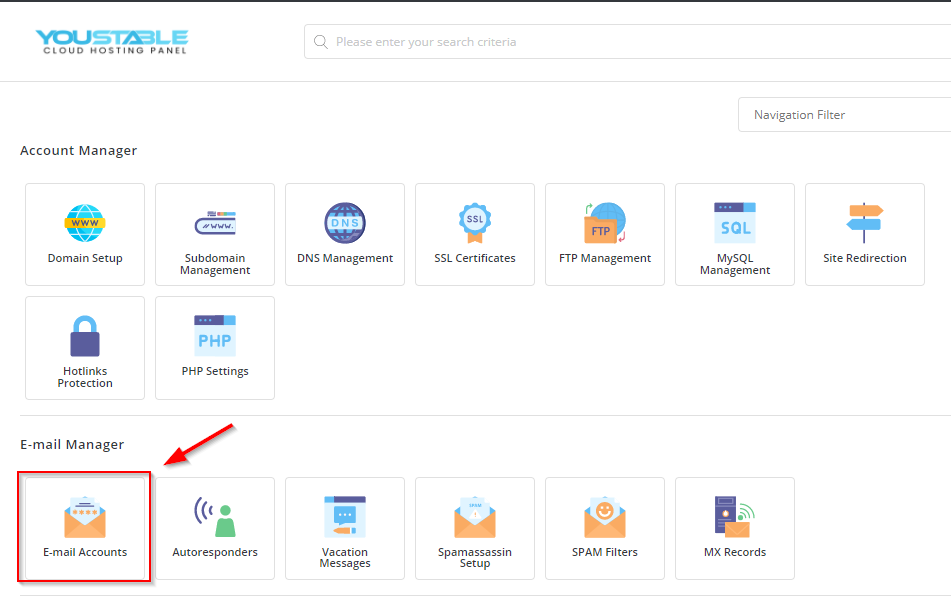
https://domain.com:22222. Navigate to Email Accounts.
3. Select your domain name from the top right corner if you have multiple domains in your account.
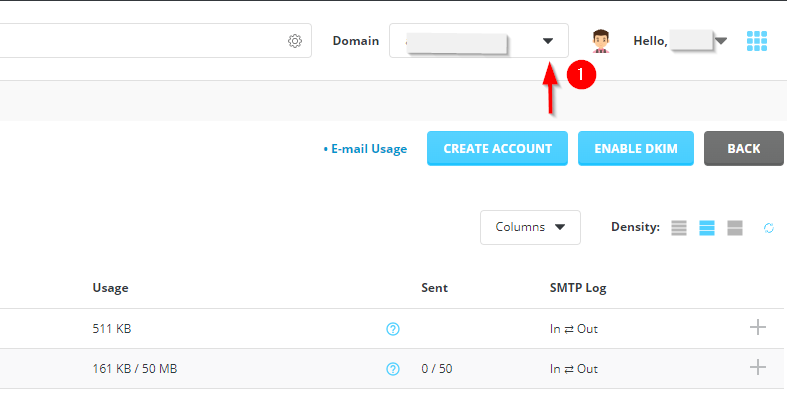
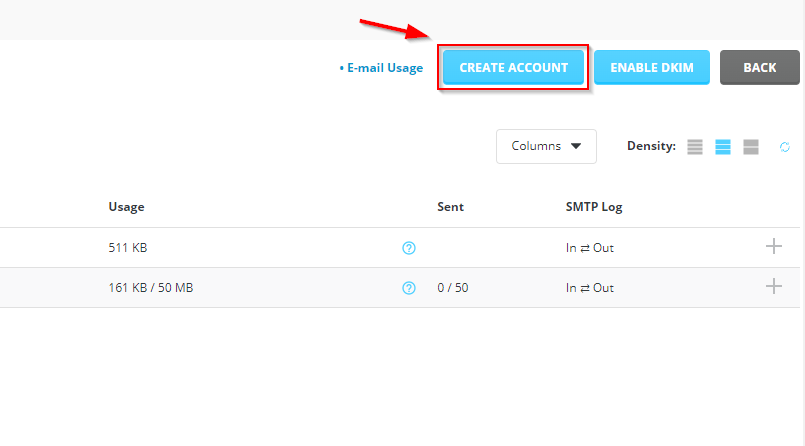
4. Click on Create Account.
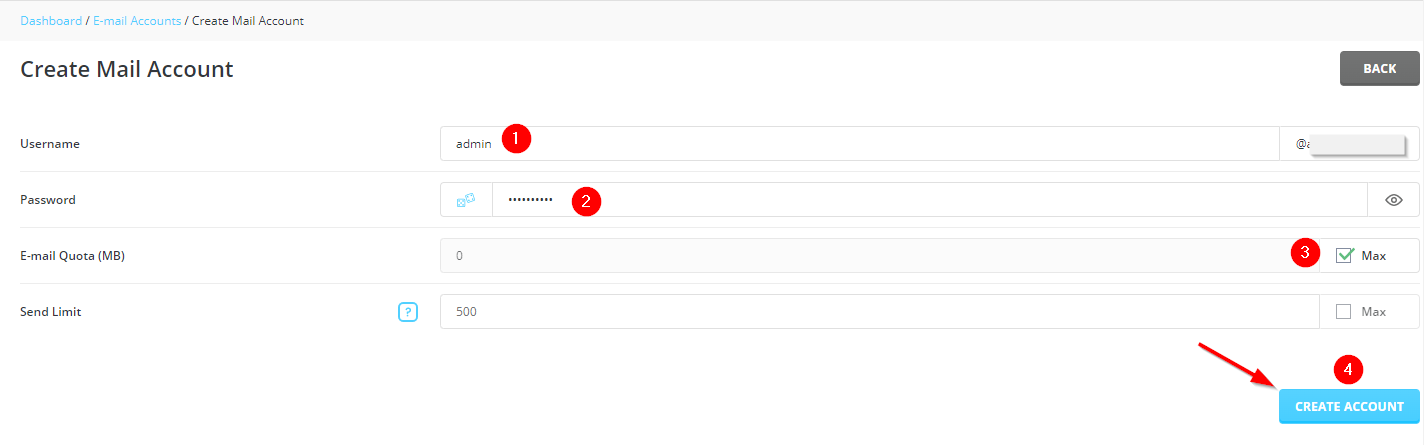
5. Enter your username and password for the email.
6. Set the Email-quota to Max and click Create Account button
In this example, we will create an email [email protected] where domain.com is your domain name.
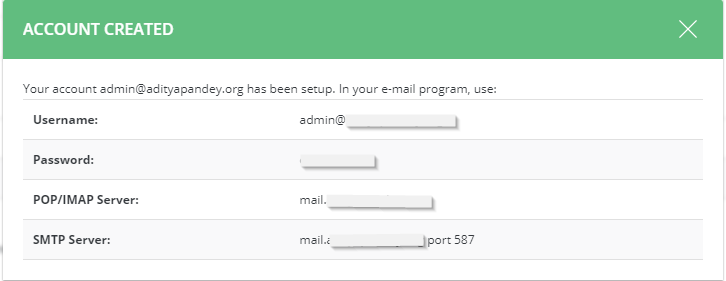
6. A pop-up will show up with your email address, password and other server details.