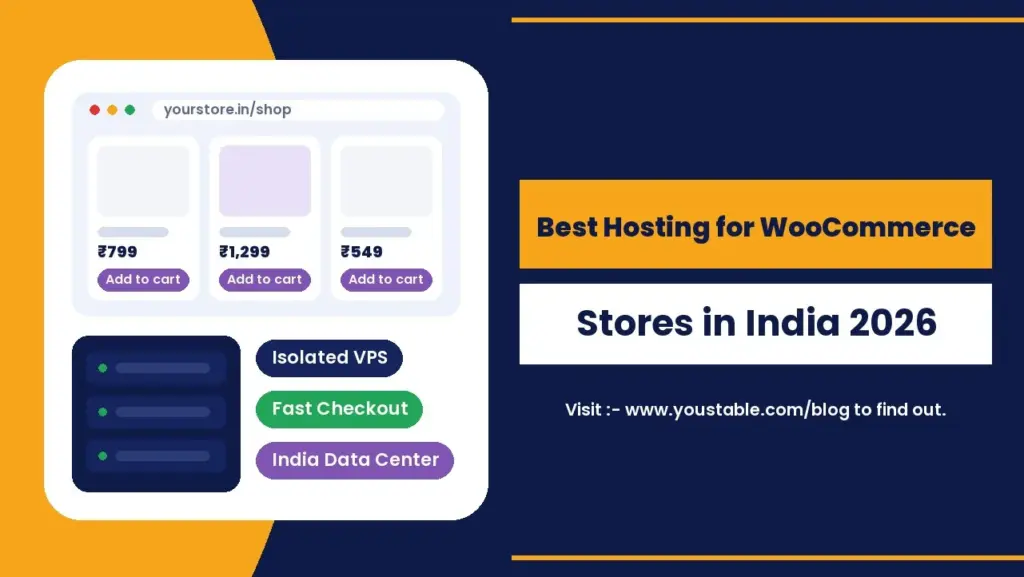
The best hosting for WooCommerce stores in India is a VPS hosted in an Indian data center, not shared hosting. A VPS gives your store its own CPU and RAM that no other website can touch, so checkout stays fast during a sale, payment pages do not time out, and one busy neighbour cannot slow your shop down. With NVMe storage and LiteSpeed caching, a WooCommerce VPS in India now starts at ₹349 a month on a long term.
This guide explains why WooCommerce behaves differently from a normal website, why isolation matters so much for online stores, which VPS plan fits your store size, and how to set it up for speed.
Our recommendation: we do not recommend shared hosting or WordPress hosting for WooCommerce stores. For better performance, stability and security, we recommend a VPS. A VPS keeps your store isolated on its own resources, so your checkout stays fast no matter what other websites are doing.
Quick Answer: Best Hosting for WooCommerce in India by Store Stage
| Your Store | Recommended VPS | Specs | Starting Price* |
|---|---|---|---|
| New store, small catalogue | vStart | 1 CPU, 4 GB RAM, 50 GB NVMe | ₹349/mo |
| Growing store with regular orders | vProfessional | 2 CPU, 8 GB RAM, 100 GB NVMe | ₹519/mo |
| Large catalogue or sale campaigns | vPopular | 4 CPU, 16 GB RAM, 200 GB NVMe | ₹749/mo |
| High traffic, flash sales, multi-vendor | vStable | 8 CPU, 32 GB RAM, 400 GB NVMe | ₹1,499/mo |
*24-month term, prices in INR before GST. Every plan includes a free dedicated IPv4 address, full root access, a free control panel and free migration.
Why WooCommerce Needs More Than Ordinary Hosting
A blog page is the same for every visitor, so it can be cached once and served thousands of times. An online store cannot work that way. The pages that make you money are different for every shopper:
- Cart, checkout and My Account pages are personal to each visitor and cannot be served from page cache.
- Every order writes to the database: stock levels, order records, customer details and payment status all update in real time.
- Background AJAX requests keep mini carts and stock counts updated, adding load on every page view.
- Payment gateways expect quick replies. If the server is slow when a gateway sends a confirmation back, the order can fail or get stuck as pending.
In short, a WooCommerce store is a live application, not a brochure. The best hosting for WooCommerce stores in India has to keep PHP and the database fast for every single shopper, not just serve cached pages.
Shared Hosting vs WordPress Hosting vs VPS for WooCommerce
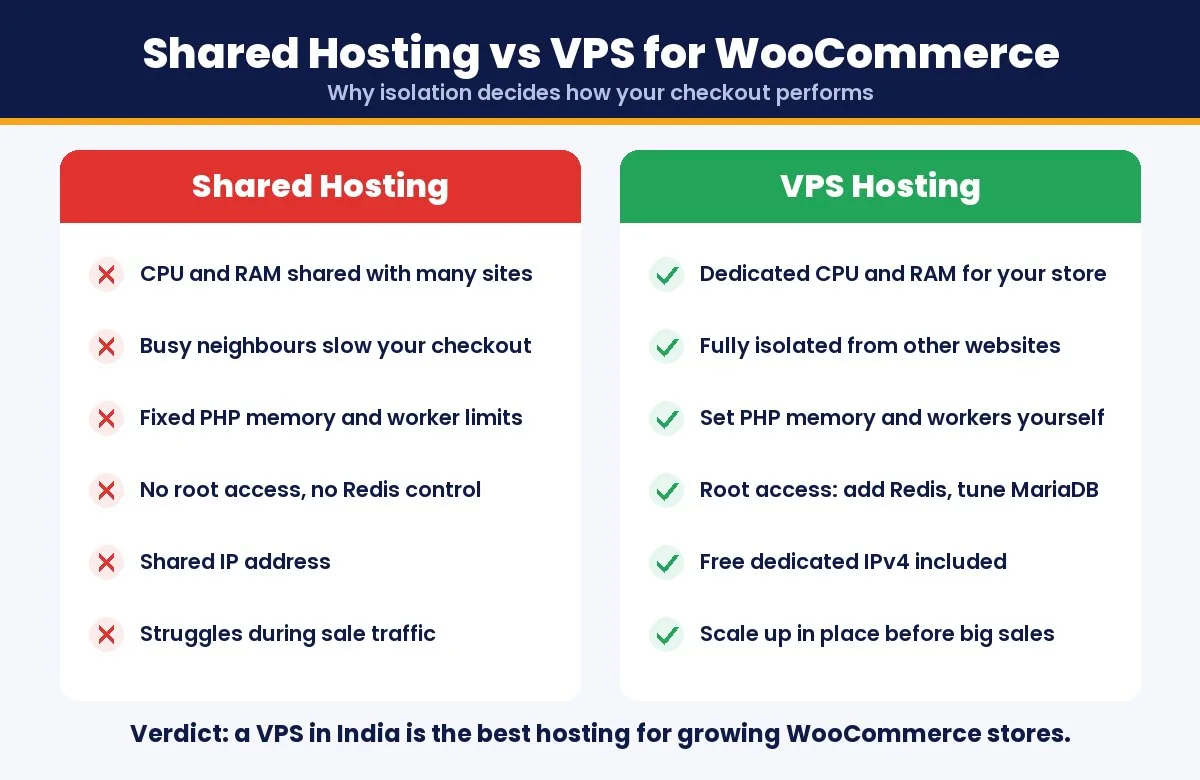
| Factor | Shared Hosting | Shared WordPress Hosting | VPS Hosting |
|---|---|---|---|
| CPU and RAM | Shared with hundreds of sites | Shared, with WordPress tuning | Reserved only for your store |
| Effect of other sites | A busy neighbour slows you down | A busy neighbour slows you down | Fully isolated |
| Checkout during a sale | Risk of slowdowns and errors | Better, but still capped | Stable, scales with your plan |
| PHP memory and workers | Fixed limits | Fixed limits | You set them |
| Redis object cache | Usually not available | Sometimes, as an add-on | Install it yourself in minutes |
| Root access | No | No | Yes |
| Dedicated IP | Usually shared | Usually shared | Included |
| Best for | Blogs and brochure sites | Content-heavy WordPress sites | WooCommerce stores of any size |
Shared and WordPress-optimised shared plans are fine for content sites. For a store, the shared part is the problem: you cannot control who else is on the server, and their traffic spike becomes your slow checkout.
Why VPS Is the Best Hosting for WooCommerce Stores in India
1. Isolation Protects Your Checkout
On a VPS your CPU, RAM and storage are reserved for you. Another website’s traffic, a badly coded plugin on someone else’s site, or a security incident next door cannot drain your resources. For a store, that isolation is the difference between a smooth festive sale and a checkout page that stalls.
2. Guaranteed Resources for Uncached Pages
Because cart and checkout cannot be cached, your store depends on raw PHP and database speed. Dedicated cores and RAM mean those uncached requests are handled immediately instead of waiting in a queue behind other accounts.
3. Full Control to Tune for WooCommerce
With root access you can raise the PHP memory limit, add PHP workers for busy hours, enable OPcache, tune MariaDB and install Redis for object caching. These are the changes that make WooCommerce feel fast, and most shared plans do not allow them.
4. Indian Data Centers Mean Faster Pages for Indian Shoppers
Every product page, filter and checkout step makes a round trip to the server. Good WooCommerce hosting in India keeps those trips short for Indian customers, which improves page speed, Core Web Vitals and conversion rates. You also pay in INR with UPI and receive a GST invoice.
5. Upgrade Without Rebuilding Your Store
When your store outgrows its plan, you can add CPU, RAM or NVMe storage from the dashboard. There is no need to migrate or rebuild, which matters when your product data, orders and customer accounts are all on the server.
6. Better Security for Customer Data
An isolated server with its own IP address reduces the risk that comes from sharing an environment with unknown sites. Add a free SSL certificate, DDoS protection and regular backups, and your customer data sits on a far safer foundation.
WooCommerce Server Requirements (and How a VPS Meets Them)
WooCommerce publishes its own server requirements. Here is what current versions recommend and how a VPS covers each one:
| Requirement | WooCommerce Recommends | On a VPS |
|---|---|---|
| PHP | 8.3 or newer | Choose and upgrade the version yourself |
| Database | MySQL 8.0+ or MariaDB 10.6+ | Run a current MariaDB and tune it |
| PHP memory limit | 256 MB or more | Set it as high as your RAM allows |
| HTTPS | Required | Free SSL certificate included |
| Web server | Apache or Nginx recommended | Install the stack you prefer, or LiteSpeed |
On shared hosting several of these settings are fixed by the provider. On a VPS they are yours to control, which is exactly why it is the best hosting for WooCommerce in India for stores that plan to grow.
Choosing a WooCommerce VPS Plan for Your Store Size
Catalogue size matters less than you might think. What really drives the plan you need is how many shoppers are logged in, browsing filters or checking out at the same time.
- vStart (₹349/mo): a new store testing its market, with a modest catalogue and steady daily traffic.
- vProfessional (₹519/mo): the sweet spot for most growing Indian stores. 8 GB RAM leaves room for Redis, a page cache and busy checkout hours.
- vPopular (₹749/mo): large catalogues, heavy filtering, regular sale campaigns or agencies running several stores.
- vStable (₹1,499/mo): high-traffic brands, flash sales and multi-vendor marketplaces that cannot afford a slow minute.
Start one size smaller if you are unsure. Because you can upgrade in place, it is cheaper to scale up when real traffic arrives than to pay for idle resources. For a full breakdown of what each plan costs after GST and free months, see our guide to VPS hosting price in India.
Checklist: What to Look For in WooCommerce Hosting in India
- Dedicated CPU and RAM through a VPS, not a shared account
- A data center in India for low latency to Indian shoppers
- NVMe SSD storage for fast database reads and writes
- LiteSpeed with LSCache to cache product and category pages safely
- Root access so you can add Redis and tune PHP
- Free SSL and DDoS protection to secure payments and customer data
- Same-price renewals so your hosting bill does not jump in year two
- Free migration to move your existing store without downtime
Common Mistakes When Choosing WooCommerce Hosting in India
- Choosing on first-year price alone: a cheap introductory rate that doubles at renewal costs more than a fair price that stays flat.
- Staying on shared hosting too long: many store owners only move after a sale day goes wrong. Upgrade when orders become regular, not after you lose them.
- Hosting far from your customers: a server abroad adds delay to every page and checkout step for Indian shoppers.
- Ignoring backups: a store holds orders and customer data that change every hour. Make sure backups run automatically and are stored off the server.
- Overbuying resources on day one: a VPS can be upgraded in place, so start with the plan you need today and scale as traffic grows.
Avoiding these five mistakes matters as much as the plan itself. The best hosting for WooCommerce in India is the one that stays fast, predictable and affordable after year one, not just on the day you sign up.
How to Make Your WooCommerce VPS Fast
A VPS gives you the room to perform. These steps turn that room into real speed:
- Use a page cache that understands WooCommerce. LSCache automatically skips cart, checkout and account pages while caching product and category pages.
- Add Redis object caching so repeated database queries are answered from memory. Our guide to optimising Redis on Linux walks through the setup.
- Run PHP 8.3 with OPcache enabled for faster code execution.
- Turn on High-Performance Order Storage (HPOS) in WooCommerce settings, which stores orders in dedicated tables for faster order handling.
- Serve images in WebP and lazy load below-the-fold product images.
- Replace WP-Cron with a real server cron job so scheduled tasks like stock sync and emails run on time without slowing page loads.
- Audit plugins every quarter. Every extra plugin adds code to every request, so remove what you no longer use.
Moving Your Store From Shared Hosting to a VPS
Most WooCommerce stores in India start on shared hosting and move once sales pick up. The move is simpler than it sounds: files, database, orders and customer accounts are copied to the new VPS, tested on a temporary address, and then DNS is switched over. Follow our step-by-step guide to migrate from shared hosting to VPS in India, or use free migration and let the team handle it with zero downtime.
Prefer to hand over server management completely? Read about managed VPS hosting for e-commerce websites to see what a managed setup covers.
FAQs
What is the best hosting for WooCommerce stores in India?
A VPS hosted in an Indian data center is the best choice for most WooCommerce stores. It gives you dedicated CPU and RAM, full control over PHP and the database, and fast load times for Indian shoppers, starting at ₹349 per month on a 24-month term.
Can I run WooCommerce on shared hosting?
You can start a very small store on shared hosting, but it is not recommended once you have regular orders. Cart and checkout pages cannot be cached, so shared resources and fixed limits quickly cause slow checkouts, especially during sales.
Why is a VPS better than WordPress hosting for WooCommerce?
Most WordPress hosting plans are still shared servers with WordPress tuning. A VPS isolates your store on its own reserved resources, so other websites cannot slow it down, and it lets you add Redis, raise PHP limits and scale up whenever you need.
How much RAM does a WooCommerce store need?
A new store can run well on 4 GB RAM. Growing stores that use Redis and handle regular orders are more comfortable with 8 GB, and large catalogues or frequent sales benefit from 16 GB or more.
Does hosting location matter for an Indian WooCommerce store?
Yes. Hosting in India shortens the distance between your server and your shoppers, which makes pages and checkout faster and helps Core Web Vitals. It also lets you pay in INR and receive a GST invoice.
Can I move my WooCommerce store to a VPS without downtime?
Yes. Your store is copied and tested on the new VPS first, and traffic is switched only after everything works. Free migration is included, so you do not need to move it yourself.
Final Verdict
Shared and WordPress-optimised shared hosting work for blogs, but a store lives or dies by its checkout. The best hosting for WooCommerce stores in India is a VPS in an Indian data center: isolated resources that no neighbour can touch, full control to add Redis and tune PHP, and room to scale before your next big sale. That is why we do not recommend shared or WordPress hosting for WooCommerce, and recommend a VPS for better performance instead.
YouStable’s WordPress VPS hosting comes WooCommerce ready with LiteSpeed, NVMe storage, data centers in India and free migration, starting at ₹349 a month. Start with vProfessional for a growing store and upgrade in place as your orders grow.