

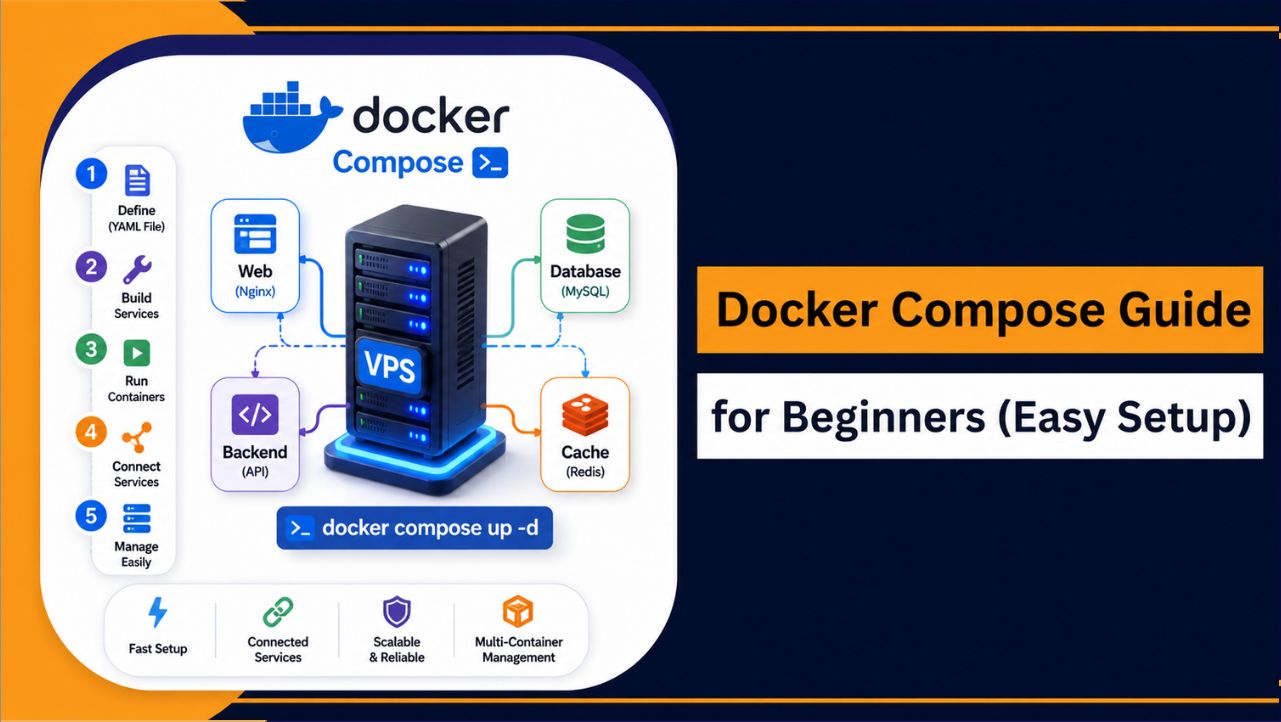
Are you trying to run an app with a database, backend, and maybe a cache on your VPS, but everything feels messy when you manage each container separately? That’s exactly where Docker Compose makes things simple for you. It lets you control your entire setup from one file, so you don’t have to deal with everything step by step.
Think about it this way, instead of running multiple commands again and again, you just define your services once and run everything together. This saves your time, keeps your setup clean, and makes your work much easier. Once you understand this, managing applications on your VPS will feel smooth and under your control.
What Is Docker Compose?
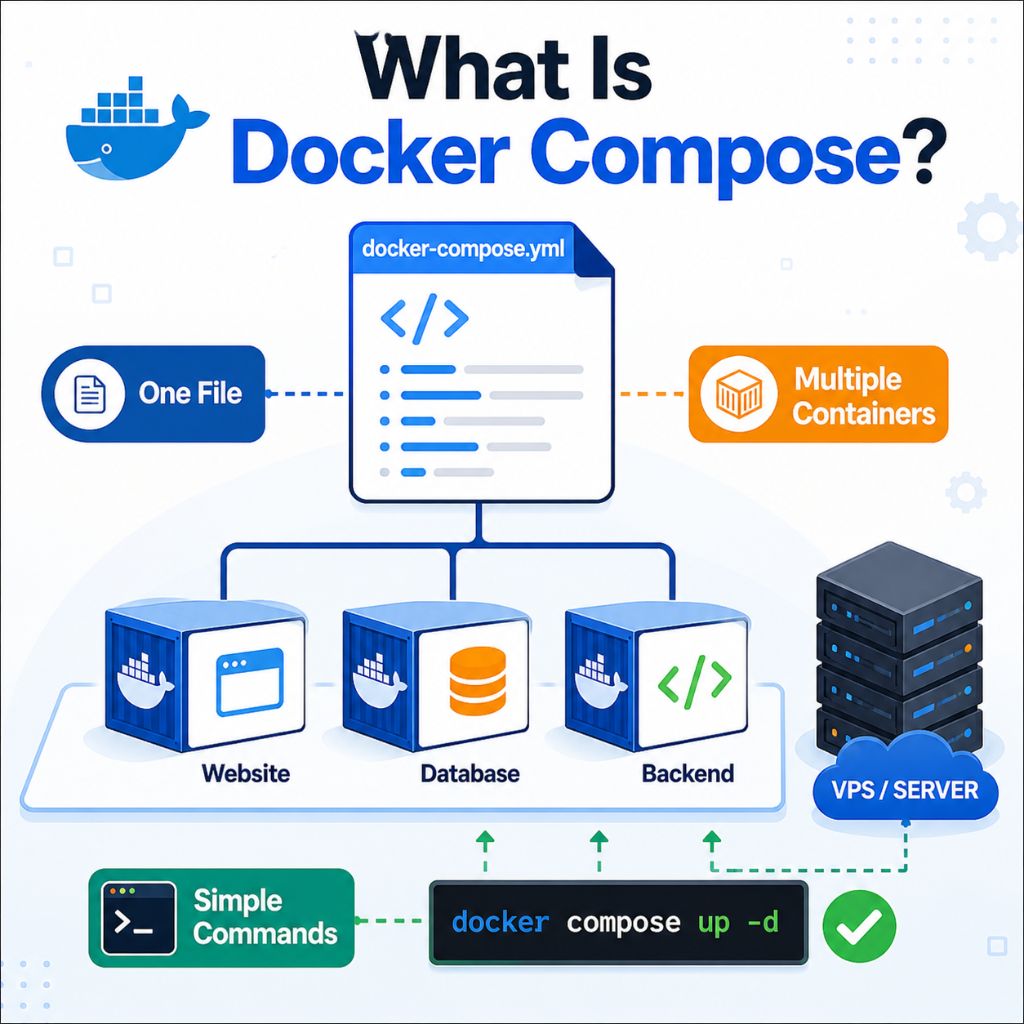
Docker Compose is a tool that helps you define and manage multiple Docker containers using a single configuration file called docker-compose.yml. It allows you to run complete applications such as a website, database, and backend service together without handling each container separately.
Instead of managing containers one by one, Docker Compose lets you control everything with simple commands.
This makes deployment faster, reduces setup errors, and keeps your environment organized, especially when working with multi service applications on a VPS.
Why Use Docker Compose on a VPS?
Running Docker Compose on a VPS makes it much easier to manage applications that require multiple services. Instead of handling each container separately, you can define everything in one place and run your entire setup with a single command.
- Simplified setup – Manage multiple containers from one configuration file
- Faster deployment – Launch full applications in seconds
- Better organization – Keep services like app, database, and cache connected
- Easy scaling – Add or update services without rebuilding everything
- Consistent environment – Same setup works across different servers
This approach works especially well on a VPS, where you have full control over resources, better performance, and the flexibility to run modern applications smoothly.
Choosing the right VPS is important for performance. You can explore best VPS for Docker to find reliable options for running Docker Compose smoothly.
When Should You Use Docker Compose?
Docker Compose becomes useful when your application includes multiple services that need to run together and stay connected. Instead of managing each container separately, you can control everything from a single configuration file, which makes your workflow faster and more organized.
- Full stack applications – When your project includes frontend, backend, and database working together
- CMS setups like WordPress – Running WordPress with MySQL in a connected environment
- Backend with database or cache – Managing APIs with services like MySQL, MongoDB, or Redis
- Development environments – Creating the same setup on local system and VPS
- Automation and tools – Running tools like n8n with required services
Using Docker Compose in these scenarios helps you maintain consistency, reduce manual setup, and manage complex applications more efficiently.
VPS Requirements for Docker Compose (2026)
Before using Docker Compose, your VPS should have the right configuration to ensure smooth performance and stable multi container operation. Choosing proper resources from the beginning helps avoid slowdowns and keeps your applications running efficiently.
| Component | Minimum Requirement | Recommended |
| OS | Ubuntu 22.04 | Ubuntu 24.04 |
| RAM | 1 GB | 2 GB or more |
| Storage | 10 GB | NVMe SSD |
| Access | SSH with sudo | Full root access |
| Network | Stable connection | High bandwidth |
A VPS with better CPU, RAM, and NVMe storage improves container performance, especially when running multiple services together. Using a modern Ubuntu version also ensures compatibility with the latest Docker Compose features and security updates.
How to Install Docker Compose (Step-by-Step)
Before installing Docker Compose, make sure Docker is properly set up on your VPS. Follow this guide on setting up Docker on a VPS for a smooth start.
Installing Docker Compose on a VPS is simple when you follow the official method. The latest version comes as a plugin, so you don’t need to install it separately like older versions.
Step 1: Update Your System
Start by updating your server to avoid compatibility issues.
sudo apt update && sudo apt upgrade -yStep 2: Make Sure Docker Is Installed
Docker Compose works on top of Docker, so Docker must be installed first.
docker --versionIf Docker is not installed, install it before continuing.
Step 3: Install Docker Compose Plugin
Install the official Docker Compose plugin:
sudo apt install docker-compose-plugin -yStep 4: Verify Installation
Check if Docker Compose is installed correctly:
docker compose versionIf the version appears, your setup is ready.
Once installed, you can start managing multiple containers using a single configuration file, making your deployment faster and more organized.
Understanding docker-compose.yml File
The docker-compose.yml file is the core of Docker Compose. It is a simple configuration file where you define all the services, containers, and settings required to run your application. Instead of managing containers manually, everything is organized in one place.
In this file, you describe how your application should run, including which images to use, how services connect, and which ports should be exposed.
Key Components
- services – Defines all the containers in your application
- image – Specifies which Docker image to use
- ports – Maps container ports to your VPS
- volumes – Stores data persistently
- networks – Connects different services together
Example
version: '3'
services:
 web:
   image: nginx
   ports:
     - "80:80"
This example creates a simple web service using Nginx and makes it accessible on port 80.
Understanding this file is important because it controls how your entire application runs. Once configured correctly, you can start, stop, and manage everything with a single command.
Simple Docker Compose Example
To understand how Docker Compose works in a real scenario, let’s look at a simple example. This will help you see how multiple services can be defined and run together using a single configuration file.
Example
version: '3'
services:
 web:
   image: nginx
   ports:
     - "80:80"
This example creates a container using the Nginx image and makes it accessible on port 80 of your VPS. When you run this configuration, Docker Compose will automatically pull the image, create the container, and start the service.
Even though this is a basic setup, it shows how easy it is to define and run a service. As your application grows, you can add more services like databases or backend apps in the same file and manage everything together.
How to Run Docker Compose
Once your docker-compose.yml file is ready, running your application becomes very simple. Docker Compose allows you to start, stop, and manage all services together using a few commands.
1. Start Containers
docker compose up -dThis command starts all defined services in the background. Docker Compose will automatically pull required images, create containers, and run them.
2. Stop Containers
docker compose downThis stops and removes all containers, networks, and resources created by Docker Compose.
3. Restart Services
docker compose restartThis command restarts all running services without removing them.
4. Rebuild Containers
docker compose up -d --buildUse this when you make changes to your application or configuration. It rebuilds containers and applies updates.
These commands make it easy to manage your entire application from a single file, saving time and reducing manual work when working with multi service setups.
Essential Docker Compose Commands
Once you start using Docker Compose, a few basic commands are enough to manage your entire application. These commands help you control containers, check status, and debug issues without complexity.
- docker compose up -d – Starts all services in the background
- docker compose down – Stops and removes containers, networks, and volumes
- docker compose ps – Shows the status of running services
- docker compose logs – Displays logs for troubleshooting
- docker compose restart – Restarts all services
- docker compose up -d –build – Rebuilds and starts containers after changes
These commands make it easier to manage multi container applications and keep your workflow smooth and organized.
Common Mistakes to Avoid
While working with Docker Compose, small mistakes can cause configuration errors or prevent your application from running properly. Avoiding these common issues will help you maintain a stable and efficient setup.
| Mistake | Why It’s a Problem | Better Approach |
| Incorrect YAML indentation | Causes syntax errors and services fail to start | Use proper spacing and validate your file |
| Port conflicts | Application becomes inaccessible | Use unique ports or stop conflicting services |
| Not rebuilding containers | Changes are not applied | Use docker compose up -d –build |
| Using outdated syntax | Commands may fail or behave unexpectedly | Use the latest Docker Compose version |
| Missing environment variables | Services may not work correctly | Define variables properly in the config |
Avoiding these mistakes helps ensure your Docker Compose setup runs smoothly and reduces troubleshooting time.
Best Practices for Docker Compose
Following the right practices helps you keep your Docker Compose setup clean, secure, and easy to manage. A well structured configuration improves performance and makes your applications more reliable over time.
- Keep your YAML file organized – Use clear service names and proper indentation to avoid errors
- Use environment variables – Store configuration values separately instead of hardcoding them
- Avoid sensitive data in files – Keep passwords and keys outside your main configuration
- Use volumes for persistent data – Prevent data loss when containers restart or stop
- Keep containers lightweight – Use minimal images to improve performance and reduce resource usage
Applying these practices makes your setup more maintainable, secure, and scalable as your application grows.
Security Tips for Docker Compose
Securing your Docker Compose setup is essential when running applications on a VPS, especially in a public environment. A properly configured setup helps protect your containers, data, and server from common security risks while keeping everything stable and reliable.
- Limit exposed ports – Open only the ports your application actually needs to reduce unnecessary access
- Use trusted images – Always use official or verified Docker images to avoid hidden vulnerabilities
- Keep Docker and system updated – Regular updates patch security issues and improve stability
- Avoid running containers as root – Use restricted permissions to reduce the impact of potential attacks
- Enable firewall protection – Use tools like UFW to control incoming and outgoing connections
- Use environment variables for sensitive data – Keep credentials out of your main configuration file
Following these practices helps create a safer Docker Compose environment, ensuring your applications run securely and your VPS remains protected over the long term.
Real Life Use Cases
Docker Compose is widely used in real world projects because it simplifies running multiple services together in one place. It helps developers and businesses manage complete applications without dealing with complex manual setups.
- WordPress with MySQL – Run a complete website and database together in one setup
- Node.js with MongoDB – Manage backend applications and databases easily
- Laravel with Redis – Improve performance using caching and background jobs
- Development environments – Create the same setup on local system and VPS
- Automation tools – Run tools like n8n with required services
These use cases show how Docker Compose helps you manage different services efficiently while keeping your setup clean, consistent, and easy to control.
Troubleshooting Common Issues
While using Docker Compose, you may face some common issues during setup or while running services. Most problems are easy to fix if you check the right things and apply simple solutions.
- Container not starting – Check logs to find the exact error
docker compose logs- Port already in use – Another service is using the same port
→ Change the port or stop the conflicting service - YAML syntax error – Incorrect spacing or formatting
→ Fix indentation and validate your file - Service not connecting – Containers cannot communicate
→ Check service names and network configuration - Changes not applied – Updated configuration not reflected
→ Rebuild containers using docker compose up -d –build
These quick fixes help you resolve most issues and keep your Docker Compose setup running smoothly.
FAQ
What is the main purpose of Docker Compose?
Docker Compose is used to define and manage multiple containers as a single application. It allows you to run services like a web app, database, and backend together using one configuration file, making setup faster and more organized.
What are the main benefits of using Docker Compose?
• Runs multiple containers with one command
• Simplifies complex application setups
• Keeps configuration organized in one file
• Makes deployment faster and more consistent
• Reduces manual errors during setup
These benefits make Docker Compose a practical tool for modern application management.
Can I use Docker Compose on a low resource VPS?
Yes, Docker Compose can run on a low resource VPS, but for better performance, at least 2GB RAM is recommended. Running multiple containers on very low resources may cause slow performance or service issues.
Is Docker Compose suitable for beginners?
Yes, Docker Compose is beginner friendly once you understand basic Docker concepts. Its simple commands and single configuration file make it easier to manage multiple services without advanced knowledge.
Conclusion
Now you can see how much easier things become when you stop managing containers one by one and start using Docker Compose. Instead of dealing with multiple commands and setups, you define everything once and control your entire application in a simple and organized way.
Once you start using it on your VPS, your workflow becomes faster, cleaner, and more reliable. Begin with small setups, try different configurations, and gradually build a system that works exactly the way you want without unnecessary complications.










