Running a business on the wrong dedicated server often becomes expensive in the long run. Limited resources, outdated hardware, inconsistent network performance, and slow technical support can quickly turn into downtime, poor user experience, and unnecessary infrastructure costs. For smaller workloads that do not need a full dedicated server yet, a VPS hosting option in New Jersey offers similar low latency to NYC at a fraction of the cost.
Instead of relying on promotional claims, Sanjeet Chauhan and our team of 11 hosting researchers, infrastructure specialists, and technical writers spent weeks reviewing leading USA dedicated server providers across multiple hosting environments. We compared server hardware, network quality, scalability, technical support, pricing, and long term value before finalizing this list.
Every provider featured here offers something different, from budget friendly bare metal servers to enterprise grade infrastructure. If you’re investing in a dedicated server for business websites, virtualization, SaaS platforms, databases, gaming, or resource intensive applications, these recommendations will help you compare the right options and choose a solution that continues performing as your requirements grow. If your workload is virtualization or database heavy, AMD dedicated servers are usually the better core to cost fit.
How We Selected the Best Dedicated Servers in USA
To ensure every recommendation is trustworthy and practical, this guide was led by Sanjeet Chauhan alongside a team of 11 hosting researchers, infrastructure specialists, and technical writers.
Over several weeks, we evaluated these providers across 5–6 different hosting projects, comparing hardware performance, network reliability, server scalability, support quality, pricing, and overall value.
We also reviewed official specifications, documentation, and infrastructure details to recommend providers that meet real business and enterprise hosting requirements.
| Evaluation Factor | What We Evaluated | Tools & Sources Used | Weight |
| Performance & Hardware | CPU, RAM, NVMe SSD, storage, bandwidth, benchmark performance | Geekbench, PassMark, Official Hardware Specifications | 30% |
| Infrastructure & Reliability | Data centers, uptime SLA, network quality, DDoS protection | UptimeRobot, Looking Glass, Official Network Documentation | 25% |
| Features & Scalability | Root access, operating systems, server customization, upgrade flexibility | Official Product Pages, Knowledge Base, Documentation | 20% |
| Support & Overall Value | Technical support, migration, pricing, included features, overall value | Live Chat, Support Documentation, Pricing Comparison | 25% |
Every provider featured in this guide met our quality standards for performance, reliability, and long term value. Rather than ranking providers based on price alone, we focused on real world usability, infrastructure quality, support experience, and scalability to help you choose a dedicated server that fits your workload with confidence.
10 Best Dedicated Servers in USA 2026
Whether you’re launching a high-traffic website, managing business applications, or running enterprise workloads, choosing the right dedicated server makes all the difference.
After comparing multiple providers, these are our top picks for the best dedicated servers in USA based on performance, reliability, features, support, and overall value.
1. YouStable – High-Performance NVMe Dedicated Servers
• Best For: Growing Businesses, Agencies & Enterprise Workloads
• Price: From $89/month
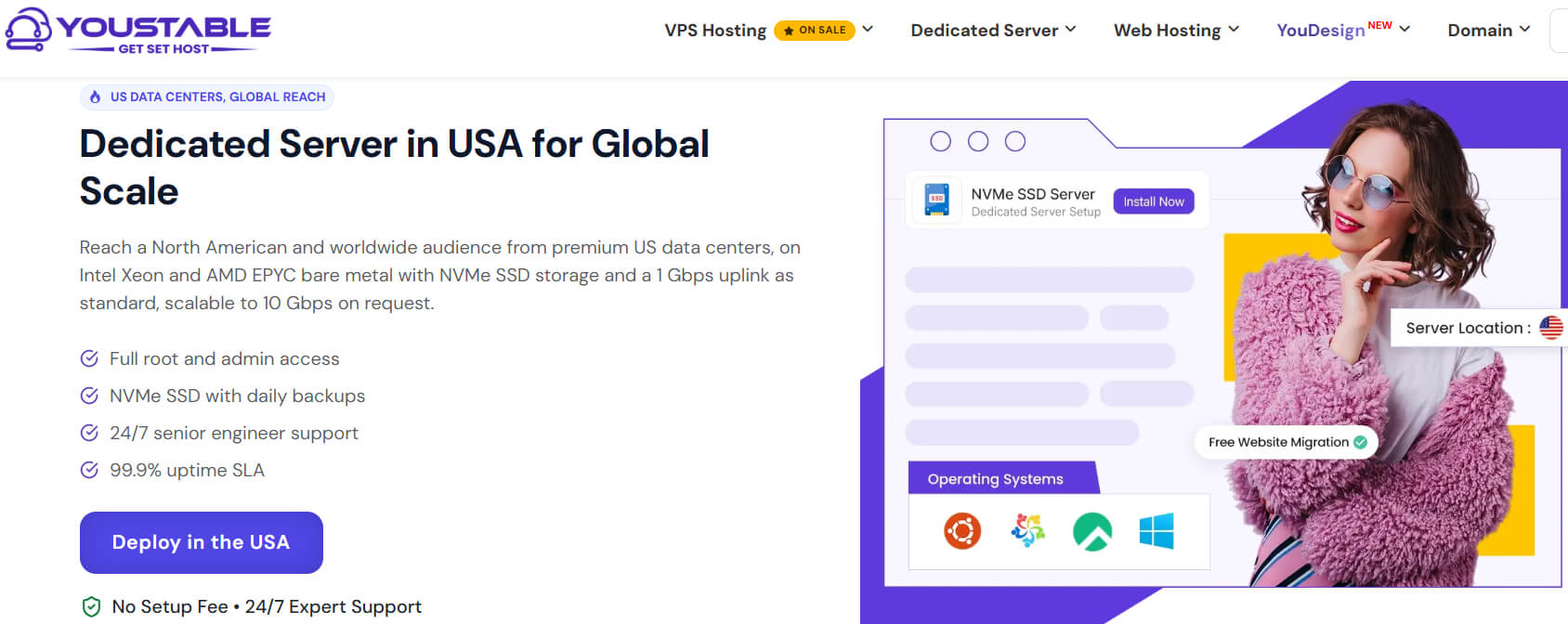
YouStable is one of the strongest choices for businesses looking for high-performance USA dedicated servers. Plans start at $89/month and include premium US data centers, enterprise hardware, unmetered bandwidth, full root access, and a zero setup fee.
Its server lineup features AMD Ryzen, AMD EPYC, Intel Xeon, Xeon Gold, Xeon Platinum, and Intel Core processors with DDR4/DDR5 memory and high-speed NVMe storage. You also get free US migration, 24/7 senior engineer support, 99.9% uptime SLA, and 1 Gbps connectivity, upgradeable to 10 Gbps on request.
Overall, YouStable delivers an excellent balance of performance, flexibility, and value. With custom server configurations, multiple operating systems, premium add-ons, transparent pricing, and up to 20% off on eligible plans, it suits everyone from growing businesses to enterprise workloads.
Key Features of YouStable Dedicated Servers
YouStable, an Indian-based web hosting company, combines enterprise grade hardware, premium USA infrastructure, and flexible server management to deliver reliable dedicated hosting for websites, applications, databases, streaming, gaming, and business workloads.
- Enterprise Grade AMD & Intel Hardware: Choose from AMD Ryzen, AMD EPYC, Intel Xeon, Xeon Gold, Xeon Platinum, and Intel Core processors to match your performance and workload requirements.
- High Speed NVMe Storage: Enjoy fast NVMe SSD storage with unmetered bandwidth, helping your applications, websites, and databases deliver consistent performance even during heavy traffic.
- Full Root Access: Get complete root and administrator access to install custom software, configure your environment, manage resources, and deploy supported operating systems without restrictions.
- Reliable USA Infrastructure: Host your server in premium USA data centers with a 99.9% uptime SLA, 24/7 monitoring, and 1 Gbps connectivity, upgradeable to 10 Gbps on request.
- Zero Setup Fee & Free Migration: Deploy your dedicated server without setup charges and migrate existing workloads to USA servers with expert assistance for a smooth transition.
- Flexible Custom Configurations: Customize CPU, RAM, storage, bandwidth, and optional add-ons like cPanel, Plesk, LiteSpeed, and Windows Server as your infrastructure requirements grow.
Plans & Pricing
Not sure which plan fits your setup? You can start with an entry server and upgrade anytime as your workload grows, without changing your entire setup.
| Best USA Dedicated Server Plans | |||||
| Plans Name | CPU | RAM | Storage | Bandwidth | Monthly Pricing |
| AMD Ryzen 5600X | 6 Cores | 64GB DDR4 | 2TB NVMe SSD | Unmetered | $89/mo |
| 2xXeon E5-2678v3 4LFF | 24 Cores | 128GB DDR4 | 4TB NVMe SSD | Unmetered | $189/mo |
| AMD EPYC 9454 | 48 Cores | 512GB DDR5 | 4×15.36TB NVMe SSD | Unmetered | $1,629/mo |
Why Choose YouStable Dedicated Server in the USA?
Choose YouStable if you need a dedicated server that grows with your business. From powerful enterprise hardware and premium USA infrastructure to expert 24/7 support, it delivers reliable performance at competitive pricing.
2. Liquid Web – Fully Managed Business Hosting

Liquid Web is a trusted managed hosting provider that offers fully managed dedicated servers for businesses running mission critical applications, enterprise websites, and performance focused workloads. Dedicated server plans start from $77.5/month with a limited time promotional discount.
Its dedicated server lineup is powered by Intel Xeon processors and includes SSD storage, 10 TB bandwidth, full root access, DDoS protection, remote management tools, dedicated IP addresses, and compatibility with Plesk, cPanel, and InterWorx for easier server administration.
Liquid Web focuses on businesses that prefer a fully managed hosting experience instead of handling day to day server administration themselves. With enterprise security, managed infrastructure, and technical support included, it is a practical choice for organizations that value stability, reliability, and operational convenience.
Key Features of Liquid Web
Liquid Web combines fully managed dedicated hosting with enterprise grade infrastructure, making it a reliable option for businesses that want strong performance without managing server maintenance themselves.
- Fully Managed Dedicated Hosting: Every dedicated server includes fully managed services, allowing your team to focus on business operations while Liquid Web handles routine server management and maintenance.
- Enterprise Intel Xeon Servers: Powered by Intel Xeon processors with multiple hardware configurations, these servers are built to support demanding websites, applications, and business critical workloads.
- Advanced Security & Server Control: Includes DDoS protection, dedicated IP addresses, full root access, and remote management tools for greater security, flexibility, and complete administrative control.
- SSD Storage with 10 TB Bandwidth: Fast SSD storage, 10 TB monthly bandwidth, and support for Plesk, cPanel, and InterWorX simplify server management while delivering dependable performance.
3. Hostwinds – Flexible Custom Server Configurations

Hostwinds offers customizable dedicated server hosting for businesses that need dedicated resources, flexible hardware options, and complete server control. Dedicated server plans start from $122.00/month with configurable CPU, RAM, storage, RAID, and operating system options.
Its dedicated servers provide 100% dedicated resources, a 1 Gbps network connection, RAID support, server monitoring, automated nightly backups, and full management. Customers can also customize storage drives, memory, bandwidth, IP addresses, and RAID configurations to match specific workload requirements.
Hostwinds is a practical choice for businesses that need configurable dedicated infrastructure without sacrificing flexibility. With managed support, dedicated resources, and multiple customization options, it can accommodate a wide range of business and application hosting needs.
Key Features of Hostwinds
Hostwinds combines dedicated hardware with flexible server customization, making it suitable for businesses that require full control, scalable resources, and managed infrastructure.
- Fully Customizable Server Configurations: Configure your server with preferred CPU, RAM, storage drives, RAID setup, operating system, bandwidth, and IP addresses to match your workload requirements.
- 100% Dedicated Resources: Every dedicated server includes dedicated hardware resources with full ownership of CPU, memory, storage, and access to a 1 Gbps network connection.
- Server Monitoring & Nightly Backups: Continuous server monitoring helps detect issues quickly, while automated nightly backups protect important data from unexpected failures.
- Full Management & RAID Support: Hostwinds offers full management by experienced technicians alongside flexible RAID configurations for improved storage performance, redundancy, and server reliability.
4. InterServer – Affordable Bare Metal Servers

InterServer offers bare metal and dedicated server hosting for businesses that need dedicated resources, flexible hardware choices, and scalable infrastructure. Dedicated server plans start from $67/month, making it one of the more affordable options for dedicated hosting.
Its server lineup includes Intel Xeon and AMD Ryzen processors with SSD and NVMe storage, 64GB to 128GB ECC RAM, 1 Gbps unmetered connectivity, optional 10 Gbps ports, and data center locations in New York City, Dallas, and Los Angeles.
InterServer is a practical choice for businesses looking for customizable dedicated servers with fast deployment and multiple hardware configurations. It also includes DDoS protection, IPMI remote access, and flexible deployment options to support growing workloads.
Key Features of InterServer
InterServer combines customizable bare metal servers with flexible hardware options and multiple US data center locations, making it suitable for websites, databases, virtualization, and business applications.
- Intel Xeon & AMD Ryzen Servers: Choose from Intel Xeon and AMD Ryzen processor configurations with SSD or NVMe storage to meet different performance and workload requirements.
- Multiple US Data Center Locations: Deploy servers in New York City, Dallas, or Los Angeles, allowing you to select a location closer to your users for lower latency.
- High-Speed Network & Fast Deployment: Dedicated servers include 1 Gbps unmetered bandwidth, optional 10 Gbps network ports, and stocked configurations that are ready for fast deployment.
- DDoS Protection & IPMI Access: Built in network level DDoS protection and IPMI remote console access provide improved security, remote server management, and greater administrative control.
5. UltaHost – Enterprise Performance at Lower Cost

UltaHost provides dedicated server hosting for businesses that need reliable performance, enterprise grade hardware, and scalable infrastructure. Dedicated server plans start from $74.80/month and include a 99.99% uptime guarantee, free DDoS protection, and 24/7 expert support.
Its dedicated server lineup includes Intel Xeon, AMD Ryzen, and AMD EPYC processors with SSD and NVMe storage, DDR5 memory, 300 Mbps to 1 Gbps network ports, and configurations designed for growing businesses and high-traffic applications.
UltaHost is a suitable choice for users looking for flexible dedicated server configurations with modern hardware. It also offers a 30 day money back guarantee, multiple server plans, and savings of up to 40% on eligible dedicated hosting packages.
Key Features of UltaHost
UltaHost combines enterprise hardware with flexible dedicated server plans, making it a reliable option for businesses, developers, and high-performance hosting environments.
- Intel Xeon, AMD Ryzen & EPYC Servers: Choose from multiple Intel Xeon, AMD Ryzen, and AMD EPYC dedicated server configurations designed for different performance and business requirements.
- High-Speed Storage & Modern Memory: Servers include SSD or NVMe storage with DDR5 memory on selected plans, delivering fast data access and dependable application performance.
- 99.99% Uptime & Free DDoS Protection: Every dedicated server includes a 99.99% uptime guarantee, free DDoS protection, and 24/7 expert support for reliable business hosting.
- Scalable Dedicated Server Plans: Select from entry level to enterprise grade servers with 300 Mbps to 1 Gbps network ports, allowing your infrastructure to grow alongside your workloads.
6. Bluehost – Managed Enterprise Dedicated Hosting

Bluehost offers fully managed dedicated server hosting designed for businesses that need powerful hardware, complete server control, and scalable infrastructure. Dedicated server plans start from $144.19/month and include a 99.99% network uptime guarantee with 30 day money back coverage.
Its dedicated servers are powered by AMD EPYC processors with DDR5 RAM, NVMe backed storage, and OCI E5/E6 infrastructure. Every plan also includes root level access, free migration tools, automated backups, premium bandwidth, and dedicated IP addresses.
Bluehost is a good option for businesses that want a managed dedicated hosting environment backed by modern infrastructure. With scalable plans, expert support, advanced security, and customizable server environments, it supports websites and applications as they continue to grow.
Key Features of Bluehost
Bluehost combines modern AMD powered infrastructure with managed dedicated hosting, making it a dependable choice for businesses that need performance, scalability, and complete server control.
- AMD EPYC Processors & NVMe Storage: Powered by AMD EPYC processors, DDR5 RAM, and NVMe backed storage running on OCI E5/E6 infrastructure for fast and reliable performance.
- Fully Managed Dedicated Hosting: Includes guided server setup, root level access, customizable server environments, and scalable plans that can grow alongside your hosting requirements.
- Security, Backups & Monitoring: Every plan includes automated backups, premium firewall protection, malware scanning, DDoS protection, real time monitoring, and free SSL certificates for improved security.
- Migration & Expert Support: Benefit from free migration tools, dedicated IP addresses, 24/7 expert support, and a 99.99% network uptime guarantee backed by a 30 day money back guarantee.
7. HostGator – Scalable AMD EPYC Servers

HostGator offers dedicated server hosting for businesses that need modern hardware, dedicated resources, and reliable performance. Dedicated server plans start from $144.19/month and feature the latest AMD EPYC processors, DDR5 RAM, and high-speed NVMe storage.
Its dedicated hosting plans include 8 to 32 CPU cores, 32 GB to 128 GB DDR5 RAM, 1 TB to 3 TB NVMe storage, unmetered bandwidth, three dedicated IPs, and free website migration to simplify server deployment.
HostGator is a solid option for businesses looking for scalable dedicated infrastructure with next generation hardware. Its NVMe based plans, free migration service, and dedicated resources make it suitable for growing websites and business applications.
Key Features of HostGator
HostGator combines next generation AMD powered infrastructure with scalable dedicated hosting, making it suitable for businesses that need consistent performance and dedicated computing resources.
- AMD EPYC Processors & DDR5 Memory: Dedicated servers are powered by AMD EPYC processors with DDR5 RAM, delivering reliable performance for business websites and demanding applications.
- High-Speed NVMe Storage: Every plan includes NVMe storage with configurations ranging from 1 TB to 3 TB, helping improve application responsiveness and data access speeds.
- Unmetered Bandwidth & Dedicated IPs: All dedicated hosting plans include unmetered bandwidth and three dedicated IP addresses, supporting consistent traffic handling and greater hosting flexibility.
- Free Website Migration: HostGator offers free website migration, making it easier to move existing websites and applications to its dedicated hosting platform with minimal disruption.
8. TMDHosting – Fully Managed Linux Servers

TMDHosting offers managed Linux dedicated server hosting for businesses that need enterprise-grade performance, reliable infrastructure, and fully managed server administration. Dedicated server plans start from $159.99/month and include a 30 day money back guarantee.
Its dedicated server lineup features SSD storage with RAID 10, unlimited bandwidth, Intel powered CPU configurations, DDR4 RAM, and cPanel/WHM. Every managed server is optimized for speed and configured to support business websites and applications.
TMDHosting is a suitable choice for businesses that prefer a managed dedicated hosting environment with built in security and performance features. It also includes DDoS protection, free SSL certificates, dedicated IP addresses, premium monitoring, and an intuitive management portal.
Key Features of TMDHosting
TMDHosting combines fully managed dedicated hosting with enterprise infrastructure, making it a dependable option for businesses that need secure, optimized, and easy to manage server environments.
- Managed Linux Dedicated Servers: Fully managed Linux dedicated servers with cPanel/WHM help simplify server administration while allowing businesses to focus on their websites and applications.
- SSD Storage with RAID 10: Servers include SSD storage, RAID 10 configuration, and unlimited bandwidth to deliver reliable performance, storage redundancy, and consistent data availability.
- Built in Security Features: Every plan includes DDoS protection, free SSL certificates, and a dedicated IP address to improve website security and establish a trusted online presence.
- Performance & Management Tools: Benefit from premium monitoring, dedicated compute resources, and the TMD Portal for simplified server management and faster access to essential hosting controls.
9. HostPapa – Budget Friendly Business Servers

HostPapa offers dedicated server hosting for businesses that need predictable pricing, dedicated resources, and complete server control. Dedicated server plans start from $59.95/month and include 24/7 expert support with a 30 day money back guarantee.
Its dedicated server lineup features Intel Xeon, AMD Ryzen, and Dual Intel Gold processors with SSD or NVMe storage, DDR4 RAM, 1 Gbps bandwidth, private IP addresses, and self managed software with flexible hardware configurations.
HostPapa is a practical choice for businesses looking for customizable dedicated servers with fixed renewal pricing. It combines dedicated hardware, resource upgrades, malware protection, and full administrative control to support websites, applications, and business workloads.
Key Features of HostPapa
HostPapa combines flexible dedicated server plans with enterprise hardware, making it a suitable choice for businesses that need reliable performance, predictable pricing, and complete server ownership.
- Intel Xeon & AMD Ryzen Servers: Choose from Intel Xeon, AMD Ryzen, and Dual Intel Gold processor configurations designed to support growing websites, applications, and business workloads.
- Dedicated Resources & Flexible Upgrades: Every plan includes dedicated CPU resources, DDR4 memory, SSD or NVMe storage, and customization options for expanding server resources as requirements grow.
- Full Server Control & Security: Benefit from full administrative control, private IP addresses, malware protection, and self managed software for greater flexibility and server management.
- Fixed Pricing & Expert Support: Enjoy fixed renewal pricing, 24/7 PapaSquad expert support, and a 30 day money back guarantee for greater confidence when choosing a dedicated hosting plan.
10. Hosting.com – Custom Enterprise Server Solutions

Hosting.com offers dedicated server hosting for businesses that need complete hardware control, flexible configurations, and dedicated resources. Its servers are built for organizations requiring customizable infrastructure with 24/7 support and no shared resources.
The platform provides Intel Xeon, Intel Silver, AMD Ryzen, and AMD EPYC dedicated server options with 16 GB to 128 GB memory, RAID protected storage, and flexible RAM and storage configurations to support different business workloads.
Hosting.com is a suitable choice for businesses looking for customizable dedicated infrastructure with modern hardware. Its flexible server configurations, dedicated resources, and responsive support make it well suited for websites, databases, virtualization, and enterprise applications.
Key Features of Hosting.com
Hosting.com combines dedicated hardware with flexible server customization, making it a practical option for businesses that require scalable infrastructure and complete server ownership.
- Intel & AMD Dedicated Servers: Choose from Intel Xeon, Intel Silver, AMD Ryzen, and AMD EPYC processor configurations designed to support different performance and workload requirements.
- Flexible Storage & Memory Options: Customize RAM and storage to match your application needs, with RAID protected NVMe and enterprise storage configurations available across server tiers.
- Complete Server Control: Every dedicated server provides full hardware ownership with no shared resources, giving you greater control over server configuration and performance.
- 24/7 Support & Custom Configurations: Hosting.com offers around the clock support and helps you configure dedicated servers based on your business requirements, ensuring flexibility as your infrastructure grows.
How to Choose the Best Dedicated Server in USA 2026
Choosing the right dedicated server isn’t just about picking the lowest price or the highest specifications. The ideal server should match your workload, provide room for future growth, and deliver consistent performance without unexpected limitations.
Whether you’re running a high traffic website, SaaS platform, online store, gaming server, streaming service, or enterprise application, these practical steps will help you choose the right USA dedicated server with confidence.
Step 1: Identify What You Need the Server For
Before comparing providers, understand exactly what you’ll host. A dedicated server for a small business website has very different requirements than one used for virtualization, AI workloads, large databases, or game servers.
Ask yourself:
- How many visitors do you expect every month?
- Will you host multiple websites?
- Do you need Windows or Linux?
- Will you run databases or virtual machines?
- Is high CPU performance more important than storage?
Choosing hardware based on your actual workload prevents overspending while ensuring stable performance as your project grows.
Step 2: Select Modern Hardware Instead of Just More Cores
Many buyers only compare CPU cores, but processor generation, RAM technology, and storage type matter just as much.
Look for providers offering modern hardware such as AMD Ryzen, AMD EPYC, Intel Xeon, or Intel Core processors paired with DDR4 or DDR5 memory and NVMe SSD storage. These components deliver faster response times, lower latency, and better multitasking than older server hardware.
| Workload | Recommended Configuration |
| Business Website | 6–8 Cores, 32–64GB RAM, NVMe SSD |
| WooCommerce Store | 8–16 Cores, 64GB RAM, NVMe SSD |
| Database Server | 16–32 Cores, 128GB+ RAM |
| Virtualization | AMD EPYC or Xeon, 128GB+ RAM |
| AI & Machine Learning | High Core AMD EPYC, Large DDR5 Memory |
| Game Server | High Clock CPU, NVMe SSD, Low Latency |
Buying the right hardware today also reduces the need for expensive migrations later.
Step 3: Choose a USA Data Center Close to Your Audience
Server location directly affects loading speed and latency. If most of your visitors are in the United States, hosting your infrastructure inside premium US data centers will usually provide the best experience.
If your audience is concentrated on the US West Coast or Asia Pacific, a Los Angeles Dedicated Server provides lower latency, premium connectivity, and enterprise grade infrastructure for high-performance workloads.
When comparing providers, check for:
- Premium USA data centers
- Excellent North American network connectivity
- 1 Gbps or faster network ports
- Optional 10 Gbps upgrades
- Unmetered or high-bandwidth plans
- DDoS protection
A quality network often has a greater impact on user experience than simply adding more CPU power.
Step 4: Check Scalability Before You Buy
Many businesses outgrow their first dedicated server within a year. That’s why scalability should be part of your decision from day one.
Choose a provider that allows you to upgrade resources without rebuilding your entire infrastructure.
Look for options such as:
- CPU upgrades
- RAM expansion
- Additional NVMe storage
- Extra bandwidth
- Multiple operating systems
- Optional control panels like cPanel or Plesk
Flexible upgrades save time and reduce future migration costs.
Step 5: Never Ignore Support and Server Management
Even experienced system administrators occasionally need assistance. Fast technical support becomes especially important during unexpected hardware issues or critical website downtime.
A reliable dedicated server provider should offer:
- 24/7 expert technical support
- Full root or administrator access
- Server monitoring
- Remote management tools
- Backup options
- Fast hardware replacement
- Operating system reinstall support
Strong support can make a significant difference when your business depends on maximum uptime.
Step 6: Compare the Overall Value, Not Just the Monthly Price
The cheapest dedicated server isn’t always the most cost effective. Compare everything included with the plan before making your decision.
Consider factors like:
- Setup fees
- Free migration
- Included bandwidth
- Hardware quality
- Uptime SLA
- Security features
- Upgrade flexibility
- Renewal pricing
A slightly higher monthly cost often delivers much better long term value if it includes stronger infrastructure and premium support.
Step 7: Choose a Provider That Matches Your Long Term Growth
Once you’ve compared hardware, network quality, security, support, and pricing, choose a provider that can continue supporting your business as it grows.
If you’re looking for a dedicated server in the USA with modern AMD and Intel processors, premium US data centers, high-speed NVMe storage, full root access, free migration, zero setup fees, and flexible upgrade options, YouStable is one of the strongest choices.
Its dedicated server plans start at $89/month, making it suitable for growing businesses, developers, agencies, SaaS platforms, eCommerce stores, and enterprise workloads that need reliable performance without unnecessary complexity.
FAQs
1. Which is the best dedicated server provider in USA?
The best dedicated server depends on your budget, workload, and management requirements. If you need modern AMD and Intel hardware, premium USA data centers, free migration, unmetered bandwidth, and flexible server configurations, YouStable is one of the strongest choices. Other providers like Liquid Web, InterServer, and UltaHost are also suitable for managed hosting, enterprise applications, and customizable infrastructure.
2. When should I choose a dedicated server instead of VPS hosting?
A dedicated server is the better option when your applications need guaranteed resources, higher security, and consistent performance.
Consider upgrading if you:
• Receive high website traffic every day.
• Run resource intensive databases or applications.
• Need complete root or administrator access.
• Host multiple business critical websites.
• Require better isolation, security, and customization than a VPS can provide.
3. How much RAM do I need for a dedicated server?
The amount of RAM depends on the type of workload you’re planning to host. Small business websites generally run well with 32–64 GB RAM, while eCommerce stores, virtualization, databases, and enterprise applications often benefit from 64 GB to 128 GB or more. Choosing a provider that allows future RAM upgrades gives you more flexibility as your business grows.
4. What features should I look for before buying a USA dedicated server?
Before choosing a dedicated server, compare the features that directly impact performance, reliability, and future scalability.
Important factors include:
• Modern AMD Ryzen, AMD EPYC, or Intel Xeon processors.
• NVMe SSD storage with sufficient RAM.
• Premium USA data centers and fast network connectivity.
• DDoS protection and reliable uptime guarantees.
• Full root access and flexible server customization.
• 24/7 technical support with easy upgrade options.
5. Is YouStable a good choice for dedicated server hosting in the USA?
Yes. YouStable is a reliable option for businesses, developers, agencies, and enterprise users looking for dedicated server hosting in the USA. Its plans include enterprise grade AMD and Intel processors, premium USA infrastructure, high-speed NVMe storage, unmetered bandwidth, free migration, zero setup fees, full root access, and responsive 24/7 technical support, making it suitable for both growing projects and demanding business workloads.
Conclusion
Selecting the best dedicated server in the USA ultimately comes down to your workload, performance expectations, budget, and future growth plans. While every provider in this comparison has its own strengths, the right choice depends on the resources, support, and flexibility your projects require over the long term.
If you’re looking for a balanced combination of enterprise grade hardware, premium USA infrastructure, transparent pricing, flexible server configurations, and dependable technical support, YouStable stands out as our top recommendation.
Starting at $89/month, it offers excellent value with free migration, zero setup fees, high-speed NVMe storage, and scalable dedicated server solutions for businesses, developers, agencies, and enterprise workloads. No matter which provider you choose, investing in reliable infrastructure today will help your websites and applications perform consistently as your business continues to grow.
In Short these are the Best Dedicated Server in USA 2026
Choosing the right dedicated server becomes much easier when you compare the most important factors side by side. The table below summarizes our top recommendations, including starting price, ideal use case, and overall strengths, helping you quickly identify the provider that best fits your hosting requirements.
| Provider | Starting Price | Best For | Top Strength | Overall Rating |
| YouStable | $89/mo | Businesses, agencies & enterprise workloads | Enterprise hardware, free migration, zero setup fee & premium USA infrastructure | ⭐⭐⭐⭐⭐ |
| Liquid Web | $77.50/mo | Fully managed business hosting | Managed dedicated servers with enterprise support | ⭐⭐⭐⭐☆ |
| Hostwinds | $122.00/mo | Custom server configurations | Flexible hardware customization & dedicated resources | ⭐⭐⭐⭐☆ |
| InterServer | $67/mo | Budget conscious businesses | Affordable bare metal servers with multiple US locations | ⭐⭐⭐⭐☆ |
| UltaHost | $74.80/mo | High-performance business hosting | Modern AMD & Intel hardware with 99.99% uptime | ⭐⭐⭐⭐☆ |
| Bluehost | $144.19/mo | Managed enterprise hosting | AMD EPYC infrastructure with advanced security | ⭐⭐⭐⭐☆ |
| HostGator | $144.19/mo | Growing websites & applications | NVMe storage with unmetered bandwidth | ⭐⭐⭐⭐☆ |
| TMDHosting | $159.99/mo | Managed Linux dedicated hosting | RAID 10 storage with fully managed services | ⭐⭐⭐⭐☆ |
| HostPapa | $59.95/mo | Small businesses & predictable pricing | Flexible hardware with fixed renewal pricing | ⭐⭐⭐⭐☆ |
| Hosting.com | Custom Pricing | Custom enterprise deployments | Highly configurable dedicated server infrastructure | ⭐⭐⭐⭐☆ |
If you want the best overall balance of performance, enterprise grade hardware, premium USA infrastructure, transparent pricing, free migration, zero setup fees, and reliable 24/7 support, YouStable stands out as the strongest recommendation. It delivers excellent long term value for businesses, developers, agencies, and enterprise workloads while providing flexible upgrade options as your infrastructure grows.