


YouStable web hosting services offer cPanel full version control panel to the users. Creating a cPanel account is an excellent control panel for the WHM users and cPanel end-customer users.
Create cPanel Account for End Users
Customers or users do not have to worry about the new account. YouStable or any other web hosting company will automatically create and assign a control panel to the account.
YouStable automatically sends an email to the registered user email address with cPanel details and other important details.
Registered users can contact customer care anytime to get the cPanel details.
How to Create cPanel Account in WHM
If you are a reseller at YouStable, then follow the steps to create a new cPanel account.
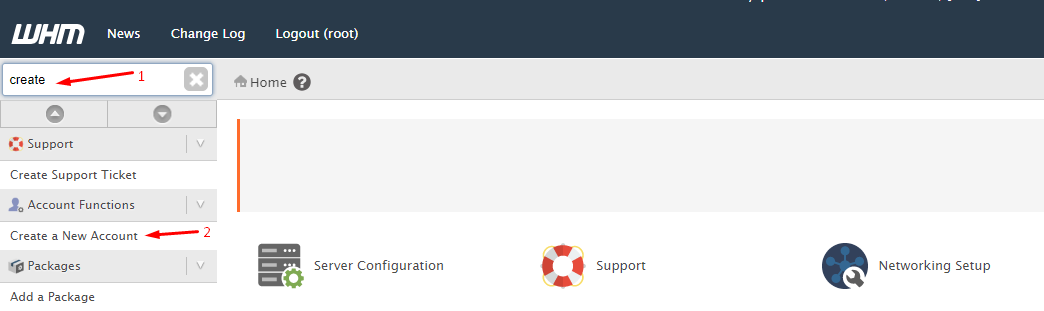
Step 1: Login into the WHM control panel. Type “create” in the search bar, then click on “Create a New Account” to add the cPanel account.
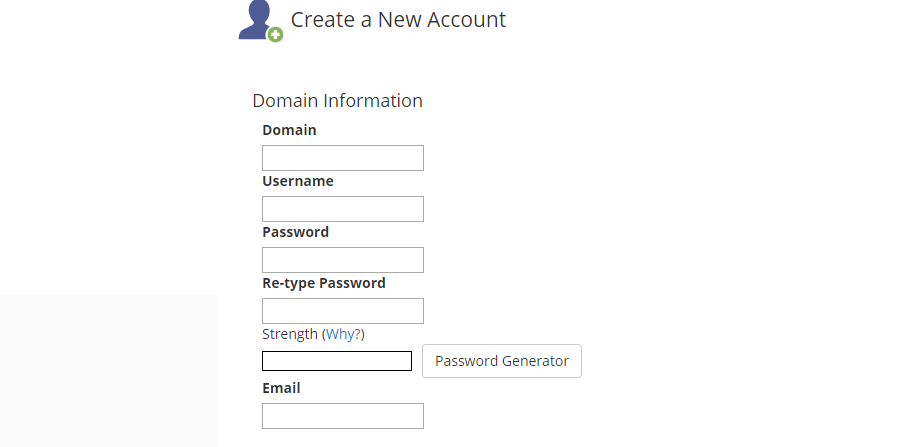
Step 2: In the Domain Information, type the domain name, username, password, re-enter the password, and type the email address.
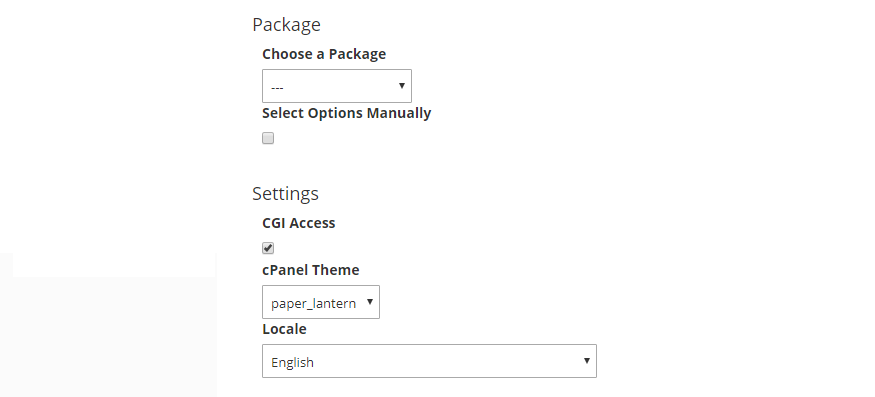
Step 3: Under the Package, select a package already created. In Settings, the WHM user can select the language and theme as well.
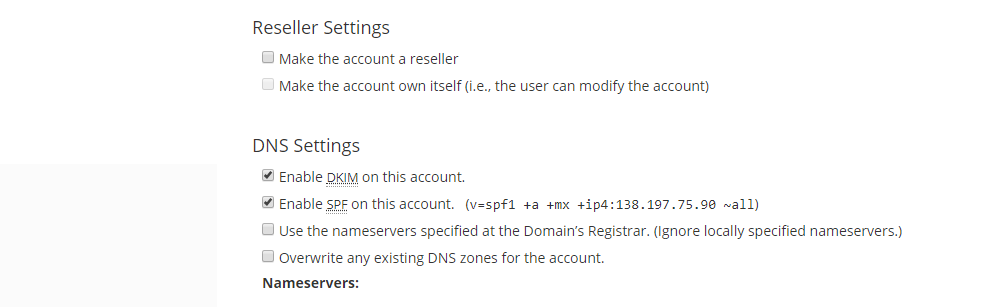
Step 4: In the “Reseller Settings” and “DNS Settings,” the reseller has to make the final decision.
Step 5: Under the “Mail Routing Settings,” let cPanel take care of the things, or you can make changes to it as well.

Step 6: Now, click on “CREATE” to complete the process.
The WHM will create a new account in an instant, and the reseller can send the credentials to the customer.










