

Kubernetes on a Linux server is the practice of running the Kubernetes container orchestration platform on Linux hosts to deploy, scale, and manage containerized applications.
It uses a control plane and worker nodes, supports container runtimes like containerd, and automates scheduling, networking, storage, updates, and self-healing across one or many servers. Getting started with Kubernetes on a Linux server can feel complex, but with the right guidance it’s straightforward and rewarding.
This guide explains Kubernetes architecture, prerequisites, a clean kubeadm installation on Ubuntu/Debian-based systems, production hardening, and real-world tips from hands-on hosting experience—so you can run reliable clusters on bare metal or virtual machines with confidence.
What is Kubernetes and How it Works on Linux?
Kubernetes (K8s) is an open-source system that automates deployment, scaling, and management of containerized applications. On Linux, Kubernetes runs as system services that coordinate workloads across a cluster of nodes.
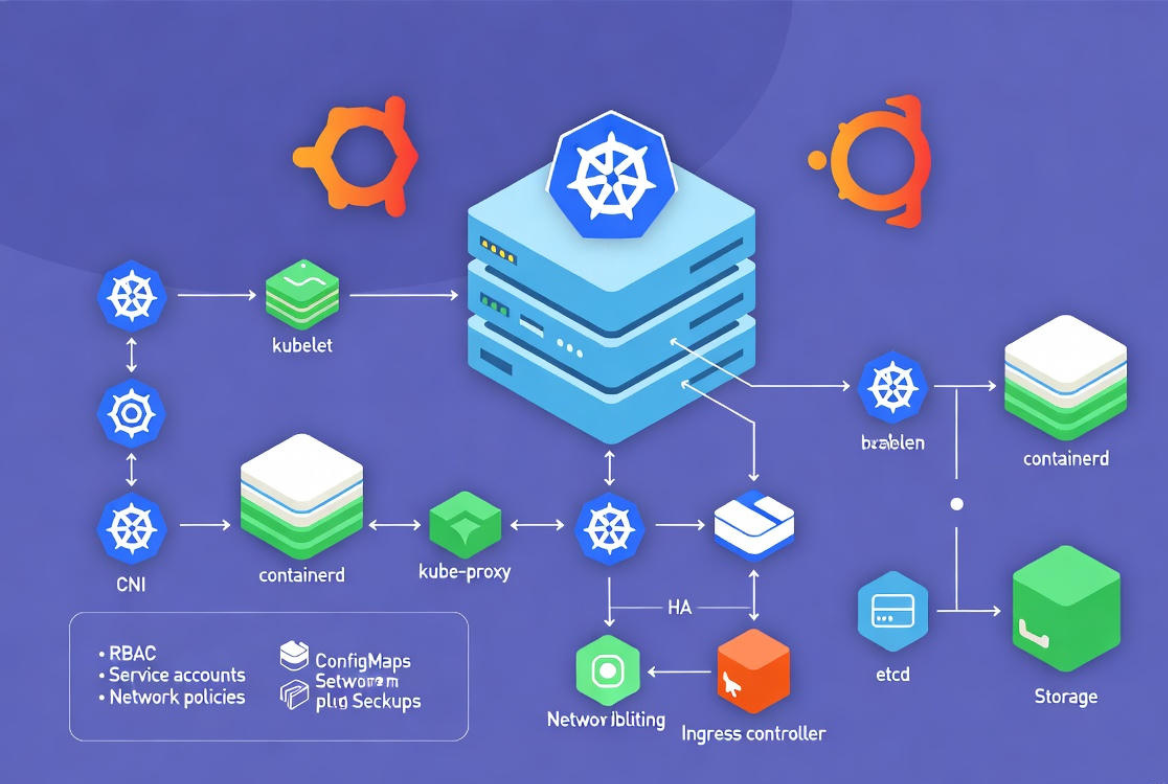
You interact with it via kubectl to submit desired state (YAML manifests); Kubernetes reconciles actual state to match your intent.
Kubernetes Architecture (Simple Overview)
- Control plane (usually on one or more Linux servers): kube-apiserver (front door), etcd (key-value store), kube-scheduler (pod placement), kube-controller-manager (reconciliation logic), optional cloud-controller-manager.
- Worker nodes: Run kubelet (node agent), kube-proxy (service networking), and a container runtime (commonly containerd). They host your Pods, which are the smallest deployable units.
- Cluster add‑ons: CNI networking (Calico, Cilium, Flannel), DNS/CoreDNS, metrics-server, Ingress controller (NGINX, Traefik), storage drivers (CSI).
Key Kubernetes Objects You’ll Use
- Pod: One or more containers that share networking and storage.
- Deployment: Manages stateless Pods with rolling updates and rollbacks.
- Service: Stable virtual IP and DNS name to reach Pods (ClusterIP, NodePort, LoadBalancer).
- Ingress: HTTP/HTTPS routing to Services with TLS termination.
- ConfigMap/Secret: Inject configuration and sensitive data.
- PersistentVolume (PV)/Claim (PVC): Durable storage via CSI drivers.
Quick note: Docker is a toolchain for building and running containers. Kubernetes is the orchestrator. Today, Kubernetes prefers CRI-compatible runtimes like containerd; you can still build images with Docker and run them on Kubernetes via containerd.
Prerequisites for Running Kubernetes on a Linux Server
System Requirements (Minimum and Practical)
- Control plane node: 2 vCPU, 4–8 GB RAM (minimum); 40+ GB SSD; Ubuntu 22.04 LTS or Debian 12; stable network; NTP/time sync.
- Worker node: 2 vCPU, 4+ GB RAM (more for production workloads); 40+ GB SSD.
- Kernel features:
br_netfilter,overlay, iptables (nft or legacy) properly configured. - Swap disabled: Kubernetes requires swap off (unless specially configured).
Networking and Required Ports
- Control plane: 6443/TCP (API server) open to nodes; etcd peer ports open between control planes.
- Workers: allow node-to-node Pod traffic per your CNI (often 4789/UDP for VXLAN or BPF-based flows for Cilium).
- Ingress and apps: expose 80/443 or app ports via Ingress/Service as needed.
- Ensure
sysctlvalues route bridged traffic through iptables and enable IP forwarding.
Security and OS Tuning
- Create a non-root sudo user for ops; use SSH keys, disable password logins.
- Keep the OS updated; pin Kubernetes versions to avoid surprise upgrades.
- Use
systemdcgroups in containerd for Kubernetes compatibility. - Plan DNS, internal domains, and TLS early; enable time sync (chrony/systemd-timesyncd).
Step-by-Step: Install Kubernetes on a Linux Server (kubeadm)
The following concise steps target Ubuntu/Debian hosts using containerd. Run on all nodes unless noted. Replace versions to match your target Kubernetes minor release.
1) Prepare the OS
sudo swapoff -a
sudo sed -i.bak '/ swap / s/^\(.*\)$/#\1/' /etc/fstab

cat <<'EOF' | sudo tee /etc/modules-load.d/k8s.conf
overlay
br_netfilter
EOF
sudo modprobe overlay
sudo modprobe br_netfilter

cat <<'EOF' | sudo tee /etc/sysctl.d/99-kubernetes-cri.conf
net.bridge.bridge-nf-call-iptables = 1
net.bridge.bridge-nf-call-ip6tables = 1
net.ipv4.ip_forward = 1
EOF
sudo sysctl --system
2) Install containerd and configure systemd cgroups
sudo apt-get update
sudo apt-get install -y ca-certificates curl gnupg apt-transport-https
sudo apt-get install -y containerd

# Generate default config and enable systemd cgroups
sudo mkdir -p /etc/containerd
containerd config default | sudo tee /etc/containerd/config.toml > /dev/null
sudo sed -i 's/SystemdCgroup = false/SystemdCgroup = true/' /etc/containerd/config.toml

sudo systemctl enable --now containerd
3) Install kubeadm, kubelet, and kubectl
sudo mkdir -p /etc/apt/keyrings
curl -fsSL https://pkgs.k8s.io/core:/stable:/v1.30/deb/Release.key | \
  sudo gpg --dearmor -o /etc/apt/keyrings/kubernetes-apt-keyring.gpg
echo 'deb [signed-by=/etc/apt/keyrings/kubernetes-apt-keyring.gpg] https://pkgs.k8s.io/core:/stable:/v1.30/deb/ /' | \
  sudo tee /etc/apt/sources.list.d/kubernetes.list

sudo apt-get update
sudo apt-get install -y kubelet kubeadm kubectl
sudo apt-mark hold kubelet kubeadm kubectl
4) Initialize the control plane (run only on the first control node)
# Replace CIDR with your CNI's default (e.g., Calico often 192.168.0.0/16)
sudo kubeadm init --pod-network-cidr=192.168.0.0/16

# Configure kubectl for your user
mkdir -p $HOME/.kube
sudo cp -i /etc/kubernetes/admin.conf $HOME/.kube/config
sudo chown $(id -u):$(id -g) $HOME/.kube/config
5) Install a CNI plugin (networking)
Choose one: Calico (policy-rich), Cilium (eBPF performance/observability), or Flannel (simple). Example with Calico:
kubectl apply -f https://raw.githubusercontent.com/projectcalico/calico/v3.27.3/manifests/calico.yaml6) Join worker nodes
On each worker, use the join command printed by kubeadm init. If you lost it, create a new token:
kubeadm token create --print-join-command7) Deploy a test workload
kubectl create deployment hello --image=nginx:1.25
kubectl expose deployment hello --port=80 --type=NodePort
kubectl get pods -o wide
kubectl get svc hello
Access the NodePort from any node’s IP and the listed port, or install an Ingress controller and create an Ingress for clean HTTP routing.
Production Considerations for Linux-Based Kubernetes
High Availability and Upgrades
- Run 3 control plane nodes for quorum; keep etcd local and back it up regularly.
- Stagger upgrades: upgrade control planes first, then workers. Use
kubeadm upgradeand drain nodes gracefully. - Spread nodes across failure domains (different hosts/racks/availability zones).
Networking, Ingress, and Load Balancing
- Select a CNI that aligns with your needs: Calico (NetworkPolicy), Cilium (eBPF, Hubble), Flannel (simplicity).
- Install an Ingress controller (NGINX or Traefik) for HTTP/HTTPS and Let’s Encrypt automation.
- On bare metal, emulate cloud LoadBalancer with MetalLB; otherwise use NodePort or external reverse proxies.
Storage and Data Durability
- Use CSI drivers for dynamic volumes (Rook-Ceph, OpenEBS, NFS, or your SAN/NAS vendor driver).
- Separate ephemeral Pod storage from persistent data; monitor disk IO and inodes.
- Back up etcd and application data; test restores regularly.
Security Hardening
- Enable RBAC; use least-privilege ServiceAccounts and scoped Roles.
- Enforce admission controls: Pod Security admission (Baseline/Restricted), image signing/verification where possible.
- Encrypt Secrets at rest; consider KMS providers. Restrict etcd access and secure backups.
- Apply NetworkPolicies to default-deny and allow only required traffic.
- Scan images (Trivy, Clair) and pin to immutable tags; avoid running as root; drop unnecessary Linux capabilities.
Observability and Reliability
- Metrics and alerts: Prometheus + Alertmanager; visualize with Grafana.
- Logging: Fluent Bit/Vector + Elasticsearch/OpenSearch or cloud logging.
- Autoscaling: enable metrics-server, use HPA/VPA; cluster autoscaler if on a platform with elastic nodes.
- Resilience: liveness/readiness/startup probes, PodDisruptionBudgets, affinity/anti-affinity, and topology spread.
Common Pitfalls and Troubleshooting Tips
- Pods not scheduling: Check
kubectl get nodesandtaints. Ensure CNI installed; control plane taints block apps unless tolerated. - Network issues: Verify
br_netfilter, sysctls, firewall rules, and CNI DaemonSets. Confirm Pod IPs and routing withkubectl get pods -o wide. - Image pull errors: Set imagePullSecrets for private registries; confirm DNS/CoreDNS works.
- Kubelet not ready: Mismatch in cgroups; ensure containerd SystemdCgroup=true and restart services.
- Cluster certificates expired: Use
kubeadm certs check-expirationand rotate before outage windows.
When to Use Managed Services or a Hosting Partner
Self-managing Kubernetes on Linux offers control and efficiency, but it demands steady ops discipline: patching, backups, security, and on-call troubleshooting. If your team prefers to focus on applications, consider a managed Kubernetes option or a provider that delivers Kubernetes-ready Linux servers with pre-tuned networking, storage, and monitoring.
FAQs:
Can I run Kubernetes on a single Linux server?
Yes. You can run a single-node cluster for development by initializing with kubeadm init and then removing the control-plane taint so it schedules workloads locally. For production, add separate worker nodes and implement high availability for the control plane and etcd.
Is Docker required for Kubernetes on Linux?
No. Kubernetes now prefers CRI-compatible runtimes like containerd or CRI-O. You can still build images with Docker and push them to a registry; the cluster will run them through containerd.
What are the minimum requirements for a small cluster?
A practical start is one control plane (2 vCPU, 4–8 GB RAM) and two workers (each 2 vCPU, 4+ GB RAM) with SSDs, swap disabled, and a CNI like Calico or Cilium. For resilience, move to three control planes and enterprise-grade storage.
How do I expose my app to the internet on bare metal?
Install an Ingress controller (NGINX or Traefik), assign public DNS to node IPs or a load balancer, and use MetalLB for type LoadBalancer services. Terminate TLS via Ingress with Let’s Encrypt and automate certificate renewals.
What’s the best way to learn Kubernetes on Linux safely?
Start with a lab: three small VMs, kubeadm install, Calico networking, and a sample app. Add metrics-server, set resource requests/limits, and practice deployments, rollbacks, and NetworkPolicies. Once confident, design HA, backups, and monitoring before moving to production hardware or cloud.




