

Are you thinking about moving away from Divi?
Maybe your site feels slower than it should. Maybe you’re worried about Core Web Vitals. Or perhaps you’ve heard about shortcode lock in and you’re wondering what would happen if you ever deactivate Divi. These are real concerns, and you’re not alone in asking these questions.
Divi is powerful. It gives you design freedom, ready made layouts, and strong visual controls. But as WordPress has evolved, expectations have changed. Speed matters more. Clean code matters more. Long term flexibility matters more. And if you run a WooCommerce store, membership site, or high traffic blog, performance is no longer optional.
So the real question is: What builder gives you the same flexibility as Divi, but with better speed, cleaner output, and less future risk?
In this article, you’ll find the 8 best Divi alternatives for speed and flexibility in 2026. Each option is chosen based on real factors that actually impact your website, performance, design control, lock in risk, pricing value, and long term stability.
Whether you are a blogger, an agency owner, a developer, or running an online store, you’ll see clearly which builder fits your workflow. No hype. No bias. Just practical comparisons so you can make a confident decision.
What to Look for in a Divi Alternative
Before you pick a new builder, align your choice with how you work and what you’re building. Having implemented and migrated dozens of builder stacks across content, ecommerce, and membership sites, these are the factors that matter most.
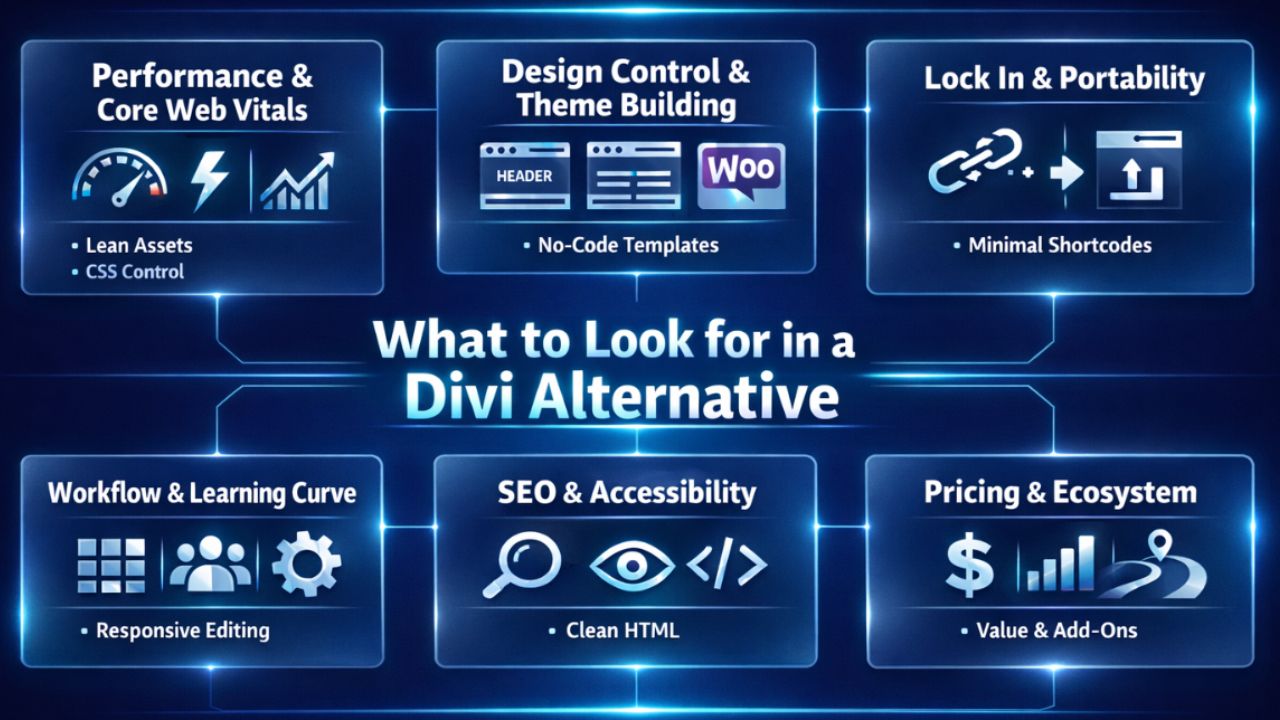
- Performance and Core Web Vitals: How lean are the front end assets? Can you control container/section output, critical CSS, and lazy loading?
- Design Control and Theme Building: Can you design headers, footers, archives, single templates, and WooCommerce product/category pages without code?
- Lock In and Portability: If you deactivate the builder, does your content degrade gracefully (minimal shortcodes), and can you reuse templates elsewhere?
- Workflow and Learning Curve: Visual controls, responsive editing, CSS Grid/Flexbox support, and role permissions for teams and clients.
- SEO and Accessibility: Clean HTML, semantic headings, aria attributes, skip links, and schema support via plugins or native blocks.
- Pricing and Ecosystem: Cost for the features you actually need, marketplace of add-ons, updates, and company roadmap.
8 Best Divi Alternatives for WordPress in 2026, Apr
If you are looking for better speed, cleaner code, and more flexibility than Divi, these options are worth serious consideration. Each builder below is evaluated for performance, design control, SEO impact, and long term reliability. Compare them carefully to choose the one that fits your workflow and website goals.
1) Gutenberg (Block Editor) + Kadence or GenerateBlocks
For maximum speed and minimal lock in, the native Gutenberg editor with a lightweight theme (Kadence or GeneratePress) and a block suite (Kadence Blocks or GenerateBlocks) is the most future proof path. You build with core blocks enhanced by a thin layer of styling and container logic.
- Best for: Performance first sites, publishers, long term SEO, maintainability.
- Pros: Native to WordPress, clean markup, tiny payload, Full Site Editing compatibility, excellent Core Web Vitals potential.
- Cons: Fewer “flashy” widgets vs. page builders, learning curve for advanced layouts, template control varies by theme.
Why it wins: Your content remains portable and readable without the plugin. With Kadence/GenerateBlocks, you get responsive grids, spacing, and design tokens without bloat.
2) Elementor Pro
Elementor is the most popular Divi rival with deep design freedom, a large widget library, and a mature Theme Builder for headers, footers, archives, and WooCommerce templates.
- Best for: Agencies, freelancers, and creators who want speed of design and a massive ecosystem.
- Pros: Visual theme building, WooCommerce Builder, Loop Grids, huge template kits, third party add-ons.
- Cons: Can be heavy if over widgeted, careful optimization needed for CWV; free/pro split means key features require Pro.
Elementor vs Divi: Both are visual builders with robust design control. Elementor generally offers broader third party support and more granular responsive controls, while Divi’s shortcode lock in is often a migration pain point.
3) Bricks Builder
Bricks is a theme based visual builder that outputs clean, performant markup and appeals to power users and developers. It supports CSS Grid, query loops, dynamic data, and custom fields out of the box.
- Best for: Developers, complex sites, dynamic content, and sites chasing top‑tier performance.
- Pros: Fast front end, fine control of HTML/CSS, powerful query loops, ACF/Meta Box support, lifetime plan options.
- Cons: Smaller ecosystem than Elementor, steeper learning curve for non technical users.
Why it wins: Bricks strikes a rare balance between visual building and developer grade control. Great for custom directories, membership sites, or complex content models.
4) Beaver Builder + Beaver Themer
Beaver Builder is the “reliability first” option. Paired with Beaver Themer, you get rock solid template control without UI gimmicks.
- Best for: Agencies prioritizing stability, clean code, and long maintenance cycles.
- Pros: Mature codebase, predictable updates, client friendly, excellent support.
- Cons: Fewer flashy design elements, add-ons often required for niche widgets, theme builder sold separately.
Takeaway: If you manage many client sites and need minimal surprises, Beaver Builder is a safe long term bet.
5) Breakdance Builder
Breakdance focuses on speed, modern layout tools, and an all in one approach. It includes a robust WooCommerce Builder and strong marketing elements out of the box.
- Best for: Creators and shops needing fast setup, WooCommerce templates, and solid performance.
- Pros: Clean output, good defaults, visual theme building, fewer plugins needed.
- Cons: Younger ecosystem than Elementor or Beaver, smaller third party marketplace.
6) Thrive Architect
Thrive Architect is built for marketers. It prioritizes conversion elements, on page testing workflows, and integrates well with email and funnel tools. The Thrive Suite expands this into a comprehensive marketing platform.
- Best for: Landing pages, funnels, lead gen, course and membership sales.
- Pros: Conversion focused blocks, templates for opt-ins and sales pages, tight marketing integrations.
- Cons: Less developer oriented, can be heavier than native blocks, suite pricing adds up but provides value.
7) SeedProd
Originally a coming soon/maintenance page tool, SeedProd now offers a lightweight landing page builder with theme building features aimed at speed and simplicity.
- Best for: Fast landing pages, micro sites, and simple funnels without a complex builder.
- Pros: Snappy, focused feature set, easy for beginners, solid templates.
- Cons: Not as deep for complex, dynamic websites as Bricks or Elementor Pro.
8) Brizy
Brizy offers a very friendly UI and good looking templates, making it attractive for beginners who want to move quickly without wrestling with advanced controls.
- Best for: Simple business sites, portfolios, and quick marketing pages.
- Pros: Clean interface, fast to prototype, global styling is intuitive.
- Cons: Smaller ecosystem, less fine grained dev control vs. Bricks or Oxygen style builders.
Also Read: Affordable Dedicated Server Providers in India
Detailed Comparison of the 8 Best Divi Alternatives for Speed and Flexibility in 2026
| Builder | Best For | Performance | Lock In Risk | WooCommerce Support | Pricing Model |
| Gutenberg + Block Suite | SEO focused sites, publishers | Very High | Very Low | Moderate | Free + optional premium blocks |
| Elementor Pro | Agencies, designers | Good (needs optimization) | Medium | Strong built in builder | Annual subscription |
| Bricks Builder | Developers, dynamic sites | High | Low | Strong native support | Annual / Lifetime |
| Beaver Builder + Themer | Agencies needing stability | Stable & reliable | Medium | Good | Annual subscription |
| Breakdance | WooCommerce stores | High | Low Medium | Strong built in builder | Annual subscription |
| Thrive Architect | Funnels & marketing sites | Moderate | Medium | Moderate | Annual Suite subscription |
| SeedProd | Landing pages | Lightweight & fast | Low | Basic Moderate | Annual subscription |
| Brizy | Beginners, simple sites | Moderate | Medium | Moderate | Annual / Cloud plans |
Quick Recommendations by Use Case
- Fastest and most future proof: Gutenberg + Kadence Blocks or GenerateBlocks.
- Design freedom and ecosystem: Elementor Pro.
- Developer control and dynamic content: Bricks Builder.
- Rock solid agency stack: Beaver Builder + Beaver Themer.
- WooCommerce templates with minimal fuss: Breakdance or Elementor Pro.
- Conversion focused landing pages: Thrive Architect or SeedProd.
Divi vs Elementor vs Bricks vs Gutenberg: Performance and SEO
Performance depends on what you build, but patterns are consistent. Gutenberg with a lightweight theme almost always ships the smallest payload. Bricks tends to output lean markup and offers granular control.
Elementor can perform well with restraint, but stacking heavy widgets affects LCP and CLS. Divi’s shortcode model often adds bloat and migration friction.
- For Core Web Vitals: Prioritize minimal DOM size, image optimization, careful use of sliders/forms, and limit global animations.
- For SEO: Keep semantic headings, descriptive alt text, accessible navigation, and let a dedicated SEO plugin handle schema and meta.
How to Migrate from Divi Without Losing SEO
Divi leaves shortcodes in the content when deactivated. Plan the switch methodically to preserve rankings and reduce cleanup time.
- Audit: Crawl your site (Screaming Frog) to inventory templates, page types, and key URLs. Note custom post types, ACF fields, and WooCommerce templates.
- Choose your stack: Pick one alternative that fits your use case. Don’t mix multiple builders on the same template.
- Staging first: Clone to staging. Install your new theme/builder and recreate global header/footer, single, and archive templates.
- Rebuild priority pages: Start with pages driving traffic/revenue. Match content, headings, internal links, and schema.
- Shortcode cleanup: After replacing Divi layouts, remove orphaned shortcodes carefully.
- QA and Core Web Vitals: Test layouts, forms, checkout, and performance. Compare before/after with Lighthouse or WebPageTest.
- Launch with checks: Maintain URLs, titles, metas, and canonical tags. Only use 301s if structure changes.
// Strip shortcodes on front end during migration (use with caution)
add_filter('the_content', function ($content) {
    if (defined('WP_CLI') && WP_CLI) {
        return $content;
    }
    return strip_shortcodes($content);
});
Tip: Use the snippet temporarily on staging to spot residual shortcodes and fix pages. For production cleanup, consider a dedicated plugin or manual edits to avoid removing shortcodes you still rely on elsewhere.
Pricing Snapshot and Value Considerations
While exact prices change, the value calculus is stable: pay for features you’ll actually ship with. Builders with lifetime options (e.g., Bricks in some tiers) favor long term ROI.
Elementor Pro, Beaver (with Themer), and Thrive Suite follow annual subscriptions but bring proven ecosystems and support that can save weeks per year.
- Lowest ongoing cost: Gutenberg + lightweight blocks (Kadence/GenerateBlocks).
- Best ecosystem ROI: Elementor Pro for breadth; Beaver for stability; Thrive for marketing stack consolidation.
- Best lifetime value (when available): Bricks Builder for developer led projects.
Real World Scenarios
Creator or Membership Site
Use Bricks + a membership/LMS plugin for custom dashboards and dynamic content, or Gutenberg + Kadence for lean performance. For marketing heavy funnels, Thrive Architect streamlines opt-ins and sales pages.
Agency Managing 30+ Client Sites
Beaver Builder + Beaver Themer offers predictable updates, fewer regressions, and fast handoff to clients. Pair with a utility CSS or design tokens system for consistent rollouts.
WooCommerce Store
Breakdance or Elementor Pro’s WooCommerce Builder can deliver high converting PDPs and custom PLPs fast. If performance is paramount, consider Bricks or a Gutenberg first approach with carefully chosen product blocks.
FAQs
Is Elementor better than Divi for beginners?
Yes for many users. Elementor’s interface feels more modular, with extensive templates and third party add-ons. It also separates free and Pro features clearly. Divi is capable, but its shortcode lock in and heavier default output make long term maintenance trickier.
Which Divi alternative is fastest?
Gutenberg with a lightweight theme and minimal block plugins is typically fastest. Among visual builders, Bricks and a well optimized Elementor build can perform very well. Performance always depends on actual page design, media, and third party scripts.
What’s the least “locked in” page builder?
Gutenberg is native and lowest lock in. Bricks outputs cleaner markup with minimal shortcodes compared to classic shortcode builders. Elementor is moderate more portable than Divi but still requires care when switching away.
Can I switch from Divi without breaking SEO?
Yes. Rebuild templates on staging, match URLs and on page elements (titles, headings, internal links), migrate schema via an SEO plugin, and only change URLs if necessary. Clean up shortcodes after replacing layouts. Test performance and UX before going live.
What’s the best Divi alternative for WooCommerce?
For speed to market, Breakdance or Elementor Pro with WooCommerce Builder. For performance and deep control, Bricks or a Gutenberg first stack with a strong Woo plugin suite. Always test cart/checkout UX and mobile CWV before launch.
Conclusion
If you crave speed and future proof content, choose Gutenberg with Kadence or GenerateBlocks. If you want plug and play flexibility and a huge ecosystem, go Elementor Pro. Developers and complex builds will thrive on Bricks.
Agencies needing stability should reach for Beaver Builder. Any of these are excellent Divi alternatives, pick the one that aligns with your workflow and performance goals.



