Paying more doesn’t always mean getting better WordPress hosting. I’ve seen many affordable hosting providers deliver faster performance, stronger security, and better support than plans that cost significantly more.
That’s exactly why I put this guide together. Instead of looking only at the lowest price, I compared each hosting provider for performance, WordPress features, security, support quality, and overall value before including it in this list. Where a cheap plan runs out of resources, stepping up to a WordPress VPS is the cheapest reliable fix.
Take a few minutes to compare these hosting providers properly. A better decision today can save you money, improve your website’s performance, and spare you the hassle of switching hosts later.
How We Selected and Tested Cheap WordPress Hosting
This guide was researched by Sanjeet Chauhan, who worked alongside a team of 13 hosting researchers, WordPress specialists, and technical writers. Over three months, we evaluated leading cheap WordPress hosting providers using a structured comparison methodology that focused on real website performance, pricing transparency, WordPress features, customer support, security, and long term value instead of marketing claims alone.
| Testing Factor | Tools & Methods Used | Why It Matters |
| Website Speed & Performance | GTmetrix, Google PageSpeed Insights, WebPageTest | Faster websites improve user experience and Core Web Vitals. |
| WordPress Features | Official documentation, WordPress setup, migration, control panel review | Confirms each host offers essential WordPress management tools. |
| Security & Reliability | SSL verification, backup policies, malware protection, uptime guarantees | Protects websites against common security risks and downtime. |
| Pricing & Value | Starting price, renewal pricing, feature comparison | Shows the true long term cost instead of introductory discounts. |
| Customer Support | Live chat testing, documentation review, response quality | Measures how quickly and accurately users receive technical help. |
| Scalability | Upgrade options, storage, website limits, hosting plans | Ensures the hosting can grow as website traffic increases. |
| Ease of Use | WordPress installation, dashboard experience, account management | Helps beginners launch and manage websites without technical difficulties. |
| Overall Recommendation | Feature comparison, performance analysis, value assessment | Final rankings are based on overall quality rather than a single feature. |
10 Best Cheap WordPress Hosting in India 2026
After comparing pricing, performance, WordPress features, security, and customer support, these hosting providers stand out as the best affordable options for bloggers, businesses, developers, and growing websites.
1. YouStable – Accepts UPI Payments with Hindi Support
Best for: Bloggers, small businesses, WooCommerce stores, agencies, portfolios, & startups needing affordable WordPress hosting.
Price: Starts at ₹59/month.
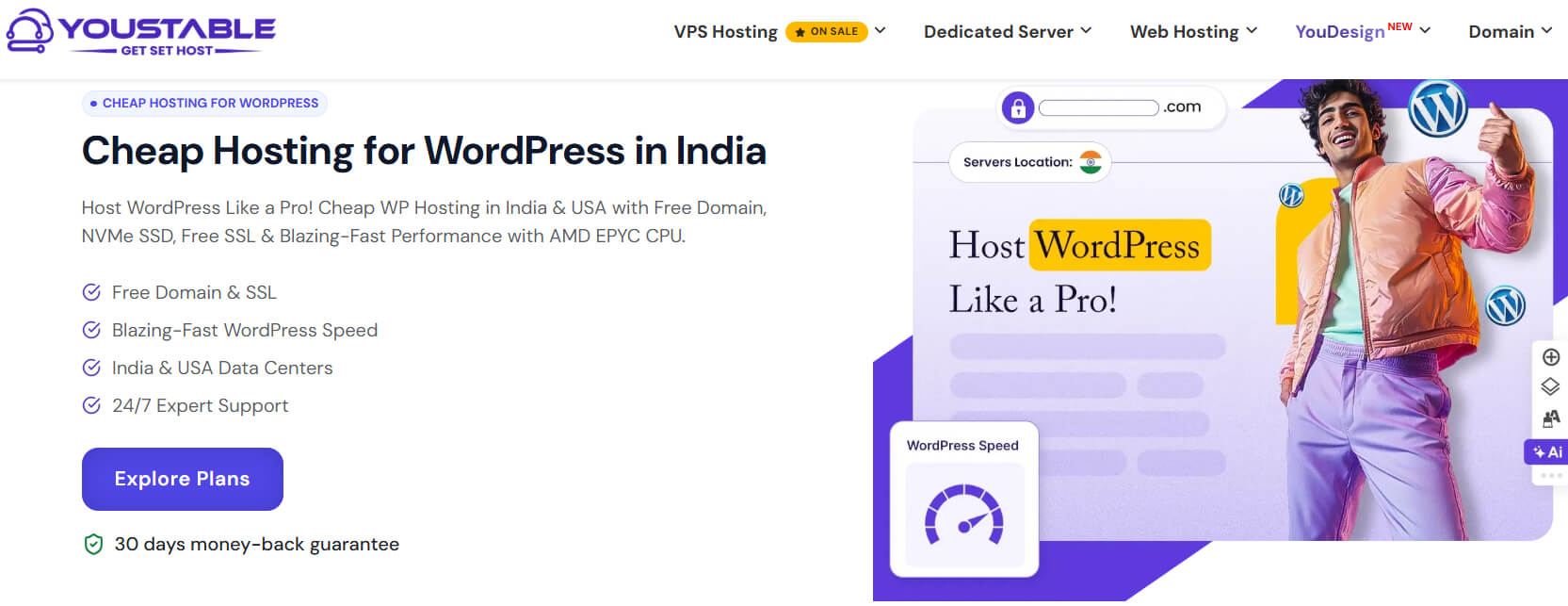
YouStable offers cheap WordPress hosting in India with plans starting at just ₹59/month. Every plan includes NVMe SSD storage, LiteSpeed web server, free SSL, Imunify360 security, one click WordPress installation, unlimited bandwidth, and a 30 day money back guarantee.
Annual plans include a free domain, free website migration, AccelerateWP with LSCache, weekly backups, DirectAdmin, UPI payments, Hindi support, renewal at the same price, plus up to 80% savings and 3 extra months free on eligible plans.
Overall, YouStable combines affordable pricing with features that genuinely improve WordPress performance. India and USA server locations, 99.9% uptime, 24/7 expert support, AI optimized caching, and transparent pricing make it a reliable choice for blogs, businesses, and WooCommerce websites.
Key Features of YouStable
Every YouStable plan includes performance, security, and beginner friendly tools that help launch and manage WordPress websites without increasing overall hosting costs.
- NVMe SSD Storage with LiteSpeed: NVMe SSD storage with LiteSpeed web server and LSCache delivers faster page loading, smoother browsing, and improved WordPress performance.
- Imunify360 Security Protection: Imunify360 security, free SSL certificates, malware protection, and proactive monitoring help safeguard WordPress websites against common online threats.
- Free Domain and Website Migration: Annual plans include a free domain, free website migration, and one click WordPress installation for an easier website setup experience.
- AccelerateWP with AI Caching: AccelerateWP optimizes WordPress performance using intelligent caching, image optimization, and code improvements to enhance loading speeds automatically.
- India and USA Data Centers: Choose India or USA server locations for lower latency, improved visitor experience, and better regional website performance and availability.
- UPI Payments and 24/7 Expert Support: Pay using UPI, receive Hindi support, weekly backups, DirectAdmin access, and round the clock expert assistance whenever technical help is needed.
Plans & Pricing
Choose the plan that matches your website’s size, budget, and growth goals while getting the same reliable WordPress hosting experience.
| Plan | Starting Price | Suitable For | Key Features |
| DaStart | ₹59/mo | Beginners, blogs & personal websites | 1 Website, 50 GB NVMe SSD, Free SSL, Unlimited Bandwidth, AccelerateWP + LSCache, Imunify360 |
| DaProfessional | ₹119/mo | Growing websites & small businesses | Up to 25 Websites, 100 GB NVMe SSD, Free Domain, SSH Access, AccelerateWP + LSCache, Imunify360 |
| DaElite | ₹219/mo | WooCommerce & high traffic websites | Unlimited Websites, 200 GB NVMe SSD, Free Domain, SSH Access, AccelerateWP + LSCache, Imunify360 |
| Common Benefits | Included in All Plans | Every Customer | Free Website Migration, One Click WordPress Install, Weekly Backups, DirectAdmin, UPI Payments, Hindi Support, 30-Day Money-Back Guarantee, Up to 80% Off + 3 Extra Months Free on eligible annual plans |
Why Choose YouStable Cheap WordPress Hosting?
YouStable gives you fast NVMe speed with LiteSpeed caching, plus free SSL, email, domain, & website migration to start easily. With UPI payments, strong security, and up to 80% discount with 3 extra months free, it delivers great value at a low cost.
2. SiteGround – Premium Managed WordPress Hosting

SiteGround is a premium managed WordPress hosting provider designed for users who prioritize speed, security, and reliable website management. Plans start at $3.99/month and include AI powered tools, free WordPress migration, and expert support.
Every plan comes with free SSL, daily backups, managed WordPress updates, advanced caching, enhanced security, and an AI assistant. Higher plans add on-demand backups, staging, white label access, and priority support for growing websites.
Key Features of SiteGround
SiteGround focuses on managed WordPress performance, automated maintenance, security, and developer friendly tools for long term growth.
- Managed WordPress Platform: Automatic WordPress updates, managed maintenance, and free migration simplify website setup while reducing ongoing management tasks.
- Advanced Performance Tools: Dynamic caching, Speed Optimizer plugin, and optimized infrastructure help websites load faster and maintain consistent performance.
- AI Website Management: Built in AI assistant and AI site management tools simplify content creation, updates, and everyday WordPress administration.
- Daily Backups and Security: Free SSL, daily backups, enhanced security, malware protection, and proactive monitoring help protect websites against common threats.
3. UltaHost – Affordable Managed Hosting Solution

UltaHost provides affordable managed WordPress hosting with plans starting at $2.8/month. It combines NVMe SSD storage, free SSL, unlimited bandwidth, and WordPress management, making it suitable for personal websites and growing businesses.
Plans include free email accounts, free WordPress manager, WP-CLI support, WordPress acceleration, unlimited databases, and a 30 day money back guarantee. Higher plans support more websites and additional monthly visitors without significantly increasing hosting costs.
Key Features of UltaHost
UltaHost combines affordable pricing with managed WordPress tools that improve website speed, security, and everyday management.
- NVMe SSD Performance: NVMe SSD storage and optimized infrastructure improve loading speeds while delivering responsive performance for WordPress websites.
- Managed WordPress Tools: Free WordPress Manager, WP-CLI, WordPress Acceleration, and automatic optimization simplify website administration for beginners and professionals.
- Unlimited Resources: Unlimited bandwidth, unlimited databases, and scalable hosting plans support growing websites without frequent resource limitations.
- Free SSL and Email: Every plan includes free SSL certificates, business email accounts, and DDoS protection for improved website security.
4. Verpex – Beginner Friendly Hosting Platform

Verpex offers beginner friendly WordPress hosting with plans starting at $3/month. The platform focuses on fast setup, LiteSpeed performance, free daily backups, and reliable customer support for personal and business websites.
Every plan includes free SSL certificates, free website migration, LiteSpeed Web Server, daily backups, cPanel, one click WordPress installation, and a 30 day money back guarantee. Higher plans support additional websites with larger NVMe SSD storage allocations.
Key Features of Verpex
Verpex delivers dependable WordPress hosting with essential features that improve speed, backups, and website management for beginners.
- LiteSpeed Web Server: LiteSpeed Web Server improves website loading speeds while handling WordPress traffic more efficiently than traditional server configurations.
- Free Daily Backups: Automatic daily backups help restore websites quickly after unexpected errors, updates, or accidental content changes.
- Free Migration and SSL: Free website migration and SSL certificates simplify moving existing WordPress websites while improving visitor security.
- cPanel and One Click Installation: cPanel with one click WordPress installation makes website management simple for beginners without requiring technical knowledge.
5. Kamatera – Flexible Cloud Hosting Platform

Kamatera offers cloud based WordPress hosting with customizable server resources instead of fixed shared hosting plans. Plans start at around $4/month, allowing users to choose CPU, RAM, storage, bandwidth, and data center locations.
Unlike traditional WordPress hosting, Kamatera lets users deploy WordPress on scalable cloud infrastructure within minutes. A 30 day free trial, global data centers, NVMe storage, and flexible monthly billing make it suitable for developers and growing projects.
Key Features of Kamatera
Kamatera focuses on flexible cloud infrastructure, allowing users to customize resources based on website performance requirements.
- Custom Cloud Resources: Select your preferred CPU, RAM, NVMe storage, bandwidth, and operating system without paying for unnecessary resources.
- Global Data Centers: Deploy WordPress servers across multiple worldwide data centers to reduce latency and improve visitor experience.
- Flexible Monthly Billing: Pay monthly or hourly while upgrading server resources anytime without migrating your existing WordPress website.
- One Click WordPress Deployment: Launch a ready to use WordPress server quickly with preconfigured templates designed for faster deployment and easier management.
6. HostGator India – Reliable Beginner Hosting Choice

HostGator offers managed WordPress hosting with plans starting at $4.5/month. It combines free domain registration, SSL certificates, malware protection, Cloudflare CDN, and pre-installed WordPress for users launching their first website.
Every plan includes unlimited bandwidth, AI powered malware detection, automatic WordPress installation, phone and chat support, plus weekly backups on selected plans. Higher plans increase website limits, storage, and overall performance.
Key Features of HostGator
HostGator simplifies WordPress hosting through managed features, built in security, and beginner friendly website management tools.
- Free Domain and SSL: Receive a free domain for one year, SSL certificate, and WordPress pre-installed for faster website launches.
- Cloudflare CDN Integration: Cloudflare CDN improves website speed while reducing loading times for visitors across different geographic regions.
- AI Malware Protection: AI powered malware detection and automatic security monitoring help keep WordPress websites protected against common online threats.
- Managed WordPress Environment: Automatic updates, optimized performance, unlimited bandwidth, and expert support reduce daily website management responsibilities.
7. Cloudways – Managed High Performance Cloud

Cloudways delivers managed cloud WordPress hosting on leading cloud providers with plans starting at $14/month. It targets growing businesses that need dedicated resources, higher performance, and simplified cloud server management.
The platform includes ThunderStack optimization, automatic backups, staging environments, free SSL, managed security, and 24/7 expert support. Unlike shared hosting, every plan provides dedicated cloud resources for improved website stability.
Key Features of Cloudways
Cloudways combines managed cloud infrastructure with performance optimization tools for high traffic WordPress websites and online businesses.
- Managed Cloud Infrastructure: Run WordPress on dedicated cloud servers without handling complex server setup or maintenance tasks yourself.
- ThunderStack Performance: ThunderStack combines advanced caching technologies to improve website speed, scalability, and overall WordPress performance.
- Automatic Backups and Staging: Create staging environments and automatic backups before updates to safely test website changes anytime.
- Dedicated Cloud Resources: Dedicated RAM, CPU, and NVMe storage deliver stable performance without sharing server resources with other websites.
8. Bluehost India – Official WordPress Recommended Host

Bluehost offers WordPress hosting with plans starting at $1.99/month, making it an affordable option for beginners, bloggers, and small businesses. Every plan includes free SSL, a free domain for the first year, and WordPress pre-installed.
The platform also features an AI website builder, automatic WordPress updates, free CDN, malware scanning, and 24/7 expert support. Higher plans add enhanced performance, staging environments, and advanced backup options for growing websites.
Key Features of Bluehost
Bluehost combines beginner friendly tools with WordPress optimization, helping users build and manage websites more efficiently.
- AI Website Builder: AI powered website creation tools generate layouts and content suggestions, making WordPress setup quicker for beginners.
- Free Domain and SSL: Every eligible annual plan includes a free domain, SSL certificate, and one click WordPress installation.
- Performance Optimization: Free CDN, SSD storage, caching technologies, and optimized infrastructure improve loading speed and website responsiveness.
- Managed WordPress Tools: Automatic updates, malware scanning, staging features, and expert support simplify long term WordPress website management.
9. BigRock India – Budget Friendly Indian Hosting

BigRock provides affordable WordPress hosting for Indian users with plans starting at ₹179/month. It includes SSD storage, free SSL certificates, WordPress pre-installed, and an easy to use control panel for beginners.
Plans also include automatic WordPress updates, website acceleration, malware scanning, daily backups on higher plans, and 24/7 support. The platform focuses on simple website management for blogs, portfolios, and business websites.
Key Features of BigRock
BigRock offers essential WordPress features designed for beginners seeking affordable hosting with reliable website management.
- Optimized WordPress Environment: WordPress comes pre-installed with optimized server settings for improved speed, stability, and simplified website management.
- Free SSL Security: Free SSL certificates and built in malware protection help secure WordPress websites and protect visitor information.
- Automatic Updates: Automatic WordPress core updates keep websites secure while reducing manual maintenance and compatibility concerns.
- SSD Storage Performance: SSD powered hosting delivers faster loading speeds and smoother website performance compared to traditional storage technology.
10. DigitalOcean – Developer Focused Cloud Infrastructure

DigitalOcean offers cloud infrastructure for WordPress through its Marketplace, allowing users to deploy WordPress quickly on scalable virtual machines. Pricing starts at $4/month, making it suitable for developers and experienced website owners.
Unlike traditional shared hosting, DigitalOcean provides dedicated cloud resources, flexible scaling, global data centers, automated backups, and developer tools. It works best for users comfortable managing cloud servers and WordPress environments.
Key Features of DigitalOcean
DigitalOcean provides flexible cloud infrastructure with scalable resources for developers running performance focused WordPress websites.
- One Click WordPress Deployment: Deploy WordPress from the Marketplace within minutes using preconfigured cloud server images.
- Scalable Cloud Infrastructure: Upgrade CPU, RAM, storage, and bandwidth anytime without migrating to another hosting platform.
- Global Data Centers: Multiple worldwide data center locations reduce latency and improve website performance for international audiences.
- Developer Friendly Platform: SSH access, APIs, automated backups, monitoring, and cloud management tools support advanced WordPress deployments.
How to Choose the Best Cheap WordPress Hosting in India?
Finding cheap WordPress hosting is easy, but choosing the right one requires more than comparing prices. A good hosting provider should offer fast performance, reliable security, responsive customer support, and enough resources to grow with your website. Follow these practical steps before making your final decision.
Step 1: Understand Your Website’s Requirements
Before comparing hosting companies, identify what your website actually needs. Buying a plan with unnecessary resources increases your costs, while choosing a very small plan can slow your website as traffic grows.
Think about questions like:
- Are you starting a personal blog or a business website?
- Will you run a WooCommerce store?
- How many websites do you want to host?
- How much monthly traffic do you expect?
- Will you need business email accounts?
For example, if you’re launching a simple blog or portfolio website, an entry level shared WordPress hosting plan is usually enough. However, growing businesses and WooCommerce stores should choose a plan with higher storage, better CPU resources, and room for future upgrades.
Step 2: Compare More Than Just the Starting Price
Many hosting providers advertise extremely low introductory prices to attract new customers. While these offers look appealing, the renewal price is often much higher after the first billing period.
Instead of focusing only on the cheapest monthly price, compare the complete ownership cost.
| Compare | Why It Matters |
| Starting Price | Your initial hosting expense |
| Renewal Price | Long-term hosting cost |
| Free Domain | Saves yearly registration fees |
| Free Migration | Reduces switching expenses |
| Backup Charges | Avoids unexpected additional costs |
| Money Back Guarantee | Lets you test the service with lower risk |
A hosting provider with transparent renewal pricing usually offers better long term value than one relying only on promotional discounts.
Step 3: Check Server Performance and Speed
Website speed directly affects user experience, search engine rankings, and conversion rates. Even the best designed website can lose visitors if pages load slowly.
Look for modern performance technologies such as:
- NVMe SSD storage
- LiteSpeed Web Server
- Built in caching
- HTTP/3 support
- Latest PHP versions
- CDN integration
These features help reduce loading times, improve Core Web Vitals, and deliver a smoother browsing experience for your visitors.
Step 4: Make Sure Security Features Are Included
Website security shouldn’t be treated as an optional upgrade. A reliable hosting provider should include essential protection features within the hosting plan.
Before purchasing, check whether the plan includes:
- Free SSL certificate
- Malware scanning
- Web Application Firewall (WAF)
- DDoS protection
- Automatic backups
- Account isolation
- Security monitoring
These features help protect your website against common online threats while reducing the chances of data loss.
Step 5: Choose a WordPress Optimized Hosting Platform
Not every hosting plan is optimized specifically for WordPress. Choosing WordPress focused hosting makes installation, management, and maintenance much easier.
Useful WordPress features include:
- One click WordPress installation
- Automatic WordPress updates
- Staging environment
- Easy control panel
- WordPress caching
- Website migration assistance
These tools save time and reduce technical work, especially if you’re new to website management.
Step 6: Evaluate Customer Support Carefully
Technical issues can happen at any time, so responsive customer support is an important factor when selecting a hosting provider.
Before buying, verify:
- 24/7 customer support
- Live chat availability
- Ticket response time
- Technical knowledge
- Helpful documentation
- Local language support if required
If you’re based in India, choosing a provider that supports UPI payments and offers Hindi customer support, such as YouStable, can make both purchasing and troubleshooting much more convenient.
Step 7: Compare Free Features Included with the Hosting Plan
Many providers include additional services that can save you money during the first year.
Compare whether the hosting plan includes:
- Free domain
- Free SSL certificate
- Free website migration
- Business email accounts
- Automatic backups
- CDN integration
- Email hosting
Sometimes a slightly higher priced plan offers significantly better overall value because these services are already included.
Step 8: Check Whether the Hosting Can Grow with Your Website
As your website attracts more visitors, your hosting requirements will also increase. Choosing a scalable provider helps avoid unnecessary migrations later.
Look for hosting that allows:
- Easy plan upgrades
- Higher storage options
- Additional websites
- Better CPU and RAM allocation
- Smooth migration to VPS or cloud hosting
Scalable hosting gives you flexibility as your website grows.
Step 9: Read Real Customer Reviews
Marketing pages highlight the best features, but customer reviews often reveal how the hosting performs over time.
Pay attention to reviews discussing:
- Website speed
- Uptime consistency
- Support quality
- Renewal pricing
- Ease of migration
- Overall reliability
Reading independent feedback helps you understand the actual user experience before making a purchase.
Step 10: Choose the Best Overall Value
The cheapest hosting plan isn’t always the smartest investment. Instead of selecting a provider based only on price, compare performance, security, support, included features, and long term costs together.
If you’re looking for an affordable WordPress hosting provider in India, YouStable offers an excellent balance of price and features. With NVMe SSD storage, LiteSpeed Web Server, free domain on eligible annual plans, free website migration, UPI payments, Hindi support, strong security, and transparent pricing, it provides good value for beginners, bloggers, businesses, and WooCommerce websites planning for long term growth.
FAQs
1. Which is the best cheap WordPress hosting in India?
The best choice depends on your budget and website needs. For beginners, bloggers, small businesses, and WooCommerce stores, YouStable is a strong option because it offers NVMe SSD storage, LiteSpeed, free website migration, Hindi support, UPI payments, and affordable pricing.
2. Is cheap WordPress hosting good for beginners?
Yes. Cheap WordPress hosting is suitable for beginners who want to start a blog, portfolio, or business website. Most providers include one click WordPress installation, free SSL, an easy control panel, and customer support.
3. Can I upgrade my WordPress hosting plan later?
Yes. Most hosting providers let you upgrade your plan as your website grows. You can move to a higher shared hosting plan or upgrade to u003ca href=u0022https://www.youstable.com/vps-hosting/u0022u003eu003cstrongu003eVPSu003c/strongu003eu003c/au003e or cloud hosting without rebuilding your website.
4. Does cheap WordPress hosting affect SEO?
Yes, indirectly. Fast hosting improves page speed, uptime, and Core Web Vitals, which contribute to a better user experience and can support stronger SEO performance over time.
5. What features should cheap WordPress hosting include?
A good WordPress hosting plan should include:u003cbru003eu003cstrongu003e• u003c/strongu003eNVMe SSD storageu003cbru003eu003cstrongu003e• u003c/strongu003eFree SSL certificateu003cbru003eu003cstrongu003e• u003c/strongu003eFree website migrationu003cbru003eu003cstrongu003e• u003c/strongu003eAutomatic backupsu003cbru003eu003cstrongu003e• u003c/strongu003eOne click WordPress installationu003cbru003eu003cstrongu003e• u003c/strongu003e24/7 customer supportu003cbru003eu003cstrongu003e• u003c/strongu003eReliable uptimeu003cbru003eu003cstrongu003e• u003c/strongu003eEasy upgrade options
Conclusion
Cheap hosting has improved a lot over the last few years. Today, you can get NVMe storage, strong security, free migration, automatic backups, and reliable support without spending thousands of rupees every year.
While putting this list together, one thing became very clear. Some providers keep their prices low by removing important features, while others manage to offer a complete WordPress hosting experience without making unnecessary compromises. That’s the difference you should pay attention to.
For most bloggers, small businesses, and WooCommerce websites, YouStable offers the strongest overall value because it combines affordable pricing with fast LiteSpeed servers, NVMe SSD storage, free website migration, Hindi support, UPI payments, and transparent plans. If another provider matches your specific requirements better, that’s perfectly fine, but make sure you’re comparing features and renewal costs, not just the lowest advertised price.
In Short these are the Best Cheap WordPress Hosting in India 2026
Compare the top cheap WordPress hosting providers in India based on pricing, ideal use cases, and standout features to quickly choose the best option for your website.
| Providers | Starting Price | Best For | Key Highlight |
| YouStable | ₹59/month | Beginners, Bloggers & Businesses | NVMe SSD, LiteSpeed, Free Migration, Hindi Support & UPI Payments |
| SiteGround | $3.99/mo | Managed WordPress Websites | AI Tools, Daily Backups & Advanced Security |
| UltaHost | $2.8/mo | Small Businesses & Growing Websites | NVMe SSD, Managed WordPress & Free Email |
| Verpex | $3/mo | Beginners | LiteSpeed Server, Daily Backups & Free Migration |
| Kamatera | $4/mo | Developers & Scalable Projects | Custom Cloud Resources & Global Data Centers |
| HostGator India | $4.5/mo | First Time Website Owners | Free Domain, Cloudflare CDN & Managed WordPress |
| Cloudways | $14/mo | High Traffic Business Websites | Managed Cloud Hosting & ThunderStack Performance |
| Bluehost India | $1.99/mo | Bloggers & Small Businesses | AI Website Builder, Free Domain & WordPress Integration |
| BigRock India | ₹179/mo | Personal & Business Websites | SSD Storage, Free SSL & Automatic WordPress Updates |
| DigitalOcean | $4/mo | Developers & Advanced Users | Scalable Cloud Infrastructure & One Click WordPress Deployment |