

MySQL commands are SQL statements and MySQL specific utilities used to create databases, define tables, insert/update data, run queries, manage users, tune performance, and back up or restore data.
Common commands include CREATE, SELECT, INSERT, UPDATE, DELETE, JOIN, EXPLAIN, GRANT, and mysqldump, each with practical use in development and production.
Whether you’re deploying WordPress on a VPS or building a new app, mastering MySQL commands gives you the power to design schemas, query data efficiently, secure access, and keep reliable backups.
This beginner friendly guide covers essential MySQL commands with practical examples, tips from real hosting scenarios, and performance best practices.
What Are MySQL Commands?
MySQL commands are instructions executed via the MySQL client (mysql) or scripts to manage data in a MySQL server.
Most commands are standard SQL (ANSI), while some are MySQL specific (e.g., SHOW statements). MySQL 8.0 is the modern standard, offering transactional storage(InnoDB), roles, window functions, CTEs, and performance improvements.
Tips before you start:
- Commands end with a semicolon (;)
- Use a dedicated user with least privileges in production
- Always test destructive commands (DROP, DELETE) with a SELECT first
- Back up before schema changes
Getting Started: Connect and Inspect
Connect to MySQL (Local and Remote)
# Local
mysql -u root -p

# Specific database
mysql -u appuser -p mydb

# Remote (ensure bind-address/firewall allow)
mysql -h 203.0.113.10 -u appuser -p -P 3306 mydb
Check server and session information:
SELECT VERSION();
SHOW VARIABLES LIKE 'version%';
SHOW DATABASES;
USE mydb;
SHOW TABLES;
DESCRIBE users; -- or: SHOW COLUMNS FROM users;
Database and Table Basics
Create and Drop Databases
CREATE DATABASE IF NOT EXISTS shopdb
  DEFAULT CHARACTER SET utf8mb4
  COLLATE utf8mb4_unicode_ci;

DROP DATABASE IF EXISTS testdb;
Create Tables with Data Types and Constraints
InnoDB is the default engine in MySQL 8.0, supporting ACID transactions and foreign keys.
USE shopdb;

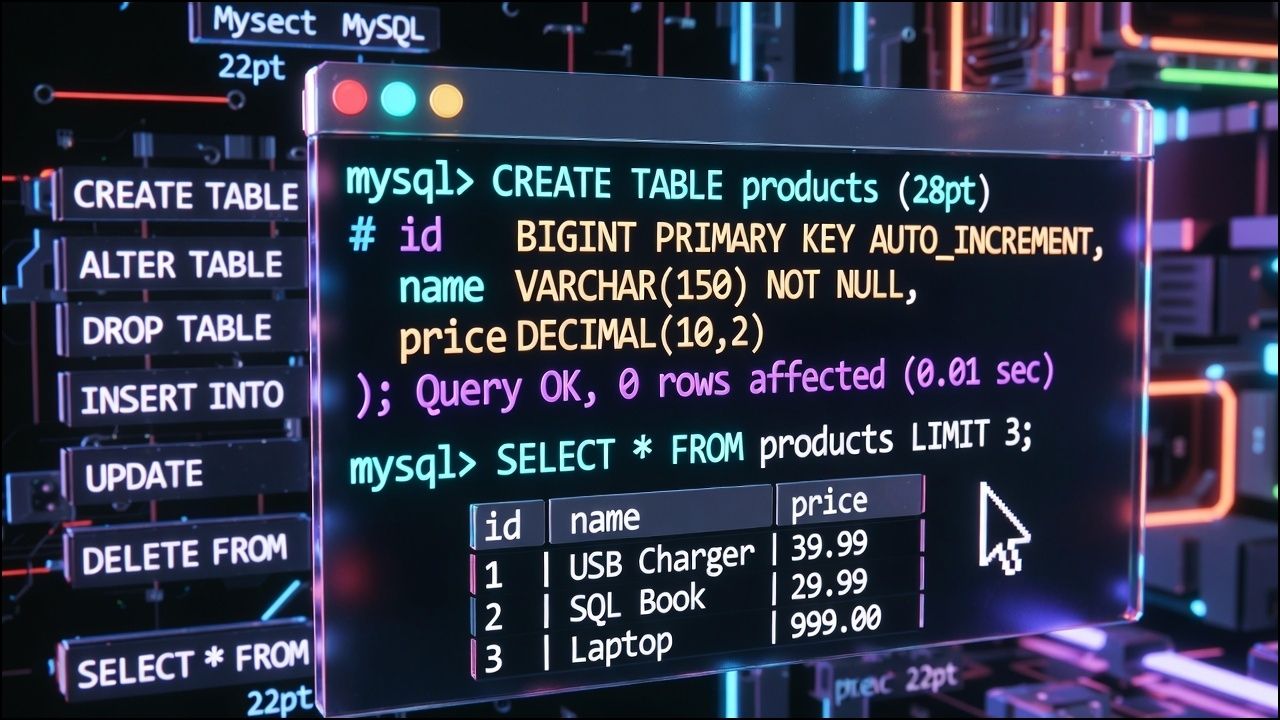
CREATE TABLE categories (
  id BIGINT UNSIGNED PRIMARY KEY AUTO_INCREMENT,
  name VARCHAR(100) NOT NULL UNIQUE
) ENGINE=InnoDB;

CREATE TABLE products (
  id BIGINT UNSIGNED PRIMARY KEY AUTO_INCREMENT,
  category_id BIGINT UNSIGNED NOT NULL,
  name VARCHAR(150) NOT NULL,
  sku VARCHAR(40) NOT NULL UNIQUE,
  price DECIMAL(10,2) NOT NULL DEFAULT 0.00,
  stock INT NOT NULL DEFAULT 0,
  created_at TIMESTAMP NOT NULL DEFAULT CURRENT_TIMESTAMP,
  updated_at TIMESTAMP NOT NULL DEFAULT CURRENT_TIMESTAMP ON UPDATE CURRENT_TIMESTAMP,
  CONSTRAINT fk_products_category
    FOREIGN KEY (category_id) REFERENCES categories(id)
    ON DELETE RESTRICT ON UPDATE CASCADE,
  INDEX idx_products_category (category_id),
  INDEX idx_products_name (name)
);
Alter Tables Safely
Always back up before altering production schemas. For large tables, consider pt-online schema change or gh-ost.
ALTER TABLE products
  ADD COLUMN is_active TINYINT(1) NOT NULL DEFAULT 1,
  MODIFY COLUMN name VARCHAR(200) NOT NULL,
  ADD INDEX idx_products_is_active (is_active);
CRUD Operations With Practical Examples
INSERT Rows (Single and Multiple)
INSERT INTO categories (name) VALUES ('Books'), ('Electronics');

INSERT INTO products (category_id, name, sku, price, stock)
VALUES
  (1, 'Database Design 101', 'BK-DB-101', 29.99, 100),
  (2, 'USB-C Charger 65W', 'EL-UC-065', 39.90, 50);
SELECT With Filters, Sorting, Limiting
-- View all products
SELECT id, name, price, stock FROM products;

-- Filter and sort
SELECT name, price
FROM products
WHERE price >= 30 AND is_active = 1
ORDER BY price DESC
LIMIT 5;

-- Pattern match
SELECT sku, name FROM products WHERE name LIKE '%Charger%';
UPDATE and DELETE With Safety
Use transactions and safe updates to avoid accidental mass changes.
SET sql_safe_updates = 1;

START TRANSACTION;
UPDATE products
SET price = price * 0.95
WHERE category_id = 2 AND stock > 10;
COMMIT;

-- Preview before delete:
SELECT id FROM products WHERE stock = 0 AND is_active = 0;

DELETE FROM products
WHERE stock = 0 AND is_active = 0
LIMIT 100; -- chunk deletes in production
Joins and Aggregations
INNER and LEFT JOIN
-- Products with category names
SELECT p.id, p.name, c.name AS category, p.price
FROM products p
INNER JOIN categories c ON c.id = p.category_id;

-- Categories including those without products
SELECT c.name AS category, COUNT(p.id) AS product_count
FROM categories c
LEFT JOIN products p ON p.category_id = c.id
GROUP BY c.id, c.name
ORDER BY product_count DESC;
GROUP BY, HAVING, and Aggregates
SELECT category_id,
       COUNT(*) AS items,
       ROUND(AVG(price), 2) AS avg_price,
       SUM(stock) AS total_stock
FROM products
GROUP BY category_id
HAVING SUM(stock) >= 50;
Indexes, Keys, and Performance
Create/Drop Indexes and Use EXPLAIN
Indexes speed up WHERE, JOIN, and ORDER BY but slow down writes. Build only what you need and review with EXPLAIN.
CREATE INDEX idx_products_price ON products(price);
DROP INDEX idx_products_price ON products;

EXPLAIN ANALYZE
SELECT p.name
FROM products p
WHERE p.is_active = 1 AND p.price BETWEEN 20 AND 40
ORDER BY p.price
LIMIT 10;
Key tips:
- Prefer covering indexes for frequently run queries
- Index columns used in joins and selective filters
- Avoid indexing low cardinality booleans alone; combine with other columns if necessary
Transactions and Isolation
Atomic Changes With COMMIT/ROLLBACK
Transactions ensure changes are all or nothing (ACID). InnoDB provides row level locking and isolation levels.
SET SESSION TRANSACTION ISOLATION LEVEL READ COMMITTED;

START TRANSACTION;
UPDATE products SET stock = stock - 1 WHERE id = 2 AND stock > 0;
INSERT INTO orders (product_id, qty) VALUES (2, 1);
COMMIT;

-- On failure:
ROLLBACK;
Views, Stored Routines, and Triggers
Views
CREATE OR REPLACE VIEW v_active_products AS
SELECT p.id, p.name, p.price, c.name AS category
FROM products p
JOIN categories c ON c.id = p.category_id
WHERE p.is_active = 1;

SELECT * FROM v_active_products WHERE price < 50;
Stored Procedures and Functions
DELIMITER //

CREATE PROCEDURE discount_category(IN cat BIGINT, IN pct DECIMAL(5,2))
BEGIN
  UPDATE products
  SET price = price * (1 - pct/100)
  WHERE category_id = cat AND is_active = 1;
END//

CREATE FUNCTION gross_price(net DECIMAL(10,2), tax DECIMAL(5,2))
RETURNS DECIMAL(10,2)
DETERMINISTIC
RETURN net * (1 + tax/100);
//

DELIMITER ;

CALL discount_category(2, 10.0);
SELECT gross_price(100.00, 18.0);
Triggers
DELIMITER //

CREATE TRIGGER trg_products_updated
BEFORE UPDATE ON products
FOR EACH ROW
BEGIN
  SET NEW.updated_at = CURRENT_TIMESTAMP;
END//

DELIMITER ;
Users, Roles, and Security
Create Users and Grant Roles
Use strong passwords, TLS for remote connections, and least privilege permissions.
-- Create a user limited to one database
CREATE USER 'shopapp'@'%' IDENTIFIED BY 'Strong#Passw0rd!';
GRANT SELECT, INSERT, UPDATE, DELETE ON shopdb.* TO 'shopapp'@'%';
FLUSH PRIVILEGES;

-- Roles (MySQL 8.0+)
CREATE ROLE 'reporting';
GRANT SELECT ON shopdb.* TO 'reporting';
GRANT 'reporting' TO 'shopapp'@'%';
SET DEFAULT ROLE 'reporting' TO 'shopapp'@'%';
Backups and Restores
Backups are essential for disaster recovery, migrations, and testing. Use mysqldump for logical backups; consider Percona XtraBackup for hot physical backups on large datasets.
# Dump a single database
mysqldump -u root -p --routines --triggers --single-transaction shopdb > shopdb.sql

# Restore
mysql -u root -p shopdb < shopdb.sql

# Dump all databases
mysqldump -u root -p --all-databases --single-transaction > all.sql
Admin and Maintenance Commands
Optimize, Analyze, and Check Tables
ANALYZE TABLE products;   -- refresh statistics
OPTIMIZE TABLE products;  -- rebuild/defragment if needed (InnoDB)
CHECK TABLE products;
Monitor Performance
SHOW GLOBAL STATUS LIKE 'Threads%';
SHOW GLOBAL STATUS LIKE 'Queries';
SHOW VARIABLES LIKE 'innodb_buffer_pool_size';

-- Inspect problematic queries (enable slow log at server level)
SHOW VARIABLES LIKE 'slow_query_log%';

-- InnoDB diagnostics
SHOW ENGINE INNODB STATUSG
Real World Hosting Scenarios
Migrating a WordPress Database
When moving WordPress between hosts or domains, back up with mysqldump, import, and then update site URLs.
# Export from old server
mysqldump -u wpuser -p --single-transaction wpdb > wpdb.sql

# Import on new server
mysql -u wpuser -p -h new-db-host wpdb < wpdb.sql

# Update URLs (typical for http -> https or domain change)
UPDATE wp_options SET option_value = 'https://example.com' WHERE option_name IN ('siteurl','home');

-- For serialized data, use WP-CLI search-replace or a specialized tool:
-- wp search-replace 'http://old.com' 'https://example.com' --all-tables
Safely Running Updates in Production
- Create a snapshot or backup first
- Use transactions for multi step changes
- Run SELECT to preview affected rows
- Throttle with LIMIT and loops for large UPDATE/DELETE
- EXPLAIN critical queries and add necessary indexes
Common Pitfalls and Best Practices
- Avoid SELECT * in production; specify columns for speed and stability
- Use prepared statements in apps to prevent SQL injection
- Normalize schemas but denormalize selectively for performance
- Choose appropriate data types (INT vs BIGINT, DATETIME vs TIMESTAMP)
- Keep MySQL up to date (8.0+) for security and features
Pro tip from hosting: On shared or VPS environments, size your InnoDB buffer pool to fit the working set (often 50–70% of available RAM on a dedicated DB node). Monitor slow logs and add indexes based on real workload.
If you want worry free performance, automated backups, staging, and expert help, YouStable’s managed hosting stack is built to run WordPress and MySQL efficiently. Our engineers tune the database layer, monitor health, and help you apply safe schema changes without downtime.
Quick MySQL Command Cheat Sheet
- Connect: mysql -u user -p -h host dbname
- Inspect: SHOW DATABASES; SHOW TABLES; DESCRIBE table;
- CRUD: INSERT, SELECT, UPDATE, DELETE
- Schema: CREATE/ALTER/DROP DATABASE|TABLE
- Join/Aggregate: JOIN, GROUP BY, HAVING
- Performance: CREATE INDEX, EXPLAIN, ANALYZE TABLE
- Security: CREATE USER, GRANT, REVOKE, ROLES
- Backup/Restore: mysqldump, mysql < backup.sql
FAQs
What are the most common MySQL commands for beginners?
Start with: CREATE DATABASE, USE, CREATE TABLE, INSERT, SELECT, UPDATE, DELETE, JOIN, and GRANT. Add SHOW DATABASES/TABLES to explore, DESCRIBE to view columns, and mysqldump for backups. These cover the majority of beginner tasks in development and small production environments.
How do I connect to MySQL from the terminal?
Use mysql -u username -p to connect locally, then enter your password. For remote servers, add -h HOST -P 3306 and optionally specify the database at the end. Ensure the server’s firewall and bind address allow remote connections and that TLS is configured for security.
What’s the difference between SQL and MySQL commands?
SQL is the standard language for relational databases (e.g., SELECT, INSERT). MySQL is a database system that implements SQL plus MySQL specific extensions like SHOW statements, roles syntax, and some functions. Most everyday queries are portable, but admin commands often vary by vendor.
How can I back up and restore a MySQL database?
Use mysqldump with u002du002dsingle-transaction for online backups of InnoDB: mysqldump -u root -p db u0026gt; db.sql. Restore with mysql -u root -p db u0026lt; db.sql. For large, busy databases, consider physical backups (e.g., XtraBackup) and verify restores on a staging server.
How do I speed up slow MySQL queries?
Profile with EXPLAIN and the slow query log, add appropriate indexes, avoid SELECT *, reduce functions on indexed columns, and ensure adequate buffer pool size. Rewrite suboptimal joins, and cache at the app level when appropriate. Always test changes with realistic data and workload patterns.u003cbru003eu003cbru003eMastering these MySQL commands will help you design reliable schemas, write faster queries, secure your data, and keep backups ready. If you need a tuned MySQL environment with expert support, YouStable can help you deploy, scale, and maintain your databases with confidence.










