


To create Kubernetes on a Linux server, prepare the OS (disable swap, enable br_netfilter), install a CRI such as containerd, then install kubeadm, kubelet, and kubectl. Initialize the control plane with kubeadm init, apply a CNI plugin (Calico or Flannel), and join worker nodes using the kubeadm join command.
Validate nodes and deploy your first app. In this guide, you’ll learn how to set up Kubernetes on a Linux server step-by-step using kubeadm.
We’ll cover Ubuntu/Debian and RHEL/Rocky Linux paths, install containerd, configure networking, and build a production-ready foundation. If you’re new to Kubernetes on Linux server, this tutorial keeps it clear, accurate, and beginner-friendly.
What You’ll Build and Who This is For?
You’ll build a Kubernetes cluster with one control plane node and one or more worker nodes using kubeadm and containerd.
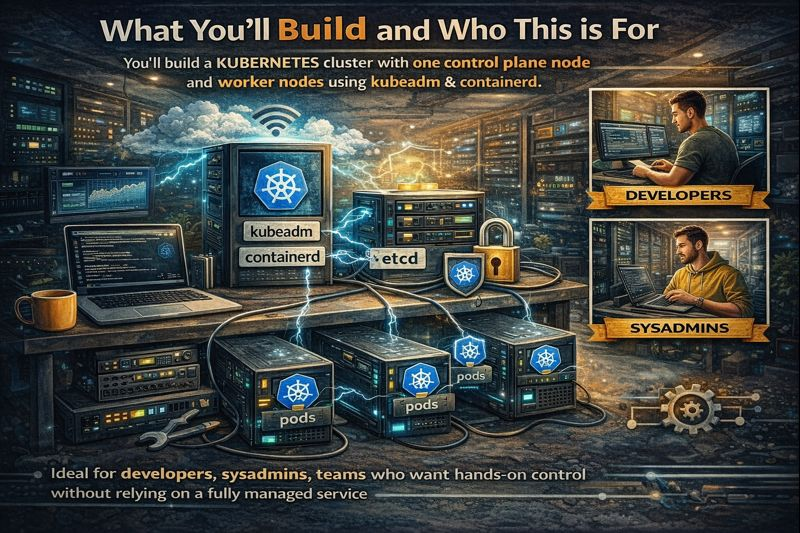
This is ideal for developers, sysadmins, and teams who want hands-on control without relying on a fully managed service. We’ll keep commands reproducible and defaults sensible so you can grow the cluster later.
Prerequisites Checklist
- Linux: Ubuntu 22.04+/20.04+, Debian 11+, Rocky Linux 9/8, RHEL 9/8 (root or sudo)
- Hardware: Minimum 2 vCPU and 4 GB RAM for control plane; 2 GB RAM per worker (more is better)
- Networking: Static or reserved IPs, outbound internet, required ports open (6443/tcp API server; 10250/tcp kubelet; 10251–10259/tcp control plane; etcd 2379–2380/tcp)
- Time sync: NTP via systemd-timesyncd or chrony (cluster components are sensitive to clock drift)
- Swap disabled: Kubernetes requires swap off
- Primary keyword focus: Kubernetes on Linux server (plus “install Kubernetes on Ubuntu,” “kubeadm tutorial,” “Kubernetes cluster setup”)
High-Level Steps
- Prepare each node (swap off, kernel modules, sysctl)
- Install containerd and configure the systemd cgroup driver
- Install kubeadm, kubelet, kubectl
- Initialize the control plane (kubeadm init)
- Install a CNI plugin (Calico or Flannel)
- Join worker nodes (kubeadm join)
- Validate and deploy a sample application
Step-by-Step: Create Kubernetes on Linux Server
Step 1 — System Preparation (All Nodes)
# 1) Disable swap (required)
sudo swapoff -a
sudo sed -i '/ swap / s/^(.*)$/#1/g' /etc/fstab

# 2) Load kernel modules and set sysctl
cat <<EOF | sudo tee /etc/modules-load.d/k8s.conf
overlay
br_netfilter
EOF

sudo modprobe overlay
sudo modprobe br_netfilter

cat <<EOF | sudo tee /etc/sysctl.d/k8s.conf
net.bridge.bridge-nf-call-iptables = 1
net.bridge.bridge-nf-call-ip6tables = 1
net.ipv4.ip_forward = 1
EOF

sudo sysctl --system

# 3) Ensure time sync is active (choose one)
# Ubuntu/Debian (systemd-timesyncd)
timedatectl show | grep NTPSynchronized || sudo timedatectl set-ntp true

# RHEL/Rocky (chrony)
sudo systemctl enable --now chronyd || true
Step 2 — Install and Configure containerd (All Nodes)
containerd is a reliable, Kubernetes-supported container runtime. We’ll enable the systemd cgroup driver for consistency with kubelet.
# Ubuntu/Debian
sudo apt-get update
sudo apt-get install -y containerd

# RHEL/Rocky
sudo dnf install -y containerd || sudo yum install -y containerd

# Configure containerd with systemd cgroups
sudo mkdir -p /etc/containerd
containerd config default | sudo tee /etc/containerd/config.toml > /dev/null
sudo sed -i 's/SystemdCgroup = false/SystemdCgroup = true/' /etc/containerd/config.toml

# Start and enable
sudo systemctl enable --now containerd
Step 3 — Install kubeadm, kubelet, and kubectl (All Nodes)
We’ll use the official Kubernetes repositories from pkgs.k8s.io to ensure consistent versions. You can pin a specific minor version if needed.
# Ubuntu/Debian
sudo apt-get update
sudo apt-get install -y apt-transport-https ca-certificates curl gpg
sudo mkdir -p /etc/apt/keyrings
curl -fsSL https://pkgs.k8s.io/core:/stable:/v1.30/deb/Release.key |
  gpg --dearmor | sudo tee /etc/apt/keyrings/kubernetes-apt-keyring.gpg > /dev/null
echo 'deb [signed-by=/etc/apt/keyrings/kubernetes-apt-keyring.gpg] https://pkgs.k8s.io/core:/stable:/v1.30/deb/ /' |
  sudo tee /etc/apt/sources.list.d/kubernetes.list
sudo apt-get update
sudo apt-get install -y kubelet kubeadm kubectl
sudo apt-mark hold kubelet kubeadm kubectl

# RHEL/Rocky
cat <<EOF | sudo tee /etc/yum.repos.d/kubernetes.repo
[kubernetes]
name=Kubernetes
baseurl=https://pkgs.k8s.io/core:/stable:/v1.30/rpm/
enabled=1
gpgcheck=1
gpgkey=https://pkgs.k8s.io/core:/stable:/v1.30/rpm/repodata/repomd.xml.key
EOF

sudo dnf install -y kubelet kubeadm kubectl --disableexcludes=kubernetes ||
sudo yum install -y kubelet kubeadm kubectl --disableexcludes=kubernetes

sudo systemctl enable kubelet
Step 4 — Initialize the Control Plane (Control Node Only)
Pick a pod CIDR aligned with your CNI choice. Calico works well with 192.168.0.0/16; Flannel commonly uses 10.244.0.0/16.
# Example with Calico-compatible pod CIDR
sudo kubeadm init --pod-network-cidr=192.168.0.0/16

# Configure kubectl for your user
mkdir -p $HOME/.kube
sudo cp -i /etc/kubernetes/admin.conf $HOME/.kube/config
sudo chown $(id -u):$(id -g) $HOME/.kube/config

# Save the join command (shown at the end of kubeadm init)
# Example:
# kubeadm join <CONTROL_PLANE_IP:6443> --token <token>
#   --discovery-token-ca-cert-hash sha256:<hash>
Step 5 — Install a CNI Plugin (Networking)
Kubernetes needs a Container Network Interface (CNI) to route pod traffic. Choose one and apply its manifest.
- Calico (features: NetworkPolicy, IPAM, eBPF modes):
kubectl apply -f https://raw.githubusercontent.com/projectcalico/calico/v3.27.3/manifests/calico.yaml- Flannel (simple overlay networking):
kubectl apply -f https://raw.githubusercontent.com/flannel-io/flannel/master/Documentation/kube-flannel.ymlWait until all core pods in kube-system are Running before proceeding:
kubectl get pods -n kube-system -wStep 6 — Join Worker Nodes
Run the join command from Step 4 on each worker node. If you lost it, create a new token:
sudo kubeadm token create --print-join-command
# Run the printed command on each worker
Step 7 — Validate the Cluster
kubectl get nodes -o wide
kubectl get pods -A
kubectl cluster-info
Deploy a Sample App and Expose It
Let’s deploy NGINX and expose it via a NodePort service to verify scheduling, networking, and service routing.
# Create a deployment
kubectl create deployment web --image=nginx:stable --replicas=2

# Expose as a NodePort (pick a fixed port if you like)
kubectl expose deployment web --port=80 --target-port=80 --type=NodePort

kubectl get svc web -o wide
# Access via: http://<any_worker_node_ip>:<nodeport>
Troubleshooting: Common Issues and Quick Fixes
- Swap not disabled: kubeadm will fail. Fix:
sudo swapoff -aand comment swap in/etc/fstab. - cgroup driver mismatch: Ensure containerd uses systemd cgroups (we set
SystemdCgroup = true), thensudo systemctl restart containerd kubelet. - Networking/CNI not ready: Wait for CNI pods to be Running. Confirm pod CIDR matches your CNI manifest.
- Firewall blocks: Open 6443/tcp (API), 10250/tcp (kubelet), and CNI ranges. For Flannel/Calico, allow UDP 8472 (VXLAN) if applicable.
- Time drift: Ensure NTP is synchronized on all nodes; restart kubelet if certificates/time were corrected.
- Reset a failed install:
sudo kubeadm reset -f, remove~/.kube/configif needed, then retry.
Best Practices for Production-Ready Kubernetes on Linux
- Harden the OS: Minimal packages, automatic security updates, and SSH key-only auth.
- Enable audit logs and RBAC: Track API usage and enforce least privilege.
- Resource requests/limits: Prevent noisy-neighbor issues and enable cluster autoscaling later.
- NetworkPolicies: Restrict pod-to-pod traffic; Calico makes this straightforward.
- Use namespaces and quotas: Organize teams/apps and cap usage.
- Storage: Integrate a CSI driver (e.g., OpenEBS, Longhorn, or cloud provider’s CSI) for dynamic PVCs.
- Backups: Schedule etcd backups and store them off-node; test restores regularly.
- HA control plane: Run 3 control plane nodes and an external etcd for mission-critical workloads.
- Monitoring/Logging: Prometheus/Grafana for metrics, Loki or Elasticsearch for logs.
- Upgrade strategy: Upgrade one minor version at a time; cordon/drain nodes safely.
Install Kubernetes on Ubuntu vs. RHEL: What’s Different?
- Repositories: Ubuntu uses APT with pkgs.k8s.io; RHEL/Rocky uses DNF/YUM with the equivalent repo.
- Time sync: systemd-timesyncd (Ubuntu) vs chrony (RHEL/Rocky).
- Packages: containerd is available on both; older RHEL versions might need extras repos enabled.
- SELinux: On RHEL/Rocky, prefer to keep SELinux enforcing and use a CNI that supports it (Calico works well).
Self-Managed vs. Managed Kubernetes: Which Should You Choose?
- Choose self-managed when you need full control, custom networking/storage, or air-gapped clusters.
- Choose managed (EKS/GKE/AKS) for faster ops, reduced maintenance, and built-in integrations.
- Hybrid approach: Use a trusted hosting provider to supply optimized Linux servers, private networking, and SLAs while you keep kubeadm-level control.
At YouStable, we provision high-frequency VPS and bare-metal servers tuned for Kubernetes on Linux server—with fast NVMe storage, low-latency networking, and optional private VLANs. If you want a ready-to-run base image with containerd and kernel modules pre-configured, our support team can help you bootstrap faster.
Real World Tips from 12+ Years in Hosting
- Pin versions for predictable rollouts. Test upgrades in staging and snapshot etcd before production changes.
- Use labels and taints to control scheduling (e.g., dedicate nodes for ingresses or stateful workloads).
- Keep images small and signed. Use a private registry with admission controls and image scanning.
- Segment networks. Put nodes on private subnets and restrict API access with firewalls/security groups.
- Automate node bootstrapping with cloud-init or Ansible so adding capacity is one command away.
FAQ’s
u003cstrongu003eWhat is the easiest way to install Kubernetes on Ubuntu?u003c/strongu003e
The simplest path is kubeadm with containerd. Disable swap, configure kernel modules, install kubelet/kubeadm/kubectl from pkgs.k8s.io, run kubeadm init on the control plane, apply a CNI, and join workers. It’s fast, standard, and matches upstream docs.
u003cstrongu003eWhich CNI plugin should I use: Calico or Flannel?u003c/strongu003e
Use Calico if you want NetworkPolicies, advanced routing, or eBPF-based performance. Choose Flannel for simple, low-overhead networking. Both are stable and widely used; Calico is more feature-rich for production controls.
u003cstrongu003eCan I run Kubernetes on a single Linux server?u003c/strongu003e
Yes. You can run a single-node cluster by tainting removal on the control plane and scheduling workloads there. For learning or small dev tasks it’s fine, but production needs multiple nodes for availability and scaling.
u003cstrongu003eHow do I upgrade my kubeadm cluster safely?u003c/strongu003e
Upgrade one minor version at a time. Update the repo to the target version, upgrade kubeadm, then the control plane, and finally workers. Cordon/drain nodes before upgrading, and confirm CNI/CSI compatibility. Always back up etcd first.
u003cstrongu003eWhat’s the difference between Docker and containerd in Kubernetes?u003c/strongu003e
Kubernetes talks to a CRI runtime. containerd is CRI-compliant and lightweight; Docker is a higher-level tool that now uses containerd underneath. For Kubernetes, using containerd directly is simpler and officially recommended.
Conclusion
That’s how to create Kubernetes on a Linux server using kubeadm and containerd. You prepared the OS, installed Kubernetes components, bootstrapped the control plane, added networking, joined workers, and deployed an app. Need optimized infrastructure for your cluster? YouStable’s Kubernetes-ready servers make it easy to go from plan to production with confidence.










