Želite li kupiti .in domenu od YouStableDobro! To je uzbudljiv korak, ali prije nego što to učinite, potrebno je dovršiti jedan važan proces:
Morate dovršiti KYC kako biste registrirali .in domenu (Know Your Customer - Poznajte svog klijenta).
It requires you to complete verification, your name, Date of Birth, valid phone number, house number and more, in short, you need to verify 100% the proof of your identity before signing up for .in domain.
To osigurava da usluge koriste odgovorno i sigurno pravi korisnici poput vas. YouStable, dovršavanje KYC-a je stvarno jednostavno.
What Is KYC for .in Domain?
KYC (Know Your Customer) is a verification process required before your .in domain can be fully activated. It is used to confirm your identity by checking your basic details such as your name, date of birth, phone number, and a valid government ID.
For .in domains, this verification is usually completed through DigiLocker, where your documents are securely fetched and verified online. This means you don’t need to upload documents manually, and the process remains quick and hassle free.
Once your KYC is completed successfully, your domain is linked to a verified identity. This ensures your .in domain stays active, secure, and ready to use without any restrictions.
Why KYC Is Required for .in Domain Registration
KYC is required for .in domain registration to make sure that every domain is connected to a real and verified person, which helps keep the entire system safe and reliable.
It plays an important role in:
- Preventing fake registrations, spam, and fraud activities
- Confirming clear ownership of the domain
- Ensuring domains are used in a responsible and legal way
- Reducing the risk of misuse or security issues
- Allowing smooth and quick activation of your domain
Once your KYC is successfully completed, your domain gets activated without any restrictions and you can use it normally.
Requirements for .in Domain KYC
Da biste dovršili svoj .in domain KYC smoothly, you need to make sure that a few basic things are ready before starting the process:
- A valid DigiLocker account with updated documents
- Aadhaar card or any government approved ID
- Mobile number linked with your DigiLocker account
- Correct personal details (name, date of birth, email, phone number)
- Stable internet connection for quick verification
Make sure all your details match exactly with your DigiLocker records. Even a small mismatch can delay or fail your KYC process.
How to Do KYC for .in Domain (Step-by-Step Guide)
Kako biste osigurali uspješan završetak KYC-a tijekom registracije .in domene, slijedite dolje navedeni postupak korak po korak.
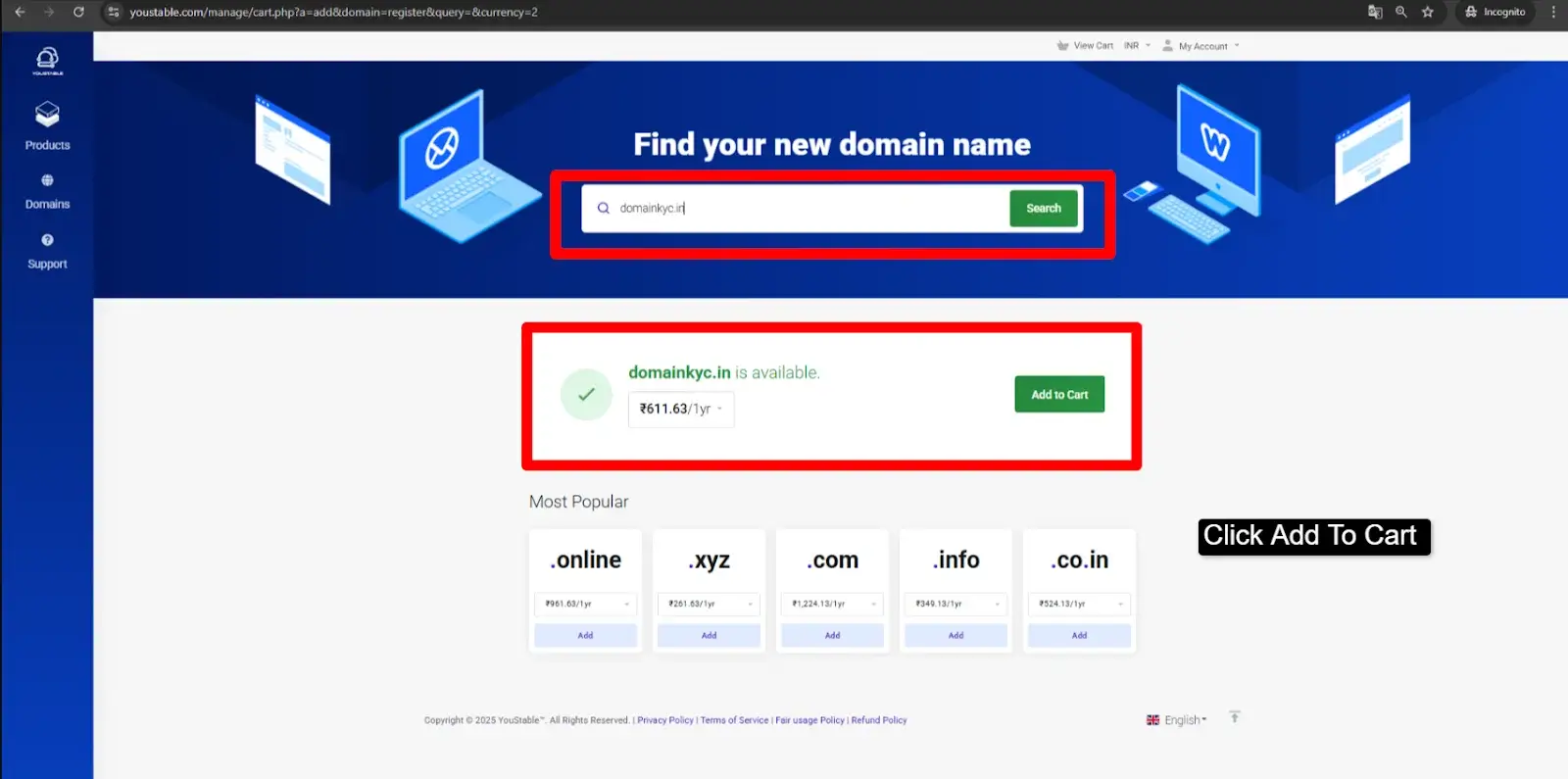
Korak 1: Search a naziv domene for your business >> if the domain name is available, then press Click Add to Cart.
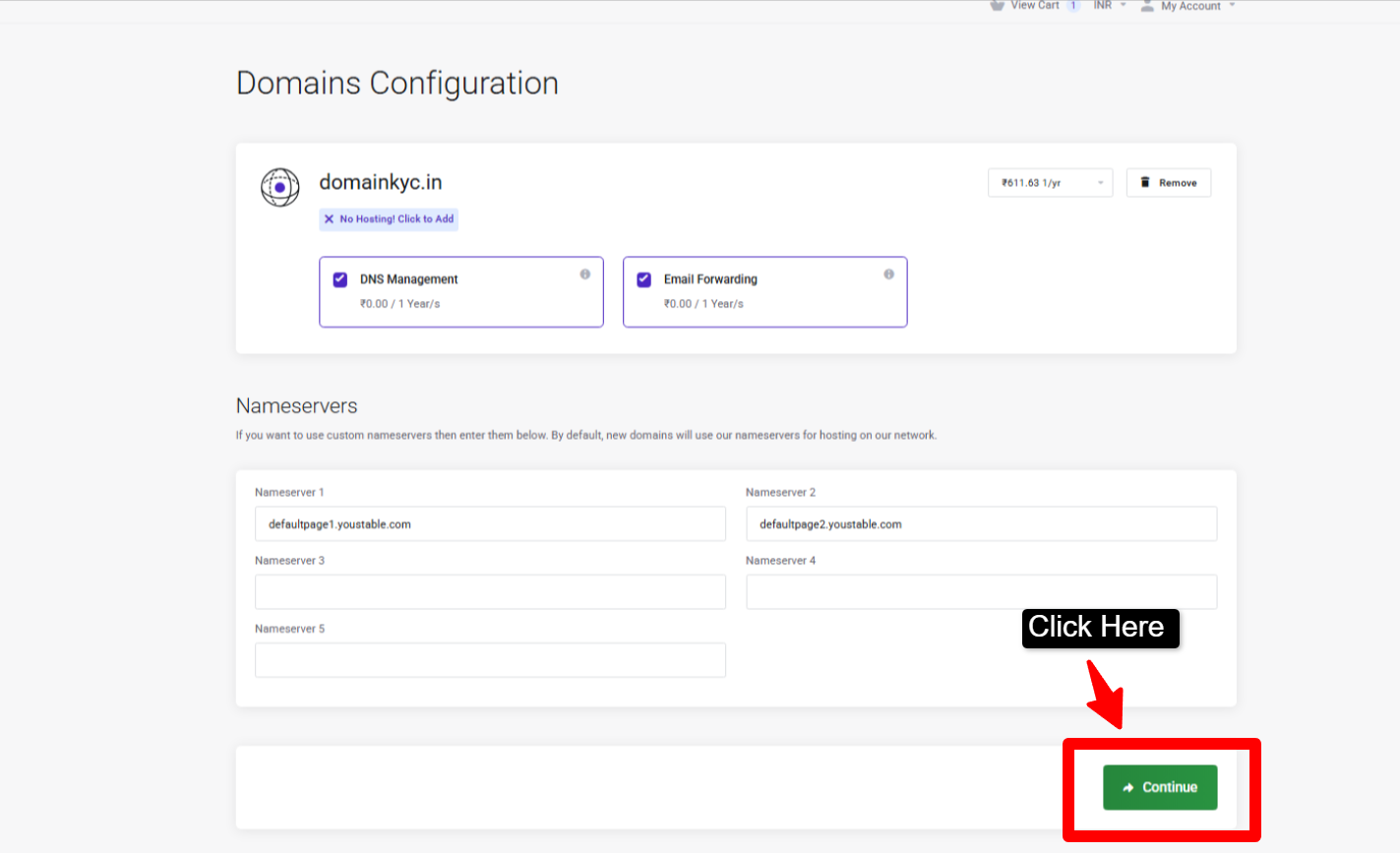
Korak 2: Omogući DNS manageslanje e-pošte i prosljeđivanje e-pošte (koje dobivate besplatno tijekom registracije .in domene) >> Kliknite Nastavi za nastavak postupka registracije domene.
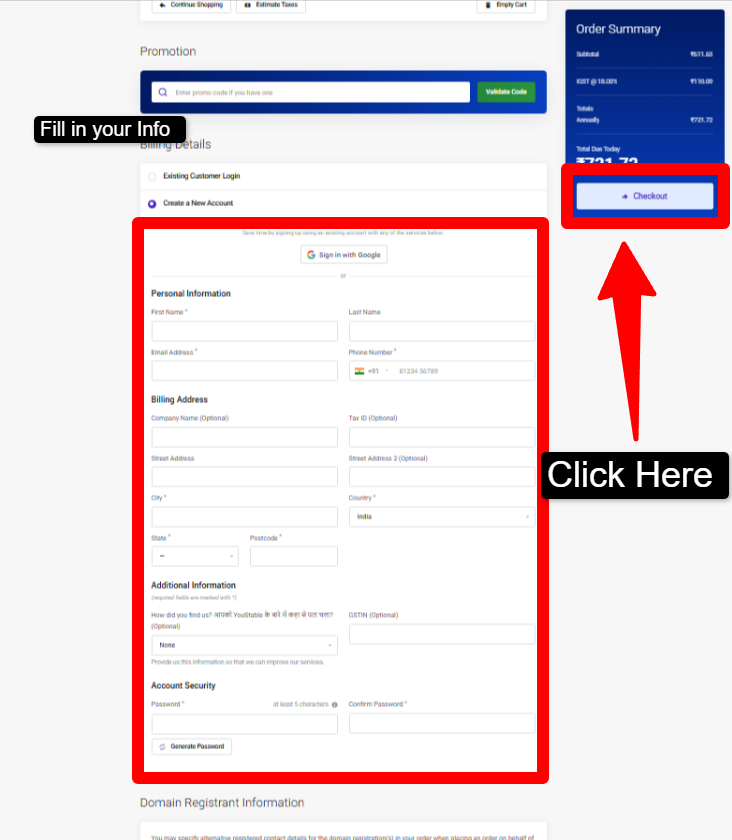
Korak 3: Sada, ako ste novi korisnik, morate dodati svoje podatke (osobne podatke i podatke za naplatu) >> a ako ste postojeći korisnik tvrtke YouStable, jednostavno se trebate prijaviti u svoje klijentsko područje sa svojim korisničkim imenom i lozinkom.
bilješke
- Molimo Vas da provjerite jesu li podaci koje unesete tijekom registracije točno oni koji se pojavljuju na Vašem DigiLocker računu (čak i Vaša adresa e-pošte i broj telefona trebaju biti isti).
- Provjerite jesu li vaše ime i ostali potrebni podaci napisani s ispravnom upotrebom velikih slova. Na primjer, ako se zovete Rohit, trebate unijeti Rohit, a ne rohit.
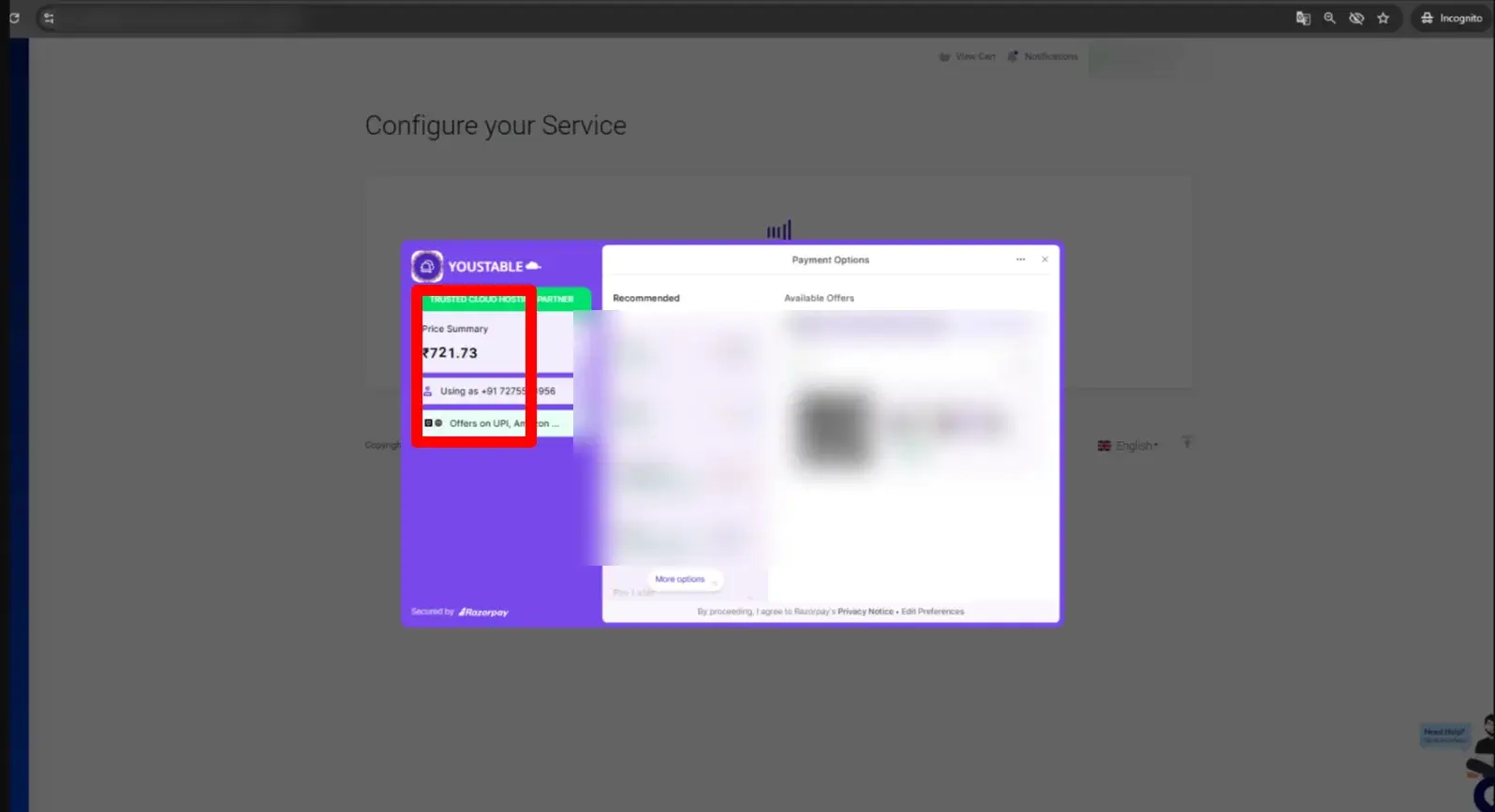
Korak 4: Sada izvršite plaćanje za .in domenu >> Možete izvršiti UPI skeniranjem QR koda ili čak možete izvršiti plaćanje karticom.
Korak 5: Nakon što je plaćanje izvršeno >> Vidjet ćete da se status registracije vaše domene i dalje prikazuje U TIJEKU (To je zato što bez KYC-a vaša domena ostaje neaktivna). Dakle, krenimo s dovršetkom postupka.
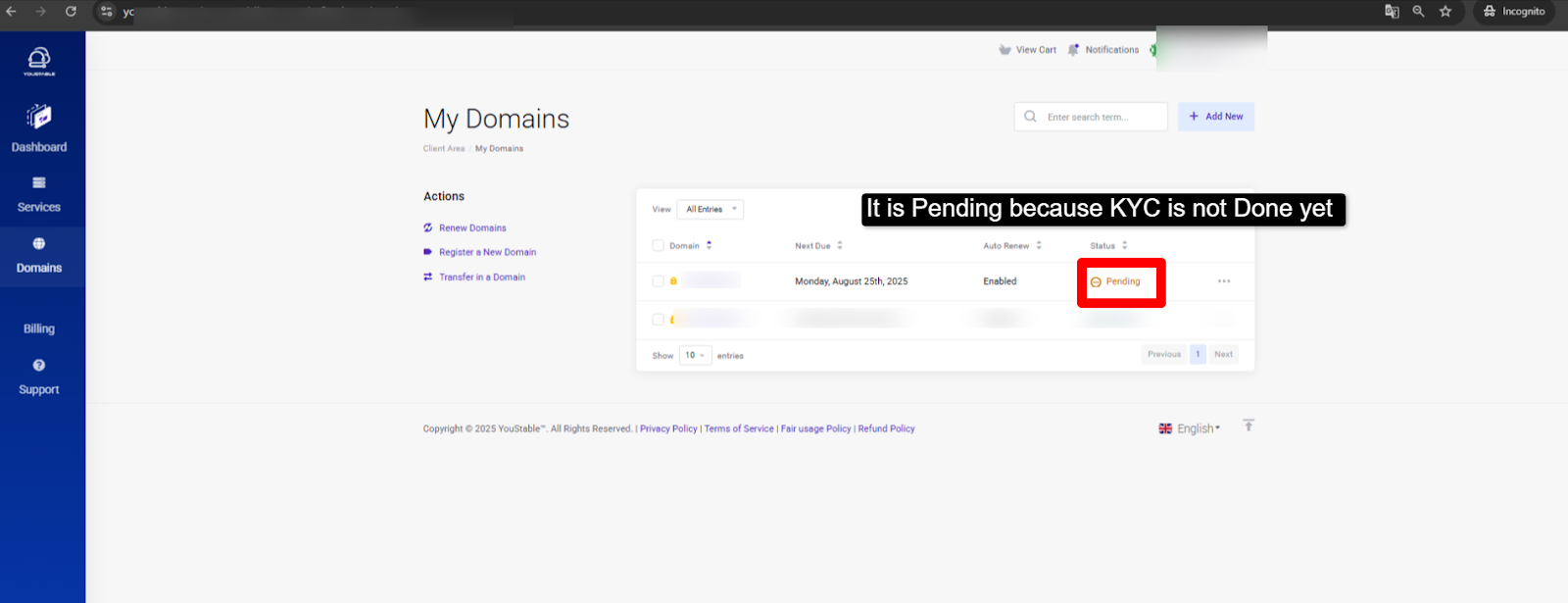
Korak 6: Sada idite na svoj Gmail račun (ista e-mail adresa s kojom ste registrirali svoju .in domenu) >> Primit ćete e-mail sa zahtjevom za KYC provjeru >> kliknite na poveznicu ispod naslova „Dovršite svoj e-KYC odmah:“
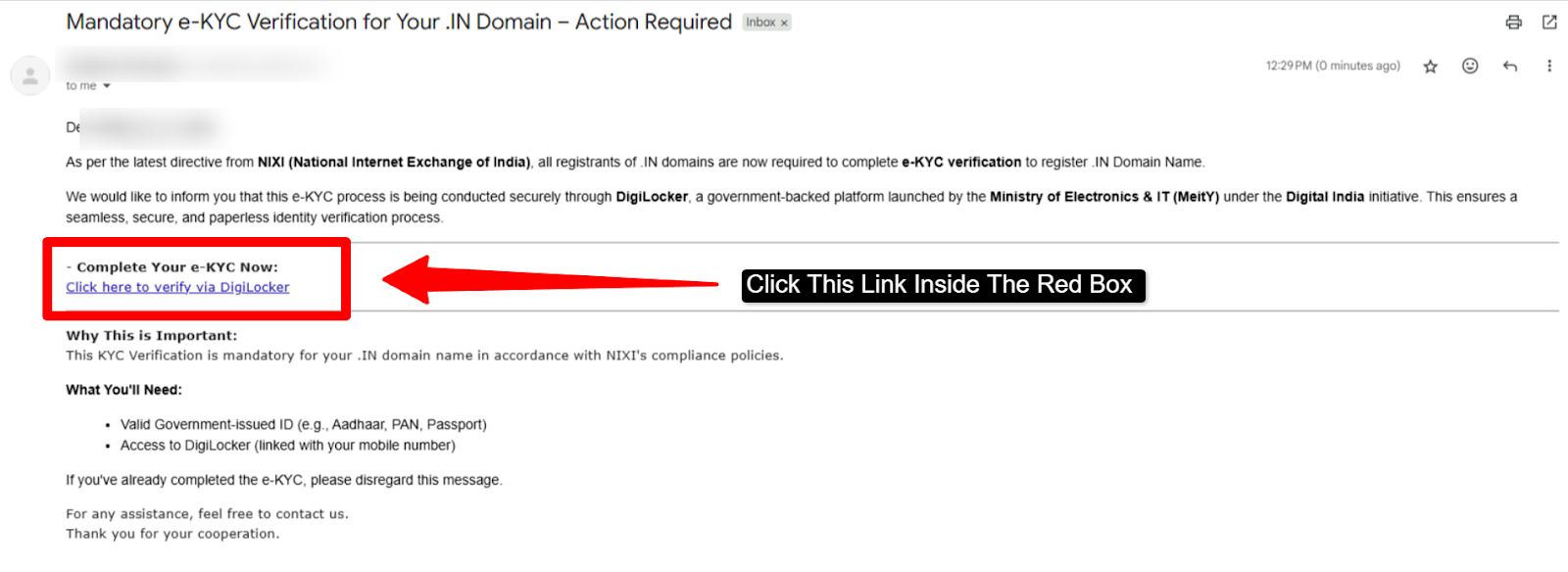
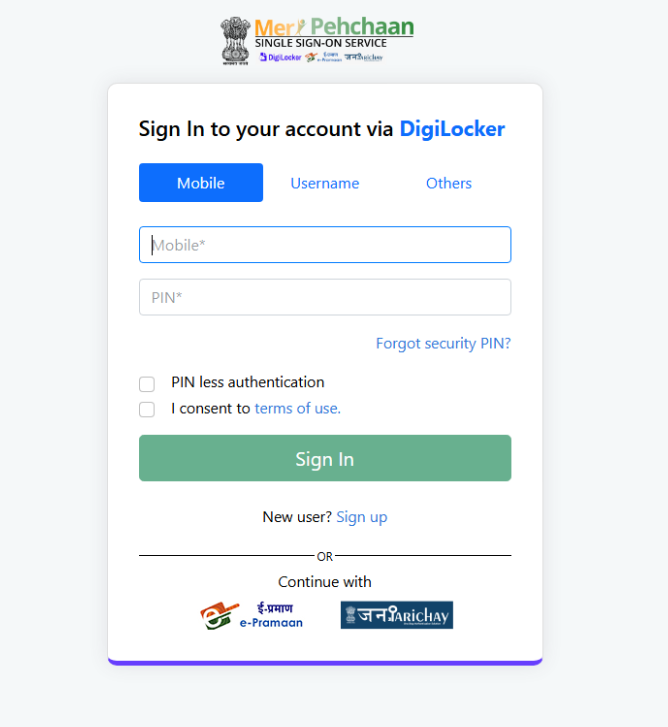
Korak 7: Kada kliknete na poveznicu (o kojoj smo govorili u 6. koraku) >> Bit ćete preusmjereni na stranicu za prijavu na DigiLocker >> Morate unijeti: broj mobitela + PIN ili korisničko ime + lozinku >> Označite potvrdni okvir >> Pritisnite gumb za prijavu
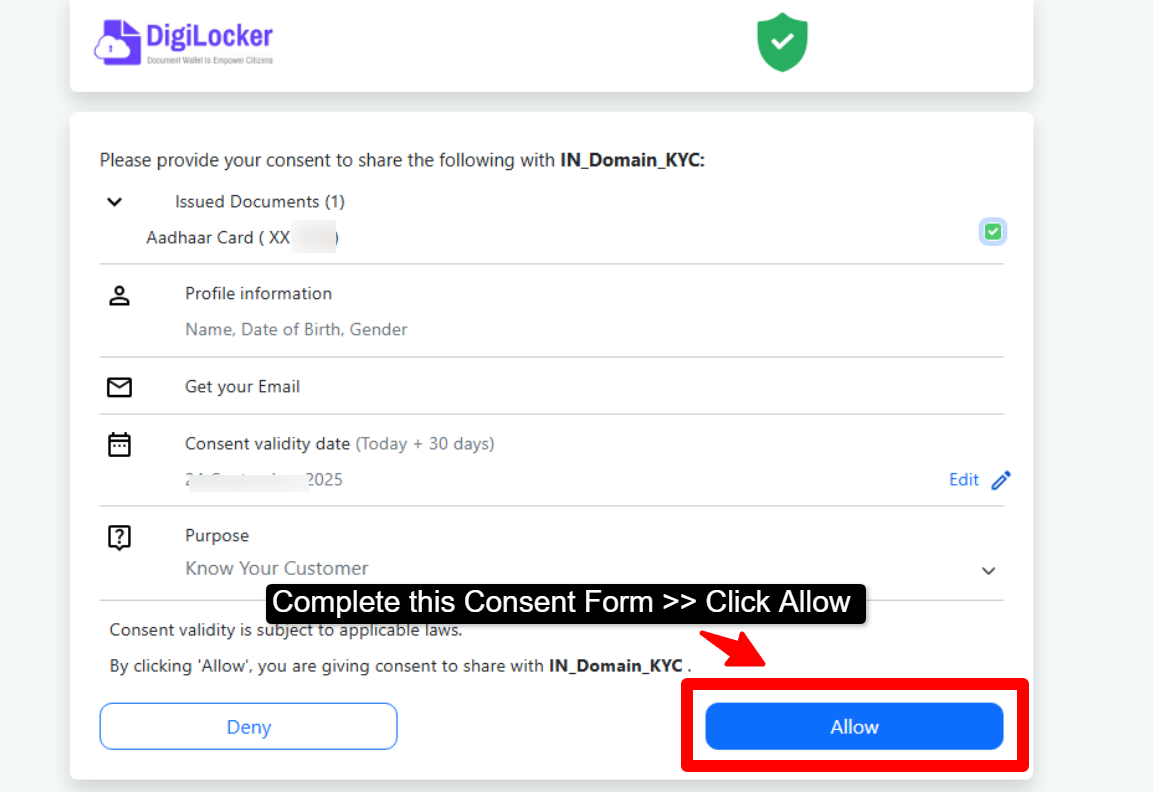
Korak 8: Nakon što se prijavite na svoj DigiLocker račun >> Morate dati svoj pristanak za dijeljenje važećih dokumenata za .in domenu KYC >> Sada jednostavno pritisnite gumb Dopusti.
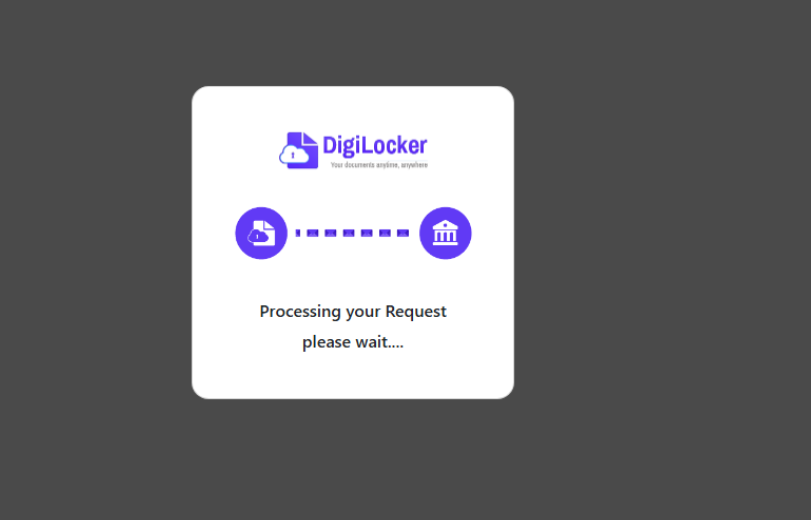
Korak 9: Opustite se i uživajte >> Vaš KYC za .in domenu se obrađuje. Obično će to trajati oko 5 do 10 minuta.
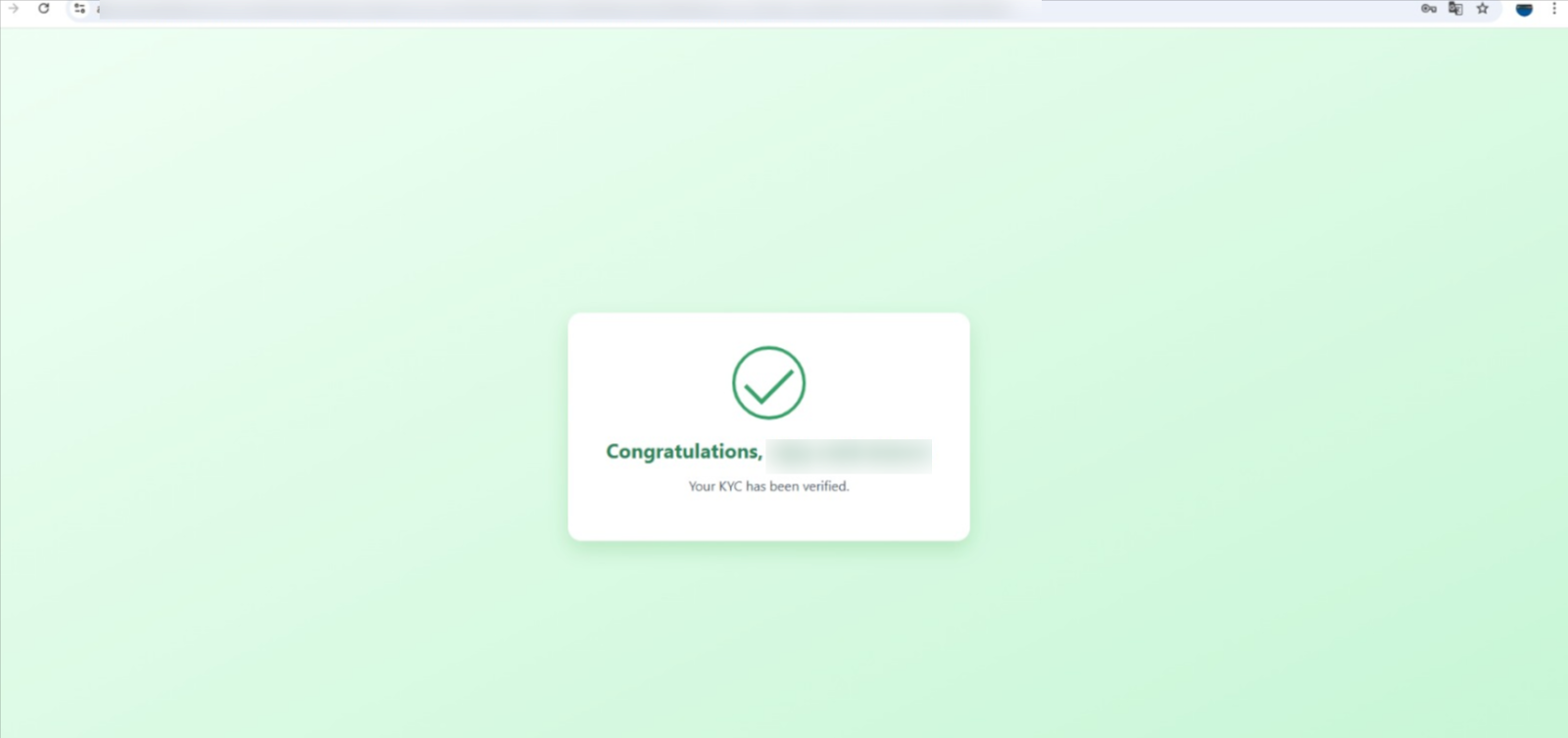
Korak 10: Vaš KYC za .in domenu je ipak završen.
After completing KYC, you can start your website with Jeftin WordPress hosting s besplatnom domenom for an easy, affordable, and smooth online setup experience.
How Long Does .in Domain KYC Take?
The KYC process for a .in domain is usually completed unutar 5 do 10 minuta after you verify your details through DigiLocker. Since the verification is done directly using official government records, the process is quick and automatic in most cases.
It’s important to note that KYC for .in domains is typically completed through DigiLocker only, as it provides secure and trusted identity verification.
If your DigiLocker account is active and your details are correct, your domain gets verified and activated without any delay. In rare cases, it may take a little longer due to system checks, but generally, the process is completed within a few minutes.
What Happens If KYC Is Not Completed?
If you do not complete your .in domain KYC, your domain will remain inactive and you won’t be able to use it properly. Even though the domain may show as registered, it will not function until the verification is done.
Zbog ovoga:
- Your domain will not get activated
- Your website will not open
- Email services linked to the domain will not work
- You may face restrictions in managing your domain
- In some cases, the domain registration can be canceled
That’s why it’s important to complete your KYC as soon as possible so your domain becomes fully active and ready to use without any issues.
FAQ
Što je KYC?
KYC means Know Your Customer. It is a process where you verify your identity using valid government approved documents such as Aadhaar card, PAN card, or other ID proofs. Companies use KYC to confirm that the person creating an account is genuine and not using a fake identity.
Što ako moj KYC nije dovršen?
If your KYC is not completed, you may face issues when using the service. For example, you might not be able to register successfully, withdraw money, use all account features, or access certain benefits.
Koje pogodnosti dobivam nakon uspješnog prolaska KYC-a?
Once your KYC is done, you get full access to the platform without restrictions. This may include faster approvals, smooth transactions, more account features and special benefits like offers or bonuses. It also gives you peace of mind because your account is fully verified and safe from fraud.
Koje su informacije potrebne za KYC?
To complete KYC, you generally need to provide some basic details such as your full name, date of birth, phone number, and a valid government ID like Aadhaar. In most cases, DigiLocker can be used to easily fetch and verify these documents online.
Trebam li ažurirati svoj DigiLocker za KYC?
Da! If you are using DigiLocker for KYC, make sure your DigiLocker account is active and has your updated documents, especially Aadhaar. An updated DigiLocker makes the KYC process smoother because the system can fetch your details directly from official sources without you having to upload anything manually.