

Middleware in Laravel is a lightweight, pluggable layer that sits between an HTTP request and your application. It inspects, filters, or modifies requests (and responses) before they reach controllers. Use it to enforce authentication, throttle APIs, validate signatures, set locales, handle CORS, or implement business agnostic policies in a clean, reusable way.
If you’re new to Laravel or modern PHP frameworks, understanding middleware is essential. In simple terms, middleware in Laravel works like a security and policy gate for your routes. It ensures only the right requests reach your controllers, while giving you a structured way to run pre/post logic across your app.
What Is Middleware in Laravel?
Middleware in Laravel is code that runs during the HTTP request lifecycle. Each middleware can “look” at the incoming request, perform checks or mutations, and then decide whether to continue the request pipeline or abort with a response. After the controller responds, middleware can also modify the outgoing response.
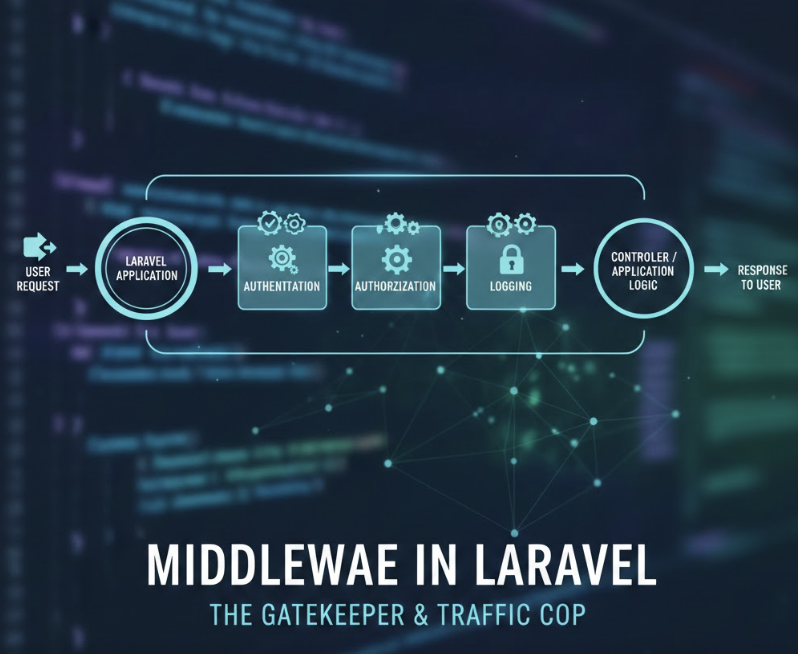
Think of it as an assembly line of checks: authentication, CSRF validation, CORS, maintenance mode, IP allowlists, and more. Laravel ships with helpful defaults, and you can create custom middleware for domain specific needs.
How Laravel Middleware Works (Request Lifecycle)
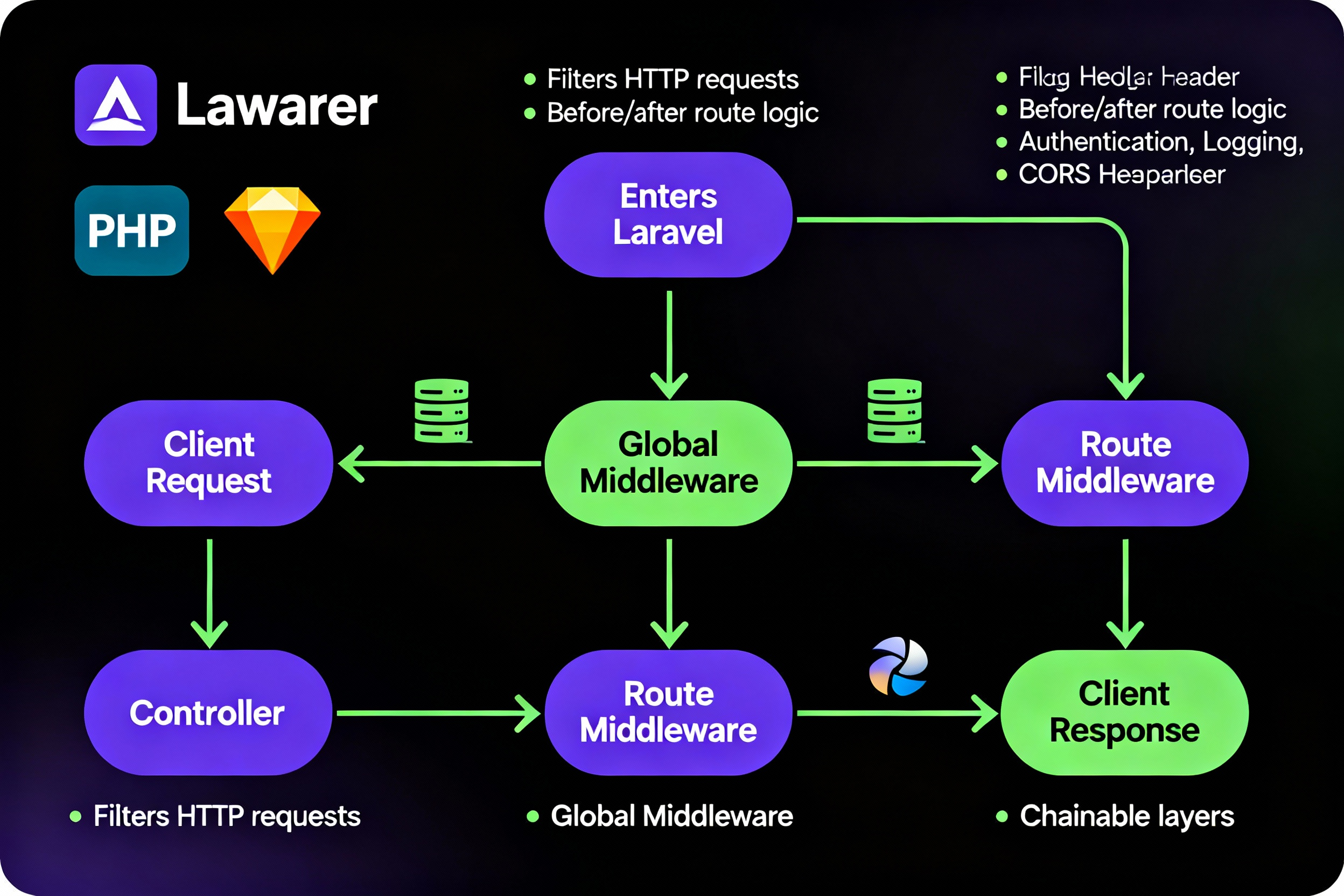
Laravel processes each request through a pipeline of middleware. Order matters: global middleware wraps all requests; group middleware applies to specific route groups (like web and api); and route middleware can be applied to individual routes.
Before and After Behavior
A typical middleware method signature looks like this:
public function handle($request, Closure $next)
{
    // Before: inspect or mutate $request
    if ($request->isMethod('POST') && !$request->user()) {
        abort(403, 'Unauthorized');
    }

    $response = $next($request);

    // After: inspect or mutate $response
    $response->headers->set('X-App', 'MyLaravelApp');

    return $response;
}
Terminable Middleware
To run logic after the response is sent to the browser (useful for logging, metrics, or async cleanup), implement a terminate method in the same middleware:
public function terminate($request, $response)
{
    // Runs after response is sent
    \Log::info('Request completed', ['path' => $request->path()]);
}
Types of Middleware in Laravel
Global Middleware
Global middleware runs on every request. Typical examples include trimming strings, converting empty strings to null, and maintenance mode checks. Use global middleware for cross cutting concerns that must always apply.
Route Middleware
Route middleware is attached to specific routes or controllers. Common examples include auth, verified, signed, and custom role/permission checks. This provides fine grained control.
Middleware Groups
Groups bundle multiple middleware for convenient assignment. Laravel includes two key groups:
- web: Sessions, cookies, CSRF, and other browser centric features.
- api: Stateless features like rate limiting, CORS, and auth tokens.
Built in Middleware You’ll Use Often
auth: Ensures authenticated users.throttle: Rate limits requests.verified: Verifies email for protected routes.signed/ValidateSignature: Validates signed URLs.cors: Handles cross origin requests (via configured CORS).encrypt.cookies,trim,convertEmptyStringsToNull: Data hygiene and security.
Create Custom Middleware (Step by Step)
Let’s build a role check middleware that only allows specific roles (like admin) to access a route.
1) Generate the middleware
php artisan make:middleware EnsureUserHasRole2) Implement the logic
// app/Http/Middleware/EnsureUserHasRole.php
namespace App\Http\Middleware;

use Closure;
use Illuminate\Http\Request;

class EnsureUserHasRole
{
    public function handle(Request $request, Closure $next, string $role)
    {
        $user = $request->user();

        if (!$user || !$user->hasRole($role)) {
            abort(403, 'Forbidden');
        }

        return $next($request);
    }
}
Note the third parameter ($role) allows passing arguments from routes, such as role:admin.
3) Register the middleware
Registration differs slightly between Laravel 10 and Laravel 11+.
Laravel 11+: register in bootstrap/app.php
// bootstrap/app.php
use Illuminate\Foundation\Application;
use Illuminate\Foundation\Configuration\Middleware;

return Application::configure(basePath: dirname(__DIR__))
    ->withRouting(...)
    ->withMiddleware(function (Middleware $middleware) {
        // Alias custom middleware for routes
        $middleware->alias([
            'role' => \App\Http\Middleware\EnsureUserHasRole::class,
        ]);

        // Optionally append global middleware
        // $middleware->append(\App\Http\Middleware\TrustProxies::class);

        // Optionally add to groups
        // $middleware->group('api', [
        //     \Illuminate\Routing\Middleware\SubstituteBindings::class,
        // ]);
    })
    ->create();
Laravel 10 and earlier: register in app/Http/Kernel.php
// app/Http/Kernel.php
protected $middlewareAliases = [
    'auth' => \App\Http\Middleware\Authenticate::class,
    'role' => \App\Http\Middleware\EnsureUserHasRole::class, // <-- add
];

protected $middlewareGroups = [
    'web' => [
        // web middleware...
    ],
    'api' => [
        // api middleware...
        'throttle:api',
    ],
];
Apply Middleware to Routes and Controllers
Attach to individual routes
use Illuminate\Support\Facades\Route;

Route::get('/admin', function () {
    // Only admins can reach here
})->middleware('role:admin');
Use route groups
Route::middleware(['auth', 'role:manager'])
    ->prefix('dashboard')
    ->group(function () {
        Route::get('/', [DashboardController::class, 'index']);
        Route::get('/reports', [ReportController::class, 'index']);
    });
Controller level middleware
class OrdersController extends Controller
{
    public function __construct()
    {
        $this->middleware('auth');
        $this->middleware('role:admin')->only(['destroy']);
        $this->middleware('throttle:api')->except(['index', 'show']);
    }
}
Real World Middleware Use Cases
- Authentication and roles: Gate admin panels, dashboards, and APIs.
- Rate limiting: Protect APIs against abuse with
throttle. - Localization: Detect locale from headers or route and set
app()->setLocale(). - IP allowlisting: Only permit specific IPs to access sensitive areas.
- CORS: Configure cross origin access for SPAs and mobile apps.
- Maintenance windows: Serve maintenance responses gracefully.
- Signed URLs: Protect downloads or actions with
signedandValidateSignature.
API Middleware and Rate Limiting
For APIs, keep middleware stateless. Prefer token based auth (Laravel Sanctum or Passport) and the api group. Use throttle to set rate limits, either by named limiter or fixed values.
// routes/api.php
use Illuminate\Support\Facades\Route;

Route::middleware(['auth:sanctum', 'throttle:api'])
    ->get('/user', fn (Request $request) => $request->user());
Define custom rate limiters (Laravel 10 typically in RouteServiceProvider; Laravel 11+ in your bootstrapping) to tune per-user, per-IP, or per-endpoint limits.
Security Considerations with Middleware
- CSRF: Apply only to stateful browser routes (the web group). Do not enable CSRF on stateless APIs.
- CORS: Configure allowed origins, methods, and headers; avoid wildcard origins for authenticated endpoints.
- Signed URLs: Use
signedmiddleware to protect sensitive links. - HTTPS: Enforce TLS with middleware or trusted proxy configuration when behind load balancers/CDNs.
- Input sanitation: Use trimming and empty string conversion globally for consistent data handling.
Best Practices for Middleware
- Keep middleware focused: Enforce policies and cross cutting concerns; avoid complex business logic.
- Order matters: Register global/group middleware in the right order. For Laravel 11+, use
prepend/append; for earlier versions, arrange arrays carefully. - Be stateless in APIs: Avoid sessions/cookies in api routes unless you intentionally use stateful SPA auth.
- Use parameters: Pass roles, permissions, or modes via
middleware('role:admin')to keep code reusable. - Test thoroughly: Write HTTP tests asserting redirect/403 behavior, headers, and throttling.
- Log wisely: Add minimal logging or use
terminatefor post response logging to reduce latency. - Performance: Cache permissions/roles and minimize DB calls inside middleware.
Laravel 10 vs Laravel 11: Middleware Registration
Laravel 11 streamlines app bootstrapping by moving middleware configuration to bootstrap/app.php via withMiddleware(). You can alias, group, append, or prepend middleware in one place.
In Laravel 10 and earlier, you register global, group, and route middleware inside app/Http/Kernel.php using $middleware, $middlewareGroups, and $middlewareAliases.
Troubleshooting Middleware Issues
- 403/419 errors: For APIs, ensure CSRF is not applied; verify session domain and
APP_URLfor web routes. - CORS failures: Confirm preflight (OPTIONS) handling and correct origins in config.
- Middleware not running: Check it’s registered (alias/group) and the route uses it.
- Order conflicts: If auth depends on sessions, ensure session middleware runs before auth in web group.
Hosting and Deployment Tips for Laravel Middleware
Middleware executes on every request in its scope, so stable, optimized hosting matters. On production, enable OPcache, PHP-FPM, HTTP/2, and persistent object caching (Redis). If you deploy Laravel apps regularly, consider YouStable’s developer friendly hosting: current PHP versions, CLI/SSH, Redis, free SSL, and Nginx/Apache stacks tailored for Laravel performance.
Combine proper caching with efficient middleware to keep latency low and throughput high for both web and API traffic.
Practical Code Examples
Localization middleware
class SetLocaleFromHeader
{
    public function handle($request, Closure $next)
    {
        $locale = $request->header('X-Locale', 'en');
        app()->setLocale($locale);
        return $next($request);
    }
}
IP allowlist middleware
class AllowOnly
{
    public function handle($request, Closure $next, ...$ips)
    {
        if (!in_array($request->ip(), $ips, true)) {
            abort(403);
        }
        return $next($request);
    }
}

// Usage: ->middleware('allow:203.0.113.10,198.51.100.2')
FAQs
What is Middleware in Laravel Used for?
Middleware filters and processes HTTP requests before they reach controllers and can modify responses after. Common uses include authentication, throttling, CORS, CSRF, localization, signed URLs, and request data normalization.
How Do I Create and Register Custom Middleware?
Run php artisan make:middleware Name, implement logic in handle(), then register. In Laravel 11+, register via withMiddleware() in bootstrap/app.php using alias()/append(). In Laravel 10 and earlier, add it to $middlewareAliases or $middlewareGroups in app/Http/Kernel.php.
What’s the Difference Between Global, Group, and Route Middleware?
Global middleware runs on all requests. Group middleware (like web and api) applies to routes assigned to those groups. Route middleware applies only to specific routes or controllers where you attach it explicitly.
How Do I Pass Parameters to Middleware?
Add parameters after the middleware name in routes, e.g., middleware('role:admin'). Then accept them in the middleware signature: handle(Request $request, Closure $next, string $role).
Can Middleware Query the Database?
Yes, but do it sparingly. Heavy queries in middleware can slow every request. Prefer caching (e.g., roles/permissions) and keep middleware fast. For complex policies, consider Gates/Policies in combination with auth middleware.
Where is CSRF Protection Applied in Laravel?
CSRF is part of the web middleware group, targeting browser based, stateful routes. It should not be applied to stateless APIs. If necessary, exclude specific URIs via the CSRF middleware’s exception list.
How do I test middleware?
Use feature tests to hit routes with/without middleware and assert status codes, redirects, headers, and JSON structures. You can also test middleware classes directly by creating request instances and invoking handle().
Conclusion
With the right understanding and careful implementation, middleware in Laravel keeps your application secure, maintainable, and fast, especially when paired with optimized hosting like YouStable, which provides the performance stack modern Laravel projects need.




