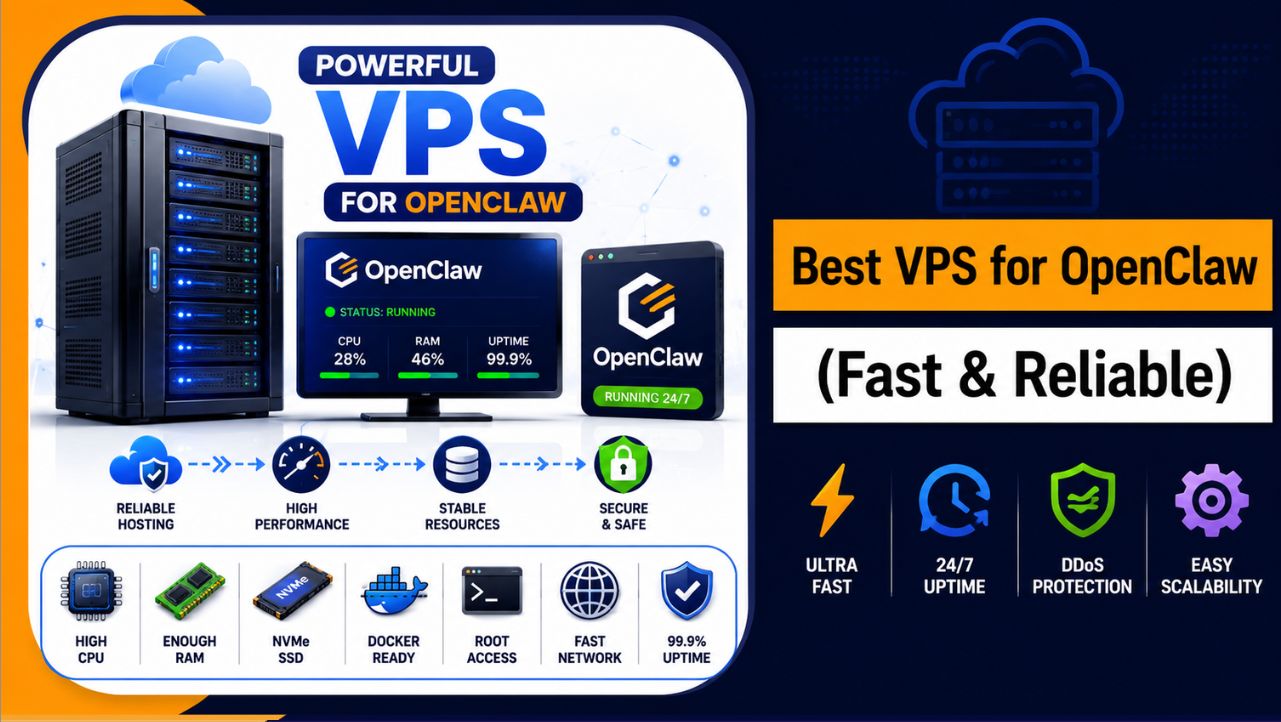
Your OpenClaw should run continuously without slowing down or stopping, but when it depends on your system, problems start appearing like interruptions, delays, and failed tasks. This happens because OpenClaw is designed for background automation, and without a proper VPS, it cannot maintain stable performance or handle workloads efficiently.
The right setup solves this completely. With a reliable VPS, your OpenClaw runs 24/7, handles tasks smoothly, and stays stable even during heavy workflows. Here, you will get clear and practical options based on real performance, so you can choose the right VPS and run your automation without facing these issues again.
What Is OpenClaw?
OpenClaw is an automation tool that helps you run tasks, workflows, and scripts automatically without handling everything manually. It connects different processes into a single system, allowing operations like data processing, task execution, and backend activities to run smoothly in the background without constant input.
Instead of relying on your personal system, OpenClaw is usually deployed on a VPS or server so it can work continuously without interruptions.
This setup ensures better performance, stability, and 24/7 execution, making it ideal for long running or resource heavy automation tasks.

Why You Need a VPS for OpenClaw?
Running OpenClaw on a VPS gives you a stable environment where your automation tasks can run smoothly without interruptions, slowdowns, or system dependency issues.
- Dedicated CPU and RAM – Your resources are not shared, so OpenClaw runs smoothly without slowdowns caused by other users.
- Full Root Access – You can install OpenClaw, Docker, and configure everything exactly the way your workflow requires.
- 24/7 Continuous Uptime – Your automation keeps running in the background even when your personal system is turned off.
- Support for Custom Setup – A VPS allows you to run scripts, containers, and tools that are not supported on shared hosting.
- Better Speed and Performance – Faster processing ensures your OpenClaw tasks complete quickly and efficiently without delays.
- Easy Scalability – You can upgrade CPU, RAM, and storage anytime as your OpenClaw workload increases.
Before selecting any VPS provider, it also helps to understand the actual OpenClaw VPS requirements based on workload, RAM usage, and automation complexity.
How We Ranked These VPS Providers
Not every VPS is suitable for OpenClaw, so each provider in this list is evaluated based on real performance and practical usage. The goal is to include only those options that can run automation tasks smoothly without unnecessary issues.
- Performance and Speed: We looked at CPU power, RAM efficiency, and storage type to ensure fast and stable OpenClaw execution.
- Pricing and Overall Value: The focus was on how much performance and resources you get compared to the price you pay.
- Ease of Setup and Use: Providers with simple setup and user friendly dashboards were given higher preference, especially for beginners.
- Scalability Options: VPS platforms that allow easy upgrades and flexible configurations were ranked better for long term usage.
- Uptime and Stability: Reliable servers with consistent uptime were prioritized to ensure uninterrupted OpenClaw workflows.
- Support Quality: Good customer support plays an important role when dealing with server related issues or configurations.
- Security Features: Providers offering protection like firewalls, backups, and DDoS security were considered more reliable.
Each provider is selected based on these practical factors so that your OpenClaw setup runs smoothly and efficiently without unnecessary complications.
Top 7 Best VPS for OpenClaw in 2026, Oct
Choosing the best VPS for OpenClaw is important if you want your automation to run smoothly without interruptions or performance issues. Here, you will find carefully selected VPS providers based on performance, pricing, and ease of use to help you choose the right one easily.
1. YouStable – Best OpenClaw VPS For Beginners
Best For: Beginners who want an affordable and easy to manage VPS to start running OpenClaw without technical complexity.
Price: From $3.67/monthly
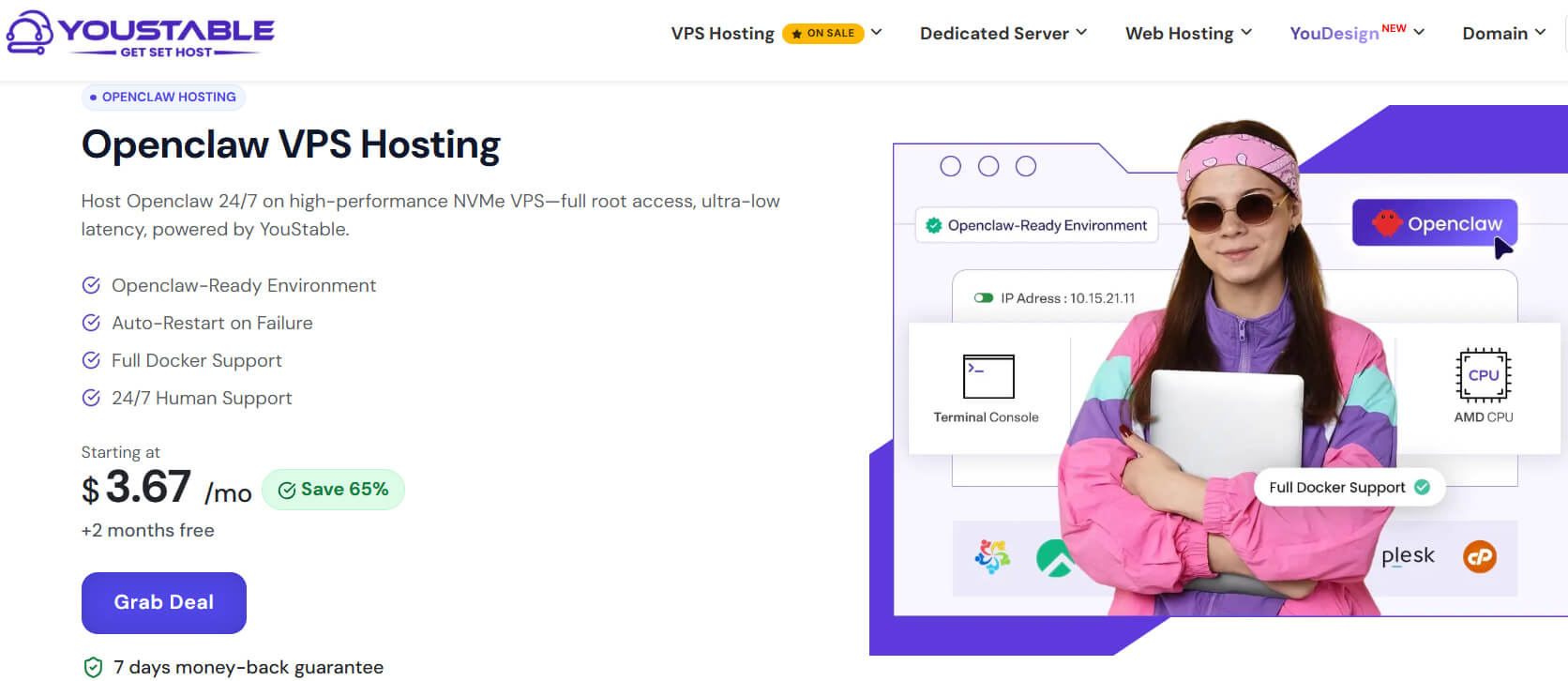
YouStable is designed to make OpenClaw deployment simple, fast, and reliable, especially for users who do not want to spend hours configuring servers manually. Its OpenClaw ready environment, Docker support, and optimized infrastructure help automation workflows run smoothly around the clock.
The platform combines performance and ease of use with features like NVMe SSD storage, full root access, dedicated IPv4, auto restart protection, weekly backups, and 24/7 human support. Whether you are running simple automations or growing workflows, the VPS remains stable and responsive.
Overall, YouStable is one of the most affordable OpenClaw VPS Hosting solutions, with plans starting at $3.67/month. Along with up to 70% savings, 2 months free, renewal at the same price, and a 7 day money back guarantee, it offers excellent value for beginners and budget conscious users.
Key Features of YouStable OpenClaw VPS Hosting
YouStable provides a pre-optimized VPS environment designed specifically for OpenClaw automation. From fast NVMe storage and full root access to reliable uptime and expert support, it includes everything needed for smooth 24/7 workflow execution.
- OpenClaw Ready Environment: Deploy OpenClaw quickly with a pre-optimized environment that removes the hassle of complex server configuration and helps you start automation faster.
- High Speed NVMe SSD Storage: Powered by NVMe SSD storage, the VPS delivers faster data processing, lower latency, and smoother execution for OpenClaw workflows.
- Full Root Access & Dedicated IPv4: Complete root access and a dedicated IPv4 address give you the flexibility to install, configure, and manage OpenClaw without restrictions.
- 99.95% Uptime with Auto Restart: Built for continuous automation, the platform offers 99.95% uptime and auto restart functionality to keep OpenClaw workflows running smoothly.
- 24/7 Human Support & Weekly Backups: Expert support is available around the clock, while automated weekly backups help protect your OpenClaw data and server configurations.
Pros
- Very affordable VPS plans
- Easy setup for beginners
- Simple control panel interface
- Decent performance for small tasks
Cons
- Limited data center locations
Plans & Pricing
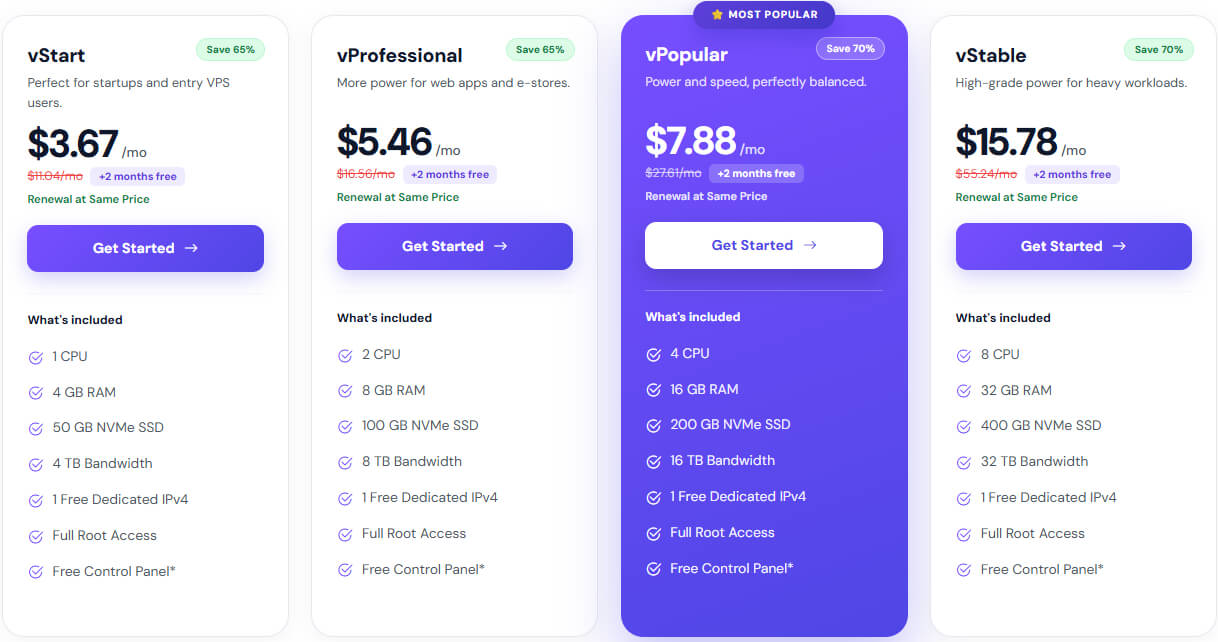
YouStable offers budget friendly VPS plans with flexible resources for OpenClaw. Pricing suits beginners while still giving stable performance.
Why Choose YouStable VPS for OpenClaw?
YouStable is a strong choice for OpenClaw because it offers simple setup, reliable performance, and affordable pricing. You can quickly start your automation without dealing with complex configurations, and everything runs smoothly. Overall, it provides a dependable and hassle free experience for OpenClaw.
2. MilesWeb – Best India Speed Managed Support
Best For: Users targeting India who need better local speed, lower latency, and managed support for smoother OpenClaw performance.
Price: From $5.9/monthly

MilesWeb is known for its strong presence in India, offering VPS hosting with better local performance and reliable infrastructure. Its data centers help reduce latency, which improves the execution speed of OpenClaw tasks.
Managed support is another advantage, as it reduces the need to handle technical setup manually. This makes the platform suitable for users who prefer a balance between performance and guided server management.
Key Features of MilesWeb
- India Based Data Centers for Low Latency: You get faster loading speeds and better performance if your audience or operations are mainly based in India.
- Managed VPS Support Available: You can get technical help for setup, updates, and maintenance, which is useful if you don’t want to manage everything yourself.
- SSD Storage with Reliable Performance: SSD based servers help OpenClaw run smoother, especially when handling multiple tasks or automation workflows at the same time.
- Easy to Use Hosting Dashboard: The interface is designed for beginners, so you can manage your VPS without facing unnecessary complexity or confusion.
Pros
- India based data centers
- Managed VPS support available
- Good local performance speed
- Beginner friendly dashboard
Cons
- Slightly higher pricing
- Limited global server locations
Read Also: OpenClaw Docker Setup Guide
3. Contabo – High Resources Low Cost Performance
Best For: Users who need high RAM and storage at a low cost for running heavy OpenClaw workflows efficiently.
Price: From $3.95/monthly

Contabo stands out for delivering high resource VPS plans at very competitive pricing. It provides large amounts of RAM and storage, which makes it suitable for running resource heavy OpenClaw workflows efficiently.
The platform focuses more on value and raw performance rather than premium features. This makes it a practical choice for handling multiple automation processes without significantly increasing overall cost.
Key Features of Contabo
- High RAM and Storage at Low Cost: You get more RAM and storage compared to most providers, making it ideal for heavy OpenClaw workloads.
- NVMe and SSD Storage Options: You can choose faster NVMe storage for better speed, which improves task execution and overall system performance.
- Full Root Access and Flexibility: You have full control over your server, allowing you to install OpenClaw, Docker, and other tools without restrictions.
- Strong Hardware Configuration: Contabo provides powerful servers that can handle multiple automation processes without slowing down your system.
Pros
- High RAM at low price
- Large storage capacity included
- Suitable for heavy workloads
- Good value for money
Cons
- Slower support response time
- Setup delays sometimes
4. Kamatera – Fully Scalable Custom Cloud VPS
Best For: Advanced users who need full control, customization, and scalable resources for growing OpenClaw automation projects.
Price: From $6/monthly

Kamatera is a cloud VPS provider built around flexibility and customization. It allows precise configuration of CPU, RAM, and storage, helping create an environment tailored specifically for OpenClaw workloads.
Its real strength lies in scalability, where resources can be adjusted instantly without service interruption. This makes it well suited for long term projects and setups that continue to grow over time.
Key Features of Kamatera
- Fully Customizable Cloud VPS: You can choose exact CPU, RAM, and storage, so your OpenClaw setup matches your exact workload requirements.
- Instant Scalability on Demand: You can increase or decrease resources anytime, which is helpful when your OpenClaw tasks grow or change over time.
- Global Data Centers Availability: Multiple server locations allow you to choose the nearest data center for better speed and lower latency.
- Enterprise Level Infrastructure: Kamatera offers highly reliable infrastructure, making it suitable for serious automation projects and long term usage.
Pros
- Fully customizable server resources
- Instant scalability available
- Global data center locations
- Enterprise level infrastructure
Cons
- Complex for beginners
- Pricing increases with usage
5. OVHcloud – Strong Uptime Secure Infrastructure Performance
Best For: Long running OpenClaw tasks that require stable performance, strong infrastructure, and reliable uptime.
Price: From $9.99/monthly
OVHcloud offers a stable and reliable VPS infrastructure designed for continuous performance. It is widely recognized for strong uptime, network stability, and built in security features that support long running OpenClaw processes.
The platform is designed for consistency rather than simplicity, making it a dependable option for projects that require uninterrupted operation. It performs well under sustained workloads and complex automation tasks.
Key Features of OVHcloud
- Reliable Global Infrastructure: OVHcloud provides stable servers with consistent uptime, ensuring your OpenClaw automation runs without interruptions.
- Built in DDoS Protection: Your VPS is protected from attacks, which keeps your OpenClaw projects safe and running smoothly at all times.
- High Network Bandwidth: You get strong network performance, which is useful if your OpenClaw workflows involve data transfers or heavy usage.
- Scalable VPS Plans: You can upgrade your server easily when your project grows, without facing major downtime or migration issues.
Pros
- Strong infrastructure reliability
- Built in DDoS protection
- High network bandwidth
- Stable long term performance
Cons
- Complex user interface
- Support can be inconsistent
6. Bluehost – Simple Interface Beginner Friendly Hosting
Best For: Beginners who prefer a simple and familiar VPS environment for basic OpenClaw setups without complexity.
Price: From $3.85/monthly

Bluehost provides a beginner friendly VPS environment with a clean and familiar interface. It simplifies server management and offers integrated tools, which help in setting up and maintaining basic OpenClaw environments.
The performance is suitable for small to medium workloads, although it may not match more performance focused providers. It remains a practical option for users who prefer simplicity and ease of use.
Key Features of Bluehost
- User Friendly VPS Management: Bluehost offers an easy interface that helps you manage your VPS without needing deep technical knowledge.
- Full Root Access for Custom Setup: You can install OpenClaw and configure your server exactly the way you want with full control access.
- Integrated cPanel Management: You get a familiar control panel, which makes it easier to manage files, domains, and server settings.
- Reliable Hosting Environment: Bluehost provides stable performance for small to medium projects, making it suitable for beginners.
Pros
- Easy to use interface
- Trusted hosting brand reputation
- Integrated cPanel management
- Good for basic setups
Cons
- Higher pricing plans
- Average VPS performance
7. Hostinger – High Speed Performance Optimized VPS
Best For: Users who need high performance, faster execution, and reliable scalability for demanding OpenClaw workloads.
Price: From $8.99/monthly

Hostinger is a performance oriented VPS provider that focuses on speed, efficiency, and modern infrastructure. With NVMe storage and optimized servers, it delivers faster execution for OpenClaw workflows.
It is well suited for scaling projects where performance becomes critical. As workloads increase, the platform maintains stability and speed, making it a strong upgrade from entry level VPS solutions.
Key Features of Hostinger
- High Speed NVMe SSD Storage: You get faster data processing and quicker task execution, which improves OpenClaw performance significantly.
- Dedicated Resources for Better Performance: Your VPS resources are not shared, ensuring consistent speed and stability even during heavy workloads.
- Easy OS and Application Setup: You can quickly install operating systems and tools like Docker, making OpenClaw deployment simple and fast.
- Strong Uptime and Reliability: Hostinger offers stable uptime, so your automation tasks run continuously without unexpected interruptions.
Pros
- High speed NVMe storage
- Strong uptime reliability
- Dedicated VPS resources
- Easy server setup process
Cons
- Slightly higher pricing
- Limited advanced configurations
How to Choose the Right VPS for OpenClaw in 2026
Choosing the right VPS for OpenClaw is not just about price, it’s about selecting a setup that matches your workload, performance needs, and future growth. A good VPS should give you the right balance of speed, control, and scalability so your automation runs without issues.
- Match Resources with Your Workload – Always choose CPU, RAM, and storage based on how heavy your OpenClaw tasks are, not just the cheapest plan.
- Focus on Performance (SSD or NVMe) – Faster storage like NVMe improves execution speed and reduces delays in automation workflows.
- Check Scalability Options – Your workload may grow, so choose a VPS that allows easy upgrades without downtime or migration issues.
- Look for High Uptime and Reliability – A VPS with 99.9% uptime ensures your OpenClaw tasks run continuously without interruptions.
- Choose Between Managed or Unmanaged VPS – Managed VPS is better for beginners, while unmanaged gives full control for advanced users.
- Consider Data Center Location – A server closer to your region gives better speed and lower latency for smoother performance.
- Evaluate Security Features – Look for DDoS protection, firewalls, and backups to keep your OpenClaw environment safe and stable.
- Check Support Quality – Reliable 24/7 support helps you fix issues quickly and keeps your automation running without long downtime.
- Compare Pricing vs Features – Do not choose based only on low price; make sure you are getting the right performance and resources.
Also Read: Setup OpenClaw On VPS
Common Mistakes to Avoid When Running OpenClaw on a VPS
Setting up OpenClaw on a VPS becomes much easier when you avoid a few common mistakes that can affect performance and stability.
- Choosing VPS based only on price – Going for the cheapest option often leads to poor performance and issues while running OpenClaw workflows.
- Ignoring required resources – Low CPU or RAM can cause slow execution, crashes, or failed automation tasks.
- Not using SSD or NVMe storage – Slower storage directly affects speed and makes OpenClaw tasks take longer to complete.
- Selecting wrong server location – A distant data center increases latency and can slow down overall performance.
- Skipping security setup – Not enabling firewall, backups, or basic protection can put your server and data at risk.
- Choosing unmanaged VPS without knowledge – Lack of technical understanding can make setup and maintenance difficult.
- Not planning for scalability – Starting with a very low plan without upgrade options can create problems as workload grows.
- Ignoring uptime and reliability – Unstable servers can interrupt your OpenClaw processes and affect automation consistency.
Avoiding these mistakes helps you run OpenClaw smoothly and prevents unnecessary issues in the long run.
Read Also: Learn How to Fix OpenClaw Not Working
FAQs
What is the best VPS for OpenClaw?
The best VPS for OpenClaw depends on your needs, but YouStable is a great choice for beginners due to its affordability and easy setup. For higher performance, Hostinger or Kamatera are better options.
Can I run OpenClaw on shared hosting?
No, shared hosting is not suitable for OpenClaw because it does not provide dedicated resources or full control required for automation tasks and custom setups.
How much RAM is required for OpenClaw?
A minimum of 2GB RAM is required, but 4GB or more is recommended for smoother performance, especially when running multiple automation workflows.
Which VPS is best for beginners using OpenClaw?
YouStable and Bluehost are good options for beginners because they offer simple setup, easy management, and affordable pricing for starting with OpenClaw.
Do I need technical knowledge to use a VPS for OpenClaw?
Basic knowledge is helpful, but many VPS providers offer easy dashboards and support, making it possible for beginners to set up and run OpenClaw without advanced skills.
Conclusion
Choosing the right VPS for OpenClaw is not just about picking any provider, it is about making sure your automation runs smoothly without interruptions, slowdowns, or failures. When your setup has the right CPU, RAM, and storage, OpenClaw performs the way it is designed to, running tasks continuously in the background without depending on your personal system.
If you are just starting and want something simple and affordable, YouStable is a strong choice because it is easy to manage and works well for basic OpenClaw setups. For heavier workloads, you can go with performance focused options like Hostinger or scalable platforms like Kamatera. Once you choose the right VPS based on your needs, your OpenClaw will run stable, fast, and without the common issues most users face.
These are the Best VPS Providers for OpenClaw in 2026
| Provider | Starting Price | Best For | Performance | Ease of Use |
| YouStable | $3.67/month | Beginners & budget users | Very High | Very Easy |
| MilesWeb | $5.9/month | Indian users (low latency) | Medium | Easy |
| Contabo | $3.95/month | Heavy workloads | High | Medium |
| Kamatera | $6/month | Scalable projects | High | Medium |
| OVHcloud | $9.99/month | Stability & security | High | Medium |
| Bluehost | $3.85/month | Simple beginner setup | Medium | Easy |
| Hostinger | $8.99/month | High performance tasks | Very High | Easy |