A subdomain is the additional part of your main website that can exist as a new website without a new domain name.
Subdomains are used to manage, organize and navigate different URLs for your site’s content areas.
For example
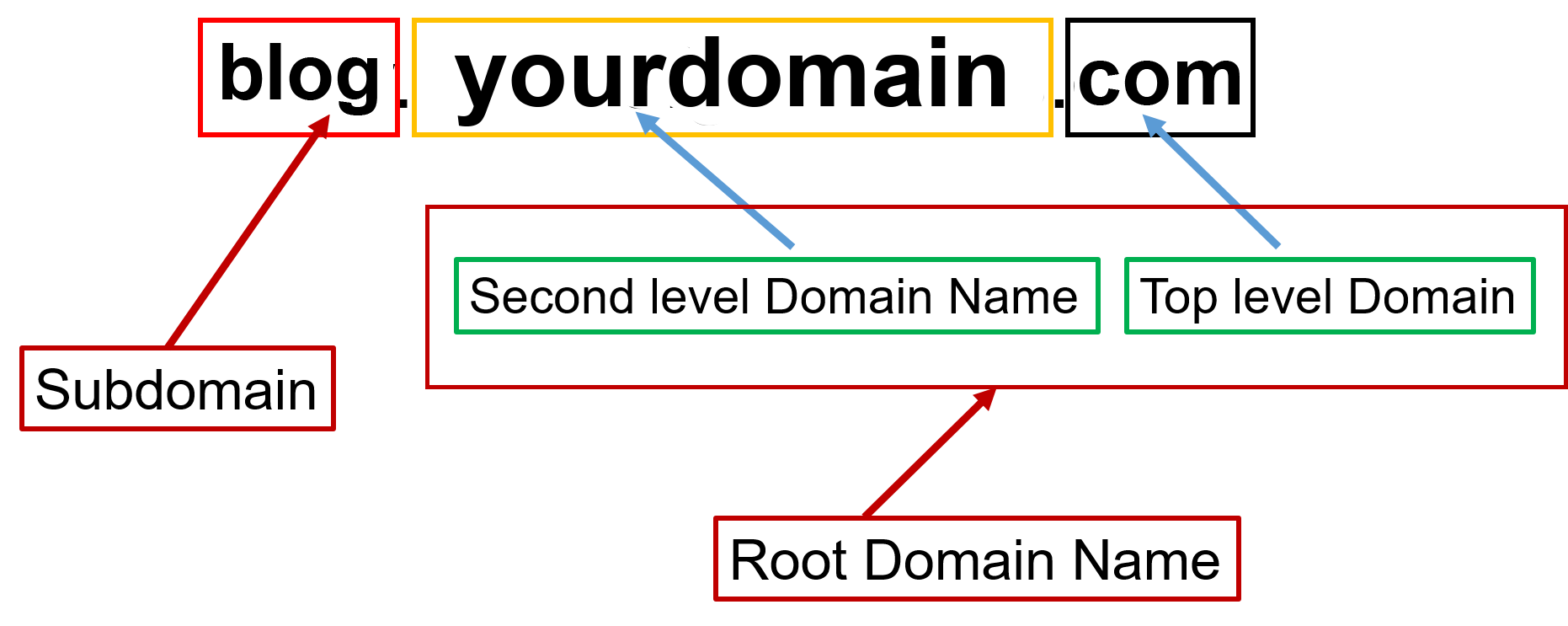
In this example, ‘blog’ is the subdomain, ‘yourdomain’ is the primary domain, and ‘.com’ is the top-level domain (TLD).
Any text can be used as your subdomain, but please make sure it’s easy to remember.
How to create a Subdomain in cPanel
Here we assume that you’ve already logged in to DirectAdmin.
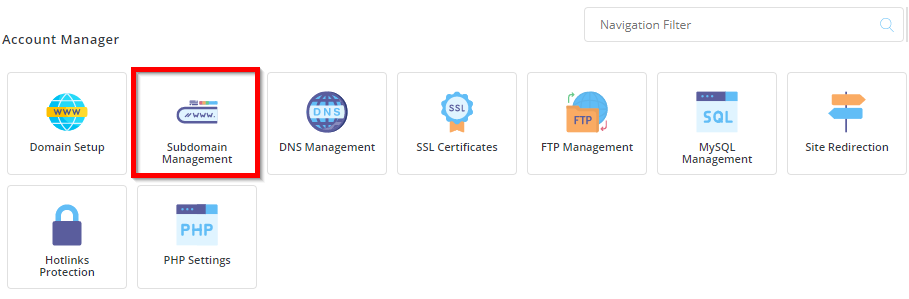
1) Go to the ‘Account Manager’ section and click on the Subdomain Management icon.
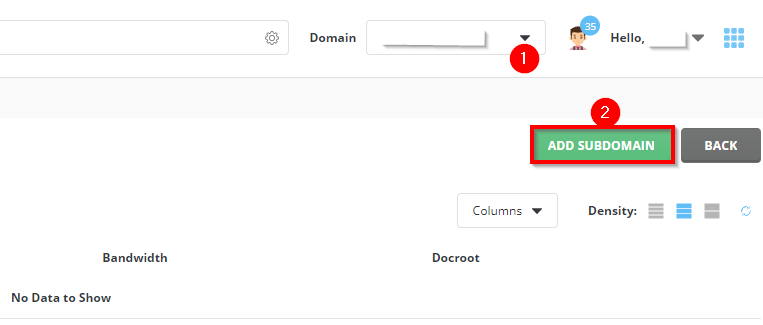
2) Select your domain name for which you want to create a subdomain and Click on ADD SUBDOMAIN.
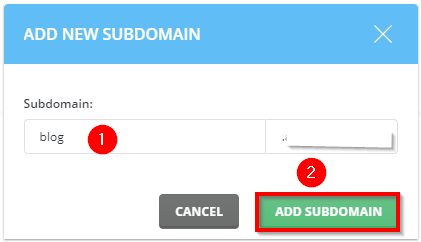
3) Enter the subdomain text you wish to create and Click on ADD SUBDOMAIN.
4) You can have a list of subdomains that you have created. You can manage them from DirectAdmin –> subdomain management
That’s it! I hope that now you know how to create subdomains in DirectAdmin.