

Redis on a Linux server is an in-memory key-value data store used for caching, sessions, queues, and real-time analytics. On Linux, it runs as a systemd service, supports persistence via RDB and AOF, and can be secured, tuned, and scaled with replication, Sentinel, or Cluster to deliver microsecond latency and high throughput.
If you want to understand Redis on Linux server from installation to security, performance tuning, and high availability, this guide distills 12+ years of hosting experience into practical steps. We’ll cover how Redis works, how to install it on Ubuntu and RHEL-based systems, production-ready configuration, monitoring, and a WordPress use case.
What is Redis and Why Use it on Linux?
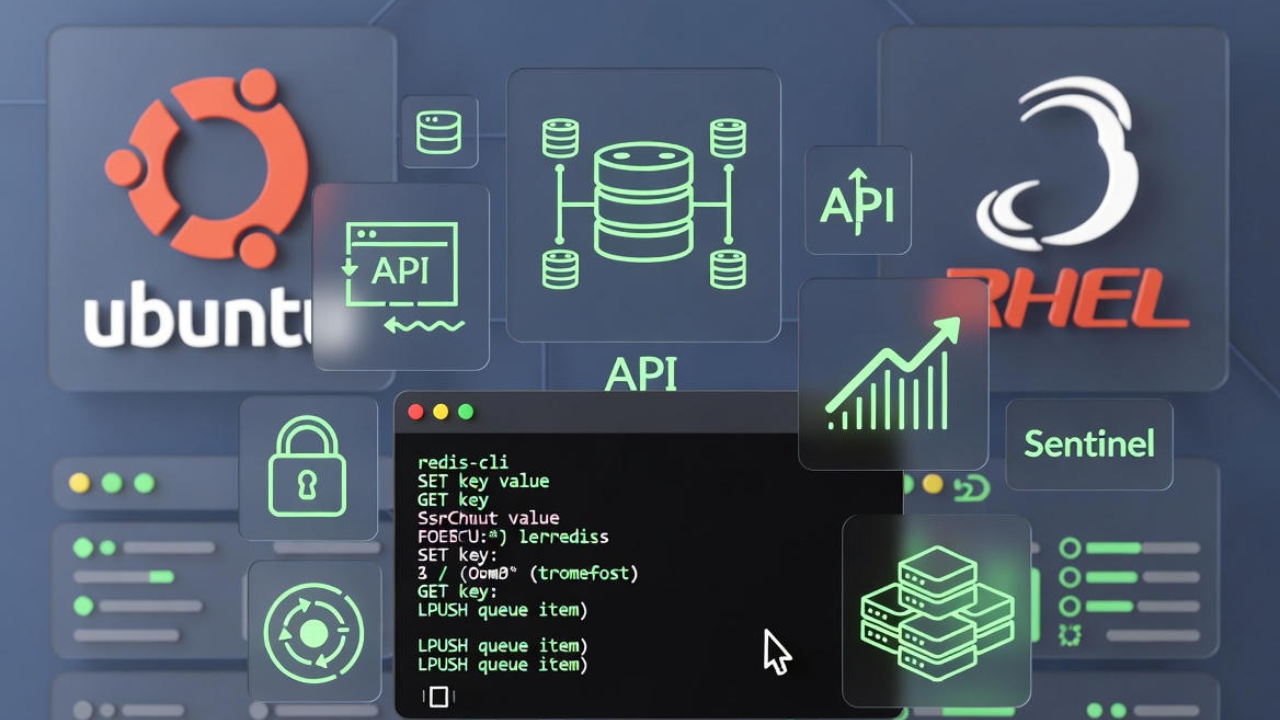
Redis is an open-source, in-memory data structure store often used as a cache, session store, message broker, or primary datastore for real-time workloads. Linux is the most common platform for Redis due to its stability, predictable networking, systemd integration, and robust tooling for performance and security hardening.
Core Use Cases
- Caching: Speed up databases and APIs by caching hot keys and query results.
- Sessions: Store web sessions (e.g., PHP, Node.js) for stateless app servers.
- Queues/Streams: Use lists, streams, and Pub/Sub for background jobs and real-time pipelines.
- Rate Limiting/Features: Implement counters, leaderboards, and feature flags with atomic operations.
How Redis Works
- In-memory data store with optional persistence (RDB snapshots, AOF logs, or both).
- Rich data types: strings, hashes, lists, sets, sorted sets, bitmaps, HyperLogLog, streams, and geospatial indexes.
- Single-threaded command execution per instance for simplicity and consistent latency.
- High availability via replication and Redis Sentinel; horizontal sharding via Redis Cluster.
Prerequisites and System Requirements
Baseline Recommendations
- Linux distro: Ubuntu 20.04/22.04+, Debian 11/12, RHEL/AlmaLinux/Rocky 8/9.
- Memory: 2–4 GB minimum for small workloads; size RAM to hold your working set plus overhead.
- CPU: 2+ vCPU for production; Redis is single-threaded for commands but uses threads for I/O and persistence.
- Disk: SSD/NVMe for persistence and AOF rewriting; ensure enough space for datasets and snapshots.
- Networking: Low-latency, predictable bandwidth; colocate app and Redis within the same VPC/region when possible.
Security Basics
- Run as an unprivileged user (e.g., redis).
- Bind to localhost or a private IP; never expose Redis to the public internet.
- Use a firewall (UFW or firewalld), strong authentication, and optional TLS.
- Restrict dangerous commands (FLUSHALL, CONFIG) where appropriate.
Install Redis on Popular Linux Distros
Ubuntu / Debian (apt)
sudo apt update
sudo apt install -y redis-server

# Enable and start the service
sudo systemctl enable --now redis-server

# Verify
redis-cli ping
# PONG
On recent Ubuntu releases, Redis is configured with systemd supervision by default. The main config file is usually at /etc/redis/redis.conf.
RHEL / AlmaLinux / Rocky (dnf/yum)
sudo dnf install -y epel-release
sudo dnf install -y redis

# Enable and start
sudo systemctl enable --now redis

# Verify
redis-cli ping
On RHEL-family distros, the config is commonly at /etc/redis/redis.conf and the service name is redis.
Build From Source (latest stable)
# Install build tools
sudo apt update && sudo apt install -y build-essential tcl pkg-config

# Download and build (check redis.io for the latest stable URL)
curl -O https://download.redis.io/redis-stable.tar.gz
tar xzf redis-stable.tar.gz
cd redis-stable
make -j$(nproc)
make test
sudo make install

# Create user, dirs, and copy config
sudo useradd -r -s /bin/false redis
sudo mkdir -p /etc/redis /var/lib/redis /var/log/redis
sudo cp redis.conf /etc/redis/redis.conf
sudo chown -R redis:redis /var/lib/redis /var/log/redis

# Tell Redis to use systemd supervision in /etc/redis/redis.conf:
# supervised systemd

# Create service
sudo tee /etc/systemd/system/redis.service >/dev/null <<'EOF'
[Unit]
Description=Redis In-Memory Data Store
After=network.target

[Service]
User=redis
Group=redis
ExecStart=/usr/local/bin/redis-server /etc/redis/redis.conf --supervised systemd
ExecStop=/usr/local/bin/redis-cli shutdown
Restart=always
LimitNOFILE=100000

[Install]
WantedBy=multi-user.target
EOF

sudo systemctl daemon-reload
sudo systemctl enable --now redis
Configure Redis for Production
Edit /etc/redis/redis.conf (path may vary). Here’s a hardened starting point for a single instance on a private network:
bind 127.0.0.1 ::1
protected-mode yes
port 6379

# Auth and ACL
requirepass <STRONG_RANDOM_PASSWORD>

# Process
daemonize no
supervised systemd
databases 16
timeout 0
tcp-keepalive 300

# Memory management
maxmemory 2gb
maxmemory-policy allkeys-lru

# Persistence
save 900 1
save 300 10
save 60 10000
appendonly yes
appendfsync everysec

# Files/dirs
dir /var/lib/redis
logfile /var/log/redis/redis-server.log

# Hardening (optional)
rename-command FLUSHALL ""
rename-command FLUSHDB ""
rename-command CONFIG ""
# ACL example (Redis 6+): use redis-cli ACL commands instead of file edits when possible
Restart to apply changes:
sudo systemctl restart redis-server  # Ubuntu/Debian
# or
sudo systemctl restart redis         # RHEL family
Optimize Linux for Redis Performance
Kernel and sysctl Tuning
# /etc/sysctl.d/99-redis.conf
vm.overcommit_memory = 1
net.core.somaxconn = 65535
net.ipv4.tcp_max_syn_backlog = 8192
fs.file-max = 100000
net.ipv4.ip_local_port_range = 1024 65000

sudo sysctl --system

# Increase Redis file descriptors (systemd override)
sudo systemctl edit redis-server  # or redis
# Add:
# [Service]
# LimitNOFILE=100000
sudo systemctl restart redis-server || sudo systemctl restart redis
Disable Transparent Huge Pages (THP)
THP may cause latency spikes for Redis. Disable it at boot:
# Temporary (until reboot)
echo never | sudo tee /sys/kernel/mm/transparent_hugepage/enabled
echo never | sudo tee /sys/kernel/mm/transparent_hugepage/defrag

# Persistent via systemd unit
sudo tee /etc/systemd/system/disable-thp.service >/dev/null <<'EOF'
[Unit]
Description=Disable Transparent Huge Pages
After=network.target

[Service]
Type=oneshot
ExecStart=/bin/sh -c 'echo never > /sys/kernel/mm/transparent_hugepage/enabled'
ExecStart=/bin/sh -c 'echo never > /sys/kernel/mm/transparent_hugepage/defrag'
RemainAfterExit=yes

[Install]
WantedBy=multi-user.target
EOF

sudo systemctl daemon-reload
sudo systemctl enable --now disable-thp
Swap and Memory Considerations
- Avoid swapping active Redis memory; set
vm.swappiness=1to reduce swap aggressiveness. - Ensure
vm.overcommit_memory=1for smooth forking during RDB/AOF rewrites. - Set
maxmemoryand an eviction policy to prevent OOM kills.
Persistence, Backup, and Recovery
RDB vs AOF (and Both)
- RDB snapshots: Compact files at intervals. Pros: fast restart, small files. Cons: can lose last N seconds/minutes of data.
- AOF: Appends each write. Pros: finer-grained durability. Cons: larger files, periodic rewrite cost.
- Both: Common in production—RDB for fast recovery, AOF for reduced data loss.
Backup and Restore
- Trigger snapshots:
redis-cli SAVE(blocking) orredis-cli BGSAVE(recommended). - Back up
dump.rdband/orappendonly.aoffromdir(often/var/lib/redis). - Test restore by stopping Redis, placing the backup file into the data dir, and restarting.
- Store backups off-server and verify with periodic recovery drills.
Security Hardening
Network and Firewall
# Bind to localhost or a private interface
bind 127.0.0.1 ::1
protected-mode yes

# UFW (Ubuntu): allow only from your app server's private IP
sudo ufw allow from 10.0.0.10 to any port 6379 proto tcp

# firewalld (RHEL):
sudo firewall-cmd --permanent --add-rich-rule='rule family="ipv4" source address="10.0.0.10" port protocol="tcp" port="6379" accept'
sudo firewall-cmd --reload
Authentication and ACLs
# In redis.conf
requirepass <STRONG_PASSWORD>

# Redis 6+ ACL example (run via redis-cli):
ACL SETUSER app on >APP_STRONG_PASS ~app:* +@all -FLUSHALL -CONFIG -SHUTDOWN
TLS and Command Hardening
- Enable TLS if traffic crosses untrusted networks (requires building with TLS support or using stunnel/Envoy).
- Rename or disable risky commands:
rename-command FLUSHALL "". - Run Redis as a dedicated user with strict permissions on data and log directories.
High Availability and Scaling
Replication
# On the replica's redis.conf
replicaof 10.0.0.10 6379
masterauth <MASTER_PASSWORD>- Replicas are read-only by default; use them to offload reads or for HA.
- Consider disk and network capacity for replication traffic and persistence.
Redis Sentinel (Automatic Failover)
# /etc/redis/sentinel.conf on 3+ sentinel nodes
port 26379
sentinel monitor mymaster 10.0.0.10 6379 2
sentinel auth-pass mymaster <MASTER_PASSWORD>
sentinel down-after-milliseconds mymaster 5000
sentinel failover-timeout mymaster 60000

# Start and enable
sudo systemctl enable --now redis-sentinel
Use an odd number of Sentinels (3 or 5) for quorum and resilience. Point your applications to the virtual master managed by Sentinel for automatic failover.
Redis Cluster (Sharding)
For datasets bigger than a single node’s RAM or for scaling writes, Redis Cluster partitions keys across multiple nodes. Enable cluster-enabled yes, define a cluster config file, and create the cluster with the Redis CLI. Use Cluster when you need horizontal scale; otherwise, a single primary with replicas plus Sentinel is simpler.
Monitoring and Troubleshooting
Key Metrics
- Memory:
used_memory,mem_fragmentation_ratio,maxmemoryusage. - Cache Efficacy: hits/misses,
evicted_keys, keyspace size per DB. - Latency: command latency,
instantaneous_ops_per_sec. - Persistence: AOF rewrite time, RDB save time, fork metrics.
Useful Commands
# Quick health
redis-cli PING
redis-cli INFO memory
redis-cli INFO stats

# Latency and slowlog
redis-cli --latency
redis-cli SLOWLOG GET 128

# Benchmark (use carefully on prod)
redis-benchmark -n 100000 -q

# Logs
journalctl -u redis-server --since "1 hour ago"
# or
journalctl -u redis
Common Issues and Fixes
- OOM/Crashes: Set
maxmemorywith an eviction policy; ensure enough RAM; avoid huge keys. - Latency Spikes: Disable THP; monitor AOF rewrite; tune disk I/O; keep RDB/AOF files on fast SSD/NVMe.
- Fork Delays: Ensure
vm.overcommit_memory=1and sufficient free memory for copy-on-write. - Network Timeouts: Verify firewall rules, MTU issues, and keepalive; colocate app with Redis.
Real-World Example: WordPress + Redis Object Cache
Redis can dramatically improve WordPress performance by caching object queries. Here’s a quick setup using the Redis Object Cache plugin.
- Install Redis server and the PHP Redis extension (e.g., sudo apt install php-redis).
- Install the “Redis Object Cache” plugin in WordPress and enable it.
- Configure wp-config.php with your Redis settings.
// wp-config.php
define('WP_REDIS_HOST', '127.0.0.1');
define('WP_REDIS_PORT', 6379);
define('WP_REDIS_PASSWORD', '<YOUR_REDIS_PASSWORD>');
define('WP_REDIS_DATABASE', 1); // separate DB for WP cache
After activation, verify the cache hit ratio in the plugin dashboard. Combine with a page cache (e.g., Nginx FastCGI cache) for best results.
When Managed Is Better
If managing kernel tuning, Sentinel, and backups isn’t your priority, consider a managed VPS or cloud server. At YouStable, we deploy Redis on hardened Linux servers with systemd, firewall rules, backups, monitoring, and performance tuning baked in, so your team can focus on shipping features instead of maintaining infrastructure.
FAQs:
u003cstrongu003eIs Redis a cache or a database?u003c/strongu003e
Both. Redis is an in-memory datastore often used as a cache or session store, but it can also act as a primary database for workloads that fit in memory and can tolerate its persistence guarantees (RDB/AOF). Many production stacks use Redis as a cache in front of a relational or NoSQL database.
u003cstrongu003eHow much RAM does Redis need on Linux?u003c/strongu003e
Size RAM to hold your working set plus overhead: the dataset, key metadata, replication buffers, and fork copy-on-write during snapshots/AOF rewrites. For small apps, 2–4 GB works; for larger workloads, plan capacity tests and leave headroom of 30–50% for safe forking.
u003cstrongu003eShould I use RDB or AOF in production?u003c/strongu003e
Use both for balanced durability and recovery speed. RDB provides compact snapshots for fast restarts; AOF reduces data loss between snapshots. Tune u003ccodeu003eappendfsyncu003c/codeu003e (often u003ccodeu003eeverysecu003c/codeu003e) to balance durability with latency, and ensure fast SSD/NVMe storage.
u003cstrongu003eHow do I secure Redis if it must be accessible remotely?u003c/strongu003e
Bind to a private interface, restrict access with firewall rules to app IPs, enable strong authentication and ACLs, and use TLS. Avoid exposing port 6379 publicly. Consider a private VPN or proxy layer (e.g., stunnel, Envoy) if TLS termination is handled externally.
u003cstrongu003eWhy does Redis memory usage appear larger than my key data?u003c/strongu003e
Redis memory includes key metadata, internal fragmentation, replication buffers, and copy-on-write memory during persistence operations. Use u003ccodeu003eINFO memoryu003c/codeu003e and u003ccodeu003eMEMORY STATSu003c/codeu003e to inspect usage, choose efficient data structures, and avoid oversized values or deeply nested collections.










