Managing a network is not only about connecting devices and keeping them powered on. What truly matters is visibility. You need to know whether servers are healthy, routers are handling traffic properly, and switches are operating without hidden issues. Many problems start silently, long before users notice something is wrong.
Checking every device one by one is time consuming and unrealistic, especially in growing networks. This lack of visibility is where most network issues begin.
This is why SNMP (Simple Network Management Protocol) is so important.
SNMP gives you a way to see what is happening across your entire network from a central point. It quietly collects performance data, device status, and alerts, allowing you to understand network behavior without logging into each system manually. Instead of guessing or reacting late, you stay informed and in control.
Once SNMP is in place, monitoring becomes proactive rather than reactive. Issues are detected early, troubleshooting becomes faster, and managing even large networks feels far more manageable.
What is SNMP (Simple Network Management Protocol)?
SNMP is a standard network management protocol used to monitor and manage devices connected to an IP network.
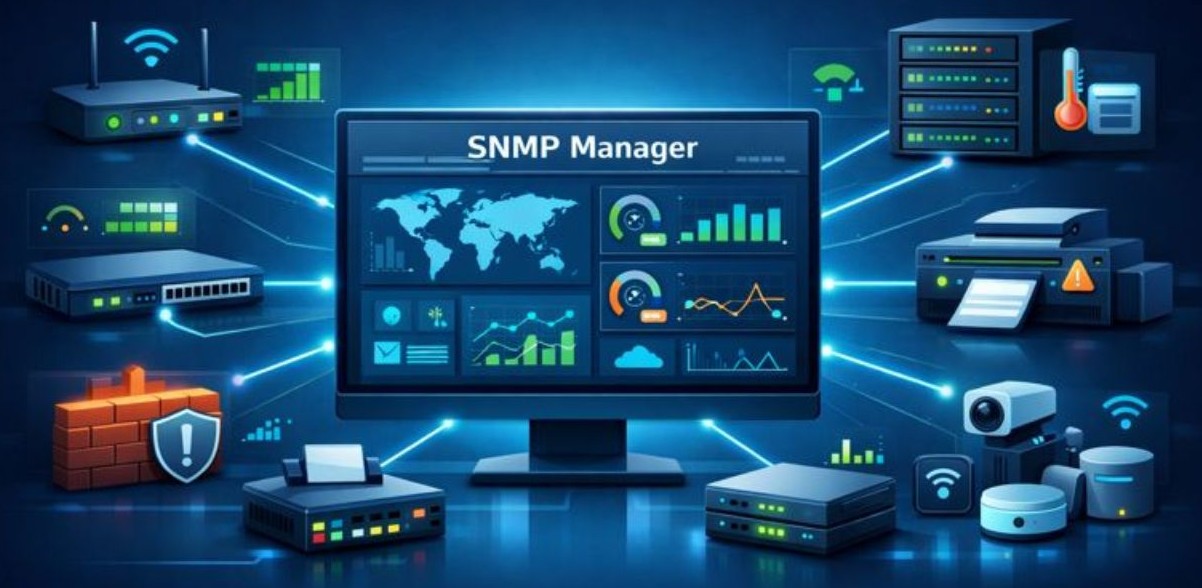
It allows administrators to collect information from devices like:
- Routers
- Switches
- Firewalls
- Servers
- Printers
- Network enabled IoT devices
SNMP does not control traffic flow. Instead, it collects data and reports device status, such as CPU usage, memory load, interface traffic, temperature, and error conditions.
The main goal of SNMP is visibility and control over a network.
How SNMP Works in Real World Networks
SNMP follows a simple manager–agent communication model that quietly keeps your entire network under watch, without interrupting normal traffic.
At the center, you have an SNMP Manager. This is the system that monitors everything. It does not sit inside each device. Instead, it communicates from one place and keeps track of the whole network.
Every router, switch, server, or firewall runs a small background service called an SNMP Agent. This agent continuously collects device information like performance, usage, and status, and waits for instructions.
Here’s how the interaction happens:
- The manager sends a request asking for specific data
- The agent reads the requested information from the device
- The agent sends the response back to the manager
This process is very lightweight, which is why SNMP works reliably even in large and busy networks without adding noticeable load.
SNMP communicates in two practical ways:
Polling: The manager regularly asks devices for information at fixed intervals. This provides consistent, predictable monitoring data across the network.
Traps: Devices automatically send alerts to the manager when something important happens, such as a failure, threshold breach, or sudden change. No request is needed, so issues are reported instantly.
By combining polling and traps, SNMP ensures you always know both what is happening now and when something goes wrong, without constant manual checks.
Core Components of SNMP
To really understand how SNMP works, you need to know its three main building blocks. These components work together to collect, share, and monitor network data smoothly.
1. SNMP Manager
The SNMP Manager is the central control point of the network monitoring system. This is where everything is viewed and managed.
It does the following:
- Sends requests to network devices
- Collects performance and status data
- Receives alerts (called traps) from devices
- Displays information through dashboards, graphs, or reports
Network monitoring tools and management servers usually act as the SNMP Manager.
2. SNMP Agent
The SNMP Agent runs directly on each network device, such as routers, switches, servers, or firewalls.
Its role includes:
- Collecting device specific information
- Storing data locally on the device
- Responding to requests from the SNMP Manager
- Sending traps automatically when important events occur
Almost all modern network devices come with an SNMP agent built in and ready to use.
3. Management Information Base (MIB)
The MIB is a structured database that defines all the information a device can share through SNMP.
It explains:
- Which data values can be read
- Which values can be changed
- How the data is organized and labeled
Each data item in the MIB has a unique Object Identifier (OID). The SNMP Manager uses these OIDs to request exact values, such as CPU usage, memory status, or interface traffic, from a device.
SNMP Protocol Ports Explained (SNMP Port Numbers)
SNMP uses specific UDP ports to communicate. These ports are fixed by standards and are critical for proper operation.
UDP Port 161 – SNMP Requests & Responses
- Used for SNMP polling
- The manager sends requests to this port
- The agent responds through the same channel
If port 161 is blocked, SNMP polling will fail.
UDP Port 162 – SNMP Traps & Notifications
- Used for SNMP traps
- Agents send alerts to the manager
- No request is needed
If port 162 is blocked, alerts will never reach the monitoring system.
Why SNMP Uses UDP
SNMP uses UDP because:
- It is lightweight
- It creates less overhead
- Monitoring data does not require guaranteed delivery
Speed and efficiency matter more than retransmission in monitoring systems.
Role of SNMP Ports in Network Communication
SNMP does not work randomly on the network. It relies on specific ports to make sure monitoring data moves in the right direction, to the right place, every time.
SNMP ports act like dedicated entry points for network monitoring traffic. They ensure that SNMP messages are handled by the correct service on a device, instead of getting mixed with normal user or application traffic.
Because SNMP uses its own ports:
- Monitoring data reaches the correct SNMP service, not other applications
- SNMP traffic stays separate from regular network traffic, keeping things organized
- Communication between the manager and devices remains clear, fast, and reliable
When these ports are not configured properly, SNMP simply cannot communicate. In real world networks, blocked or misconfigured SNMP ports are one of the most common reasons monitoring stops working or alerts never arrive.
This is why checking SNMP ports is often the first troubleshooting step when SNMP data or alerts suddenly disappear.
Importance of SNMP Ports in Real World Networks
SNMP ports are not just technical details. In real networks, they directly affect security, performance, and reliability of monitoring systems.
Security
When you clearly understand which ports SNMP uses, you can control access more effectively. This allows administrators to:
- Restrict SNMP traffic using firewalls
- Allow communication only from trusted IP addresses
- Block unauthorized monitoring attempts and reduce attack risks
Without proper port control, SNMP can become an easy target for misuse or information leakage.
Performance and Reliability
Correctly configured SNMP ports help monitoring systems work smoothly. They ensure:
- Faster and consistent data collection
- Reliable delivery of alerts and traps
- Stable monitoring results without random timeouts or missing data
When ports are open and properly routed, SNMP performs efficiently even in large networks.
Troubleshooting
Whenever SNMP data stops updating or alerts are not received, the first thing experienced administrators check is:
- UDP port 161 for polling issues
- UDP port 162 for missing traps
In many cases, fixing a blocked or filtered SNMP port immediately restores monitoring.
SNMP Operations and Commands
SNMP communicates using a small set of well defined operations. Each operation has a specific role and together they make monitoring and basic management possible without heavy overhead.
- GET – Used by the SNMP manager to read a specific value from a device. For example, checking CPU usage, memory status, or interface traffic counters.
- SET – Allows the manager to change or update a value on the device. This is used carefully, such as enabling or disabling an interface or changing a configuration parameter. It is usually restricted for security reasons.
- GETNEXT – Used to retrieve the next available object in the MIB tree. This helps the manager walk through a list of values step by step, such as reading all interfaces on a device.
- GETBULK – Designed for efficiency in large networks. It allows the manager to retrieve large amounts of data in a single request, reducing network load and improving performance compared to multiple GET requests.
- TRAP – Sent by the SNMP agent to the manager without being asked. Traps immediately notify the monitoring system about important events like link failures, high CPU usage, or device reboots.
Together, these SNMP operations enable continuous monitoring, quick alerts, and limited configuration control, making SNMP both efficient and practical for real world network management.
SNMP Traps vs Polling
SNMP uses two smart ways to collect information from network devices. Each has a different role, and together they give you complete visibility.
Polling
- The SNMP manager asks devices for data at fixed intervals
- Gives regular and predictable monitoring
- Useful for tracking CPU, memory, bandwidth, and uptime
- Can create extra load if the network is very large
Traps
- Devices send alerts automatically when an event occurs
- No waiting for the next polling cycle
- Ideal for critical events like device failure or high temperature
- Very fast, but only event based (not continuous data)
Polling tells you how things are going regularly, while traps tell you when something suddenly goes wrong. Modern networks use both together to get reliable monitoring without delay or overload.
Versions of SNMP
SNMP has improved over time to meet growing network size and security needs. Each version was designed to fix the limitations of the previous one, especially around performance and security.
SNMPv1
- The original version of SNMP
- Uses plain text community strings
- No encryption or authentication
- Easy to set up, but highly insecure
- Not suitable for modern networks
SNMPv2c
- Improved speed and efficiency over SNMPv1
- Introduced GETBULK for faster data collection
- Still relies on community strings
- Security remains weak and limited
- Common in older or internal networks only
SNMPv3 (Recommended)
- Designed with security as the top priority
- Supports user based authentication
- Provides encryption for SNMP data
- Allows fine grained access control
- Protects against unauthorized access and data leaks
SNMPv3 is the current industry standard. If SNMP is used in any production or internet facing environment, SNMPv3 should always be chosen for safe and reliable network monitoring.
Configuring SNMP Ports on Network Devices
Configuring SNMP correctly is important for stable monitoring and good security. A small mistake in settings can break communication completely, so each step matters.
- Enable the SNMP service on the network device so it can send and receive monitoring data
- Choose the SNMP version carefully – SNMPv3 is always the safest option
- Configure UDP ports 161 and 162
- Port 161 for SNMP requests and responses
- Port 162 for traps and alerts
- Restrict access by IP address so only trusted monitoring servers can communicate
Some administrators change the default SNMP ports to reduce exposure, but if you do this, both the SNMP manager and the SNMP agent must use the same ports, otherwise SNMP will stop working.
Best Practices for Managing SNMP Ports Securely
SNMP is powerful, but only when it is configured securely. Following these best practices helps protect your network while keeping monitoring reliable.
- Use SNMPv3 only: It provides authentication and encryption, unlike older versions.
- Restrict access by IP address: Allow SNMP traffic only from trusted monitoring servers.
- Monitor SNMP traffic regularly: Watch for unusual requests or unexpected activity.
- Never expose SNMP to the public internet: SNMP should always stay behind private networks or VPNs.
- Use firewalls correctly: Open only UDP ports 161 and 162, and only where required.
- Keep devices and firmware updated: Updates fix security flaws and improve SNMP stability.
When these practices are followed, SNMP remains both safe and highly effective for network monitoring.
Common SNMP Port Issues and Fixes
Even when SNMP is configured correctly, port related problems can stop monitoring from working. Below are the most common issues, their causes, and simple fixes.
- No SNMP data received
- Cause: UDP port 161 is blocked
- Fix: Open UDP port 161 on the device and firewall
- SNMP alerts (traps) not coming
- Cause: UDP port 162 is blocked
- Fix: Open UDP port 162 on the monitoring server
- Frequent timeouts or no response
- Cause: Firewall filtering or IP restrictions
- Fix: Allow the SNMP manager’s IP address explicitly
- Security warnings or alerts
- Cause: Old or insecure SNMP version (v1/v2c)
- Fix: Upgrade configuration to SNMPv3
In most cases, SNMP issues are not complex. Checking ports 161 and 162 and firewall rules usually solves the problem quickly.
SNMP Use Cases in Network Management
SNMP is used wherever network visibility and control are important. It works just as well in small setups as it does in very large environments.
- Enterprise networks: Monitor routers, switches, servers, and firewalls from a central dashboard.
- Data centers: Track server health, bandwidth usage, temperature, and hardware alerts in real time.
- Internet service providers (ISPs): Monitor large scale network devices, links, and customer facing infrastructure.
- Cloud monitoring: Keep an eye on virtual machines, load balancers, and cloud based network resources.
- IoT infrastructure: Collect status and performance data from thousands of connected devices.
Because SNMP is lightweight and scalable, it can handle everything from a small office network to a global enterprise environment without losing efficiency.
Advantages and Limitations of SNMP
SNMP is powerful, but like any protocol, it has both strengths and limitations. Understanding both helps you use it correctly.
Advantages
- Scalable: Works smoothly in small networks and can scale to manage thousands of devices.
- Vendor neutral: Supported by almost all network device manufacturers, so different brands work together easily.
- Automated monitoring: Collects data automatically without manual logins, saving time and effort.
- Lightweight protocol: Uses minimal network resources, making it efficient even on busy networks.
Limitations
- Security risks if misconfigured: Older versions or open access can expose sensitive network information.
- Polling overhead in large setups: Frequent polling can create extra load if not tuned properly.
- Limited configuration abilities: SNMP is mainly for monitoring; deep device configuration is usually done using other tools.
FAQ’s
1. What is SNMP port and why is it important?
The SNMP port is the communication channel used by SNMP to send and receive monitoring data. Port 161 is used for requests and responses, while 162 is used for alerts (traps). Without these ports, SNMP cannot collect data or send alerts, making network monitoring ineffective.
2. What happens if SNMP port 161 is blocked?
If UDP port 161 is blocked, the SNMP manager cannot poll devices for data. This means CPU usage, memory status, and interface statistics will stop updating. Monitoring dashboards may appear empty or show outdated information until the port is opened.
3. Why are SNMP traps sent on port 162?
SNMP traps are urgent alerts that devices send automatically when something goes wrong. Port 162 is dedicated to receiving these alerts on the monitoring server. If this port is blocked, critical events like device failures or overload warnings may never be noticed in time.
4. Is it safe to expose SNMP ports to the internet?
No, exposing SNMP ports to the public internet is risky. Attackers can scan SNMP ports to collect sensitive network information. SNMP should always be restricted to private networks, VPNs, or trusted IP addresses using firewalls.
5. Can SNMP ports be changed from 161 and 162?
Yes, SNMP ports can be changed for additional security. However, both the SNMP manager and SNMP agent must use the same custom ports. If they do not match, SNMP communication will fail completely.
6. Which SNMP version should be used with SNMP ports?
SNMPv3 should always be used.
It adds authentication and encryption, protecting data sent over ports 161 and 162. Older versions like SNMPv1 and SNMPv2c send data in plain text and are unsafe for modern networks.
7. How can I test if SNMP ports are working correctly?
You can test SNMP ports using SNMP tools like snmpwalk or snmpget.
If port 161 works, you will receive data responses from the device.
If port 162 works, traps will appear in your monitoring system when events occur.
Firewall logs also help confirm whether ports are open or blocked.
Conclusion
SNMP plays a vital role in modern network management by providing continuous visibility into network devices and performance. Instead of checking systems manually, administrators can monitor health, usage, and failures from a central location.
Understanding how SNMP works, especially ports 161 and 162, ensures smooth data collection and timely alerts. When configured correctly with SNMPv3, proper port control, and firewall rules, SNMP becomes both secure and reliable.
It helps detect problems early, reduces downtime, and simplifies troubleshooting. Whether for small networks or large enterprises, SNMP remains an essential protocol for maintaining stable, efficient, and well managed networks.