Running Docker containers successfully depends on more than installing Docker Engine. The VPS you choose directly affects container performance, deployment speed, scalability, and long term reliability, making the right hosting provider an important part of every Docker project. Since Docker Engine tracks Ubuntu LTS most closely, VPS hosting for Ubuntu avoids most compatibility surprises.
After evaluating leading Docker VPS providers over 4–5 months through real container deployments, benchmark testing, uptime monitoring, and everyday workloads, we identified the services that consistently delivered reliable performance, flexible scalability, and better overall value for developers and businesses.
This guide compares the top 5 best VPS for Docker, highlighting their features, pricing, performance, and ideal use cases. You’ll also learn how to choose the right Docker VPS, set up Docker correctly, and select a provider that supports your projects as they grow.
What Is Docker and Why VPS Matters?
Docker is a platform that allows you to run applications inside containers. Each container includes everything your app needs to work, such as code, libraries, and dependencies, so it runs the same way on any system.
Instead of installing software directly on a server, Docker keeps everything isolated. This makes your applications faster to deploy, easier to manage, and more reliable.
Now here’s where VPS becomes important.
Docker needs system level access, stable resources, and full control over the server. Shared hosting cannot provide this. It limits access, restricts processes, and cannot handle multiple containers efficiently.
A VPS (Virtual Private Server) gives you dedicated CPU, RAM, and storage along with full root access. This allows you to install Docker, run multiple containers, and manage everything without restrictions.
When you use Docker on a VPS:
- Your applications run faster and more efficiently
- You can scale resources as your workload grows
- You get full control over configurations
- Your containers stay stable without interruptions
That’s why a VPS is the right environment for running Docker smoothly and reliably.
Key Requirements for Running Docker on VPS
Before running Docker on a VPS, you need to make sure your server has the right setup and resources. Docker containers share system resources, so performance and stability depend on how well your VPS is configured.
A properly configured VPS ensures your containers run smoothly, handle multiple services efficiently, and avoid crashes or slowdowns during workload spikes.
Here are the key requirements you should focus on:
- Multi Core CPU: A strong processor helps handle multiple containers and ensures smooth performance for APIs, background tasks, and real-time applications.
- Minimum 2GB RAM (4GB Recommended): Docker containers consume memory quickly, so having enough RAM prevents slowdowns and improves overall stability.
- Fast NVMe or SSD Storage: High-speed storage improves container startup time, database performance, and file access speed significantly.
- Linux Operating System (Ubuntu Preferred): Docker works best on Linux environments, especially Ubuntu or Debian, offering better compatibility and stability.
- Full Root Access: Required for installing Docker, managing containers, configuring networks, and controlling server level settings without restrictions.
- Stable Network and Low Latency: Important for APIs, web apps, and communication between containers to ensure fast response times and smooth performance.
- Scalability Support: Your VPS should allow easy upgrades of CPU, RAM, and storage as your Docker workloads grow over time.
Meeting these requirements ensures your Docker environment runs efficiently, stays stable under load, and scales easily as your applications grow.
How We Selected the Best Docker VPS Hosting Providers
Finding the right Docker VPS required more than comparing specifications. Over 4–5 months, our team of eight members tested each provider across real Docker workloads, measuring stability, scalability, ease of deployment, and overall value for developers and businesses.
| Evaluation Factor | Testing Method | Tools Used | What We Measured | Weight |
| Docker Performance | Deployed Docker Engine, Docker Compose, and multi container applications | Docker Engine, Docker Compose, Portainer | Container startup, resource usage, deployment stability | 30% |
| Server Performance | Benchmarked CPU, RAM, storage, and network under continuous workloads | Geekbench, fio, htop, iperf3 | Compute power, NVMe speed, memory efficiency, latency | 25% |
| Reliability & Uptime | Monitored servers daily using production style workloads | UptimeRobot, Better Stack | Uptime consistency, downtime frequency, service reliability | 20% |
| Ease of Management | Evaluated deployment, dashboard usability, SSH access, and scalability | SSH, Ubuntu LTS, Docker CLI | Setup simplicity, server management, upgrade flexibility | 15% |
| Support & Overall Value | Contacted support with technical queries and compared pricing against included features | Live Chat, Ticket System | Response quality, resolution time, pricing, overall value | 10% |
Our final rankings combine benchmark results with everyday usability, ensuring each recommendation reflects real Docker deployment experience instead of marketing claims alone. This approach helps developers confidently choose a VPS that performs reliably in both testing and production environments.
Top 5 Best Docker VPS Hosting Providers (2026)
Not sure which VPS will actually handle your Docker setup smoothly? That’s a common problem. You don’t just need any VPS, you need one that runs containers fast, stays stable, and doesn’t slow down when your workload grows.
That’s exactly what you’ll find here. These are the top 5 VPS options that are reliable, easy to manage, and powerful enough to run Docker without issues, so you can pick the one that fits your setup without confusion.
1. YouStable – Affordable High Performance Docker VPS Hosting
Best For: Developers, startups, and businesses seeking an affordable, scalable Docker ready VPS with full root access.
Price: From $3.67/month
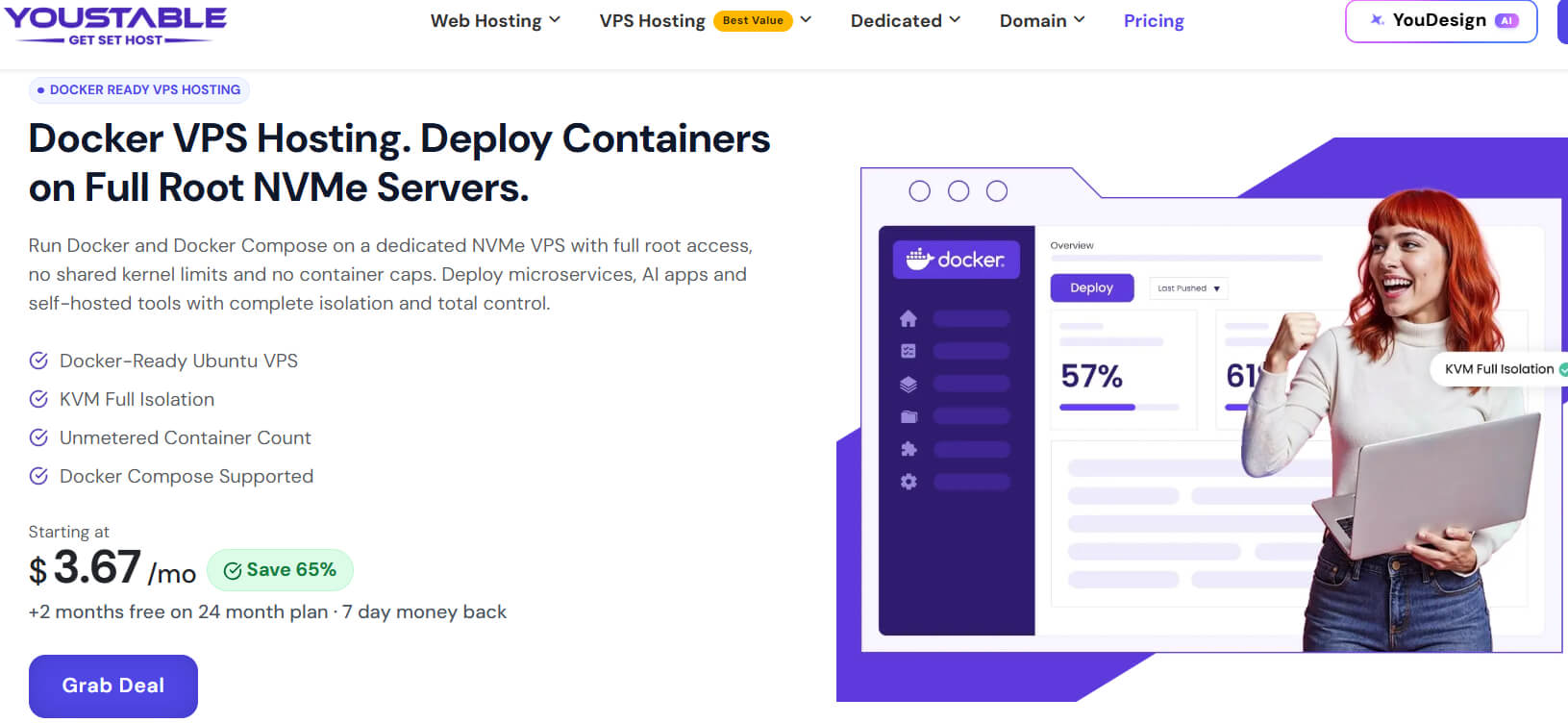
Running Docker containers smoothly starts with reliable infrastructure, and YouStable delivers exactly that through Docker ready Ubuntu VPS, KVM virtualization, full root access, and high speed NVMe storage. Dedicated IPv4, unmetered container support, and Docker Compose compatibility make deployments straightforward for developers and businesses.
Every Docker VPS plan includes dedicated CPU and RAM resources, allowing applications, APIs, microservices, AI tools, databases, and self hosted platforms to run with predictable performance. Current offers include plans starting from $3.67/month, up to 70% savings, two extra months free on 24 month plans, renewal at the same price, and a 7 day money back guarantee.
Overall, YouStable combines affordable pricing, scalable Docker VPS plans, 99.9% uptime, free migration, weekly backups, Docker aware 24/7 support, and flexible resource upgrades, making it a dependable choice for both development and production container workloads.
Key Features of YouStable Docker VPS Hosting
Built specifically for Docker workloads, YouStable combines full root access, NVMe storage, reliable networking, and scalable resources to deliver consistent container performance.
- Docker Ready Ubuntu VPS with Full Root Access: Launch Docker Engine and Docker Compose on Ubuntu LTS with unrestricted SSH root access for complete server customization.
- KVM Full Virtualization for Complete Isolation: Every VPS runs on KVM virtualization, ensuring dedicated resources, stronger security, predictable performance, and isolated container environments.
- High Speed NVMe SSD Storage: Enterprise NVMe SSD storage accelerates container startup, image pulls, database operations, and application performance with consistently low latency.
- Unlimited Docker Containers with Flexible Scaling: Run unlimited Docker containers without platform imposed limits while upgrading CPU, RAM, and storage anytime as workloads increase.
- Reliable Network with Dedicated IPv4 Connectivity: Dedicated IPv4, optimized networking, and low latency infrastructure ensure faster API communication, stable deployments, and dependable application availability.
- Free Migration, Weekly Backups, and 24/7 Expert Support: Free migration, automated weekly backups, Docker aware technical support, and 99.9% uptime help keep production environments secure and reliable.
Performance for Docker
YouStable delivers stable and fast performance for Docker workloads with its NVMe storage and optimized VPS infrastructure. Containers start quickly, and applications run smoothly without lag.
| Performance Factor | What You Get | Impact on Docker | Benefit |
| Container Startup Speed | NVMe storage enables faster read/write operations | Containers launch quickly without delay | Faster deployment and smoother workflows |
| Multi Container Handling | Optimized CPU and RAM allocation | Runs multiple containers without slowdown | Stable performance for APIs and microservices |
| Resource Stability | Balanced server resources with consistent uptime | Prevents crashes and unexpected failures | Reliable long term Docker usage |
| Scalability | Easy upgrade of CPU, RAM, and storage | Supports growing workloads | Consistent performance as projects scale |
Plans & Pricing
YouStable offers four Docker VPS plans, making it easy to choose the right configuration for personal projects, development environments, or production container workloads.
| Plan | Starting Price | CPU/RAM | NVMe SSD Storage | Bandwidth |
| vStart | $3.67/mo | 1 vCPU/4GB | 50GB | 4TB |
| vProfessional | $5.46/mo | 2 vCPU/8GB | 100GB | 8TB |
| vPopular | $7.88/mo | 4 vCPU/16GB | 200GB | 16TB |
| vStable | $15.78/mo | 8 vCPU/32GB | 400GB | 32TB |
Why Choose YouStable Docker VPS Hosting?
YouStable offers more than just a virtual server. It provides a Docker optimized environment with dependable performance, transparent pricing, and developer friendly features, making container deployment simpler, faster, and easier to scale.
- Docker Optimized Infrastructure: Full root access, KVM virtualization, Ubuntu LTS, and NVMe SSD storage ensure smooth Docker deployments with reliable performance.
- Affordable & Transparent Pricing: Plans start at $3.67/month, include up to 70% savings, two extra months free, and renew at the same price.
- Scalable for Every Workload: Dedicated CPU, RAM, IPv4, and flexible resource upgrades help your Docker applications grow without unnecessary migrations.
- Reliable Support & Data Protection: Free migration, weekly backups, 99.9% uptime, Docker aware 24/7 expert support, and a 7-day money-back guarantee ensure long term reliability.
2. Digitalocean – Developer Friendly Cloud VPS
Best For: Best for developers and DevOps users who want simple deployment, scalable infrastructure, and reliable performance for Docker containers and microservices.
Price: From $4/month

DigitalOcean is a developer focused cloud hosting platform known for its simplicity, fast deployment, and reliable infrastructure. It provides virtual machines called Droplets, which are easy to set up and widely used for running Docker applications, APIs, and microservices.
For Docker users, DigitalOcean offers a clean interface, strong documentation, and flexible scaling options. It is especially suitable for developers who want quick deployment, control over environments, and the ability to manage container based workloads efficiently without complex setup.
Overall, DigitalOcean provides a simple, reliable, and developer friendly environment with scalable infrastructure, making it a strong choice for running Docker applications with ease and flexibility.
Key Features of Digitalocean
- Simple Droplet Deployment with Docker Support: Launch VPS instances quickly and install Docker easily using pre-built images, reducing setup time for developers.
- High-Performance SSD Storage: Fast SSD storage ensures quick container startup, faster builds, and smooth application performance under moderate workloads.
- Scalable Infrastructure with Flexible Plans: Resize droplets anytime by increasing CPU, RAM, or storage without complex migrations or downtime.
- Developer Friendly Control Panel and API Access: Clean dashboard and powerful API help manage servers, automate deployments, and control Docker environments efficiently.
- Strong Global Data Center Network: Multiple server locations allow better latency control and improved performance for globally distributed Docker applications.
3. Kamatera – Fully Customizable Cloud Servers
Best For: Suitable for businesses and developers needing fully customizable VPS with scalable resources for handling flexible and high-performance Docker workloads.
Price: From $10/month

Kamatera is a flexible cloud VPS provider that focuses on customizable infrastructure and high-performance hosting. It allows users to configure CPU, RAM, storage, and bandwidth according to their exact requirements, making it suitable for Docker environments with varying workloads.
For Docker users, Kamatera offers quick server deployment, strong global network coverage, and scalable resources. It works well for developers and businesses that need precise control over their server environment and want to scale Docker applications without limitations.
Overall, Kamatera provides flexible and scalable cloud VPS with customizable resources, making it ideal for Docker users who need control, performance, and reliable infrastructure for growing workloads.
Key Features of Kamatera
- Fully Customizable VPS Configuration: Choose exact CPU, RAM, and storage resources to match Docker workloads, ensuring optimal performance without paying for unused capacity.
- Instant Server Deployment in Minutes: Quickly launch cloud servers with pre-configured environments, allowing faster Docker setup and immediate application deployment.
- High-Performance SSD Storage: Fast SSD storage improves container execution speed, reduces latency, and ensures smooth performance for database driven applications.
- Global Data Centers for Low Latency: Multiple locations worldwide help deliver faster response times and reliable performance for Docker based applications across different regions.
- Scalable Cloud Infrastructure on Demand: Easily scale resources up or down based on workload, making it suitable for both small projects and enterprise level Docker environments.
4. Hostinger – Budget Friendly Beginner VPS
Best For: Great for beginners and budget users looking for easy to use VPS with decent performance for small to medium Docker based applications.
Price: From $6.49/month

Hostinger is a well known hosting provider that offers affordable VPS solutions with a focus on simplicity and performance. It provides NVMe based VPS servers, full root access, and an easy to use control panel, making it a practical option for users starting with Docker.
For Docker users, Hostinger delivers a beginner friendly environment with sufficient resources for small to medium workloads. It is suitable for developers who want a budget VPS with decent performance and straightforward management without complex configurations.
Overall, Hostinger offers affordable VPS with NVMe performance, simple management, and reliable resources, making it a good choice for beginners running Docker on a budget.
Key Features of Hostinger
- Affordable VPS Plans for Beginners: Budget friendly pricing with essential resources makes it easy to start running Docker without high initial investment.
- Dedicated Resources with Full Root Access: Provides complete control over the server, allowing smooth installation and management of Docker containers without restrictions.
- NVMe SSD Storage for Faster Performance: High-speed NVMe storage improves container startup time, file access speed, and overall system responsiveness.
- Easy to Use Control Panel: Simple interface helps users manage servers, monitor performance, and configure Docker environments without complexity.
- Global Data Centers for Better Latency: Multiple server locations help reduce latency and improve application performance for users across different regions.
5. Hosting.com – Managed Secure Business Hosting
Best For: Ideal for businesses wanting managed Docker hosting with strong security, reliable uptime, and expert support without handling complex server management tasks.
Price: From $9.99/month

Hosting.com offers managed hosting solutions with support for Docker environments, focusing on stability, security, and business level performance. It provides a managed infrastructure where users can run container based applications without handling complex server configurations.
For Docker users, Hosting.com is suitable for those who prefer a managed approach with built in monitoring, security, and support. It works well for businesses that want reliable performance and expert assistance rather than managing everything manually.
Overall, Hosting.com provides managed Docker hosting with strong security, reliable uptime, and expert support, making it suitable for businesses that prefer a stable and hands off hosting experience.
Key Features of Hosting.com
- Managed Docker Hosting Environment: Provides optimized infrastructure for Docker applications, reducing manual setup and ensuring stable container performance for business workloads.
- High Availability and Uptime Guarantee: Reliable infrastructure with strong uptime ensures Docker containers run continuously without unexpected downtime or service interruptions.
- Advanced Security and Monitoring Tools: Includes firewall protection, monitoring systems, and threat detection to keep Docker applications secure and stable.
- Scalable Hosting with Resource Flexibility: Easily increase CPU, RAM, and storage as application demands grow, ensuring smooth scaling for Docker based projects.
- Professional Support and Managed Services: Expert support helps resolve technical issues, optimize performance, and maintain Docker environments efficiently.
Comparison Table
Still confused about which VPS to choose for Docker? Let’s make it simple for you. Instead of checking everything one by one, you can quickly compare all options here and see which one actually fits your needs.
| Provider | Starting Price | Best For | Key Advantage |
| YouStable | $3.67/month | Beginners, developers, startups, businesses, & production workloads | Docker ready Ubuntu VPS with KVM virtualization, full root access, NVMe SSD storage, transparent pricing, and flexible resource scaling. |
| DigitalOcean | $4/mo | Developers and DevOps users | Simple deployment with strong developer tools and scalable cloud infrastructure |
| Kamatera | $10/mo | Businesses and advanced users | Fully customizable VPS with flexible resources and global data centers |
| Hostinger | $6.49/mo | Beginners and budget users | Easy to use VPS with NVMe storage and beginner friendly control panel |
| Hosting.com | $9.99/mo | Businesses needing managed hosting | Managed Docker environment with strong security and expert support |
How to Choose the Best Docker VPS Hosting in 2026?
Choosing the right Docker VPS hosting isn’t just about finding the lowest price. The ideal provider should deliver reliable performance, complete server control, easy scalability, and developer friendly features that keep your Docker containers running efficiently as your projects grow.
Step 1: Understand Your Docker Requirements
Start by estimating how many containers you’ll run and what they’ll host. Development environments need fewer resources, while production applications, databases, AI tools, and Docker Compose stacks require more CPU, RAM, and storage.
Step 2: Choose a Provider with Full Root Access
Docker works best when you have unrestricted server control. Full root access allows you to install Docker Engine, configure networking, manage containers, automate deployments, and customize your server without limitations.
Step 3: Prioritize High-Performance Hardware
Containerized applications perform noticeably better on dedicated resources. Always choose a VPS with multi core processors, sufficient RAM, and NVMe SSD storage to reduce image pull times, accelerate container startups, and improve database performance.
| Docker Workload | Recommended Configuration | Ideal For | Recommended Choice |
| Learning & Testing | 1 vCPU • 4GB RAM • 50GB NVMe | Personal projects and Docker basics | YouStable vStart |
| Small Applications | 2 vCPU • 8GB RAM • 100GB NVMe | APIs, websites, Docker Compose | YouStable vProfessional |
| Production Projects | 4 vCPU • 16GB RAM • 200GB NVMe | SaaS platforms and multiple containers | YouStable vPopular |
| Enterprise Workloads | 8 vCPU • 32GB RAM • 400GB NVMe | High traffic production environments | YouStable vStable |
Step 4: Look for KVM Virtualization and Ubuntu Support
KVM virtualization provides dedicated resources and stronger isolation, while Ubuntu LTS offers excellent compatibility with Docker Engine, Docker Compose, and long term security updates for stable container deployments.
Step 5: Check Scalability, Support, and Long Term Value
As your applications grow, your VPS should grow with them. Choose a provider offering flexible resource upgrades, transparent renewal pricing, free migration, automated backups, and responsive technical support to simplify long term Docker management.
If you’re looking for a provider that already meets these requirements, YouStable Docker VPS Hosting is a practical choice. It combines Docker ready Ubuntu VPS, KVM virtualization, full root access, NVMe SSD storage, dedicated IPv4, flexible resource upgrades, free migration, weekly backups, 24/7 expert support, and plans starting from just $3.67/month, making it suitable for everyone from beginners building their first containers to businesses running production grade Docker applications.
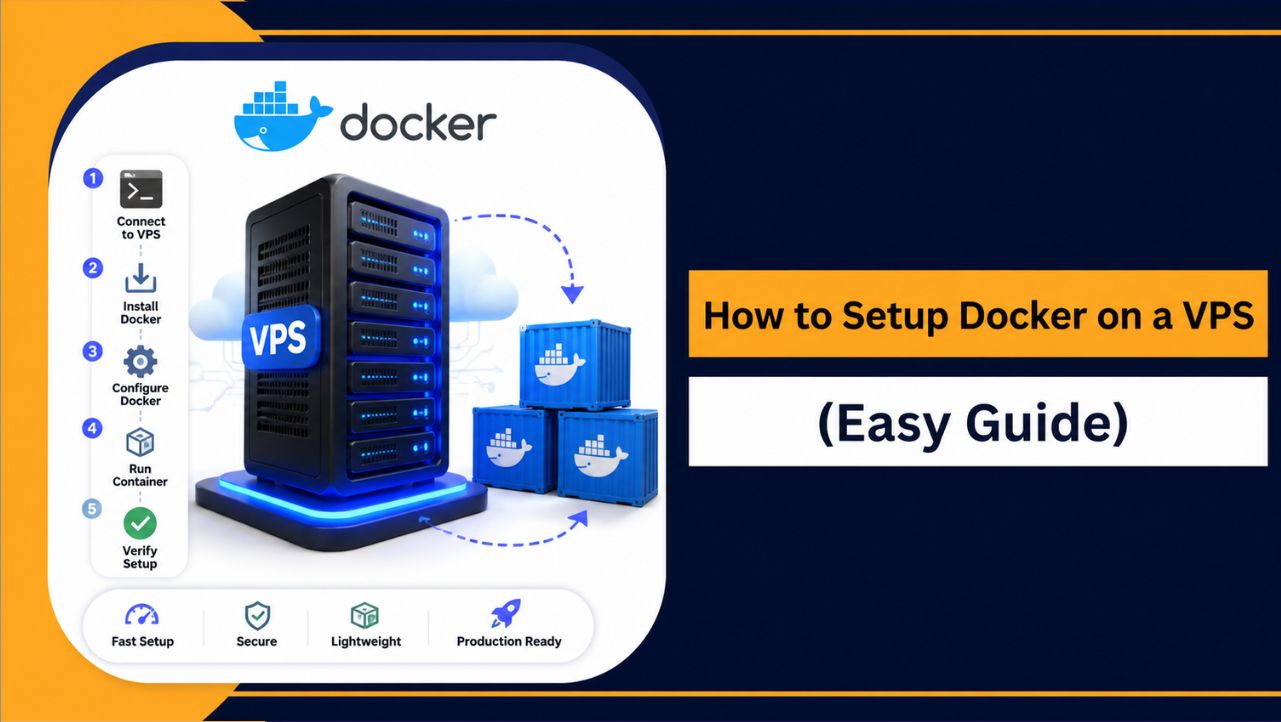
How to Set Up Docker on VPS (Quick Setup)
Setting up Docker on a VPS becomes smooth when you follow a clean and correct process. You only need a Linux VPS (Ubuntu 22.04 or similar) with root or sudo access. This method follows Docker’s official installation approach, so it stays stable and secure.
Follow these steps carefully:
- Update your server packages
Run sudo apt update && sudo apt upgrade -y to ensure your system is fully updated and compatible with Docker. - Install required dependencies
Run sudo apt install ca-certificates curl gnupg lsb-release -y to prepare your system for secure Docker installation. - Add Docker’s official GPG key
sudo mkdir -p /etc/apt/keyrings
curl -fsSL https://download.docker.com/linux/ubuntu/gpg | sudo gpg --dearmor -o /etc/apt/keyrings/docker.gpg
This step ensures packages are verified and secure.
- Add Docker repository
 echo \
"deb [arch=$(dpkg --print-architecture) signed-by=/etc/apt/keyrings/docker.gpg] https://download.docker.com/linux/ubuntu \
$(lsb_release -cs) stable" | sudo tee /etc/apt/sources.list.d/docker.list > /dev/null
This allows your VPS to install Docker from the official source.
- Install Docker Engine
Run sudo apt update again, then:
sudo apt install docker-ce docker-ce-cli containerd.io docker-buildx-plugin docker-compose-plugin -y - Start and enable Docker service
sudo systemctl start docker
sudo systemctl enable docker
This makes Docker run immediately and automatically on reboot.
- Allow Docker without sudo (optional but useful)
sudo usermod -aG docker $USERThen log out and log back in to apply changes.
- Verify Docker installation
Run docker –version to confirm Docker is installed correctly. - Test Docker with a sample container
Run docker run hello-world to ensure everything is working properly.
Once setup is complete, your VPS is ready to run Docker containers for web apps, APIs, automation tools, or microservices. A properly installed Docker environment ensures better performance, easier scaling, and smooth application management.
Performance Optimization Tips
Running Docker on a VPS is not just about setup. To get consistent speed and stability, you need to optimize how your containers use system resources and how your server is configured.
Here are some practical tips to improve Docker performance on a VPS:
| Optimization Area | What to Do | Impact on Performance | Benefit |
| Use Lightweight Images | Choose minimal images like Alpine-based containers | Reduces resource usage | Faster startup and lower load |
| Limit Container Resources | Set CPU and RAM limits for each container | Prevents resource overuse | Stable multi container performance |
| Use NVMe Storage | Run Docker on NVMe based VPS | Faster read/write operations | Better speed and responsiveness |
| Enable Caching | Use caching layers for apps and databases | Reduces repeated processing | Improved application speed |
| Monitor Resource Usage | Use tools like htop or docker stats | Tracks CPU and RAM usage | Helps avoid overload issues |
| Remove Unused Containers | Clean unused images and containers regularly | Frees up storage and memory | Keeps system optimized |
| Optimize Networking | Use proper port mapping and network modes | Reduces latency between containers | Faster communication |
By applying these optimizations, your Docker environment will run more efficiently, handle workloads better, and maintain stable performance even as your usage grows.
FAQs
1. Can I run Docker on a low cost VPS?
Yes, you can run Docker on a low cost VPS, but performance depends on resources. For basic use, it works fine.
For better performance, you should have:
• At least 2GB RAM (4GB recommended)
• Multi core CPU
• NVMe or SSD storage
• Stable network connection
2. Which VPS is best for Docker beginners?
For beginners, a VPS should be easy to use, affordable, and reliable. A provider like YouStable offers a good balance of performance, pricing, and simple setup, making it suitable for starting Docker projects.
3. How much RAM do I need for Docker?
Docker can run on 2GB RAM, but it depends on your workload. For better stability:
• 2GB RAM → Basic projects
• 4GB RAM → Multiple containers
• 8GB+ RAM → Production workloads
4. Is Docker better than traditional hosting?
Docker is more flexible than traditional hosting because it isolates applications and makes deployment easier. It allows you to run multiple services without conflicts and improves scalability for modern applications.
5. Do I need technical knowledge to use Docker on VPS?
Yes, basic technical knowledge is helpful when working with Docker on a VPS.
You should know:
• Basic Linux commands
• How to use SSH
• Docker commands and containers
• Server resource management
Conclusion
Choosing the best VPS for Docker ultimately depends on your applications, expected traffic, and future growth. Prioritizing dedicated resources, full root access, NVMe storage, and reliable infrastructure ensures smoother deployments, stable containers, and better long term performance.
After comparing leading providers through real Docker deployments, performance benchmarks, uptime monitoring, and practical testing, YouStable consistently delivered the strongest balance of affordability, scalability, reliable performance, and developer friendly features for most Docker workloads.
Whether you’re deploying your first container or managing production applications, selecting a dependable Docker VPS saves time and avoids unnecessary migration later. YouStable Docker VPS Hosting is a practical starting point for building fast, secure, and scalable containerized environments.